How to Use Sublimation Paper with Cricut
To use sublimation paper with Cricut, print with sublimation ink, cut or trim the transfer, then press it onto a compatible blank. Cricut handles cutting or placement; a compatible sublimation printer and heat press do the printing and transfer.
On this page (7 sections)
- What does each machine do in a Cricut sublimation project?
- How do you use sublimation paper with Cricut?
- What paper and equipment should you choose?
- How is sublimation paper different from heat transfer paper?
- How do you choose a blank for sublimation?
- What common mistakes affect a Cricut sublimation transfer?
- Which paper and Cricut setup should you use?
To learn how to use sublimation paper with Cricut, print with sublimation ink, cut or trim the transfer, and press it onto a compatible blank. Cricut handles cutting or placement; a compatible printer and heat press handle printing and transferring.
A Cricut is a cutting machine, not a sublimation printer or heat press. This method suits light polyester fabric or sublimation-coated blanks, where heat transfers the ink into a compatible surface.
What does each machine do in a Cricut sublimation project?
The printer makes the image, Cricut handles cutting or placement, and the heat press transfers the ink. Each tool has a separate job, so a Cricut alone can't print or apply sublimation.
A sublimation printer uses sublimation ink to print on transfer paper. During pressing, heat moves the ink into a compatible polymer surface, such as polyester fabric or a coated mug.
Cricut Design Space can help prepare a design and send cut lines to a Cricut machine. With Print Then Cut, a separate compatible printer prints the design and Cricut reads registration marks before cutting.
For an overview of printer choices, see our sublimation printer machine guide. Confirm that the printer is set up for sublimation ink before loading the paper.
How do you use sublimation paper with Cricut?
Print the design with sublimation ink, cut or trim it, place it against the blank, and press it according to the blank's instructions. Mirror designs that need to read correctly after a face-down transfer.
- Choose a compatible blank. Check that the material is suitable for sublimation, such as light polyester fabric or a sublimation-coated item.
- Prepare the artwork. Add the design in your preferred software and size it to the area you want to decorate.
- Mirror when needed. Mirror text and logos that will be transferred face down. Check the preview before printing.
- Load the paper correctly. Follow the paper and printer instructions for which side to print on.
- Cut or trim the design. Use Cricut for shaped edges or scissors for a simple outline. Keep registration marks intact if your Print Then Cut workflow uses them.
- Position the transfer. Place the printed side against the blank as directed and secure it so it can't shift.
- Press with suitable equipment. Follow the blank and press instructions for heat, time, and pressure. Let the item cool as directed before removing the paper.
A precise cut can't make an incompatible blank suitable for sublimation. Confirm the material before printing so you don't waste a transfer.
Do you need Cricut Print Then Cut?
Use Print Then Cut when you want Cricut to cut around a printed design. The printer still does the printing, and the press still does the transfer.
Make sure the printer uses sublimation ink and the paper works with it. If you have an HP, see sublimation ink for HP inkjet printers before choosing a setup.
Cricut can cut excess paper around the artwork, but it can't make regular inkjet paper work for sublimation.
For a basic square or rectangle, scissors may be enough. Choose Cricut when you need a shaped outline or want to cut several designs consistently.
What paper and equipment should you choose?
Match the paper to your ink, printer, and blank. A-SUB Sublimation Paper is the option here for a compatible sublimation setup; Avery and TransOurDream are heat transfer papers for fabric projects.
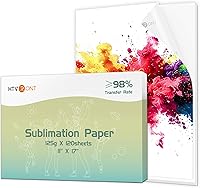
For another sublimation option, compare HTVRONT sublimation paper.
A-SUB paper comes in 8.5 x 11 in sheets, with 110 sheets in the pack. For larger print runs, compare sublimation paper rolls.
For coated coaster projects, compare wood and MDF sublimation coaster blanks.
Its listed applications include white or light high-quality polyester, materials with up to 30% cotton, and coated ceramics, tiles, phone cases, metal plates, tumblers, and mugs.
Use it only with sublimation ink and a compatible sublimation printer. For more sheet options, see our guide to best sublimation paper sheets.
A heat press must suit the item. Flat projects need a press suited to flat surfaces, while curved items such as mugs and tumblers need compatible equipment and the blank maker's directions.
Can a Cricut cut sublimation paper?
Yes, Cricut can cut printed sublimation paper when the material and cut settings suit the job. The cut shapes the transfer; it doesn't make the paper printable or transfer the image.
Try a cut on scrap paper first, then check that the blade doesn't damage the printed design. Keep any Print Then Cut registration marks intact until Cricut has read them.
Cricut is a blade cutting machine, not a laser cutter. For another approach to paper crafts, see Best Laser Cutter For Paper and Best Laser Engraver For Paper Crafts.
How is sublimation paper different from heat transfer paper?
Sublimation paper carries sublimation ink into a compatible surface, while heat transfer paper applies a printed layer to fabric. The methods use different inks, materials, and pressing steps.
Sublimation is suited to polyester or coated blanks. Heat transfer paper can suit cotton fabric and leaves a transfer layer on the material.
Avery Heat Transfer Paper is designed for dark cotton and cotton/poly fabrics and works with inkjet printers. Avery says it can be cut with scissors or a cutting machine and applied with an iron or heat press.
This paper is for heat transfers, not sublimation. Read our guide to sublimation paper vs heat transfer paper if you're choosing paper for a shirt.
TransOurDream Heat Transfer Paper for Dark T also suits dark-fabric transfers. Its instructions call for printing, cutting, placing the image face up on fabric, covering it with the included Teflon paper, and applying heat.
Choose either heat transfer paper when its fabric and ink requirements fit your project. Choose sublimation paper when you have sublimation ink, a compatible printer, and a suitable blank.
How do you choose a blank for sublimation?
Choose a blank made for sublimation, with a compatible coating or polyester content. White or light surfaces usually show transferred colors more clearly because sublimation doesn't add an opaque white layer.
For shirts, check the color and fabric content. A-SUB lists white or light high-quality polyester and materials with up to 30% cotton among its applications, but the blank's own instructions should guide your choice.
For mugs and tumblers, confirm the surface has a sublimation-compatible coating. Our guides to best sublimation paper for tumblers and best sublimation paper for mugs cover those project types.
Skip sublimation for dark cotton or uncoated blanks. If you want to decorate dark cotton, use heat transfer paper made for that fabric instead.
What common mistakes affect a Cricut sublimation transfer?
Material, loading, mirroring, and pressing errors are the most common causes of disappointing transfers. Check these points before printing another copy.
- Faint or uneven color: Confirm the printer uses sublimation ink and the blank is compatible. Follow the blank's recommended press settings.
- Reversed text: Mirror artwork before printing when the transfer method requires it.
- Paper sticks or shifts: Secure it as directed and avoid moving it during pressing.
- Unwanted marks: Keep the transfer paper clean and follow the press instructions for protective sheets and pressure.
- Cricut misses the design: Check Print Then Cut setup and registration marks, then try a spare sheet.
- The transfer doesn't suit the fabric: Sublimation isn't the right choice for dark cotton. Choose a heat transfer paper designed for that fabric.
If you're setting up a compatible printer, see how to refill sublimation ink cartridges. Use ink that suits both the printer and sublimation workflow.
Which paper and Cricut setup should you use?
Pick A-SUB when you have a compatible sublimation printer, sublimation ink, and a suitable light or coated blank. Cricut helps with shaped cuts and placement, but it isn't required for a simple trimmed transfer.
Pick Avery or TransOurDream when your project is a dark cotton or cotton/poly fabric transfer made with an inkjet printer. Skip both if you need sublimation: they are heat transfer papers and use a different process.
Before you start, check the blank, ink, paper orientation, mirroring, cut method, and press instructions. That is the practical answer to how to use sublimation paper with Cricut: Cricut handles the cut, while compatible sublimation equipment and materials do the transfer.
Frequently asked questions
Can I use regular printer ink on sublimation paper?
No. Sublimation paper needs sublimation ink, and the printer must be compatible with that ink.
Regular ink won't work for sublimation transfer.
Check the printer's ink system before loading paper, and don't put sublimation ink into a printer unless its instructions and setup support it.
Do I need a Cricut to use sublimation paper?
No. A Cricut can cut around a design or help position it, but it doesn't print or transfer the image.
You can trim a simple design with scissors, then use a suitable heat press and compatible blank.
A Cricut is useful when the design has shaped edges or several pieces.
Does sublimation paper work on dark shirts?
Usually, sublimation is best suited to white or light-colored polyester because the process doesn't add an opaque white layer. For dark cotton shirts, use heat transfer paper made for dark fabrics instead, and follow its printing and pressing directions.
Should I mirror a sublimation design before printing?
Mirror text and other designs that will be transferred face down, so they read correctly after pressing. Some sublimation blanks or workflows use a different placement method, so follow the instructions for your blank and press.
Check the preview before printing, especially for names and logos.