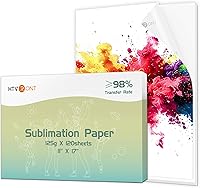
Sublimation Printer Machine: Complete Buying Guide
A sublimation printer machine prints designs onto transfer paper for heat pressing onto polyester fabric or polymer-coated blanks. Choose a purpose-built model for a dedicated setup, or confirm printer, ink and workflow compatibility before converting another inkjet.
On this page (9 sections)
- What does a sublimation printer machine do?
- Which type of sublimation printer suits your setup?
- Which supplies do you need with the printer?
- How do project types change the printer you need?
- How do you compare printer features before buying?
- How much should you spend on a sublimation setup?
- What common setup mistakes should you avoid?
- Explore sublimation equipment by topic
- Which sublimation printer machine should you choose?
A sublimation printer machine prints a design onto transfer paper, which you heat press onto polyester fabric or a polymer-coated blank. For a dependable first setup, choose a printer and ink made for sublimation, then match paper size, press and blanks to the projects you plan to make.
The printer is only one part of the process. For higher-volume production, see our industrial sublimation printer guide.
You also need compatible ink and paper, a way to create or prepare artwork, a suitable heat press, and blanks that accept sublimation.
Use this guide to compare printer types and supplies before you buy. For an overview of choosing among project-specific models, see our desktop sublimation printer guide.
What does a sublimation printer machine do?
A sublimation printer machine puts sublimation dye onto transfer paper so heat and pressure can move the design into a compatible surface. The transfer surface matters as much as the printer: standard sublimation is suited to polyester fabric and polymer-coated hard goods.
The color on the paper can look muted before pressing. Brother explains that its genuine sublimation ink is activated by heat, producing brighter colors on the finished item.
A printer does not apply the transfer by itself. You need a heat press and a blank that can tolerate the pressing process.
Follow the press and blank instructions for temperature, time and pressure rather than using one setting for every material.
For the best fit, think about your output first: shirt graphics, mug wraps, tumbler designs, coasters or small gifts. Those projects determine the paper dimensions, press style and blank shape you need.
Which surfaces accept sublimation?
Sublimation works on polyester fabric and polymer-coated blanks. It does not behave like a general-purpose printing method for every shirt or household surface.
For designs burned directly into wood, see our wood burning kit guide.
Brother describes its printer for shirts, bags, mugs, metal tumblers, coasters and home decor, with polyester or polymer coating recommended. Hiipoo says its sublimation ink is intended for fabric with less than 30% cotton.
Verify blank and ink compatibility before making a batch.
For apparel, compare sublimation shirts blanks with the fabric content and finish you need. For drinkware, start with sublimation mug blanks or Best Tumbler Blanks For Sublimation And Laser.
Which type of sublimation printer suits your setup?
A purpose-built sublimation printer is usually the clearest path for a new buyer because its ink system is designed for sublimation. A converted inkjet may cost less at the start, but you must verify that the exact model can use sublimation ink and accept the workflow you want.
| Printer approach | Best fit | Check before buying |
|---|---|---|
| Purpose-built desktop sublimation printer | New users and small workspaces | Maximum paper size, ink supply and supported devices |
| Converted inkjet | Buyers who understand model and ink compatibility | Whether the exact printer can be converted and whether it will remain dedicated to sublimation |
| Wider-format printer | Larger transfers and more room on the design | Maximum media width, feed path and space required |
| App-driven printer | Phone or tablet centered workflows | App compatibility, wireless requirements and desktop support |
Do not assume that printers with similar names or bodies use the same ink. Once an inkjet has sublimation ink, treat it as a dedicated sublimation machine unless the manufacturer confirms a safe way to switch back.
Is a purpose-built printer easier to choose?
A purpose-built model reduces guesswork about the ink system. The Epson SureColor F170 is a compact dye-sublimation printer with a 150-sheet auto-feed tray and genuine Epson sublimation ink; the Epson maximum media width is 8.5 in.
This option can suit a buyer who wants a defined desktop setup for smaller transfers. Check whether the included paper sizes fit your typical artwork and whether your computer uses a supported Mac or Windows workflow.
The Brother Sublimation Printer uses Brother Genuine Sublimation Ink and works with the Artspira app, which Brother says includes over 100 sublimation designs. Brother says a heat press is required and sold separately.
Its stated maximum media size is 8.5 x 11 in.
The Brother workflow may appeal if you want to create and manage designs through a phone or tablet app. Check device and operating system compatibility, wireless needs and desktop support before choosing it.
For a direct look at that workflow, read how to use a Brother sublimation printer. If you are comparing a vinyl and sublimation setup, see what printer you need for vinyl and sublimation.
Which supplies do you need with the printer?
A working setup needs compatible ink, sublimation paper, a heat press and suitable blanks. Add heat-resistant tape or other transfer aids when your project calls for them, and check the printer's supported media dimensions.
How should you choose sublimation ink?
Choose ink that is compatible with the exact printer model and its ink system. Purpose-built printers typically use their intended sublimation ink; converted printers need ink that is confirmed for that model.
Hiipoo lists compatibility with several Epson models and includes black, cyan, magenta and yellow ink. Confirm the exact printer model against the compatibility details before filling a tank, since similar model names can differ.
For a dedicated Epson setup, compare the manufacturer's ink guidance with the best sublimation ink for Sawgrass SG500 and SG1000 and our best sublimation ink set guide. Don't mix ink types in a printer tank.
What sublimation paper should you buy?
Choose paper that matches your printer's feed path, media size and blank. Transfer paper is part of the color process, so test a small design with your chosen paper and blank before making several finished items.
A printer's maximum media size limits the artwork you can print in one piece. The Epson SureColor F170 supports media up to 8.5 in wide, while the Brother printer's stated maximum is 8.5 x 11 in.
Compare best sublimation paper sheets and review what size sublimation paper you need before ordering a stack. If 13 x 19 in transfers are part of your plan, check which sublimation printer prints 13x19.
What else belongs in a starter setup?
Your minimum setup includes a printer, compatible ink, transfer paper, a heat press and blanks. Thermal tape can help hold a transfer in place when the blank and process call for it.
A starter bundle can reduce separate supply decisions. The Epson F170 package here includes Epson ink, a user guide, a power cable, a starter kit, sublimation paper and thermal tape.
Compare bundle contents carefully so you know which supplies still need to be purchased. Our guide to a sublimation printer and heat press bundle covers how to pair the two main machines.
A printer setup also needs routine care. Keep ink and paper stored as directed, and use a cleaning kit only when it matches your printer.
See our best sublimation printer cleaner guide for maintenance supplies.
How do project types change the printer you need?
The best printer for you depends on the shape and size of your most common transfers. A shirt graphic, mug wrap and tumbler design can call for different paper dimensions and pressing equipment.
What printer should you choose for shirts?
For shirts, choose a printer that supports the transfer dimensions you need and pair it with compatible polyester fabric. For dark-shirt options, see how to sublimate on black shirts.
A wider sheet can reduce the need to split a large graphic, but confirm the maximum media width before buying.
The Brother printer supports up to 8.5 x 11 in media, which suits designs that fit within that sheet size. The Epson F170 supports media up to 8.5 in wide, with the bundle including 8.5 x 11 in and 8.5 x 14 in paper.
Read our best sublimation printers for t-shirts guide for apparel-focused options. For larger designs, prioritize the supported paper dimensions and feed method over a general claim about print quality.
What printer should you choose for mugs and tumblers?
For mugs and tumblers, match the print dimensions to the blank's printable area and the press or oven method you plan to use. Curved surfaces need a transfer that sits flat and a pressing setup intended for that shape.
A mug press applies pressure around a mug, while a tumbler may need a different press or an oven and shrink wrap. Read best sublimation printers for mugs and best sublimation printers for tumblers for project-specific comparisons.
Before buying blanks, check their coating, shape and compatible transfer process. Our sublimation oven vs heat press guide explains the equipment choice, and how to use shrink wrap for sublimation covers a common tumbler method.
Should you buy a printer with a cutter?
A printer and cutter handle different steps: the printer produces the transfer, while a cutter trims material or shapes cut designs. For that machine type, see vinyl cutting machine guide.
A cutter does not replace sublimation ink, paper or a heat press.
If you also make vinyl projects, decide whether cutting belongs in the same workflow. Our sublimation printer cutter setup guide explains what to consider before adding a cutter, and what printer you need for vinyl and sublimation helps separate the two print processes.
How do you compare printer features before buying?
Compare supported ink, media size, device workflow and included supplies before looking at convenience features. These are the details that decide whether a printer fits your actual projects.
| Decision | What to check | Why it matters |
|---|---|---|
| Ink | Genuine or compatible ink, and exact model compatibility | The wrong ink can make a printer unsuitable for sublimation |
| Media | Maximum width, sheet size and feed path | Your design must fit the paper the printer accepts |
| Workflow | Desktop, phone or tablet support | You need a practical way to prepare and send designs |
| Included supplies | Ink, paper, tape, guide and starter blanks | Bundles vary in what they provide |
| Work area | Printer footprint and room for paper handling | The setup needs space for loading and finished transfers |
| Project surface | Polyester fabric or polymer-coated blank | Sublimation needs a compatible receiving surface |
The Epson F170 bundle includes a 150-sheet auto-feed tray and paper in two sizes. Its stated workflow supports MacOS and Windows, and mobile device connections are not supported.
Brother's SP1 is built around the Artspira app, with Brother describing access to designs through the app. Check app and operating system compatibility before buying, especially if you intend to print from a desktop.
For a larger Epson format, compare the Epson ET-15000 for sublimation with your media needs and ink compatibility. A printer that accepts a wider sheet can still require more space and a different workflow.
How much should you spend on a sublimation setup?
Plan the budget around the complete workflow, not the printer alone. Include ink, paper, a press, blanks and any tools needed to hold or finish the transfer.
A bundle may include several starter supplies, but it may not include the press. Brother explicitly says a heat press is an additional purchase.
Check the contents and the separate equipment you still need.
Avoid buying a large pack of paper or blanks before you confirm the printer, ink and press work with your chosen project. Start with a small supply quantity, then expand once the transfer size and blank type are settled.
For a small shop, also consider how often you expect to print and whether refills are easy to source. The cheapest initial setup may not suit a workflow that depends on larger transfers or many different blank shapes.
What common setup mistakes should you avoid?
The most common setup problems come from incompatible ink, unsuitable blanks or paper that does not fit the printer. Check those three choices before printing a full design.
- Confirm the exact printer model is compatible with the sublimation ink.
- Use polyester fabric or polymer-coated blanks intended for sublimation.
- Match artwork dimensions to the supported paper size.
- Mirror artwork when the transfer process requires it.
- Follow the press and blank instructions for settings.
- Keep transfer paper dry and handle it as its manufacturer directs.
- Test one transfer before making a group of items.
If print quality changes, check ink compatibility, paper, settings and the printer's maintenance guidance before replacing supplies. For a compatible ink option, compare best sublimation ink sets and keep the printer's care instructions nearby.
Explore sublimation equipment by topic
- How to Choose Sublimation Coaster Blanks
- How to Choose Sublimation Keychain Blanks
- Best JOYCLUB Sublimation Blanks
Which sublimation printer machine should you choose?
Choose a purpose-built printer if you want a clear ink path and a small desktop setup; choose a converted inkjet only when you have confirmed exact model and ink compatibility. Then pick paper size and pressing equipment around the products you intend to make.
The Epson SureColor F170 suits buyers who want a compact printer with genuine sublimation ink and an auto-feed tray. The Brother SP1 suits buyers drawn to its Artspira app workflow, while a converted Epson can make sense for someone who has verified the specific model and ink.
Start with one kind of blank and one transfer size, then add equipment as your projects grow. For tumblers, compare the best tumbler blanks for sublimation and laser before choosing the press method and printer format.
Frequently asked questions
What is a sublimation printer machine?
A sublimation printer machine puts dye-sublimation ink onto transfer paper. Heat and pressure move the design from the paper into polyester fabric or a polymer-coated blank.
You also need a heat press suited to the item, compatible paper and a computer or app workflow supported by your printer.
Can any inkjet printer be used for sublimation?
No. A printer must be compatible with sublimation ink and its ink delivery system must suit that ink.
Some buyers convert certain inkjets, but that can affect future use with regular ink.
A purpose-built sublimation printer keeps the ink system intended for sublimation.
What supplies do I need to start sublimation printing?
Start with a compatible printer and sublimation ink, transfer paper, design software or an app, heat-resistant tape, and a heat press. You'll also need polyester fabric or blanks with a polymer coating.
Check each printer's supported paper size and device workflow before buying supplies.
Can sublimation print on cotton shirts?
Standard sublimation works best on polyester fabric, not untreated cotton. Hiipoo says its ink is for fabric containing less than 30% cotton, while Brother describes use on polyester or polymer-coated items.
Check the ink and blank guidance, and choose a compatible surface for the transfer.
What size sublimation printer should I buy?
Choose a printer based on the largest transfer you need to print, then confirm the printer's maximum media width and supported sheet feed. A compact desktop model can suit small projects, while larger artwork may require a wider format.
A 13 x 19 in design needs a printer that supports that media size.