How to Choose a Desktop Sublimation Printer
Choose a desktop sublimation printer by print size, workspace, transfer volume and setup needs. A compact model can suit small crafts, while larger desktop units make more sense for regular apparel and broader transfer work.
On this page (9 sections)
- What size desktop sublimation printer do you need?
- How much workspace does a desktop sublimation printer need?
- What print size should a desktop sublimation printer support?
- Is a desktop sublimation printer suitable for your workload?
- What ink and software setup should you plan for?
- How does a desktop sublimation printer fit with vinyl work?
- What should you prepare before setting up?
- Should you choose a desktop sublimation printer or a laser engraver?
- What is the best way to choose?
The right desktop sublimation printer depends on your largest transfer size, available workspace and expected printing volume. Choose a compact setup for small crafts and occasional work, or move up in size when you need broader apparel designs and repeated production.
That first choice matters more than the brand name on the box. A printer that cannot cover your main design will slow every project.
A printer far larger than your work will take space you may need for other steps.
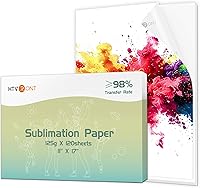
Sublimation printing uses heat to move dye from printed paper into a suitable blank. That process works well for many polyester garments, coated hard goods and other compatible surfaces, but it does not make every blank suitable for sublimation.
The blank itself decides whether the finished piece will hold color. Polyester surfaces and compatible coatings accept the dye under heat.
Cotton and other untreated natural fibers will not give the same result.
That limit should shape your product list from the start. Make a short list of blanks you actually plan to sell or give as gifts.
Then choose equipment around those blanks instead of buying first and hoping for a use later.
If you are still learning the equipment, start with our sublimation printer machine buying guide. It explains how the printer fits into the wider workflow.
The wider workflow includes paper, ink, pressing and finishing. The printer only creates the design on paper.
A heat press then moves that design onto the blank.
You also need a clean place for sheets, a press that fits your transfer and storage for blanks. A beginner can handle that workflow with a simple setup, as long as each part matches the same project sizes.
Mismatched sizes create trimming, tiling and uneven pressing. Occasional use favors a straightforward setup with easy care, while repeated use favors a system you can run without constant adjustment.
Your workspace sets the ceiling for both options. A small desk can still work if the workflow is compact and well planned.
A crowded desk will make even a simple printer feel difficult to use.
Start with your largest transfer, your main blanks and the room you have today. Those three answers point to a size and setup that will serve real projects and prevent buying capacity you do not need.
Once those basics are clear, you can compare paper handling, ink needs and software in more detail. Each of those choices affects daily use and how much time you spend preparing files.
What size desktop sublimation printer do you need?
Choose the printer size based on the largest design you plan to transfer, not the smallest item you make. A printer that handles small sheets may suit mugs, patches and compact signs, but it can limit full shirt designs.
For mug-focused options, compare sublimation printers for mugs.
Before comparing models, list your regular projects:
- Small graphics for mugs, ornaments or accessories
- Chest designs for shirts
- Full front or back apparel designs
- Several transfers printed in one work session
- Wide panels, signs or larger coated blanks
Measure the paper size each project needs. A design that fits a small sheet may not work when you add bleed, margins or a larger press area.
Your heat press matters too. A printer may produce a wide transfer, but you still need a press large enough to apply it evenly.
The printer, paper and press should support the same project sizes.
How much workspace does a desktop sublimation printer need?
A desktop sublimation printer needs more room than its cabinet alone because you also need space for paper, ink, finished sheets and ventilation around the equipment.
Measure the proposed work area before buying. Include room to:
- Load and remove sublimation paper
- Store paper flat and dry
- Check printed sheets before pressing
- Keep ink and maintenance supplies organized
- Move blanks between the printer and heat press
- Reach power connections and controls
Avoid placing the printer where paper can be exposed to moisture, dust or direct heat. Sublimation paper needs careful storage because humidity can affect feeding, drying and transfer results.
A small desk may hold the printer but leave no room for the rest of the process. If your heat press, cutting tools and blanks share the same table, sketch the full workflow before choosing the printer footprint.
For a combined cutting workflow, see how to choose a sublimation printer and cutter setup. Cutting and printing can work well together, but they still need separate setup space and clear file preparation steps.
What print size should a desktop sublimation printer support?
The best print size is the one that covers your most common blank without forcing tiling or awkward seams. Measure the usable transfer area on the blank, then compare it with the printer's supported paper size.
Small prints can be enough for:
- Mug panels
- Pocket logos
- Small labels
- Ornaments
- Compact signs
- Accessories
Larger paper gives you more room for apparel and broad designs. It can also reduce the need to split artwork into sections, which saves alignment time during pressing.
Do not confuse paper size with the finished image size. Printer margins, artwork bleed and the blank's shape all affect the usable area.
Curved products also need a layout that accounts for edges and overlap.
Tumblers require extra care because their wrap size depends on the tumbler's diameter, height and pressing method. Our guide to the best sublimation printer for tumblers covers the printer considerations that matter for that project type.
Is a desktop sublimation printer suitable for your workload?
Match the printer to how often you expect to print and how much downtime you can accept. Occasional craft work has different needs from orders that require many consistent transfers.
For light use, focus on:
- Simple setup
- Clear software instructions
- Manageable paper handling
- Easy access for routine care
- A footprint that fits your current workspace
For regular production, also consider:
- How quickly you can prepare repeated files
- Whether the paper size covers your main products
- How you will organize printed transfers
- Whether the printer can remain in a stable work area
- How much time you can give to maintenance
A larger printer is not automatically better for a beginner. Extra capacity only helps when your projects use it.
If most of your work is small, a larger unit may take valuable space without improving the final product.
On the other hand, choosing too small a printer can create extra work through tiling, trimming and alignment. Base the decision on your busiest realistic project list, not an occasional idea.
What ink and software setup should you plan for?
A sublimation printer needs the correct sublimation ink system, suitable paper and software that can prepare the artwork for transfer. Check sublimation paper compatibility before using it in another printer.
Plan the full setup before you buy the printer.
Check how the printer handles:
- Ink filling or cartridge replacement
- Color management
- Paper settings
- Image mirroring
- Print quality controls
- Maintenance alerts
- File formats and design software
Sublimation transfers usually need mirrored artwork so the final design reads correctly after pressing. Build that check into your file workflow before printing.
Color on paper can look different from the finished transfer. Heat, blank material, coating and pressing conditions all affect the result.
Use a repeatable process for paper, temperature, pressure and time, then change one variable at a time when a result looks wrong.
Keep ink handling clean and organized. Store supplies according to their instructions, label opened materials and avoid mixing incompatible ink systems.
If you change ink types, follow the printer's required process rather than treating it like a regular office printer. For compatibility details, see sublimation ink compatibility.
How does a desktop sublimation printer fit with vinyl work?
A desktop sublimation printer and a vinyl cutter solve different parts of the decoration process. Sublimation is suited to compatible coated or polyester surfaces, while vinyl can cover materials that sublimation cannot.
Sublimation prints full color designs onto suitable blanks through heat. Vinyl cuts shapes and lettering that are then applied to many other surfaces.
The finish looks different too. Sublimation dye becomes part of a compatible surface.
Vinyl sits on top as a separate layer with its own edges and texture.
For white areas, see whether sublimation printers print white ink. The paper and blank show through where no dye is printed, so planning around white backgrounds is part of good design.
A printer-cutter combination may sound convenient, but it does not remove the need to choose the right material for each project. Vinyl also adds cutting, weeding and pressing steps.
Each step adds time and tools. You need cutting mats or suitable surfaces, weeding tools and a press for vinyl as well.
Storage also grows because blanks, paper and vinyl sheets all need a dry place.
That extra work can still be worthwhile. Vinyl lettering suits some shirts and signs very well.
Sublimation suits photographic and gradient designs on compatible blanks.
Read what printer you need for vinyl and sublimation if you plan to offer both methods. The best setup depends on whether you need printed transfers, cut lettering, layered designs or a mix of all three.
A mixed setup also means two file workflows. One prepares printed artwork for heat transfer.
The other prepares cut files with the right settings and spacing.
Keeping those workflows separate at first can reduce confusion. Learn one process until it feels routine, then add the second with its own materials and tools.
For a single-method workspace, keep the workflow simple. Choose the printer, paper, ink and press around products you already understand.
Single method work leaves more room for learning color, placement and pressing quality. It also makes results easier to judge, because too many materials at once make it hard to tell what went wrong.
Start with the products you want to make most often. Let those products decide between sublimation, vinyl or a later combination.
What should you prepare before setting up?
Prepare the work surface, power access, paper storage and heat-press area before the printer arrives. A clear setup reduces handling mistakes and makes routine care easier.
Use this checklist:
- Measure the printer and the available desk or shelf.
- Confirm that the paper size fits your planned designs.
- Set aside a dry place for unused sublimation paper.
- Create a clean area for printed sheets.
- Position the heat press so transfers can move between stations safely.
- Install the recommended software and confirm your file workflow.
- Keep compatible blanks ready for early practice.
- Read the printer's setup and maintenance instructions before filling or installing ink.
Do not print a large batch before confirming the image direction, paper setting and blank compatibility. Make a small test transfer first, then record the settings that produce the result you want.
Routine care is part of ownership. Follow the printer's maintenance schedule, keep the paper path clean and avoid long periods of neglect if the equipment requires regular ink movement.
Should you choose a desktop sublimation printer or a laser engraver?
Choose a desktop sublimation printer when your main projects use printed color transfers on compatible blanks. Choose a laser engraver when your work depends more on cutting or engraving suitable materials.
Those two goals lead to very different setups. One prints color through heat transfer onto coated or polyester blanks.
The other cuts or marks materials with a focused beam.
The finished effects also differ. Sublimation gives full color images that blend into a suitable surface.
Laser work gives cut shapes or marked detail on materials that can handle that process.
The machines need different safety planning. Sublimation requires ink, transfer paper and a heat press.
Laser work requires attention to enclosure, ventilation, material limits and fire safety.
That means your sublimation workspace needs room for printing, pressing and handling paper. Paper must stay dry and clean before use.
Printed sheets need a safe place while you prepare blanks.
Ink care is also part of daily ownership. The correct ink system matters for color and transfer quality.
Routine use and basic maintenance help keep the printer ready for work.
An engraver needs a setup where fumes can be handled properly. Materials must suit laser processing and must never be left unattended in a risky way.
Clear rules for the work area are essential from day one.
That safety planning affects where the machine can sit. A printer setup and a laser setup should not be treated as the same kind of desktop tool.
Ventilation and material storage play bigger roles with laser work.
The workflow after the machine step also differs. Sublimation moves from printed paper to a heat press.
Laser work moves from material preparation to cutting or engraving, then to cleaning and finishing.
If you are comparing equipment categories, start with our Best Desktop Laser Engraver guide. Our How to Choose a Laser Engraver: A Complete Buying Guide explains the workspace and material questions that do not apply to sublimation in the same way.
Reading both sides can help you avoid a mismatch. A printer will not engrave wood or metal.
An engraver will not print full color transfers on polyester blanks.
Your product ideas should come first. List the items you want to make and the effect each item needs.
Color transfers point one way. Cut or engraved detail points the other way.
Neither path is automatically easier. The better path is the one that matches your blanks, your room and your patience for setup.
What is the best way to choose?
Pick a compact desktop sublimation printer if your projects are small, your volume is light and your workspace is limited. Choose a larger paper format when apparel or broad designs are central to your plan.
That simple rule covers most buying mistakes. Small work does not need extra paper size.
Broad work will suffer if the paper size is too small.
Before deciding, confirm these points:
- The printer supports your largest required paper size.
- Your desk has room for loading, storage and maintenance.
- Your heat press matches the transfer area.
- You understand the ink and paper workflow.
- Your blanks have a suitable polyester surface or coating.
- You can keep the equipment clean and in regular use.
- The printer fits the kind of work you expect to repeat.
If any point feels uncertain, slow down and answer it first. Paper size is the easiest point to overlook.
It decides whether a design fits without tiling or trimming.
Desk space is the next point to check in real terms. Measure the printer plus the space you need around it.
Loading paper and removing sheets both need room.
The heat press must match the transfer as well. A wide print is not useful if the press cannot cover it evenly.
The printer, paper and press should work as one system.
The ink and paper workflow also needs a clear plan. Use the ink system made for the printer.
Store paper flat and dry so it feeds well.
Blanks deserve the same care. A suitable polyester surface or coating is not optional for good results.
Check each blank type before you promise a finished product to someone else.
Regular use and basic care matter too. A printer that sits unused for long periods may need extra attention before a project.
Keeping it in a stable place makes routine care easier.
The last point ties all the others together. Choose equipment for work you expect to repeat.
Occasional ideas should not drive a large purchase.
The best desktop sublimation printer is the one that matches your actual blanks and working space. Start with the products you want to make, then choose the printer size and setup that completes those jobs without unnecessary steps.
That approach keeps the craft focused and flexible. You can grow later when real demand grows.
For now, a printer that fits today will serve you best.
Frequently asked questions
What should I look for in a desktop sublimation printer?
Start with the largest transfer you plan to make, then compare the printer's supported paper size, physical footprint, ink system, software and expected workload. You also need a reliable way to keep sublimation ink moving, enough workspace for printed sheets and a heat press that matches your project sizes.
Can a desktop sublimation printer make shirts?
A desktop sublimation printer can make shirt transfers when the shirt has a suitable polyester surface or compatible coating. The printer creates the design on sublimation paper, and a heat press transfers it.
Check the printer's maximum paper size before planning large front or back designs.
Is a desktop sublimation printer good for beginners?
A desktop sublimation printer can be a practical starting point if you have a clear project plan, suitable blanks, sublimation ink and a heat press. The easiest setup is not always the smallest one, so compare software, maintenance and transfer size before choosing.
Do sublimation printers need special ink?
Yes, sublimation printing uses sublimation ink designed to transfer with heat. Use the ink system specified for the printer and avoid mixing ink types.
Plan storage and routine use because clogged printheads or poor color flow can interrupt a project.