9 Best Sublimation Paper for Mugs (November 2026)
The best sublimation paper for mugs include the A-SUB Sublimation Paper 8.5x14 Inch 120g for large mug designs, the HTVRONT Sublimation Paper for T-Shirts & Mug for larger craft batches, and the A-SUB Sublimation Paper 8.5x11 Inch 110 Sheets for a standard A-SUB setup.
On this page (7 sections)
- Which sublimation paper is best for mugs?
- Best sublimation paper for mugs by use
- How to choose sublimation paper for a curved mug
- How to use sublimation paper on mugs
- Common mug transfer mistakes to avoid
- Verdict: which sublimation paper for mugs should you buy?
- Store leftover paper in a cool, dry place and keep it flat. That care helps the next sheet print and wrap cleanly.
The best sublimation paper for mugs is A-SUB Sublimation Paper 8.5x14 Inch 120g when you need extra length for a wide wrap and a paper rated for high transfer efficiency. That longer format is the main reason it stands out for mug artwork.
Choose HTVRONT for a larger 150-sheet pack, or Koala 105gsm when thin paper is easier to position around a curved mug. Each choice suits a different workflow, from wide designs to repeated standard-size wraps.
Mug sublimation paper is not just a flat printable sheet. The paper must match your printer, design width, mug coating and heat press setup.
For a different transfer format, compare our sublimation ink transfer sheets.
A mug adds a curve that flat fabric work does not have. That curve affects how you trim, tape and secure the sheet before it goes into the press.
For an oven option that also handles mugs, see sublimation ovens for tumblers. For a mug-focused oven roundup, see sublimation ovens for mugs.
A sheet that fits your printer may still be too short for the artwork you want to wrap around the mug. Printer fit and design fit are separate checks.
Measure the usable area of the mug before you buy paper. Leave space near the handle and keep the design inside the coated area.
If you also need to choose the printer, start with this sublimation printer machine guide. For general paper formats, compare our best sublimation paper sheets.
The wrong size can force you to shrink a design or cut a sheet down. That can waste both paper and ink.
Think about how often you print as well as what you print. A larger pack suits regular projects, while a longer sheet suits wide artwork.
The mug blank matters as much as the paper. Sublimation ink needs a suitable coated surface on a light colored mug.
Set up your workflow around those three points at once. Printer, paper size and mug blank should all be checked before the first test print.
Our picks at a glance
-
1
 Best for large mug designs
A-SUB Sublimation Paper 8.5x14 Inch 120g
9.7/10 our score
See it on Amazon -
2
 Best for larger craft batches
HTVRONT Sublimation Paper for T-Shirts & Mug
9.5/10 our score
See it on Amazon -
3
 Best for a standard A-SUB setup
A-SUB Sublimation Paper 8.5x11 Inch 110 Sheets
9.5/10 our score
See it on Amazon
- 4
 Check it
HTVRONT 8.5x11 Sublimation Paper 120 Sheets
Best for quick printing - 5
 Check it
Koala Sublimation Paper 8.5x11 Inch 120gsm
Best for guided mug projects - 6
 Check it
Hiipoo Sublimation Paper 8.5x11 Inch
Best for clear print-side guidance - 7
 Check it
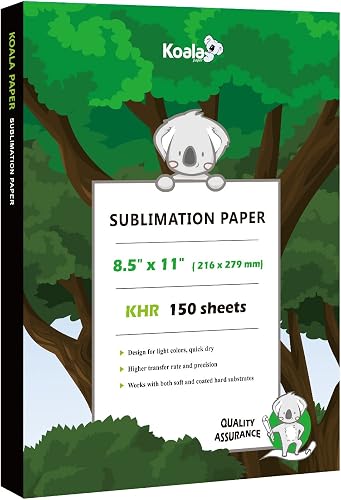
Koala Sublimation Paper 8.5x11 Inches 150 sheets
Best for curved mug wrapping - 8
 Check it
Lucky Goddness Watercolor Transfer Sheets
Best for small decorative designs - 9
 Check it
Printers Jack Sublimation Paper 8.3 x 11.7
Best for wide printer compatibility
Which sublimation paper is best for mugs?
A-SUB 8.5x14 Inch 120g is the strongest overall match because its longer format gives mug designs more room while keeping a 120g paper weight. HTVRONT 8.5x11 is the better standard-size choice when your printer and artwork are built around common letter-sized sheets.
The difference is mostly about design size. A 14-inch sheet can carry a wider wrap, while an 11-inch sheet is more familiar for many home printers.
We compared sheet size, paper weight, sheet count, stated transfer features and mug suitability. Our score weighs specs, features and buyer feedback against what you're shopping for.
Sheet count matters when you print often. A 150-sheet pack will last longer than a smaller pack if you make mugs regularly.
Paper weight affects handling, but it does not decide the result on its own. Coating, ink, pressure, temperature and time still shape the finished transfer.
For mugs, the blank must be light colored and coated. Paper cannot fix an uncoated or dark surface.
That is why size and printer fit come first in this roundup. A great transfer rate means little if the sheet does not fit your printer or the artwork does not fit the mug.
Use your measured design as the starting point. Then choose the sheet length and paper weight that fit that design and your press setup.
| Product | Best for | Sheet size | Paper weight | Sheet count | Our score |
|---|---|---|---|---|---|
| A-SUB Sublimation Paper 8.5x14 Inch 120g | large mug designs | 8.5 x 14 in | 120g | 110 | 9.7 |
| HTVRONT Sublimation Paper for T-Shirts & Mug | larger craft batches | 8.5 x 11 in | 120g | 150 | 9.5 |
| A-SUB Sublimation Paper 8.5x11 Inch 110 Sheets | a standard A-SUB setup | 8.5 x 11 in | 125g in the title | 110 | 9.5 |
| HTVRONT 8.5x11 Sublimation Paper 120 Sheets | quick printing | 8.5 x 11 in | 120 | 9.4 | |
| Koala Sublimation Paper 8.5x11 Inch 120gsm | guided mug projects | 8.5 x 11 in | 120gsm | 120 | 9.3 |
| Hiipoo Sublimation Paper 8.5x11 Inch | clear print-side guidance | 8.5 x 11 in | 120g | 110 | 9.1 |
| Koala Sublimation Paper 8.5x11 Inches 150 sheets | curved mug wrapping | 8.5 x 11 in | 105gsm | 150 | 8.8 |
| Lucky Goddness Watercolor Transfer Sheets | small decorative designs | 4.5 x 12 in | 14 | 8.3 | |
| Printers Jack Sublimation Paper 8.3 x 11.7 | wide printer compatibility | 8.3 x 11.7 in | 100 | 8.1 |
Best sublimation paper for mugs by use
The best pick changes with your mug design and workflow. For curved mug transfers, compare sublimation silicone wraps.
Long sheets help with wide artwork, standard 8.5 x 11 paper is easier for common printers, and thinner paper can wrap more easily around a curved surface. For longer-format printing, compare sublimation paper rolls.
A-SUB Sublimation Paper 8.5x14 Inch 120g: Best for large mug designs
- 8.5 x 14 in sheets
- 120g paper
- 110 sheets
- Over 98% transfer rate
The longer 14-inch sheet gives you more room for wide mug artwork. Its 120g coated paper is designed for sublimation ink and coated hard substrates such as mugs.
Pros
- Long sheet format
- Over 98% transfer rate
- 110 sheets
Cons
- Larger sheets need more printer clearance
- Mugs must be coated
A-SUB's 8.5 x 14-inch format is the key reason to choose it for mugs. The extra length gives you more room for a broad design, especially when the artwork needs to travel around much of the mug body.
The paper weighs 120g and comes as 110 sheets. A-SUB states a transfer rate over 98% and says the coated paper handles light or heavy ink saturation without reverse penetration into the back.
It works with inkjet printers using sublimation ink. For mugs, the blank must be light colored and coated, so paper choice cannot compensate for an unsuitable surface.
For project options, compare bulk sublimation mug blanks.
This is the best fit when your printer accepts the longer sheet and your mug design needs more than a standard 11-inch length. Check your printer path and measure the mug's usable area before trimming.
HTVRONT Sublimation Paper for T-Shirts & Mug: Best for larger craft batches
- 8.5 x 11 in sheets
- 120g paper
- 150 sheets
- Over 98% transfer rate
This 150-sheet pack suits frequent mug projects where standard 8.5 x 11 paper fits your printer. The paper also works with coated items and light-colored polyester materials.
Pros
- Largest sheet count here
- Standard printer size
- Fast-drying design
Cons
- Shorter than the 14-inch option
- Mugs must be coated
HTVRONT's 150-sheet pack suits makers who print mugs often and want a standard 8.5 x 11-inch size. The 120g paper is also intended for T-shirts, ceramic mugs, phone cases and other coated or light-colored materials.
The larger sheet count is aimed at regular craft use. If you print gifts, seasonal projects or small batches, you will go through paper faster than a one-off maker.
The paper is described as fast drying, with a transfer rate over 98% and a design intended to save ink. Fast drying can shorten the gap between printing and pressing when you work in a steady rhythm.
Its lay-flat format can make trimming and taping simpler when you prepare a mug transfer. A flat sheet is easier to measure and secure evenly around a curved surface.
Use sublimation ink in an inkjet printer. HTVRONT also limits fabric use to light-colored polyester materials and materials with cotton content of 30% or less, while mugs need a suitable coating.
That coating point is important for mugs. A light color alone is not enough if the surface is not made for sublimation.
Choose this when sheet quantity matters and your mug artwork fits within 8.5 x 11 inches. It is a practical pick for standard-size designs that do not need extra length.
Store unused sheets in a cool, dry place away from heat, humidity and direct sunlight. Put the remaining sheets back in the box after each print run.
A-SUB Sublimation Paper 8.5x11 Inch 110 Sheets: Best for a standard A-SUB setup
- 8.5 x 11 in sheets
- 125g title weight
- 110 sheets
- Transfer rate of at least 98%
A-SUB's standard-size pack is a practical fit for mug makers who want 8.5 x 11 sheets and a thicker paper format. It is intended for coated mugs and sublimation ink.
Pros
- Standard 8.5 x 11 size
- At least 98% transfer rate
- Works with coated mugs
Cons
- 110 sheets instead of 150
- Title and specs show different paper weights
A-SUB's 8.5 x 11-inch pack is a sensible standard-size choice for mug makers who prefer the brand's paper format. It contains 110 sheets, and the title gives a 125g paper weight while the specification section shows 120 for paper weight.
That difference makes it worth checking the exact package before you order if paper weight is central to your workflow. The stated transfer rate is at least 98%, and the paper is intended for coated ceramic and tile items, tumblers and mugs.
It works only with sublimation ink and a sublimation printer. For fabric projects, the guidance limits use to white or light-colored polyester and materials with cotton content of 30% or less.
Pick it when you want a regular 8.5 x 11 sheet and A-SUB is already part of your setup. Use a coated light-colored mug and confirm the paper side before printing.
HTVRONT 8.5x11 Sublimation Paper 120 Sheets: Best for quick printing
- 8.5 x 11 in dimensions
- 120 sheets
- Over 98% transfer rate
- Fast-drying coated layer
This HTVRONT pack fits standard 8.5 x 11 workflows and focuses on fast drying. Its coated paper is intended for mugs, coasters and other coated blanks.
Pros
- Standard sheet format
- 120 sheets
- Fast-drying design
Cons
- Paper weight is not stated in the title
- Mugs must be coated
HTVRONT's 8.5 x 11 paper is aimed at quick print-to-press workflows. The 120-sheet pack has a coated layer, a stated transfer rate over 98% and a fast-drying design for mug, coaster and other coated blanks.
This format suits makers who want a standard sheet and a short wait after printing. You can move more quickly from design to press when the paper dries fast.
The paper dimensions are 8.5 x 11 x 0.04 inches. That size fits many common printer setups that are built around letter paper.
It also has a back-side logo mark to help identify the correct printing side, which can reduce mistakes when several sheets are on your work table. A quick visual check helps before you load the printer or tape the sheet to a mug.
The paper works with most inkjet printers using sublimation ink. It is intended for light-colored polyester fabrics and coated blanks, including mugs, while materials with cotton content should be 30% or less.
For mug work, check the blank first. The mug should be light colored and coated for sublimation.
Choose it if standard paper dimensions and quick handling matter more than a longer sheet. It suits straightforward mug designs that fit inside an 8.5 x 11-inch area.
Keep leftover paper in its original box and away from heat, sunlight and humidity. That storage helps keep the sheets flat for the next project.
Koala Sublimation Paper 8.5x11 Inch 120gsm: Best for guided mug projects
- 8.5 x 11 in sheets
- 120gsm paper
- 120 sheets
- Transfer instructions included
Koala combines a standard sheet size with 120gsm paper and transfer instructions. The back logo helps identify the printable side before you wrap a mug.
Pros
- Transfer instructions included
- Back logo identifies side
- 120 sheets
Cons
- Only for coated mugs
- Not a long sheet format
Koala's 120gsm, 8.5 x 11-inch paper gives you a standard sheet with transfer instructions included. The pack contains 120 sheets, and a Koala logo on the back helps identify the printable side.
The instructions can help if you are still learning the order of the process. They give you a starting point for printing, mirroring and pressing.
The paper is intended for images with light or heavy ink saturation and has a stated transfer rate over 98%. That range matters for mug designs, which can include photos, text or solid color areas.
It works with sublimation printers and many modified inkjet printers using sublimation ink. Check that your printer setup uses sublimation ink before you print.
For mug work, the important limit is the blank. The mug must be light colored and polyester coated, because the paper and ink are intended for coated sublimation surfaces.
A dark or uncoated mug will not give the same result. Sublimation ink does not add a white base layer.
This is a good choice if you want a little guidance while setting up your process. The logo on the back also helps you load the sheet the right way round.
If you are using a Cricut to prepare designs or cut transfer material, see how to use sublimation paper with Cricut.
Hiipoo Sublimation Paper 8.5x11 Inch: Best for clear print-side guidance
- 8.5 x 11 in sheets
- 120g paper
- 110 sheets
- White printing side and pink back
Hiipoo makes side identification simple with a white printing side and pink back. Its 120g paper is made for sublimation ink, mugs and other sublimation blanks.
Pros
- Easy side identification
- Instant-dry design
- 110 sheets
Cons
- Smaller pack than 120- and 150-sheet options
- Mugs must be coated
Hiipoo makes the printing side easy to identify: the white side is for printing and the pink side is the back. Its 120g, 8.5 x 11-inch paper comes in a 110-sheet pack and is designed for sublimation ink.
That color cue is useful when you print several sheets in a row. You can check the side at a glance before the sheet goes into the printer.
The paper is described as instant drying with a transfer rate over 98%. Instant drying suits a workflow where you print, trim and tape in quick succession.
Hiipoo also gives a simple workflow: mirror the image, use the recommended heat press settings, place the blank on the press and peel after heating. That order helps you keep the design orientation and press steps clear.
The paper works with E, Sawgrass, Ricoh and other sublimation printers, as well as mugs, tumblers and other sublimation blanks. Fabric use is limited to light-colored materials with cotton content of 30% or less.
For mugs, the blank still needs a suitable coating. The paper choice does not change that requirement.
Choose it when print-side identification is a priority. The pink backing gives you a quick visual check before you load or tape the transfer.
It suits standard 8.5 x 11-inch mug designs. If your artwork needs more length, a longer sheet format may fit better.
Koala Sublimation Paper 8.5x11 Inches 150 sheets: Best for curved mug wrapping
- 8.5 x 11 in sheets
- 105gsm paper
- 150 sheets
- Thin paper for wrapping mugs
The thinner 105gsm format is the easiest fit here for wrapping paper around curved mugs. A 150-sheet pack also suits repeated mug projects.
Pros
- Thin paper for curved surfaces
- 150 sheets
- Fast drying
Cons
- Lighter paper weight
- Mugs must be coated
Koala's 105gsm paper is the best fit here when you need a thinner sheet for a curved mug. The brand describes it as easy to wrap around tumblers or mugs, and the 150-sheet pack supports repeated projects.
The thinner weight is the key difference from the 120gsm options in this group. A lighter sheet can bend around a curve with less stiffness.
The standard size is 8.5 x 11 inches. That keeps the format familiar for printers built around letter-sized paper.
Koala states a transfer rate over 98%, fast drying and compatibility with sublimation printers and modified inkjet printers using sublimation ink. Fast drying helps when you trim and secure the sheet soon after printing.
Thinner paper can be easier to position around a curved surface, but it also gives you less paper weight than the 120gsm options. You may want to handle it with a little more care while trimming.
Keep the transfer flat enough to print and secure it evenly to the mug before pressing. An even wrap helps the design sit close to the surface during the press.
Use it when the mug's curve and the amount of paper in the pack matter more than a heavier sheet. The mug still needs to be light colored and coated.
Lucky Goddness Watercolor Transfer Sheets: Best for small decorative designs
- 4.5 x 12 in sheets
- 14 sheets
- Watercolor color
- Translucent finish
These narrow 4.5 x 12-inch transfer sheets suit smaller decorative mug work and cutting-machine projects. They are a different format from standard printer paper and need light-colored, polymer or polyester-based blanks.
Pros
- Long narrow format
- Works with cutting and heat press machines
- No sublimation printer required
Cons
- Only 14 sheets
- Not a standard inkjet paper pack
Lucky Goddness Watercolor Transfer Sheets are different from the standard inkjet paper picks above. Each translucent sheet is 4.5 x 12 inches, and the pack contains 14 sheets for small decorative projects.
The narrow shape suits small graphics rather than full mug wraps. It can work for a compact design placed on part of the mug surface.
The sheets are designed for cutting and heat press machines, and the product information says you can use them without buying a sublimation printer. That makes them a fit for craft setups that already use a cutting machine.
They suit light-colored polymer or polyester-based fabric and blanks, including mugs. The blank still needs to suit the transfer process.
The narrow width can help with a smaller mug graphic, but it gives you less room than an 8.5-inch-wide sheet. You will need to plan the design size carefully before cutting.
The watercolor format also makes this a specialized choice rather than an all-purpose printer paper. It is aimed at decorative designs and cutting-machine projects.
Choose it for small designs and craft projects where a cutting machine is part of the workflow. Use tweezers for weeding and store the sheets in their original packaging in a cool, dry place.
Printers Jack Sublimation Paper 8.3 x 11.7: Best for wide printer compatibility
- 8.3 x 11.7 in sheets
- 100 sheets
- Over 98% transfer rate
- Epson, Ricoh and Sawgrass compatibility
Printers Jack offers a slightly longer and narrower sheet for mug work with compatible inkjet printers. It supports Epson, Ricoh and Sawgrass printers with sublimation ink.
Pros
- Epson, Ricoh and Sawgrass compatibility
- Slightly longer sheet
- 100 sheets
Cons
- Fewer sheets than most picks
- Printer compatibility needs checking for HP and Canon
Printers Jack uses an 8.3 x 11.7-inch format, giving you slightly more length than standard 8.5 x 11 paper while keeping a manageable width. The pack contains 100 sheets and has a stated transfer rate over 98%.
That extra length can help with designs that run close to the limit of an 11-inch sheet. It is still narrower than an 8.5-inch-wide sheet, so measure your artwork before you buy.
It works with Epson, Ricoh and Sawgrass inkjet printers using sublimation ink. For HP and Canon printers, the product guidance says to confirm that the printer has a piezoelectric printhead before use.
That printer check matters for a smooth setup. A compatible printer and sublimation ink are both needed for the transfer to work as intended.
Print on the white side, mirror the artwork and use a heat press rather than an iron. The mug must be light colored and coated, and the paper works with substrates that meet the stated sublimation requirements.
A coated mug surface is essential for this process. Dark or uncoated blanks will not suit sublimation ink.
Pick it when your printer is in the supported group and a slightly longer sheet helps your design. Confirm the printer details before choosing it for a production workflow.
How to choose sublimation paper for a curved mug
Choose paper by the mug's printable area, not just by the paper's total dimensions. Measure the usable height and wrap length, then leave room near the handle and avoid transferring beyond the coated section.
The handle area often limits how far a design can wrap. A sheet that is long enough on paper may still be too long for the mug itself.
For a broad design, the 8.5 x 14-inch A-SUB sheet gives the most length in this group. The 8.3 x 11.7-inch Printers Jack paper is another longer option, while standard 8.5 x 11-inch sheets fit many common printer setups.
Length helps with wide artwork, but it also needs printer clearance. Check that your printer path accepts the sheet before you plan a long wrap.
Paper weight affects handling around the curve. Koala's 105gsm paper is thinner than the 120g and 120gsm choices, so it may be easier to wrap and secure around a mug.
Heavier paper can feel sturdier during printing and trimming. That sturdiness can help when you measure, cut and tape a transfer by hand.
Thinner paper can follow the curve more closely. That can suit smaller mugs or designs that need a close wrap.
A paper's transfer rate does not remove the need for correct heat press settings. The printer, sublimation ink, mug coating, pressure, temperature and time all affect the final result.
Printed colors can look dull before pressing. Judge the design only after the sublimation step is complete.
Tape the sheet evenly and avoid loose edges. A close fit helps keep the design in contact with the coated surface during pressing.
Store unused paper in a cool, dry place away from heat and direct sunlight. Return sheets to their box so they stay flat for the next mug.
How to use sublimation paper on mugs
Start by creating the design at the measured printable size and mirror it before printing. Print on the correct side of the paper with sublimation ink, then trim the transfer so it fits the mug without crossing the handle area or uncoated edges.
Wrap the transfer around the mug and secure it evenly with heat-resistant tape. A smooth, close fit helps keep the design in place during pressing and reduces the chance of gaps caused by a loose edge.
Use the heat press settings recommended for your mug blank and press. The printed colors may look different before heating, so judge the finished transfer after the sublimation step rather than changing settings based only on the unheated print.
If you are also making tumbler projects, compare the paper choices in best sublimation paper for tumblers. For fabric work, our best sublimation paper for T-shirts covers the different surface requirements.
Common mug transfer mistakes to avoid
The most common mistakes are using regular ink, printing on the wrong side, skipping the mirror setting or pressing an uncoated mug. Every standard printer paper pick here requires sublimation ink, and several products identify the printable side with a logo or color.
Do not use a home iron with the standard mug papers. Koala and Printers Jack specify a heat press or suitable press workflow, while Lucky Goddness gives separate guidance for its transfer sheets.
Store paper away from heat, moisture and direct sunlight. Return unused sheets to their box or original packaging so the paper stays flat and ready for the next mug.
If your craft setup also includes laser work, see Best Laser Engraver For Mugs and Best Laser Cutter For Paper for different mug and paper decoration methods. You can also compare best A-SUB sublimation ink before matching ink and paper.
Verdict: which sublimation paper for mugs should you buy?
Pick A-SUB 8.5x14 Inch 120g if your mug design needs extra length and your printer accepts the format. Choose HTVRONT 8.5 x 11 with 150 sheets for repeated standard-size projects, or Koala 105gsm when thinner paper is easier to wrap around a curved mug.
For a simple home setup, standard 8.5 x 11 paper keeps sizing familiar. Most mug designs that fit the printable area will work well in that format.
For specialized craft work, Lucky Goddness suits narrow designs and Printers Jack offers a slightly longer sheet with stated printer compatibility. Those picks suit smaller graphics or specific printer setups.
If you print often, sheet count can matter as much as sheet size. A 150-sheet pack suits regular projects better than a smaller pack.
If you are new to the process, side identification and clear instructions can help. A logo or color cue on the back reduces wrong-side printing.
The right sublimation paper for mugs is the one that fits your printer, measured artwork and coated blank. Measure first, mirror the design, use sublimation ink and follow the mug press instructions for the surface you choose.
Check the mug coating before you print. A light colored and coated blank is needed for the transfer to work as intended.
Store leftover paper in a cool, dry place and keep it flat. That care helps the next sheet print and wrap cleanly.
Our top 3 picks at a glance
-
1
Best for large mug designs
A-SUB Sublimation Paper 8.5x14 Inch 120g
9.7/10 our score
See it on Amazon -
2
Best for larger craft batches
HTVRONT Sublimation Paper for T-Shirts & Mug
9.5/10 our score
See it on Amazon -
3
Best for a standard A-SUB setup
A-SUB Sublimation Paper 8.5x11 Inch 110 Sheets
9.5/10 our score
See it on Amazon
Frequently asked questions
What is the best sublimation paper for mugs?
The best sublimation paper for mugs depends on your design size and printer. A-SUB 8.5 x 14 Inch 120g gives you the most length for wide artwork, while Koala 105gsm is thinner for wrapping around curved mugs.
Standard 8.5 x 11 paper suits most home setups.
Can you use any sublimation paper for mugs?
Use paper made for sublimation ink and a coated mug blank. Standard choices here include 8.5 x 11-inch paper, while longer formats can help with wider designs.
Check that your printer accepts the sheet size and keep the printable side facing correctly.
What size sublimation paper do I need for a mug?
An 8.5 x 11-inch sheet is enough for many mug designs, but measure the printable area first. A 12- or 14-inch length can help with wider wraps.
Leave space near the mug handle and avoid placing artwork beyond the coated transfer area.
How do you use sublimation paper on mugs?
Print the mirrored design on the correct side with sublimation ink, trim it to the mug's printable area, and secure it to a coated mug before heat pressing. Follow the temperature, time and pressure settings for your mug blank and press.
Can sublimation paper be used on a dark mug?
Sublimation paper works with light-colored coated mug blanks in this group. Sublimation ink does not add an opaque white layer, so a dark mug can change or hide the design.
Choose a light mug with a suitable polyester coating for this process.


