Can You Use Sublimation Paper in an Inkjet Printer?
You can use sublimation paper in an inkjet printer only when the printer uses sublimation ink. Regular inkjet ink won't create a proper sublimation transfer.
On this page (10 sections)
- Can You Use Sublimation Paper in an Inkjet Printer?
- Does sublimation paper work with regular inkjet ink?
- What is the difference between sublimation paper and heat transfer paper?
- Which printer and ink do you need?
- What should you use for dark cotton shirts?
- Which inkjet transfer paper suits dark fabric projects?
- Which sublimation paper works with sublimation ink?
- How do you choose between inkjet paper types?
- Can a cutting machine help with these transfers?
- What is the final rule for sublimation paper with inkjet printers?
Can You Use Sublimation Paper in an Inkjet Printer?
You can use sublimation paper for inkjet printer projects only when the printer uses sublimation ink. A standard inkjet printer with regular dye or pigment ink may print an image, but that does not make it a working sublimation transfer.
The paper is only one part of the process. The printer, ink, transfer temperature, and blank must all suit sublimation.
If you are still choosing equipment, our guide to a sublimation printer machine explains what to check before you start.
Does sublimation paper work with regular inkjet ink?
Regular inkjet ink does not work for true sublimation. Sublimation ink is designed to change into a gas under heat and bond with a suitable polyester or coated surface.
Regular inkjet ink does not make that same transfer. It may sit on the paper and produce a visible printed image, but pressing it onto a mug, tumbler, or polyester item will not create the expected sublimation result.
This is why the phrase inkjet sublimation paper can cause confusion. The paper may feed through an inkjet-style printer, but the ink system still matters more than the printer's basic paper path.
What is the difference between sublimation paper and heat transfer paper?
Sublimation paper carries sublimation ink to a compatible blank, while heat transfer paper carries a printable image onto fabric. They can look similar before use, but they support different methods.
Sublimation is commonly used with white or light-colored polyester and coated items such as mugs, tumblers, tiles, phone cases, and metal plates. The A-SUB paper is designed for these types of projects and works only with sublimation ink.
Heat transfer paper is better for many cotton and dark-fabric projects. It places the printed design on top of the fabric instead of turning the ink into a gas that bonds inside the material.
If you need to compare paper types, start with our guide to best sublimation paper sheets. The right choice depends on both the ink and the surface.
Which printer and ink do you need?
You need a printer compatible with sublimation ink and a way to control the transfer onto a suitable blank. A regular office inkjet printer is not automatically a sublimation printer.
See whether sublimation paper works in any printer before choosing supplies.
Check these points before printing:
- The printer must support the ink system you plan to use.
- The paper must match the ink and transfer method.
- The blank must be white or light-colored polyester, or have a coating made for sublimation.
- The design must be printed on the correct side of the paper.
- The heat press must suit the item and the instructions for the transfer materials.
A printer can physically accept 8.5 x 11 in paper and still be unsuitable for sublimation. For example, paper size does not tell you whether the ink can transfer correctly.
For Epson users, our guide to the best sublimation paper for Epson printers can help narrow the paper choice. If you use a Sawgrass machine, see how to use a Sawgrass SG500 printer for a printer-specific workflow.
What should you use for dark cotton shirts?
Use dark-fabric heat transfer paper for dark cotton shirts instead of standard sublimation paper. Cotton and dark colors create two limits for ordinary sublimation because the process needs a suitable polyester surface and does not add white ink behind the design.
Avery Heat Transfer Paper is made for dark fabrics and comes in 8.5 x 11 in sheets. It is designed for dark-colored cotton and cotton/poly fabrics, works with inkjet printers, and can be applied with a standard iron or heat press.
The pack has 5 sheets. Avery also provides step-by-step instructions, and its paper can be cut with scissors or an electronic or die-cutting machine.
Choose this type of paper when the project is a shirt, bag, or other fabric item that does not match a sublimation blank. It is not a replacement for sublimation paper when you want a transfer into a coated mug or polyester item.
Which inkjet transfer paper suits dark fabric projects?
TransOurDream Heat Transfer Paper for Dark T Shirts is another option for inkjet printing onto dark fabric. It is made for inkjet printers using pigment or dye ink and is intended for black and dark 70%–100% cotton fabrics.
The pack contains 20 sheets sized 8.5 x 11 in, plus 2 reusable A3 Teflon sheets. The process is to print and cut the image, place it facing upward, cover it with Teflon paper, and apply heat with an iron or heat press.
This option suits larger batches of dark-fabric transfers than the 5-sheet Avery pack. It is still a heat transfer paper, not sublimation paper, so it belongs with fabric projects rather than coated hard blanks.
Which sublimation paper works with sublimation ink?
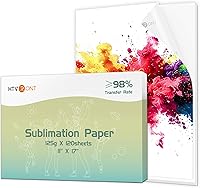
A-SUB Sublimation Paper suits sublimation printers using sublimation ink for light-colored polyester and coated blanks. Its paper size is 8.5 x 11 in, and the pack contains 110 sheets.
The paper is coated and has a listed weight of 125 g. A-SUB describes it as fast-drying and gives a transfer rate of at least 98%.
Those details describe the paper, but they do not make it compatible with regular ink.
Use it for white or light-colored high-quality polyester, material with cotton content of 30% or less, and coated ceramic, tile, phone case, metal plate, tumbler, or mug blanks. The blank must have a suitable coating where required.
For tumbler projects, our guide to the best sublimation paper for tumblers covers the paper choice alongside the blank and pressing process.
How do you choose between inkjet paper types?
Choose by the ink first, then the fabric or blank. This simple order prevents the most common mismatch.
Use standard heat transfer paper when you have a regular inkjet printer and want to decorate dark cotton or cotton/poly fabric. Avery offers 5 sheets for smaller projects, while TransOurDream offers 20 sheets and includes 2 reusable A3 Teflon sheets.
Use sublimation paper when you have sublimation ink, a compatible printer, and a light polyester or coated blank. A-SUB offers 110 sheets, which suits repeated projects and larger batches.
Do not choose paper based only on the words “inkjet” or on the sheet size. Both regular heat transfer paper and sublimation paper can be used with an inkjet-style printer, but their inks and surfaces are different.
Can a cutting machine help with these transfers?
A cutting machine can help trim some inkjet heat transfer designs, but it does not change the ink compatibility. Avery says its transfer paper can be cut with scissors or an electronic or die-cutting machine.
If you are using a Cricut with a fabric transfer project, see how to use sublimation paper with Cricut and confirm that the paper, ink, blank, and cutting steps match your project.
Paper crafts are a separate use from sublimation transfers. If your plan involves cutting paper rather than pressing an image, compare the Best Laser Cutter For Paper and Best Laser Engraver For Paper Crafts guides.
What is the final rule for sublimation paper with inkjet printers?
Sublimation paper with an inkjet printer works only when the printer uses sublimation ink and the blank supports sublimation. Regular inkjet ink calls for inkjet heat transfer paper instead.
Pick A-SUB for light polyester and coated sublimation blanks. Pick Avery or TransOurDream for dark cotton fabric with a regular inkjet printer, based on whether you need 5 sheets or 20 sheets.
That ink-first rule also applies to searches for sublimation paper inkjet, sublimation paper inkjet printer, and sublimation paper with inkjet. Match the complete system before printing.
Frequently asked questions
Can you use sublimation paper in any inkjet printer?
No. Sublimation paper needs sublimation ink and a printer designed for that ink.
A standard inkjet printer with regular dye or pigment ink may print onto the sheet, but the image will not behave like a true dye-sublimation transfer when pressed.
What happens if you use regular ink on sublimation paper?
Regular ink may print on sublimation paper, but it won't turn into a gas and bond correctly with a suitable coated blank during heat pressing. The result can be weak, dull, or unsuitable for a durable sublimation project.
Can sublimation paper be used for dark shirts?
Sublimation paper is generally suited to white or light-colored polyester items and coated hard blanks. Dark cotton shirts usually need a dark-fabric heat transfer paper made for inkjet printing, rather than a standard sublimation transfer.
Is inkjet sublimation paper the same as heat transfer paper?
No. Inkjet sublimation paper transfers sublimation ink with heat, while inkjet heat transfer paper carries an image onto fabric through an iron or heat press.
Match the paper, ink, printer, fabric, and blank to the project.