How to Laser Engrave Acrylic?
On this page (4 sections)
Yes, you can laser engrave acrylic! It’s a fantastic way to create custom designs. With the right settings, you can achieve crisp details and permanent marks on your acrylic pieces. Many hobbyists and professionals use laser engraving for everything from signage to personalized gifts.
When you laser engrave acrylic, the process vaporizes a thin layer of the material. This creates a frosted or etched look, depending on the acrylic type and laser power. It’s important to use a laser cutter that’s designed for engraving to avoid damaging the material or the machine itself. We found that different acrylics behave differently under the laser.
- Laser engraving acrylic is possible and yields great results.
- It works by vaporizing a thin layer of the acrylic.
- Use the correct laser settings for your specific acrylic type.
- This process creates a permanent, often frosted, etched mark.
- Always prioritize safety when operating a laser cutter.
Ready to create some amazing etched acrylic projects? Let’s walk through the basic steps and important considerations for successful laser engraving.
Getting Started with Laser Engraving Acrylic
Laser engraving acrylic is a super rewarding process. It lets you add custom designs to a versatile material. You can create everything from personalized keychains to eye-catching signage. The key is understanding your material and your machine. We’ve found that when done correctly, the results are incredibly crisp and permanent.
Understanding How Laser Engraving Works on Acrylic
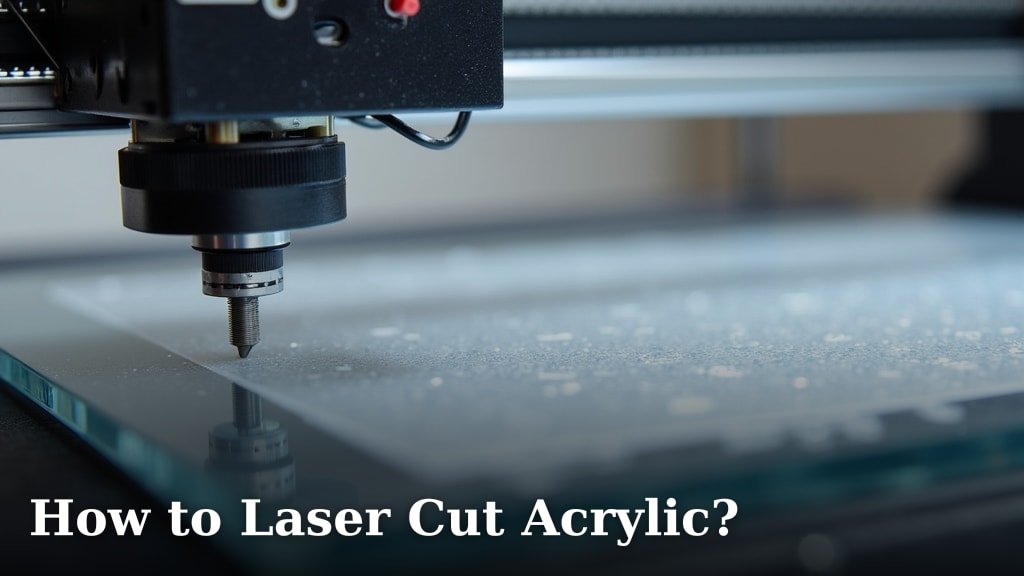
When your laser hits acrylic, it doesn’t just scratch the surface. Instead, it uses heat to vaporize a very thin layer of the material. This process creates a permanent mark. The look you get often appears frosted or etched. The exact appearance depends on the type of acrylic and the laser settings you use. It’s a bit like creating a permanent design through controlled melting. Many hobbyists find this vaporizing process quite fascinating.
Choosing the Right Acrylic for Engraving
Not all acrylics are created equal when it comes to laser engraving. The most common type you’ll work with is cast acrylic. It tends to engrave beautifully, offering a clean, frosted look. Extruded acrylic can be engraved, but it often results in a less defined mark. It can also be more prone to melting or bubbling, which you definitely want to avoid. When in doubt, always go for cast acrylic for the best engraving results.
We found that colored acrylics can also be tricky. Some colors engrave wonderfully, while others might produce different tones or even melt. It’s always a good idea to do a small test piece first. This way, you can see how the specific color reacts to the laser. You don’t want to ruin a large project because of an unexpected color reaction. Researching your specific acrylic color is wise.
Cast vs. Extruded Acrylic
Cast acrylic is made by pouring liquid acrylic into a mold. This gives it a more uniform thickness and structure. It’s generally considered superior for laser engraving. It engraves with a bright white, frosted appearance. Extruded acrylic is made through an extrusion process. It’s often less expensive. However, its internal stresses can sometimes cause issues during laser cutting or engraving. You might see more melting or chipping with extruded acrylic.
Essential Equipment and Safety Measures
Before you even think about firing up the laser, you need the right setup. A CO2 laser cutter is typically what you’ll need for acrylic. These lasers have the right wavelength to interact with acrylic effectively. You’ll also need a fume extraction system. Acrylic fumes can be harmful and irritating. Good ventilation is non-negotiable for your health and safety. Many laser cutters come with built-in exhaust ports. You’ll also need a fume extraction system to safely remove harmful acrylic fumes.
Ventilation is Key
Seriously, don’t skip this step. When acrylic is heated by the laser, it releases fumes. These fumes can be noxious and contain chemicals like styrene. A good exhaust fan will vent these fumes safely away from your workspace and the laser machine. You want to ensure the air you’re breathing is clean. We found that proper ventilation makes the entire process much more enjoyable and safe. Check local regulations for exhaust requirements.
Always Prioritize Safety Gear
Beyond ventilation, always wear safety glasses designed for laser use. These protect your eyes from stray reflections or light. You should also keep a fire extinguisher nearby. While acrylic doesn’t typically burst into flames, it can smolder or melt. Being prepared for minor incidents is always smart. Following safety guidelines is as important as knowing your laser settings. Many experts stress this point.
Step-by-Step Guide to Laser Engraving Acrylic
Now for the exciting part: actually engraving! It’s a straightforward process once you have your design ready and your machine set up. We’ve broken it down into simple steps to make it easy for you to follow.
Prepare Your Design File
First, you need a digital design. This can be a graphic, text, or a combination. You’ll want to create or import your design into vector graphics software. Programs like Adobe Illustrator, Inkscape, or CorelDRAW are commonly used. For engraving, you’ll typically use black and white images or vector lines. Black areas are usually interpreted as the areas to be engraved. Ensure your design is clean and has no tiny, disconnected elements. Small pieces can become projectiles.
Vector vs. Raster Engraving
There are two main ways your laser can engrave: vector and raster. Vector engraving uses lines to trace the design, often for cutting. Raster engraving scans the design back and forth like a printer, engraving solid areas. For detailed images or text on acrylic, you’ll almost always use raster engraving. This is where the laser moves across the surface, varying its power to create different depths and opacities in the engraving. Think of it like shading with a pencil. For photo-specific advice, see our guide to engraving photos on acrylic.
Setting Up Your Laser Cutter
Once your design is ready, it’s time to set up the laser cutter. Place your acrylic sheet on the laser bed. Make sure it’s flat and secure. You might want to use a honeycomb bed or pins to support the acrylic without creating unwanted marks on the underside. Ensure the bed is clean and free of debris. A clean surface helps prevent scorch marks.
Focusing the Laser Beam
Proper focus is critical for a sharp engraving. Your laser cutter will have a lens that needs to be at the correct distance from the material. Most machines have a focusing tool or a simple method for setting this. You want the laser beam to be as small and precise as possible when it hits the acrylic surface. If the focus is off, your engraving will look fuzzy or weak. We found that taking a moment to get the focus perfect makes a huge difference. Proper focus is critical for a sharp engraving; learn how to focus the laser beam accurately.
Determining the Right Laser Settings
This is arguably the most important step. Laser settings involve speed, power, and frequency (or DPI – dots per inch). These settings will vary greatly depending on your laser’s wattage, the type and thickness of your acrylic, and the desired outcome. There’s no universal “magic number.” You’ll need to experiment.
Generally, for engraving acrylic, you’ll want a medium to high power setting. The speed should be relatively slow. A slower speed allows the laser to effectively vaporize the material. A higher frequency or DPI will result in a more detailed and smoother engraving. Many laser users recommend starting with the manufacturer’s recommended settings for acrylic and then adjusting from there. Finding the sweet spot is key.
Understanding the Settings
- Power: This controls how much energy the laser emits. Higher power means more material vaporized.
- Speed: This controls how fast the laser head moves. Slower speeds allow for deeper engraving.
- Frequency (Hz) or DPI: This determines how many laser pulses hit the material per second or per inch. Higher values create smoother, more detailed results.
Testing Your Settings
Before engraving your final project, always run a test. Engrave a small sample of the same acrylic material with your chosen settings. Try different power and speed combinations. Look at the results. Are they crisp? Is the depth consistent? Is the color frosted as you expect? You can create a small grid of different settings to compare. This testing phase saves you from costly mistakes. Many users create a “test tile” they keep for reference.
Here’s a quick checklist for your first engraving attempt:
- Select cast acrylic for best results.
- Ensure your laser is properly vented.
- Focus the laser beam accurately.
- Start with conservative settings and test.
- Adjust power and speed for desired depth.
- Check for clean, crisp edges in your test.
Performing the Engraving
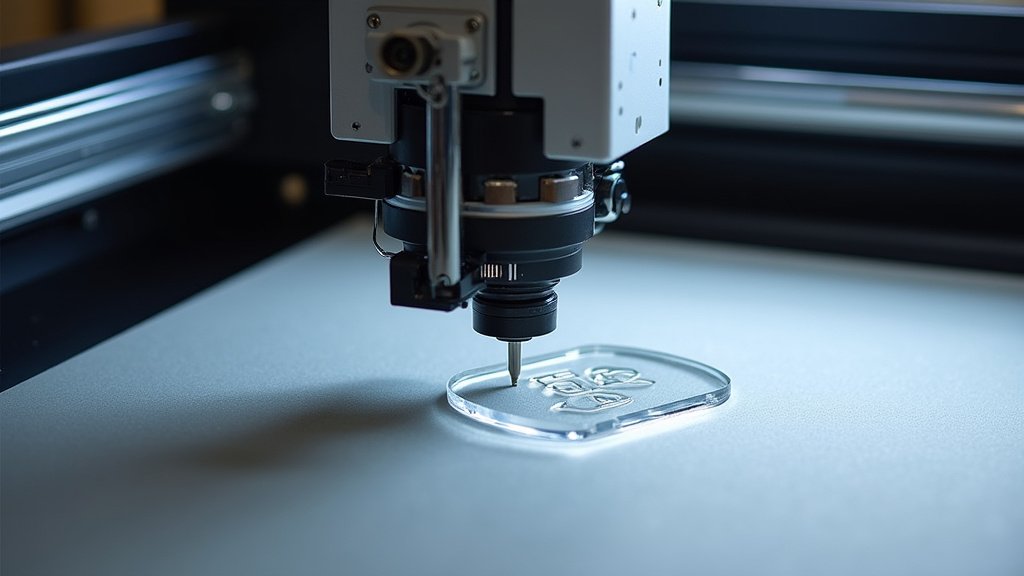
With your design, settings, and focus dialed in, you’re ready to go. Load your acrylic, position it correctly, and start the engraving job. Stay near the machine while it’s running, especially during your first few attempts. Listen for any unusual sounds and watch for any signs of excessive melting or smoking. If something seems wrong, stop the job immediately. Once the job is complete, let the acrylic cool down before handling it. You’ll be amazed at the detail you can achieve.
Post-Engraving Cleanup
After engraving, your acrylic piece might have a thin layer of residue or dust. A soft cloth and a bit of acrylic cleaner or isopropyl alcohol usually does the trick. Gently wipe away any dust or smudges. Avoid abrasive cleaners or cloths, as they can scratch the acrylic surface. A clean finish makes your engraved design really pop. We found that a gentle wipe is usually all that’s needed.
Conclusion
You’ve learned that laser engraving acrylic is a truly achievable and rewarding project. By understanding your acrylic type, prioritizing safety with proper ventilation, and meticulously dialing in your laser settings, you can create stunning etched designs. Remember that cast acrylic usually yields the best results, and always test your settings on a scrap piece before committing to your main project. Take that knowledge, gather your materials, and start creating something amazing with your laser engraver today!
Frequently Asked Questions
What’s the difference between cast and extruded acrylic for laser engraving?
Cast acrylic is generally preferred for laser engraving because it produces a crisp, white frosted look. Extruded acrylic can be engraved, but it may result in a less defined mark and is more prone to melting or chipping due to internal stresses.
Can I engrave colored acrylic, or should I stick to clear or white?
Colored acrylics can be engraved, but results can vary significantly by color. Some colors engrave beautifully, while others might melt differently or produce unexpected tones. Always test a small piece of your specific colored acrylic first.
How do I prevent acrylic from melting or catching fire in the laser?
Using the correct laser settings is key; a good balance of power and speed will vaporize material without excessive melting. Ensuring proper ventilation also helps manage heat, and keeping a fire extinguisher nearby is always a smart safety precaution.
Why is focusing the laser beam so important for acrylic engraving?
A properly focused laser beam creates a very small, precise point of energy on the acrylic’s surface. This precision is essential for achieving sharp details and a clean, frosted appearance in your engraving. An out-of-focus beam will result in fuzzy or weak marks.
What’s the best way to clean acrylic after laser engraving?
After engraving, gently wipe away any dust or residue with a soft cloth and a mild acrylic cleaner or isopropyl alcohol. Avoid abrasive cleaners or cloths, as these can easily scratch the surface of your beautifully engraved acrylic piece.