How to Laser Cut Wood without Burning?
On this page (7 sections)
Yes, you can absolutely laser cut wood without burning it! The key is using the right speed, power settings, and ensuring your laser is properly aligned. Many beginners worry about scorch marks, but with a little know-how, you can achieve clean, crisp cuts.
Achieving a clean laser cut on wood involves understanding how the laser interacts with different wood types. We’ve found that adjusting your settings based on wood thickness and density is critical. Focusing on airflow and exhaust is also important to prevent burning and remove smoke effectively.
- Use the correct laser power and speed for your wood type.
- Ensure your laser cutter is aligned properly.
- Good airflow and exhaust are essential.
- Consider wood thickness and density.
Ready to get those perfect, burn-free cuts? Let’s walk through exactly how to achieve this!
Achieving Burn-Free Wood Laser Cutting
You’re probably eager to start creating beautiful projects with your laser cutter. A common hurdle for newcomers is avoiding those unwanted burn marks on the wood. It’s a bit like learning to cook; you need the right heat and timing. We found that with a few key adjustments, you can achieve clean, precise cuts every single time. The goal is to vaporize the material efficiently, not char it.
Let’s break down the science and practical tips to get you there. It’s all about understanding how the laser beam interacts with the wood and controlling that interaction. We’ll cover everything from your machine’s settings to the wood itself.
Understanding Laser Power and Speed Settings
The most impactful adjustments you’ll make involve your laser cutter’s power and speed settings. Think of power as the intensity of the laser beam. Speed refers to how quickly the laser head moves across the material. Getting these two in sync is your golden ticket to burn-free cuts.
The Power-Speed Relationship
Many beginners make the mistake of blasting the material with high power at a slow speed. This is a surefire way to get a burnt mess. Instead, you want a balance. A good starting point research suggests, is to use a moderate power setting paired with a faster speed. This allows the laser to cut through the material without dwelling too long and causing excessive heat buildup.
Imagine trying to cut paper with a dull knife. You’d press hard (high power) and move slowly (low speed), likely tearing it. A sharp knife (controlled power) moved swiftly (higher speed) gives a clean cut. Your laser works similarly.
Testing Your Settings
Every laser cutter and every type of wood is a little different. This means there’s no single “perfect” setting. The best approach is to conduct test cuts. Start with a small piece of your wood. Try a few different combinations of power and speed. You can cut small squares or circles. Then, examine the edges for any signs of charring or incomplete cuts.
We found that making small, incremental adjustments is more effective than large jumps. For example, if your first test shows a slight burn, try increasing the speed by 5-10% or decreasing the power by 5-10%. Keep a log of your settings and the results. This will build your own reference library for future projects.
What to Look For in Test Cuts
When examining your test cuts, look for a few key indicators. You want a clean, crisp edge with minimal brown discoloration. If you see significant charring, your power might be too high, or your speed too slow. If you need to smooth delicate pieces afterward, see our guide to sanding intricate laser parts. If the laser struggles to cut through, or the edges are fuzzy and rough, your speed might be too high, or your power too low.
A successful test cut should slice cleanly through the material with only a slight darkening or no darkening at all. Some minor discoloration is acceptable and often harder to avoid entirely, especially with certain wood types. The goal is to minimize it.
Material-Specific Settings
The type of wood you’re using dramatically affects the ideal settings. Hardwoods like oak or maple require different settings than softer woods like pine or balsa. Denser woods often need more power or a slower speed to cut through cleanly.
Research on laser cutting materials indicates that wood with a high resin content can also burn more easily. For these, you might need to reduce power and increase speed. Always try to find recommended settings for your specific wood type and laser cutter model. Many online communities and manufacturers provide these starting points.
| Wood Type | Thickness | Power (%) | Speed (mm/s) | Notes |
|---|---|---|---|---|
| Plywood (Baltic Birch) | 3mm | 60% | 10 mm/s | Good for general use. |
| MDF | 6mm | 75% | 8 mm/s | Can be prone to charring; watch closely. |
| Balsa Wood | 3mm | 40% | 15 mm/s | Very soft, burns easily; use lower power. |
| Hardwood (Oak) | 3mm | 70% | 6 mm/s | Denser, needs more effort. |
The Importance of Airflow and Exhaust
Beyond power and speed, ventilation is a crucial, often overlooked, factor in preventing burns. Your laser cutter produces smoke and debris as it cuts. This smoke can re-ignite or cause the material to char. Proper airflow helps remove this smoke, keeping your cutting area clean and cool.
Using an Air Assist System
Many laser cutters come with or can be fitted with an air assist system. This is essentially a stream of compressed air directed at the point where the laser beam hits the wood. Research shows that air assist is highly effective in minimizing charring and preventing flames.
The air blows away smoke and small debris. It also cools the cutting surface slightly. This prevents the heat from building up and causing those dark burn marks. If your machine doesn’t have one, consider investing in a small air compressor and the necessary fittings. You’ll notice a significant difference.
Effective Exhaust Ventilation
In addition to air assist, you need good exhaust. This system removes the smoke and fumes from your laser cutter and directs them outside or through a filtration system. Without proper exhaust, smoke can linger inside the cutting chamber, increasing the risk of burning and creating an unpleasant smell.
Ensure your exhaust fan is powerful enough for your machine’s size and the materials you’re cutting. We found that a 4-inch inline fan is a common and effective choice for many hobbyist machines. Make sure the ducting is sealed well and runs directly to an exterior vent if possible. Safety guidelines from manufacturers often stress good ventilation.
Laser Alignment and Focus: The Unsung Heroes
Sometimes, the problem isn’t just your settings. It could be how your laser beam is hitting the material. Proper laser alignment and focus are fundamental for clean cuts and can help prevent burning.
Checking Your Laser Alignment
Over time, the mirrors and lens in your laser cutter can become misaligned. This means the laser beam isn’t hitting the material perfectly perpendicularly. A misaligned beam can lead to uneven cutting and increased charring. Most laser cutters have adjustable mirrors that allow you to correct this.
The process typically involves firing the laser at low power onto a piece of tape or cardstock at different points in the machine’s travel. You then adjust the mirrors until the beam hits the exact same spot across the entire working area. Many online guides provide detailed, step-by-step instructions for this alignment process. It’s a task that’s worth doing regularly.
Ensuring Proper Focus
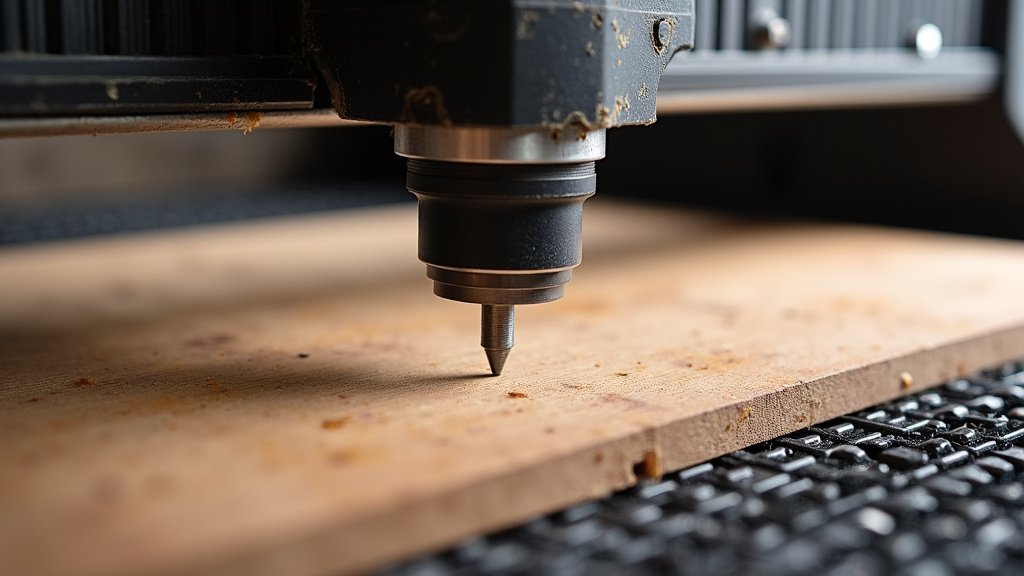
A laser beam needs to be focused to a tiny point to cut effectively. If your laser is out of focus, the beam will be wider and less intense, requiring more power or slower speeds, which increases burning. You need to adjust the height of the laser lens so that the beam is focused precisely on the surface of your wood.
Most laser cutters have a way to adjust the focal length, often by moving the lens assembly up or down. Use the nozzle or a focus tool that came with your machine. When the laser is perfectly focused, you’ll get the smallest, hottest spot, which translates to the most efficient and cleanest cut. We found that a slight over-focus can sometimes help with very thin materials, but for general cutting, a precise focus is key.
Material Preparation Matters
Before you even hit ‘go’ on your laser cutter, a few simple preparation steps can make a difference. For options that do not use tape, see our guide to laser cutting wood without masking. They ensure your wood is ready for a clean cut and can help prevent unexpected burning.
Cleaning the Wood Surface
Make sure the surface of your wood is clean and free of dust or debris. Dust can ignite easily. A quick wipe with a dry, lint-free cloth should suffice. If you’re using finished wood, like veneer or pre-coated plywood, ensure the finish is compatible with laser cutting. Some finishes can produce toxic fumes or burn unevenly.
Securing Your Material
Ensure your wood is lying flat and is securely held in place. Warped wood can cause the laser to be out of focus in certain areas. Use clamps or hold-down magnets to keep the material stable. This prevents it from shifting during the cut, which can lead to imperfect results and potential burning.
So, don’t underestimate the power of good preparation. It’s like laying a solid foundation for your project. It sets you up for success and reduces the chances of something going wrong with your laser cutting.
Checklist for Burn-Free Laser Cutting:
- Perform test cuts on scrap material.
- Adjust power and speed settings incrementally.
- Ensure your air assist system is functional.
- Verify exhaust ventilation is clear and powerful.
- Check laser alignment and focus regularly.
- Prepare your wood by cleaning and securing it.
Conclusion
You’ve learned that achieving clean, burn-free laser cuts on wood is absolutely within your reach. It boils down to mastering your machine’s settings, particularly power and speed, and understanding their delicate balance. Don’t forget the vital roles of airflow, exhaust, alignment, and focus. These elements work together to prevent scorching and ensure your projects look professional. Start experimenting with test cuts today, keeping detailed notes. You’ll build your own expertise and gain confidence with every successful project you create!
Frequently Asked Questions
How do I know if my laser cutter is aligned correctly?
You can check alignment by firing the laser at low power onto a piece of tape at different points in its travel. Adjust the mirrors until the beam consistently hits the same spot. Many online guides offer step-by-step visual instructions for this process.
What is the best way to test laser cutting settings for a new wood type?
Always perform test cuts on scrap pieces of your specific wood. Try several combinations of power and speed, making small, incremental adjustments. Examine the edges of each test cut for charring or incomplete cuts to find your ideal settings.
Will air assist always prevent burning on wood?
Air assist significantly reduces burning by blowing away smoke and cooling the cutting area. While it’s highly effective, it works best in conjunction with correct power and speed settings. It’s a crucial component for clean cuts but not a sole solution.
Why does MDF burn more easily than plywood?
MDF is an engineered wood product often made with resins and fine wood particles, which can make it more prone to burning. Plywood, especially baltic birch, has fewer binders and a more uniform structure, typically resulting in cleaner cuts when settings are dialed in.
Can I laser cut painted or finished wood without burning?
Cutting finished wood requires extra caution. The finish can burn or produce toxic fumes. Research the specific finish and consider lower power settings with faster speeds. Always ensure your ventilation system is robust and consider testing a small, inconspicuous area first.