How to Set Up Air Assist on a Laser Engraver?
On this page (10 sections)
- Getting Your Laser Engraver Set Up with Air Assist
- Why Air Assist is Your Laser’s Best Friend
- Components of an Air Assist System
- Steps to Install Your Air Assist System
- Tips for Optimizing Your Air Assist Setup
- Air Assist Checklist for Success
- Common Issues and How to Solve Them
- Comparing Air Assist Pump Types
- Conclusion
- Frequently Asked Questions
Setting up air assist on your laser engraver is a straightforward process. It involves connecting a pump to your laser module to blow air. This helps clear debris and prevent flare-ups, leading to cleaner, sharper cuts and engravings.
You might be wondering if it’s worth the effort. Many users have found that air assist makes a big difference. It’s especially helpful when engraving or cutting materials that tend to produce a lot of smoke, like wood or acrylics. You’ll notice fewer burn marks and a much cleaner finish.
TL;DR:
- Air assist uses a pump to blow air onto your laser.
- It cleans debris and cools the cut.
- This prevents charring and flare-ups.
- Expect cleaner, sharper results.
Let’s walk through exactly how to get your air assist set up and running smoothly!
Getting Your Laser Engraver Set Up with Air Assist
Setting up air assist on your laser engraver is a fantastic upgrade. It helps keep your laser lens clean. It also directs a stream of air right where the laser beam hits your material. This can make a huge difference in the quality of your cuts and engravings. You’ll spend less time cleaning up mistakes and more time creating!
Why Air Assist is Your Laser’s Best Friend
Think of air assist like a tiny, powerful fan for your laser. When your laser cuts or engraves, it generates smoke and debris. Without air assist, this smoke can rise up and make your engravings fuzzy. It can also get on your laser lens, which can reduce its power and lead to poorer results. Worse, this smoke can sometimes ignite, causing those annoying flare-ups that char your material.
Air assist blows this smoke away. It also helps to cool the cutting point. This cooling effect prevents excessive charring. It’s particularly helpful for materials like wood, acrylic, and even some plastics. You’ll find your cuts are much cleaner and your engraved areas have less of that smoky haze. Many users report a noticeable improvement in edge quality and a reduction in burn marks.
Components of an Air Assist System
Most air assist systems have a few key parts. You’ll need an air pump, some tubing, and a way to connect it to your laser module. Let’s break these down:
The Air Pump
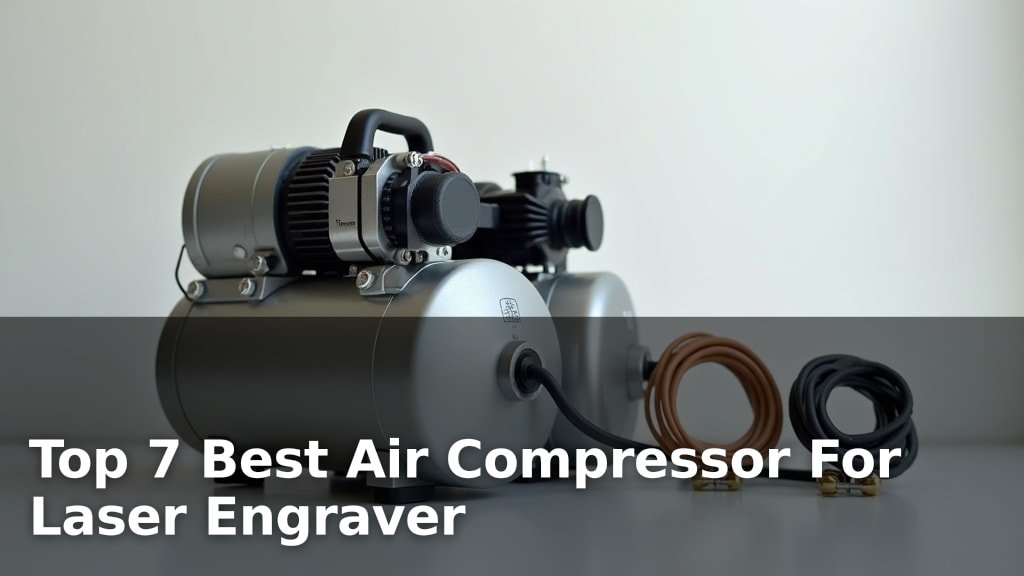
The heart of the system is the air pump. These are often small aquarium pumps or specialized air compressors. For laser engraving, you generally want a pump that can deliver a good amount of airflow. The flow rate is usually measured in liters per minute (L/min). For hobbyist machines, a pump in the range of 30-80 L/min is often sufficient. You might see pumps rated in PSI (pounds per square inch) too, but L/min is usually a better indicator of airflow volume. Higher airflow is generally better for clearing smoke and cooling.
The Tubing
You’ll need flexible tubing to carry the air from the pump to your laser module. Silicone tubing is a popular choice because it’s flexible, heat-resistant, and durable. The diameter of the tubing needs to match the fittings on your pump and your laser module. It’s important that the tubing isn’t kinked, as this will restrict airflow. You’ll want enough length to reach from your pump to your laser without being too tight when the laser head moves.
The Nozzle and Mount
This is the part that directs the air precisely. The air assist nozzle is typically a small metal tube that attaches to your laser module. It needs to be positioned so the air blows directly onto the point where the laser hits the material. Many laser engraver models come with a compatible mount for an air assist nozzle, or you can find aftermarket kits. Some DIY solutions involve 3D-printed mounts. The key is that the nozzle is secure and aimed correctly.
Steps to Install Your Air Assist System
Installing air assist is usually quite manageable. You won’t need advanced tools for most setups. Let’s go through the common steps:
Step 1: Prepare Your Laser Module
First, make sure your laser engraver is turned off and unplugged. Safety first, always! You’ll need to access the laser module. This might involve removing a cover or a few screws. Look for any existing mounting points or holes where the air assist nozzle and its holder can be attached. If your laser came with a mount, it will usually slide or screw into place.
Step 2: Attach the Air Nozzle and Mount
If you have a kit, follow its specific instructions. Generally, you’ll attach the nozzle holder to the laser module. Then, you’ll screw or snap the air nozzle into the holder. Make sure it’s firmly attached. The tip of the nozzle should be positioned close to the laser lens, pointing downwards towards the material. It shouldn’t interfere with the laser beam itself, but it needs to be very close to the spot where the laser hits.
We found that positioning the nozzle is critical. Some users experiment with the angle and distance. The goal is to create a strong, focused stream of air exactly where you need it. You don’t want the air blowing directly into the lens, as that could cause cooling issues or even damage.
Step 3: Connect the Tubing
Now, connect one end of your air tubing to the nozzle. Most nozzles have a small barb or fitting for this purpose. Push the tubing on securely. Then, run the tubing from the laser module down to where your air pump will be located. Try to route the tubing so it doesn’t get pinched or snagged as the laser head moves around your workspace. Cable ties or clips can help keep it tidy.
Step 4: Connect the Tubing to the Pump
Connect the other end of the tubing to the outlet port of your air pump. Again, ensure the connection is snug. If your pump has multiple outlets, you might need a splitter if you plan to run more than one nozzle, but for a single laser module, one outlet is fine. Some pumps have a filter on the intake; make sure this is clear and unobstructed.
Step 5: Power Up and Test
Before turning on the laser, plug in your air pump and turn it on. You should feel a steady stream of air coming from the nozzle. Check that the tubing is not kinked and that air is flowing freely. If you don’t feel much air, recheck all your connections and ensure the pump is working. Once you’re satisfied, you can power on your laser engraver.
Tips for Optimizing Your Air Assist Setup
Getting air assist installed is the first step. Here are some tips to make sure you’re getting the most out of it:
Positioning is Key
We can’t stress this enough: the angle and distance of the nozzle to the material matter. Most experts recommend the nozzle tip be about 5-10mm above the material surface, blowing directly onto the spot the laser is hitting. It should be angled slightly to push smoke and debris away from the lens. Experimentation is often needed to find the sweet spot for your specific machine and material.
Airflow Adjustments
Some pumps have adjustable flow rates. For cutting thicker materials or materials that produce a lot of smoke, you might need higher airflow. For delicate engraving, a lower setting might be better to avoid blowing away fine dust. Test different settings to see what works best for each job. Many users found that a consistent, moderate flow works well for most applications.
Maintenance Checks
Regularly check your air assist system. Make sure the nozzle isn’t clogged with debris. Clean the tubing if it becomes dirty. Inspect the pump to ensure it’s running smoothly. A clean nozzle and consistent airflow will ensure your laser engraver performs at its best. We found that a quick check before each engraving session saves a lot of trouble.
Material Considerations
Different materials benefit in different ways. For example, acrylic cutting produces a lot of molten plastic. Air assist helps blow this away, preventing re-burning. Wood engraving creates fine ash and smoke. Air assist clears this so you get a cleaner line. For paper or cardstock, a gentler airflow might prevent the material from blowing away entirely.
Air Assist Checklist for Success
Before you start your next project, run through this quick checklist:
- Is the air pump turned on and running smoothly?
- Is the tubing securely connected at both ends?
- Is the tubing free of kinks and able to move with the laser head?
- Is the air nozzle securely mounted and correctly aimed?
- Is there a clear stream of air blowing onto the material surface?
- Are you using an appropriate airflow setting for your material?
Common Issues and How to Solve Them
Even with careful setup, you might run into a few snags. Here are some common problems and their solutions:
Problem: Little or No Airflow
Possible Causes: Kinked tubing, clogged nozzle, pump not powerful enough, loose connections.
Solutions: Straighten tubing. Clean or replace the nozzle. Check pump specifications to ensure it meets your needs. Re-secure all tubing connections.
Problem: Excessive Charring Still Occurs
Possible Causes: Nozzle too far from the material, insufficient airflow, incorrect laser power/speed settings.
Solutions: Adjust nozzle height and angle. Increase pump airflow if possible. Review your laser settings for the specific material.
Problem: Material Blowing Away
Possible Causes: Airflow is too strong for lightweight materials.
Solutions: Reduce the pump’s airflow setting. Use a nozzle with a less direct blast if possible. Consider temporary fixturing for very light materials.
Problem: Fogging or Debris on the Laser Lens
Possible Causes: Nozzle not angled correctly, air stream not strong enough to push smoke away from the lens area.
Solutions: Adjust nozzle angle to direct air away from the lens. Increase airflow. Clean the lens immediately after use if this occurs.
Comparing Air Assist Pump Types
Not all air pumps are created equal. Understanding the differences can help you choose the best one for your needs. We’ve looked at a few common types:
| Pump Type | Pros | Cons | Best For |
|---|---|---|---|
| Aquarium Pumps | Inexpensive, widely available, quiet operation. | Lower airflow, may not be powerful enough for dense cuts, shorter lifespan. | Light engraving, minimal cutting, budget-conscious users. |
| Diaphragm Pumps | Good airflow for their size, relatively energy-efficient, can be quiet. | Can be more expensive than aquarium pumps, potential for diaphragm wear over time. | Hobbyist machines, general engraving and cutting tasks. |
| Air Compressors | High airflow, consistent pressure, durable, can handle demanding tasks. | Expensive, noisy, require more power, may need a regulator for precise pressure control. | Heavy-duty cutting, industrial use, users needing maximum power and consistency. |
Many users start with an aquarium or diaphragm pump. As their needs grow or they work with tougher materials, they might upgrade to a more powerful setup. The key is to match the pump’s output to your laser engraver’s capabilities and the materials you work with most often.
Conclusion
You’ve now learned how essential air assist is for achieving cleaner, sharper results with your laser engraver. By properly setting up your air pump, tubing, and nozzle, you’ll significantly reduce flare-ups and charring. This simple upgrade means less cleanup and more professional-looking projects. Don’t let smoke and debris stand between you and your best creations. Take these steps today to experience the difference air assist makes – your laser will thank you!
Frequently Asked Questions
Can I use a regular aquarium pump for air assist?
Yes, many hobbyists start with a standard aquarium pump. While they might offer less airflow than specialized pumps, they can still make a noticeable difference for lighter engraving tasks. Just ensure the tubing fits securely and the pump provides consistent airflow.
How close should the air nozzle be to the material?
For optimal results, aim for the nozzle tip to be about 5-10mm above the material surface. It should be positioned to blow directly onto the point where the laser beam makes contact. Experimenting with the exact distance and angle can help you find the sweet spot for your specific material and laser.
What happens if the tubing gets kinked?
A kinked tube restricts airflow, drastically reducing the effectiveness of your air assist. This can lead to increased charring and poor cut quality. Always ensure the tubing has a clear, unobstructed path and is routed so it won’t pinch when the laser head moves.
Do I need a special air compressor for laser engraving?
While specialized air compressors offer the most power and consistency, they aren’t always necessary for hobbyist machines. A good quality aquarium pump or a diaphragm pump is often sufficient. If you’re cutting dense materials regularly, you might consider an upgrade.
How often should I clean my air assist nozzle?
You should check your air assist nozzle regularly, ideally before each engraving session. Debris or melted material can clog the nozzle, disrupting airflow. A quick visual inspection and a gentle cleaning with a small brush or compressed air will help maintain consistent performance.