9 Best Laser Engravers for Tools (November 2026)
The best laser engravers for tools include the xTool F2 Ultra 60W MOPA & 40W for mixed workshop materials, the xTool F1 Ultra 20W Fiber & Diode for fast metal and wood marking, and the xTool S1 40W Laser Cutter and Laser for large tool batches.
On this page (8 sections)
- Which laser engraver is best for tools?
- How we chose the best laser engravers for tools
- The best laser engravers for tools
- How do you choose a laser engraver for tools?
- What can you engrave on workshop tools?
- How should you mark tools with a laser engraver?
- Are laser engravers safe for tool marking?
- Which laser engraver for tools should you buy?
The best laser engraver for tools is the xTool F2 Ultra 60W MOPA & 40W because its dual lasers cover metal, wood, acrylic, leather and other workshop materials. For portable wood-focused alternatives, see portable laser engravers for wood.
Choose a fiber model for direct metal identification marks, or a diode machine for wood, coated surfaces and tool labels.
Tool engraving works best when the machine matches the surface. For tools with plastic and metal surfaces, compare laser engravers for plastic and metal.
Bare steel, brass, aluminum and other metals need different laser behavior from wood handles, plastic labels or coated equipment.
For metal-focused work, compare our guide to the Best Laser Engraver For Metal. If your projects include brass parts, the Best Laser Engraver For Brass guide covers that material in more detail.
Our picks at a glance
-
1

-
2
 Best for fast metal and wood marking
xTool F1 Ultra 20W Fiber & Diode
9.6/10 our score
See it on Amazon -
3

- 4
 Check it
BlazeX M3 10W Laser Engraver Machine
Best for guided home workshops - 5
 Best for portable tool markingCheck it
- 6
 Check it
LONGER Ray5 Laser Engraver and Cutter Machine
Best for a broad open-frame work area - 7
 Check it
Twotrees TTS-55 Pro Laser Engraver 5500mW Laser
Best for small maker projects - 8
 Check it
ACMER S1 Laser Engraver Machine
Best for compact beginner setups - 9
 Best for growing craft workshopsCheck it
Which laser engraver is best for tools?
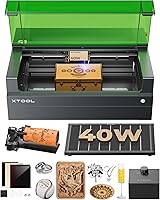
The xTool F2 Ultra is the strongest all-around pick because it combines a 60W MOPA fiber laser with a 40W diode laser. That pairing handles metal identification marks and many non-metal tool materials with one machine.
It suits workshops that mark metal tool bodies, wooden handles, acrylic labels and leather accessories on the same bench. You avoid moving jobs between separate setups when the mix changes.
The fiber laser handles color, deep and 3D work on gold, silver, stainless steel, brass and titanium. The diode laser covers wood, acrylic, leather, glass, rubber and fabric.
Its 8.7 x 8.7 in desktop work area fits most individual tools and small equipment parts. An auto conveyor can expand the area to 8.7 x 19.7 in for longer pieces or repeated layouts.
Dual 48MP cameras support positioning accuracy to 0.2 mm and help with preview and focus. Speeds up to 15,000 mm/s matter when marking a batch rather than a single tag.
The trade-off is size and safety planning, since this Class 4 machine weighs 67.9 lb. Plan a fixed spot with controlled access and follow the manual for each material.
How we chose the best laser engravers for tools
The best laser engraver for tools should match the surface, mark size and workflow you use most often. A small portable machine can suit tool tags, while a larger bed helps with batches or long equipment pieces.
Start with the surface you mark most. Bare metal needs a fiber or infrared laser, while wood handles, leather rolls and acrylic labels suit a diode laser.
Fiber and infrared lasers are the most relevant choices for metal identification work in this group. For blade marking options, see laser engravers for knives under 2000 dollars.
Fiber lasers suit direct marks on stainless steel, brass and aluminum. Infrared lasers also handle metal marking and color work in a smaller portable format.
Diode lasers add value when you also need wood, acrylic, leather, glass or other non-metal materials. They suit handle engraving, storage labels and coated surfaces.
Work area shapes what you can lay out in one run. The ACMER S1 has a 130 x 130 mm area for small tags, while the LONGER Ray5 reaches 400 x 400 mm for larger layouts.
Placement tools matter for small tool faces. Cameras on models such as the xTool F2 and BlazeX M3 help you preview position before committing to a final mark.
Enclosed Class 1 machines can be easier in shared spaces, while open-frame machines need a controlled area and careful eye protection. Enclosure helps contain light, smoke and noise.
Class 4 machines need especially careful planning around access and ventilation. Higher power supports deeper marks and thicker cutting, but does not make every coating or plastic safe to mark.
Fully assembled or preassembled models suit first-time owners, while conveyor and rotary accessories add steps when you need them. We weighed practical points together rather than power alone.
| Product | Best for | Laser types | Work area | Machine weight | Our score |
|---|---|---|---|---|---|
| xTool F2 Ultra 60W MOPA & 40W | mixed workshop materials | 60W MOPA fiber and 40W diode | 8.7 x 8.7 in | 67.9 lb | 9.7 |
| xTool F1 Ultra 20W Fiber & Diode | fast metal and wood marking | 20W fiber and 20W diode | 220 x 220 mm | 43.8 lb | 9.6 |
| xTool S1 40W Laser Cutter and Laser | large tool batches | 86.8 lb | 9.5 | ||
| BlazeX M3 10W Laser Engraver Machine | guided home workshops | 14.97 lb | 9.4 | ||
| xTool F2 5W IR & 15W Diode | portable tool marking | 5W IR and 15W diode | 10 lb | 9.4 | |
| LONGER Ray5 Laser Engraver and Cutter Machine | a broad open-frame work area | 400 x 400 mm | 9.38 lb | 9.3 | |
| Twotrees TTS-55 Pro Laser Engraver 5500mW Laser | small maker projects | 300 x 300 mm | 9.2 | ||
| ACMER S1 Laser Engraver Machine | compact beginner setups | 130 x 130 mm | 3.98 lb | 9.0 | |
| ACMER S2 Laser Engraver | growing craft workshops | 300 x 300 mm | 9.0 |
The best laser engravers for tools
These machines cover different tool-marking jobs, from deep metal identification marks to compact labels on wood handles. Start with the material you need to mark, then narrow the list by work area and portability.
xTool F2 Ultra 60W MOPA & 40W: Best for mixed workshop materials
- 60W MOPA fiber laser
- 40W diode laser
- 60W metal cutting up to 2 mm
- 8.7 x 8.7 in work area
The dual-laser design covers metal identification marks and non-metal workshop labels. Its 60W MOPA fiber laser and 40W diode laser suit buyers who want one machine for varied equipment work.
Pros
- Handles metals and non-metals
- Supports color and deep metal engraving
- Large desktop fiber work area
Cons
- Heavy desktop machine
- Class 4 laser requires careful safety planning
The xTool F2 Ultra 60W MOPA & 40W is the best overall choice for a workshop that marks both metal and non-metal tools. Its 60W MOPA fiber laser handles all-metal work, including color engraving, deep engraving and cutting up to 2 mm metal.
The 40W diode laser handles materials such as wood, acrylic, leather, glass, rubber and fabric.
The machine has an 8.7 x 8.7 in desktop fiber work area. An auto conveyor can expand the stated area to 8.7 x 19.7 in for longer or repeated work.
Dual 48MP AI cameras support positioning accuracy up to 0.2 mm. The machine also reaches speeds up to 15,000 mm/s, which may matter when you mark many tool handles or equipment pieces.
Choose it when your workshop needs one machine for metal identification and non-metal labels. Its 67.9 lb weight and Class 4 laser status mean you should plan a fixed, controlled workspace.
xTool F1 Ultra 20W Fiber & Diode: Best for fast metal and wood marking
- 20W fiber laser
- 20W diode laser
- 220 x 220 mm work area
- 10,000 mm/s speed
The F1 Ultra combines metal marking with work on wood, acrylic, leather, glass and fabric. Its 220 x 220 mm area fits many individual tools and small equipment parts.
Pros
- Dual laser coverage
- Supports deep and 3D engraving
- Enclosed design with smoke extraction
Cons
- Auto Conveyor is separate
- Class 4 laser requires careful safety planning
The xTool F1 Ultra 20W Fiber & Diode suits workshops that need fast marks on metal tools and also work on wood, acrylic, leather, glass or fabric. Its 20W fiber laser handles metals, while its 20W diode laser covers common non-metal materials.
That dual-laser setup suits a bench where ownership codes go on steel faces and labels go on wooden handles. You can switch material types without changing machines.
Its 220 x 220 mm work area fits many individual tools and small equipment parts. The separate Auto Conveyor can expand the area to 220 x 500 mm for repeated layouts.
The 16MP camera supports shape recognition and batch work with the conveyor. It helps with placement on small pieces where a misplaced mark is hard to fix.
The enclosed cover, smoke extraction, fire alarm and emergency stop button suit in-store or shared-workshop customization. Speeds up to 10,000 mm/s help when short jobs stack up.
Choose the F2 Ultra instead if you need higher power and a larger desktop fiber area.
xTool S1 40W Laser Cutter and Laser: Best for large tool batches
- 40W laser
- 23.93 x 15.16 in bed
- 600 mm/s speed
- Rotary bundle
The large bed is useful for marking several small tools in one layout or handling larger workshop signs and equipment pieces. The rotary bundle also supports curved projects.
Pros
- Largest work area here
- Class 1 enclosed design
- Supports rotary work
Cons
- Heavy and less portable
- Uses more workshop floor space
The xTool S1 40W Laser Cutter and Laser is best when your tool-marking setup needs a broad bed. Its 23.93 x 15.16 in bed gives you room to arrange several small tools, workshop signs or equipment parts in one session.
That space suits a workshop that marks a full set of wrenches or a row of storage labels at once. You spend more time arranging and less time running repeated small jobs.
The 40W laser reaches speeds up to 600 mm/s. It can cut 18 mm cherry wood in a single pass, which also helps with thicker wooden tool racks or signs.
The machine also supports curved-surface work such as spoons and plates, and the product name identifies this configuration as a Rotary Bundle. Rotary support suits cylindrical handles and other curved pieces.
Its Class 1 enclosure filters 99% of laser light, blocks smoke and noise, and includes 5 flame sensors, an emergency stop button and a lid-open stop feature. Those details can make a large machine easier to place in a workshop used by more than one person.
The enclosed design is helpful at home, where reduced light and noise matter. It does not remove the need to follow the manual for each material.
At 86.8 lb, it is the heaviest machine in this group. Pick it for bed size and enclosed operation, not portability.
BlazeX M3 10W Laser Engraver Machine: Best for guided home workshops
- 10W laser
- 0.01 mm precision
- Smart camera
- Class 1 enclosure
The camera and enclosure make this a practical choice for tool labels and small workshop projects where placement matters. It works with wood, metal, glass and leather.
Pros
- Smart camera positioning
- Class 1 safety rating
- Includes tool kit and 13 engraving materials
Cons
- Less laser power than the larger xTool models
- Working area is not stated in the supplied product data
The BlazeX M3 10W Laser Engraver Machine fits a home workshop that wants camera-guided placement and an enclosed Class 1 design. Its 0.01 mm precision supports detailed text and patterns on metal and glass, while it also cuts wood and acrylic.
Fine precision helps with small tool codes and detailed labels. It suits owners who want readable text on handles and equipment plates.
The all-in-one kit includes a smart camera, protective enclosure, tool kit, 13 engraving materials and a honeycomb laser bed. That reduces separate pieces needed for a first setup.
Included materials let you test settings before marking a real tool. The honeycomb bed supports flat pieces and helps keep thin stock level.
The machine works with LightBurn, LaserGRBL and CutLabX. It supports Windows, macOS, iOS and Android, giving more control-device options.
Multiple control options suit people who work from a phone or a laptop. You can choose the workflow that feels simplest for layout and preview.
Its sensors stop the machine if it tilts or the lid opens. The fan exhausts smoke and odors while reducing noise for a quieter workspace.
Choose it for guided placement on small tools and equipment parts. The data does not state a work area, so confirm that measurement before planning larger layouts.
xTool F2 5W IR & 15W Diode: Best for portable tool marking
- 5W infrared laser
- 15W diode laser
- 50MP camera
- 6000 mm/s speed
This compact dual-laser machine suits small tools, metal tags and on-site personalization. The 50MP camera helps place marks on small pieces before engraving.
Pros
- Light 10 lb design
- Infrared and diode coverage
- Fully enclosed design
Cons
- Smaller format than the S1
- Class 4 laser requires careful safety planning
The xTool F2 5W IR & 15W Diode is the best portable pick for small tool marks, metal tags and on-site personalization. Its 5W infrared laser handles dark and color marking on metal, while the 15W diode laser supports 3D embossing and thicker non-metal materials.
That pairing suits a repair shop that marks metal tags and wooden handles in the same week. The infrared laser covers metal, and the diode laser covers non-metal stock.
A built-in 50MP camera provides up to 0.1 mm alignment accuracy on small pieces. That helps when a short code must sit inside a narrow tool face.
The machine weighs 10 lb and arrives fully assembled with a base plate and base material kit. The enclosed design, built-in fan and optional purifier suit workshops, fairs and pop-up markets.
Its speed reaches up to 6000 mm/s for quick small jobs. A slide extension supports repeated items such as coasters and phone cases.
This model makes sense when you carry the engraver between work areas. The F1 Ultra or F2 Ultra fits larger batches and more demanding metal work better.
LONGER Ray5 Laser Engraver and Cutter Machine: Best for a broad open-frame work area
- 10W laser
- 400 x 400 mm work area
- 24,000 mm/min speed
- 0.01 mm accuracy
The 400 x 400 mm area gives you room to arrange tool handles, signs and workshop accessories. It suits makers who want a large layout without moving to a heavy enclosed machine.
Pros
- Large work area
- Touchscreen controls
- USB, TF card, Wi-Fi and app connectivity
Cons
- Open-frame setup needs a controlled work area
- Not a fiber laser for deep metal work
The LONGER Ray5 Laser Engraver and Cutter Machine gives makers a 400 x 400 mm work area for tool handles, signs, storage labels and equipment pieces. Its 10W dual-beam laser works on wood, leather, acrylic and anodized metal.
The large area suits a workshop that lays out several labels in one run. You can mark a set of handles or a sign without moving the material mid-job.
The 3.5 in touchscreen lets you monitor progress and adjust parameters. On-screen controls keep basic changes close to the machine.
USB, TF card, Wi-Fi and app connections support both online and offline workflows. That flexibility suits a maker who moves between a bench computer and a phone.
Its stated engraving speed reaches 24,000 mm/min, with a 0.06 x 0.06 mm spot and 0.01 mm engraving accuracy. A fine spot helps with small text on tool labels.
The machine also includes emergency stop, motion protection, overheat detection, protective covers and safety goggles. Those features support safer operation in a controlled area.
Choose it when you want a large layout and flexible controls at a light 9.38 lb machine weight. It is not a fiber laser, so choose a fiber model for broad bare-metal marking work.
Twotrees TTS-55 Pro Laser Engraver 5500mW Laser: Best for small maker projects
- 5500mW laser
- 300 x 300 mm work area
- Air-assist support
- 0.1 mm engraving accuracy
The TTS-55 Pro fits hobby workshops that need labels on wood, leather, acrylic or some metal surfaces. Its 300 x 300 mm area handles individual tool parts and small batches.
Pros
- Air-assist support
- Wireless and TF card control
- Works with LightBurn and LaserGRBL
Cons
- Lower power than the 10W and 40W diode picks
- Open-frame setup needs careful safety control
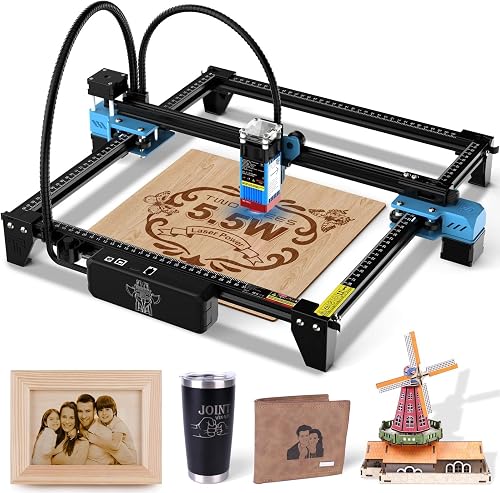
The Twotrees TTS-55 Pro Laser Engraver 5500mW Laser suits hobbyists who mark wood handles, leather tool rolls, acrylic labels and some metal surfaces. For leather patch work, compare laser engravers for leather patches.
Its 300 x 300 mm work area gives enough room for individual tools and small batches.
The 5500mW laser has a 0.08 x 0.46 mm spot focus and stated accuracy up to 0.1 mm. Twotrees also supports an air-assist system through the included metal nozzle, which can help with cleaner cuts when the material and settings are suitable.
The machine reaches up to 30,000 mm/min and supports online control, TF card engraving, Wi-Fi, LaserGRBL and LightBurn. That combination suits a maker who wants several ways to send jobs.
Choose it for general workshop labeling and craft work. For direct metal identification on uncoated tools, move up to a fiber or infrared model.
ACMER S1 Laser Engraver Machine: Best for compact beginner setups
- 2500mW laser
- 130 x 130 mm work area
- 0.01 mm repeatable positioning
- 99% preassembled
The compact ACMER S1 is suited to small tool tags, labels and flat workshop parts. Its small work area keeps the machine easy to store, but limits the size of each project.
Pros
- Very light and portable
- 99% preassembled
- Supports LightBurn and LaserGRBL
Cons
- Smallest work area here
- Lower power limits cutting and marking range
The ACMER S1 Laser Engraver Machine is a compact choice for small tool tags, flat labels and limited workshop projects. Its 130 x 130 mm work area and 3.98 lb weight make it easy to store between jobs.
That small footprint suits a shelf, a cart or a shared bench. You can set it up for a short session and put it away after.
The 2500mW diode laser supports engraving on wood, bamboo, leather, plastic, PCB, aluminum oxide and ceramics. It can also cut thin plywood, MDF and acrylic, so it fits tool-label work better when the label material is non-metal.
Those materials cover common workshop labels, tags and handle marks. Test each surface first, since coatings and plastics can change the result.
The machine arrives 99% preassembled, with a stated 1-minute laser-head installation. Simple set-up suits beginners who want to focus on the design.
ACMER Studio is included, and the S1 also supports LightBurn and LaserGRBL on macOS, Windows and Linux. You can start with the included software and switch later if needed.
Pick it when portability and simple setup matter most. Its lower power and small work area make it a poor match for deep metal marks or large equipment pieces.
ACMER S2 Laser Engraver: Best for growing craft workshops
- 7W laser output
- 300 x 300 mm work area
- 0.01 mm accuracy
- 10,000 mm/min speed
The ACMER S2 gives a growing workshop more room than the S1 while keeping software and setup approachable. It handles wood, acrylic, leather and coated metal for general tool identification work.
Pros
- Larger work area than the S1
- Built-in AI design tools
- Optional rotary, riser, enclosure and air-assist accessories
Cons
- Not a fiber laser for broad metal capability
- Transparent and reflective materials need extra care
The ACMER S2 Laser Engraver is a useful step up from a compact beginner machine. Its 300 x 300 mm work area gives you more room for tool handles, signs and equipment labels, while the 7W laser output supports wood, acrylic, leather and coated metal.
That extra room suits a growing workshop with mixed jobs. You can lay out several tool parts or a larger sign in one session.
The machine reaches up to 10,000 mm/min and states 0.01 mm engraving accuracy. Its 0.08 x 0.08 mm spot helps with small text and detailed patterns.
ACMER Studio includes AI design tools, and the S2 also works with LightBurn and LaserGRBL on Windows, macOS and Linux. The included software helps with text prompts and photos, while other software suits more detailed layouts.
Optional rotary modules, risers, enclosures and air-assist pumps let you expand the setup as your projects grow. Rotary support adds tumblers and cylindrical items, while air assist can improve cutting edges.
Transparent and reflective materials need extra care, and material testing remains important before marking a valuable tool. A short test on similar stock helps you judge contrast and depth.
Choose the S2 for a growing craft or repair workshop. Choose a fiber machine when your main job is direct marking on bare metal tools.
How do you choose a laser engraver for tools?
Choose by tool surface first. A fiber or infrared laser is the better starting point for metal identification, while a diode machine gives you more flexibility with wood handles, leather rolls, acrylic labels and coated materials.
A 2-in-1 machine can reduce the need for separate equipment. The xTool F2 Ultra and F1 Ultra combine fiber and diode lasers, while the xTool F2 combines infrared and diode lasers for a smaller portable setup.
Work area is the next decision. The ACMER S1 has a 130 x 130 mm area for small tags, the xTool F2 Ultra has an 8.7 x 8.7 in area, and the LONGER Ray5 reaches 400 x 400 mm.
For curved tools, look for a rotary bundle or a compatible rotary module. The xTool S1 includes a Rotary Bundle, while the ACMER S2 supports optional rotary equipment.
What can you engrave on workshop tools?
You can engrave metal, coated metal, wood, leather, acrylic and other materials when the machine and settings match the surface. The xTool F2 Ultra names metals, wood, acrylic, leather, glass, rubber and fabric, while diode models often focus on wood and coated materials.
Tool finishes can change the result. A painted, anodized or coated surface may mark differently from bare metal, so use a test piece before committing to a visible tool face.
Avoid guessing with unknown plastics, coatings or composites. Material safety depends on what the surface contains, not only on whether the material looks like plastic or rubber.
For more on the process, read How Does a Laser Engraver Work?. If your focus is brass, continue with Best Laser Engraver For Brass.
How should you mark tools with a laser engraver?
Start with a clean, stable tool and a simple mark such as a name, number or short code. Measure the tool face, place the design inside that area, and use the camera or alignment system when the machine includes one.
A simple code is easier to place and read later. Keep the layout centered so the mark stays clear of edges and holes.
Set the focus and run a small test on a similar surface. Compare the test mark for contrast, depth and edge quality before moving to the final tool.
Use the same material and finish for the test when you can. Coatings and finishes can change how a mark looks.
Use a repeatable naming system for workshop equipment. A short owner code, tool number or storage location is easier to read later than a long sentence.
Keep a simple list that links each code to the tool and its location. That helps when a tool moves between benches or storage.
Keep the mark away from working edges, handles that flex and surfaces that receive heavy abrasion. A visible location is useful, but it should not interfere with the tool's intended use.
Check the mark after the job and clean the surface as needed. A clear, consistent code is more useful than a deep mark in the wrong place.
Are laser engravers safe for tool marking?
Laser engravers need controlled operation, suitable eye protection or an approved enclosure, and material-specific care. Class 4 machines such as the xTool F2 Ultra, xTool F1 Ultra and xTool F2 require especially careful workspace planning.
Enclosed Class 1 designs can reduce exposure risk, but they do not remove the need to follow the manual. The xTool S1, BlazeX M3 and some other machines include protective features that support safer operation.
Use ventilation appropriate to the material, keep flammable items away from the work area, and never leave an active engraving job unattended. Do not mark an unknown coating until you know what it contains.
If you're comparing machines for firearm accessories or polymer magazines, see best laser engraver for pmags. For blade surfaces and handles, our Best Laser Engraver For Knives guide is the more focused next step.
Which laser engraver for tools should you buy?
Pick the xTool F2 Ultra 60W MOPA & 40W if you need one machine for metal identification marks, non-metal labels and larger workshop jobs. Its 60W MOPA fiber laser and 40W diode laser cover both sides of mixed workshop work.
Pick the xTool F1 Ultra for a smaller dual-laser area with 20W fiber and 20W diode lasers. Its 220 x 220 mm area fits many individual tools and small equipment parts.
Pick the xTool S1 for a large enclosed bed. Its 23.93 x 15.16 in bed suits batches of small tools, signs and equipment pieces in one layout.
Pick the xTool F2 for portable infrared and diode work. Its 5W infrared and 15W diode lasers suit metal tags, small marks and on-site personalization at 10 lb.
For wood, leather, acrylic and coated surfaces, the LONGER Ray5, Twotrees TTS-55 Pro, ACMER S1 and ACMER S2 offer simpler diode paths. Their areas range from 130 x 130 mm to 400 x 400 mm.
The BlazeX M3 suits a home workshop that wants camera-guided placement in a Class 1 enclosure. Choose by surface first, then work area and safety setup.
Our top 3 picks at a glance
-
1
-
2
Best for fast metal and wood marking
xTool F1 Ultra 20W Fiber & Diode
9.6/10 our score
See it on Amazon -
3
Frequently asked questions
What is the best laser engraver for metal tools?
A fiber laser is the strongest choice for metal tool identification marks. The xTool F2 Ultra combines a 60W MOPA fiber laser with a 40W diode laser, while the xTool F1 Ultra combines 20W fiber and 20W diode lasers.
Choose by the metal work you need and the size of your workspace.
Can a diode laser engrave tools?
Yes, a diode laser can mark some coated, anodized or dark tool surfaces, and it can engrave wood, leather and acrylic tool labels. Bare metal work usually calls for a fiber or infrared laser.
Test an offcut or non-critical surface before marking an important tool.
What laser power do I need for tool identification?
Choose the laser type first, then compare power. Fiber lasers suit direct metal marking, while diode lasers are useful for wood, leather, acrylic and coated surfaces.
Higher power can help with deeper marks and cutting, but it does not make every material safe or suitable.
Can a laser engraver mark curved tools?
Some machines can work with curved tools when paired with a rotary accessory or rotary bundle. The xTool S1 product name includes a Rotary Bundle, while the ACMER S2 supports optional rotary modules.
Check the tool diameter and accessory fit before planning a curved mark.
How do I use a laser engraver for tools safely?
Use the machine's enclosure or approved eye protection, keep the work area controlled, and follow the manual for the material. Remove coatings or finishes only when the material is known to be safe.
Read our guide on How to Use a Laser Engraver? before your first job.