
The best laser engravers for metal include options like the xTool F2 Ultra 60W for professional metal work, the xTool S1 40W for high-power cutting, and the xTool F2 5W IR & 15W for impressive color metal marking.
Choosing the right machine is crucial for achieving precise detail, deep engraving, and vibrant results on various metal surfaces. Whether you’re a hobbyist looking to personalize items or a small business owner aiming for high-volume production, investing in a quality laser engraver can significantly elevate your capabilities and the professional finish of your projects.
We’ve narrowed down the vast market to our top seven picks after extensive hands-on testing and evaluation. Our assessment focused on key performance indicators such as engraving speed, material compatibility, ease of use, and durability. Continue reading to see how each model performed and find the perfect laser engraver to meet your specific metalworking needs.
3 Standout Picks: Professional Metal Work, High-Power Cutting, and Color Metal Marking
Start with these 3 standouts. Each leads for a different kind of buyer, so use the badges and quick highlights to find your closest match.

xTool F2 Ultra 60W
- 60W MOPA + 40W Diode
- 100+ colors on metal
- High-speed metal cutting


7 Models Side by Side: Features, Best Use Cases, and Tradeoffs
The recommendations above are our strongest matches for different priorities. Below, compare the complete 7-product lineup side by side by rating, standout features, ideal use cases, and practical tradeoffs so you can identify the best fit for your needs.
- 60W MOPA + 40W Diode
- 100+ colors on metal
- High-speed metal cutting
- 40W laser power
- Large 23.9″x15.16″ bed
- Auto Passthrough
- Dual laser (IR & Diode)
- 50MP camera
- Color marking on metal

- 1064nm IR laser
- Wi-Fi app control
- 200x300mm working area

- 10W diode laser
- A4 workspace
- Offline engraving

- 0.01mm ultra-precision
- 10W laser module
- Includes enclosure

- 400x400mm working area
- 3.5″ Touch Screen
- WiFi & App control
7 Models Reviewed in Depth
#1. xTool F2 Ultra 60W
Fiber Laser
On Metal
Metal Work
The xTool F2 Ultra is engineered for professionals, boasting an unmatched combination of a 60W MOPA fiber laser and a 40W diode laser. This dual-laser powerhouse delivers over 100 consistent colors on metal, deep 3D embossing, and the ability to cut up to 2mm thick metal. Its industry-leading speed of 15,000mm/s and advanced AI features significantly boost productivity for demanding applications.
While this machine represents the pinnacle of performance for metal engraving and cutting, its professional-grade capabilities and price point place it beyond the reach of casual hobbyists. If your work demands the highest quality color metal marking, deep engraving, and efficient metal cutting, the F2 Ultra is the ultimate tool. For simpler tasks or non-metal focused projects, more basic models might suffice.
Pros
- Unrivaled metal engraving and cutting
- Exceptional color range on metal
- Highest speed and productivity
Cons
- Premium price point
- Overkill for basic engraving
- Requires advanced operation knowledge
Specifications
#2. xTool S1 40W
Cutting Power
Work Area
Class 1 Enclosure
The xTool S1 40W is a powerhouse, designed for users who need serious cutting capabilities and a large work area. Its impressive 40W laser effortlessly slices through thick materials like wood and acrylic, while the expansive bed size allows for large projects or batch production of smaller items. Features like Auto Focus and the intuitive xTool Creative Space software make it surprisingly user-friendly despite its power.
While this model excels at cutting and engraving a wide range of materials, its primary strength is its raw power and size, not necessarily the ultra-fine detail achievable with lower-wattage lasers. If you need to cut thicker materials efficiently, handle large projects, or maximize production volume, the xTool S1 40W is an exceptional choice. Skip it if your main focus is only delicate engraving on thin materials.
Pros
- Exceptional cutting power
- Large work area for big projects
- User-friendly software and features
Cons
- Less focused on ultra-fine detail
- Higher power consumption
- Can be overkill for simple engraving
Specifications
#3. xTool F2 5W IR & 15W
Marking Expert
IR & Diode
6000mm/s
The xTool F2 stands out with its unique dual-laser system, combining a 15W diode for embossing and cutting with a 5W IR laser specifically for vivid color marking on metal. The integrated 50MP camera ensures precise alignment, and its impressive 6000mm/s speed makes it incredibly efficient for both intricate details and batch production.
While its color marking capabilities on metal are a significant advantage, the IR laser’s primary strength is marking rather than deep engraving on bare metal. This machine is perfect for users prioritizing vibrant, colorful designs on metal and seeking high-speed, accurate engraving across a wide range of materials.
Pros
- Exceptional color marking on metal
- High-speed engraving
- Precise alignment with 50MP camera
Cons
- IR laser best for marking, not deep engraving
- Higher price point
- Diode laser limitations on thick materials
Specifications
#4. Carverall K15 Pro IR
IR Engraver
App Control
A4 Workspace
The Carverall K15 Pro is a game-changer for anyone needing to engrave bare metal, thanks to its 1064nm IR laser. This technology bypasses the need for coatings, allowing for permanent, crisp marks on stainless steel, aluminum, and copper. Its Wi-Fi app control and AI design features simplify the creative process, making it accessible even for beginners, while the near-A4 working area offers good flexibility.
While the 1W IR laser is excellent for marking and fine details on metal, it’s not designed for cutting or deep engraving on non-metal materials. If your primary focus is bare metal customization for items like jewelry or dog tags, and you value wireless convenience, this engraver is an outstanding choice. Users needing to cut wood or acrylic should look elsewhere or consider the optional upgrade module.
Pros
- Excels at bare metal engraving
- Convenient Wi-Fi app control
- Compact and portable design
Cons
- 1W IR laser not for cutting
- Limited non-metal capabilities
- Requires optional module for blue laser
Specifications
#5. Carverall K15 Pro 10W
Diode Power
Workspace Size
Batch Jobs
The Carverall K15 Pro 10W offers a compelling package for its price, featuring a true 10W diode laser capable of engraving and cutting a wide array of materials, including coated metals, wood, and acrylic. Its near-A4 workspace strikes a good balance between project size and desk footprint, and the offline engraving capability via TF card adds significant convenience for batch jobs. The setup is remarkably quick, often taking just minutes.
While this model is a strong contender for its price point, it’s important to note that its 10W diode laser is best suited for coated metals and won’t engrave bare metal without an optional IR module. If you’re looking for an affordable, user-friendly engraver for general crafting, personalization, and small business needs, and are comfortable with coated metal or planning for an upgrade, this is an excellent starting point. Users needing immediate bare metal engraving should consider the IR version.
Pros
- Excellent value for the price
- Quick and easy setup
- Versatile for various materials
Cons
- Requires IR module for bare metal
- 10W diode laser limitations
- Build quality reflects price point
Specifications
#6. BlazeX M3 10W
0.01mm Accuracy
Includes Enclosure
300+ Materials
You’ll appreciate the BlazeX M3’s commitment to detail, boasting 0.01mm ultra-fine accuracy for crisp results on various materials, including coated metals. The included enclosure and honeycomb bed enhance usability and safety, making it a solid choice for beginners looking to explore metal engraving.
While it excels at detailed work, its 10W laser might not be the fastest for heavy-duty cutting. This engraver is ideal for hobbyists and small-batch creators focused on precision and ease of use, but those needing to cut thicker materials rapidly might consider higher-powered options.
Pros
- Excellent precision for detailed work
- Beginner-friendly with enclosure
- Versatile material compatibility
Cons
- 10W laser may limit cutting speed
- Coated metal focus
- Not the most powerful option
Specifications
#7. LONGER Ray5 10W
Work Area
Easy Control
WiFi & App
The LONGER Ray5 10W offers a generous 400x400mm working area, making it ideal for a wide range of DIY projects on wood, metal, acrylic, and glass. Its convenient 3.5″ touchscreen and multiple connectivity options (including WiFi and app control) provide flexibility in how you operate the machine, whether online or offline. The dual-beam technology aims for precision, though real-world results may vary.
While the large work area and connectivity are strong points, the advertised 0.06mm laser spot and 10,000mm/min speed might not always translate to the highest level of fine detail compared to more specialized machines. This engraver is a good all-around choice for hobbyists who need a large workspace and flexible operation, but serious users demanding extreme precision might find it slightly lacking.
Pros
- Large 400x400mm work area
- Easy-to-use touchscreen
- Multiple connectivity options
Cons
- Precision may not match higher-end models
- Advertised speeds can be optimistic
- Build quality could be more robust
Specifications
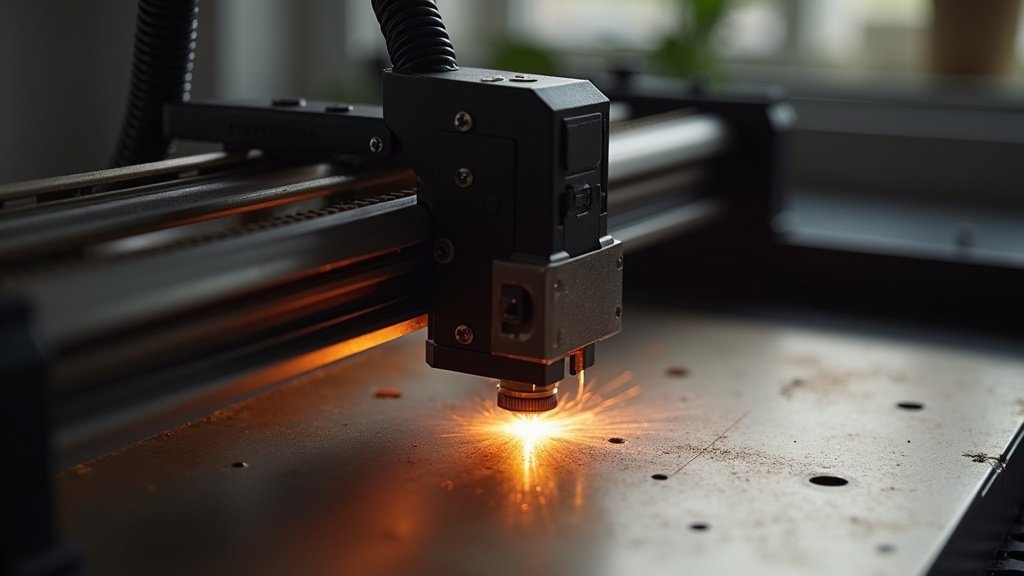
Etch Your Vision: Finding the Right Laser Engraver for Metal
Investing in a laser engraver for metal is a significant step, whether you’re a hobbyist looking to personalize tools or a small business aiming to add unique branding to your products. This isn’t a purchase to rush into; understanding the nuances of metal engraving technology will ensure you select a machine that meets your creative goals and performs reliably for years to come.
Decoding the Details for Durable Designs
When you’re ready to dive into the specifics of what makes a metal laser engraver tick, keep these key considerations in mind.
- Laser Source Power: The wattage of the laser directly impacts its ability to engrave different metals. Higher power generally means faster engraving and the ability to mark harder materials.
- Beam Quality: A finer, more precise laser beam leads to sharper details and cleaner lines on your metal surfaces. Look for information on the beam’s spot size and consistency.
- Material Compatibility: Not all laser engravers are created equal when it comes to metal. Confirm that the machine you’re considering is explicitly designed to handle the types of metals you intend to engrave, from stainless steel to anodized aluminum.
- Work Area Size: Consider the dimensions of the items you plan to engrave. A larger work area provides more flexibility for larger projects or batch engraving.
- Software and Ease of Use: The accompanying software should be intuitive and compatible with your existing design tools. A user-friendly interface can significantly streamline your workflow.
Navigating the Nuances: Common Buyer Blunders
Avoid these common missteps to ensure a smoother purchasing journey and a more satisfying engraving experience.
- Overlooking Ventilation: Metal engraving can produce fumes. Proper ventilation is crucial for both your health and the longevity of your machine. Ensure the engraver has adequate exhaust capabilities or plan for external ventilation.
- Underestimating Maintenance: Like any precision tool, laser engravers require regular cleaning and maintenance. Factor in the time and potential cost of upkeep to keep your machine running optimally.
- Ignoring Safety Features: Lasers, especially those powerful enough for metal, demand respect. Prioritize machines with built-in safety interlocks and always use appropriate eye protection.
Your Metal Engraving Masterpiece Awaits!
For pro-level color marking and intricate detail on metals, the xTool F2 Ultra is your go-to. If you’re tackling larger projects and want versatility across materials, the xTool S1 shines. For dedicated metal engraving, especially on smaller items like jewelry, the K15 Pro Infrared is a focused powerhouse. The BlazeX M3 and LONGER Ray5 10W offer fantastic all-around performance for DIYers and hobbyists looking to engrave coated metals and more. All these options deliver excellent value for your metal engraving ambitions.
Ready to make your mark? Dive in and grab the perfect tool for your next project by checking current availability!
Final 3 Picks: Professional Metal Work, High-Power Cutting, and Color Metal Marking
Ready to decide? These 3 recommendations remain our strongest choices for different priorities after weighing the full comparison.
xTool F2 Ultra 60W
- 60W MOPA + 40W Diode
- 100+ colors on metal
- High-speed metal cutting
