9 Best Portable Laser Engraver for Wood (November 2026)
The best portable laser engravers for wood include the Creality Falcon A1C 10W AI Laser Engraver for most portable wood projects, the xTool S1 40W Laser Cutter and Laser for large wood projects, and the xTool F2 5W IR & 15W Diode for mobile small-batch work.
On this page (4 sections)
The best portable laser engraver for wood is the Creality Falcon A1C 10W, because it combines a compact enclosed body with auto focus, an AI camera and a 150 x 150 x 148 mm work area. That mix suits a home crafter or small studio that needs a machine which can move between desks without turning the room into a permanent workshop.
Speed and placement also matter for portable wood work. The A1C reaches a stated 15,000 mm/min and the camera can position a design with up to 0.1 mm accuracy, which helps when you are engraving a small sign, coaster or gift and want the artwork to land where you intended.
The xTool F2 is lighter for mobile small-batch work, while the xTool S1 is better when your wood projects need a large bed. The right choice depends on whether you value carrying weight, flat work area, enclosed operation or the ability to handle cylinders and other shapes.
Portable does not always mean handheld. In this roundup, it means a machine that can fit a changing home, studio, classroom or maker workspace without requiring a permanent industrial installation.
It also means you should think about setup each time you use it. A stable surface, ventilation, power access and room for the material and cables will shape how quickly you can start, even when the machine itself is compact.
For wood only, focus on how the laser handles surface detail, cutting thickness and finish. For mixed materials, consider whether a second laser type or an accessory such as a roller or purifier changes the value of the machine.
For a broader comparison, see our guide to the Best Portable Laser Engraver. If wood is your only material, our Best Laser Engraver For Wood guide covers the wider category.
Our picks at a glance
-
1
 Best for most portable wood projects
Creality Falcon A1C 10W AI Laser Engraver
9.7/10 our score
See it on Amazon -
2

-
3

- 4
 Best for enclosed home craftingCheck it
- 5
 Check it
LaserPecker LP2 Laser Engraver with Roller
Best for handheld engraving - 6
 Check it
Twotrees TTS-55 Pro Laser Engraver 5500mW Laser
Best for open-frame cutting value - 7
 Check it
ACMER S1 Laser Engraver Machine
Best lightweight starter machine - 8
 Check it
LaserPecker Dual-Laser Engraver
Best for portable dual-laser work - 9
 Check it
AlgoLaser Pixi Beginner Laser Engraver Machine
Best for computer-free engraving
Which portable laser engravers are best for wood?
The best portable laser engraver for wood depends on your work area, laser power, enclosure and how often you move the machine. The Creality Falcon A1C leads for balance, while the xTool S1 leads for large work and the LaserPecker LP2 leads for handheld use.
Our score weighs specs, features and buyer feedback against the needs of portable wood engraving. We checked the stated power, work area, speed, controls, safety design and material support for each pick.
| Product | Best for | Our score |
|---|---|---|
| Creality Falcon A1C 10W AI Laser Engraver | most portable wood projects | 9.7 |
| xTool S1 40W Laser Cutter and Laser | large wood projects | 9.5 |
| xTool F2 5W IR & 15W Diode | mobile small-batch work | 9.4 |
| xTool M2 10W Laser Engraver | enclosed home crafting | 9.3 |
| LaserPecker LP2 Laser Engraver with Roller | handheld engraving | 9.3 |
| Twotrees TTS-55 Pro Laser Engraver 5500mW Laser | open-frame cutting value | 9.2 |
| ACMER S1 Laser Engraver Machine | lightweight starter machine | 9.0 |
| LaserPecker Dual-Laser Engraver | portable dual-laser work | 8.9 |
| AlgoLaser Pixi Beginner Laser Engraver Machine | computer-free engraving | 8.0 |
Creality Falcon A1C 10W AI Laser Engraver: Best for most portable wood projects
The enclosed desktop design, auto focus, AI camera and interchangeable laser platform make this the most balanced choice for portable wood engraving.
The Creality Falcon A1C 10W AI Laser Engraver is the strongest all-around choice for changing workspaces. Its compact desktop body weighs 31.1 lb and has a 150 x 150 x 148 mm work area, enough for signs, coasters, wallets, ornaments and personalized gifts.
The built-in AI camera helps position designs, with up to 0.1 mm positioning accuracy. Auto focus reduces the need to set the focus height by hand, and the stated engraving speed reaches 15,000 mm/min.
That camera and focus combination matters most when you switch blanks during a session. You place a fresh piece of wood, preview it in software and start without spending several minutes on manual alignment or height checks.
Its enclosed structure meets FDA Class 1 laser safety requirements. The interchangeable platform supports 5W, 10W and 1.2W Falcon laser modules, although each package includes only the selected module.
Choose it when you want a compact machine that can move between a home desk, studio or classroom. The 150 x 150 mm area is useful, but it is not the right fit for very large signs.
xTool S1 40W Laser Cutter and Laser: Best for large wood projects
The 40W laser, 23.93 x 15.16 in bed and 600 mm/s speed suit large signs and higher-volume wood work when portability means moving between work areas.
The xTool S1 40W Laser Cutter and Laser is the best choice when portable work still includes large wood pieces. Its 40W laser, 23.93 x 15.16 in bed and stated speed of 600 mm/s give it much more room and power than the compact machines here.
xTool describes the S1 as able to cut 18 mm cherry wood in one pass. It also supports projects up to 118 in with AutoPassthrough Technology, which matters for long signs and extended panels.
That passthrough feature changes how you plan a large job. Instead of fitting a whole design inside the bed, you can feed a longer panel through the machine while keeping the layout under software control.
The enclosed design includes five flame sensors, an emergency stop button and a lid-open stop feature. Its protective cover filters 99% of laser light, and the frame uses 3 mm aerospace-grade aluminum.
At 86.8 lb, this is the least convenient pick to carry often. Choose it when you can move it occasionally between work areas and need a larger bed more than a lightweight body.
xTool F2 5W IR & 15W Diode: Best for mobile small-batch work
The 10 lb dual-laser desktop machine combines a 15W diode, 50MP camera and enclosed design for portable customization and small wood pieces.
The xTool F2 5W IR & 15W Diode Dual Laser Engraver is the best portable option for small-batch personalization. It weighs 10 lb, arrives fully assembled and has a built-in 50MP camera with up to 0.1 mm alignment accuracy on small pieces.
Its 15W diode laser handles wood engraving and 3D embossing, while the 5W infrared laser is intended for metal marking. The enclosed, leak-proof design includes a built-in fan, with an optional purifier for fumes.
The machine reaches a stated speed of 6,000 mm/s. The Slide Extension can stitch the bed and extended area into one preview, which helps with repeated layouts for small products.
That preview matters when you are making several coasters, tags or phone cases in a row. You can arrange the layout once, check the camera view and repeat the placement with less guesswork.
Choose it for markets, pop-ups and workshops where the machine needs to travel. Its compact size favors small items rather than wide wood boards, and it is a Class 4 laser system, so follow the safety directions closely.
xTool M2 10W Laser Engraver: Best for enclosed home crafting
The Class 1 enclosed M2 adds dual cameras, templates and a 10W diode for wood, leather, felt, fabric, paper and other home craft materials.
The xTool M2 10W Laser Engraver is a strong fit for home crafters who want an enclosed wood machine with room to grow. Its 10W diode works with wood, leather, felt, fabric and paper, and the Class 1 enclosed design suits indoor craft spaces.
Dual cameras provide a real-time workspace preview and support the machine's Place & Go workflow. xTool Studio adds hundreds of templates and an integrated AI image generator for projects such as name tags, door signs and cake toppers.
Templates can shorten the design stage, especially when you need a quick name tag or gift tag. You still need to check scale, material position and finish, but starting from a template can save time on routine layouts.
The M2 can add a CMYK inkjet module or a 3W infrared laser, but those are sold separately. The standalone machine includes the M2 machine and a base material kit.
At 36.2 lb, it is portable between workstations but not a handheld tool. Choose it when you want simple camera-assisted placement and may later add printing or infrared engraving.
LaserPecker LP2 Laser Engraver with Roller: Best for handheld engraving
The handheld LP2 includes an electric roller for cylindrical work and supports wood engraving in a small, portable package.
The LaserPecker LP2 Laser Engraver with Roller is the best pick for handheld wood engraving and cylindrical projects. Its compact body weighs 10.25 lb, connects to a smartphone or PC and supports JPG, PNG and G-code files.
The included electric roller provides cylinder, slab and trolley modes. The trolley mode extends engraving length up to 196 in while the width remains 4 in, which is useful for long narrow items.
That long narrow format fits pencils, dowels and other slim pieces that would be awkward on a flat bed. Cylinder mode is the more natural fit for tumblers and other round forms, although the material type still sets the limit.
The LP2 can engrave paper, cardboard, wood, leather, coated metal and brushed stainless steel. It can cut wood and paper up to 0.2 in, but it cannot engrave pure or shiny metal.
The package includes the laser unit, electric roller, electric stand, conical protective cover, adapter, safety glasses, 2 Type-C cables and an English manual. Choose it when portability and unusual shapes matter more than a large flat bed.
Twotrees TTS-55 Pro Laser Engraver 5500mW Laser: Best for open-frame cutting value
The 5.5W laser, 300 x 300 mm work area and air-assist support suit makers who want a lighter open-frame machine for wood projects.
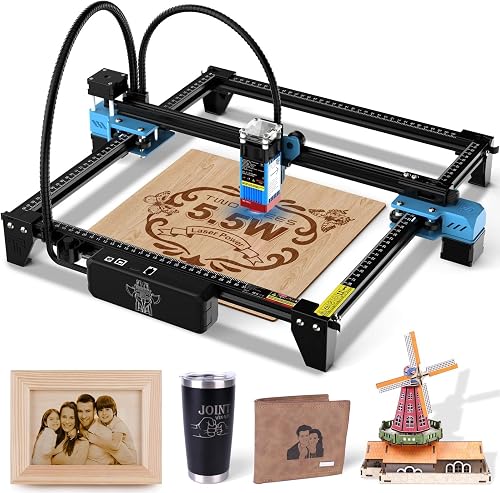
The Twotrees TTS-55 Pro Laser Engraver 5500mW Laser suits makers who want a lighter open-frame machine with a larger square work area. Its 5.5W Class II laser works across wood, leather, acrylic, paper and stainless steel, with a 300 x 300 mm working area.
Twotrees states that it can cut 5 mm plywood, 3 mm acrylic and 0.7 mm leather. The metal air-assist nozzle supports adding an air-assist system for cleaner and deeper cuts.
Air assist can make a practical difference on cuts, because it helps clear smoke and debris from the cut line. You should still test on scrap material, since thickness and material type will affect the result.
The machine reaches up to 30,000 mm/min and supports online or TF card engraving. Built-in Wi-Fi allows mobile app or computer web control, while LaserGRBL and LightBurn support cover Windows, macOS and Linux workflows.
This is a better fit for a ventilated maker area than a shared living room. Choose it for open-frame flexibility and wood work area, but plan carefully for enclosure, airflow and safe operation.
ACMER S1 Laser Engraver Machine: Best lightweight starter machine
The 2 kg ACMER S1 has a 130 x 130 mm work area, 2,500mW diode and broad software support for compact wood engraving.
The ACMER S1 Laser Engraver Machine is a lightweight choice for simple wood projects and small workspaces. It weighs 2 kg, has a 130 x 130 mm work area and uses a 2,500mW diode laser with a stated engraving speed of 10,000 mm/min.
The machine arrives 99% preassembled, with one-minute laser head installation described for setup. Its 0.01 mm repeatable positioning accuracy is aimed at detailed engraving, while the 24W machine output and 455 ± 5 nm wavelength are part of its stated specifications.
ACMER lists support for wood, bamboo, leather, plastic, PCB, aluminum oxide and ceramics. It supports macOS, Windows and Linux, plus LightBurn and LaserGRBL.
That software range helps if you already use LightBurn or LaserGRBL on another machine. You can keep a familiar workflow instead of learning a new program for a compact desktop engraver.
Choose it when carrying weight matters most and your designs fit the smaller work area. The 130 x 130 mm bed limits larger plaques, so measure your usual blanks before choosing this model.
LaserPecker Dual-Laser Engraver: Best for portable dual-laser work
The LP4 combines a 10W diode and 2W infrared laser with a 160 x 120 mm area for wood, acrylic, metal and plastic projects.
The LaserPecker Dual-Laser Engraver fits creators who want a portable machine for both wood and metal. Its 10W diode laser works with wood and can cut balsa wood up to 8 mm, while the 2W infrared laser works with metals and plastics.
The LP4 has a 160 x 120 mm work area and stated engraving speeds up to 4,000 mm/s. Its 8K resolution is intended for small text and QR codes, while the Smart Screen Repeat feature supports reloading designs for repeated work.
The diode laser also handles paper, bamboo, fabric, leather and dark opaque acrylic. A Slide Extension can expand the engraving area to 160 x 300 mm.
That extension is useful for longer layouts, but it adds setup and space to a machine you may want to carry. Check whether your usual products need the extra length often enough to justify the extra handling.
Choose it when dual-laser flexibility is more useful than the simplest setup. At 15.07 lb, it remains portable for a desktop machine, but the 160 x 120 mm standard area is smaller than the Twotrees work area.
AlgoLaser Pixi Beginner Laser Engraver Machine: Best for computer-free engraving
The 5W Pixi uses a 3.5 in touchscreen, AlgoOS and app control, making it a simple portable option for basic wood engraving.
The AlgoLaser Pixi Beginner Laser Engraver Machine is the simplest choice for computer-free wood engraving. Its 5W laser uses a 3.5 in smart touchscreen, AlgoOS and app control, so you can draw, add text or import designs without a computer during everyday operation.
Pixi supports USB-C, Wi-Fi and accessory ports, along with offline engraving and mobile control. AlgoSketch captures hand-drawn artwork, while AlgoType creates text directly on the machine.
The enclosed system has an auto-pause safety door, password-protected lock screen and real-time fault alerts. AlgoLaser describes it as a Class 1 laser system and recommends protective goggles, ventilation and supervision during operation.
This machine is mainly for engraving rather than heavy cutting. Choose it for names, logos, gifts and basic wood projects when ease of use matters more than power or a large work area.
How do you choose a portable laser engraver for wood?
Choose a portable laser engraver for wood by matching the work area and power to your usual blanks, then checking enclosure, software and carrying weight. A small machine is easier to move, but a larger bed prevents you from splitting wide designs across multiple passes.
What work area do you need?
The work area should be larger than your most common wood blank. The ACMER S1 has a 130 x 130 mm area, while the Creality Falcon A1C measures 150 x 150 x 148 mm.
Measure the blanks you actually buy, not the project you hope to make one day. If a standard board, plaque or coaster does not fit with room for alignment, a smaller bed will slow every job.
The LaserPecker LP4 reaches 160 x 120 mm, and the Twotrees TTS-55 Pro offers 300 x 300 mm.
That extra square area can prevent you from splitting a design across passes or cutting a blank down before engraving. It also gives you space to place several small items in one run.
For large signs, the xTool S1 has a 23.93 x 15.16 in bed and supports long work with AutoPassthrough. For narrow cylindrical pieces, the LaserPecker LP2's roller may matter more than a wide flat bed.
If your project is mainly portrait artwork, our guide to the Best Laser Engraver For Photo Engraving On Wood explains why camera alignment, contrast and test pieces matter.
Is more laser power always better for wood?
More power helps with cutting and faster passes, but it does not automatically make every engraving better. The 5W Pixi and 5.5W Twotrees suit lighter work, while the Creality Falcon A1C, xTool M2 and xTool F2 offer stronger options for more demanding projects.
The xTool S1 is the highest-power pick here at 40W. That makes it more suitable for large or thicker wood work, but its 86.8 lb weight makes it less practical for frequent moving.
Use small test pieces before a final engraving. Wood species, surface color, moisture, thickness and finish can change the result even when the machine and design stay the same.
Should you choose an enclosed or open-frame machine?
Choose an enclosed machine when the laser will run in a shared indoor area, classroom or home studio. The Creality Falcon A1C, xTool S1, xTool M2, xTool F2 and AlgoLaser Pixi include enclosed designs or stated safety systems.
Open-frame machines can be lighter and easier to access, but they require more attention to ventilation, shielding and supervision. The Twotrees TTS-55 Pro is the clearest open-frame choice in this group.
Read the manufacturer's safety instructions and follow applicable laser guidance from the FDA Center for Devices and Radiological Health. Keep the material flat, clear the work area and never leave an active machine unattended.
Is software important for portable engraving?
Software matters when you move between designs, devices and workspaces. The Creality Falcon A1C uses an AI camera workflow, the xTool M2 uses xTool Studio templates, and the AlgoLaser Pixi can work from its own touchscreen and AlgoOS.
The ACMER S1 supports LightBurn and LaserGRBL across macOS, Windows and Linux. The Twotrees TTS-55 Pro also supports those programs, while the LaserPecker LP2 connects to a smartphone or PC.
Pick the workflow you will actually use. A machine with many settings is not useful if every project requires more setup than your workspace allows.
How do you set up and care for a portable wood engraver?
Set up the machine on a stable, clear surface with the correct ventilation and enough room for the cover, cables and material. Keep the optical path and work surface clean, use flat blanks, and follow the model's focus and safety procedure before starting.
Leave space around the machine so you can load material without reaching over the laser area. A clear bench also makes it easier to spot stray offcuts, tape or tools before you close the lid or start a job.
For open-frame machines, plan shielding and airflow before the first project. For enclosed machines, do not treat the enclosure as permission to ignore smoke, material limits or supervision.
Ventilation needs depend on the material as well as the machine. Wood, coatings and finishes can produce smoke and residue, so check the manual for the setup expected for your exact model and punctuate long sessions with inspections.
Wood dust and residue can affect later work, especially around the focus area and bed. Remove residue according to the machine's instructions, and inspect the material before each job for coatings or finishes that may behave differently under a laser.
Keep a small test piece in the same material as your finished blank. A short test helps you check focus, contrast and placement before you commit a name, date or detailed artwork to the final piece.
If you need a smaller body for a tight desk, compare the Best Small Laser Engravers for Wood. If this is your first machine, the Best Laser Engravers for Wood for Beginners guide focuses more on setup and learning curve.
Which portable laser engraver for wood should you buy?
Pick the Creality Falcon A1C 10W if you want the best balance of compact size, enclosed operation, camera alignment and wood-focused versatility. It is the safest starting point when you want one machine for a changing desk, studio or classroom.
Pick the xTool S1 40W if your portable setup still needs a large bed and higher cutting power. Its size and weight make it a better fit for a machine that moves occasionally than for one that travels every day.
Choose the xTool F2 for a 10 lb machine suited to small-batch mobile work, or the LaserPecker LP2 when handheld engraving and cylindrical items are central to your projects.
For the simplest computer-free workflow, the AlgoLaser Pixi is the most direct fit. For a lighter open-frame bed, the Twotrees TTS-55 Pro gives you more square area, while the ACMER S1 keeps the footprint small for simple blanks.
Our top 3 picks at a glance
-
1
Best for most portable wood projects
Creality Falcon A1C 10W AI Laser Engraver
9.7/10 our score
See it on Amazon -
2
-
3
Frequently asked questions
What is the best portable laser engraver for wood?
The Creality Falcon A1C 10W is the best portable laser engraver for wood for most buyers in this group. Its compact enclosed body, 150 x 150 x 148 mm work area, auto focus, AI camera and 15,000 mm/min speed balance setup ease with useful wood-engraving capacity.
How much power do you need to engrave wood?
A diode laser from 5W to 10W can handle many wood engraving projects, while higher power gives more cutting ability. The products here range from 2,500mW to 40W, so choose based on whether you mainly want surface artwork or also plan to cut wood.
Are portable laser engravers safe indoors?
Use an enclosure, ventilation and the safety steps for the exact machine. The Creality Falcon A1C, xTool S1, xTool M2, xTool F2 and AlgoLaser Pixi have enclosed designs or safety systems described in their product information, but you should still follow the manual and never leave a running laser unattended.
What wood works with a portable laser engraver?
Wood, bamboo and plywood are common choices, but the correct setting depends on the wood type, thickness, finish and laser power. Start with a small test piece, keep the material flat, and adjust speed and power gradually rather than assuming one setting works for every board.
Can a portable laser engraver cut wood?
Some portable machines can cut thin wood, but cutting ability varies widely. The xTool S1 40W is designed for higher-power cutting, while the AlgoLaser Pixi is mainly for engraving and only very thin materials with multiple passes.
Check the machine's stated limits before planning a cut project.