9 Best Laser Engravers for Wood for Beginners (November 2026)
The best laser engraver for wood for beginners include the BlazeX M3 5W Laser Engraver Machine for detailed small wood projects, the xTool S1 40W Laser Cutter and Laser for large and thick wood projects, and the xTool M2 10W Laser Engraver for camera-guided placement.
On this page (9 sections)
- Best laser engraver for wood for beginners: our top picks by use
- Comparison of the best laser engraver for wood for beginners
- How we compared these laser engravers
- What power do you need for your first wood engraving?
- How important is safety for a home beginner?
- What bed size fits your wood projects?
- What software helps beginners learn faster?
- Can a laser engraver do photo engraving on wood?
- Verdict: which laser wood engraver should beginners buy?
The best laser engraver for wood for beginners is the BlazeX M3 5W if you want an enclosed starter kit with materials included. It suits small detailed woodwork and helps you learn safely at home.
If you want a broader view of wood machines before you narrow the list, start with our Best Laser Engraver For Wood guide. It compares power and bed size across more models.
Our score weighs specs, features and buyer feedback against what a first-time wood engraver needs. We compared the machines below on power, working area, safety design and ease of use.
Wood is a forgiving first material because it engraves darkly, holds detail and is widely available in thin sheets. The hard part for beginners is choosing settings, keeping the workspace safe and placing a design where intended.
That is why this roundup groups machines by the problem they solve first. Detail, bed size, cutting thickness and software help each matter in different ways during the first month.
Our picks at a glance
-
1
 Best for detailed small wood projects
BlazeX M3 5W Laser Engraver Machine
9.6/10 our score
See it on Amazon -
2
 Best for large and thick wood projects
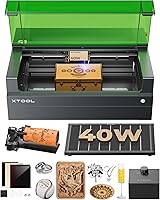
xTool S1 40W Laser Cutter and Laser
9.5/10 our score
See it on Amazon -
3

- 4
 Check it
Creality Falcon 5W Laser Engraver Machine
Best for large 5W working areas - 5
 Check it
ORTUR Laser Master 2 S2 LU2-10A Laser
Best for 10W cutting on a budget - 6
 Check it
Creality Laser Engraver Machine 10W Output Power
Best for 10W wood and acrylic cutting - 7
 Best for 400mm fixed-focus workCheck it
- 8
 Best for AI-assisted beginner designCheck it
- 9
 Check it
Carverall K15 Pro Laser Engraver 10W Laser
Best for compact A4 desktop work
Best laser engraver for wood for beginners: our top picks by use
Each pick below solves a different first-project problem. Small detail work, large signs and camera placement each point to a different machine.
BlazeX M3 5W Laser Engraver Machine: Best for detailed small wood projects
- 5W laser module
- 0.01mm ultra-fine accuracy
- Class 1 enclosure with fan exhaust
- Honeycomb bed and 13 engraving materials included
- Works with LightBurn, LaserGRBL and CutLabX
A compact enclosed starter kit for small wood, leather, glass and coated metal work, with safety sensors and a honeycomb bed included.
Pros
- Enclosed Class 1 design
- Starter materials included
- Fine detail for small text
Cons
- 5W is slow for cutting thick wood
- Small desktop footprint suits small pieces
The BlazeX M3 suits beginners making small detailed pieces such as jewelry blanks, name tags and ornament wood. Its 5W module with 0.01mm accuracy keeps small text sharp on thin stock.
The kit includes a honeycomb bed, protective enclosure, tool kit and 13 pieces of engraving materials. You can start practice cuts without buying test wood separately.
Class 1 safety includes a fan that exhausts smoke and sensors that stop the machine if it tilts or the lid opens. It works with LightBurn, LaserGRBL and CutLabX on Windows, macOS, iOS and Android.
The honeycomb bed holds thin pieces flat and absorbs residual heat at the back. That reduces scorching and helps small pieces stay still during a run.
For daily use, think small-batch personalization rather than thick cutting. At 12.32 pounds it is portable, but a 5W laser cuts thick stock slowly or in multiple passes.
xTool S1 40W Laser Cutter and Laser: Best for large and thick wood projects
- 40W laser, 600mm/s speed
- 23.93 x 15.16 in bed
- Class 1 enclosed with flame sensors
- Auto-focus and xTool Creative Space
- Rotary bundle
A large enclosed 40W machine that can cut 18mm cherry wood in a single pass and engrave large batches in one run.
Pros
- Very high power for wood
- Large bed for signs
- Strong safety enclosure
Cons
- Heavy and large
- Premium tier for a first machine
The xTool S1 40W suits beginners who want large signs, door signs and thick wood cuts. Its 40W laser slices 18mm cherry wood in a single pass and engraves at up to 600mm/s.
The bed measures 23.93 x 15.16 inches, so you can fit many dog tags or a large plaque in one run. Auto-focus and xTool Creative Space reduce setup guesswork.
Class 1 safety includes a cover that filters 99% of laser light, five flame sensors and a lid-open stop. This is a strong enclosed option for a home workshop.
Power changes the workflow in practice. A 40W machine can move from engraving detail to cutting thick stock in one session, which suits production runs that would take many passes on a diode laser.
The rotary bundle supports tumblers and cylindrical items, while Pin-point Positioning and AutoPassthrough support curved surfaces and projects up to 118 inches in length.
The trade-off is size and weight at 86.8 pounds. It costs more than diode models and needs dedicated desk space.
xTool M2 10W Laser Engraver: Best for camera-guided placement
- 10W diode laser
- Built-in dual cameras
- Class 1 enclosed design
- xTool Studio with templates
- Base material kit included
An enclosed 10W machine with dual cameras and templates that help place designs on wood and other craft materials.
Pros
- Camera preview for placement
- Beginner templates
- Enclosed Class 1 design
Cons
- CMYK module and rotary sold separately
- Mid-size footprint
The xTool M2 10W suits crafters who want camera help placing a design on wood. Its built-in dual cameras give a real-time preview of the work area.
The 10W diode handles wood, leather, felt, fabric and paper. xTool Studio offers templates and an AI image generator for beginners who do not design from scratch.
Class 1 enclosed design helps protect your family during home use. The machine includes a base material kit for first tests.
Camera placement solves a common beginner frustration. You preview the workspace and adjust before the laser starts, instead of measuring from a corner and hoping the design lands in the center.
The dual-mode design plans ahead for growth. A separate CMYK inkjet module can add full color printing and a 3W IR laser can add fine metal and plastic work, though both are sold separately.
The trade-off is add-on cost. At 36.2 pounds it is lighter than the 40W S1, yet still a fixed desktop machine.
Creality Falcon 5W Laser Engraver Machine: Best for large 5W working areas
- 5W laser, 0.06mm spot
- 400 x 415mm working area
- Up to 10,000mm/min
- Eye-protective cover
- Offline use
An open-frame 5W engraver with a large 400 x 415mm area for bigger wood pieces, suited to makers who want speed on a budget tier.
Pros
- Large working area
- Fast stated speed
- Light frame
Cons
- Open frame needs separate ventilation
- Class 4 laser needs goggles
The Creality Falcon 5W suits beginners who want a large area on a 5W budget. Its working area is 400 x 415mm for larger wood boards.
It uses a 0.06mm spot and runs at up to 10,000mm/min, which helps batch small items. Creality says it works with more than 200 materials, including wood, leather and acrylic.
An eye-protective cover filters 97% of UV rays and an active stop halts work if it moves during engraving. It also supports offline use.
A large area suits makers who engrave several small pieces at once. You can lay out coasters, tags or ornaments across the bed and run them in one job.
The 0.06mm spot and repositioning accuracy under 0.007 inches help preserve intricate lines. That matters for names, logos and decorative borders.
The trade-off is open-frame safety. This is a Class 4 laser, so use goggles, ventilation and a clear area.
A 5W module also limits thick cutting. At 10.82 pounds the frame is light, but a rotary roller and raisers are extra for cylindrical or taller objects.
ORTUR Laser Master 2 S2 LU2-10A Laser: Best for 10W cutting on a budget
- 10000mW laser module
- 390 x 410mm engraving area
- 0.05 x 0.1mm compressed point
- Protective cover and goggles
- Works with LaserGRBL and LightBurn
A widely used open-frame 10W machine that can cut 20mm wood, with quick assembly and broad software support.
Pros
- High power for its tier
- Quick assembly
- Large area
Cons
- Class 4 open frame
- Needs careful eye and smoke control
The ORTUR Laser Master 2 S2 suits beginners who want 10W power at a lower tier. Its 10000mW module can cut 20mm wood and 30mm acrylic.
The engraving area is 390 x 410mm, which fits large signs and multiple small pieces. Assembly takes about 10 to 15 minutes with a full metal frame.
Safety includes a G-sensor that stops the laser if the machine moves, plus a protective cover that filters 98% of UV light. Goggles are included.
Cutting depth is the main appeal here. A 10W diode will cut through thicker wood that a 5W machine must nibble at in several passes, so puzzle pieces and layered signs become practical first projects.
The compressed point measures 0.05 x 0.1mm, which balances detail and cutting speed. The module weighs only 235g and uses dual-fan cooling.
The trade-off is Class 4 open-frame operation. You must manage eye protection, smoke and fire risk yourself.
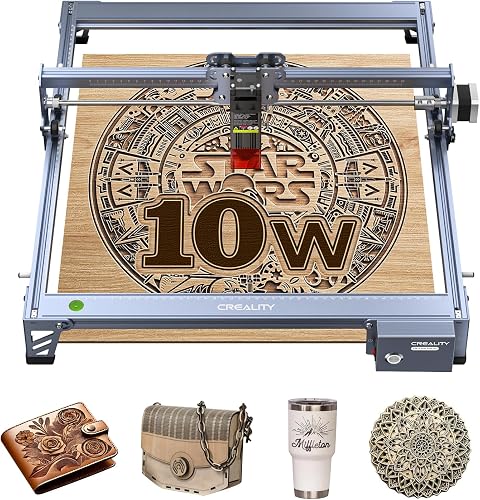
Creality Laser Engraver Machine 10W Output Power: Best for 10W wood and acrylic cutting
- 10W output, 72W machine power
- 0.06mm spot
- 17 x 16 in area
- Wi-Fi, USB and SD card transfer
- LightBurn and LaserGRBL support
A light 10W Creality machine that cuts 5mm basswood in one pass, with flexible file transfer for home use.
Pros
- Light frame
- One-pass 5mm basswood cut
- Multiple transfer options
Cons
- Open frame safety setup
- Smaller area than some rivals
The Creality 10W machine suits beginners who want to cut 5mm basswood in one pass. It delivers 10W output power with a 0.06mm spot for engraving and cutting.
The area is 17 x 16 inches, which covers most signs, coasters and gift blanks. You can transfer files by Wi-Fi, USB or SD card.
It works with LightBurn for experienced users and LaserGRBL for new users. Assembly takes 10 to 20 minutes and the laser head includes a focusing plate.
That one-pass basswood claim is a useful benchmark. Common 3mm to 5mm craft wood can be cut as a shape, not just marked, which opens up ornaments and layered letters.
The all-aluminum alloy structure and steel shaft wheel guide rail support stability during fast moves. Accuracy within 0.004 inches and repositioning under 0.007 inches help repeated cuts line up for inlay work.
The trade-off is open-frame design. An anti-UV filter helps, but you still need goggles and smoke control.
KENTOKTOOL Laser Engraver: Best for 400mm fixed-focus work
- 5.5W output, Class 1 5500mW
- 400 x 400mm area
- 0.08mm focus
- Knob focus adjustment
- GRBL and LightBurn support
A 400 x 400mm machine with knob focus and a magnetic protective cover, aimed at beginners who value simple focus control.
Pros
- Large 400mm area
- Simple knob focus
- Protective cover included
Cons
- 5.5W limits thick cutting
- Needs rotary roller for round items
The KENTOKTOOL LE400PRO suits beginners who want simple focus control. It has a knob design for focus adjustment without tools and a 400 x 400mm area.
The 5.5W output is listed as Class 1 at 5500mW. It can cut wood up to 8mm and 5mm black acrylic, with engraving speed up to 6000mm/min.
A magnetic protective cover filters 97% of UV rays and can attach or detach quickly. X and Y axes have tick marks to help measure material.
Focus is where many first projects go wrong. A fixed focus design with a knob removes the need to stack cards or use a separate gauge.
The 0.08mm square focus is described as twice as thin as ordinary spots, which helps with smooth lines on wood, glass and stainless steel. The all-metal structure supports repeatable placement on larger boards.
The trade-off is power. At 5.5W it cuts more slowly than 10W models, and round items need an extra roller.
ACMER S2 Laser Engraver: Best for AI-assisted beginner design
- 7W output, 48W system
- 300 x 300mm area
- 0.01mm accuracy
- Up to 10,000mm/min
- ACMER Studio with AI tools
A 7W machine with free software, AI design help and a 300 x 300mm area that suits signs, gifts and small business test pieces.
Pros
- Free beginner software
- Good detail for small text
- Expandable with accessories
Cons
- LightBurn needs separate license
- 300mm area limits large signs
The ACMER S2 suits beginners who want help with design. Its free ACMER Studio includes AI tools that turn text or photos into engraving designs.
The true 7W output and 0.08 x 0.08mm spot help with small text and logos. It can cut up to 13mm paulownia wood with multiple passes.
The working area is 300 x 300mm and speed reaches 10,000mm/min. Safety includes an anti-UV shield, included goggles and motion-detection auto-pause.
This middle power option suits both engraving and light cutting. Seven watts is enough for detailed wood signs and gifts, while multiple passes can handle thicker paulownia or 6mm black acrylic.
Software is a strong part of the package for beginners. ACMER Studio handles design and machine control without an extra purchase for core functions, and it runs on Windows and macOS.
LightBurn and LaserGRBL remain options later.
The trade-off is area size. At 300mm large boards may need repositioning, and LightBurn needs a separate license.
Carverall K15 Pro Laser Engraver 10W Laser: Best for compact A4 desktop work
- 10W laser
- 11.8 x 7.9 in A4 workbed
- 15,000mm/min speed
- Free CutLabX software
- Full starter kit included
A compact 10W desktop machine with A4 area, offline TF card jobs and a starter kit for coasters, tags and small gifts.
Pros
- Compact A4 footprint
- Offline batch jobs
- Starter kit included
Cons
- A4 area smaller than 400mm beds
- IR head sold separately
The Carverall K15 Pro suits beginners with limited desk space. Its 11.8 x 7.9 inch A4 workbed fits most daily projects yet stays compact.
The 10W laser supports multi-pass cutting on 12mm plywood and 8mm acrylic. Speed reaches 15,000mm/min with 0.01mm precision.
Free CutLabX software works on computers, tablets and phones, and offline TF card jobs remove the need for a PC during batch work. A full starter kit is included.
Compact size is the practical advantage in a home studio. An A4 bed covers coasters, keychains, pet tags and small signs, while the machine can slide under a desk when not in use.
Four heightening columns add height for gift boxes without a separate riser.
Speed and precision suit batch work. One-touch focus with smart memory helps repeat the last file for identical gifts.
The trade-off is the A4 limit. Large signs will not fit, and the optional 1W IR head for bare metal is sold separately.
Comparison of the best laser engraver for wood for beginners
| Product | Best for | Power | Weight | Model | Our score |
|---|---|---|---|---|---|
| BlazeX M3 5W Laser Engraver Machine | detailed small wood projects | 5W | 12.32 pounds | M3 | 9.6 |
| xTool S1 40W Laser Cutter and Laser | large and thick wood projects | 40W | 86.8 pounds | 9.5 | |
| xTool M2 10W Laser Engraver | camera-guided placement | 10W | 36.2 pounds | MLM-K610-001 | 9.3 |
| Creality Falcon 5W Laser Engraver Machine | large 5W working areas | 5W | 10.82 pounds | 9.2 | |
| ORTUR Laser Master 2 S2 LU2-10A Laser | 10W cutting on a budget | 10W | 9.03 pounds | 9.1 | |
| Creality Laser Engraver Machine 10W Output Power | 10W wood and acrylic cutting | 10W | 7.05 pounds | 9.1 | |
| KENTOKTOOL Laser Engraver | 400mm fixed-focus work | 5.5W | 14.02 pounds | 9.0 | |
| ACMER S2 Laser Engraver | AI-assisted beginner design | 7W | 7.83 pounds | 9.0 | |
| Carverall K15 Pro Laser Engraver 10W Laser | compact A4 desktop work | 10W | 2.68 kg | 8.9 |
A quick rule helps you compare: enclosed machines trade size and cost for simpler safety, while open frames trade safety setup for lower cost and larger areas.
Power tells only part of the story. A 5W enclosed machine may suit a first-time user at home better than a 10W open frame, even though the 10W machine cuts faster.
Bed size also changes what you can make, from small tags on an A4 bed to full signs on a 400mm bed.
Weight and footprint decide where the machine lives. The xTool S1 at 86.8 pounds is a fixed workshop tool, while the Creality 10W at 7.05 pounds can be stored in a cupboard.
That difference matters as much as wattage for many beginners.
How to read the comparison by project type
Small detailed work favors fine spot size and enclosed safety, which points to the BlazeX M3 or ACMER S2. Thick cutting favors 10W or 40W output, which points to the ORTUR, Creality 10W, Carverall K15 Pro or xTool S1.
Software support also separates the list. Free included tools such as ACMER Studio, CutLabX and xTool software lower the learning curve, while LightBurn and LaserGRBL give more control but may require a separate license.
How we compared these laser engravers
We compared power, bed size, safety class and software from the product data for each machine. We also checked what is included in the box, because starter materials and goggles change first-week cost.
Our score weighs specs, features and buyer feedback against what a beginner shopping for wood engraving needs. Higher power alone does not win if safety or ease of use lags.
We looked at working area, laser output in watts, and whether the machine is Class 1 enclosed or Class 4 open frame. Those three factors drive most first-project outcomes.
We also checked stated cutting depth on wood and acrylic, because engraving depth and cutting depth are different skills. A machine that marks wood nicely may still need many passes to cut through 5mm stock.
Spot size and precision figures were compared for detail work. Numbers such as 0.01mm accuracy, a 0.06mm spot or a 0.08mm focus suggest how small text may reproduce, though wood grain will always affect the result.
We did not rank by price or by long-term durability claims not in the product data.
What power do you need for your first wood engraving?
A 5W to 7W laser engraves wood signs, coasters and jewelry blanks well. It will cut thin wood slowly, so plan for multiple passes on thicker stock.
Power should match the work you plan to do in the first month. If most pieces are gifts and decorative boards, a lower power machine will still produce strong marks.
If you want to cut shapes out of wood, wattage becomes more important.
5W to 7W for engraving and light cutting
The BlazeX M3, Creality Falcon 5W, KENTOKTOOL and ACMER S2 sit in this range. They suit detailed engraving and small gifts.
These machines are a good choice when detail and safety matter more than cutting speed. Expect to test settings on scrap wood and to use multiple passes for thicker pieces.
10W for faster cutting
The xTool M2, ORTUR, Creality 10W and Carverall K15 Pro cut 3 to 5mm wood faster. This range is a good middle ground for beginners who want cutting too.
With 10W you can make puzzle pieces, layered signs and blanks that need a clean outline. That wider range often keeps beginners engaged after the first few plaques.
40W for large and thick work
The xTool S1 40W is in a different class. It cuts 18mm cherry wood in one pass but needs more space and budget.
Choose 40W only when large boards and thick stock are central to your plans. For a first machine used mainly for gifts, the size and cost may be hard to justify.
How important is safety for a home beginner?
Enclosed Class 1 machines are easier to use in a shared home space. They block light and contain smoke better than an open frame.
Safety determines whether you can run a job while others are in the room. Wood smoke is also a practical issue, so plan where smoke goes and keep flammable material away from the bed.
Class 1 enclosed machines
The BlazeX M3, xTool S1 and xTool M2 use enclosures that filter laser light. Sensors can stop work if the lid opens or the machine moves.
Enclosed designs from KENTOKTOOL and Carverall also use protective covers or Class 1 output ratings. These help beginners who work in a bedroom, classroom or shared studio.
Class 4 open-frame machines
The ORTUR, Creality and ACMER models need goggles, ventilation and a clear area. They can cost less and offer large areas, but safety is your job.
Open frames are not unsafe by default. They simply place more responsibility on the user to filter light, control smoke and watch for fire risk during long cuts.
If you plan to use the machine near kids or pets, an enclosed model is the safer first choice.
What bed size fits your wood projects?
Measure your largest planned piece before you choose. A 300mm bed fits gifts and small signs, while 400mm beds fit larger boards.
Bed size also affects batch work. A larger bed lets you engrave many small items in one run, which saves time on gifts and market stock.
A smaller bed forces you to split a job into several runs.
Height matters too. Some machines accept taller items with risers or heightening columns, which helps with boxes and upright pieces that a flat bed cannot hold.
Small and A4 beds for desktop use
The Carverall K15 Pro uses an A4 bed, and the ACMER S2 uses 300 x 300mm. Both suit coasters, tags and small plaques.
Small beds are easier to store and fit on a desk shared with a computer. They are a strong choice when your projects are personal gifts rather than large signs.
Large beds for signs and batches
The xTool S1, Creality Falcon, ORTUR and KENTOKTOOL offer 390mm to 400mm or larger areas. If space is tight, compare the best small laser engraver for wood for compact options.
Large beds suit door signs and multi-piece layouts. Check the footprint, not just the bed, because the frame adds size around the work area.
For travel or shared workspaces, our best portable laser engraver for wood guide covers lighter setups.
What software helps beginners learn faster?
Included software matters more than it sounds. Templates and AI tools can turn a blank screen into a finished design in minutes.
Software also controls how you set speed and power, preview placement and repeat a job. A beginner-friendly interface with material settings can prevent many early mistakes on wood.
The xTool M2 and S1 use xTool software with templates and material settings. The ACMER S2 uses free ACMER Studio with AI design help.
The Carverall K15 Pro uses free CutLabX on multiple devices. The BlazeX M3, ORTUR, Creality and KENTOKTOOL models work with LightBurn or LaserGRBL, which may need a separate license for LightBurn.
If you want to start with broad beginner models, see our Best Laser Engraver For Beginners and Top 8 Best Laser Engraver for Beginners guides.
Offline control can also help in a workshop without a computer nearby. TF card jobs, SD card transfer and app control let you run repeated designs without keeping a laptop connected.
Can a laser engraver do photo engraving on wood?
Yes, but detail depends on spot size, software and wood type. Fine spots and dithering settings help with photo work.
Our Best Laser Engraver For Photo Engraving On Wood guide compares models for this use. The BlazeX M3 and ACMER S2 list fine precision that helps with small detail.
Start with a small test image on basswood. Photo engraving takes longer than text or logos, so test speed and power on a scrap piece first.
Wood type changes photo results as much as machine settings. Light, even-grained wood usually shows contrast better than dark or heavily grained stock, and a design that looks good on screen may need lighter power to avoid burning away detail.
Verdict: which laser wood engraver should beginners buy?
Pick the BlazeX M3 5W for a safe enclosed start with materials included and fine detail for small wood projects.
Pick the xTool S1 40W if you want large signs and thick cuts and have the desk space for a heavy enclosed machine.
Pick the ACMER S2 or Carverall K15 Pro if free beginner software and compact size matter more than maximum power.
Pick the ORTUR or Creality 10W if you want 10W cutting power at a lower tier and will handle Class 4 safety steps yourself.
For camera-guided placement on wood, felt and paper, the xTool M2 is the clearest pick in this list. For a large 5W area or simple knob focus, the Creality Falcon 5W and KENTOKTOOL LE400PRO cover those needs at mid power.
Start with basswood test pieces, keep notes on speed and power, and add accessories only after your first ten projects. That habit will teach you more than any single specification on this page.
Our top 3 picks at a glance
-
1
Best for detailed small wood projects
BlazeX M3 5W Laser Engraver Machine
9.6/10 our score
See it on Amazon -
2
Best for large and thick wood projects
xTool S1 40W Laser Cutter and Laser
9.5/10 our score
See it on Amazon -
3
Frequently asked questions
What power laser engraver do beginners need for wood?
A 5W to 10W diode laser engraves most softwoods well for signs, coasters and gifts. Choose 10W if you want to cut 3 to 5mm wood in one pass.
Choose 40W only if you need large or thick pieces, as size and cost rise sharply.
Is an enclosed laser safer for beginners?
An enclosed Class 1 machine blocks more laser light and contains smoke better than an open frame. Open Class 4 frames still work, but you must use goggles, ventilation and a clear work area.
Beginners often prefer enclosed models for home use.
What wood should a first-time user practice on?
Start with basswood, pine and plywood offcuts in 3mm thickness. These woods engrave predictably and let you learn speed and power settings.
Test small squares first and keep notes, as grain and moisture change results.
Do I need LightBurn to start laser engraving wood?
No. Many machines include free software such as xTool Creative Space, ACMER Studio or CutLabX.
LightBurn and LaserGRBL are common optional tools.
Start with the included software, then switch only when you need more control.
How long does first setup take?
Many open-frame models assemble in 10 to 20 minutes, while enclosed models may need only unpacking and software setup. Budget extra time for focus checks, a test engraving and ventilation setup before your first full project.