How to Choose Eye Protection for a Diode Laser Engraver
Choose eye protection for diode laser engraver by the exact wavelength and optical density first: match the glasses to your diode laser, check OD and visible light transmission, then confirm fit and side coverage. Do not rely on colour alone.
On this page (11 sections)
- What wavelength does your diode laser use?
- Eye protection for diode laser engraver: what OD means
- How visible light transmission affects your work
- Why side coverage matters for diode laser work
- Which products fit blue diode engravers?
- When a 1064nm model is the wrong match
- How to choose eye protection step by step
- How to use diode laser glasses during setup
- Cleaning, storage and when to replace glasses
- Common mistakes when buying laser eyewear
- Eye protection for diode laser engraver: final decision
Eye protection for diode laser engraver use starts with the wavelength, because the lens must block the light your machine makes. Pick glasses rated for your exact diode wavelength, with enough OD and enough visible light to work safely.
You can then check fit, side coverage and care.
A diode laser can send bright visible light and reflected light into your eyes during engraving, cutting, focusing and alignment. For a separate 80W Monport beam-alignment issue, see Monport CO2 mirror alignment troubleshooting.
The risk is not only the direct beam.
It also comes from reflections off metal, shiny material, glass and the workpiece.
Our team compared the specs for three products that cover diode wavelengths in different ways. We checked wavelength ranges, OD, visible light transmission, frame style and stated standards.
We did not test them on a laser.
Use this guide to match your machine first, then narrow the choice by comfort and clarity. If you are unsure whether glasses are needed at all, read Do You Need Safety Glasses for a Laser Engraver? before you buy.
What wavelength does your diode laser use?
Your first check is the wavelength printed for your laser module, because eyewear must cover that exact wavelength. Most hobby diode engravers use blue light around 445nm, 450nm or 455nm.
Some systems use other diode wavelengths, so the manual matters more than the word diode.
Blue diode light is visible, so you can see the spot on the material. That does not make it safe to look at.
Bright blue light can be hazardous at the powers used for engraving, and reflections can enter your eyes from an angle.
Do not choose glasses by lens colour alone. Orange, red, tea red and dark lenses can all filter different wavelengths.
Check the rated wavelength range and OD at your wavelength.
If your machine can swap modules, check every module you plan to use. Glasses that cover 450nm may not cover a future module at another wavelength.
Keep the manual beside the glasses so you can recheck the match.
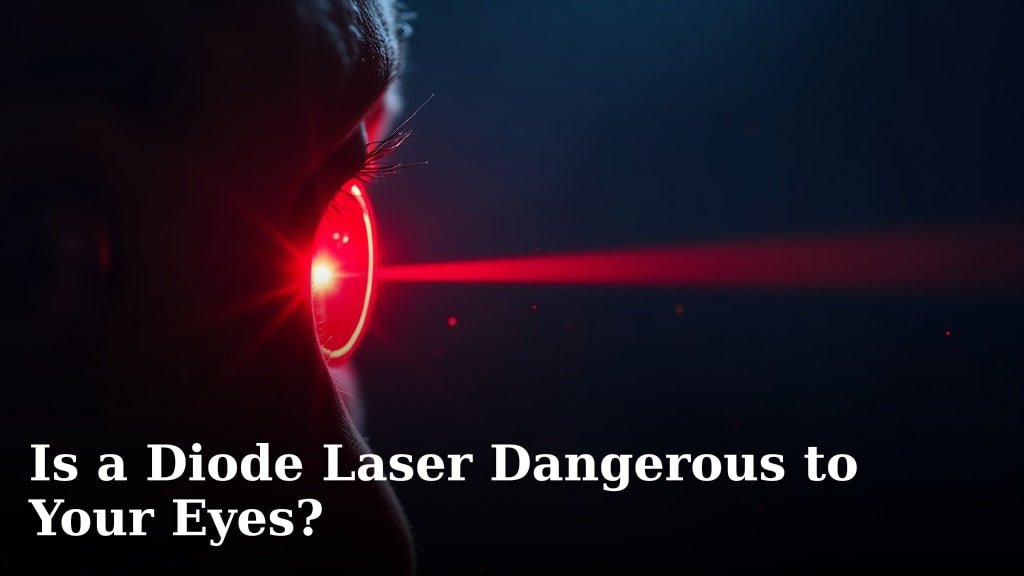
For a fuller risk picture, read Is a Diode Laser Dangerous to Your Eyes?. It explains why visible and invisible light both need attention.
Rule: write down your laser wavelength before you compare any glasses.
Eye protection for diode laser engraver: what OD means
Optical density tells you how strongly the lens blocks laser light at the rated wavelength. OD 5+ blocks more than OD 3+, but higher is not always better if the lens becomes too dark to see your work.
Think of OD as a scale, not a plain percentage. Each whole OD step cuts transmitted laser light by a factor of 10, so compare OD at your wavelength rather than a headline range.
The LaserPair model states OD 7+ for 180 to 534nm, OD 5+ for 740 to 900nm and OD 7+ for 900 to 1095nm. The MCWlaser model states OD 5+ across 190 to 540nm and 800 to 1700nm, covering 445nm, 450nm and 455nm.
Do not guess the OD you need from wattage alone. Laser power class, beam path, enclosure use and maker guidance all affect the choice, so ask the equipment maker if required OD is not clear.
How visible light transmission affects your work
Visible light transmission, or VLT, tells you how much ordinary visible light passes through the lens. Higher VLT usually means a clearer view of the workpiece, the laser spot and the frame, while lower VLT can make alignment harder.
LaserPair states 23% VLT and MCWlaser states 35% VLT, which is the direct comparison for blue diode work. Cloudray states 30% VLT for its 1064nm model.
A darker lens is not automatically wrong. It may suit bright work or a well lit space with strong task lighting, though you may need better lighting to see fine lines and smoke.
Judge VLT in your real workspace, not in a bright product photo. The same lens can feel clear in one setup and too dark in another, and straining to see may lead you to lift the glasses.
Rule: pick the highest VLT that still gives the rated OD for your wavelength.
Why side coverage matters for diode laser work
Side coverage matters because reflected light can reach your eyes from the side, not only through the front lens. A full rim frame, wrap-around shape and flank protection reduce gaps at the edges.
Diode engravers often run in open frames, so the beam and reflections are not always blocked by an enclosure. You may lean in to focus the module or check a corner, putting your face closer to the beam path.
Look for frames with coverage over the brow and along the sides. LaserPair uses a wrap-around design with flank ventilation.
MCWlaser states flank and eyebrow protection with a lightweight black PC frame.
Over-glasses fit can help if you wear prescription glasses, as MCWlaser lists that fit type, but you still need a seal with no open gaps. LaserPair lists adjustable fit and a TR90 full rim frame, which helps keep glasses in place when you bend over the machine.
How to check fit before a long engraving job
Put the glasses on and look down at the machine height. Check that they stay put when you lean forward and turn your head left and right.
Wear them for a few minutes before starting a job. Pinching, pressure behind the ears or fogging can make you remove them mid-session.
If you wear prescription glasses, test the over-glasses fit with them on.
Rule: if the glasses shift, pinch or fog during a short test, do not use them for a long job.
Which products fit blue diode engravers?
For a blue diode engraver, start with models rated for 445nm, 450nm or 455nm and check OD at that wavelength. The LaserPair and MCWlaser models cover the blue diode range directly.
The Cloudray model is built around 1064nm, so it is not the natural first pick for a blue diode machine.
LaserPair states protection for 180 to 534nm at OD 7+, plus separate ranges for 740 to 900nm and 900 to 1095nm. It lists 355nm, 405nm, 445nm, 450nm, 532nm, 740nm, 980nm and 1064nm in its item highlights.
Its frame is TR90, full rim and adjustable, with wrap-around design and flank ventilation. The lens is polycarbonate with a scratch resistant coating, and the lens colour is orange.
It weighs 0.19 kg as a single pair.
LaserPair says the glasses meet EN207 and A1EN207 certifications through CE Certification by DIN CERTCO. Treat that as the brand claim and check the exact model and standard before relying on it.
The trade-off is VLT. At 23%, the view will be darker than MCWlaser at 35%.
That may be fine under strong task lighting, but it can make fine alignment harder in a dim room.
MCWlaser states 190 to 540nm and 800 to 1700nm protection at OD 5+, with 35% VLT. Its typical wavelengths include 405nm, 445nm, 450nm, 455nm, 460nm, 473nm, 515nm, 520nm, 532nm, 808nm, 980nm, 1064nm and 1080nm.
The frame is polycarbonate, full rim and lightweight at 0.05 kg. The lens is polycarbonate with an impact resistant coating, and the fit type is over glasses.
MCWlaser states large lenses and flank and eyebrow protection.
MCWlaser states CE and standard EN 207:2017. Treat certification as a brand claim for the exact model and check what it covers.
The trade-off is OD 5+, which blocks less than OD 7+ in the blue range.
Rule: for blue diode work, compare the blue-rated models first and check OD against your maker guidance.
When a 1064nm model is the wrong match
A 1064nm fibre laser goggle is not the right starting point for a blue diode engraver. It is built for 1064nm, 1070nm, 1080nm and 1100nm light.
Those are near-infrared wavelengths, not the 445nm to 455nm blue light used by most diode engravers.
Cloudray states OD 6+ and 30% VLT for 1064nm, 1070nm, 1080nm and 1100nm. It says the goggles are CE certified and meet EN 207:2009+AC:2011.
The pack includes 1 pair of goggles and 1 protective box.
That design makes sense for fibre laser work around 1064nm. It does not make it a diode laser pair.
Near-infrared light is invisible, so a lens tuned for that range may not give you the blue diode blocking or view you need.
Cloudray also notes that 400 to 780nm is visible light and light above 780nm is infrared and usually invisible. A shop with both a diode engraver and a fibre laser needs eyewear rated for each source.
Do not share one pair across different laser types unless the maker rates that exact pair for every wavelength. Label each pair with the laser it matches, and store them separately.
Rule: match the glasses to the laser you are using today, not to a laser you may buy later.
How to choose eye protection step by step
Use a short checklist that starts with your laser and ends with fit. Keep your engraver manual open and work through it in a few minutes.
First, find your wavelength on the module or manual, such as 445nm, 450nm or 455nm, and note each module you will use. Second, find the required protection level from the engraver, module and eyewear makers, and do not assume a low power machine needs no rated eyewear.
Third, compare OD at your wavelength and note whether it changes across the range. Fourth, compare VLT, since higher VLT helps you see the work only if OD still meets your need.
Fifth, check frame coverage and fit, including full rim, wrap around, flank and eyebrow protection, and test over glasses fit if you wear prescriptions. Sixth, check standards such as EN207 and care limits, as LaserPair warns not to use alcohol or alcohol containing disinfectant on the frame.
Seventh, plan storage in a case or box away from solvents, heat and scratching tools, as Cloudray includes a protective box for its coated lenses.
If you are still comparing machine types, our How to Choose a Laser Engraver: A Complete Buying Guide can help you confirm the laser type before you buy eyewear.
A simple comparison of the three models
LaserPair gives the strongest stated OD in the blue range at OD 7+ for 180 to 534nm, with 23% VLT and wrap-around coverage. It suits diode users who want high stated blocking and do not mind a darker view under good task lighting.
MCWlaser gives OD 5+ for 190 to 540nm, with 35% VLT, over-glasses fit and a lighter 0.05 kg frame. It suits diode users who value a clearer view, provided OD 5+ meets their laser guidance.
Cloudray gives OD 6+ and 30% VLT for 1064nm to 1100nm, with a storage box. It suits fibre laser work, not blue diode engravers.
Scores are not used here because this is a guide, not a roundup. The choice should turn on your wavelength and required OD, not on a ranking.
Rule: for blue diode work, compare LaserPair and MCWlaser first and leave the 1064nm model for fibre work.
How to use diode laser glasses during setup
Wear the glasses for every part of the job, including setup, focusing, alignment and test runs. The beam is live during those steps and reflections can occur while you adjust the machine.
Put the glasses on before you power the laser and check that the frame sits firmly with side coverage in place. If you use an enclosure, confirm the glasses still fit comfortably inside it.
Keep your face, hands and tools out of the beam path while focusing. Use machine controls or a camera view where your setup allows it, rather than leaning over the module.
Watch the workpiece through the lens, but do not stare at the bright spot. You need to see the line and the material, not the source, and if the spot is too bright to judge, improve shielding, lighting or distance before you continue.
Keep other people and pets out of the room or behind suitable shielding. The glasses protect the wearer only and do not make the beam safe for bystanders.
If you use a Best Diode Laser Engraver model with an enclosure, follow the maker instructions for door and window use. Some enclosures block light well, but you still need rated eyewear for setup and open frame work.
Cleaning, storage and when to replace glasses
Clean and store laser glasses gently, because scratches and damage can reduce protection and clarity. Use a soft cloth and the cleaning method the maker allows, and avoid harsh chemicals unless the maker states they are safe for the frame and lens.
LaserPair warns not to use alcohol or alcohol-containing disinfectant to wipe the frame. MCWlaser states its lens is alcohol-resistant, but you should still follow the care guidance for the pair you own.
Store glasses in a case, box or pouch away from sharp tools, solvents, heat and loose hardware. A scratched lens can scatter light and make it harder to see the work.
Cloudray notes that if a reflective film is scratched, it can no longer be used and needs replacement. LaserPair also describes absorptive and reflective types, with different replacement intervals, so check which type your glasses use.
Inspect the lenses and frame before each use for deep scratches, cracks, warped frames, loose parts and damaged filtering. If the lens is damaged, stop using that pair for laser work, and replace glasses when the maker interval arrives, after damage or when the rating no longer matches your laser.
Common mistakes when buying laser eyewear
The most common mistake is buying by colour instead of wavelength. Orange does not always mean blue diode protection and red does not always mean the right OD, so check the rated range, the OD at your wavelength and the stated standard.
Another mistake is trusting a broad range without checking OD inside it. One pair may state OD 5+ across 190 to 1700nm, while another may state OD 7+ in the blue range and a different OD higher up.
A third mistake is choosing the darkest lens and then lifting it to see. If VLT is too low for your bench lighting, you may look over the frame or remove the glasses to check a line.
Fit mistakes are also common, as loose glasses, open sides and over glasses gaps can let light around the lens. Test fit with your prescription glasses and your real working posture.
Storage mistakes shorten the life of coated lenses, since tossing glasses into a drawer with tools can scratch the lens and frame. Use a box or pouch and keep chemicals away from the pair.
For a deeper look at Class 4 risks and eyewear choices, read laser safety glasses class 4. It helps if your machine or a future upgrade falls into a higher power class.
Eye protection for diode laser engraver: final decision
For most blue diode engravers, choose glasses rated for 445nm, 450nm or 455nm with OD that meets your maker guidance. Pick LaserPair if you want stated OD 7+ in the 180 to 534nm range and wrap-around coverage.
Pick MCWlaser if you want OD 5+ across 190 to 540nm, 35% VLT and an over-glasses fit.
Leave the Cloudray 1064nm model for fibre laser work. Its OD 6+ rating covers 1064nm to 1100nm, not the blue diode range.
A mixed workshop needs separate, labelled pairs for each laser type.
Before you order, write down your wavelength, required OD, VLT preference, fit needs and care limits. Then check what colour glasses for blue diode laser if lens colour is still confusing you, because colour is only a clue and the rating is the decision.
Keep the glasses on for setup as well as engraving, store them in a box and replace them when scratched or damaged. That habit protects your eyes and keeps the view clear enough to do good work.
Final rule: wavelength first, OD second, VLT and fit third, and colour last.
Frequently asked questions
What eye protection do I need for a diode laser engraver?
Match the glasses to your laser wavelength and power. Most blue diode engravers use 445nm, 450nm or 455nm light, so check that the eyewear covers that wavelength with the required optical density and gives enough visible light to see the work safely.
Are ordinary safety glasses enough for a diode laser?
Ordinary clear safety glasses do not block the laser wavelength, so they are not enough. You need laser safety glasses rated for the specific wavelength, with stated optical density and side coverage that blocks direct and reflected light from the beam path.
Which diode wavelength should I check first?
Check the wavelength printed in your engraver manual or on the laser module. Common blue diode modules use 445nm, 450nm or 455nm, while other systems may add different wavelengths.
The glasses must cover your exact wavelength, not just the general blue range.
What does optical density mean for laser glasses?
Optical density, or OD, describes how much laser light the lens blocks on a logarithmic scale. Higher OD blocks more light, but you still need visible light transmission high enough to see the engraving area.
Match OD to your laser power and follow the maker guidance.