Can You Use Sublimation Ink on Paper?
Yes, you can print sublimation ink on paper, but regular paper is usually only useful for a draft. For a heat transfer, use sublimation transfer paper made for your printer and follow its instructions.
On this page (8 sections)
- Can you use sublimation ink on regular paper?
- What is sublimation paper and ink used for?
- Which paper should you choose for sublimation ink?
- What should you check before printing?
- Which sublimation inks may fit an inkjet setup?
- Can you use sublimation ink on paper for crafts?
- How do you avoid common sublimation paper mistakes?
- Can you use sublimation ink on paper? The practical rule
Yes, you can use sublimation ink on paper, but regular paper is best for checking a layout, not making a heat transfer. For a finished transfer, print on sublimation paper that suits your printer and follow its pressing directions.
Sublimation ink prints through a compatible inkjet printer onto transfer paper. Heat then moves the dye from the paper onto a suitable coated surface or polyester-rich fabric.
Regular copy paper can absorb ink, but it isn't designed to release it during pressing.
Can you use sublimation ink on regular paper?
Yes, sublimation ink can print on regular paper, but that doesn't make it transfer paper. Use copy paper to check placement, text, or a rough color layout before using a proper transfer sheet.
The printed design may look less vivid on paper than it does after heat is applied. That doesn't mean every muted print will become the expected color: the printer, ink, paper, heat process, and blank all affect the result.
Don't press ordinary copy paper onto a shirt expecting a reliable sublimation transfer. Choose transfer paper made for the inkjet printer and sublimation process you use.
What is sublimation paper and ink used for?
Sublimation ink and paper work together to carry a design through printing and heat transfer. The printer places dye onto the paper, then heat helps move the dye onto a compatible blank.
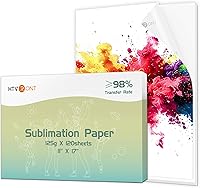
Sublimation paper is made for this transfer step. It holds the ink during printing and is intended to release it when pressed.
Paper types can differ, so follow the paper maker's guidance for print settings, which side to print on, and handling.
Sublimation ink is not a general-purpose replacement for standard ink. Use it only with a printer that is set up for sublimation ink and is compatible with the ink.
For HP models, see sublimation ink for HP printers.
If you're choosing equipment, our sublimation printer machine guide explains what to consider.
How is sublimation ink on paper different from a finished transfer?
The paper carries the design; the blank receives it. A print's appearance on the sheet isn't a dependable preview of its final color after pressing.
Keep the printed sheet dry and handle it by the edges to avoid smears or marks. Place it against a blank that is suitable for sublimation, then use the blank and transfer paper instructions for temperature, time, pressure, and removal.
If the print looks wrong, check that you used the correct paper side and printer settings before changing ink or press conditions. A small test on a compatible blank can help you check a design before making a larger batch.
Which paper should you choose for sublimation ink?
Choose sublimation transfer paper made for your inkjet printer and transfer process. Check the paper's instructions for compatible printers, printable side, and recommended settings.
Paper labeled for other processes, such as heat transfer vinyl or laser printing, may not behave like sublimation paper. Don't assume a sheet is suitable just because it fits in your printer.
Think about the blank, too. A transfer intended for a polyester fabric or coated mug needs a compatible blank.
For cotton-rich fabric, sublimation may not produce the result you want; For guidance on that process, see how to sublimate on cotton shirts. one Hiipoo ink description says its ink is for fabrics containing less than 30% cotton.
Can you print sublimation ink on photo paper?
Only use photo paper if its maker says it works for your sublimation setup. Photo paper is made for its own printing purpose, and its coating may not release sublimation dye as transfer paper does.
For a heat transfer, choose paper specifically intended for sublimation. Compare the paper's instructions with your printer and ink details, and avoid relying on a generic "photo paper" label.
What should you check before printing?
Confirm the printer, ink, paper, and blank are all suitable for sublimation. A mismatch at any step can leave you with a print that won't transfer as expected.
Check these details before loading paper:
- Printer: Use an inkjet model that is compatible with the sublimation ink. Don't put sublimation ink into a printer that still contains another ink type unless the printer maker's conversion instructions allow it.
- Ink: Match the refill to the printer model and confirm the ink is intended for sublimation.
- Paper: Check the printable side and settings on the package or instructions.
- Blank: Choose a surface designed for sublimation, such as a coated item or suitable polyester fabric.
- Press directions: Follow the blank maker's temperature, time, pressure, and handling guidance.
If you're selecting ink, our guide to the best sublimation ink set covers what to compare. For a specific ink type, see best sublimation ink cosmos, best sublimation ink markers, and sublimation ink for Canon printers.
Which sublimation inks may fit an inkjet setup?
Match ink to the printer model first, then consider the refill format. These options are described for various compatible inkjet printers, but verify your exact model before choosing ink.
Don't switch inks casually in a printer that has been used with another ink type. Check the printer and ink instructions before filling tanks, and confirm which models are supported.
For more context on pressing equipment, compare a sublimation oven vs heat press.
Can you use sublimation ink on paper for crafts?
Yes, for printing a design or draft, but paper printing alone isn't sublimation. For a paper project, see sublimation paper gift bags.
The transfer process needs a compatible blank and heat, while ordinary paper crafts usually keep the printed image on the paper.
If you're cutting printed paper for a project, use a method designed for paper and follow its safety guidance. Our guides to the best laser cutter for paper and best laser engraver for paper crafts cover those tools.
How do you avoid common sublimation paper mistakes?
Use the correct paper side, keep the sheet clean, and follow the paper and blank instructions. If you're using a Cricut, see sublimation paper with Cricut.
Those checks help prevent smudges, reversed designs, and transfers that don't match expectations.
Common mistakes include printing on the wrong side, using copy paper for a transfer, pressing onto an incompatible blank, and assuming the sheet's color shows the final result. Check orientation and settings before printing multiple copies.
Mirror the design when the transfer instructions call for it, especially when text must read correctly on the finished item. Keep notes on the paper, printer settings, and blank used so you can repeat a result that works.
Can you use sublimation ink on paper? The practical rule
For a draft or layout check, regular paper is fine. For a heat transfer, use sublimation paper suited to your printer and a compatible blank, then follow the instructions for both the paper and the item.
Choose ink based on your exact printer model. Choose paper for the transfer process, not simply because it feeds through the printer.
If you are still comparing ink options, start with the best sublimation ink cosmos guide and check compatibility before printing.
Frequently asked questions
Can sublimation ink print on regular paper?
Yes. A compatible inkjet printer can put sublimation ink onto regular paper, but the sheet isn't designed to release the dye during heat pressing.
Use regular paper for a layout or color draft, and print the transfer on sublimation paper made for your printer.
Does sublimation ink need special paper?
For heat transfers, use paper made for sublimation. It holds the printed dye for transfer and is designed to release it with heat.
Check whether the paper works with your printer and ink, then follow the paper and blank maker's press instructions.
Can you use sublimation ink on copy paper for a shirt?
You can print on copy paper, but it generally won't transfer dye like sublimation paper. The ink is meant to move from a printed transfer to a compatible surface under heat, so use proper transfer paper and a blank designed for sublimation.
Why does sublimation ink look dull on paper?
Sublimation ink can look muted on the transfer sheet because its color changes when heated. The paper is a carrier, not the finished color reference.
Use the right paper and printer settings, then judge the result on a compatible blank after following the press instructions.