9 Best Desktop CNC Routers for Metal (November 2026)
The best desktop CNC routers for metal include the Genmitsu CNC 3018-PRO Router Kit for first-time metal engraving, the Twotrees TTC450 Pro All-Metal CNC Router Machine for a larger metal work area, and the Genmitsu 4040-PRO CNC Router Machine for Metal for stable mid-size machining.
On this page (8 sections)
- Best desktop CNC routers for metal work
- How these desktop metal CNC routers were compared
- What should you look for in a desktop CNC router for metal?
- How much work area do you need?
- Are lead screws and linear guides useful for metal?
- What controls and software should you expect?
- How do you set up and care for a metal-capable desktop router?
- Verdict: which is the best desktop CNC router for metal?
The best desktop CNC router for metal work is the Twotrees TTC450 Pro if you need a roomy work area and an all-metal frame. Its 460 x 460 x 80 mm capacity is far larger than a 3018 machine, while the stated support for aluminum, copper and stainless steel gives it the broadest material range in this group.
Choose the Genmitsu 3018-PRO if your priority is learning CNC on a compact workbench. Choose the Genmitsu 3030-PROVer Ultra if a 710W spindle, ball screws and stated ±0.03 mm precision matter more than a published work-area figure.
Metal work needs realistic expectations. A desktop router may suit engraving, light cuts and small parts, but rigidity, tooling, workholding and cutting settings still determine whether a job is practical.
If you're new to the category, start with our guide to what is a CNC router machine. For a wider group of metal-focused machines, see our comparison of the best CNC router for metal.
Our picks at a glance
-
1
 Best for first-time metal engraving
Genmitsu CNC 3018-PRO Router Kit
9.7/10 our score
See it on Amazon -
2
 Best for a larger metal work area
Twotrees TTC450 Pro All-Metal CNC Router Machine
9.5/10 our score
See it on Amazon -
3
 Best for stable mid-size machining
Genmitsu 4040-PRO CNC Router Machine for Metal
9.5/10 our score
See it on Amazon
- 4
 Check it
TTC3018 CNC Router Machine 3-Axis Engraving Machine
Best for compact metal engraving - 5
 Check it
FoxAlien Masuter Pro 3-Axis CNC Router Machine
Best for an expandable hobby setup - 6
 Check it
Genmitsu 3030-PROVer Ultra CNC Router Machine
Best for a stronger compact spindle - 7
 Check it
Twotrees TTC3018 Pro CNC Router Machine
Best for a small wired CNC setup - 8
 Best for a large desktop footprintCheck it
- 9
 Check it
CNC Router Machine 3030-Evo Max
Best for stated metal material range
Best desktop CNC routers for metal work
The best desktop CNC router for metal depends on the metal, cut depth, work size and space available. The picks below are arranged by score and cover compact learning machines, mid-size routers and larger desktop formats.
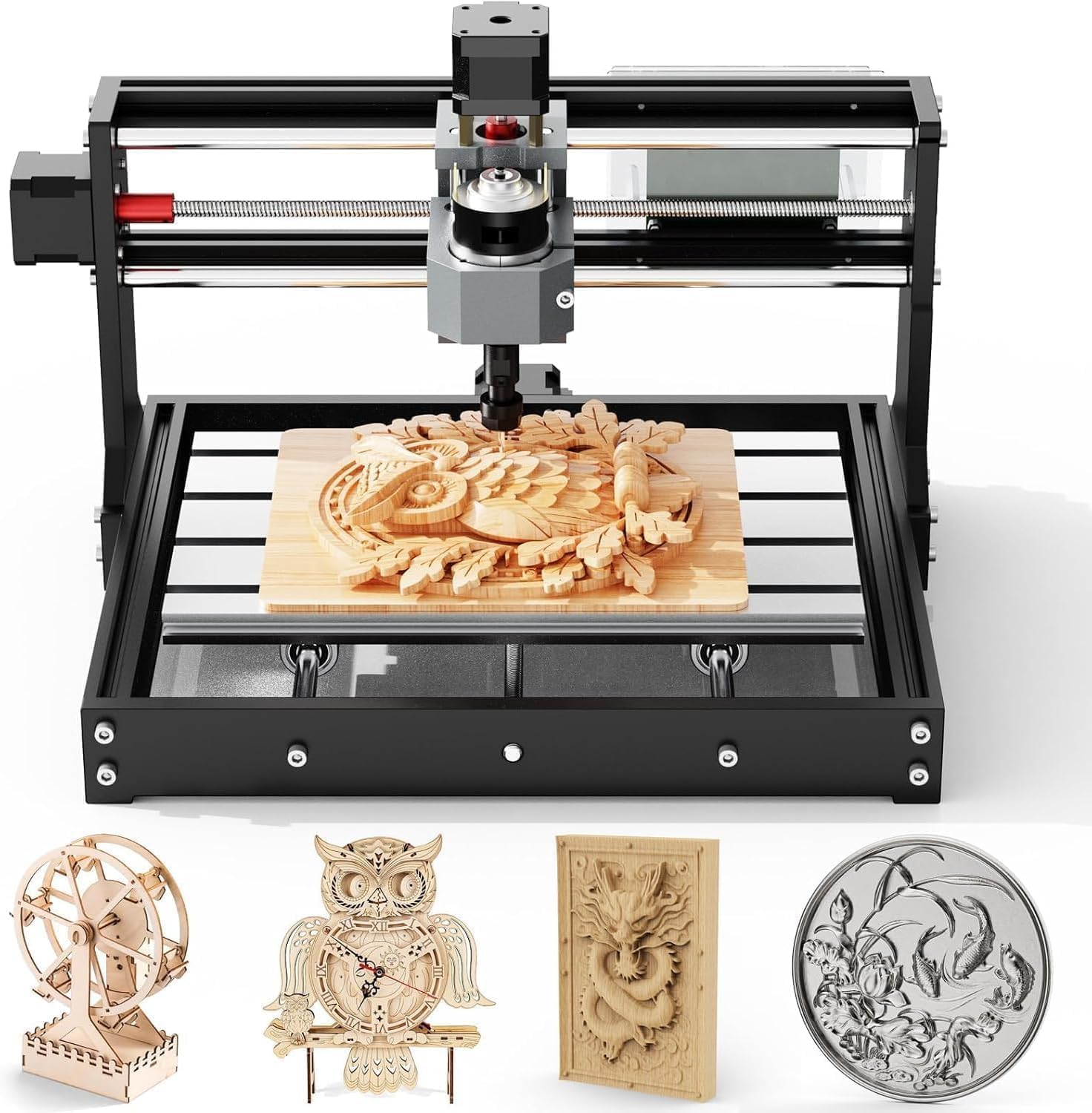
Genmitsu CNC 3018-PRO Router Kit: Best for first-time metal engraving
- 300 x 180 x 45 mm XYZ working area
- 3-axis GRBL control
- 120W power
- Soft aluminum support
A compact 3-axis platform for learning CNC engraving and light-duty work in soft aluminum. Its small footprint makes it easier to fit into a home workshop or classroom.
Pros
- Compact work area
- GRBL community support
- Offline controller included
Cons
- Better for light-duty work than deep metal cutting
- Smaller work area than the other leading picks
The Genmitsu CNC 3018-PRO Router Kit suits beginners, makers and DIY users who want a compact way to learn 3-axis CNC work. Its 300 x 180 x 45 mm XYZ working area is enough for small signs, nameplates, PCB projects, prototypes and light engraving.
The 120W power rating and soft aluminum support point to a careful approach. Use the right bit and cutting settings, and treat this machine as a light-duty platform rather than a deep-cut metal mill.
GRBL control gives you a widely used workflow, while the included offline controller lets you run compatible G-code without keeping a computer connected. Candle can control movement when you want a computer-based setup.
Its raised base and compact footprint help it fit on a home workbench, classroom table or maker-space station.
The trade-off is capacity. The work area is much smaller than the 400 mm and 460 mm machines here, and harder materials need more caution.
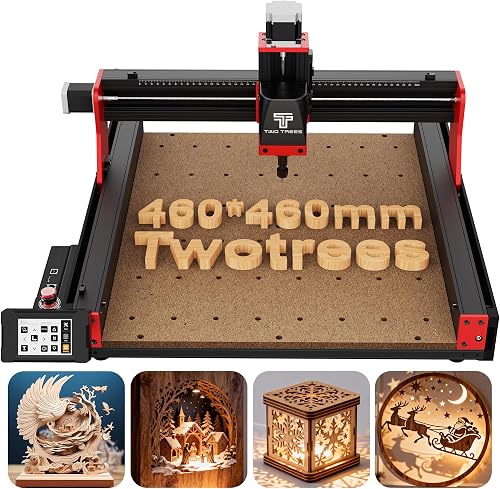
Twotrees TTC450 Pro All-Metal CNC Router Machine: Best for a larger metal work area
- 460 x 460 x 80 mm working area
- Aluminum and stainless steel structure
- 3.5-inch touch screen
- Expansion ports
The large work area and all-metal structure suit signage, panels, prototyping and larger metal accessories. Expansion ports add room for a 4th axis, laser module or 500W spindle speed control.
Pros
- Largest stated work area among the main picks
- Supports aluminum, copper and stainless steel
- Touch screen and expansion ports
Cons
- Large footprint for a desktop machine
- Requires driver setup before computer connection
The Twotrees TTC450 Pro is the strongest match for buyers who need a large desktop metal work area. Its 460 x 460 x 80 mm capacity leaves room for furniture panels, signage, larger prototypes and batch work that would not fit comfortably on a 3018 router.
The aluminum alloy and stainless steel structure is aimed at stable movement, while dual limit switches sit on the XYZ axes. A NEMA 57 stepper motor drives the Z-axis, with stated positioning accuracy up to 0.0025 mm.
The 3.5-inch capacitive touch screen makes local control more direct. The control box also includes ports for a 4th-axis rotation setup, a laser module and 500W spindle speed control.
Twotrees states that the machine works with aluminum, copper and stainless steel, along with wood, acrylic and carbon fiber. The trade-off is size and setup.
Windows 11 users need the CH341 driver, and the larger frame needs more bench space than the compact picks.
Genmitsu 4040-PRO CNC Router Machine for Metal: Best for stable mid-size machining
- 435 x 400 x 80 mm working area
- Dual 16 mm HSS steel tubes
- Lead-screw drives
- Reinforced spoilboard
The 4040-PRO gives you more room than a 3018 machine while focusing on rigidity and a flatter work surface. It suits makers who want a stable platform for acrylic, wood, nylon and carbon fiber, with metal-oriented capability in its title.
Pros
- Reinforced spoilboard
- Lead-screw motion
- Pre-assembled modules
Cons
- Heavier than compact 3018 models
- Accessories and material limits need careful checking
The Genmitsu 4040-PRO suits makers who want a mid-size work area with a motion system built around lead screws and steel tubes. Its 435 x 400 x 80 mm working area gives more room for signs, reliefs and prototypes than the 3018 models.
Dual 16 mm HSS steel tubes on each axis support the rigid motion system. The reinforced hybrid spoilboard adds a center aluminum support bar, which helps reduce sagging across the work surface and gives you a flatter base for clamping.
Pre-assembled modules can shorten the initial build, and the 32-bit GRBL controller with silent Toshiba drivers supports a quieter workflow. The relocated Z-probe port also makes setup access easier.
Genmitsu lists aluminum and acrylic in the material type, while the detailed material guidance focuses on wood, MDF, nylon and carbon fiber composites. Compared with the TTC450 Pro, this machine offers a slightly smaller work area and less explicit metal coverage, but its lead-screw design is attractive for controlled movement.
TTC3018 CNC Router Machine 3-Axis Engraving Machine: Best for compact metal engraving
- 3-axis design
- Metal engraver positioning
- Desktop format
This is a compact choice for buyers who want a 3-axis desktop metal engraver without moving into a larger router format. The limited product data makes it best suited to shoppers who can confirm the working area and hardware before ordering.
Pros
- Desktop form
- 3-axis setup
- Metal engraving focus
Cons
- Few published specifications
- Work area and included items need confirmation
The TTC3018 CNC Router Machine fits buyers who want a small 3-axis desktop metal engraving machine. Its title identifies it as a metal engraver, but the available information does not state the working area, spindle power, frame material or included accessories.
That makes it harder to compare directly with the Genmitsu 3018-PRO or the Twotrees TTC3018 Pro. Those models give clearer details about work area, controls and included items, which can make planning a first project easier.
The compact 3-axis format is still useful for a buyer whose work involves small engraved parts rather than large panels. Before choosing it, confirm the space available, the material range, the supported software and the tooling included with the machine.
Its advantage is focus. It is positioned around desktop metal engraving without the larger footprint of the TTC450 Pro or TTC6050.
The trade-off is uncertainty. If published specifications matter to your decision, one of the better-documented machines here is easier to evaluate.
FoxAlien Masuter Pro 3-Axis CNC Router Machine: Best for an expandable hobby setup
- 400 x 400 x 60 mm working area
- All-aluminum structure
- Linear rail Z-axis
- 52 mm and 65 mm spindle clamps
The Masuter Pro balances a useful 400 x 400 mm surface with a compact all-aluminum frame. Its included spindle clamps and optional Y-axis extension make it a flexible hobby platform, though the base setup is better for light work than aggressive metal removal.
Pros
- All-aluminum frame
- 400 x 400 mm work area
- Pre-wired components
Cons
- Optional 69 mm clamp is separate
- Base machine is aimed at hobby use
The FoxAlien Masuter Pro is a good fit for hobby users who want a 400 x 400 mm work area and an all-aluminum structure. Its 400 x 400 x 60 mm engraving surface supports larger layouts than a 3018 machine while remaining aimed at beginners and small workshops.
A linear rail Z-axis helps guide vertical movement, and the machine includes 52 mm and 65 mm spindle clamps for 60W and 300W spindles. A 69 mm clamp is supported but sold separately.
Pre-assembled main parts and pre-wired connections can reduce the build burden. The dust-resistant controller includes an emergency stop and home buttons, giving you direct access to basic controls.
The Masuter Pro works with wood, acrylic, MDF and nylon, and its aluminum frame makes it a reasonable option for careful light-duty metal projects. Its trade-off against the Genmitsu 4040-PRO is the smaller 60 mm Z height and more hobby-focused positioning.
The optional Y-axis extension can help when your projects grow.
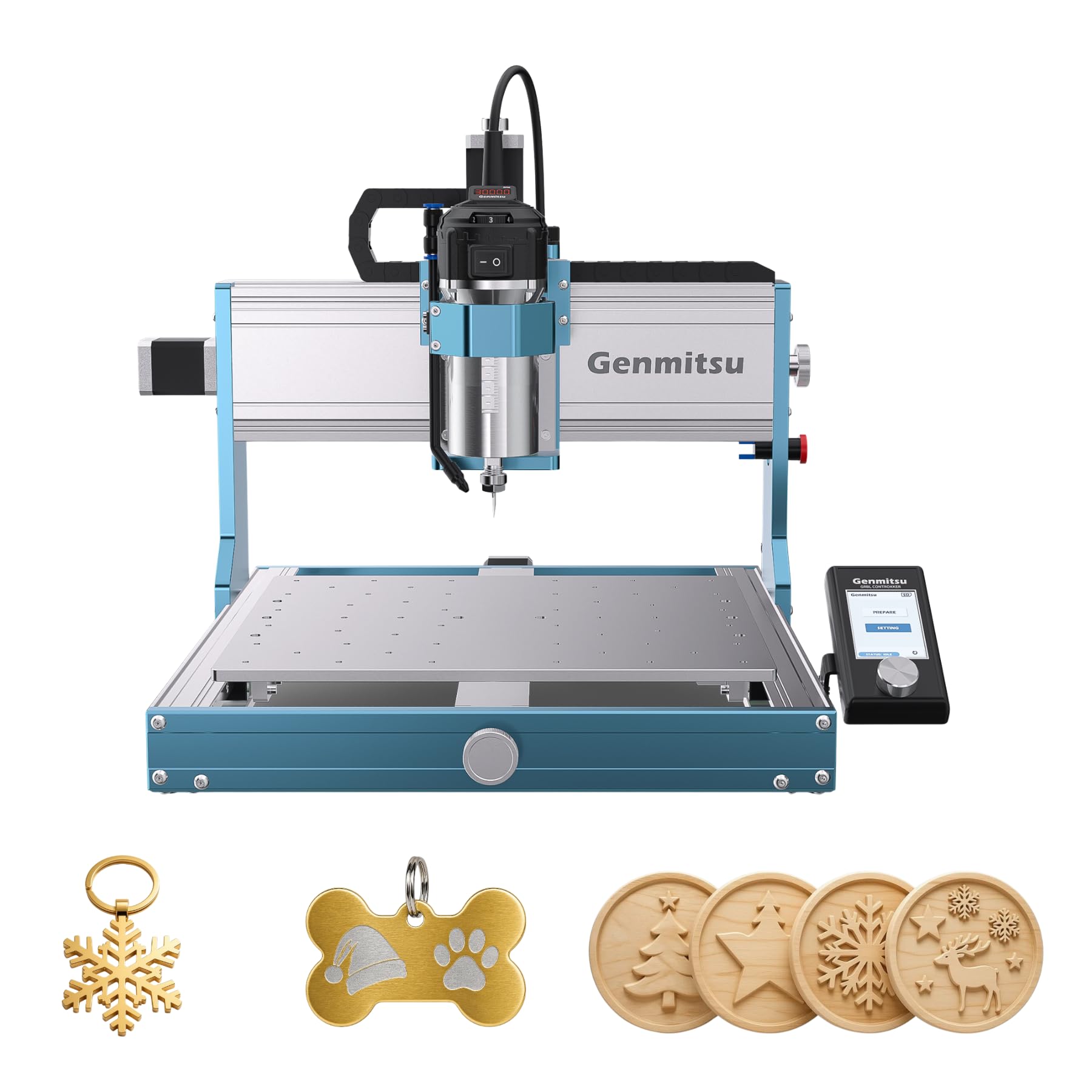
Genmitsu 3030-PROVer Ultra CNC Router Machine: Best for a stronger compact spindle
- 710W spindle
- ±0.03 mm high precision
- Dual linear guides
- Ball screws
The 3030-PROVer Ultra stands out for its 710W spindle, ball screws and stated ±0.03 mm precision. It suits buyers who need a compact machine with more metal-oriented hardware than a basic 3018 platform.
Pros
- 710W spindle
- Ball-screw motion
- Stated ±0.03 mm precision
Cons
- Working area is not stated here
- Published product information is limited
The Genmitsu 3030-PROVer Ultra is the compact pick for buyers who want a stronger stated spindle and more advanced motion hardware. Its 710W spindle, dual linear guides and ball screws give it a more metal-oriented specification set than a basic 3018 machine.
Genmitsu also states ±0.03 mm high precision, which gives you a useful reference when comparing the machine with routers that publish only general positioning claims. The title identifies aluminum and acrylic engraving as intended uses.
The main limitation is missing capacity information in the available data. Without a stated working area, you cannot easily compare it with the 300 x 180 mm Genmitsu 3018-PRO, the 400 x 400 mm Masuter Pro or the 460 x 460 mm TTC450 Pro.
Choose it when spindle power and ball-screw motion are more important than knowing the work area before you decide. If the size of your parts is fixed, confirm that measurement first.
For a different metal process, compare it with our guide to the Best Desktop Laser Engraver and Best Laser Engraver For Metal.
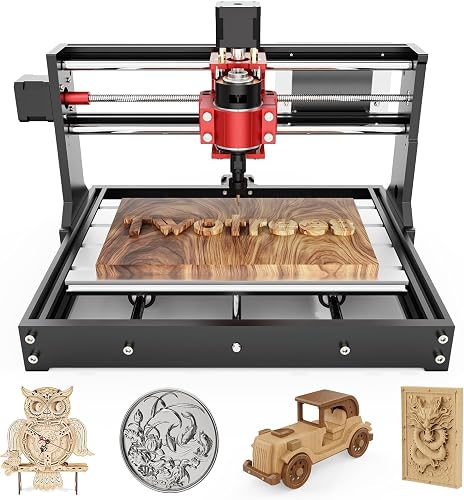
Twotrees TTC3018 Pro CNC Router Machine: Best for a small wired CNC setup
- 300 x 180 x 40 mm working area
- All-metal Z-axis
- 0.1 mm positioning accuracy
- 10 standard cutters
The TTC3018 Pro is a small, lightweight machine for nameplates, small parts and basic aluminum or brass sheet processing. Its wired-only workflow is clear, but it has less room and less flexibility than the larger Twotrees machines.
Pros
- Compact 15 lb format
- All-metal Z-axis
- 10 cutters included
Cons
- No Wi-Fi or Bluetooth
- Small work area
The Twotrees TTC3018 Pro is built for small projects, compact desks and wired computer control. Its 300 x 180 x 40 mm working area suits small nameplates, personalized parts and limited aluminum or brass sheet processing.
The all-metal Z-axis uses T8 backlash-eliminating lead screws, with stated 0.1 mm positioning accuracy. A 775 spindle motor runs at 7,000–9,000 RPM, and the package includes 10 standard cutters, an ER11 collet and professional tools.
At 15 lb and 420 x 355 x 280 mm, it is easier to place than the larger machines. The trade-off is its connection method.
It uses a USB wired connection, with no Bluetooth, Wi-Fi or built-in TF card slot.
The machine works with GRBL, ArtCam and Fusion360, and it supports Windows and Mac OS. Choose it over the Genmitsu 3018-PRO if the all-metal Z-axis and included cutters appeal to you.
Choose a larger router if your work regularly exceeds small plate and engraving sizes.
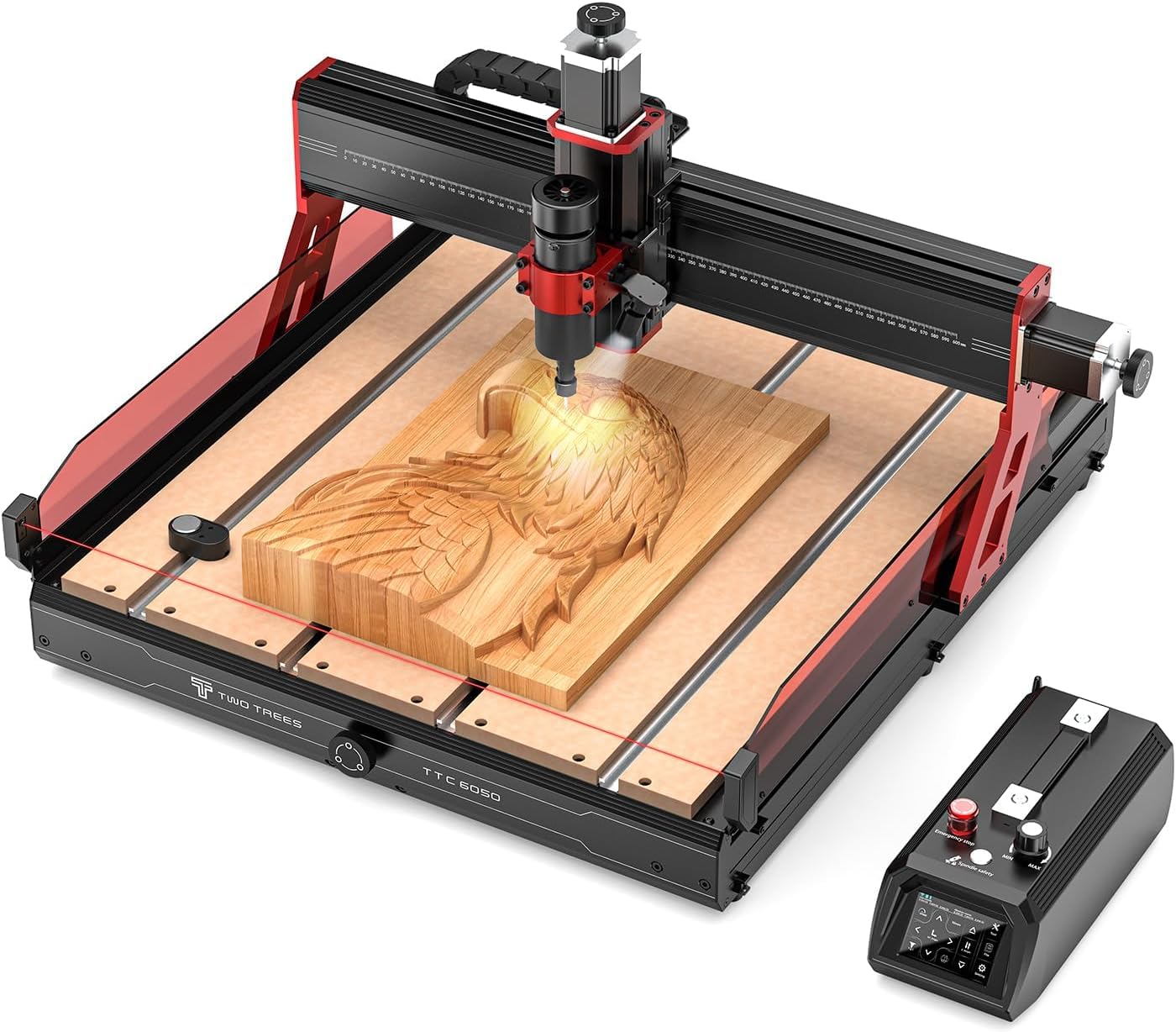
TTC6050 CNC Router Machine: Best for a large desktop footprint
- 600 x 500 mm stated format
- Desktop engraving machine
- Large working footprint
The TTC6050 is aimed at buyers who need a large desktop engraving format. Its 600 x 500 mm designation suggests more room for panels and batch work, but the available product data does not state its spindle, structure or metal capacity.
Pros
- Large stated format
- Useful for larger engraving layouts
- Desktop machine category
Cons
- Limited published specifications
- Metal capability needs confirmation
The TTC6050 suits buyers who need a large desktop engraving format. Its title gives a 600 x 500 mm size, making it the largest stated footprint in this roundup and a possible match for broad panels, signs and batch layouts.
That size can reduce the need to divide a design into separate setups. It can also create a space problem.
Measure the bench, access path and clearance around the machine before choosing a router in this class.
The available product information does not state the spindle, frame material, Z height, controller, metal range or included tools. Those details matter more for metal work than the work-area number alone.
Choose it when the large format is your main requirement and you can confirm the machine's metal capacity before ordering. For a smaller and better-documented machine, the TTC450 Pro gives a stated 460 x 460 x 80 mm area plus aluminum and stainless steel construction.
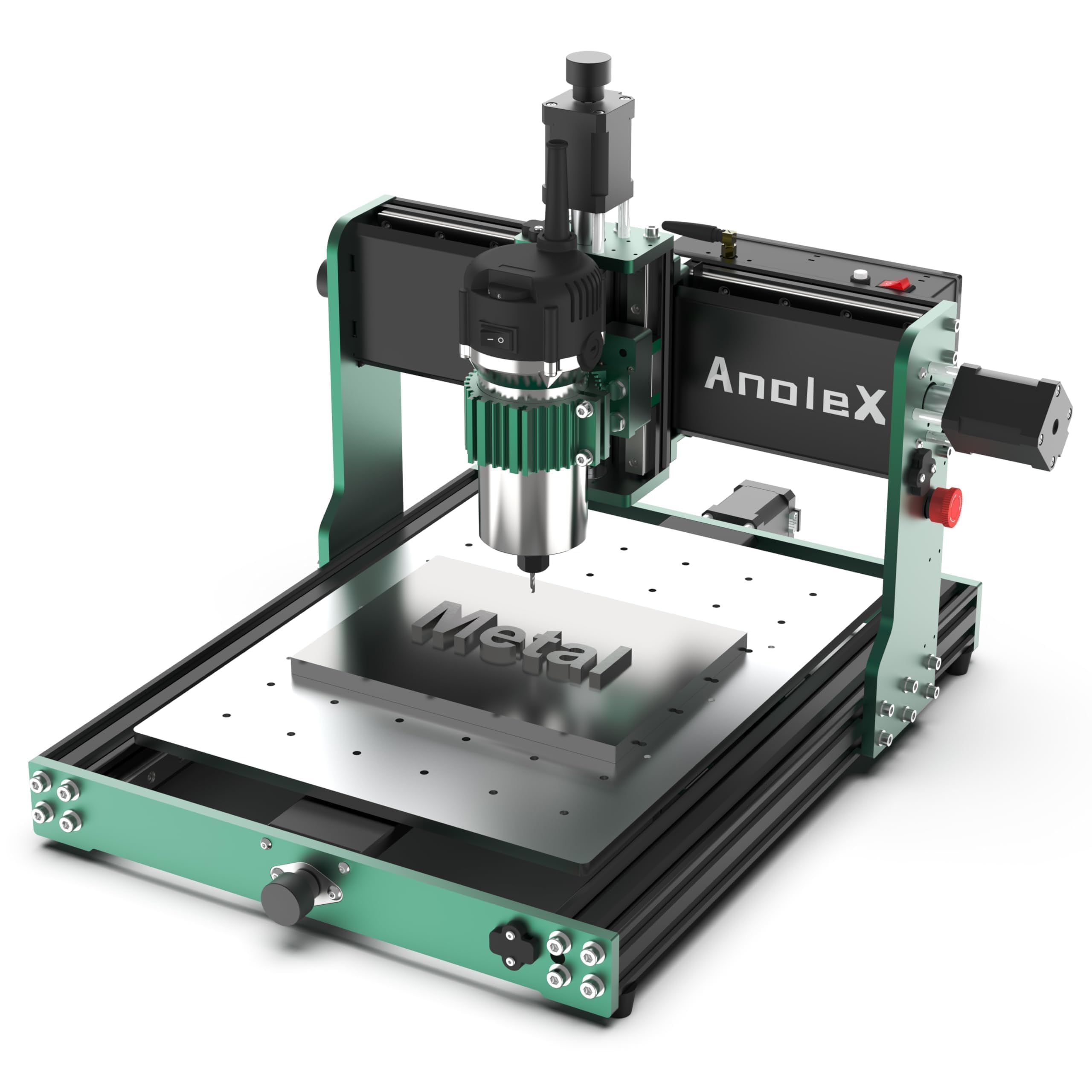
CNC Router Machine 3030-Evo Max: Best for stated metal material range
- 800W trimmer router
- Dual steel linear guides
- All-metal XYZ axis
- Aluminum, brass and stainless steel support
The 3030-Evo Max has the clearest stated metal material range in the lower-scoring group, including aluminum, brass and stainless steel. It suits buyers who want an all-metal XYZ system and 800W router, but its work area is not stated here.
Pros
- 800W router
- All-metal XYZ axis
- Named support for 3 metal types
Cons
- Working area is not stated
- Trimmer router format needs careful cutting setup
The CNC Router Machine 3030-Evo Max is aimed at buyers who want an all-metal XYZ axis, dual steel linear guides and an 800W trimmer router. Its stated material range includes aluminum, brass and stainless steel, along with wood, acrylic, MDF and plastics.
That combination makes it one of the clearest choices for shoppers comparing metal materials rather than only looking at the machine's size. The dual guides can help support controlled movement, but correct workholding and cutting settings remain essential.
The product information does not state the working area, so confirm that measurement against your largest part before choosing it. It also does not state the included tooling or controller details.
Compared with the Genmitsu 3030-PROVer Ultra, the 3030-Evo Max offers a higher stated router power and a named range of three metals. Compared with the TTC450 Pro, it gives less information about its work area and expansion ports.
It is best for a buyer who values the stated metal range and 800W router.
How these desktop metal CNC routers were compared
These machines were compared by the features that affect compact metal work: rigidity, stated material support, work area, motion hardware, spindle or router power and control options. A large work area helps with part size, but it does not by itself prove that a router can make deep or aggressive cuts.
The score also considers how clearly each machine fits the search intent. A router with a stated metal range, frame construction and motion system is easier to match to a project than one with only a model name and a size.
We checked the supplied product facts and used the published specifications to separate light-duty engraving machines from larger or more metal-focused desktop routers. We did not test any machine ourselves, and the scores do not promise a result for every metal, bit or cutting depth.
For another compact option, see the guide to the best VEVOR CNC router. It can help when brand, frame style and work area are part of your shortlist.
| Product | Best for | Working area | Power | Control | Our score |
|---|---|---|---|---|---|
| Genmitsu CNC 3018-PRO Router Kit | first-time metal engraving | 300 x 180 x 45 mm | 120 watts | GRBL with offline controller | 9.7 |
| Twotrees TTC450 Pro All-Metal CNC Router Machine | a larger metal work area | 460 x 460 x 80 mm | GRBL with 3.5-inch touch screen | 9.5 | |
| Genmitsu 4040-PRO CNC Router Machine for Metal | stable mid-size machining | 435 x 400 x 80 mm | 32-bit GRBL controller | 9.5 | |
| TTC3018 CNC Router Machine 3-Axis Engraving Machine | compact metal engraving | 9.3 | |||
| FoxAlien Masuter Pro 3-Axis CNC Router Machine | an expandable hobby setup | 400 x 400 x 60 mm | 9.2 | ||
| Genmitsu 3030-PROVer Ultra CNC Router Machine | a stronger compact spindle | 9.1 | |||
| Twotrees TTC3018 Pro CNC Router Machine | a small wired CNC setup | 300 x 180 x 40 mm | 8.9 | ||
| TTC6050 CNC Router Machine | a large desktop footprint | 8.8 | |||
| CNC Router Machine 3030-Evo Max | stated metal material range | 7.9 |
What should you look for in a desktop CNC router for metal?
Start with the material and the cut, then match the frame and motion system to that job. Engraving a shallow mark in aluminum is a different task from removing a deep pocket from stainless steel.
Match the machine to the metal
Soft aluminum appears in the Genmitsu 3018-PRO data. The TTC450 Pro names aluminum, copper and stainless steel, while the 3030-Evo Max names aluminum, brass and stainless steel.
Those statements describe intended material support, not a promise that every setting will work. Use the correct bit, secure the workpiece and make conservative passes while checking heat, chips and vibration.
Separate engraving from heavy cutting
A small 3018 router can be useful for engraving, PCB work, prototypes and light aluminum projects. The 3018-PRO's 120W power and 300 x 180 x 45 mm working area make that distinction clear.
For more demanding work, look at the machines with larger frames, steel guides, lead screws, ball screws or higher stated power. Even then, a desktop router is not automatically a replacement for an industrial milling machine.
How much work area do you need?
Choose the smallest work area that fits your largest normal part plus room for clamping. A larger bed is useful, but it takes more bench space and may require a heavier, more involved setup.
Compact 3018 machines
The Genmitsu 3018-PRO and Twotrees TTC3018 Pro both provide a 300 x 180 mm work area, with the Genmitsu offering 45 mm of XYZ height and the Twotrees offering 40 mm.
These machines fit small nameplates, signs, PCB projects and small parts. They are easier to place, but a wide panel or batch of parts may require multiple setups.
Mid-size 3030 and 4040 machines
The FoxAlien Masuter Pro offers 400 x 400 x 60 mm. The Genmitsu 4040-PRO offers 435 x 400 x 80 mm, giving it more room and height for larger work.
The Genmitsu 3030-PROVer Ultra is described as a 3030 machine, but its working area is not stated in the available product information. Confirm it before relying on a specific part size.
Large desktop formats
The TTC450 Pro offers 460 x 460 x 80 mm, while the TTC6050 is identified as a 600 x 500 mm desktop engraving machine. These formats suit larger panels and batch work, provided your bench can support them.
Are lead screws and linear guides useful for metal?
Yes. Lead screws, ball screws, steel tubes and linear guides can help control movement and reduce unwanted motion, but they do not remove the need for proper tooling and workholding.
The Genmitsu 4040-PRO uses lead-screw drives and dual 16 mm HSS steel tubes. The Genmitsu 3030-PROVer Ultra uses ball screws and dual linear guides, while the FoxAlien Masuter Pro uses a linear rail Z-axis.
These features matter because metal cutting can expose frame flex and backlash more quickly than soft wood engraving. Look at the complete motion system instead of choosing by spindle wattage alone.
What controls and software should you expect?
Most of these machines use a GRBL workflow, but the connection method and local controls differ. Plan for a design and CAM process that creates compatible G-code before the router can run a job.
The Genmitsu 3018-PRO includes an offline controller and works with Candle. The TTC450 Pro uses a 3.5-inch touch screen and supports Windows, macOS and Linux with software such as ArtCam, Fusion 360, Easel and Carveco Maker.
The Twotrees TTC3018 Pro uses a USB wired connection and does not support Bluetooth, Wi-Fi or a built-in TF card slot. The FoxAlien controller includes emergency stop and home buttons.
How do you set up and care for a metal-capable desktop router?
Set up the machine on a stable surface, check the frame and motion hardware, secure the workpiece and verify the tool path before cutting. Keep chips away from moving parts and follow the machine's instructions for electrical and software connections.
Prepare the work area
Leave enough room for the machine, the computer or controller and the material. Larger models such as the TTC450 Pro and TTC6050 need more planning than a 3018 router.
Clamp metal securely before starting. A loose workpiece can shift, damage the tool or change the cut.
Confirm that the bit, collet and material are suitable for the job.
Check the workflow before cutting
Dry-run the tool path where appropriate, confirm the origin and use conservative settings for the first pass. Watch for vibration, heat and chip buildup rather than assuming a setting will suit every alloy.
For the TTC450 Pro, install the required CH340 or CH341 driver before connecting to the computer. Keep cables clear of moving parts and use the emergency stop when a job behaves unexpectedly.
Maintain movement and clamping parts
Keep the bed, guides and screws clean enough for smooth movement. Check belts, clamps and fasteners when the machine's design uses them, and recheck the workholding before each metal job.
The FoxAlien Masuter Pro includes belt-tension guidance, while the Genmitsu 4040-PRO uses lead-screw drives. Follow the instructions for the specific machine rather than applying the same adjustment method to every router.
Verdict: which is the best desktop CNC router for metal?
The Twotrees TTC450 Pro is the best desktop CNC router for metal for buyers who need a large 460 x 460 x 80 mm work area, an aluminum and stainless steel structure and stated support for aluminum, copper and stainless steel.
Pick the Genmitsu 3018-PRO for a compact first machine and light aluminum engraving. Pick the Genmitsu 4040-PRO for a mid-size bed with lead-screw motion and a reinforced spoilboard.
Choose the Genmitsu 3030-PROVer Ultra when its 710W spindle, ball screws and stated ±0.03 mm precision fit your priorities. Choose the FoxAlien Masuter Pro when a 400 x 400 mm bed, all-aluminum frame and spindle-clamp options matter most.
If you are still deciding between routing and engraving, compare the machine's material range, work area and cutting depth with the project you actually plan to make. That decision rule will lead you to a better compact setup than choosing by power number alone.
Our top 3 picks at a glance
-
1
Best for first-time metal engraving
Genmitsu CNC 3018-PRO Router Kit
9.7/10 our score
See it on Amazon -
2
Best for a larger metal work area
Twotrees TTC450 Pro All-Metal CNC Router Machine
9.5/10 our score
See it on Amazon -
3
Best for stable mid-size machining
Genmitsu 4040-PRO CNC Router Machine for Metal
9.5/10 our score
See it on Amazon
Frequently asked questions
Can a desktop CNC router cut metal?
Some desktop CNC routers can engrave or lightly cut softer metals when the machine has enough rigidity, suitable tooling and careful cutting settings. Aluminum is a common target for compact machines.
Stainless steel and deeper cuts demand more caution because vibration, heat and deflection can affect the result.
What is the best desktop CNC router for metal?
The Twotrees TTC450 Pro is the strongest overall fit here for buyers who need a larger metal-capable desktop setup. It combines an all-metal aluminum and stainless steel structure with a 460 x 460 x 80 mm work area and stated support for aluminum, copper and stainless steel.
Is a 3018 CNC router good for metal?
A 3018 CNC router is better for light engraving and careful work than deep metal cutting. The Genmitsu 3018-PRO has a 300 x 180 x 45 mm work area, 120W power and soft aluminum support, so it fits learning and small projects more than heavy material removal.
What matters most in a desktop metal CNC router?
Rigidity, motion control, spindle power, work area and suitable cutting settings matter most. All-metal frames, linear guides, ball screws or lead screws can help control movement, but a larger spindle alone does not make a machine suitable for every metal or cutting depth.