9 Best CNC Routers for Sign Making (November 2026)
The best CNC routers for sign making include the Genmitsu CNC 3018-PRO Router Kit for beginner sign projects, the 10Pcs CNC Router Bits Set for varied sign details, and the HQMaster 8 Pcs CNC Router Bits Set for basic lettering cuts.
On this page (8 sections)
- The best CNC routers for sign making
- How these CNC routers and bits were compared
- What size CNC router is best for signs?
- Which CNC bit is best for sign lettering?
- Can a CNC router make signs from acrylic and aluminum?
- How do you set up a CNC router for sign making?
- What should you check before buying a CNC router for signs?
- Best CNC router for sign making: final verdict
The best CNC router for sign making is the Genmitsu CNC 3018-PRO for small lettering, plaques and beginner projects. Its 300 x 180 x 45 mm working area is compact, while GRBL control and an offline controller give you a practical way to learn CNC carving.
Choose the Twotrees TTC450 Pro when your signs need a 460 x 460 mm work area. The FoxAlien Masuter Pro sits between them with a 400 x 400 x 60 mm area and an optional Y-axis extension.
A CNC router for signs needs more than a motor. The work area must fit your blanks, the spindle and bit must suit the material, and the control system must let you repeat lettering accurately.
If you are new to the machine itself, start with our guide to what is a CNC router machine. For a broader look at wood-focused models, compare these best CNC routers for woodworking.
Our picks at a glance
-
1

-
2
-
3

- 4
 Check it
Twotrees TTC450 Pro All-Metal CNC Router Machine
Best for large signs - 5
 Check it
FoxAlien Masuter Pro 3-Axis CNC Router Machine
Best for expandable hobby shops - 6
 Check it
Engraving CNC Wood Carving Router Bit Set
Best for angled wood lettering - 7
 Check it
90 Degree V Groove Router Bit Carbide
Best for clean V-groove lettering - 8
 Check it
SpeTool V-Groove Carbide Router Bit 90 Deg
Best for one-bit sign edging - 9
 Check it
FoxAlien 20/30/45/60/90deg 0.1mm Triangular CNC Router Bits
Best for fine multi-angle lettering
The best CNC routers for sign making
The Genmitsu leads for small and beginner sign work, while Twotrees is the strongest choice for large panels. The remaining picks add bits for lettering, V-grooves and wood carving.
Our score weighs the stated specifications, features and buyer feedback against the needs of sign making. The machines and bits are listed from the highest score downward.
Genmitsu CNC 3018-PRO Router Kit: Best for beginner sign projects
- 300 x 180 x 45 mm XYZ working area
- 3-axis CNC machine
- GRBL control with offline controller
- 120 watts
- Works with wood, acrylic, PVC, plastic, PCB and soft aluminum
A compact 3-axis machine for learning CNC lettering, engraving and light carving. Its small working area suits plaques and sample signs rather than large panels.
Pros
- Compact desktop format
- Offline controller included
- Wide material range
Cons
- Smallest machine work area here
- Better for light-duty work than deep metal cutting
The Genmitsu CNC 3018-PRO is the most approachable machine here for small sign work and first CNC projects. Its 300 x 180 x 45 mm XYZ working area fits compact plaques, lettering samples and small decorative panels.
GRBL control gives you a common CNC workflow, and the included offline controller lets you operate basic functions and run compatible G-code files without keeping a computer connected. You can also use Candle with a computer-based GRBL workflow.
The machine works with wood, acrylic, PVC, plastic, PCB and soft aluminum when you match the bit and cutting settings to the material. Its 120-watt power rating and compact desktop format make it better for engraving and light-duty carving than deep metal cutting.
The 24-volt corded electric design is suited to a fixed bench setup rather than mobile work. The 15.3-pound weight also makes it easier to place on a home workshop bench, classroom table or maker-space station.
Choose this model when learning, bench space and small signs matter most. Its trade-off is capacity: the work area is much smaller than the 400 x 400 mm FoxAlien and 460 x 460 mm Twotrees.
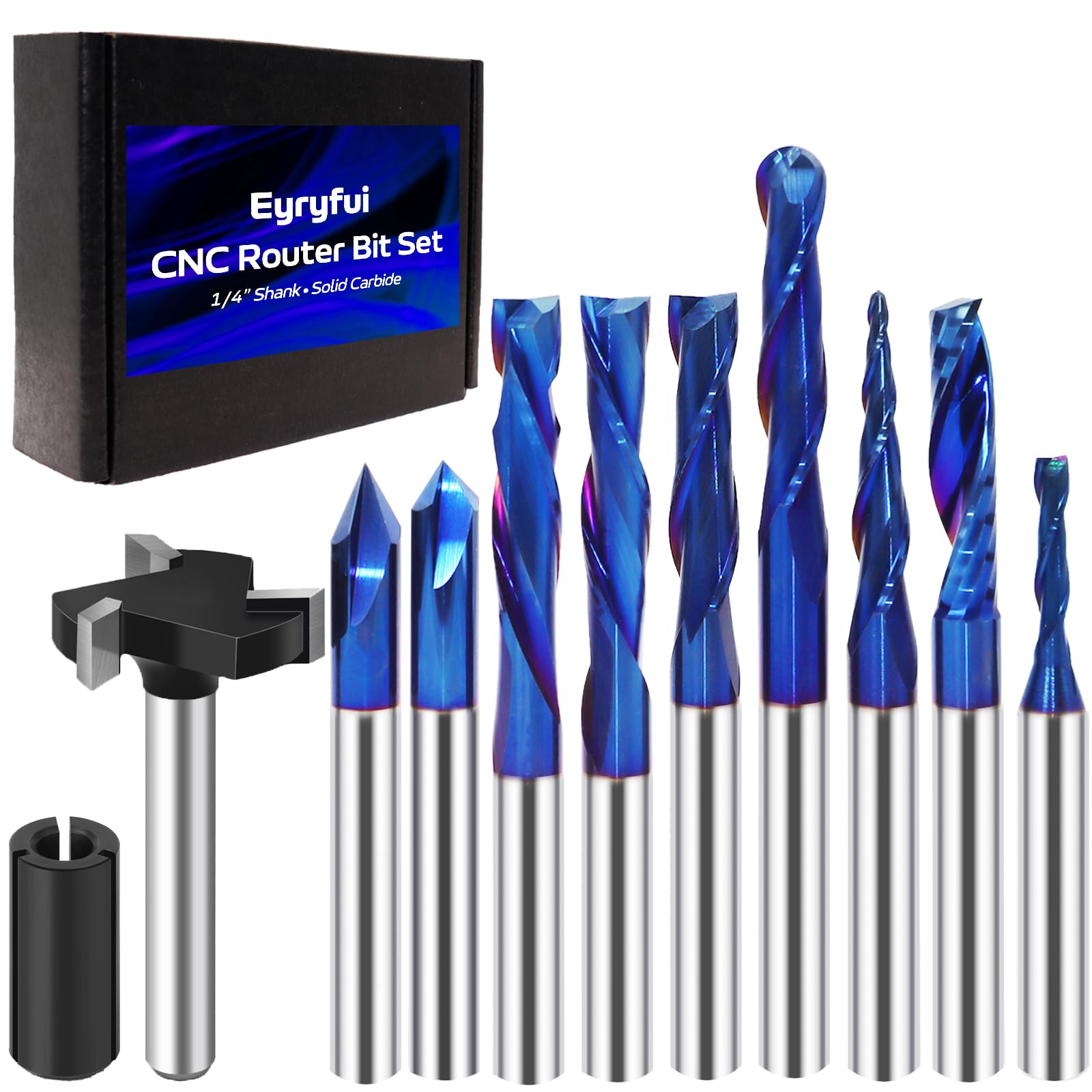
10Pcs CNC Router Bits Set: Best for varied sign details
- 10-piece set
- 1/4 in shank
- Solid carbide
- V-groove, engraving, slotting, mortise and lettering uses
This 10-piece solid carbide set covers several sign-making jobs, including V-grooves, lettering, slots and mortises. Confirm the 1/4 in shank matches your router.
Pros
- 10-piece selection
- Solid carbide construction
- Includes lettering and V-groove uses
Cons
- The product data does not specify individual bit sizes
- 1/4 in shank may not suit every machine
The 10Pcs CNC Router Bits Set is a flexible choice when your sign work includes more than one cutter shape. The set uses 1/4 in shanks and solid carbide, with stated uses including detail carving, trimming, V-grooves, engraving, slotting, mortises and lettering.
That range makes it useful beside a router that accepts 1/4 in bits. Use a V-groove profile for carved letters, a trimming profile for edge work and a suitable cutter for slots or mortises.
The product data does not give individual cutter sizes, so do not assume the set covers every sign scale. Check the shank size and the specific bit profile before planning narrow letters or deep cuts.
A broader set can be useful when one sign combines lettering, a border and recessed details. It also gives you more profiles to compare as your workflow develops, though each cutter still needs to be matched to the material and toolpath.
Choose this set when you want several sign-making functions in one purchase. Pick a dedicated 90° bit instead when your projects mainly need one consistent V-groove shape.
HQMaster 8 Pcs CNC Router Bits Set: Best for basic lettering cuts
- 8-piece set
- 1/4 in shank
- Tungsten carbide
- End mill, V-groove, grooving, slots, mortises and sign-making uses
The 8-piece set gives sign makers a focused group of tungsten carbide bits for lettering, V-grooves, grooves, slots and mortises.
Pros
- Tungsten carbide
- 8-piece selection
- Multiple sign-making uses
Cons
- Individual cutter sizes are not specified
- Requires a compatible 1/4 in collet
The HQMaster 8 Pcs CNC Router Bits Set suits sign makers who want a smaller group of tungsten carbide cutters for common routing tasks. It uses 1/4 in shanks and covers end milling, V-grooves, detail carving, grooving, slots, mortises and sign making.
An 8-piece set can be easier to organize than a larger assortment when your work follows a repeatable pattern. A V-groove cutter can handle carved lettering, while other profiles can support grooves and edge details.
The individual sizes are not specified in the product data. That means you should confirm the cutter dimensions before choosing it for very small lettering, wide borders or a particular sign blank.
Its tungsten carbide construction is relevant for a buyer who wants a dedicated woodworking set rather than a mixed accessory bundle. Still, the useful comparison is the actual profile and shank you need, not simply the number of pieces.
This set is a good match for a 1/4 in collet and a focused woodworking workflow. The 10-piece solid carbide set offers a broader stated selection, while this one keeps the set count lower.
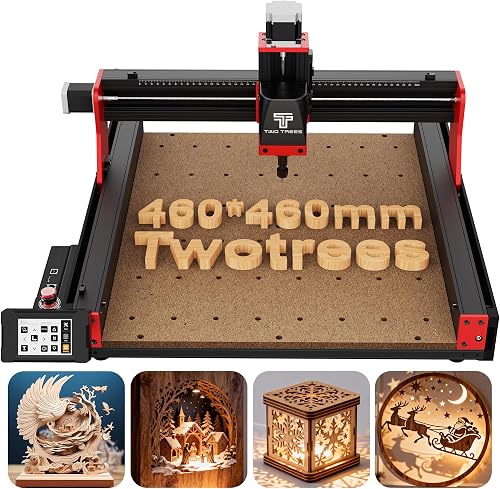
Twotrees TTC450 Pro All-Metal CNC Router Machine: Best for large signs
- 460 x 460 x 80 mm working area
- 3.5 in capacitive touch screen
- NEMA 57 stepper motor
- GRBL control
- 4th-axis, laser and 500W spindle ports
The large working area suits shop signs, furniture panels and batch work. Expansion ports and a touch screen give it more room to grow than the smaller desktop machines.
Pros
- Largest stated work area
- Touch screen
- Expansion ports
Cons
- Heavier 20.5 kg machine
- Requires assembly and CH340 or CH341 driver setup
The Twotrees TTC450 Pro is the strongest machine here for larger sign blanks. Its 460 x 460 x 80 mm working area can handle large signage, furniture panels and batch production without the tight limits of a small 3018-style machine.
A 3.5 in capacitive touch screen provides an onboard control option. The machine also has ports for a 4th-axis rotary setup, a laser module and 500W spindle speed control, giving you expansion paths for future projects.
The aluminum alloy and stainless steel structure, dual limit switches and NEMA 57 stepper motor are aimed at stable positioning. Twotrees states positioning accuracy up to 0.0025 mm, but the final cut still depends on setup, tooling and cutting settings.
The included accessory set contains 10 cutting tools, six clamping plates and test engraving materials. That gives a new owner several parts to organize before beginning a sign, while the stated compatibility includes wood, acrylic, carbon fiber, aluminum, copper and stainless steel.
The trade-off is size and setup. This 20.5 kg machine needs more room than the Genmitsu, and computer connection requires the CH340 driver or the CH341 driver for Windows 11.
FoxAlien Masuter Pro 3-Axis CNC Router Machine: Best for expandable hobby shops
- 400 x 400 x 60 mm working area
- All-aluminum structure
- 52 mm and 65 mm spindle clamps
- Pre-wired components
- Optional Y-axis extension
A 3-axis machine for hobby sign makers who want a larger area than the 3018-PRO and future expansion options. Its pre-wired parts reduce the initial assembly burden.
Pros
- 400 x 400 mm area
- All-aluminum structure
- Optional Y-axis extension
Cons
- Extension kit is optional
- 1/8 in collet included
The FoxAlien Masuter Pro is a middle-ground choice for sign makers who need more room than the Genmitsu but do not want the largest machine here. Its 400 x 400 x 60 mm engraving area fits many medium-size signs.
The all-aluminum frame and linear rail Z-axis are suited to detailed engraving and cutting in wood, acrylic, MDF and nylon. Two spindle clamps, sized at 52 mm and 65 mm, give the machine different spindle compatibility options.
Pre-wired components and the step-by-step manual reduce the first assembly work. FoxAlien describes setup in 10–15 minutes, but you still need to square the machine, secure the blank and set the tool correctly before cutting.
The machine has a 60-watt power rating, a 10,000 rpm maximum rotational speed and a fixed base. Those figures describe its place between the compact Genmitsu and the larger Twotrees, especially for hobby work rather than the biggest production panels.
An optional Y-axis extension can support larger projects later. Choose this model when expandability matters.
The trade-off is that the extension is optional, and the included collet is 1/8 in, unlike the 1/4 in bit sets above.
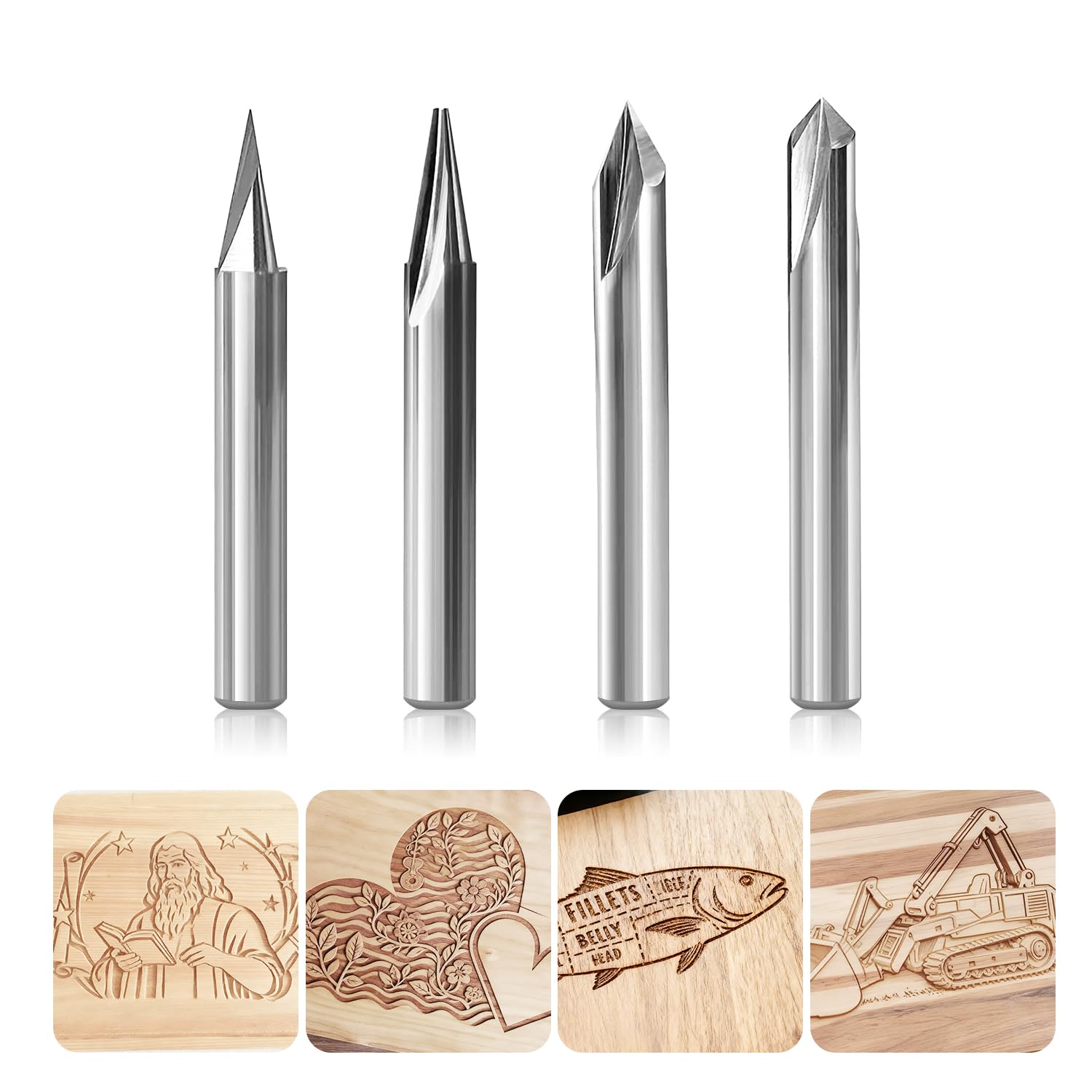
Engraving CNC Wood Carving Router Bit Set: Best for angled wood lettering
- 1/4 in shank
- 15°, 20°, 60° and 90° cutters
- Wood carving and engraving uses
The angle choices help create different line widths and profiles in wood signs. It suits buyers who want a dedicated group of angled carving bits rather than a machine.
Pros
- Several cutter angles
- 1/4 in shank
- Made for wood carving and engraving
Cons
- Material use is limited to the stated wood applications
- Set count is not specified
The Engraving CNC Wood Carving Router Bit Set is for sign makers who want several angled cutters for wood. It uses a 1/4 in shank and includes 15°, 20°, 60° and 90° angles.
Different angles change the shape and width of a carved line. A narrower angle can suit fine lettering, while a wider angle can create a broader groove or decorative edge when the cutting depth is set appropriately.
The product data identifies the set for wood carving and engraving, so keep the material choice within that stated use. Its count is not specified, so focus on the available angles rather than assuming a particular number of pieces.
The angle spread is useful when one sign design has both small lettering and larger decorative lines. It is also a direct way to vary the visible profile without changing the machine, although the final result still depends on depth and the selected toolpath.
This is a useful companion for a 1/4 in CNC router when your signs are mainly wood. The FoxAlien 1/8 in set gives more angle choices, including 30° and 45°, but it needs a different shank size.
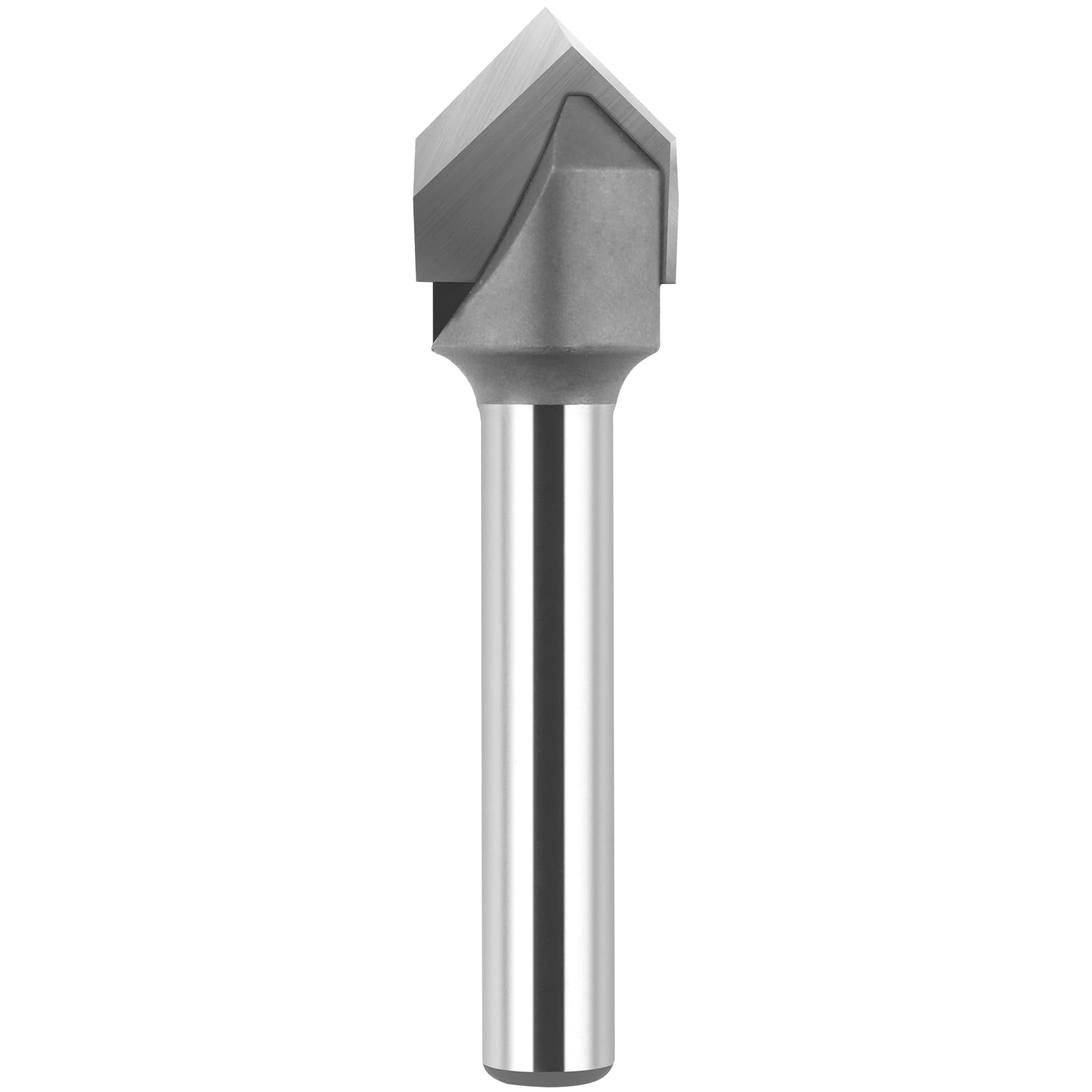
90 Degree V Groove Router Bit Carbide: Best for clean V-groove lettering
- 90° V-groove cutter
- Carbide
- 1/4 in shank
- 1/2 in cutting diameter
- CNC woodwork
A single 90° carbide bit gives you a focused option for V-groove lettering and sign details in CNC woodwork.
Pros
- Clear 90° profile
- 1/2 in cutting diameter
- Carbide construction
Cons
- Single-bit choice
- The stated use is CNC woodwork
The 90 Degree V Groove Router Bit Carbide is a focused choice for carved lettering and V-shaped sign details. It has a 1/4 in shank, 1/2 in cutting diameter and carbide construction.
A 90° profile creates a clear V groove when the tool follows a lettering path. The visible line width changes with cutting depth, so use a shallow pass first and confirm the result on scrap material.
This bit suits CNC woodwork and is useful when you already have a machine but need a specific cutter. It does not offer the angle range of a multi-bit set, so it is less flexible for experimenting with different lettering styles.
The 1/2 in cutting diameter is an important fit detail for the planned sign. Compare it with the clearance available around the workpiece and confirm that the router's 1/4 in collet can hold the shank securely.
Choose it for a repeatable 90° profile and a 1/2 in cutting diameter. Check that your router accepts a 1/4 in shank before ordering.
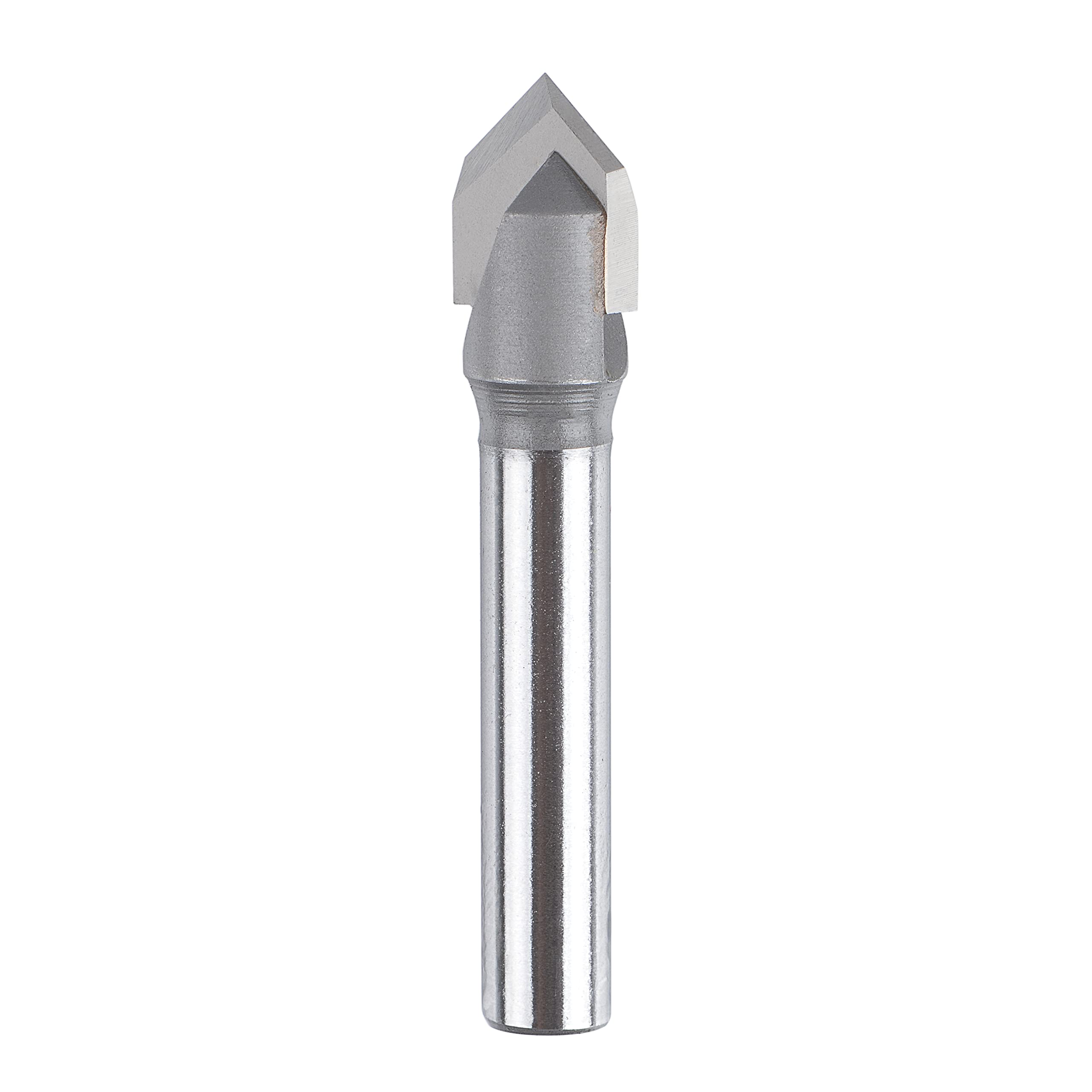
SpeTool V-Groove Carbide Router Bit 90 Deg: Best for one-bit sign edging
- 90° V-groove cutter
- Carbide
- 1/4 in shank
- 1/2 in cutting diameter
- CNC woodwork
This single 90° carbide bit is aimed at V-grooves, angled lettering and edge details on CNC woodwork.
Pros
- 90° V-groove profile
- 1/2 in cutting diameter
- 1/4 in shank
Cons
- Single-bit choice
- The stated use is CNC woodwork
The SpeTool V-Groove Carbide Router Bit is another focused 90° option for CNC woodwork. It uses a 1/4 in shank and 1/2 in cutting diameter, matching the key dimensions of the other single 90° bit in this group.
A dedicated bit can make sense when your sign designs use one familiar lettering profile. You can reserve it for V-grooves, angled borders and other details where a 90° cut is the intended shape.
Because this is a single-bit option, it does not replace a set when you need multiple angles or cutter types. Compare the exact shank and cutting dimensions with your collet and design software before setting up a job.
Its role is narrower than the multi-bit options, but that can be helpful when you want to keep one known profile for repeated signs. The stated CNC woodwork use also makes the material decision straightforward.
Choose SpeTool when you want a straightforward 90° carbide cutter for woodwork. For several angles in one set, the FoxAlien option offers more profiles.
FoxAlien 20/30/45/60/90deg 0.1mm Triangular CNC Router Bits: Best for fine multi-angle lettering
- 10 bits
- 1/8 in shank
- 20°, 30°, 45°, 60° and 90° angles
- 0.1 mm cutting diameter
- Nano blue coating
Five angles and a 0.1 mm cutting diameter give this set a fine-detail role in lettering and sign work. It suits machines that accept a 1/8 in shank.
Pros
- Five angle choices
- 10-piece set
- Works with wood, acrylic, MDF and aluminum
Cons
- Small 1/8 in shank
- Fine bits need careful feeds and depth settings
The FoxAlien triangular router bit set is the fine-detail choice for lettering and sign making on machines that accept a 1/8 in shank. It includes 10 bits, with 2 each at 20°, 30°, 45°, 60° and 90°.
Each bit has a 0.1 mm cutting diameter, two flutes and a nano blue coating. The triangular shape is intended for 2D and 3D carving, and FoxAlien states uses across hardwood, plywood, acrylic, plastic fiber, resin, PCB and aluminum.
The five angles give you more control over narrow lines, broad grooves and decorative patterns than a single 90° cutter. The small cutting diameter also means you should use careful depth and feed settings.
The set's 10-piece layout gives you two of each angle, which is useful when a project requires a spare of the same profile. Its stated material range is also broader than the wood-only single-bit options, though the machine and settings must still match the material.
Choose this set for fine lettering and varied profiles. Its trade-off is compatibility: it uses a 1/8 in shank, while the 1/4 in sets here need a larger collet.
How these CNC routers and bits were compared
The best CNC router in sign making needs to match the sign blank, not just have a high power number. We compared work area, control method, structure, stated material range, expansion options and the cutter sizes shown in the product data.
Work area
Work area was the first machine comparison because a sign must fit inside the cutting limits. The Genmitsu provides 300 x 180 x 45 mm, FoxAlien provides 400 x 400 x 60 mm and Twotrees provides 460 x 460 x 80 mm.
Leave room for holding the blank and moving the tool. A machine that barely fits the finished sign may be difficult to set up safely and repeatably.
Lettering tools
V-bits shape the groove that becomes a carved letter. The 90° bits are simple choices for one profile, while the FoxAlien set adds 20°, 30°, 45° and 60° options.
The 1/4 in sets suit machines with a matching collet. The FoxAlien triangular set uses 1/8 in, so check the collet before choosing it.
Controls and workflow
GRBL gives the Genmitsu, Twotrees and FoxAlien machines a common control foundation. The Genmitsu includes an offline controller, while Twotrees adds a 3.5 in touch screen and expansion ports.
You still need design and CAM software to prepare lettering and create G-code. Plan the file, toolpath, depth, workholding and first test cut before starting the job.
What size CNC router is best for signs?
The right size depends on the largest sign you plan to make. Small plaques can fit the Genmitsu, medium panels suit the FoxAlien Masuter Pro, and large signs have more room on the Twotrees TTC450 Pro.
Small signs and plaques
Choose the Genmitsu when your work stays within 300 x 180 mm. This size is useful for small lettering, samples, ornaments and compact home projects.
Medium signs
The FoxAlien's 400 x 400 mm area gives you more freedom for square signs and larger layouts. Its optional Y-axis extension can support future expansion, but that accessory is not part of the stated base machine.
Large panels
Twotrees has the largest stated work area at 460 x 460 x 80 mm. That makes it the clearest choice here for larger signage, furniture panels and batches of similar pieces.
Which CNC bit is best for sign lettering?
A 90° V-bit is a simple starting point for broad carved lettering, while a multi-angle set gives you more control over line shape. Match the bit to the machine's collet and the sign material.
For one repeatable groove
Choose the 90 Degree V Groove Router Bit Carbide or the SpeTool 90° bit. Both have a 1/4 in shank and 1/2 in cutting diameter.
For several lettering styles
The FoxAlien 10-piece triangular set offers 20°, 30°, 45°, 60° and 90° angles. Its 0.1 mm cutting diameter suits fine detail, but the 1/8 in shank must match your machine.
For broader woodwork
The 10-piece and 8-piece 1/4 in sets cover V-grooves, engraving, slots, mortises and related woodworking tasks. Pick by the set size and stated material rather than assuming an unlisted cutter dimension.
Can a CNC router make signs from acrylic and aluminum?
Yes, some machines in this group are described for acrylic and aluminum, but the cut depends on the correct bit, depth and settings. The Genmitsu is described for soft aluminum and acrylic, while Twotrees lists aluminum among its supported materials.
Acrylic signs
Acrylic benefits from a controlled toolpath and suitable cutter. Start with a shallow pass and confirm the result on a scrap piece before cutting the finished sign.
Aluminum details
The Genmitsu is better suited to engraving and light-duty work than deep metal cutting. Twotrees lists aluminum, copper and stainless steel among its material range, but you should still follow suitable cutting practices for the specific metal.
Wood signs
Wood is the broadest fit across the machines and bits here. Use a bit profile that matches the lettering style, secure the blank, and avoid taking a deep cut in one pass.
How do you set up a CNC router for sign making?
Start by confirming the work area, collet and bit, then secure the sign blank and prepare the G-code. The most important setup choices are alignment, cutting depth, feed settings and a safe test cut.
Prepare the design
Create the lettering and convert it into a toolpath that uses the selected bit. A 90° V-bit and a narrow triangular bit will produce different grooves, even when they follow the same letters.
Secure the blank
Keep the sign flat and firmly held within the machine area. The blank should not move as the cutter changes direction or enters a deeper section.
Set the first pass
Use a shallow test pass on scrap or an unused part of the blank. Check the line width, depth and surface before continuing with the full sign.
Check the finished cut
Remove dust and inspect the lettering before applying paint or finish. If the edges are rough, review the bit, depth, feed and material match rather than simply cutting deeper.
What should you check before buying a CNC router for signs?
Check the usable work area, compatible shank size, control workflow and material range before comparing extra features. Those four details have a larger effect on sign work than a long feature list.
Work area and clearance
Measure your usual sign blanks and compare them with the stated XYZ area. Remember that clamps and tool movement also need space.
Collet and bit size
The 1/4 in sets require a matching collet. The FoxAlien triangular set uses 1/8 in, and the Masuter Pro includes a 1/8 in collet.
Software and connection
GRBL machines need a design and CAM workflow that can create compatible G-code. The Genmitsu can work with Candle and an offline controller, while Twotrees requires the appropriate computer driver during connection.
Expansion plans
Twotrees has ports for a 4th axis, laser module and 500W spindle speed control. FoxAlien offers an optional Y-axis extension and spindle clamp options.
Genmitsu can be expanded with a Y-extension or an all-metal Z-axis carrier according to its product description.
Best CNC router for sign making: final verdict
The Genmitsu CNC 3018-PRO is the best CNC router for sign making when you want a compact machine for small lettering and beginner projects. Choose the FoxAlien Masuter Pro for a 400 x 400 mm area, or choose Twotrees when large signs and future expansion matter more than a lighter setup.
For tools, choose the FoxAlien set when you need several fine angles and use a 1/8 in collet. Choose a 1/4 in multi-bit set for broader woodworking tasks, or choose a 90° carbide bit when your sign style depends on one V-groove profile.
If you are deciding between routing and engraving methods, read what is CNC engraving next. For other sign-making options, compare the best router for sign making, best laser engraver for signs and best laser cutter for signs.
Our top 3 picks at a glance
-
1
-
2
-
3
Frequently asked questions
What is the best CNC router for sign making?
The Genmitsu CNC 3018-PRO is the best CNC router for sign making when you are learning and making small plaques, lettering projects or samples. Its 300 x 180 x 45 mm work area and GRBL control keep the setup approachable.
Choose Twotrees for larger signs.
What size CNC router do I need for signs?
Choose a work area that is larger than your usual sign blank, with room for clamps and tool movement. The 3018-PRO suits small work, FoxAlien offers 400 x 400 x 60 mm, and Twotrees offers 460 x 460 x 80 mm for larger panels.
Which CNC bit is best for sign lettering?
V-bits are a strong starting point for carved lettering because their angle changes the groove width and profile. A 90° bit suits broad V-grooves, while the FoxAlien set gives 20°, 30°, 45°, 60° and 90° choices for finer control.
Can a CNC router make wooden signs?
Yes. CNC routers can carve lettering, borders, relief patterns and other designs in wood when the machine, bit, feed and depth are matched to the material.
Make shallow test cuts on scrap before running the final sign.