
The best laser cutters for signs are the xTool M2 Color Laser, Woxcker 20W Laser, and Carverall K15 Pro, chosen for their versatility, cutting power, and ease of use respectively.
Creating professional-looking signs often requires precise cutting and engraving capabilities, making a dedicated laser cutter a valuable investment for both hobbyists and small businesses looking to produce custom signage. Whether you need to etch intricate details or slice through thicker materials for eye-catching displays, the right machine can significantly elevate your sign-making projects and unlock new creative possibilities.
After extensive testing, we’ve narrowed down the field to seven top-performing laser cutters for sign creation. Our evaluation focused on key factors like material compatibility, engraving precision, software features, and overall value for money. We assessed each model’s ability to handle various sign-making tasks, ensuring a diverse range of options for different user needs and budgets. Dive into our detailed comparison below to find the perfect laser cutter for your next signage endeavor.
3 Standout Picks: Full-color projects, Powerful cutting, and Home crafters
Start with these 3 standouts. Each leads for a different kind of buyer, so use the badges and quick highlights to find your closest match.


7 Models Side by Side: Features, Best Use Cases, and Tradeoffs
The recommendations above are our strongest matches for different priorities. Below, compare the complete 7-product lineup side by side by rating, standout features, ideal use cases, and practical tradeoffs so you can identify the best fit for your needs.
- CMYK Inkjet printer
- Dual cameras
- 10W diode laser
- 20W laser power
- 300x300mm area
- Enclosed design
- 10W diode laser
- A4 work area
- Offline engraving

- 12W laser module
- 300x300mm workspace
- 0.01mm precision

- 5500mW laser
- 300x300mm area
- Air assist support
- 6000mW laser power
- 130x130mm work area
- AI design software

- 2500mW laser power
- 130x130mm work area
- Beginner-friendly
7 Models Reviewed in Depth
#1. xTool M2 Color Laser
Inkjet & Laser
Smart Preview
Enclosed Safety
The xTool M2 stands out with its unique integration of a CMYK inkjet printer and a 10W diode laser, enabling true full-color printing alongside precise engraving and cutting. You’ll be impressed by the dual-camera system and ACS technology, which provide a real-time workspace preview and “Place & Go” accuracy, minimizing material waste. The beginner-friendly xTool Studio software, complete with AI image generation and customizable templates, makes creating personalized gifts and home decor incredibly accessible.
While the 10W laser is capable for many tasks, it may not be the best choice for cutting very thick materials quickly. However, if your focus is on vibrant, full-color projects, intricate designs, and a seamless workflow from design to finished product, the M2 is an exceptional and safe choice for home crafters and DIY enthusiasts. Its Class 1 enclosure ensures peace of mind during operation.
Pros
- Full-color printing integrated
- Dual cameras for accuracy
- Safe Class 1 enclosure
Cons
- 10W laser for thick materials
- Inkjet consumables needed
- Higher price point
Specifications
#2. Woxcker 20W Laser
Cutting Power
300x300mm
Safe Operation
The Woxcker 20W laser cutter is a powerhouse designed for serious crafters and small businesses needing robust cutting capabilities. You’ll be able to tackle thicker woods and denser materials with ease, thanks to its impressive 20W laser output. The large 300x300mm work area allows for substantial projects like custom signs and batch production, while the 0.01mm precision ensures intricate details are captured. Its fully enclosed design provides excellent safety by containing fumes, dust, and noise, making it suitable for home workshops.
While the 20W power is excellent for cutting, it might be overkill for very delicate engraving tasks where lower power might offer finer control. However, if your priority is cutting speed and power for materials like oak, plywood, and acrylic, this machine excels. The combination of high power, a large work area, and safety features makes it a top-tier choice for demanding projects.
Pros
- Exceptional 20W cutting power
- Large 300x300mm work area
- Safe, enclosed design
Cons
- May be too powerful for fine engraving
- Higher price point
- Enclosure limits access to workpiece
Specifications
#3. Carverall K15 Pro
AI & Offline Control
Verified Power
Compact Design
The Carverall K15 Pro offers a truly beginner-friendly experience with its free software, AI design capabilities, and offline control options. You’ll appreciate the quick 3-minute assembly and the included starter kit, making it easy to jump right into projects. Its verified 10W power and 300+ material compatibility, including cutting 12mm plywood, make it versatile for a wide range of crafts and small business needs.
While the A4 work area is ample for most daily projects, it might feel limiting for very large signs. However, for home crafters and those starting out, the K15 Pro provides a robust feature set and upgradeability, ensuring it can grow with your creative endeavors. It’s a solid choice for detailed work and batch production without a steep learning curve.
Pros
- Beginner-friendly with free software
- Good power for cutting
- Compact A4 workspace
Cons
- Work area may be small for large signs
- Requires coated metal for engraving
- Optional IR module needed for bare metal
Specifications
#4. ACMER S2 Laser Engraver
Cutting Power
300x300mm
0.01mm Precision
The ACMER S2 laser engraver boasts a true 12W laser module, offering impressive power for engraving and cutting over 100 materials, including cutting up to 15mm wood. Its spacious 300x300mm working area provides ample room for larger signs and multi-piece projects, while the 0.01mm positioning accuracy ensures fine details are reproduced with clarity. You’ll appreciate the compatibility with ACMER Studio, LightBurn, and LaserGRBL, offering flexibility in your workflow.
While the included ACMER Studio software is functional, some users may prefer the advanced features of LightBurn, which requires a separate license. However, for hobbyists looking for a powerful and versatile machine with a large work area and excellent precision, the S2 is a strong contender. Its safety features and expandability make it a great long-term investment for your creative projects.
Pros
- Powerful 12W laser
- Large 300x300mm work area
- High precision for details
Cons
- LightBurn software requires license
- ACMER Studio may lack advanced features
- Requires multiple passes for thicker materials
Specifications
#5. Twotrees TTS-55 Pro
Laser Power
300x300mm
Clean Cuts
The Twotrees TTS-55 Pro offers a compelling combination of power and versatility for hobbyists and small businesses. With its 5500mW laser and support for air assist, you can achieve cleaner, deeper cuts through materials like 5mm plywood and 3mm acrylic. The large 300x300mm working area is ideal for creating signs, custom gifts, and batch production. You’ll also benefit from its high engraving speeds of up to 30,000mm/min and flexible offline control via TF card or Wi-Fi.
While the laser shield is a good safety feature, it’s always recommended to use safety glasses. The 5.5W laser is capable for many tasks but might require multiple passes for denser woods or thicker acrylics. Overall, the TTS-55 Pro is a well-rounded machine that balances cutting performance, speed, and a generous work area, making it a great choice for diverse projects.
Pros
- Good cutting power
- Large 300x300mm work area
- High-speed operation
Cons
- Air assist not included
- May need multiple passes for thick materials
- Requires safety glasses
Specifications
#6. ACMER S1 6000mW
AI Software
Portable Design
Engraving Power
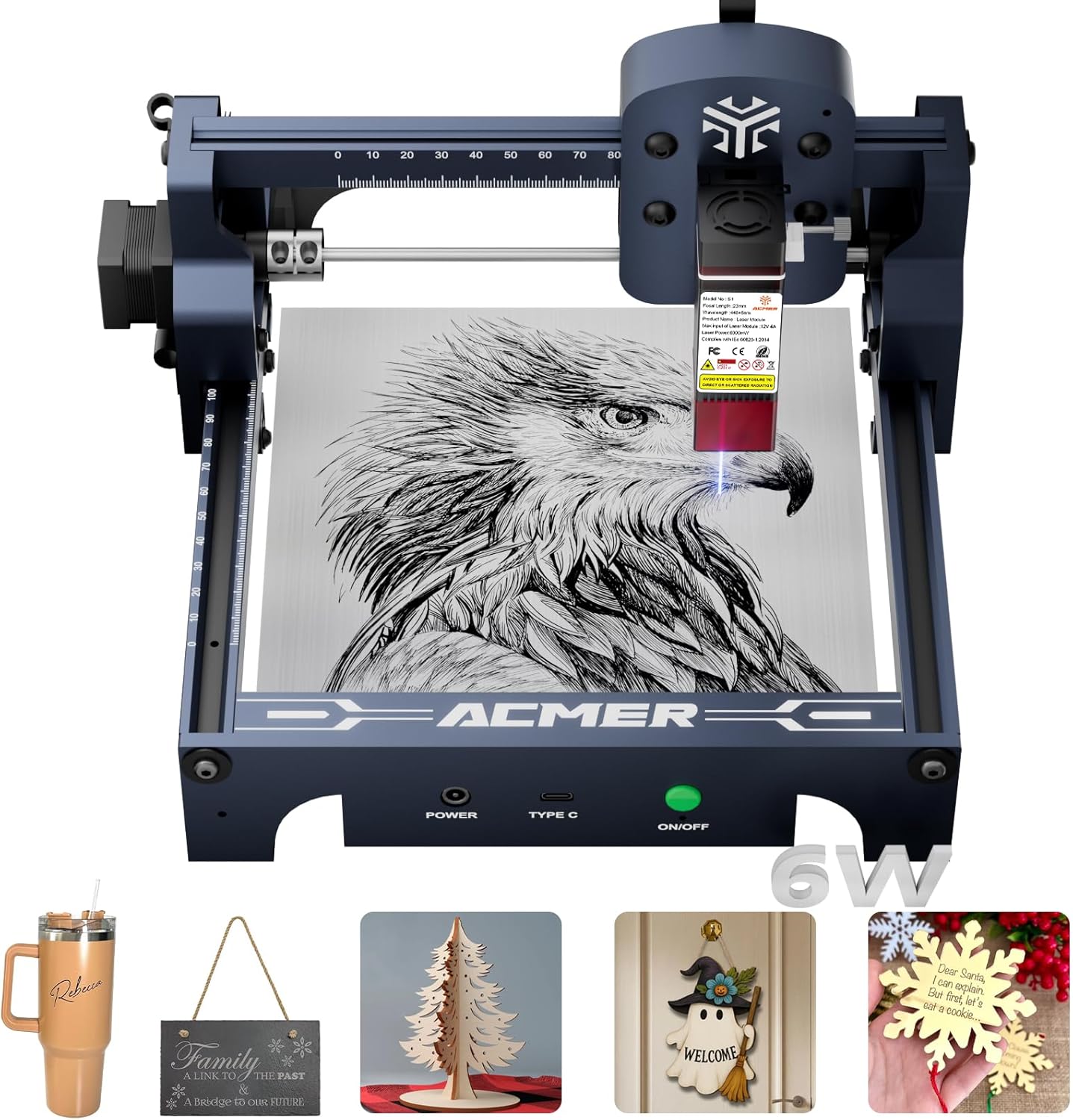
The ACMER S1, with its 6000mW laser, is a great entry point for beginners looking to get into laser cutting and engraving. You’ll appreciate the near-preassembled design, requiring only a minute for laser head installation, and the free ACMER Studio software with AI design tools. Its compact and lightweight build makes it easy to set up and store, perfect for home use. The machine handles engraving on a variety of materials and can cut thin plywood and acrylic, making it suitable for small crafts and DIY projects.
However, the 130x130mm work area is quite small, limiting the size of signs or projects you can create. If you need to work on larger items or require more powerful cutting capabilities for thicker materials, this model might not be the best fit. For those starting out with small, detailed projects and a limited budget, the S1 offers good value and ease of use.
Pros
- Very beginner-friendly setup
- Free AI design software
- Compact and portable design
Cons
- Very small work area
- Limited cutting depth
- Not ideal for large signs
Specifications
#7. ACMER S1 2500mW
2500mW Power
Portable Design
Free Software
The ACMER S1 with 2500mW laser power is designed primarily for engraving tasks, offering a user-friendly experience for beginners. You’ll find the setup straightforward, with the included ACMER Studio software providing AI design capabilities to turn text or photos into engravings. Its lightweight and compact design makes it easy to manage in a home environment. This model is suitable for detailed engraving on materials like wood, leather, and plastic, ideal for small personalized items.
However, the 2500mW laser power is significantly lower than other models, making it unsuitable for cutting anything beyond very thin materials. The small 130x130mm work area also restricts the size of your projects. If your primary goal is detailed engraving on small items and you don’t need cutting capabilities, this ACMER S1 is a budget-friendly option. For cutting or larger projects, consider models with higher wattage.
Pros
- Very affordable entry-level
- Simple to set up and use
- Good for detailed engraving
Cons
- Very low power for cutting
- Extremely small work area
- Limited material compatibility for cutting
Specifications
Carve Your Niche: Finding the Right Laser Cutter for Your Sign-Making Dreams
Investing in a laser cutter for sign-making is a powerful step towards bringing your creative visions to life with precision and speed. Whether you’re a small business owner looking to expand your offerings or a hobbyist ready to take your craft to the next level, the right machine can be a game-changer. Careful consideration now will ensure your new tool becomes a reliable workhorse, not a source of frustration.
Decoding the Digital Engraver: What Really Counts
When selecting a laser cutter for sign production, several key elements deserve your attention to ensure it meets your specific needs and materials.
- Material Versatility: Consider the range of materials you plan to cut and engrave. Some lasers excel with acrylics and wood, while others can handle metals or certain plastics more effectively. Consider the range of materials you plan to cut, such as the best wood for laser cutting.
- Work Area Dimensions: Think about the typical size of the signs you intend to create. A larger work area allows for bigger projects and more efficient material usage on larger sheets.
- Power Output: The laser’s power directly influences its cutting speed and ability to handle thicker materials. Higher wattage generally means faster cutting and deeper penetration.
- Software Compatibility: Ensure the laser cutter’s control software is intuitive and integrates well with your existing design programs. Ease of use can significantly impact your workflow.
- Safety Features: Look for robust safety mechanisms, such as enclosed designs, interlocks, and adequate ventilation systems, to protect yourself and your workspace.
Navigating the Laser Landscape: Common Stumbling Blocks
Avoid these common pitfalls to ensure a smooth and successful purchase.
- Overlooking the importance of ventilation: Laser cutting produces fumes that require proper exhaust to maintain a safe working environment.
- Underestimating the learning curve: While powerful, laser cutters require practice and understanding of their operation and software.
- Choosing a machine based solely on price: The cheapest option may lack the power, features, or reliability needed for professional sign-making results.
Your Sign-Making Laser Cutter Awaits
For vibrant, multi-color signs, the xTool M2 is your go-to. Small businesses needing speed and precision will love the 20W Laser Cutter. If you’re after versatility on various materials, including coated metals, the K15 Pro is a solid choice. For robust cutting power, the ACMER S2 and S1 models deliver.
No matter your project scale or material needs, these machines offer fantastic options. Don’t wait to bring your sign designs to life – click the buttons above to check current availability and snag the perfect laser cutter!
Final 3 Picks: Full-color projects, Powerful cutting, and Home crafters
Ready to decide? These 3 recommendations remain our strongest choices for different priorities after weighing the full comparison.
