Can You Refill Sawgrass SG500 Ink Cartridges?
Sawgrass SG500 ink cartridges are not a dependable refillable option. The printer expects compatible cartridges and chip data, so replacement cartridges made for the SG500 are usually the safer path.
On this page (9 sections)
- Can you refill Sawgrass SG500 ink cartridges?
- Why does chip compatibility matter?
- What is the safer replacement choice?
- How do you avoid wasting ink during SG500 printing?
- Which supplies help after choosing replacement cartridges?
- What should you check before buying SG500 cartridges?
- Can refill problems damage the SG500?
- Is an Epson F170 refill method suitable for the SG500?
- Should you buy Sawgrass SG500 refillable ink cartridges?
Sawgrass SG500 ink cartridges are not a dependable refillable option. The printer uses cartridge recognition and chip information, so adding sublimation ink to an empty cartridge does not guarantee that the SG500 will accept it or print normally.
The lower-risk choice is a replacement cartridge designed for the SG500. Before ordering, match the cartridge to the exact printer model and color, then check that the replacement supports the printer's current firmware and recognition system.
Can you refill Sawgrass SG500 ink cartridges?
You can physically add ink to some cartridges, but that does not make them reliably reusable in an SG500. The printer may still read the cartridge as empty, reject its chip, or fail to track the ink level correctly.
A cartridge has more than an ink chamber. Its chip communicates cartridge information to the printer, while the internal ink path must deliver the correct color without introducing air or contamination.
That creates several failure points:
- The chip may continue reporting an empty cartridge.
- The cartridge may not be recognized after refilling.
- Ink can enter the wrong color channel.
- Air in the cartridge or ink path can cause missing lines.
- A poor seal can allow leaks inside the printer.
- The ink chemistry may not match the printer's intended sublimation system.
For those reasons, refilling is a gamble rather than a normal SG500 maintenance step. If you depend on consistent color for customer work, the possible savings may not justify blocked prints, cleaning cycles, or wasted transfer media.
Why does chip compatibility matter?
Chip compatibility determines whether the SG500 accepts the cartridge and understands its status. A refill changes the ink supply, but it usually does not change the electronic information stored on the cartridge chip.
The printer can use that chip to identify the cartridge, confirm its color position, and estimate whether the cartridge is available for use. A cartridge that contains ink can still be unusable if the printer does not recognize its chip.
Firmware can also affect cartridge behavior. Before trying a third-party replacement, check current compatibility information for your model and avoid mixing unknown cartridges with a job that must be completed on schedule.
Sawgrass explains the SG500's normal setup and operation in its support materials. You can also review our guide to how to use a Sawgrass SG500 printer for the broader printing workflow.
What is the safer replacement choice?
A cartridge made specifically for the Sawgrass SG500 is the safer replacement choice. Confirm the model, color, and compatibility before installation, and keep each cartridge sealed until the printer needs it.
Store spare cartridges in a clean, dry place away from direct heat. Do not open every color at once if you only need one replacement, because exposed ink supplies can become harder to manage.
When replacing a cartridge, use the printer's normal removal and installation process. Match the color carefully, close the access area fully, and allow the printer to complete any required initialization before sending a design.
If a new cartridge is not recognized, do not keep forcing it into place. Remove it according to the printer's instructions and check the cartridge's compatibility, chip condition, and packaging before trying additional cleaning steps.
How do you avoid wasting ink during SG500 printing?
Use the correct color profile, paper setting, and sublimation media before printing a large batch. A refill will not solve color problems caused by incorrect settings or unsuitable paper.
Start with a small print when changing media or artwork. Review the result after pressing it onto the intended blank, because the printed transfer and the final sublimated image can look different.
Use the correct sublimation paper for the printer and blank. Our guide to the best sublimation ink for the Sawgrass SG500 covers ink selection, while the best sublimation paper for the Sawgrass SG500 guide covers paper choices.
Avoid leaving the printer unused for long periods if its instructions call for regular maintenance. Follow the SG500's built-in cleaning or nozzle-check process rather than repeatedly removing and refilling cartridges.
Which supplies help after choosing replacement cartridges?
Replacement cartridges solve the ink supply problem, but you still need suitable transfer media and a way to apply the printed design. These products fit different parts of the workflow.
Avery Heat Transfer Paper is for inkjet printing on dark-colored cotton and cotton/poly fabrics. The pack contains 5 sheets sized 8.5 x 11 inches, and Avery describes the sheets as compatible with standard irons and heat presses.
This paper is useful when your project is an iron-on apparel transfer rather than dye sublimation. It is not a replacement for sublimation paper, so choose media based on the printer, ink system, fabric, and pressing method.
The Fancierstudio Digital Heat Press has a 15 x 15 inch heat press sheet, 110 volts, and 1800 watts. Its electronic controls cover time and heat settings, with an adjustable pressure setting and a silicon-gel base board.
The 15 x 15 inch work area suits designs that fit within that platen size. Check the space needed around the press before setup, and follow the transfer material's temperature, time, and pressure instructions.
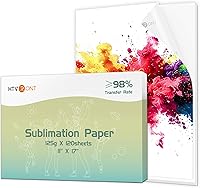
For a sublimation workflow, A-SUB Sublimation Paper 8.5x11 Inch 110 Sheets is an 8.5 x 11 inch coated paper pack with 110 sheets. It is intended for sublimation ink and is described for white or light-colored polyester, material with cotton content up to 30%, coated ceramics, tiles, phone cases, metal plates, tumblers, and mugs.
This paper makes sense when you need a larger sheet supply for repeated transfer work. It does not work with regular ink, so do not substitute it for ordinary inkjet paper or dark-fabric transfer paper.
What should you check before buying SG500 cartridges?
Check the printer model, color, chip compatibility, and return terms before buying. A cartridge that fits the physical slot may still be unsuitable if its chip does not communicate correctly with the SG500.
Use this checklist:
- Confirm that the cartridge is made for the Sawgrass SG500.
- Match the color to the cartridge you are replacing.
- Check whether the cartridge supports your printer's firmware.
- Confirm that the cartridge is new, sealed, and correctly identified.
- Keep the package and purchase record until the printer recognizes it.
- Do not install several uncertain cartridges at the same time.
Avoid buying a refill kit simply because it includes bottles, syringes, or reset instructions. Those items do not guarantee chip recognition, clean ink delivery, or accurate color output.
If you are still building the printer setup, compare the best Sawgrass SG500 bundle options so the printer, ink, paper, and accessories fit the same workflow. For broader equipment choices, see our sublimation printer machine guide.
Can refill problems damage the SG500?
A refill attempt can create leaks, air problems, or color contamination, so it should not be treated as routine maintenance. The risk is higher if the cartridge seal is damaged or the refill process introduces debris into the ink path.
Stop using a cartridge if you see leaking, unusual color mixing, repeated missing areas, or ink around the cartridge bay. Follow the printer's care instructions and avoid wiping ink into the machine.
A waste collection unit is a separate part of the printer's maintenance system. If the printer reports a waste-related message, use our guide to the Sawgrass SG1000 waste collection unit for the related replacement process.
Do not assume a waste collection warning means the ink cartridge needs refilling. The two parts perform different jobs, and replacing one does not fix a problem with the other.
Is an Epson F170 refill method suitable for the SG500?
No, an Epson F170 refill method should not be transferred to the Sawgrass SG500. Different printers use different cartridge or tank designs, chips, ink systems, and maintenance procedures.
The Epson F170 is a different printer platform with its own ink-tank workflow. Our guide to Epson F170 ink refill is relevant to that printer only, not a reason to refill SG500 cartridges.
Keep each printer's ink, media settings, and maintenance instructions separate. Cross-using ink or refill parts can create color and recognition problems even when both printers are used for sublimation.
Should you buy Sawgrass SG500 refillable ink cartridges?
Choose compatible replacement cartridges instead of relying on Sawgrass SG500 refillable ink cartridges. Refilling may appear cheaper, but chip recognition, ink delivery, leaks, and color contamination can make the result unpredictable.
Pick replacement cartridges when dependable printing matters. Pick a refill experiment only if you accept that the printer may reject the cartridge or require extra cleaning and troubleshooting.
For the most reliable workflow, match the SG500 cartridge to the printer model, use paper made for the ink system, and test a small transfer before a full batch.
Frequently asked questions
Can you refill Sawgrass SG500 ink cartridges?
Sawgrass SG500 ink cartridges are not a dependable refill option because the printer relies on cartridge recognition and chip information. Even if ink is added to an empty cartridge, the SG500 may not accept it, track it correctly, or print normally.
Use cartridges designed for the SG500 instead.
Does the Sawgrass SG500 use refillable ink tanks?
No. The SG500 uses individual ink cartridges rather than user-filled ink tanks.
That design makes replacement straightforward, but it also means a bottle-and-tank refill method is not the normal workflow.
Check cartridge compatibility before installing any replacement.
Why do refilled SG500 cartridges stop working?
A refilled cartridge can fail because the chip still reports an empty cartridge, the chip is not compatible, or the cartridge cannot deliver ink correctly. Air in the ink path and color contamination can also affect output.
A refill does not reset the printer's cartridge logic.
What should you use instead of refillable SG500 ink cartridges?
Use replacement cartridges made specifically for the Sawgrass SG500 and follow the printer's installation instructions. Keep spare cartridges sealed until needed, match each color to its slot, and run the printer's normal maintenance process when print quality changes.