Laser Marking vs Etching: Which Process Should You Choose? (November 2026)
Choose laser marking when you want contrast with little surface removal; choose etching when you want a changed or recessed surface. The right method depends on the material, laser and finish you need.
On this page (8 sections)
- Laser Marking vs Etching: Which Process Should You Choose?
- Laser marking vs etching: what changes on the surface?
- Which process should you choose for your project?
- Which materials suit marking and etching?
- How do coating and laser settings affect the result?
- Should you use vector or raster settings?
- What should you check before choosing a laser process?
- Which process should you choose?
Laser Marking vs Etching: Which Process Should You Choose?
Choose laser marking for a visible surface change with little material removal; choose etching when you want a design formed by changing or removing the surface. In a laser marking vs etching decision, the material, machine and desired finish matter as much as the name of the process.
Marking can change a material's color or bond a coating to it. Etching typically creates a textured or recessed area by acting on the surface.
These terms overlap in everyday use, so focus on the result you need. A process called “laser etching” may leave a shallow mark, while a marking spray can create a dark design without cutting a deep groove.
Laser marking vs etching: what changes on the surface?
Marking changes the visible appearance of the surface; etching changes its texture or removes some material. The depth and look depend on the stock, the laser and the settings.
A laser mark may come from a color change, surface reaction or laser-bonded coating. With a marking spray, the laser interacts with the applied coating to create contrast.
Etching uses the laser to alter or remove material at the surface. The result may feel rough or sit below the surrounding area, but the amount of change varies.
If you need a more durable or tactile result, identify the material and finish first. Then check whether your laser can produce that result on that specific stock.
For a broader distinction between two common shop terms, see What Is the Difference Between Engraving and Cutting?. Cutting separates material, while engraving and marking leave a design on it.
Which process should you choose for your project?
Choose marking for contrast, labels and designs where surface removal isn't the goal; choose etching for a changed or recessed feel. Match the method to the intended finish, not just to the wording used in a machine menu.
For bare metal, a compatible marking spray can create a dark design with a CO2 or fiber laser. CerMark Ultra is described for several material types, while OMTech's spray is for bare metals and specified laser types.
For glass, the result often depends on a suitable coating and laser combination. uVeans paint is intended for glass with diode lasers, so it isn't a general-purpose etching compound.
If a design must have depth, test the process on a suitable scrap piece before making the finished item. Use the same material, coating and settings you plan to use on the final piece.
Is laser marking vs laser etching a difference in depth?
Often, etching changes more surface material than a contrast-focused mark, but the labels alone don't guarantee a specific depth. Machine settings and the material affect the result.
A shallow etch may look close to a mark from a distance. A coating can also change the final appearance without leaving a deep groove in the base material.
For more detail on how makers use the terms, read What Is the Difference Between Laser Engraving and Etching?. If surface depth is critical, inspect a sample under good light and feel its edges before starting a production run.
Which materials suit marking and etching?
Bare metal, coated glass and untreated wood call for different process choices. Verify that both the laser and any coating are intended for the material you're using.
On bare metals, marking sprays can add contrast where a laser alone may not give the look you want. OMTech specifies bare metals such as aluminum, stainless steel and brass, and says its spray works with CO2 lasers 25W and above or fiber lasers.
CerMark Ultra is described for metal, ceramics, glass, stone, brick and slate, but not painted items, wood or plastic. Its coating is intended to create deep black marks at a range of power and speed settings.
Glass needs a glass-specific process. The uVeans paint is intended only for glass and compatible diode lasers; apply it evenly and let it dry before engraving.
On wood or plastic, don't assume a metal marking spray will work. Check the coating instructions and the material guidance for your laser before applying anything.
What if you want a manual etch instead?
A handheld engraver can scratch a small design into a surface without a laser. It makes contact with a tip, so it works differently from laser marking or etching.
The NEIKO 10576A has a replaceable tungsten carbide tip and five stroke-depth settings. Its listed material range includes metal, wood, glass and plastic, and it comes with number and shape stencils.
How do coating and laser settings affect the result?
A coating can help create contrast, but it adds preparation and cleanup steps. Use only a coating made for your material and laser type, and follow its instructions.
The CerMark Ultra aerosol directions call for thorough shaking before use. OMTech describes an even, thin coat on bare metal and says its spray turns black after engraving.
The uVeans paint uses a brush-on application for glass. Its instructions say to wash and dry the glass, coat it evenly, then allow the paint to dry naturally or use a hairdryer.
Settings still matter after coating. Start with the material and coating maker's guidance, then use scrap to check the mark before working on a finished item.
Consider how the mark will be used. A fine label, a decorative glass design and a deep tactile groove have different finish requirements.
Should you use vector or raster settings?
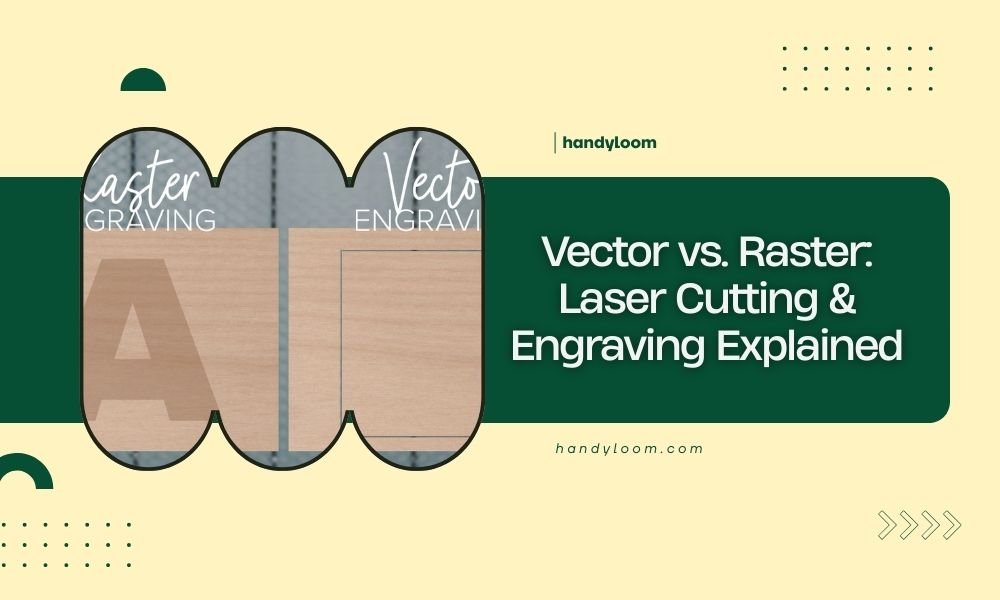
Use the laser's operation mode that matches the shape and fill of your design. Vector paths suit outlines and cut lines, while raster passes fill wider areas with rows of laser movement.
A filled logo may need raster engraving even when you call the result a mark. A thin line or text outline may use a vector path, depending on your software and machine setup.
The distinction describes how the laser follows the artwork, not whether the process is marking or etching. Learn the difference in [Vector vs.
Raster: Laser Cutting & Engraving Explained](/vector-cutting-vs-raster-engraving/).
What should you check before choosing a laser process?
Confirm material compatibility, required contrast, surface depth and machine fit before you start. These checks help prevent a finish that looks different from what you intended.
First, name the base material and any surface finish, such as paint or a coating. Then check the laser maker's instructions and the coating instructions for that exact combination.
Decide whether you want a dark mark, a frosted or changed surface, or a groove you can feel. If you need a measurable depth, confirm that the machine can make it and verify it on a sample.
If you're still comparing machines, How to Choose a Laser Engraver: A Complete Buying Guide can help you match a machine to materials and project needs. You can also review How to Choose a Laser Engraver? for another selection guide.
Which process should you choose?
Pick laser marking when contrast and a mostly intact surface are the priority; pick etching when you want the surface itself changed or recessed. Confirm the material and machine combination, then test the finish on scrap before making the final piece.
For coated metal, choose a compatible marking spray and laser setup. For glass, use a glass-specific coating intended for your laser type; for a manual scratch on smaller items, consider a handheld engraver.
Frequently asked questions
Is laser marking the same as etching?
No. Laser marking changes a material's surface appearance, often by changing color or bonding a coating, while etching removes or alters surface material.
The exact result depends on the material, laser and settings, so check the process guidance for your specific machine and stock.
Which is deeper, laser marking or etching?
Etching generally changes or removes more of the surface than a mark made for contrast, but depth varies with the material and process. If you need a recessed design, confirm that your machine and material can produce it safely and consistently.
Can a CO2 laser mark bare metal?
Some CO2 laser workflows use a marking spray on bare metal. OMTech says its spray is for CO2 lasers 25W and above, and that the coating turns black after engraving; confirm compatibility with your machine and follow its operating instructions.
Can a diode laser etch glass?
A diode laser can be paired with a glass marking paint designed for diode use. uVeans says its paint is for glass only, and its instructions call for an even coat that dries before engraving; follow the paint and laser maker's guidance.
Does a handheld engraver use a laser?
No. A handheld electric engraver uses a moving tip to scratch a surface, while a laser uses focused light.
The NEIKO 10576A has an adjustable stroke depth and a tungsten carbide tip for manual engraving on several materials.