9 Best Small Laser Cutters for Wood (November 2026)
The best best small wood laser cutter include the xTool S1 40W Laser Cutter and Laser for large wood projects, the BlazeX M3 10W Laser Engraver Machine for precision engraving kits, and the WECREAT Vision Pro 45W Laser Engraver for thick wood cutting.
On this page (8 sections)
- Small wood laser cutters compared by power and size
- How to choose a small laser cutter for wood
- What power do you need for wood cutting?
- How big should the bed and footprint be?
- Is an enclosed Class 1 design worth it for home use?
- What software and accessories matter for beginners?
- Can a small laser cutter handle balsa and thin plywood?
- Which small wood laser cutter should you buy?
The best small wood laser cutter for most buyers is the xTool S1 40W, because its 40W power and large bed give you room to grow beyond thin craft wood. Our scores weigh specs, features and buyer feedback against what you're shopping for.
A small laser cutter for wood is not just about footprint. It is about whether it can cut the thickness you use, engrave the detail you want and run safely in your space.
Small does not mean weak. The picks here range from a 2500mW ACMER S1 at 130 by 130mm to a 45W WECREAT Vision Pro with a 22.83 by 15.75 in bed.
That range matters for woodworkers. Thin basswood, balsa and plywood for ornaments are very different from 18mm cherry wood for signs.
If you want a broader view before you narrow down, start with our Best Laser Cutter For Wood guide. It covers larger machines too, so you can see what you trade for by staying compact.
Our picks at a glance
-
1

-
2
 Best for precision engraving kits
BlazeX M3 10W Laser Engraver Machine
9.4/10 our score
See it on Amazon -
3

- 4
 Check it
Creality Falcon 5W Laser Engraver Machine
Best for large engraving area - 5
 Check it
Creality Laser Engraver Machine 10W Output Power
Best for budget 10W cutting - 6
 Check it
ACMER S1 Laser Engraver Machine
Best for smallest footprint - 7
 Best for 400mm engraving areaCheck it
- 8
 Best for beginners with AI designCheck it
- 9
 Check it
CREALITY FALCON 10w Laser Engraver with Air
Best for cylindrical wood projects
Small wood laser cutters compared by power and size
The xTool S1 40W and WECREAT Vision Pro 45W lead on power for thick wood. The BlazeX M3, Creality 10W models and ACMER S2 sit in the middle for thin wood cutting and detailed engraving.
The ACMER S1 is the smallest, while the Creality Falcon 5W and KENTOKTOOL offer the widest engraving areas.
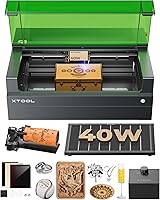
xTool S1 40W Laser Cutter and Laser: Best for large wood projects
- 40W laser power
- 23.93 x 15.16 in bed
- 600mm/s speed
- Class 1 enclosed design
- Rotary bundle
A 40W enclosed cutter with a large bed for door signs, tags and other big wood projects in a compact workshop.
Pros
- Cuts 18mm cherry wood in a single pass, xTool says
- Enclosed Class 1 design with protective cover
- Auto-focus and xTool Creative Space software
Cons
- 86.8 lb, so it is not a portable pick
- Product dimensions are 19.6 x 19.6 in, so measure your bench
The xTool S1 40W suits woodworkers who want one machine for both thick cutting and detailed engraving. Its 40W laser cuts 18mm cherry wood in a single pass, xTool says, which puts it ahead of every 5W to 10W pick here for signs and larger projects.
The 23.93 by 15.16 in bed is the largest in this group. That means door signs, large plaques and up to 119 dog tags in one run, xTool says, without repositioning.
The 600mm/s speed also helps on batch work.
Safety is a strong point for a home workshop. The enclosed Class 1 design filters 99% of laser light, xTool says, so you do not need goggles.
Five flame sensors, an emergency stop and a lid-open stop add protection for kids and pets around.
The trade-off is size and weight. At 86.8 lb with product dimensions of 19.6 by 19.6 in, it is not a carry-around machine.
Measure your bench and allow lid clearance before you order. If you mostly cut thin wood, a lighter 10W pick may be easier to live with.
BlazeX M3 10W Laser Engraver Machine: Best for precision engraving kits
- 10W laser power
- 0.01mm precision
- Smart camera
- Protective enclosure
- Honeycomb bed and 13 engraving materials
A 10W enclosed kit with a smart camera, honeycomb bed and materials for precise wood engraving and cutting.
Pros
- Smart camera for placement preview
- Enclosure, tool kit and materials included
- Compatible with LightBurn and CutLabX
Cons
- 10W will cut thinner wood than the 40W and 45W picks
- Optional rotary and air assist are extras
The BlazeX M3 10W suits beginners who want a ready-to-use kit for wood, metal, glass and leather. Its 0.01mm ultra-precision and high-density beam help with complex patterns and clean cuts on wood and acrylic.
The smart camera is the standout feature. BlazeX says it syncs with your software and lets you preview the design on the material before you start.
That reduces wasted wood, which matters when you are learning placement on small pieces.
The kit approach is practical. You get a protective enclosure, a tool kit, 13 engraving materials and a honeycomb laser bed.
The Class 1 enclosure filters harmful radiation, BlazeX says, and sensors stop the machine if it tilts or the lid opens.
The trade-off is power. At 10W, it will not match the 40W or 45W picks on thick wood.
Rotary roller, risers, air assist and purifier are optional upgrades, so budget for those if you want tumblers or cleaner edges. For thin wood and detailed engraving, it is a strong all-in-one start.
WECREAT Vision Pro 45W Laser Engraver: Best for thick wood cutting
- 45W laser power
- 22.83 x 15.75 in bed
- 600mm/s speed
- HD camera and auto-lifting
- Rotary Pro included
The most powerful pick here, with a 45W laser, auto-lifting head and HD camera for thick wood and batch work.
Pros
- Cuts 25mm wood in one pass, WECREAT says
- Auto-lifting adapts to 1mm to 140mm materials
- Full enclosure with Class 1 safety
Cons
- 35 kg, so it needs a fixed bench spot
- 2W IR module is sold separately
The WECREAT Vision Pro 45W suits woodworkers and small businesses that need to cut thick wood fast. Its 45W power with BeamFocus cuts like 60W, WECREAT says, and it cuts 25mm wood and 20mm black acrylic in one pass.
The 22.83 by 15.75 in bed offers 42% more workspace than other laser engravers, WECREAT says. At 600mm/s with a 0.08mm spot, you can engrave 200 or more dog tags in one pass.
That batch speed is useful for selling wood products.
Focus is automatic. LiDAR-powered auto-focus maintains 0.001 in accuracy, WECREAT says, across 300 or more materials.
The auto-lifting system adapts to materials from 1mm to 140mm, so you do not buy extra riser bases for taller wood blocks.
The trade-off is footprint and weight. At 35 kg with item dimensions of 31.5 by 25.6 by 16.14 in, it needs a fixed spot.
The 2W IR module is sold separately, and the full enclosure means you need room to open the lid. For thick wood in a small shop, it earns its place.
Creality Falcon 5W Laser Engraver Machine: Best for large engraving area
- 5W laser power
- 400 x 415mm working area
- 0.06mm precision
- 10000mm/min speed
- Offline usage
A 5W machine with a large 400 by 415mm working area for engraving and cutting larger wood pieces in one go.
Pros
- Large working area for its class
- Fast engraving speed
- Eye-protective cover filters 97% UV, Creality says
Cons
- 5W is slower for thick wood cutting
- Rotary roller and risers are extra
The Creality Falcon 5W suits buyers who want a large working area for engraving bigger wood pieces. Its 400 by 415mm working area is the largest here, so you can engrave and cut larger materials in one go.
Precision is fine for detailed work. The 0.06 by 0.06mm compression spot controls accuracy within 0.004 in, Creality says, with repositioning under 0.007 in.
The 10000mm/min engraving speed helps on high-volume tasks without losing detail.
Offline usage is a plus for a simple setup. You can run projects without a computer tied to the machine all day.
The eye-protective cover filters 97% UV rays, Creality says, and an active stop halts work if the machine moves.
The trade-off is the 5W power. It suits wood, leather, acrylic and glass engraving, and light cutting, but it will be slower than 10W picks on thicker wood.
Rotary roller and risers are extra. If your work is mostly thin wood and large-format engraving, the area makes up for the power.
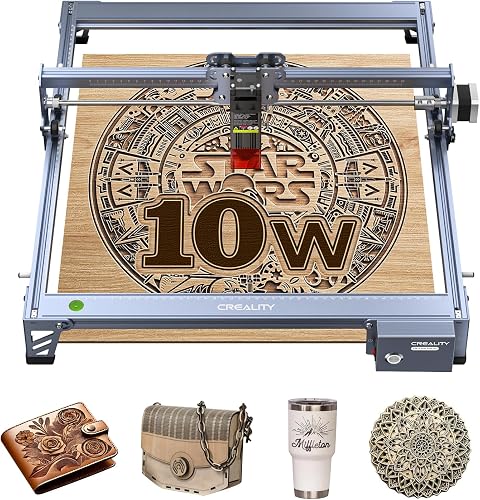
Creality Laser Engraver Machine 10W Output Power: Best for budget 10W cutting
- 10W output power
- 17 x 16 in
- 0.06mm precision
- 10000mm/min speed
- LightBurn and LaserGRBL support
A 10W Creality machine that cuts 5mm basswood in one pass, xTool-style claim aside, for wood, paper and leather.
Pros
- Cuts 5mm basswood in one pass, Creality says
- Aluminum alloy structure
- 1-year free parts replacement, Creality says
Cons
- Open frame design, so plan for ventilation
- Class 3a laser, so eye protection matters
The Creality 10W machine suits budget buyers who want real cutting power for wood. Its 10W output cuts 5mm basswood in one pass, Creality says, at up to 10000mm/min.
It also cuts 3mm black acrylic in one pass.
The 0.06 by 0.06mm spot gives accuracy within 0.004 in, Creality says. The all-aluminum alloy structure and steel shaft rail help keep cuts steady.
For ornaments, signs and layered wood projects, that precision matters more than raw speed.
Setup is straightforward. Creality says assembly takes 10 to 20 minutes, and the focusing plate adjusts focus without tools.
You can transfer files by Wi-Fi, USB or SD card, and use LightBurn or LaserGRBL. That software choice suits both beginners and experienced users.
The trade-off is the open design. The anti-UV filter acrylic filters 97% UV rays, Creality says, but this is a Class 3a machine, so use eye protection.
At 7.05 lb and 22.36 by 24.88 in, it is light but not enclosed. Plan for ventilation and a stable bench.
ACMER S1 Laser Engraver Machine: Best for smallest footprint
- 2500mW laser power
- 130 x 130mm working area
- 250 x 250 x 162mm machine size
- 2 kg weight
- 99% preassembled
The smallest pick here, at 250 by 250mm, for light wood engraving and cutting in a tight home workshop.
Pros
- Smallest footprint in this roundup
- 99% preassembled with 1-minute head install
- Lightweight at 2 kg
Cons
- 130 x 130mm area limits larger wood pieces
- 2500mW is light for thick cutting
The ACMER S1 suits buyers with the tightest space. Its machine size is only 250 by 250 by 162mm, and it weighs 2 kg, making it the smallest and lightest pick here.
If you work at a desk or in a small room, that footprint is a real advantage.
The 130 by 130mm working area is its limit. You can engrave and cut thin plywood, MDF and acrylic, ACMER says, plus wood, bamboo, leather and plastic.
For small ornaments, tags and gifts, that area is enough. For signs or larger panels, it is not.
Speed and precision are good for the size. Engraving reaches 10000mm/min, with 0.01mm repeatable positioning accuracy, ACMER says.
The 2500mW diode at 455nm with a 2mm focal length gives fine detail on light materials.
The trade-off is power and area. At 2500mW, thick wood cutting will be slow or need many passes.
It arrives 99% preassembled, with a 1-minute laser head install, and includes free Acmerstudio software. For a first machine in a very small space, it is easy to start and easy to store.
KENTOKTOOL Laser Engraver: Best for 400mm engraving area
- 5.5W laser power
- 400 x 400mm working area
- 0.08mm focus
- 6000mm/min speed
- Class 1 output 5500mW
A 400 by 400mm engraver that cuts wood up to 8mm, KENTOKTOOL says, with a magnetic eye-protection cover.
Pros
- Large 400 x 400mm area
- Magnetic protective cover filters 97% UV, KENTOKTOOL says
- 10 to 20 minute install
Cons
- 5.5W will be slower than 10W picks for cutting
- Round objects need an extra roller
The KENTOKTOOL LE400PRO suits buyers who want a large engraving area on a budget. Its 400 by 400mm working area gives you room for bigger wood pieces, signs and layouts that smaller beds cannot hold.
KENTOKTOOL says it cuts wood up to 8mm and 5mm black acrylic. The 0.08mm square focus gives high-precision engraving, about twice as thin as ordinary focus, KENTOKTOOL says.
Engraving speed reaches 6000mm/min, and service life is stated as 15000 hours.
Safety and focus are practical. The protective case filters 97% UV rays, KENTOKTOOL says, with a magnetic cover you can attach and detach.
The knob design adjusts focus without tools, which is faster than non-fixed focus designs. A power switch helps with emergency shutdown.
The trade-off is the 5.5W power, listed as Class 1 output 5500mW. It will be slower than 10W picks on thicker wood.
Round objects need an extra roller. Installation takes 10 to 20 minutes, KENTOKTOOL says.
If large-format engraving matters more than thick cutting, this area is hard to beat.
ACMER S2 Laser Engraver: Best for beginners with AI design
- 7000mW laser power
- 300 x 300mm working area
- 0.01mm precision
- 10000mm/min speed
- AI design in Acmerstudio
A 7W machine with a 300 by 300mm area, AI design tools and safety goggles included for home workshops.
Pros
- Cuts up to 13mm paulownia wood with multiple passes, ACMER says
- Safety goggles included
- Free Acmerstudio software
Cons
- 7W is mid-range for thick wood
- Rotary, enclosure and air assist are optional extras
The ACMER S2 suits beginners who want help with design and settings. Its free Acmerstudio software uses AI tools to turn text or photos into engraving designs, ACMER says.
You can also use LightBurn and LaserGRBL if you prefer those programs.
The 300 by 300mm working area is spacious for signs, decorations and gifts. With a true 7W output, ACMER says you can cut up to 13mm paulownia wood or 6mm black acrylic with multiple passes.
Engraving reaches 10000mm/min, so larger projects finish faster.
Detail is strong. The 0.08 by 0.08mm spot gives accuracy up to 0.01mm, ACMER says, for small text, patterns and logos.
Safety is covered with an anti-UV shield, included safety goggles and motion-detection auto-pause. That makes it suitable for home workshops, classrooms and studios, ACMER says.
The trade-off is that rotary modules, risers, enclosures and air assist are optional extras, not included. At 7.83 lb, it is heavier than the ACMER S1 but far more capable.
If you want a step up in area and power without jumping to 40W, this is a balanced mid-range pick.
CREALITY FALCON 10w Laser Engraver with Air: Best for cylindrical wood projects
- 10W laser power
- Air assist
- Rotary roller kit
- 0.06mm precision
- 10000mm/min speed
A 10W Falcon with air assist and a rotary roller for tumblers, cylinders and other round wood objects.
Pros
- Cuts 12mm wood board in one pass, Creality says
- Adjustable air assist for cleaner edges
- Rotary kit handles 1 to 110mm cylinders
Cons
- 20.1 lb, heavier than other 10W picks
- Class 4 laser, so full eye protection is needed
The CREALITY FALCON 10W with air assist suits woodworkers who engrave round objects. Its rotary roller handles cylinders from 1 to 110mm in diameter, Creality says, plus items from the inside and ring-shaped pieces.
That covers tumblers, bottles and other cylindrical wood or coated items.
Air assist helps with clean cuts. The adjustable airflow removes smoke and dust, prevents excessive burning and makes edges cleaner, Creality says.
It also helps prolong the laser module's life. For wood, that means less charring on cut edges.
Power is solid for the class. At 10000mW output, Creality says it cuts a 12mm wood board in one pass at up to 10000mm/min.
The 0.06mm spot controls accuracy within 0.004 in, Creality says, for detailed engraving.
The trade-off is that it is a Class 4 laser at 20.1 lb, so eye protection and a stable setup matter. Assembly takes 10 to 20 minutes, Creality says, with an emergency stop and active stop for tilt or drops.
It works with LaserGRBL and LightBurn on Windows and macOS. If round wood projects are your goal, the rotary kit sets it apart.
How to choose a small laser cutter for wood
The right small wood laser cutter depends on the thickest wood you plan to cut, not the thinnest piece you can engrave. A 5W to 10W machine handles thin basswood, balsa and plywood well.
A 40W to 45W machine is for thick stock and faster batch work.
We compared power, bed size, speed, precision, safety design and included accessories across all nine picks. We checked specs for cutting thickness, working area and software support.
We also weighed footprint and weight, because a small workshop has limits a spec sheet often ignores.
For thin wood work, our best good laser cutter for 1/8 balsa guide is a useful next step. It focuses on the sheet thickness many crafters use most.
If you work with balsa often, plan your cutter around that material first.
What power do you need for wood cutting?
For most hobby wood, 10W is the sweet spot. The Creality 10W models cut 5mm basswood in one pass, Creality says.
That covers ornaments, layered letters, boxes and signs from thin plywood.
Step up to 40W or 45W if you cut thick stock regularly. The xTool S1 cuts 18mm cherry wood in one pass, xTool says.
The WECREAT cuts 25mm wood in one pass, WECREAT says. That power saves time on large projects and batch orders.
Stay at 5W to 7W if you mostly engrave. The Creality Falcon 5W and ACMER S2 give fine detail on wood, leather and acrylic.
They will cut thin wood with multiple passes, but they are slower on thick panels.
Cutting speed and passes
Speed matters for batch work. The xTool S1 and WECREAT both run at 600mm/s for engraving.
The Creality and ACMER models reach 10000mm/min, which is fast for their class. More passes at lower power can still work, but they add time and wear.
Small laser cutter for wood: match power to thickness
Match power to your thickest common sheet. If you buy 3mm to 5mm wood, a 10W pick is enough.
If you buy 12mm or thicker, look at the 40W and 45W picks. Buying too little power is the most common mistake with a small laser cutter for wood.
How big should the bed and footprint be?
The bed must fit your largest project, while the footprint must fit your bench. The ACMER S1 bed is only 130 by 130mm, so it suits small items only.
The Creality Falcon 5W bed is 400 by 415mm, so it suits large panels.
Check lid clearance too. Enclosed models like the xTool S1 and WECREAT need room above to open the cover.
Open-frame models like the Creality 10W need less height, but they need ventilation around them.
Weight affects placement. The ACMER S1 is 2 kg and easy to move.
The xTool S1 is 86.8 lb and the WECREAT is 35 kg, so both need a fixed spot. For a shared room, an enclosed Class 1 model is easier to run than an open frame.
Measure your space before you buy
Measure your bench width, depth and the space above it. Add room for the lid, exhaust and your hands.
Then compare those numbers with the machine dimensions in our specs above. A cutter that fits on paper can still block your other tools in real life.
Is an enclosed Class 1 design worth it for home use?
Yes, if you work in a shared room. Enclosed models filter laser light, block some smoke and noise, and stop when the lid opens.
The xTool S1, BlazeX M3 and WECREAT all use Class 1 designs for that reason.
Open-frame models are cheaper and lighter, but they need more care. The Creality 10W and Falcon models are Class 3a or Class 4, so you need eye protection and good ventilation.
Never run any laser unattended, and keep kids and pets out of the work area.
Our How to Use a Laser Wood Cutting Machine guide covers focus, speed and power settings for wood. Read it before your first cut, because test cuts on scrap save time and material.
Safety features to look for
Look for flame sensors, auto-stop on lid open or tilt, and an emergency stop. The xTool S1 has five flame sensors and a lid-open stop, xTool says.
The BlazeX M3 stops if it tilts or the lid opens, BlazeX says. Those features protect you and your wood.
What software and accessories matter for beginners?
Software matters as much as power for a first machine. xTool Creative Space, Acmerstudio and the BlazeX software all include design tools and pre-tested material settings. That cuts the learning curve on your first wood projects.
LightBurn and LaserGRBL support is a plus for experienced users. The BlazeX, Creality and ACMER models support one or both, so you can switch as your skills grow.
Check that your computer and operating system match before you buy.
Accessories change what you can make. A honeycomb bed supports thin wood and improves cuts.
A rotary roller lets you engrave tumblers and cylinders. Air assist gives cleaner edges on wood.
The BlazeX kit includes a honeycomb bed and materials, while the Creality Falcon includes a rotary roller and air assist.
Camera positioning and auto-focus
A camera helps you place designs on wood without waste. The BlazeX M3 and WECREAT Vision Pro both include HD camera positioning.
Auto-focus on the xTool S1 and WECREAT removes manual focus checks between sheets of different thickness.
Can a small laser cutter handle balsa and thin plywood?
Yes, and thin wood is where small cutters shine. Balsa, basswood and thin plywood cut cleanly on 5W to 10W machines.
The detail on small pieces is often better on a smaller bed, because placement is easier to control.
Our best laser cutter for balsa wood guide focuses on those light sheets. If balsa is your main material, compare bed size and focus accuracy before you compare top speed.
Thin wood burns easily, so fine control matters.
For selling wood products, a larger bed and faster speed help. The xTool S1 and WECREAT can batch many tags at once.
Our Best Laser Cutter For Small Business guide covers that angle, and our Top 8 Best Laser Engraver For Small Business guide adds engraver-focused picks.
Which small wood laser cutter should you buy?
Pick the xTool S1 40W if you want thick wood cutting and a large bed in a compact footprint. Pick the WECREAT Vision Pro 45W if thick stock and batch speed matter most.
Pick the BlazeX M3 if you want a 10W kit with camera positioning and included materials.
Pick the ACMER S1 if space is extremely tight and your wood pieces are small. Pick the Creality Falcon 5W or KENTOKTOOL if a wide engraving area matters more than cutting speed.
Pick the ACMER S2 if you want AI design help and a 300mm bed at 7W.
For most woodworkers, the xTool S1 is the best small wood laser cutter here because it removes the power limit. If your work is thin wood only, save bench space and weight with a 10W pick instead.
Our top 3 picks at a glance
-
1
-
2
Best for precision engraving kits
BlazeX M3 10W Laser Engraver Machine
9.4/10 our score
See it on Amazon -
3
Frequently asked questions
What size is a small wood laser cutter?
A small wood laser cutter usually fits on a bench or table and has a bed around 130 to 400mm wide. Choose by your largest wood piece first, then check the machine footprint and lid clearance.
How thick wood can a small laser cutter cut?
It depends on power. A 40W to 45W machine cuts thick wood in one pass, while 5W to 10W machines suit thin plywood and basswood.
Check each model's stated thickness before you buy.
Do I need an enclosure for a small laser cutter?
An enclosure helps with smoke, noise and eye safety in a shared room. Class 1 enclosed models are easier to use at home, while open-frame models need good ventilation and eye protection.