9 Best Laser Cutters for Balsa Wood (October 2026)
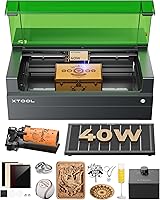
The best laser cutters for balsa wood include the xTool S1 40W Laser Cutter and Laser for large model parts, the BlazeX M3 10W Laser Engraver Machine for camera placement, and the LONGER Ray5 Laser Engraver and Cutter Machine for broad square layouts.
On this page (9 sections)
- How we chose a laser cutter for balsa wood
- Best laser cutters for balsa wood by project
- How do you choose the best laser cutter for balsa wood?
- What should you check before cutting balsa?
- How do you set up a laser cutter for balsa?
- How can you get cleaner laser cuts in balsa?
- What mistakes can spoil balsa cuts?
- Is balsa a good material for laser-cut models?
- Which laser cutter should you choose for balsa?
The xTool S1 40W is the best laser cutter for balsa wood in this group for large model parts, with a 23.93 x 15.16 in bed. Choose the LONGER Ray5 for a 400 x 400 mm work area, or the Carverall K15 Pro for compact projects.
Balsa is light and easy to cut by hand, but its softness and uneven density make laser settings important. A clean edge depends on the sheet as well as the machine, so begin with an offcut of the same thickness and grade you'll use in the finished model.
This roundup compares stated laser output, work area, focusing and workflow features. For machines matched to other materials, see laser engravers for glass and metal.
Test cuts on your own material help you find a suitable setting.
Our picks at a glance
-
1
-
2

-
3
 Best for broad square layouts
LONGER Ray5 Laser Engraver and Cutter Machine
9.3/10 our score
See it on Amazon
- 4
 Check it
Creality Falcon 5W Laser Engraver Machine
Best for wide 5W layouts - 5
 Check it
Creality Laser Engraver Machine 10W Output Power
Best for familiar software - 6
 Best for manual focus controlCheck it
 - 7
 Check it
Carverall K15 Pro Laser Engraver 10W Laser
Best for compact model work - 8
 Check it
ACMER S1 6W Laser Engraver Machine
Best for portable small parts - 9
 Check it
Longer New Upgrade RAY5 Laser Engraver Cutter
Best for higher output
How we chose a laser cutter for balsa wood
A useful balsa machine gives you enough bed space for your parts, a focus method you can repeat and controls that fit the way you design. For a different wood project, compare wood lasers for cabinet inlays.
We compared those features with each machine's stated output and included features.
For model makers, bed size and repeatable setup often matter as much as maximum output. Wings, ribs and fuselage parts may need a larger layout, while small fittings can fit a compact machine.
Power alone doesn't predict the result on a particular balsa sheet. Grain, thickness and density vary, and advertised wood cutting capacity may refer to a different wood species.
Test the exact stock before planning a full set of parts.
For more wood-focused choices, see our Best Laser Cutter For Wood guide. If your models also use plywood formers, compare our Best Laser Engraver For Cutting Plywood picks.
| Product | Best for | Laser power | Bed size | Focus | Our score |
|---|---|---|---|---|---|
| xTool S1 40W Laser Cutter and Laser | large model parts | 40W | 23.93 x 15.16 in | Auto-focus | 9.5 |
| BlazeX M3 10W Laser Engraver Machine | camera placement | 10W | 9.4 | ||
| LONGER Ray5 Laser Engraver and Cutter Machine | broad square layouts | 10W | 9.3 | ||
| Creality Falcon 5W Laser Engraver Machine | wide 5W layouts | 9.2 | |||
| Creality Laser Engraver Machine 10W Output Power | familiar software | 9.1 | |||
| KENTOKTOOL Laser Engraver | manual focus control | Fixed focus with knob adjustment | 9.0 | ||
| Carverall K15 Pro Laser Engraver 10W Laser | compact model work | 10W | One-touch smart focus | 8.9 | |
| ACMER S1 6W Laser Engraver Machine | portable small parts | 6W | 8.4 | ||
| Longer New Upgrade RAY5 Laser Engraver Cutter | higher output | 8.2 |
Best laser cutters for balsa wood by project
The xTool S1 suits broad layouts, while the smaller machines fit compact builds or limited benches. Compare each machine's work area and focusing method with your largest planned part.
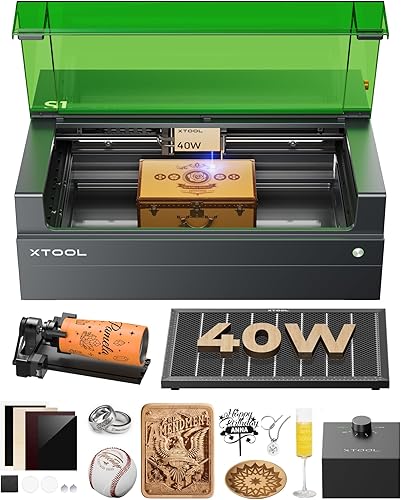
xTool S1 40W Laser Cutter and Laser: Best for large model parts
- 40W laser
- 23.93 x 15.16 in bed
- Auto-focus
- Enclosed design
The 40W laser and broad bed suit larger balsa parts and model layouts. Auto-focus and xTool Creative Space add guided setup.
Pros
- Largest stated bed in this group
- Auto-focus
- Enclosed design with lid-open stop
Cons
- 86.8 lb item weight
- Balsa cut settings still need material-specific checks
The xTool S1 suits balsa projects that need room for long or wide pieces. Its stated 23.93 x 15.16 in bed gives you more layout space than the compact machines in this roundup.
The 40W laser offers more output than the lower-wattage options below. xTool lists auto-focus and Creative Space software, which can simplify setup as you switch between materials or designs.
The machine has an enclosed design, lid-open stop and 5 flame sensors. These features do not remove the need to watch a laser job and follow the machine's operating instructions.
Choose the S1 for larger model components or repeated layouts. Its 86.8 lb weight makes it less convenient to move than the lighter machines here, and you'll still need to test the balsa itself.
BlazeX M3 10W Laser Engraver Machine: Best for camera placement
- 10W laser
- Smart camera
- Honeycomb bed included
- Protective enclosure
Camera guidance helps position designs on balsa before cutting. The enclosure and honeycomb bed are included.
Pros
- Camera preview for design placement
- Honeycomb bed included
- Compatible with LightBurn and CutlabX
Cons
- No work area dimensions given
- No balsa-specific cut settings given
BlazeX M3 is a practical choice if positioning each design on a balsa sheet is a key part of your workflow. Its smart camera guidance previews the design on the material, and the honeycomb bed and enclosure are included.
The 10W laser combines engraving and cutting functions. BlazeX lists compatibility with LightBurn and CutlabX, along with LaserGRBL.
No work area dimensions or balsa cut settings are specified. Make a small test layout to check whether your largest parts fit, then adjust focus and cutting parameters on an offcut.
Choose this machine for camera-assisted placement and its included work surface. If bed size is your main concern, compare the stated dimensions of the LONGER Ray5 and Creality models below.
LONGER Ray5 Laser Engraver and Cutter Machine: Best for broad square layouts
- 10W dual-beam laser
- 400 x 400 mm work area
- Touchscreen
- USB, TF card, Wi-Fi and app
A 400 x 400 mm work area accommodates broad model layouts. The touchscreen and offline connection options suit varied workshop setups.
Pros
- Large square work area
- Touchscreen control
- Offline operation supported
Cons
- Balsa settings require material-specific adjustment
- 10W output may need multiple passes for some cuts
The LONGER Ray5 10W gives model makers a 400 x 400 mm work area for grouping several parts on one sheet. Its touchscreen, USB, TF card, Wi-Fi and app connections provide different ways to run a job.
LONGER specifies a 0.06 x 0.06 mm laser spot and a 10W dual-beam laser. Those details describe the machine, but they don't provide a balsa-specific speed or pass count.
Use the larger bed to arrange ribs or small panels with room between cuts. Keep the sheet flat, focus carefully and test an offcut from the same batch before you start a larger run.
Pick this model if you want a broad square work area with touchscreen and offline controls. For a project using 1/8-inch stock, our guide to the best good laser cutter for 1/8 balsa narrows the decision to that thickness.
Creality Falcon 5W Laser Engraver Machine: Best for wide 5W layouts
- 5W output
- 400 x 415 mm work area
- 0.06 x 0.06 mm spot
- Active stop function
The broad work area can hold larger layouts, while the 5W output fits buyers comparing lower-power machines. Test a small offcut before committing a full sheet.
Pros
- Large stated work area
- Fine focus spot
- Offline use supported
Cons
- 5W output may require slower or repeated cuts
- No balsa-specific settings given
The Creality Falcon 5W provides a 400 x 415 mm work area, which is unusually broad among lower-output choices in this roundup. That space helps when you want to lay out many small components without splitting a design across multiple jobs.
Its 0.06 x 0.06 mm spot is intended for fine engraving, and the machine supports offline use. The 5W output is lower than several other picks, so test speed and pass count instead of assuming a single pass will work.
Creality lists an eye-protective cover and an active stop function. Keep the work area clear and follow the machine's operating guidance, especially when cutting thin, dry wood.
Choose this Falcon if bed area matters more to you than laser output. It can suit larger layouts of small model pieces, provided your tests show a clean cut in your balsa.
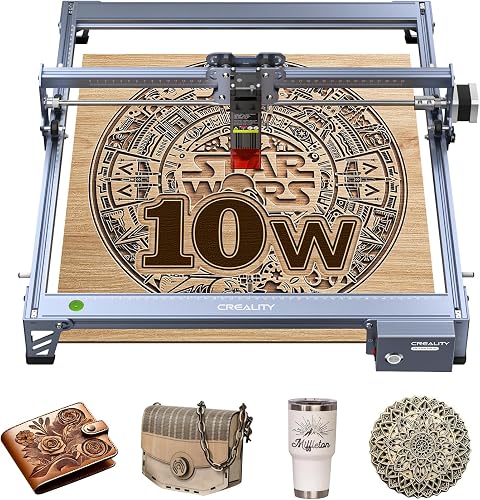
Creality Laser Engraver Machine 10W Output Power: Best for familiar software
- 10W output
- 17 x 16 in work area
- LightBurn and LaserGRBL support
- Wi-Fi, USB and SD card
The 10W output and 17 x 16 in area suit model makers who want room for several parts and common software choices.
Pros
- 10W output
- LightBurn and LaserGRBL support
- Multiple file transfer methods
Cons
- No balsa-specific settings given
- Eye protection is described as a UV filter
Creality's 10W machine pairs 10W output with a 17 x 16 in work area, making it a middle ground between compact engravers and the largest beds here. LightBurn and LaserGRBL support gives you familiar software options.
It accepts files by Wi-Fi, USB or SD card. A focusing plate helps set the laser head, which is useful when you need to repeat a setup across several sheets.
Creality's stated one-pass capacity refers to basswood and black acrylic, not balsa. Use that information only as a broad indication of the machine's cutting role, then tune it on the actual balsa stock.
This pick suits buyers who want a 10W machine with a rectangular bed and common software support. Keep the sheet secure, and separate small parts from scrap so they don't shift during a cut.
KENTOKTOOL Laser Engraver: Best for manual focus control
- 5.5W output
- 400 x 400 mm area
- Fixed focus
- Magnetic protective cover
The square work area gives room for multiple parts, and the knob adjusts focus without tools. Its 5.5W output makes test cuts especially useful.
Pros
- Large square work area
- Knob focus adjustment
- LightBurn support
Cons
- 5.5W output may need multiple passes
- No balsa-specific settings given
KENTOKTOOL offers a 400 x 400 mm work area and a knob-based focus adjustment. The square bed can hold a model layout, while the focus control adjusts without a separate tool.
The stated laser output is 5.5W. Its 0.08 mm focus spot and support for LightBurn may suit buyers who value manual adjustment and software compatibility.
KENTOKTOOL describes the machine as able to cut wood up to 8 mm, but that figure isn't specific to balsa. Since balsa density varies, test your own sheet rather than treating a general wood capacity as a guaranteed result.
Choose it for a wide bed and manual focus adjustment. If your design includes engraved labels and cut outlines, set up separate layers in your software and test each operation before running the full sheet.
Carverall K15 Pro Laser Engraver 10W Laser: Best for compact model work
- 10W laser
- 11.8 x 7.9 in workbed
- One-touch focus
- Offline TF card control
The compact A4 workbed suits smaller model parts and limited bench space. One-touch focus and offline file control simplify repeat jobs.
Pros
- Compact workbed
- One-touch focus
- TF card offline control
Cons
- Smaller work area than other picks
- No balsa-specific settings given
The Carverall K15 Pro is the compact pick for smaller model parts and limited bench space. Its 11.8 x 7.9 in A4 workbed is smaller than the open-frame machines above, but it may be enough for ribs, brackets and other short components.
The 10W laser has one-touch focus, and the machine supports offline control through a TF card. Those features can make repeated small jobs easier to set up after you've found a working cut on scrap.
Carverall describes multi-pass cutting for plywood, not balsa. That distinction matters because thin, soft balsa can behave differently from plywood, so establish your settings with the exact material.
Choose this machine if your parts fit its workbed and you value a compact setup. For broad wings or multiple large components, a larger bed will save you from dividing the layout.
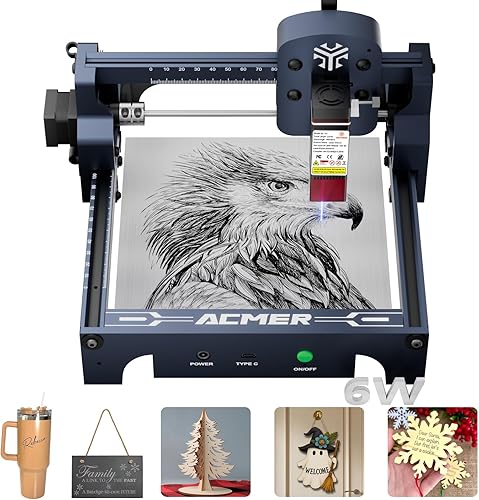
ACMER S1 6W Laser Engraver Machine: Best for portable small parts
- 6W diode laser
- 130 x 130 mm work area
- 99% preassembled
- 2 kg weight
A small work area and 2 kg weight suit portable work on small model pieces. Its 6W diode calls for careful test cuts on the exact balsa thickness.
Pros
- Lightweight frame
- Small footprint
- LightBurn and LaserGRBL support
Cons
- Smallest work area here
- No balsa-specific settings given
ACMER S1 suits small pieces and workspaces where a portable machine is useful. Its 130 x 130 mm work area and 2 kg weight make it the most compact option in this group.
The 6W diode machine arrives 99% preassembled, and ACMER lists LightBurn and LaserGRBL compatibility. A small bed can handle fittings or short components, but it won't take a broad model layout in one setup.
ACMER says the machine cuts thin plywood, MDF and acrylic. Those materials don't confirm its balsa performance, so start with a small test piece and record the settings that produce a clean edge.
Pick the S1 for a light, compact machine and small jobs. If you need space for longer balsa strips or repeated components, consider one of the 400 mm-bed machines instead.
Longer New Upgrade RAY5 Laser Engraver Cutter: Best for higher output
- 20W optical output
- 15.75 x 14.37 in work area
- Air-assist interface
- Offline connection options
The 20W optical output and air-assist interface offer room to adjust a cutting workflow. Its stated single-pass wood capacity refers to pine, so test balsa separately.
Pros
- 20W optical output
- Air-assist interface reserved
- Offline operation supported
Cons
- Pine capacity does not guarantee balsa settings
- No balsa-specific cut guidance given
The upgraded Longer RAY5 is the higher-output choice for buyers who want to adjust their cutting workflow. It has 20W optical output, a 15.75 x 14.37 in work area and an air-assist interface.
Longer states one-pass capacity for pine and multi-pass capacity for wood and acrylic. Those figures don't define a balsa setting, so use a same-batch offcut to check edge quality and whether multiple passes suit your project.
USB, TF card, Wi-Fi and app connections support offline use. The air-assist interface can be paired with an air pump, which may help clear debris from the cut area when used according to the machine's instructions.
Choose this machine if you want 20W output and a medium-large bed. Check that the model and setup match your intended workflow, and don't transfer pine settings directly to balsa.
How do you choose the best laser cutter for balsa wood?
Choose by the largest piece you plan to cut, the stock thickness and how often you'll repeat the job. Bed size, focus control, software and safe ventilation all shape the daily workflow, while wattage alone can't promise a particular cut.
Start by measuring your parts and leaving room for spacing and hold-downs. A large bed is useful for wings, fuselage panels or a batch of ribs, but a compact model can be easier to store if your parts fit its work area.
Next, consider your material. Thin, consistent sheets are easier to set up than warped or uneven stock.
If your balsa varies by thickness or density, plan to test each batch instead of relying on one setting indefinitely.
Then match the controls to your working style. Auto-focus or one-touch focus can reduce setup steps, a camera can help with placement, and touchscreen or offline controls can be useful when you don't want a computer connected during every job.
Finally, decide whether you need cutting only or a broader machine for engraving and other materials. For a balsa-only model workflow, clear capacity for your largest layout and repeatable focus are more useful than software features you won't use.
What should you check before cutting balsa?
Check the sheet, focus and bed space before choosing a machine or setting. A short test on scrap reveals more about your particular balsa than a general wood capacity figure.
Balsa varies from sheet to sheet. Density, grain and thickness affect how a beam moves through the material, so two pieces marked with the same thickness may need different settings.
Measure the thickest part of your stock and check that the machine can focus at that height. Keep the board flat, since a bowed sheet changes the distance between the laser and the surface across the cut.
Plan your layout around the work area, with enough room for the full shape and any hold-down method. For a broader walkthrough of how to use a laser wood cutting machine, review the setup steps before your first job.
How do you set up a laser cutter for balsa?
Set up the machine on a stable surface with the required enclosure and ventilation in place. Then focus the beam, secure the stock and run a small cut file on an offcut before loading a finished part layout.
Assemble and connect the machine according to its instructions. Check that moving parts travel freely, the work area is clear and the exhaust path is ready before starting a job.
Use the machine's focus method on the actual balsa surface. A camera preview helps with design placement, but it doesn't replace correct focus or a physical check that the material lies flat.
In the software, keep engraving and cutting operations on separate layers if the design uses both. Make a small test shape that includes a straight line, a curve and a tight corner, then inspect whether each detail separates cleanly.
Save the settings and material thickness that worked, along with the machine and lens setup. A short note can make the next sheet easier to prepare, but repeat a test whenever the stock changes noticeably.
How can you get cleaner laser cuts in balsa?
A clean balsa cut starts with an in-focus beam, secure stock and a test setting that limits heat buildup. Tune one variable at a time so you can repeat a successful result.
Start with the machine's recommended baseline for a similar thin wood, then cut an offcut from the same sheet. If fibers remain joined, make a small speed or pass adjustment and test again rather than jumping to maximum power.
Use air assist if your machine supports it and follow its instructions. Remove loose scraps between jobs, keep the lens clean, and stay with the machine while it's running because wood can ignite.
What mistakes can spoil balsa cuts?
The most common avoidable problems are using settings from another wood, cutting a warped sheet and changing several settings at once. Each makes it harder to tell whether the machine or the material caused a poor edge.
Don't assume a pine, basswood or plywood capacity applies to balsa. Those claims describe different materials, so start with a modest test on the actual sheet and adjust in small steps.
Avoid placing small parts too close together. Narrow gaps can leave weak tabs, and scraps may shift during a job if the board isn't held flat and stable.
Don't use a slow, high-power pass as the default. Excess heat can darken edges or create a flame risk, so supervise the job and keep the machine's work area free of loose debris.
Don't clean the lens or rails with improvised methods. Follow the manufacturer's care instructions and use the proper cleaning approach for your machine.
Is balsa a good material for laser-cut models?
Balsa works well for laser-cut model parts when you need repeated shapes, slots or interlocking joints. A laser can make matching components easier to reproduce than cutting each one by hand.
The tradeoff is that balsa's low density can leave fragile edges or small parts. Add tabs or bridges where needed, space parts apart in the layout and handle finished pieces carefully.
Before planning a full build, check whether you can laser cut balsa wood and compare stock choices in our best balsa wood for laser cutting guide. Material consistency can affect both fit and finish.
Which laser cutter should you choose for balsa?
Choose the xTool S1 for broad layouts and a high-output machine, the LONGER Ray5 10W for a square 400 mm work area, or the Carverall K15 Pro when your parts fit a compact bench setup.
For camera-guided placement, the BlazeX M3 includes a smart camera and honeycomb bed. The ACMER S1 suits portable work on small components, while the Creality Falcon 5W offers a wide work area for buyers prioritizing layout space.
The best laser cutter for balsa wood is the one that fits your largest part and gives repeatable results on your stock. Make that decision with a test cut on the exact balsa, then record the settings before moving to finished pieces.
Our top 3 picks at a glance
-
1
-
2
-
3
Best for broad square layouts
LONGER Ray5 Laser Engraver and Cutter Machine
9.3/10 our score
See it on Amazon
Frequently asked questions
What laser power is best for cutting balsa wood?
There isn't one best laser power for every balsa project. The machines in this group range from 5W to 40W, and results depend on the wood's thickness, density, focus, speed and air assist.
Use an offcut to find a clean setting before cutting final parts.
Can a laser cutter cut balsa in one pass?
Some thin, light balsa may cut in one pass, but thickness and density vary between sheets. A machine's stated capacity for pine, plywood or basswood doesn't confirm how it will cut balsa.
Test the exact material, and use multiple controlled passes if needed.
Is a diode laser engraver suitable for balsa models?
A diode laser may suit balsa models when its output and work area fit the project. A larger bed helps with wings or repeated parts, while a smaller machine can work for small components.
Check focus, hold the sheet flat and run a test cut.
How do you reduce char when laser cutting balsa?
Use a clean lens, accurate focus, secure material and suitable air assist, then tune speed and power on an offcut. Balsa can char when heat remains in one spot, so avoid starting with a slow, high-power setting.
Keep ventilation and follow the machine's safety instructions throughout the cut.