How to Choose a Handheld Laser Cutter
Choose a handheld laser cutter by matching its cutting ability and safety setup to your material and work area. Many tools called handheld are portable engravers, so check whether the machine is designed to cut your material or mainly mark its surface.
On this page (9 sections)
- What does “handheld laser cutter” mean?
- How do you choose a hand held laser cutter for your material?
- What is the difference between handheld and portable engravers?
- Which laser type fits your project?
- How much work area do you need?
- What safety features and setup should you check?
- What should you compare before buying?
- Which machine style fits your use?
- How do you choose the right hand held laser cutter?
A hand held laser cutter is best chosen by the material and cut you need, then by its safety setup and work area. Many tools described as handheld are portable engravers meant to mark surfaces, so check cutting ability before buying.
A laser cutter may be a stationary enclosed machine rather than a tool you hold in your hand. The phrase “laser cutter gun” can describe a handheld laser tool, but it does not tell you what materials or thicknesses the device can cut.
Start with the job: cutting parts from sheet material, engraving a name, or marking a small metal item. For glass and metal marking, compare laser engravers for metal and glass.
Then compare the machine’s laser type, work area, enclosure, ventilation needs and supported materials.
What does “handheld laser cutter” mean?
A handheld laser cutter usually means a portable laser tool for cutting or marking, but the term is used loosely. Some compact machines are engravers that sit on a surface, rather than cutters that you aim by hand.
An engraver removes or changes a thin layer to create a mark. Cutting means passing through material, which takes a suitable laser, material, thickness and setup.
A machine can offer both functions, but its label alone is not enough to tell you how it performs. Look for clear guidance on the specific material and thickness you plan to use, and whether that guidance describes cutting or engraving.
The distinction matters because an engraver that marks a metal tag may not cut through it. Likewise, a machine that cuts thin craft stock may not suit thicker wood pieces.
If your main goal is a portable marking tool, compare our Best Portable Laser Engraver guide. For a broader view of laser types and buying factors, see How to Choose a Laser Engraver: A Complete Buying Guide.
How do you choose a hand held laser cutter for your material?
Choose a hand held laser cutter by checking material, thickness and intended result together. A machine’s laser power or portability alone cannot confirm that it will make your planned cut.
Write down the material and its thickness before comparing models. For wood, include the wood type and whether you need a cut-through piece or a surface design.
For thin balsa projects, compare laser cutters for balsa wood against the stock thickness you plan to use.
| Your job | What to check |
|---|---|
| Cut wood shapes | Supported wood types, thickness guidance, and whether the machine is intended to cut |
| Engrave wood signs | Work area, focus method, material support and positioning |
| Mark metal tags | Laser type and guidance for the specific metal finish |
| Cut paper or fabric | Material support, edge quality needs and fire precautions |
| Work on larger pieces | Bed dimensions, pass-through options or a suitable stationary machine |
A maker’s material chart can help narrow the options, but it is not a guarantee for every piece. Material coatings, color, moisture, grain and setup can affect results.
If wood cutting is your main use, read Can You Use a Handheld Laser Cutter for Wood? before choosing a tool. For projects that need a larger work surface, compare the options in Best Laser Cutter For Wood.
What is the difference between handheld and portable engravers?
A portable engraver is usually built to mark small items, while a cutter needs a setup that supports cutting through the material. Portable describes how easy a machine is to move, not the kind of work it can do.
Some compact engravers use a camera or preview to help place a design. Others use an infrared laser for certain metal marking jobs or a diode laser for tasks such as engraving and cutting compatible materials.
xTool describes the F2 as a portable desktop engraver with a 5W infrared laser and a 15W diode laser. xTool says the infrared laser marks color on metal, while the diode laser supports 3D embossing and cutting thicker materials.
The F2 is a desktop machine, not a tool to hold over the work while it runs. xTool classifies it as a Class 4 laser, so follow its operating instructions and safety requirements.
For metal-focused choices, see Best Portable Laser Engravers for Metal. If you want to compare a handheld-style engraver with other portable options, use our Best Handheld Laser Engraver guide.
Which laser type fits your project?
Choose the laser type by the material and result you want, then confirm that the machine supports that job. Diode and infrared lasers serve different tasks, and the word “laser” by itself does not identify a machine’s capabilities.
A diode laser is common in hobby machines that work with compatible wood, paper, leather and other materials. For 1/8-inch stock, compare laser cutters for 1/8-inch balsa with your material and cut depth.
Cutting capacity varies by model and material, so check specific guidance rather than assuming every diode machine cuts the same thickness.
Infrared lasers are used for certain metal marking tasks. A combined diode and infrared machine may cover a wider range of marking jobs, but it may still be an engraver rather than a handheld cutter.
A CO2 laser is another machine type you may encounter when researching cutters. Compare the intended materials and machine format, and check whether the space, ventilation and safety setup fit your workshop.
Do not choose by wattage alone. Laser output, beam size, focusing, material and cutting setup all affect the result.
How much work area do you need?
Choose a work area that fits your largest planned piece, with space to position it safely. A small machine can be convenient for tags or ornaments, while signs and panels need a larger bed or another way to handle long stock.
Measure the actual material, not just the design. Leave room for hold-downs or positioning tools if the machine’s instructions call for them.
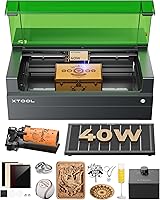
A stationary machine may suit repeat work or larger projects better than a handheld tool. The xTool S1 40W has a 23.93 x 15.16 in bed and AutoPassthrough support for projects up to 118 in.
That size and feature set may suit someone making larger signs or multiple small items in one layout. The S1 is an enclosed machine, not a cutter gun that you hold in your hand.
The xTool M2 has a 10W diode laser and dual cameras for workspace preview. Its CMYK inkjet module and 3W IR laser are sold separately.
Compare the work area with your usual material size and project volume. If you want instructions for a specific desktop machine, read how to use the Creality Falcon A1.
What safety features and setup should you check?
Choose a machine whose enclosure, controls and ventilation match how you will use it. Laser work can expose people to beam hazards, fumes and fire risks, so portability does not replace a safe operating area.
Check whether the machine is enclosed and what its safety class means for the way it must be operated. Follow the manufacturer’s instructions for eye protection, ventilation, supervision and access to the work area.
A handheld laser tool needs particular care because its beam path is not contained by a closed work chamber. Do not aim it at reflective surfaces or operate it where people or pets can enter the beam path.
For enclosed models, check features such as lid-open stops, emergency stop controls, flame detection and fume management. These features can support safer operation, but they do not remove the need to follow the manual.
Plan ventilation before setting up. Cutting or engraving can release smoke and material fumes, so confirm that the machine’s exhaust or filtration arrangement fits the material and room.
Never process an unknown material just because it looks similar to a supported one. Some plastics and coatings can create hazardous fumes or damage equipment.
What should you compare before buying?
Compare cutting guidance, material fit, work area and safety requirements before considering convenience features. A useful shortlist makes each machine’s role clear.
Use this checklist:
- Name the material and thickness you need to cut or mark.
- Confirm whether the machine is a cutter, engraver or a combination.
- Check the manufacturer’s guidance for your exact material and intended task.
- Measure the largest piece and compare it with the work area.
- Check enclosure, ventilation, beam safety and fire precautions.
- Consider whether you need a camera, rotary tool or pass-through feature.
- Read the setup and operating instructions before planning a workspace.
A camera can help position a design, while a rotary attachment can support work on curved items. Neither feature proves that the laser can cut your material.
Think about the whole workflow, too. If your projects require repeatable placement, batch work or a large bed, a stationary enclosed machine may make more sense than a handheld laser tool.
Which machine style fits your use?
Choose a handheld or portable tool for small, specific jobs that match its intended marking or cutting use. Choose an enclosed desktop cutter when you need a defined work area, repeatable setup or room for larger projects.
A compact desktop engraver may suit personalization at a workshop or event. The xTool F2 has a built-in 50MP camera and weighs 10 lb.
A larger enclosed cutter may suit home projects that need more bed space. The xTool S1 has a 23.93 x 15.16 in bed and an enclosed design with safety features.
The xTool M2 is a desktop craft machine with a 10W diode laser and dual cameras. xTool names wood, leather, felt, fabric and paper among its supported craft materials.
No one format covers every task. Match your choice to the material, cut size, workspace and operating requirements you can meet.
How do you choose the right hand held laser cutter?
Choose a hand held laser cutter by matching its stated job to the material and thickness you need, then checking the work area and safety setup. If the tool is mainly an engraver, treat it as a marking machine unless the maker clearly supports cutting your material.
Pick a portable engraver for small marking jobs, an enclosed desktop machine for repeatable craft work, or a larger cutter when your projects need more bed space. For a wood project, start with our handheld laser cutter for wood guide, then compare the machine’s material guidance with your exact plan.
Frequently asked questions
Is a handheld laser cutter the same as a portable laser engraver?
No. A portable engraver is designed mainly to mark a surface, while a cutter needs enough power and a suitable setup to cut the material and thickness you have in mind.
Some machines can both cut and engrave, but “handheld” can describe a portable marking tool rather than a tool you hold while cutting.
Can a handheld laser cutter cut wood?
Some laser machines can cut wood, but the result depends on the laser, wood type, thickness, settings and number of passes. Check the maker’s material guidance and use the machine’s intended enclosure and safety setup.
For project planning, see our guide to a handheld laser cutter for wood.
What should I check before buying a laser cutter gun?
Confirm what materials and thicknesses the machine can cut, whether it is a cutter or mostly an engraver, and what protection and ventilation it requires. A handheld laser cutter gun still needs a stable work area and controlled beam path.
Never treat portability as a reason to aim or operate it casually.
Are portable laser engravers good for metal?
Some portable engravers can mark metal, but the result depends on the laser type and metal surface. An infrared laser can mark certain metals, while a diode laser may suit other tasks or require a marking compound.
Compare the intended result with our guide to portable laser engravers for metal.