
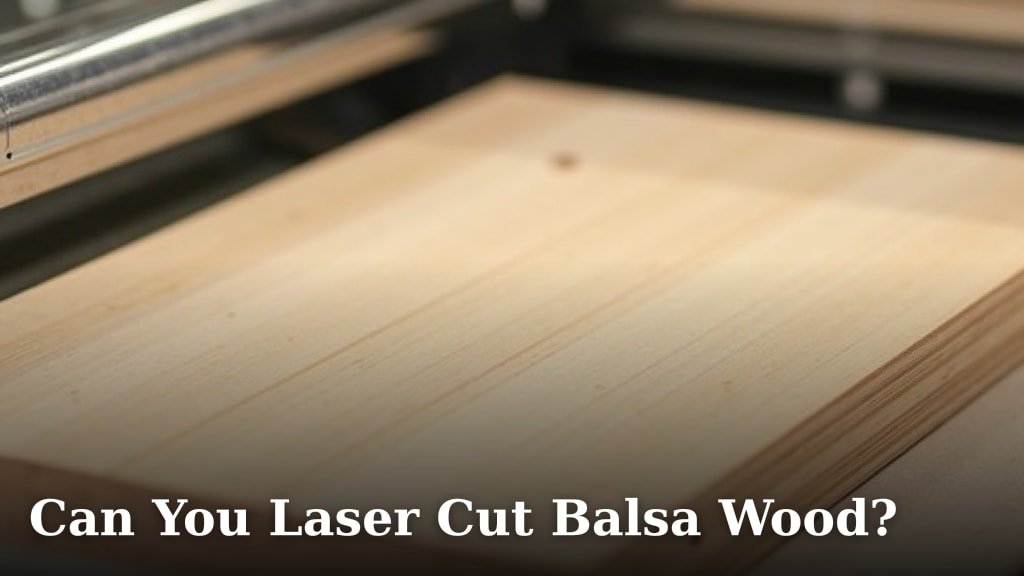
Yes, you can absolutely laser cut balsa wood! It’s a fantastic material for laser cutting, especially for hobby projects and model making. You’ll find it cuts cleanly with a smooth edge when you use the right settings.
Balsa wood is known for its lightweight nature and ease of cutting. Many makers use it for architectural models, RC planes, and even custom jigs. The key is understanding your laser cutter’s power and speed settings to get the best results without burning.
- Balsa wood is great for laser cutting.
- It creates clean, smooth edges.
- Perfect for models and crafts.
- Proper laser settings are important.
Let’s walk through exactly how to get the best results when laser cutting balsa wood.
Cutting Balsa Wood with Your Laser: A Maker’s Guide
Yes, laser cutting balsa wood is a very popular choice for makers! You’ll find it’s a lightweight and easy-to-work-with material. Many people use it for all sorts of projects, from model airplanes to architectural mock-ups. The key is getting your laser settings just right.
Why Balsa Wood is a Laser Cutter’s Friend
Balsa wood is naturally soft and porous. This makes it cut like a dream. Unlike hardwoods, it doesn’t require a super-powerful laser. You can achieve clean cuts with most common hobby lasers. This means you can get started on your projects without needing to buy expensive equipment. Many find it far easier than working with acrylics or denser woods.
The Benefits for Your Projects
One of the biggest wins with balsa wood is its lightness. This is essential for anything that needs to fly or be held easily. Think RC planes, drones, or even delicate sculptures. It also has a nice, clean burn line if you get the settings correct. This can add a cool aesthetic to your finished piece. Plus, it’s very affordable, so you can experiment without breaking the bank.
Understanding Balsa Wood Density
Balsa wood comes in different densities. You might see it listed by weight per cubic foot. A lower density balsa is even softer and easier to cut. A higher density balsa is a bit tougher. For laser cutting, most densities work well. However, lower density wood will cut with less power. This can help prevent excessive charring. Always check what density you’re buying.
Achieving Clean Cuts: Your Laser Settings Checklist
Getting those perfect, smooth edges on balsa wood is all about the For achieving perfect, smooth edges on balsa wood, understanding the settings is key, and our guide on masking paper can help prevent unwanted marks.settings. You’ll need to experiment a bit with your specific laser. Every machine is a little different. The main factors are power, speed, and frequency. You want to cut through the wood cleanly without burning it to a crisp. Think of it like toasting bread – you want it golden brown, not black!
Power Settings: Not Too Much, Not Too Little
For most hobby laser cutters, you’ll want to start with lower power settings. Many makers find success between 10-30% power. This is especially true for thinner balsa sheets, like 1/16 inch or 1/8 inch. If the power is too high, you’ll get excessive charring and potentially a fire. It’s always better to do a test cut on a scrap piece first. You can always increase the power if needed.
Speed Settings: Finding the Sweet Spot
Speed is just as important as power. You need the laser to move slowly enough to cut through the wood. However, if it moves too slowly, you risk burning. Many users report good results with speeds around 100-200 mm/s. Again, this varies greatly with your laser’s wattage and the thickness of the balsa. Thicker wood will need a slower speed or more passes. A slow, steady pass is often better than a fast, weak one.
Frequency (PPI/Hz): The Secret Ingredient
Frequency, often called PPI (pulses per inch) or Hz (hertz), controls how many laser pulses hit the material per second. For balsa wood, a lower frequency is usually best. Many recommend settings between 200-500 PPI. A higher frequency can lead to more burning and a rougher cut. It’s like using a saw – you want the right blade and the right speed for a smooth finish.
Recommended Settings for Common Balsa Thicknesses (General Guidelines)
These are starting points and will require adjustment for your specific laser and balsa density. Always perform test cuts!
| Balsa Thickness | Power (%) | Speed (mm/s) | Frequency (PPI) |
|---|---|---|---|
| 1/32 inch (approx. 0.8mm) | 15-25% | 150-250 | 200-400 |
| 1/16 inch (approx. 1.6mm) | 20-35% | 100-200 | 200-500 |
| 1/8 inch (approx. 3.2mm) | 30-50% | 80-150 | 250-500 |
Safety First: Burning Balsa Wood
When you laser cut balsa wood, it will produce smoke and can potentially catch fire. This is a really important safety point. Always ensure your laser cutter has good ventilation. You need to vent the fumes outside or through a robust filter system. Never leave your laser unattended while it’s cutting balsa. Keep a fire extinguisher rated for wood and electrical fires nearby. It’s much better to be safe than sorry.
Managing Smoke and Fumes
Balsa wood combustion releases smoke. This smoke can affect your laser’s optics over time if not managed. It can also be a health hazard. We found that a strong exhaust fan is essential. Some users also recommend placing a honeycomb bed or air assist to help blow away smoke as it’s created. This keeps the cutting area cleaner and reduces flare-ups.
Preventing Fires
Fires during laser cutting often happen when the laser lingers too long in one spot. This can be due to incorrect settings or an unstable material. Ensure your balsa wood is flat and securely held down. If you see flames, you might need to adjust your settings to be faster or slightly less powerful. Some materials can also catch fire from embers left behind. Clean your laser bed regularly. Many experts advise using an air assist nozzle on your laser. This blows a stream of air directly onto the cut point, which helps prevent flames from igniting.
Tips for the Best Balsa Laser Cuts
Beyond settings, a few extra tips can make your balsa laser cutting experience even better. Think of these as the finishing touches that make your work shine. These small adjustments can save you time and frustration.
Material Preparation is Key
Before you cut, make sure your balsa wood is clean and flat. Any dust or debris can cause inconsistent cuts. If your balsa is slightly warped, try weighing it down with some heavy, non-flammable objects during cutting. Many makers use a piece of glass or metal to hold it flat. Ensure the surface is free of glue or paint, as these can produce different fumes and cut differently.
Test Cuts Are Your Best Friend
We can’t stress this enough: always do test cuts. Use a small piece of the exact same balsa wood you’ll be using for your project. Cut a small square or a few lines. This allows you to dial in your settings without ruining your main piece. It’s like practicing a recipe before serving it to guests.
Consider Multiple Passes
For thicker balsa wood, or if you’re struggling to get a clean cut in one pass, consider doing multiple passes. You can use slightly lower power for each pass. This allows the laser to cut more gradually. It often results in a cleaner edge and less charring than trying to blast through it all at once. Just make sure the laser doesn’t move between passes, so it follows the exact same path.
Air Assist for Cleaner Edges
As mentioned in the safety section, air assist is a real game-changer. It’s a system that blows compressed air directly onto the point where the laser beam hits the material. This does two main things: it helps prevent the material from catching fire by blowing away flames, and it clears away smoke and debris. Many users report much cleaner edges and less charring when using air assist. If your laser doesn’t have it built-in, there are many aftermarket kits available.
Post-Processing Your Cuts
After cutting, you might find some minor soot or charring on the edges. This is usually easy to clean. A soft brush or a damp cloth can often remove light residue. For tougher marks, a very fine-grit sandpaper can be used gently. Some makers also use isopropyl alcohol for cleaning. Always test your cleaning method on a scrap piece first to ensure it doesn’t damage the balsa.
What to Expect: Engraving vs. Cutting
You can also engrave balsa wood with your laser. This creates marks on the surface. For engraving, you’ll typically use lower power and higher speed than for cutting. You might also use a higher frequency for engraving. Experiment to find settings that give you the depth and contrast you want. It’s great for adding details or text to your models.
Common Balsa Wood Projects for Laser Cutting
Balsa wood is incredibly versatile for laser cut projects. Its lightweight nature and ease of cutting make it ideal for many hobbyist applications. You can create detailed parts that are difficult to cut by hand.
Model Airplanes and Drones
This is a classic. Laser cut balsa parts provide strong yet lightweight components for RC planes, drones, and other flying models. You can precisely cut ribs, formers, and wing sections.
Architectural Models
Architects and students often use balsa for detailed scale models of buildings and landscapes. Laser cutting allows for precise, repeatable parts like walls, windows, and structural elements.
Prototyping and Jigs
For makers and engineers, balsa can be used for quick prototypes or custom jigs. Need a holder for a specific component? You can laser cut one from balsa in minutes.
Decorative Items and Crafts
From intricate laser cut wall art to custom signage and even parts for dioramas, balsa wood offers a fantastic medium for creative projects.
Conclusion
You’ve learned that laser cutting balsa wood is a highly achievable and rewarding process. By understanding the material’s properties and focusing on precise laser settings for power, speed, and frequency, you can achieve those clean, smooth cuts you’re after. Always prioritize safety with good ventilation and by never leaving your laser unattended. Remember that test cuts and material preparation are your best friends for consistent results.
Now you’re ready to start creating! Gather your balsa wood, fire up your laser cutter, and bring your next model airplane, architectural design, or craft project to life.
Frequently Asked Questions
Will laser cutting balsa wood create a lot of smoke?
Yes, laser cutting balsa wood will produce smoke. It’s essential to use a robust ventilation system to direct fumes away from your workspace and your laser’s optics. Good airflow also helps prevent flare-ups and keeps your cutting area cleaner.
Can I engrave designs onto balsa wood with a laser?
Absolutely! You can engrave balsa wood for detailed text or decorative elements. For engraving, you’ll generally use lower power settings and higher speeds compared to cutting. Experiment with different settings to achieve the depth and contrast you desire.
How do I prevent balsa wood from catching fire during laser cutting?
Preventing fires involves careful monitoring and the right setup. Always use proper ventilation and consider an air assist system, which blows air onto the cut point to suppress flames. Ensure your balsa wood is flat and securely held down, and never leave the laser unattended.
What is the best way to clean soot off laser-cut balsa wood?
Light soot can typically be removed with a soft brush or a slightly damp cloth. For more stubborn marks, you can gently use a very fine-grit sandpaper or isopropyl alcohol. Always test your cleaning method on a scrap piece first to avoid damaging your project.
Does the density of balsa wood affect laser cutting?
Yes, balsa wood density can impact your laser settings. Lower density balsa is softer and requires less power to cut cleanly, which can help minimize charring. Higher density balsa might need slightly more power or a slower speed. Always check the density of your material and perform test cuts.
