
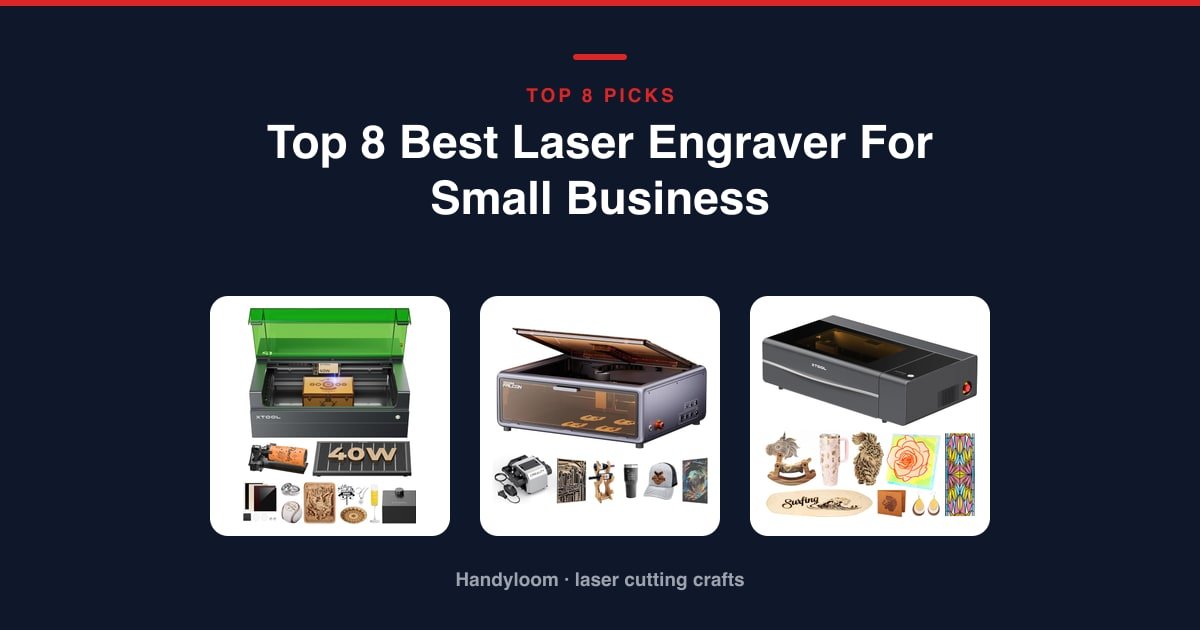
The best laser engraver for small business is the xTool S1 40W. It’s fully enclosed, rated to cut 18mm cherry in a single pass, and its Class 1 rating means staff or customers can stand nearby without goggles.
As an Amazon Associate, I earn from qualifying purchases.
Need to cut acrylic or thicker stock? The OMTech K40+ 45W is the cheapest way into CO2 here. Selling engraved metal or jewelry? The xTool F1 Ultra marks gold, silver and stainless from the same head that cuts wood.
Still testing whether anyone will buy? Start with the Ortur Laser Master 2 S2 for less than the cost of a decent phone, prove demand, then upgrade.
This roundup is for a shop scaling past hobby volume: an Etsy seller, a sign shop, a custom-gift or jewelry business. The picks run from a low-risk starter machine up to a production-grade CO2 rig.
Here’s the part nobody tells you. Buying the machine is the easy half. Insurance, a home-occupation permit, a dedicated circuit and real ventilation are the other half, and this guide covers all four.
One note on how we picked. These choices come from current Amazon listing data (specs, safety details and how deep each machine’s owner track record runs), not hands-on lab work. We haven’t run these units ourselves, so nothing here is “our test results.”
Our Top Picks for a Small Business
If you only read one section, read this. Here’s the fast verdict, each pick tied to a business use case.

xTool S1 40W
Enclosed, fast, and rated to cut 18mm cherry in one pass, with a Class 1 profile safe around staff and customers.
See it on Amazon
OMTech K40+ 45W
The cheapest step into cutting acrylic and thicker wood once diode power runs out.
See it on Amazon
xTool F1 Ultra
A dual fiber and diode head that marks precious metals and cuts wood, even in front of customers.
See it on AmazonComparison Table
Scan the laser-type column first. It decides more than price does: diode for wood and leather, CO2 for acrylic and thick cutting, fiber for metal. Full specs and enclosure details live in each card below.
| Photo | Machine | Best for | Score | Buy |
|---|---|---|---|---|
|
xTool S1 40W | Overall for a Small Business | 8.4/10 | Check price |
 |
Creality Falcon A1 | Budget Enclosed Machine | 8.3/10 | Check price |
 |
xTool P2S 55W CO2 | Production-Scale Cutting | 7.3/10 | Check price |
 |
GWEIKE G2 Max 50W | Dedicated Fiber Laser | 6.7/10 | Check price |
|
OMTech K40+ 45W | Entry Into CO2 Cutting | 6.6/10 | Check price |
 |
Ortur Laser Master 2 S2 | Cheap Way to Validate the Business | 6.6/10 | Check price |
 |
ATOMSTACK A20 Pro V2 | Value 20W for Scaling Throughput | 6.3/10 | Check price |
|
xTool F1 Ultra | Metal Marking and Jewelry | 6.2/10 | Check price |
Scroll sideways to see every column.
xTool S1 40W: Best Overall for a Small Business
If you’re ready to move past a starter machine and want one unit that handles most jobs safely, this is it.
The 40W diode cuts 18mm cherry in a single pass and runs up to 600mm/s. The 23.93 x 15.16 inch bed is big enough for door signs, and AutoPassthrough feeds material up to 118 inches long for batch signage runs.
Its Class 1 enclosure filters 99% of the laser light, so goggles aren’t needed. Add 5 flame sensors, an emergency stop and a lid-open stop, and you get the most shop-ready safety profile of the higher-power machines here. It also carries a solid, established owner track record.
- 40W diode cuts 18mm cherry wood in one pass at up to 600mm/s, on a bed large enough for door signs
- Class 1 enclosure with 5 flame sensors, an emergency stop and a lid-open stop, which matters with staff or customers nearby
- Auto-focus and pre-tested parameters for 400+ materials in xTool Creative Space cut the setup time between jobs
- AutoPassthrough handles material up to 118 inches long, handy for batch signage
- 3mm aerospace-grade aluminum frame, with xTool citing 71,830 hours of testing and 100% pre-shipment checks
- A serious capital outlay next to the open-frame diode machines here
- At 86.8 lb it needs a permanent bench, not a setup you carry to markets or pop-ups
- The diode still can’t cut metal; that side of a business needs a fiber laser
- Laser Type
- Diode
- Output
- 40 W
- Work Area
- 23.93 x 15.16 in
- Max Speed
- 600 mm/s
Best for: the all-round pick for a small business ready to move past a starter machine: enclosed, fast and rated to cut 18mm cherry in one pass.
OMTech K40+ 45W: Best Entry Into CO2 Cutting
When diode power runs out and you need to cut acrylic and thicker wood, this is the cheapest step up to CO2.
The 45W CO2 tube cuts 10mm acrylic and 8mm wood, and OMTech claims a 1.5 to 2x speed and 15 to 20% depth boost over the prior model. It engraves up to 300mm/s, with built-in air assist that auto-adjusts to laser power.
One thing to sort before you buy. Its safety spec lists Class 2 at 0.827 mW, a number that does not square with a 45W CO2 tube printed on the same page. Confirm the real classification with OMTech before you run it in a shared workspace.
- 45W CO2 tube cuts 10mm acrylic and 8mm wood, a real jump past diode power for commercial work
- Engraves up to 300mm/s, aimed at bulk orders
- Built-in air assist auto-adjusts to laser power, with door and water protection, an emergency stop and a flame-retardant acrylic panel
- OMTech backs it with 24/7 global support, 2 years of service and local demo appointments
- Detachable base and an optional rotary axis extend it to cylindrical items without a second machine
- Its safety spec lists Class 2 at 0.827 mW, which doesn’t reconcile with the 45W CO2 tube on the same page; verify the classification with OMTech first
- The 12 x 8 inch bed is the smallest of the CO2 and fiber machines in this lineup
- One of the thinnest owner track records here, so there’s less feedback to lean on
- Laser Type
- CO2
- Output
- 45 W (stated)
- Work Area
- 12 x 8 in
- Max Speed
- 300 mm/s
Best for: the entry point into CO2 cutting for a shop that has outgrown diode power but isn’t ready for a top-tier machine.
xTool F1 Ultra: Best for Metal Marking and Jewelry
For a personalization or jewelry business that needs to mark metal and cut wood or acrylic from one head, including in front of walk-in customers, this is the pick.
It stacks a 20W fiber and a 20W diode in a single head. The fiber marks gold, silver, stainless and titanium in seconds; the diode handles wood, acrylic, leather and glass. A 16MP camera plus Auto Streamline Production is built for batch runs, not one-off pieces.
It’s designed and sold for in-store customization, with a fully enclosed cover, smoke extraction, a fire alarm and an emergency stop. One gap worth knowing: it carries no numeric laser safety class, so you can’t verify that rating independently.
- Dual 20W fiber and 20W diode in one head: fiber marks metals in seconds, diode cuts wood, acrylic, leather and glass
- Built for shop use, with a fully enclosed cover, smoke extraction, a fire alarm and an emergency stop
- 16MP camera plus Auto Streamline Production (with the separately sold Auto Conveyor) is made for batch runs
- 10,000mm/s rated speed is the fastest of any machine in this lineup
- A large software user base and xTool’s own design library keep a steady stream of templates coming
- It costs well above the diode-only machines here, and the Auto Conveyor that powers its batch workflow is sold separately
- The 220 x 220mm work area is small next to the CO2 machines, so it suits marking and personalization, not large cutting jobs
- No numeric safety class is printed, so a shared-space setup relies on the enclosure without a stated rating to check
- Laser Type
- Fiber + diode
- Output
- 20 W + 20 W
- Work Area
- 220 x 220 mm
- Max Speed
- 10,000 mm/s
Best for: a personalization or jewelry business that needs to mark metal and cut wood or acrylic from the same head, including in front of customers.
GWEIKE G2 Max 50W: Best Dedicated Fiber Laser
Want dedicated fiber power for a metal-branding line without paying for xTool’s dual-laser head? This is the one.
The 50W fiber laser is rated for deep engraving and metal cutting at 15,000mm/s with 0.001mm accuracy, and it does 90+ color engraving on stainless steel and titanium. That’s a real product line for jewelry and branded-metal goods.
Think of it as a back-room machine. It’s Class 4 and open, relying on the included goggles and a protective cover rather than a sealed cabinet, so it isn’t storefront-safe. It also has the thinnest owner track record here, so there’s little feedback to lean on yet.
- 50W fiber laser rated for deep engraving and metal cutting, at 15,000mm/s and 0.001mm accuracy
- 150 x 150mm working area with an electric lift column for push-button focus
- Rated for 90+ color engraving on stainless steel and titanium, useful for branded-metal lines
- Detachable, 22 lb design moves between a bench and a job site, unlike the CO2 units here
- Dual red-light positioning speeds up job setup between pieces
- The thinnest owner track record in this lineup, so little proven history to rely on
- Class 4 and open: it leans on goggles and a protective cover, not a sealed enclosure
- A major investment for a single-purpose metal-marking tool
- Laser Type
- Fiber
- Output
- 50 W
- Work Area
- 150 x 150 mm
- Max Speed
- 15,000 mm/s
Best for: a metal-marking or jewelry-branding business that wants dedicated fiber power without buying xTool’s dual-laser F1 Ultra.
xTool P2S 55W CO2: Best for Production-Scale Cutting
For a shop scaling into production-grade CO2 cutting, this brings the biggest bed and the deepest cuts in the roundup.
The 55W CO2 tube cuts 20mm acrylic and 18mm black walnut in one pass, the deepest single-pass cut here. The 26 x 14 inch bed plus AutoPassthrough to 118 inches is built for real production, and dual 16MP cameras with LiDAR autofocus drive batch fill for serial numbers, names and designs in one go.
It’s an enclosed cabinet with AI fire detection, an auto lock, an emergency stop and a 233.3 CFM exhaust fan. Note the module itself is rated Class 4 despite the cabinet, so treat it as a supervised-access machine, not a walk-up one.
- 55W CO2 tube cuts 20mm acrylic and 18mm black walnut in one pass, the deepest single-pass cut in this lineup
- 26 x 14 inch bed plus AutoPassthrough for material up to 118 inches, built for production runs
- Dual 16MP cameras and LiDAR autofocus automate the batch-fill workflow for serial numbers and custom designs
- AI fire detection, an automatic lock, an emergency stop and a 233.3 CFM exhaust fan for daily shop use
- Works with the RA2 Pro rotary for tumblers, mugs and rings, extending it into drinkware
- The most expensive machine in this roundup by a wide margin
- At 130.7 lb and 44 inches wide it needs dedicated floor or bench space, not a spare desk
- The module is rated Class 4 despite the enclosed cabinet, so ventilation and access control still matter
- Laser Type
- CO2
- Output
- 55 W
- Work Area
- 26 x 14 in
- Max Speed
- 600 mm/s
Best for: a shop scaling into production-grade CO2 cutting: large bed, passthrough for long runs and batch-fill automation.
Creality Falcon A1: Best Budget Enclosed Machine
On a tight budget but still need a Class 1 enclosure for a shared or customer-facing space? This is the most affordable way to get one.
Its dual-door enclosure is rated Class 1, with a cover that filters 99% of laser radiation, an auto-lock, an emergency stop and smoke control. CoreXY motion runs at 600mm/s, which Creality puts at three times its traditional models.
A pre-calibrated HD camera places designs directly on the material without manual alignment, and it ships with preset parameters in Falcon Design Space while also running LightBurn, LaserGRBL and Cutlabx.
- Dual-door enclosure rated Class 1, with a cover that filters 99% of laser radiation, plus auto-lock, emergency stop and smoke control
- CoreXY motion at 600mm/s, three times Creality’s traditional models
- Pre-calibrated HD camera places designs directly on the material without manual alignment
- Preset material parameters in Falcon Design Space, and also runs LightBurn, LaserGRBL and Cutlabx
- The most affordable enclosed, Class-1-stated machine in this lineup
- The 10W diode won’t cut or mark metal like the fiber machines, and it can’t cut acrylic (engraving only, after coating)
- The 381 x 305mm work area is modest next to the CO2 and P2S beds
- Highly reflective or mirror-finished materials are off limits
- Laser Type
- Diode
- Output
- 10 W
- Work Area
- 381 x 305 mm
- Max Speed
- 600 mm/s
Best for: a budget-conscious small business that still needs a Class 1 enclosure for a shared or customer-facing space.
ATOMSTACK A20 Pro V2: Best Value 20W for Scaling Throughput
Scaling production on a tighter budget? This gives you more power and speed than a starter diode machine without CO2 or fiber pricing.
The 20,000mW diode engraves at 400mm/s, meaningfully faster than 5 to 10W hobby machines at a similar price. It’s marketed straight at personalized gifts, business cards, wood, metal, acrylic and leather, which lines up with a small custom-goods shop.
It’s Class 4 with a removable magnetic cover, not a sealed enclosure. A ventilated back room and the included goggles are non-negotiable, and assembly is required out of the box.
- 20,000mW diode at 400mm/s for meaningfully faster throughput than 5 to 10W hobby machines
- Marketed directly at personalized gifts, business cards, wood, metal, acrylic and leather
- Integrated linear guide motion and an aluminum alloy frame for a stated 10,000-hour lifespan
- Built-in limit switches and a cross-line light target 0.01mm accuracy for repeat runs
- ATOMSTACK backs it with 24/7 service, lifetime technical support and free replacement parts
- Removable magnetic cover only, not a sealed enclosure, so goggles and a ventilated space are still required
- Assembly required out of the box, unlike the pre-assembled enclosed units here
- At 20W it still trails the fiber and CO2 machines on metal work and thick cutting
- Laser Type
- Diode
- Output
- 20 W
- Max Speed
- 400 mm/s
- Frame
- Aluminum alloy
Best for: a business scaling production on a tighter budget: more power and speed than a starter diode machine without CO2 or fiber pricing.
Ortur Laser Master 2 S2: Best Cheap Way to Validate the Business
If you’re pre-revenue and just want to prove people will buy, this is the lowest-risk test in the roundup.
It has by far the deepest owner track record of any machine here, so you’re buying a well-understood tool. The 10,000mW module cuts up to 30mm acrylic and 20mm wood, and the 390 x 410mm area beats several pricier enclosed units. A G-sensor halts the laser if the machine is bumped or tilted, and it auto-stops on a dropped USB connection or when idle.
Treat it as a validation machine, not a long-term workhorse. If you aren’t selling anything yet, our home-use laser engraver roundup is the better place to start.
- By far the deepest owner track record in this lineup, giving you the most history to evaluate before committing
- 10,000mW module cuts up to 30mm acrylic and 20mm wood, competitive output for such an affordable machine
- 390 x 410mm engraving area is larger than several pricier enclosed units here
- G-sensor halts the laser on displacement or tilt, and auto-stops if the USB drops or the machine idles
- Full metal, modular frame built for repairs and part swaps
- Open Class 4 design with only a protective cover, so goggles and a ventilated space are mandatory once it runs daily for paying customers
- No camera, touchscreen or offline job queue, so it’s light on production conveniences the pricier machines include
- 10W diode power caps out well below what the fiber and CO2 machines here can cut or mark
- Laser Type
- Diode
- Output
- 10 W
- Work Area
- 390 x 410 mm
- Precision
- 0.05 x 0.1 mm
Best for: the lowest-risk way to validate a laser-engraving business idea before committing to a production-grade machine.
How to Choose a Laser Engraver for Your Business
Every choice below ties to a business decision, not a textbook definition. For the full deep dive, see our full laser engraver buying guide.
Diode vs CO2 vs Fiber: Match the Laser to Your Product Line
This is the highest-leverage decision you’ll make, and it happens before price. Get it wrong and no amount of wattage saves you.
Diode lasers suit wood and leather goods. CO2 lasers cut acrylic and thicker wood, going deeper per pass on those materials. Fiber lasers are the only type here that marks bare metal like stainless, brass and titanium.
No diode in this roundup cuts metal, and only a fiber laser marks bare stainless. So if your product line is engraved wood or leather, look at the S1, Falcon A1, A20 Pro V2 or Ortur. If it’s acrylic signage or thick cutting, look at the K40+ or P2S. If it’s metal or jewelry, it’s the F1 Ultra or G2 Max. Our guide to diode vs CO2 lasers explained covers the trade-offs in full.
The gap is clearest in single-pass cut depth. The S1’s 40W diode is rated for 18mm cherry in one pass; the K40+’s 45W CO2 tube for 10mm acrylic and 8mm wood; and the P2S’s 55W tube for 20mm acrylic and 18mm black walnut, the deepest single pass in this roundup. Read that ladder against your thickest product before you fixate on wattage alone, because a higher number on a different laser type doesn’t translate one to one.
Power and Work Area: Buy for Throughput, Not Bragging Rights
Wattage buys speed and cut depth per pass, and at order volume that’s money. A machine that clears a job in one pass instead of three triples what you can ship in a day.
Work area decides whether a job is even possible. The P2S gives you a 26 x 14 inch bed for signage-size pieces, while the G2 Max is a 150 x 150mm fiber machine built for small metal marking. Match the bed to your biggest product, not your average one.
Length is the other half of work area, and it’s where passthrough earns its keep. Both the S1 and the P2S feed material up to 118 inches through the machine with AutoPassthrough, so a run of long bar signs or shelf edges isn’t capped by the bed itself. A fixed-bed machine like the K40+, at 12 x 8 inches, forces you to break that same job into tiled sections and re-align each one by hand, which is where errors and wasted stock creep in on a bulk order.
Safety Class and Enclosure When Staff or Customers Are Around
A Class 1 enclosure means the beam is contained, so people can be in the room without goggles. That’s the S1 and the Falcon A1 in this lineup.
The P2S is enclosed too, but its module is rated Class 4, so treat it as supervised-access rather than walk-up. The G2 Max, A20 Pro V2 and Ortur are open Class 4 machines: goggles are mandatory and they belong in a back room, not at a customer counter.
Software and Repeatability for Batch Orders
The right software saves real hours between paid jobs. LightBurn support, a positioning camera and preset material libraries are what let you drop in a design and run it, instead of re-focusing by hand 40 times a day.
Cameras on the S1, F1 Ultra, P2S and Falcon A1 place artwork on the material automatically, which is the difference between a hobby setup and a shop that fills orders on time.
Preset material libraries matter just as much as the camera. The S1 ships pre-tested parameters for 400+ materials, the Falcon A1 runs Falcon Design Space presets alongside LightBurn, LaserGRBL and Cutlabx, and the K40+ leans on built-in air assist that auto-adjusts to laser power. Each one removes a round of trial cuts before a paid job, and trial cuts are scrap you can’t sell. On a machine with no presets, every new material is a fresh test session before the first real part.
Before You Buy: Insurance, Permits, and Wiring Nobody Mentions
Every competitor stops at specs and price. Here’s the operations reality of actually running the machine, with each claim hedged exactly as far as the source allows.
Tell Your Insurer Before You Sell a Single Item
A laser is a heat and fire-generating appliance, and standard homeowners or renters policies are written for residential risk, not commercial activity.
According to OMG Laser’s guide to home insurance, selling even one item can reclassify the activity as a business for insurance purposes, which may need a home-business endorsement or a separate commercial policy. That’s general guidance, not a universal law, so confirm the details with your own insurer before you list anything for sale.
Check Local Permits for a Home-Based Shop
Running a light-manufacturing device for profit at home can require a home-occupation permit, and requirements vary by municipality.
The honest advice is to call your local planning department before you buy, not after the machine ships. Rather than chase an invented break-even number, think of time-to-profit simply as machine cost divided by your margin per product. Our walkthrough on how to start a laser engraving business covers the setup steps in order.
Plan a Dedicated Circuit for a 50-100W CO2 Machine
Here’s a gap no competitor states: a CO2 laser’s rated tube wattage is optical output, not what it pulls from the wall.
In a Sawmill Creek owners’ thread, laser-cutter owners report a machine drawing roughly four to five times its rated tube wattage once the power supply, chiller, air assist and exhaust run, with the exhaust fan often the single biggest draw. That’s practitioner experience, not an engineering guarantee.
The practical takeaway for the K40+ and P2S tier: budget for a dedicated 15-20A 220V circuit rather than a shared outlet, and check your own machine’s manual for the exact figures.
Ventilation: What a Class 1 Enclosure Does and Does Not Solve
It’s easy to assume that “enclosed” means “safe, done.” It doesn’t. A Class 1 enclosure contains the beam. It does nothing about the fumes.
According to Laser Engraving Tips, even enclosed Class 1 machines generate fumes internally and still need their exhaust vented outside or run through a filtration system. Left alone, a closed cabinet just concentrates those fumes and releases them every time you open the door.
This applies to the enclosed S1, the Falcon A1 and the P2S just as much as it does to an open-frame rig. The P2S ships a 233.3 CFM exhaust fan, but a fan still needs somewhere to vent to. Plan an outside vent or a real filter from day one.
If you’re setting up a room, our laser engraver ventilation guide walks through the options in detail.
Which One Should You Buy First?
Here’s the decision path, not a recap.
- Pre-revenue, testing demand: start with the Ortur Laser Master 2 S2 and prove people will buy.
- First serious machine with customers around: the xTool S1 gives you enclosed, Class 1 safety and a bed big enough for most jobs.
- Product line is acrylic or thick cuts: the OMTech K40+ now, stepping up to the xTool P2S when order volume forces it.
- Product line is metal or jewelry: the xTool F1 Ultra for a storefront, or the GWEIKE G2 Max for a back room.
Whatever you pick, sort the insurance, permit and wiring from the section above before the machine arrives, so day one is production, not paperwork. Once you’re running, our list of the most profitable laser engraving products is the natural next read.
Frequently Asked Questions
What type of laser is best for a small business?
It depends on your product line. Diode lasers suit wood and leather goods, CO2 handles acrylic and thicker cutting, and fiber marks metal. Match the laser to what you sell, not to the price tag.
Can a diode laser engraver cut metal?
No machine in this lineup cuts metal with a diode. Marking bare metals takes a fiber laser like the F1 Ultra or the G2 Max.
Do I need insurance to sell laser-engraved products from home?
Selling even one item can reclassify the activity as a business for insurance purposes, and standard homeowners policies aren’t written for a commercial fire-risk appliance. Tell your insurer and ask about a home-business endorsement.
What electrical setup does a CO2 laser engraver need?
Owners report that a business-class CO2 machine draws several times its rated tube wattage from the wall once cooling and exhaust run. Plan a dedicated 15-20A 220V circuit and check your machine’s manual for exact figures.
Is an enclosed Class 1 laser safe to run around customers?
A Class 1 enclosure contains the beam, which is why machines like the xTool S1 suit shared spaces. It does not remove the need for active fume extraction, though.
How much should a small business spend on its first laser engraver?
If you’re pre-revenue, validate demand first on an affordable machine like the Ortur. Move to the enclosed mid tier once orders are steady, and only buy the CO2 or fiber tier when a specific product line demands it.
