5 Best Replacement Blades for Silhouette Portrait (November 2026)
The best Silhouette Portrait replacement blades include the Replacement Silhouette Blade for Cameo for everyday Portrait cutting, the Silhouette Premium Blade for longer blade life, and the Silhouette SILHBLADEAUTO Cameo 3 Auto Blade Replacement for automatic depth setting.
On this page (11 sections)
- How to choose the best Silhouette Portrait replacement blade
- The best Silhouette Portrait replacement blades in detail
- Side by side comparison
- How we compared these blades
- Which Portrait generation do you own?
- What depth control do you prefer?
- Which blade angle fits your materials?
- What should you keep in your craft box?
- How should you set up and care for a new blade?
- What are the trade offs between these five options?
- Our verdict on the best Silhouette Portrait replacement blade
The best Silhouette Portrait replacement blade for most owners is the Replacement Silhouette Blade for Cameo, because it fits Cameo, Portrait and Curio machines and adjusts from 0.1 mm to 1 mm. If you cut daily, the Silhouette Premium Blade offers tungsten alloy construction that Silhouette says lasts up to 3 times longer than standard blades.
If you want automatic depth setting, the AutoBlade covers that job for Cameo 3, and the EVISWIY CB09 set gives you 30, 45 and 60 degree points for different materials.
Our score weighs specs, features and buyer feedback against what you are shopping for. A Portrait blade needs the right fit first, then the right depth control, then a point shape that matches your materials.
Price tier alone does not decide the score, because a cheap point that tears vinyl costs more time than a mid range point that cuts clean.
Start with what is a vinyl cutting machine if you are new to this type of cutter. That guide explains how the machine, mat, blade and software work together.
For Portrait mat options, see Silhouette Portrait cutting mats.
Then use this roundup to match a blade to your Portrait generation and your usual materials.
Our picks at a glance
-
1
 Best for everyday Portrait cutting
Replacement Silhouette Blade for Cameo
9.7/10 our score
See it on Amazon -
2

-
3
 Best for automatic depth setting
Silhouette SILHBLADEAUTO Cameo 3 Auto Blade Replacement
9.5/10 our score
See it on Amazon
- 4
 Check it
UTNVBTR Deep Point Blade + Housing
Best for thick materials on Cricut - 5
 Check it
EVISWIY CB09 Blades for Silhouette Cameo 4/4
Best for choice of blade angles
How to choose the best Silhouette Portrait replacement blade
The best choice depends on your Portrait generation, your materials and how you prefer to set depth. Check generation fit before blade shape, because a point that does not seat correctly cannot cut well.
We compared the five options above by fit, depth control, blade angle, material range and what is in the box. We checked the specs for each model, including holders, counts and compatible machines.
We also looked for clear trade offs, such as manual adjustment against automatic adjustment, or one blade against a multi angle set.
A note on generation matters here. The guide evidence says to choose replacement blades compatible with different Portrait machine generations.
Portrait, Portrait 2 and Portrait 3 owners may use different holders and blade types. The EVISWIY set is listed for Portrait machines in general, while the AutoBlade is listed for Cameo 3.
Confirm your exact model and holder before you buy any of them.
For general cutter shopping, our best vinyl cutter silhouette guide covers the machines themselves. That helps if a dull blade has made you suspect the machine, when the real fault may be a worn point.
The best Silhouette Portrait replacement blades in detail
Replacement Silhouette Blade for Cameo: Best for everyday Portrait cutting
- Ratchet style blade
- 0.1 mm to 1 mm adjustable carbide blade
- Includes adjustment tool and ratchet cap
- For Cameo, Portrait and Curio cutting machines
A broad fit ratchet blade for Cameo, Portrait and Curio machines, with manual depth control for common cutting materials.
Pros
- Fits Cameo, Portrait and Curio machines
- Wide 0.1 mm to 1 mm depth range
- Includes adjustment tool and ratchet cap
Cons
- Manual depth adjustment
- Single blade in the package
This blade suits Portrait owners who cut vinyl, cardstock and fabric and want one dependable point. Silhouette America lists it for Cameo, Portrait and Curio cutting machines, so it covers the main Silhouette range.
Its ratchet depth adjustment runs from 0.1 mm to 1 mm. That range lets you dial in a shallow cut for vinyl or a deeper cut for cardstock and chipboard.
You set the depth by hand and use the included adjustment tool and ratchet cap.
The package includes one blade and one ratchet cap, in a 3.4 x 5.75 inch pack. That is enough to get cutting, but it is still one point, so a spare is worth keeping in your craft box.
Against the Premium Blade, this pick trades tungsten alloy life claims for broad listed fit and a clear depth range. Against the EVISWIY set, it gives you one point instead of three angles.
For most Portrait owners, that focus is a strength, not a limit.
Silhouette Premium Blade: Best for longer blade life
- Premium tungsten alloy
- Silhouette says up to 3x longer life than standard blades
- Fits all Silhouette cutting machines
- Manual operation
A tungsten alloy blade aimed at owners who cut vinyl and cardstock often and want fewer replacements.
Pros
- Tungsten alloy construction
- Fits all Silhouette cutting machines
- Compact package for storage
Cons
- Manual depth adjustment
- Single blade in the package
This blade suits frequent cutters who use vinyl, heat transfer material, paper and cardstock. Silhouette America makes it from premium tungsten alloy, and says it lasts up to 3 times longer than standard blades.
It is listed to fit all Silhouette cutting machines, including Cameo 3. That broad fit helps Portrait owners, provided you confirm it seats in your holder and generation.
Operation is manual, so you set depth yourself for each material. The compact package measures 2.75 x 4 x 0.875 inches, which makes storage easy in a small craft drawer.
The trade off against the top pick is depth control style and package contents. This blade focuses on alloy life, while the top pick highlights its 0.1 mm to 1 mm ratchet range and included adjustment tool.
Choose this one if blade life matters more than the adjustment tool in the box.
Silhouette SILHBLADEAUTO Cameo 3 Auto Blade Replacement: Best for automatic depth setting
- Automatic depth adjustment from software settings
- Sintered tungsten alloy
- One Cameo AutoBlade included
- For Silhouette Cameo 3
An AutoBlade that lets the machine set depth from your software settings, for Cameo 3 use.
Pros
- Automatic depth from software
- Sintered tungsten alloy
- Simple one blade package
Cons
- Listed for Cameo 3, so confirm Portrait generation fit
- Single blade in the package
This AutoBlade suits Cameo 3 owners who want the machine to set depth from software settings. Silhouette America lists it for the Silhouette Cameo 3, with one Cameo AutoBlade in the package.
Its depth adjustment is automatic and controlled by software configuration. That removes manual dial work for everyday cutting, which suits owners who switch materials often.
The blade is sintered tungsten alloy, built for precise everyday cutting on card stock and other listed materials. The package measures 2.5 x 6.25 x 0.75 inches and contains one autoblade.
The main caution for Portrait shoppers is fit. This model is listed for Cameo 3, so Portrait owners should confirm generation compatibility before treating it as a Portrait blade.
For the right machine, automatic depth is the clear benefit. For the wrong generation, fit comes first.
UTNVBTR Deep Point Blade + Housing: Best for thick materials on Cricut
- 6 deep point blades plus housing
- 60 degree deep cut blade
- For Maker and Explore machines
- For chipboard, thick cardstock, foam and cardboard
A deep point set for Cricut Maker and Explore machines and thicker materials, not a Silhouette Portrait blade.
Pros
- Six blades plus housing
- Made for thicker materials
- Deep point design for complex cuts
Cons
- Not for Silhouette Portrait machines
- Cricut Maker and Explore fit only
This set suits Cricut owners, not Silhouette Portrait owners. UTNVBTR lists it for Maker 3, Maker 4, Maker, Explore 3, Explore 4, Explore Air 2, Air, One and Venture machines.
It includes 6 deep point blades plus a housing, with a 60 degree point for thicker materials. UTNVBTR recommends it for chipboard, rubber sheets, thick cardstock, stiffened felt, foam sheets and cardboard.
Against the Silhouette picks, the trade off is total. This set offers depth and count for Cricut machines, but it will not seat in a Portrait holder.
We included it to prevent a costly mismatch, because deep point sets can look like Silhouette blades in search results.
If you own a Cricut Maker or Explore machine, our best cricut maker fine point blade replacement guide covers that side of the shop. If you own a Portrait, skip this set and choose one of the Silhouette fits above.
EVISWIY CB09 Blades for Silhouette Cameo 4/4: Best for choice of blade angles
- 15 blades plus holder, 16 items total
- Five each in 30, 45 and 60 degree
- For Cameo 1, 2, 3, 4, Portrait and Curio
- Manual depth adjustment
A multi angle CB09 set with a holder, for Portrait owners who want different points for vinyl, fabric and cardstock.
Pros
- Three blade angles in one set
- Includes blade holder
- Fits Portrait, Cameo and Curio
Cons
- Manual depth for every blade
- More blades to store and label
This set suits Portrait owners who want to match blade angle to the job. EVISWIY lists it for Silhouette Cameo 1, 2, 3 and 4, Portrait, Curio and Graphtec 6000 and CE 5000-60 plotters.
The box holds 15 blades plus one blade holder, for 16 items total. You get five 30 degree blades with yellow caps, five 45 degree blades with red caps and five 60 degree blades with blue caps.
EVISWIY recommends the 45 degree blade for most general purpose cuts. It recommends the 60 degree blade for intricate and delicate cuts, and the 30 degree blade for fabric, thin cardboard and leather.
All blades in this set need manual depth adjustment, with no automatic depth setting in Silhouette software. That is the trade off against the AutoBlade.
In return, you get three points in one package and a holder for CB09 style blades.
Side by side comparison
| Product | Best for | Blade type | Adjustable depth | Materials | Our score |
|---|---|---|---|---|---|
| Replacement Silhouette Blade for Cameo | everyday Portrait cutting | Ratchet | 0.1 mm to 1 mm | Vinyl, cardstock, chipboard, fabric | 9.7 |
| Silhouette Premium Blade | longer blade life | Paper, cardstock, vinyl, heat transfer material | 9.6 | ||
| Silhouette SILHBLADEAUTO Cameo 3 Auto Blade Replacement | automatic depth setting | 9.5 | |||
| UTNVBTR Deep Point Blade + Housing | thick materials on Cricut | 9.4 | |||
| EVISWIY CB09 Blades for Silhouette Cameo 4/4 | choice of blade angles | 9.0 |
The table shows why generation fit matters more than blade count. The top two picks are single Silhouette blades with manual control.
The AutoBlade removes manual depth work but is listed for Cameo 3. The UTNVBTR set is a Cricut option, and the EVISWIY set is the only multi angle option here.
Use the comparison to narrow by machine first. Portrait owners should start with the top pick, the Premium Blade or the EVISWIY set.
Cameo 3 owners can also consider the AutoBlade. Cricut Maker and Explore owners should look at the UTNVBTR set instead.
Our best silhouette cameo replacement blades guide covers the wider Cameo range. That is useful if you own both a Cameo and a Portrait, or if you are comparing blade types across the two machines.
How we compared these blades
We checked specs, fit lists, materials, counts and depth control for each option. We looked at what is included, such as holders, caps, adjustment tools and blade counts.
We also compared manual adjustment against automatic adjustment, because that choice affects daily use.
We did not test these blades hands on. We compared the published specs and buyer patterns, and we flag fit risks where a model is listed for a different machine.
The UTNVBTR count and the AutoBlade fit are used as warnings in the guide above.
Buyers often mention that a fresh blade changes cut quality more than a settings change. That pattern matches the specs here.
A dull point drags vinyl, tears cardstock edges and misses small details, while a fresh point with correct depth cuts clean.
Which Portrait generation do you own?
Your generation decides which holders and blades will seat correctly. Match the blade to your exact Portrait model before you compare angles or alloys.
Portrait and Portrait 2
Older Portrait machines often use ratchet style blades and CB09 style holders. The top pick and the EVISWIY set are the safest starting points here.
Confirm that your holder accepts the blade you choose.
Portrait 3
Portrait 3 owners should check holder and AutoBlade rules first. Our how to use silhouette portrait 3 guide covers setup and use for that generation.
If your machine uses an autoblade, manual ratchet blades may not be the right fit.
Cameo machines as a cross check
Some blades in this guide list Cameo and Portrait together. That shared listing helps, but it does not replace a generation check.
Read the fit list for your exact machine, not just the family name.
What depth control do you prefer?
Depth control changes how you work day to day. Manual depth gives you control, and automatic depth saves settings work.
Ratchet and manual depth
The top pick uses a ratchet cap with 0.1 mm to 1 mm adjustment. The Premium Blade and the EVISWIY set also use manual operation.
This style suits owners who cut a few materials and learn the right setting for each one.
Manual depth also means you must reset the blade when you change material. A vinyl setting will not suit chipboard, and a cardstock setting may cut too deep for heat transfer material.
Automatic depth
The AutoBlade adjusts depth from software settings. That helps when you switch jobs often and want the machine to apply the setting.
It is listed for Cameo 3, so confirm fit before you choose it for a Portrait.
What manual depth means in daily use
With manual blades from this guide, you set depth as a continuous variable for the material in the machine. Test on a scrap piece first.
That test cut tells you more than any setting chart, because material thickness varies by brand and batch.
Which blade angle fits your materials?
Blade angle shapes the point at the tip. Use 45 degree for most jobs, 60 degree for fine detail and 30 degree for fabric and leather.
45 degree blades
The EVISWIY set uses 45 degree red cap blades for general purpose cuts. Most vinyl, paper and cardstock work falls in this range.
If you buy a multi angle set, you will use these points most often.
60 degree blades
The EVISWIY blue cap blades use 60 degree points for intricate and delicate cuts. The UTNVBTR deep point set also uses a 60 degree angle, but for Cricut machines and thicker materials.
Do not mix that Cricut fit with Silhouette use.
30 degree blades
EVISWIY recommends 30 degree yellow cap blades for fabric, thin cardboard and leather. A sharper, more acute point helps with those materials, but it also needs care in storage.
Keep the point capped when it is not in the holder.
For material choice, our best silhouette portrait vinyl guide helps you match vinyl type to blade depth. A fresh blade and the right vinyl matter as much as the angle.
What should you keep in your craft box?
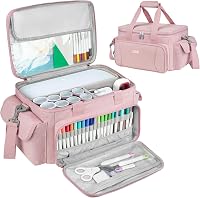
A spare blade is part of good cutting practice. Keep at least one spare point in your craft box, so a dull blade does not end a project mid cut.
The top pick includes one blade and one ratchet cap. The Premium Blade includes one blade in a compact pack.
The EVISWIY set includes 15 blades and a holder, which gives you spares for each angle.
Store spare points in caps or cases, away from mats and tools that can bend the tip. Keep the holder clean, and check the tip under light before you load it.
A bent or chipped point will tear material even at the right depth.
For holders, mats and tools, our best silhouette portrait accessories guide covers the other parts of the setup. A blade works best when the mat, holder and machine are clean and in good shape.
How should you set up and care for a new blade?
Setup is simple, but it rewards care. Load the blade, set depth for the material, then test on scrap before you cut your project.
Start by seating the blade or holder fully in the carriage. Set depth for the material you loaded, not the material you cut last.
Run a small test shape on scrap vinyl or cardstock, then check the cut depth and release.
Clean the holder after heavy jobs, especially after fabric or chipboard. Remove lint and debris that can cause drag.
Store the blade capped, and keep spare points in their holders or cases.
If cuts drag or tear, check depth first, then point condition. A dull point at the right depth still cuts poorly.
Replace the point rather than forcing the machine to cut deeper, because extra force can damage the mat, the holder and the material.
What are the trade offs between these five options?
Each option solves a different problem. The top pick wins on fit and depth range, the Premium Blade on alloy life, and the EVISWIY set on angle choice.
The AutoBlade wins on automatic depth for Cameo 3, but its fit list limits Portrait use. The UTNVBTR set wins on count and thick material reach for Cricut owners, but it does not fit a Portrait at all.
Single blades are simpler to store and use. Multi blade sets cost more in storage and care, but they save repeat orders when you change materials.
Manual blades suit owners who like control. Automatic blades suit owners who switch jobs often.
Choose by machine, then by material, then by depth style. That order prevents the most common mistake, which is buying a good blade for the wrong generation.
Our verdict on the best Silhouette Portrait replacement blade
Pick the Replacement Silhouette Blade for Cameo if you want the best all round Portrait blade. Its ratchet range, listed Portrait fit and included adjustment tool cover most vinyl, cardstock and fabric jobs.
Pick the Silhouette Premium Blade if you cut often and want tungsten alloy life. Pick the EVISWIY CB09 set if you want 30, 45 and 60 degree points in one box.
Pick the AutoBlade only for Cameo 3 use, after you confirm fit. Skip the UTNVBTR set for a Portrait, because it fits Cricut Maker and Explore machines.
Before you order, confirm your exact Portrait generation and holder type. Then match blade angle to your materials and set depth on scrap first.
Those two checks will help this replacement blade choice last longer and cut cleaner.
Our top 3 picks at a glance
-
1
Best for everyday Portrait cutting
Replacement Silhouette Blade for Cameo
9.7/10 our score
See it on Amazon -
2
-
3
Best for automatic depth setting
Silhouette SILHBLADEAUTO Cameo 3 Auto Blade Replacement
9.5/10 our score
See it on Amazon
Frequently asked questions
What is the best Silhouette Portrait replacement blade?
For most Portrait owners, the Replacement Silhouette Blade for Cameo is the safest first pick. Its ratchet depth range of 0.1 mm to 1 mm covers vinyl, cardstock and fabric.
Choose the Premium Blade if you cut often and want tungsten alloy life, or the EVISWIY set if you want 30, 45 and 60 degree points.
Will a Cameo blade fit a Silhouette Portrait?
Many blades in this guide are listed for both Cameo and Portrait machines, including the top pick and the EVISWIY CB09 set. Always match the blade and holder to your exact Portrait generation before you order.
A blade made for Cricut Maker or Explore machines will not fit a Portrait.
How do I choose between 30, 45 and 60 degree blades?
Use 45 degree for most general purpose cuts, including regular vinyl and cardstock. The 60 degree point suits intricate and delicate cuts.
The 30 degree point is suited to fabric, thin cardboard and leather.
The EVISWIY set gives you all three angles, while single blades give you one fixed point.
How often should I replace a Portrait blade?
Replace a blade when cuts tear, drag, miss small details or need more force to cut cleanly. Keep a spare blade in your craft box so a dull point does not stop a project.
Store spare points in their caps and keep the holder clean and dry between uses.