9 Best Glass Engravers (November 2026)
The best glass engraving tools include the 24W Handheld Engraver Pen with 1 Stencil for first glass projects, the HARDELL Engraving Pen for cordless detail work, and the NEIKO 10576A Handheld Electric Engraver Tool for adjustable stroke depth.
On this page (9 sections)
- The best glass engravers for hand and machine work
- How these glass engraving tools were compared
- Should you choose a pen or a laser for glass?
- What should you look for in the best glass engraver?
- Is cordless power better for glass engraving?
- How do you engrave glass safely with a rotary tool?
- What mistakes should beginners avoid?
- Can one engraving pen handle other materials?
- Verdict: which is the best glass engraver?
The best glass engraver for most beginners is the 24W Handheld Engraver Pen with 1 Stencil, because it names glass use, supplies 4 bits and keeps the work in your hand. Choose the HARDELL for cordless speed, NEIKO for adjustable stroke depth, or a laser for repeatable digital artwork.
Handheld engraving is the better starting point for names, simple outlines, small decorations and one-off gifts. A laser machine makes more sense when you want the same design repeated across several pieces.
If you are new to this tool type, our rotary tool guide explains the controls, bits and material choices that affect everyday work. For a pen-shaped option, see our guide to the best pen engraving tool.
Our picks at a glance
-
1
 Best for first glass projects
24W Handheld Engraver Pen with 1 Stencil
9.7/10 our score
See it on Amazon -
2
-
3
 Best for adjustable stroke depth
NEIKO 10576A Handheld Electric Engraver Tool
9.3/10 our score
See it on Amazon
- 4
 Check it
Uolor USB Rechargable Engraving Pen
Best for a large bit selection - 5
 Check it
Carverall K15 Pro Laser Engraver 10W Laser
Best for repeatable glass designs - 6
 Best for visible work guidanceCheck it
- 7
 Best for portable sketchingCheck it
- 8
 Check it
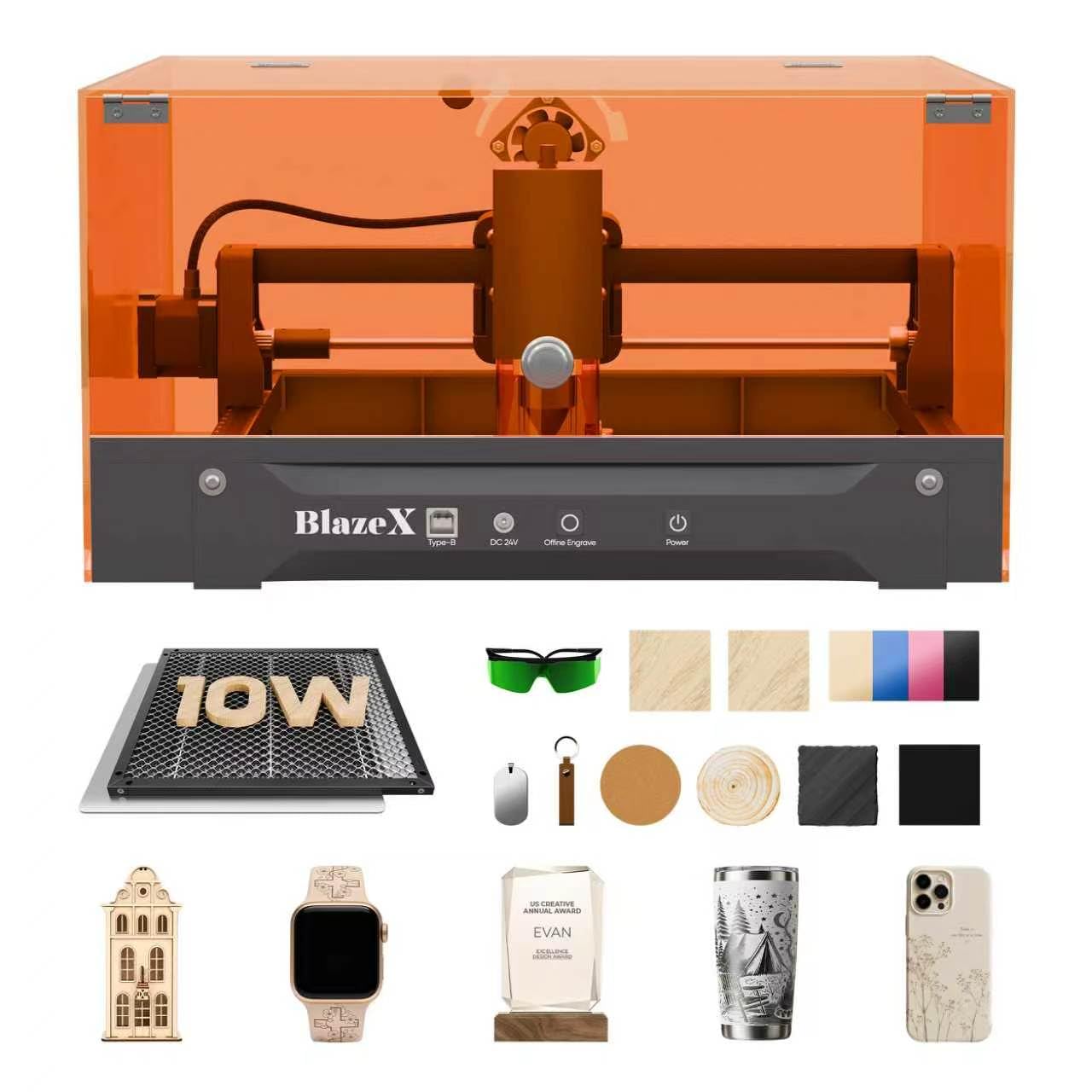
BlazeX M3 10W Laser Engraver Machine
Best for enclosed laser projects - 9
 Check it
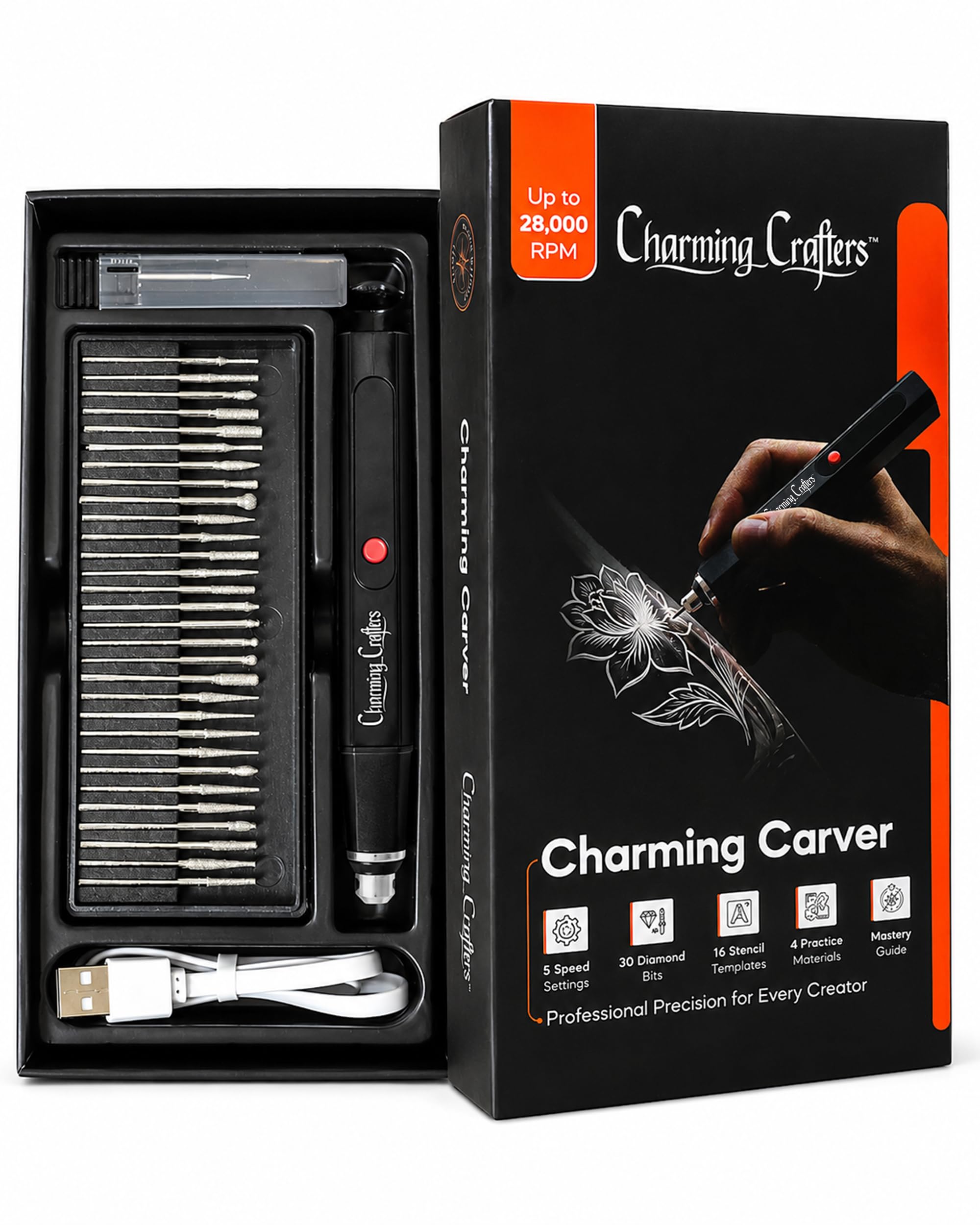
Charming Carver Engraving Pen-Wood
Best for broad craft materials
The best glass engravers for hand and machine work
The best glass engraver depends on how you want to draw. Handheld pens give direct control, while lasers trade freehand movement for repeatable digital positioning.
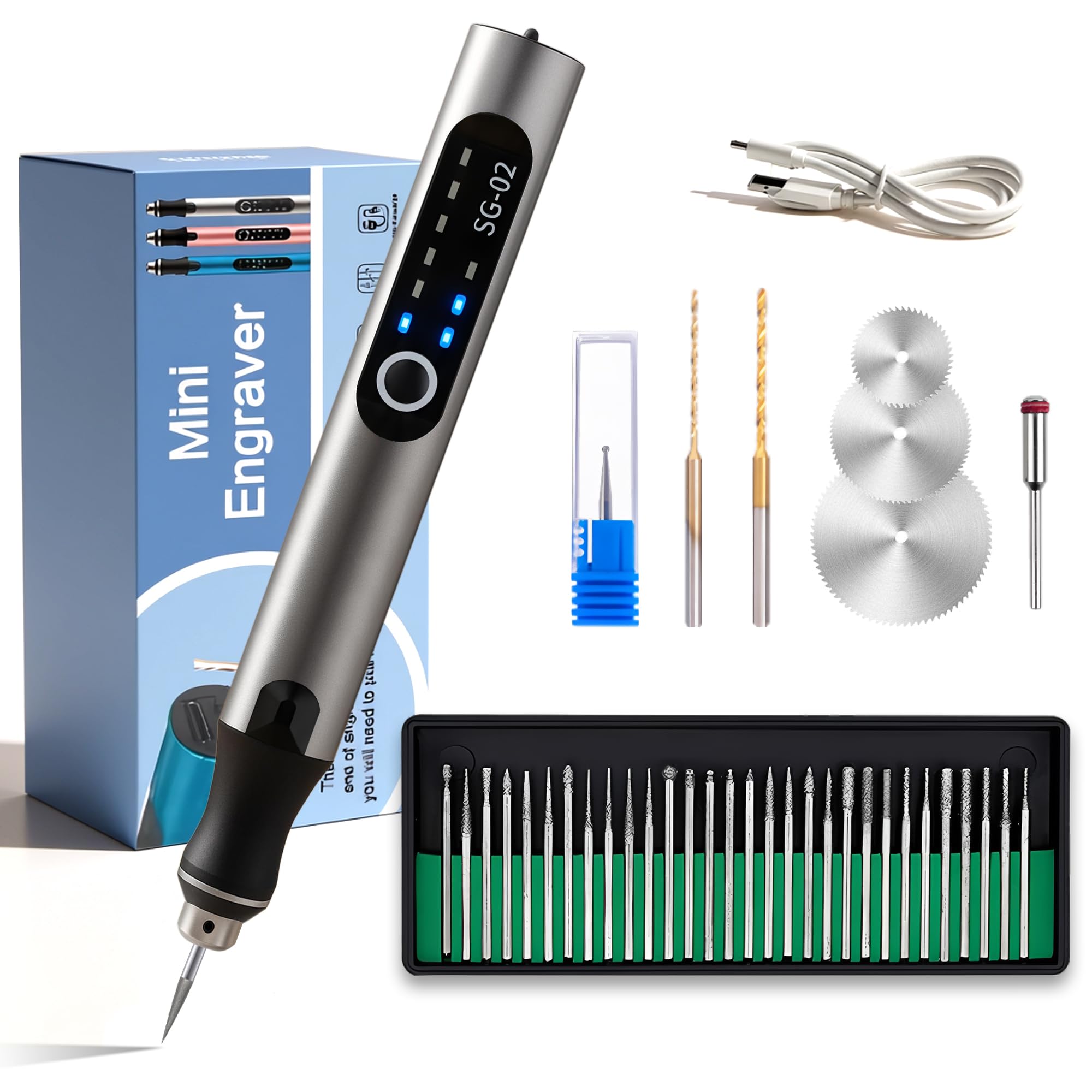
24W Handheld Engraver Pen with 1 Stencil: Best for first glass projects
- 24W
- 4 bits
- 1 stencil
- Works with wood, metal and glass
This pen gives beginners a direct starting point for glass decoration. The included stencil and 4 bits support simple labels, outlines and small designs.
Pros
- Names glass use directly
- Higher stated power than the other handheld pens here
- Includes 4 bits and 1 stencil
Cons
- The title does not specify speed control
- Manual results depend on hand movement
The 24W Handheld Engraver Pen with 1 Stencil is the most direct choice for a first glass project. Its title names wood, metal and glass, so it fits a craft drawer that needs more than one material option.
The 24W rating gives this pen a clear power position among the handheld products here. It also includes 4 bits, which gives you more starting options than products whose titles do not specify a bit count.
The included stencil can help with basic lettering and shapes. That matters when you want a clean label but do not yet trust your freehand spacing.
This is still a manual tool. For a rotary-tool comparison, read the Dremel 4300 rotary tool review.
The finish depends on how steadily you guide the pen, how much pressure you use and how you break a design into small passes.
A stencil can guide the shape, but it does not remove the need to control your hand.
Choose it for simple glass gifts, names and outlines. If you need speed information or a display while working, the USB-C rechargeable pen with an LCD display offers more stated guidance features.
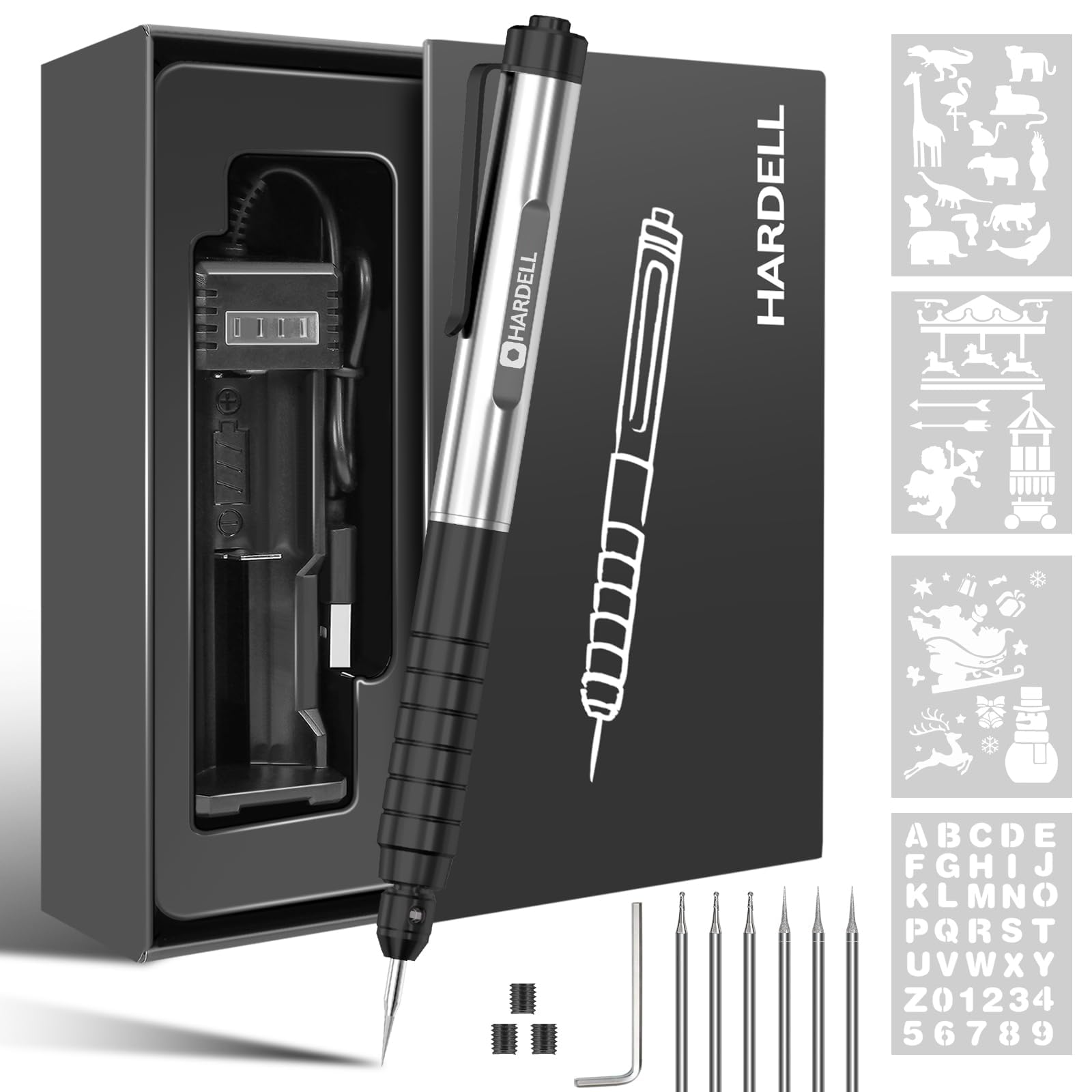
HARDELL Engraving Pen: Best for cordless detail work
- Cordless
- 37000 RPM
- Works with metal, wood and glass
- DIY use
The HARDELL combines cordless use with a stated 37000 RPM speed. It suits small glass projects where keeping a cable away from the work matters.
Pros
- Cordless design
- High stated speed
- Names glass, wood and metal use
Cons
- The title does not specify bits or a stencil
- High speed needs careful hand control
The HARDELL Engraving Pen is the best fit for buyers who want cordless movement and a clearly stated high speed. Its title gives a 37000 RPM speed and names metal, wood and glass as its working materials.
Cordless use keeps a power cable away from the glass and gives you more freedom to turn a small blank while drawing. For more portable tool options, compare cordless rotary tools.
That can help with short names, curved outlines and small decorative marks.
The trade-off is that the title does not specify bits, a stencil or speed settings. The high stated speed may suit quick material removal, but it also makes controlled movement important.
Start with small passes rather than pressing hard and trying to finish a line at once.
This pen suits someone who already understands the feel of a rotary tool or wants a portable option for occasional projects. Beginners who want more visible control may prefer the 5-speed LCD pen, while buyers who want a stencil and several named bits may prefer the 24W pick.
NEIKO 10576A Handheld Electric Engraver Tool: Best for adjustable stroke depth
- 120V corded electric power
- Tungsten carbide tip
- 5 adjustable stroke modes
- 2 stencils
NEIKO gives you a corded tool with 5 stroke-depth modes, a replaceable tungsten carbide tip and 2 stencils. It suits careful labeling across glass and other hard surfaces.
Pros
- 5 depth modes
- Replaceable tungsten carbide tip
- 2 stencils included
Cons
- Corded rather than cordless
- 7200 RPM is slower than the HARDELL's stated speed
The NEIKO 10576A Handheld Electric Engraver Tool is the strongest choice when you want to change the depth of the stroke. Its 5 adjustable modes let you choose a shallower or deeper needle movement for different work.
NEIKO uses a replaceable tungsten carbide tip, and the title names metal, wood, glass and plastic. Two included stencils add support for numbers and shapes, which makes the tool useful for labels and simple customization.
This is a 120V corded electric engraver with a stated speed of 7200 RPM. The cord means you need a nearby outlet and enough slack to move the work safely.
In return, you do not need to plan around cordless charging.
The lower stated speed compared with the HARDELL may appeal to buyers who want a more deliberate pace. The adjustable stroke depth also gives it a control advantage over pens whose titles do not name depth settings.
Choose NEIKO for repeatable manual labels, shallow marks on fragile work and projects where a replaceable tip matters. For a portable tool, choose a cordless pen instead.
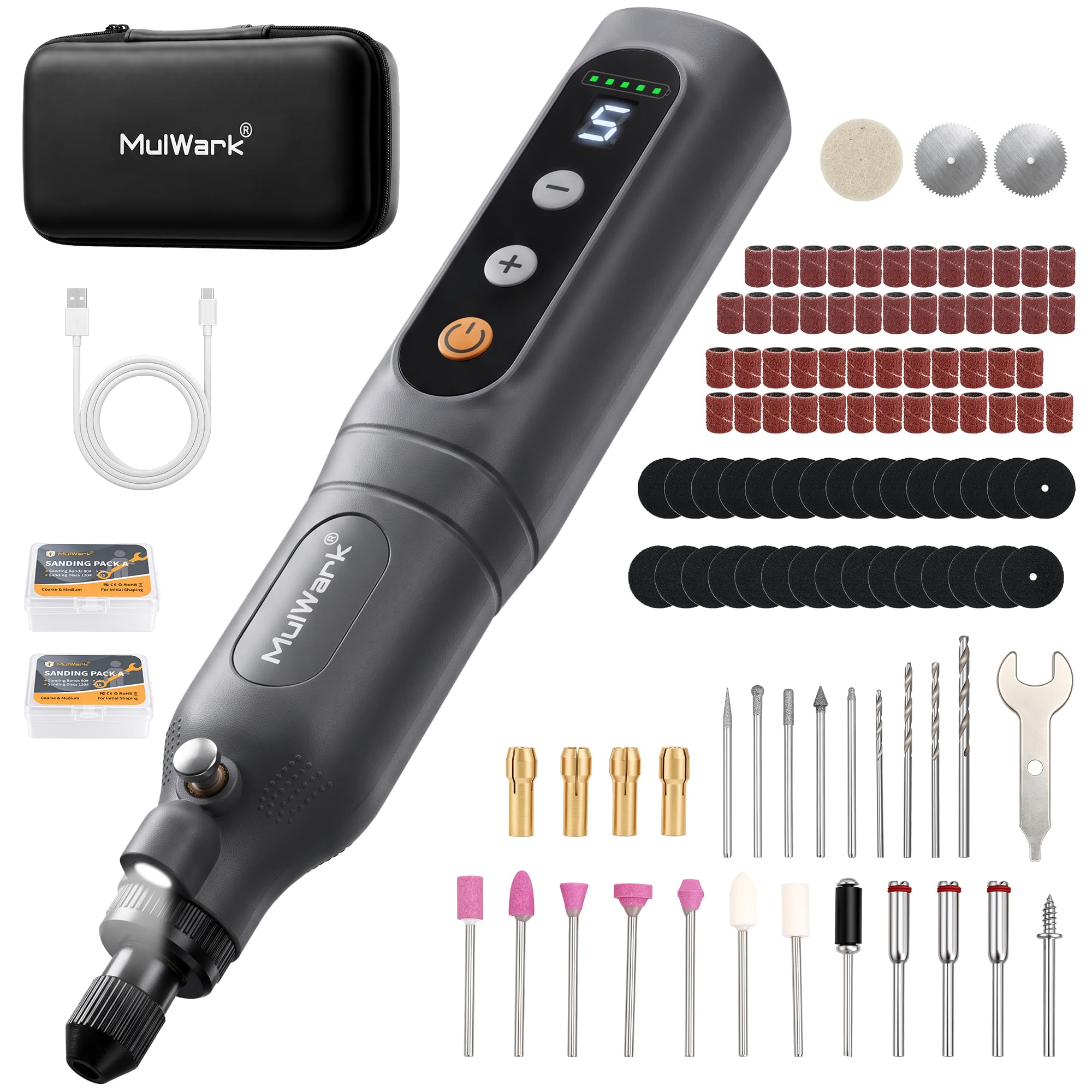
Uolor USB Rechargable Engraving Pen: Best for a large bit selection
- USB rechargeable
- 42 bits
- Cordless rotary tool
- Works with jewelry, wood, metal, stone, plastic and glass
Uolor stands out for its 42 bits and USB rechargeable format. It fits makers who want one small tool for glass plus several craft materials.
Pros
- 42 bits
- USB rechargeable
- Works with glass and several other materials
Cons
- More bits can make selection slower for beginners
- The title does not specify speed
The Uolor USB Rechargable Engraving Pen is the broadest bit-focused choice here. It includes 42 bits, uses USB charging and names jewelry, wood, metal, stone, plastic and glass as supported materials.
That range suits a maker who wants one small rotary tool for several craft tasks. You can use the same pen format for a glass decoration, a jewelry project or a mark on wood without moving to a separate machine.
The large bit count is also the main trade-off. Beginners may need time to sort through 42 options and decide which shape suits a line, mark or textured area.
A smaller set can feel simpler when the project is only a name on a glass.
The title does not specify speed, display or stroke-depth control. That means the practical choice is based on the USB rechargeable format, the bit selection and the material range rather than a stated speed feature.
Choose Uolor if variety matters. If you want a quick start with fewer decisions, the 24W pen with 4 bits and a stencil is easier to understand.
Carverall K15 Pro Laser Engraver 10W Laser: Best for repeatable glass designs
- 10W desktop laser
- 11.8 x 7.9 in A4 workbed
- 15,000mm/min speed
- One-touch focus
Carverall is the machine choice for repeatable digital designs rather than freehand marks. Its A4 workbed, one-touch focus and stated glassware use make it a different class of tool.
Pros
- A4 workbed
- One-touch focus
- Supports repeatable digital designs
Cons
- Needs more setup space than a pen
- Laser safety and software add a learning step
The Carverall K15 Pro Laser Engraver 10W Laser is the best machine option for repeatable glass designs. It has a 10W laser, an 11.8 x 7.9 in A4 workbed, one-touch focus and a stated speed of 15,000mm/min.
This is not a handheld pen. You prepare a digital design, place the work in the desktop machine and use the laser to create the pattern.
That makes it a better fit for repeated monograms, batches of glassware or designs that need consistent placement.
Carverall names glassware use and describes a desktop format with a compact A4 work area. The machine also supports wood, acrylic, leather and coated metal, so it can serve a wider craft workflow than glass alone.
The trade-off is setup. You need a suitable workspace, a design workflow and careful attention to laser safety.
The product data also describes an optional 1W IR laser head for bare stainless steel and aluminum, but that is separate from the included 10W diode setup.
Choose Carverall when repeatability matters more than freehand control. For a simple one-off name, a pen remains easier to start with.
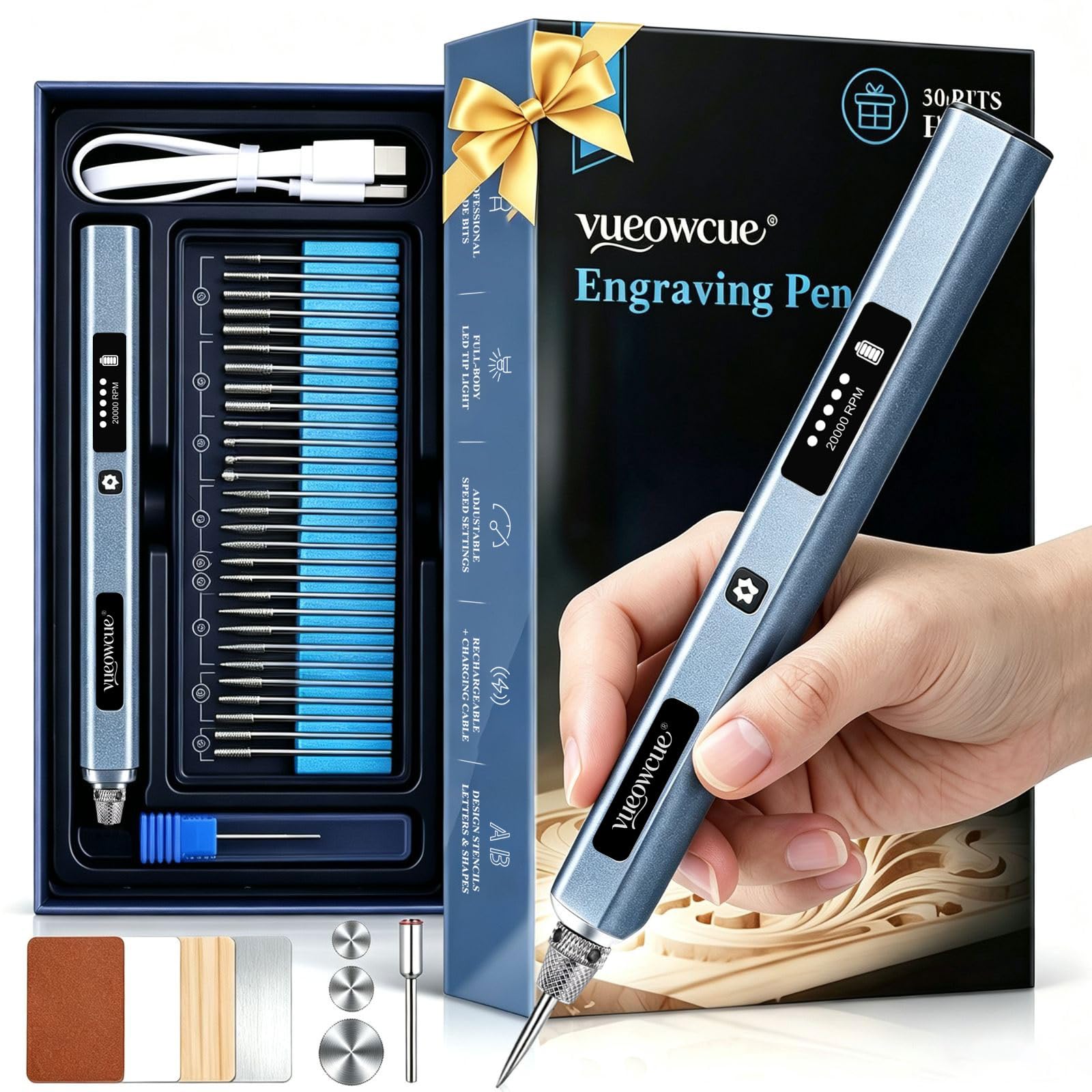
Engraving Pen for Wood: Best for visible work guidance
- LED light
- LCD display
- 5-speed adjustment
- USB-C rechargeable
- Works with wood, glass, metal and plastic
This pen adds an LED light, LCD display and 5-speed adjustment to a USB-C rechargeable format. It suits beginners who want speed information while working.
Pros
- 5-speed adjustment
- LCD display
- LED light and USB-C charging
Cons
- The title does not specify bit count
- Manual lettering still requires steady movement
The Engraving Pen for Wood suits beginners who want visible information while working on glass. Its title names an LED light, an LCD display, 5-speed adjustment and USB-C rechargeable charging.
Five speed settings give you more control than a pen with no stated adjustment. A slower setting may help you trace a small outline carefully, while a faster setting can suit broader marks.
Use the control as a way to manage movement, not as a reason to force the bit.
The LED light can help you see the immediate work area, especially when a small design needs close attention. The LCD display gives you a reference for the selected setting instead of leaving speed changes invisible.
The title names wood, glass, metal and plastic. It does not specify the number of bits, so buyers who want a large bit selection may prefer Uolor's 42-bit set.
Choose this pen for a rechargeable tool with a display and speed controls. If a stencil matters more than a display, the 24W pen is a clearer match.
SketchPro Engraver: Best for portable sketching
- Cordless
- LED engraving pen
- Works with wood, metal, glass and leather
SketchPro keeps the format simple: a cordless LED engraving pen for four named materials. It suits small sketches and labels when portability matters more than listed controls.
Pros
- Cordless format
- LED light
- Names glass and leather use
Cons
- The title does not specify speed or bits
- Fewer stated controls than some other pens
The SketchPro Engraver is a straightforward cordless option for small glass sketches and labels. Its title names an LED engraving pen for wood, metal, glass and leather.
Cordless use makes it easy to move around a small workpiece without managing a cable. The LED can help keep the immediate line visible as you trace a name, border or simple shape.
SketchPro has fewer stated controls than the other rechargeable pens here. Its title does not specify speed, charging method or bit count, so the main reasons to choose it are portability, the LED and the four named materials.
That simple description can be useful if you do not want to compare many settings. You can focus on stabilizing the glass, marking the design and working in short passes.
Choose SketchPro for portable, occasional projects across several materials. For more visible control, the 5-speed LCD pen gives you more stated information.
For a broad bit range, Uolor is the stronger match.
BlazeX M3 10W Laser Engraver Machine: Best for enclosed laser projects
- 10W laser
- 0.01mm ultra-precision
- Enclosure
- Honeycomb engraving materials
- Works with wood, metal, glass and leather
BlazeX is a desktop laser option with an enclosure and stated 0.01mm precision. It suits buyers who want machine-guided designs and are ready for a larger setup.
Pros
- Enclosure
- 0.01mm stated precision
- Names glass use and includes honeycomb materials
Cons
- More involved than a handheld pen
- The title does not specify work-area size
The BlazeX M3 10W Laser Engraver Machine is a machine choice for buyers who want a laser workflow with an enclosure. It names 0.01mm ultra-precision, a 10W laser, glass use and honeycomb engraving materials.
The enclosure changes how you plan the workspace. Instead of holding a pen over the glass, you prepare the machine, position the material and let the laser follow the design.
That can help when you want consistent lettering or repeated shapes.
The stated 0.01mm precision is a machine specification, not a promise that every glass result will look identical. Material preparation, design settings and positioning still affect the finished mark.
BlazeX suits a buyer who is ready for a larger setup and a digital design process. A handheld pen is easier for a quick personal gift, while this laser makes more sense when repeatability is the reason for buying.
The title does not specify the work-area size. Measure your intended blanks and leave room for safe operation before choosing it.
If you want a named A4 workbed, Carverall provides clearer size information.
Charming Carver Engraving Pen-Wood: Best for broad craft materials
- Engraving pen
- Works with wood, metal, glass, leather and stone
Charming Carver covers five named materials in a handheld format. It suits a general craft drawer when the product's broad material range matters more than listed speed or controls.
Pros
- Five named materials
- Handheld format
- Includes glass and stone use
Cons
- The title does not specify speed, bits or charging
- Fewer stated details than the other pens
The Charming Carver Engraving Pen-Wood is a broad-material handheld option. Its title names wood, metal, glass, leather and stone, giving it the widest material list among the manual pens here.
That range suits a general craft drawer where glass is one of several projects. You can use the same pen format for a glass mark, a leather design or a stone decoration without choosing a machine dedicated to one surface.
The trade-off is limited stated detail. The title does not specify speed, charging, bit count, a display or a stencil.
Buyers who want to compare controls will find more information in the NEIKO, HARDELL, Uolor and LCD pen descriptions.
Choose Charming Carver when material range is your main filter and you want a handheld tool. If you need a defined speed, choose HARDELL or the 5-speed pen.
If you want a supplied stencil, choose the 24W pick or NEIKO.
How these glass engraving tools were compared
The ranking weighs named glass compatibility, control features, included bits or stencils, power format and how closely each tool fits a typical glass engraving job. Our score weighs specs, features and buyer feedback against what you are shopping for.
The 24W pen leads because it combines glass use, 4 bits and a stencil in a simple handheld format. HARDELL follows because its cordless design and 37000 RPM speed appeal to portable work, while NEIKO scores closely for its adjustable stroke depth and tungsten carbide tip.
Uolor earns a strong position through its 42 bits and USB rechargeable format. The laser machines score lower for a beginner-focused glass search because their setup is more involved, even though they offer a better path for repeatable digital designs.
This comparison does not treat a higher score as a guarantee of a particular finish. Glass type, design size, hand control, bit choice and work habits all affect the result.
| Product | Best for | Power | Included bits | Materials | Our score |
|---|---|---|---|---|---|
| 24W Handheld Engraver Pen with 1 Stencil | first glass projects | 24W | 4 | Wood, metal and glass | 9.7 |
| HARDELL Engraving Pen | cordless detail work | Metal, wood and glass | 9.4 | ||
| NEIKO 10576A Handheld Electric Engraver Tool | adjustable stroke depth | 120V corded electric | 9.3 | ||
| Uolor USB Rechargable Engraving Pen | a large bit selection | 42 | Jewelry, wood, metal, stone, plastic and glass | 9.1 | |
| Carverall K15 Pro Laser Engraver 10W Laser | repeatable glass designs | 10W | 8.9 | ||
| Engraving Pen for Wood | visible work guidance | Wood, glass, metal and plastic | 8.8 | ||
| SketchPro Engraver | portable sketching | Wood, metal, glass and leather | 8.6 | ||
| BlazeX M3 10W Laser Engraver Machine | enclosed laser projects | 10W | 8.1 | ||
| Charming Carver Engraving Pen-Wood | broad craft materials | Wood, metal, glass, leather and stone | 7.9 |
Should you choose a pen or a laser for glass?
Choose a handheld pen for freehand names, short labels and one-off decorations. Choose a laser when you want digital designs, repeated placement or a more machine-led workflow.
Handheld pens
Pens are smaller and easier to understand. They let you guide the mark directly, which is useful when the design is short or when you want a hand-drawn look.
The strongest manual choices here are the 24W pen, HARDELL, NEIKO, Uolor and the 5-speed LCD pen. Their differences are power, charging, bits, stencils and control features.
Desktop lasers
Carverall and BlazeX are better suited to planned designs and repeated work. They need a workspace and a safety routine, and they require you to think about digital files and positioning.
For more machine-focused options, compare our Best Glass For Laser Engraving guide with the Best Laser Engraver For Glass guide.
What should you look for in the best glass engraver?
The best glass engraver should match your design size, control preference and willingness to set up a machine.
Glass compatibility
Choose a tool whose product information names glass. In this roundup, all of the selected products name glass use directly, but their control systems differ.
A material mention does not tell you that every glass blank will behave the same way. Practice on a spare piece and use a stable work surface.
Bits and tips
A bit determines how the tool contacts the surface. The 24W pen includes 4 bits, Uolor includes 42 and NEIKO uses a replaceable tungsten carbide tip.
If you are unsure how bit shapes affect lines and texture, read our guide to the best rotary tool engraving bits. Choose a small set if you want less sorting, or a larger set if you work across several materials.
Speed and stroke control
Speed control helps you adapt the tool to the detail and the pace you can manage. HARDELL states 37000 RPM, NEIKO states 7200 RPM with 5 stroke modes, and the LCD pen offers 5-speed adjustment.
A higher number is not automatically better for every mark. Control, pressure and short passes matter more than chasing one speed.
Is cordless power better for glass engraving?
Cordless power is better when you want freedom from a cable, but corded power can suit a fixed workbench. Choose based on how often you move the tool and whether charging fits your routine.
Cordless options
HARDELL, Uolor, SketchPro and the USB-C rechargeable pen support portable work. They suit small projects where you may turn the glass often or work away from a permanent bench.
Check how the tool communicates speed and how many bits are included. Uolor emphasizes its bit count, while the LCD pen emphasizes speed visibility.
Corded options
NEIKO uses 120V corded electric power. It suits a bench where an outlet is close and where you value continuous access over cable-free movement.
Keep the cord away from the work area and position the glass so you do not need to pull the tool across the surface.
How do you engrave glass safely with a rotary tool?
Secure the glass, wear suitable eye protection, use light pressure and make short controlled passes. Keep the work area clear and stop if the glass shifts, cracks or becomes difficult to control.
Prepare the design
Use a stencil, a printed guide or a simple pencil layout that gives you a clear path. The 24W pen and NEIKO include stencils, which can help with basic shapes and labels.
Keep the first design small. A short name or simple outline gives you a better way to learn the tool than a large detailed image.
Control the movement
Hold the tool like a pen and let the bit do the work. Move steadily instead of pushing hard, and pause often to check the line.
For more detail on the process, follow this guide to engraving with a rotary tool. If you want to mark metal plates as well, see the best handheld engraving machine for metal plates guide.
Clean up carefully
Remove loose dust with a suitable method for your workspace and inspect the glass under good light. Do not rush to handle a workpiece if edges or dust make it hard to see the design.
Use the tool's care instructions for changing bits and charging. Store bits so their working ends do not strike each other.
What mistakes should beginners avoid?
The most common beginner mistakes are pressing too hard, starting with a complex design and choosing a tool without checking its controls. A short practice mark can reveal more than a long project started too soon.
Pressing too hard
Pressure can make the tool harder to guide. Let the bit contact the surface lightly and build the mark through controlled passes.
Starting too large
Large designs require consistent movement for longer. Begin with a small label, border or simple outline before attempting a full glass panel.
Ignoring the work area
A handheld tool needs a stable place for the glass and enough room for your hands. A laser needs even more planning because the machine, material and safety setup all occupy space.
Mixing up pen and laser needs
A pen is not a small laser, and a laser is not a faster pen. Pick the format that matches your work instead of choosing based on a single power number.
Can one engraving pen handle other materials?
Yes. The products here name several additional materials, including wood, metal, plastic, stone and leather.
A broad material list can make one tool more useful, but glass should still guide your bit and technique choices.
The Charming Carver names wood, metal, glass, leather and stone. Uolor names jewelry, wood, metal, stone, plastic and glass, while the 24W pen names wood, metal and glass.
NEIKO names metal, wood, glass and plastic. The LCD pen names wood, glass, metal and plastic.
These lists show where each tool may fit, but they do not replace careful setup for each surface.
If your projects include leather or stone, compare the named materials before you buy. If you mainly want small glass gifts, a simple pen with a stencil may be more useful than a broad machine setup.
Verdict: which is the best glass engraver?
The best glass engraver for most beginners is the 24W Handheld Engraver Pen with 1 Stencil. It names glass use, includes 4 bits and adds a stencil for simple guided designs.
Choose the HARDELL if cordless movement and a stated 37000 RPM speed matter most. Pick NEIKO if you want 5 stroke-depth modes, a replaceable tungsten carbide tip and 2 stencils.
Choose Uolor if 42 bits and USB charging are more useful than a short learning curve. Choose the 5-speed LCD pen if you want an LED light, visible settings and USB-C charging.
For repeated digital artwork, choose Carverall or BlazeX. Carverall gives you a named A4 workbed and one-touch focus, while BlazeX adds an enclosure and stated 0.01mm precision.
For most one-off glass labels and gifts, start with the simpler handheld option.
Our top 3 picks at a glance
-
1
Best for first glass projects
24W Handheld Engraver Pen with 1 Stencil
9.7/10 our score
See it on Amazon -
2
-
3
Best for adjustable stroke depth
NEIKO 10576A Handheld Electric Engraver Tool
9.3/10 our score
See it on Amazon
Frequently asked questions
What is the best glass engraver for beginners?
The 24W Handheld Engraver Pen is the strongest beginner pick here because its title names glass use and includes 4 bits plus 1 stencil. A pen lets you learn by tracing, lettering and shading directly, but you still need light pressure and controlled movement.
Can a rotary engraving pen engrave glass?
Yes. Several tools here name glass as a supported material, including the 24W Handheld Engraver Pen, HARDELL Engraving Pen, NEIKO 10576A and Uolor.
Use a suitable bit, keep the glass stable and practice on a spare piece before working on a finished gift.
Is a laser engraver better than a glass engraving pen?
A laser is better for repeatable digital designs, while a pen is simpler for freehand work and small labels. The Carverall K15 Pro and BlazeX M3 are machine options here, but they need more space, setup and safety planning than handheld tools.
What bit should I use to engrave glass?
Choose a bit intended for the job and use light, controlled passes. Product details here confirm bits for some tools, such as the 24W pen's 4 bits, NEIKO's tungsten carbide tip and Uolor's 42 bits.
Match the bit to the material and avoid forcing it.