9 Best Handheld Engraving Machines for Metal Plates (November 2026)
The best handheld engraving machines for metal plates include the USB Rechargable Engraving Machines Pen with 35bits for direct contact marking, the xTool S1 40W Laser Cutter and Laser for large plate batches, and the YEYETUO Engraving Pen for simple wood and metal work.
On this page (9 sections)
- Best handheld engraving machines for metal plates
- How these metal engraving machines were compared
- Should you choose a contact engraving pen or a laser?
- What type of metal plate can the machine mark?
- Is a handheld laser better for plate identification?
- What should you check before buying?
- How do you prepare a metal plate for engraving?
- Which accessories help with metal plate engraving?
- What is the verdict on handheld metal plate engraving?
The best handheld engraving machine for metal plates is the USB Rechargable Engraving Machines Pen with 35bits if you want direct contact control, cordless use and a broad set of bits. For repeated layouts or larger batches, a portable laser such as the xTool F2 or a desktop machine such as the xTool S1 may be a better fit.
Metal plates can mean very different jobs. A small nameplate, jewelry blank or identification tag may suit a contact engraving pen, while a batch of coated plates may be easier to position and repeat with a laser.
Before choosing, decide whether you need a true handheld tool or a machine that can be carried between workspaces. For kit options, see Dremel rotary tool kits.
Our rotary tool guide explains the general differences between rotary tools, bits, speed control and laser systems.
Our picks at a glance
-
1
 Best for direct contact marking
USB Rechargable Engraving Machines Pen with 35bits
9.7/10 our score
See it on Amazon -
2
-
3

- 4
 Best for color metal markingCheck it
- 5
 Check it
LaserPecker LP2 Laser Engraver with Roller
Best for portable curved pieces - 6
 Check it
Twotrees TTS-55 Pro Laser Engraver 5500mW Laser
Best for open-frame hobby projects - 7
 Check it
Carverall K15 Pro Laser Engraver 10W Laser
Best for compact desktop expansion - 8
 Best for lightweight craft handlingCheck it
- 9
 Check it
CREALITY FALCON 10w Laser Engraver with Air
Best for rotary attachments
Best handheld engraving machines for metal plates
The right pick depends on the plate material, the number of marks you need to make and whether you want direct hand control or digital positioning. If your workpiece is glass, compare glass engraving tools.
The products below are ordered by score, with the strongest fit first.
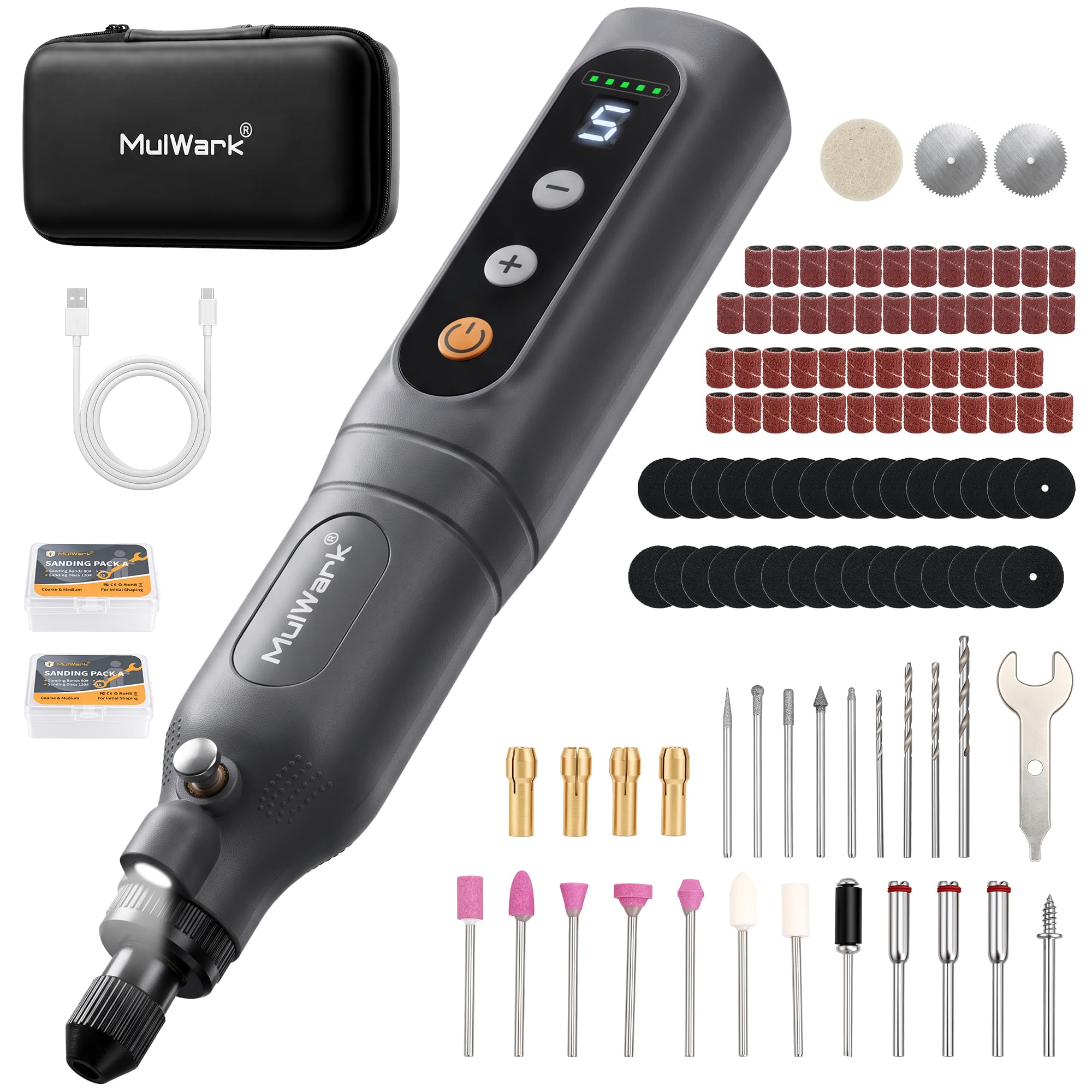
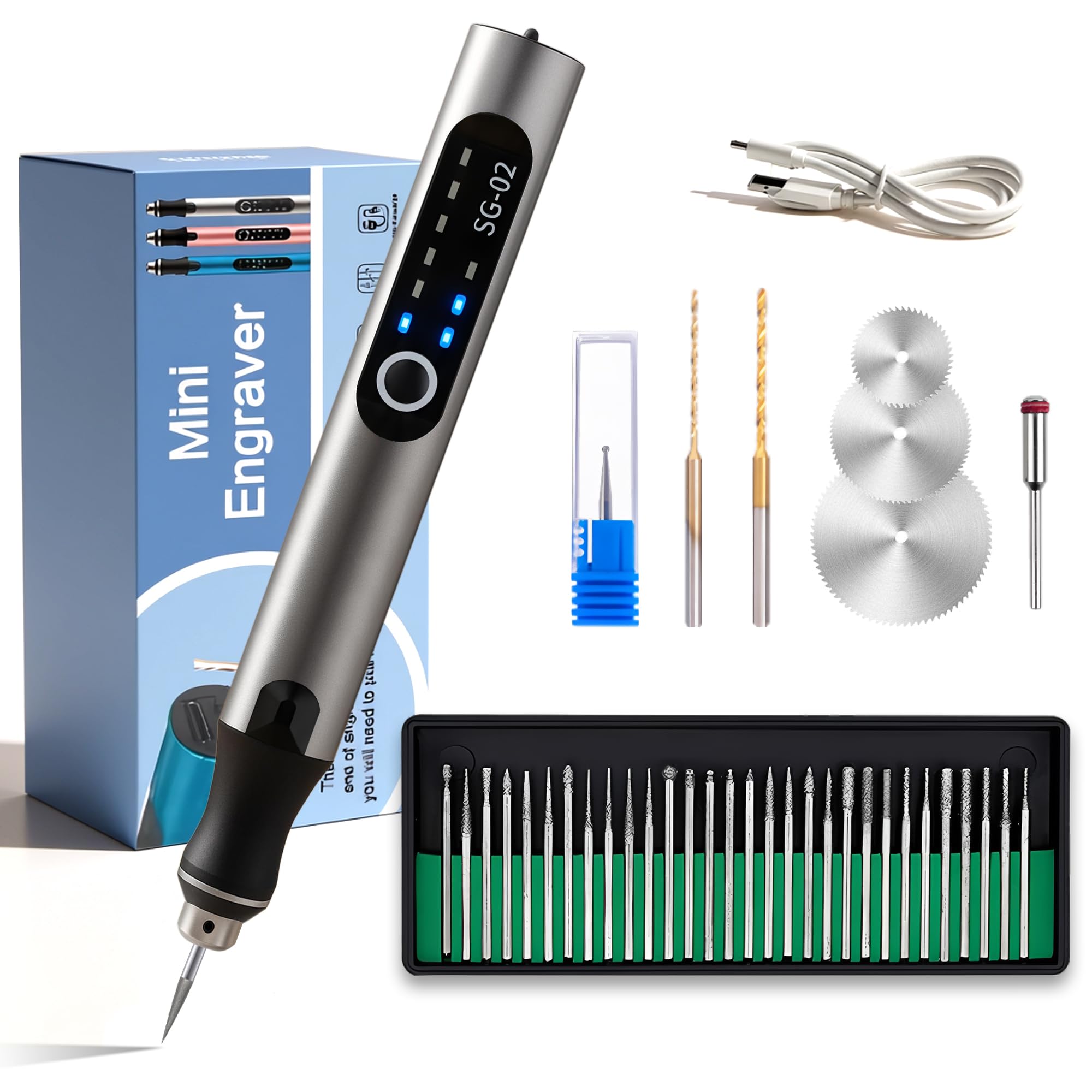
USB Rechargable Engraving Machines Pen with 35bits: Best for direct contact marking
- Cordless rotary design
- 35 bits
- USB rechargeable
- Works with jewelry, stone, metal, plastic, wood and resin
This cordless pen is the closest match for direct marking on metal plates. Its 35 bits and broad material range suit small craft jobs where hand control matters.
Pros
- Cordless design
- 35 bits
- Works on metal and several craft materials
Cons
- No power rating supplied
- Manual contact work needs steady control
The USB Rechargable Engraving Machines Pen with 35bits is the closest match for a buyer searching for a handheld engraving machine for metal plates. It is a cordless rotary engraver with 35 bits, so you can guide the tool directly across a small plate rather than preparing a digital file.
The stated material range includes jewelry, stone, metal, plastic, wood and resin. That makes it useful if metal plate work is part of a wider craft routine instead of a single-material task.
The main advantage over the lasers here is physical control. For a specific rotary-tool alternative, read our Dremel 4300 rotary tool review.
You can work along a short line, trace a simple mark or adjust your hand position as the surface changes.
The trade-off is that results depend on steady movement and a consistent hand angle.
No power rating is supplied, so do not compare this pen with the wattage figures for the laser machines. Choose it for small, direct-contact work where portability and the 35-bit set matter more than automatic alignment.
Our guide to the best pen engraving tool covers similar decisions around pen shape, bit choice and hand control.
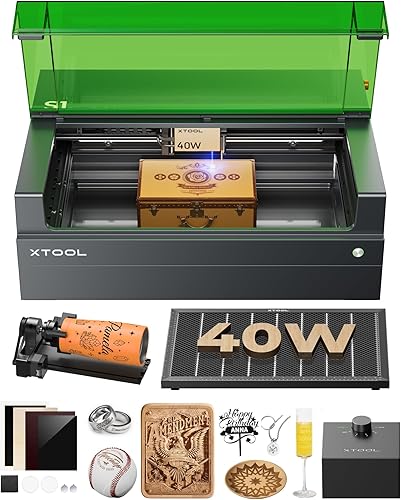
xTool S1 40W Laser Cutter and Laser: Best for large plate batches
- 40W laser
- 23.93 x 15.16 in bed
- 600mm/s speed
- Rotary bundle
- Auto-focus
- Class 1 enclosed design
The S1 fits larger layouts and batch jobs, including up to 119 dog tags in one go. It is a desktop laser rather than a handheld contact tool.
Pros
- Large bed
- 40W laser
- Rotary bundle
- Class 1 enclosure
Cons
- 86.8 lb weight
- Corded electric
- Not a handheld pen
The xTool S1 40W Laser Cutter and Laser is a large desktop option for people marking many plates or working on broad layouts. Its 23.93 x 15.16 in bed gives more room than every handheld pen in this group.
The 40W laser and speed up to 600mm/s make it suited to larger projects. The product information specifically describes space for up to 119 dog tags in one go, which shows how different its workflow is from marking one plate by hand.
Its rotary bundle adds support for curved surfaces, while auto-focus and xTool Creative Space reduce some setup work. The enclosed Class 1 design includes a protective cover, flame sensors, an emergency stop and lid-open stop feature.
The trade-off is size and weight. At 86.8 lb, this is a fixed workstation machine, not something to carry to a market table.
Choose it when repeatability, layout size and batch capacity matter more than handheld movement.
YEYETUO Engraving Pen: Best for simple wood and metal work
- 6 speeds
- Metal engraving pen
- Designed for wood engraving
Six speed settings give this pen a simple way to adjust the pace for small metal plate or wood projects. It suits buyers who want a focused handheld tool.
Pros
- 6 speeds
- Handheld format
- Designed for metal and wood
Cons
- No bit count supplied
- No power rating supplied
The YEYETUO Engraving Pen is a focused handheld option with 6 speed settings. That range lets you change the pace for different parts of a small project instead of relying on one fixed speed.
Its title identifies metal engraving and wood engraving as its main uses. It suits a buyer who wants a simple pen for small plates, labels or craft pieces and does not need the large work area of a desktop laser.
Compared with the USB rechargeable pen, this tool has fewer stated accessories because no bit count is supplied. Compared with the wireless engraving pen kit, its clearest published detail is the 6-speed control.
The missing power rating means you should judge it by the type of work you plan to do rather than by a wattage comparison. For light contact marking, speed control can be more useful than a high number on a box.
Choose it when you want a compact, hand-guided tool with a clear speed adjustment. If you need a larger selection of bits, the 35-bit pen is the more complete choice in this group.
xTool F2 5W IR & 15W Diode: Best for color metal marking
- 5W IR laser
- 15W diode laser
- 50MP camera
- 6000mm/s speed
- 0.1mm alignment accuracy
- 4.6 kg weight
The F2 is a portable desktop laser for metal color marking, small pieces and fast repeat work. Its camera and dual lasers give it more automation than a contact pen.
Pros
- Dual laser setup
- 50MP camera
- Portable 4.6 kg body
Cons
- Class 4 laser
- Higher complexity than a contact tool
The xTool F2 5W IR & 15W Diode is the strongest choice here for color marking on metal and fast digital positioning. Its 5W IR laser handles metal marking, while the 15W diode adds 3D embossing and cutting work across more than 300 materials.
A built-in 50MP camera previews the work area and provides alignment accuracy up to 0.1mm for small pieces. That can reduce manual placement mistakes when you are repeating names, numbers or simple identification designs.
The F2 reaches speeds up to 6000mm/s and weighs 4.6 kg. It is portable compared with a large desktop machine, but it still works as a laser system rather than a contact pen.
The fully enclosed design includes a fan and an optional purifier, but the F2 is a Class 4 laser, so follow its safety instructions closely.
Choose it for small batches, color metal marking and camera-assisted placement. Choose the USB pen instead when you want to feel the tool against the plate and work without a digital laser workflow.
LaserPecker LP2 Laser Engraver with Roller: Best for portable curved pieces
- 1417 in/min engraving speed
- Electric roller
- Cylinder, slab and trolley modes
- Handheld design
- Wood, coated metal, leather and acrylic
The LP2 suits portable work on coated metal and cylindrical objects. Its roller adds a useful path for tumblers and other curved pieces, but it is not the right choice for pure metal plates.
Pros
- Portable format
- Roller included
- Handheld engraving design
Cons
- Cannot engrave pure or shiny metal
- Metal choices are limited
The LaserPecker LP2 Laser Engraver with Roller is a portable laser for wood, leather, acrylic, coated metal and brushed stainless steel. Its electric roller makes it especially useful for cylindrical pieces such as tumblers and pencils.
The machine reaches an engraving speed of up to 1417 in/min and supports cylinder, slab and trolley modes. Slab and trolley modes can extend the engraving length up to 196 in, while the width remains 4 in.
The important limitation is material choice. The LP2 cannot engrave pure metal or shiny metal, so it is not a general answer for bare metal plates.
It is a better match for coated plates or brushed stainless steel when the surface fits the stated material range.
The package includes the laser unit, roller, stand, protective cover, adapter, safety glasses, 2 Type-C cables and an English manual. Choose it when portability and curved work matter.
For direct contact marking on small metal plates, a rotary pen is simpler.
The best metal engraving pen guide is useful if your project needs a contact tool rather than a limited-material laser.
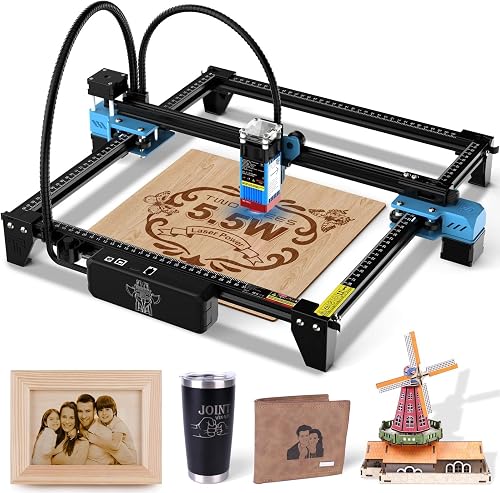
Twotrees TTS-55 Pro Laser Engraver 5500mW Laser: Best for open-frame hobby projects
- 5.5W laser
- 300 x 300mm work area
- 30,000mm/min speed
- Wi-Fi
- Air-assist support
- LaserGRBL and LightBurn compatibility
The TTS-55 Pro gives hobby users a 300 x 300mm work area and several control methods. It can work with stainless steel, but its open-frame laser needs careful workspace and safety planning.
Pros
- Large hobby work area
- Wi-Fi control
- Air-assist support
Cons
- Open-frame format
- More setup responsibility than an enclosed laser
The Twotrees TTS-55 Pro Laser Engraver gives hobby users a 300 x 300mm work area and a 5.5W laser. It can engrave and cut materials including wood, leather, acrylic, paper and stainless steel.
Its speed can reach 30,000mm/min, and the 32-bit control board supports online or TF card engraving. Built-in Wi-Fi also allows control through a mobile app or computer web interface.
For metal plate work, the key trade-off is the open-frame format. Unlike the enclosed xTool S1 and xTool F2, this machine places more responsibility on your workspace, shielding, ventilation and operating habits.
The product data also identifies it as a Class II laser.
Compatibility with LaserGRBL on Windows XP, 7, 8 and 10, plus LightBurn on Windows, macOS and Linux, gives it a wider software path. Choose it for a maker workspace where you want a larger bed and flexible control.
Choose an engraving pen for simpler one-piece contact work.
Carverall K15 Pro Laser Engraver 10W Laser: Best for compact desktop expansion
- 10W power
- 11.8 x 7.9 in A4 workbed
- 15,000mm/min speed
- 0.01mm precision claim
- One-touch focus
- Optional 1W IR laser head
The K15 Pro is a compact desktop choice for coated metal, wood, acrylic, glass and stone. Its optional 1W IR laser head gives a future path for stainless steel and aluminum.
Pros
- Compact 2.68 kg body
- A4 workbed
- Optional IR upgrade
Cons
- Bare-metal marking needs the optional IR head
- Not a contact engraving pen
The Carverall K15 Pro is a compact 10W desktop laser with an 11.8 x 7.9 in A4 workbed. It fits buyers who want more repeatability than a pen but less machine weight than the xTool S1.
The K15 Pro supports coated metal, wood, acrylic, glass and stone. Its one-touch focus, 15,000mm/min speed and stated 0.01mm precision target make it suited to detailed small-business or craft projects.
Bare metal requires careful attention to the upgrade path. Carverall describes an optional 1W IR laser head for stainless steel tumblers and aluminum, so the standard diode setup should not be treated as a general bare-metal solution.
At 2.68 kg, it is much easier to move than the 86.8 lb S1. The A4 workbed is also smaller, so measure your largest plate and leave room for the machine's operating setup before choosing it.
Pick this model if you want a compact laser with future expansion. If you need immediate direct contact engraving, choose a pen instead.
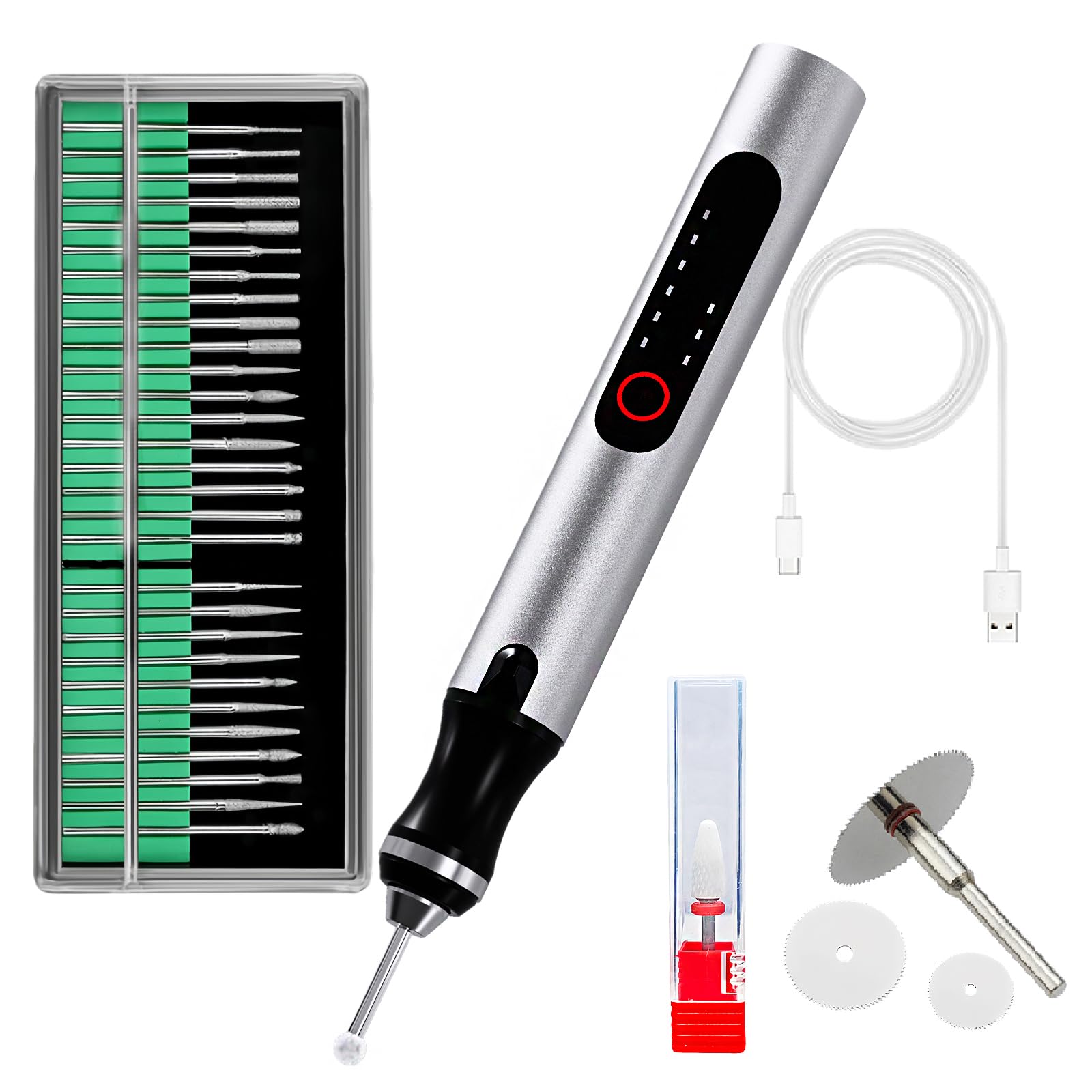
Wireless Engraving Pen Kit: Best for lightweight craft handling
- Wireless engraving pen kit
- Silver and black
- Designed for jade, wood, metal and polished phone chips
This wireless pen is aimed at small, hand-guided marks on metal and other craft materials. It suits buyers who value a compact pen format and do not need a stated bit count or power rating.
Pros
- Wireless format
- Works on metal
- Compact pen style
Cons
- No power rating supplied
- No bit count supplied
The Wireless Engraving Pen Kit is a small hand-guided option for metal, jade, wood and polished phone chips. Its wireless pen format suits detail work where you want to move the tool around a small plate rather than place the plate inside a machine.
The silver and black finish identifies the supplied style, but no bit count or power rating is supplied. That makes it difficult to compare its cutting force or accessory range directly with the 35-bit rechargeable pen.
Its strength is the basic workflow. You hold the pen, set the mark by hand and move from one small section to the next.
This can be a good fit for decorative lines, initials and simple identification marks when a computer-controlled layout is unnecessary.
The trade-off is control consistency. A handheld mark depends on your pressure, speed and support for the plate.
Use a flat, stable work surface and secure the plate before starting.
Choose this kit for lightweight craft handling and a simple wireless format. Choose the YEYETUO pen if 6 speed settings are more important, or the 35-bit pen if accessory variety matters.
CREALITY FALCON 10w Laser Engraver with Air: Best for rotary attachments
- 10W output
- Air assist
- Rotary roller
- 72W cutter and engraver
- 10,000mm/min speed
- 1–110mm outside cylinder range
The Falcon suits makers who want a desktop laser with air assist and a rotary roller for cylindrical objects. It is useful for coated metal and other materials, but it is not a handheld contact pen.
Pros
- Air assist included
- Rotary roller included
- Supports LightBurn and LaserGRBL
Cons
- 20.1 lb weight
- Class 4 laser
- Desktop assembly required
The CREALITY FALCON 10w Laser Engraver with Air Assist suits makers who want a desktop laser, air assist and a rotary roller in one setup. Its 10,000mW output and speed up to 10,000mm/min place it above the handheld pens for repeatable digital work.
The rotary kit supports outside clamping for cylinders from 1–110mm, inside support from 25–75mm, spheres from 10–130mm and ring-shaped items from 15–100mm. That makes it a flexible choice for tumblers and other curved objects.
Air assist helps remove smoke and dust during engraving or cutting. The machine also supports LaserGRBL and LightBurn, with Windows and macOS compatibility and TF card offline work.
The trade-off is size and safety. It weighs 20.1 lb, needs 10–20 minutes of assembly and is a Class 4 laser.
Choose it for a workshop that needs rotary work and air support. Choose a pen for one-off marks on flat metal plates.
How these metal engraving machines were compared
The best handheld engraving machine for metal plates must first match the surface and the way you want to work. A cordless rotary pen and a laser engraver can both mark metal, but they do not produce the same workflow.
We compared the stated material support, tool format, power or speed information, work area, portability, control method and safety design. We also considered how each machine fits a common buyer: a hobby user marking one plate, a craft seller repeating names, or a maker who needs curved objects.
The scores weigh specs, features and buyer feedback against the needs of this search. They do not mean every machine is suitable for every type of metal.
Contact tools ranked highest for buyers who specifically want a handheld machine. Laser systems ranked highly when they offered a clear advantage for repeatability, batch work, metal marking or rotary attachments.
The best engraving pen for beginners is a useful next read if you are new to contact engraving and want to compare simpler pen workflows.
| Product | Best for | Tool type | Bits | Materials | Our score |
|---|---|---|---|---|---|
| USB Rechargable Engraving Machines Pen with 35bits | direct contact marking | Cordless rotary engraving pen | 35 | Jewelry, stone, metal, plastic, wood and resin | 9.7 |
| xTool S1 40W Laser Cutter and Laser | large plate batches | 9.5 | |||
| YEYETUO Engraving Pen | simple wood and metal work | Engraving pen | Metal and wood | 9.4 | |
| xTool F2 5W IR & 15W Diode | color metal marking | 9.4 | |||
| LaserPecker LP2 Laser Engraver with Roller | portable curved pieces | 9.3 | |||
| Twotrees TTS-55 Pro Laser Engraver 5500mW Laser | open-frame hobby projects | 9.2 | |||
| Carverall K15 Pro Laser Engraver 10W Laser | compact desktop expansion | 8.9 | |||
| Wireless Engraving Pen Kit | lightweight craft handling | Wireless engraving pen kit | Jade, wood, metal and polished phone chips | 8.8 | |
| CREALITY FALCON 10w Laser Engraver with Air | rotary attachments | 8.8 |
Should you choose a contact engraving pen or a laser?
Choose a contact pen when you want to guide the tool directly across a small plate. The USB rechargeable pen, YEYETUO pen and Wireless Engraving Pen Kit all fit that basic style.
A contact tool does not require a digital design workflow for a simple mark. You can work on a small area and change direction as you go.
The trade-off is that line depth, spacing and letter shape depend on your hand.
Choose a laser when you need repeatable text, a layout preview or a larger batch. The xTool F2 adds a 50MP camera and dual lasers, while the S1 gives you a much larger bed.
Laser machines also create a different safety setup. Open-frame and Class 4 systems need careful attention to operating instructions and workspace controls.
An enclosed design can simplify the physical setup, but it does not remove the need to follow the machine's safety rules.
What type of metal plate can the machine mark?
The plate surface matters more than the word “metal” by itself. The LaserPecker LP2 is described for coated metal and brushed stainless steel, but not pure or shiny metal.
The xTool F2 is the clearest option here for color marking on metal because it combines a 5W IR laser with a 15W diode. The Carverall K15 Pro describes coated metal as a supported material and offers an optional 1W IR laser head for stainless steel and aluminum.
Contact engraving pens are more direct for a small metal plate because the bit physically marks the surface. However, the data does not give a power rating for the USB pen, YEYETUO pen or Wireless Engraving Pen Kit.
If your plates are coated, painted or reflective, check the machine's material guidance before ordering. For a wider explanation of metal choices, read Best Metal For Laser Engraving.
Coated metal and brushed stainless steel
The LP2 is a practical match for coated metal and brushed stainless steel, especially when you also want to engrave curved pieces. It is not a pure-metal solution.
The Falcon 10W and Twotrees TTS-55 Pro also describe metal support, but their laser class and setup needs differ. Keep the exact surface in mind instead of assuming every metal plate behaves the same way.
Bare or shiny metal
Bare and shiny metal needs more careful matching. The LP2 specifically excludes pure and shiny metal, while the xTool F2's IR laser is designed for color marking on metal.
A contact pen may be the simpler path for a small plate when you want physical engraving rather than a laser mark. Stabilize the plate and practice the lettering pattern on a spare surface first.
Is a handheld laser better for plate identification?
A handheld laser can be better for repeatable identification layouts, but it is not the same as a handheld rotary pen. The LaserPecker LP2 has a handle design for portable work, while its roller supports cylindrical pieces.
The xTool F2 is portable at 4.6 kg and includes camera-assisted alignment. It is better suited to small batches and controlled digital layouts than to freehand marking.
For a true handheld workflow, use the USB rechargeable pen or another contact engraving pen. For repeated names, numbers or logos, use a laser with software, a preview system and a work area that fits the plate.
The choice also depends on your surroundings. A pen needs a stable work surface and dust control.
A laser needs the correct enclosure or workspace setup, plus the safety process required by its laser class.
What should you check before buying?
Check the plate size, surface finish and mark type first. Then compare the machine's format, material support, work area, accessories and safety requirements.
Plate size and layout
Measure the longest plate and the full area needed for the text or symbol. The S1 has a 23.93 x 15.16 in bed, the Twotrees has a 300 x 300mm work area, and the K15 Pro has an 11.8 x 7.9 in A4 workbed.
A contact pen does not have a fixed bed, but you still need enough room to hold the plate and support your hand. A large plate may be easier to align in a desktop laser.
One plate or a batch
Choose a pen for occasional one-off work. Choose a laser for repeated designs, batch jobs or layouts that must stay consistent.
The S1 is the strongest batch-oriented option here, with a large bed and a stated capacity of up to 119 dog tags in one go. The F2 is aimed at small pieces and fast customization, with camera alignment and dual lasers.
Flat or curved objects
Flat plates do not need a roller. Tumblers, pencils and other cylindrical objects may benefit from one.
The LP2 includes an electric roller, and the Falcon includes a rotary roller with several diameter ranges. The xTool S1 also comes as a rotary bundle and describes work on curved surfaces.
Software and controls
A contact pen keeps the workflow simple because you guide it by hand. Desktop lasers often need software, file preparation and positioning.
The Twotrees supports LaserGRBL and LightBurn, while the Falcon supports those programs on Windows and macOS. The S1 uses xTool Creative Space, and the LP2 connects with a smartphone or PC.
Safety and workspace
Follow the safety instructions for the exact tool. The S1 has a Class 1 enclosed design, while the F2, Falcon and other laser systems have different laser classifications and operating needs.
Keep the plate stable during contact engraving. For an open-frame laser, plan the work area before buying and make sure the setup matches the manufacturer's instructions.
How do you prepare a metal plate for engraving?
Start by cleaning the plate and securing it on a stable, flat surface. The exact preparation depends on whether you are using a contact bit or a laser, and whether the metal is coated, brushed or shiny.
For a contact pen, mark a light guide line or use a printed layout as a visual reference. Work slowly enough to keep the letters even, and use a spare plate or offcut to understand the tool's movement before touching the final piece.
For a laser, confirm that the plate material is supported by the machine. The LP2 requires special attention because it cannot engrave pure or shiny metal, while the xTool F2 is designed for color marking on metal with its IR laser.
Measure the plate twice before placing the design. A digital preview can help with laser alignment, while a contact tool benefits from a simple centerline and clear spacing.
Which accessories help with metal plate engraving?
The most useful accessory depends on the machine type. Contact pens benefit from a suitable bit set and a firm work surface, while lasers may need a roller, air assist, protective enclosure or software.
The USB rechargeable pen already has 35 bits, which gives it a wider starting range than the pens with no stated bit count. A roller matters more for curved objects than for flat identification plates.
The Falcon includes air assist and a rotary roller. The S1 comes in a rotary bundle, and the LP2 includes its versatile electric roller, stand, protective cover and safety glasses.
A flex shaft can improve hand positioning when a rotary tool body feels awkward. See our guide to the best rotary tool flex shaft attachment before adding one to a contact engraving setup.
What is the verdict on handheld metal plate engraving?
The USB Rechargable Engraving Machines Pen with 35bits is the best handheld engraving machine for metal plates when direct contact control, cordless use and a broad bit set are your priorities. It is the most natural fit for small plates and one-off marks.
Choose the YEYETUO Engraving Pen if 6 speed settings matter more than a stated accessory count. Choose the Wireless Engraving Pen Kit if you want a simple wireless pen for metal and other craft materials.
Choose the xTool F2 for camera-assisted alignment and color metal marking. Choose the xTool S1 for a large bed and batch work, or the Falcon when air assist and rotary attachments are central to your projects.
For a compact desktop upgrade, the Carverall K15 Pro offers an A4 workbed and an optional IR path. If your work includes coated metal, brushed stainless steel or curved pieces, check the material limits before choosing a laser.
Our Best Handheld Laser Engraver guide can help you compare portable laser workflows next.
Our top 3 picks at a glance
-
1
Best for direct contact marking
USB Rechargable Engraving Machines Pen with 35bits
9.7/10 our score
See it on Amazon -
2
-
3