9 Best Pen Engraving Tool (November 2026)
The best pen engraving tools include the USB Rechargable Engraving Machines Pen with 35bits for compact all-purpose craft work, the Resparked Customizer Engraving Pen Ultimate Cordless Portable for broad surface variety, and the AM ARROWMAX Mini Engraving Pen for beginners working across materials.
On this page (9 sections)
- Best pen engraving tool picks for lettering and crafts
- How the engraving pens compare
- Should you choose a cordless or corded engraving pen?
- How many bits do you need in an engraving pen?
- Which pen engraving tool works with metal, glass and wood?
- How do you use an engraving pen safely?
- What should you engrave with a pen tool?
- More guides on this topic
- Which best pen engraving tool should you buy?
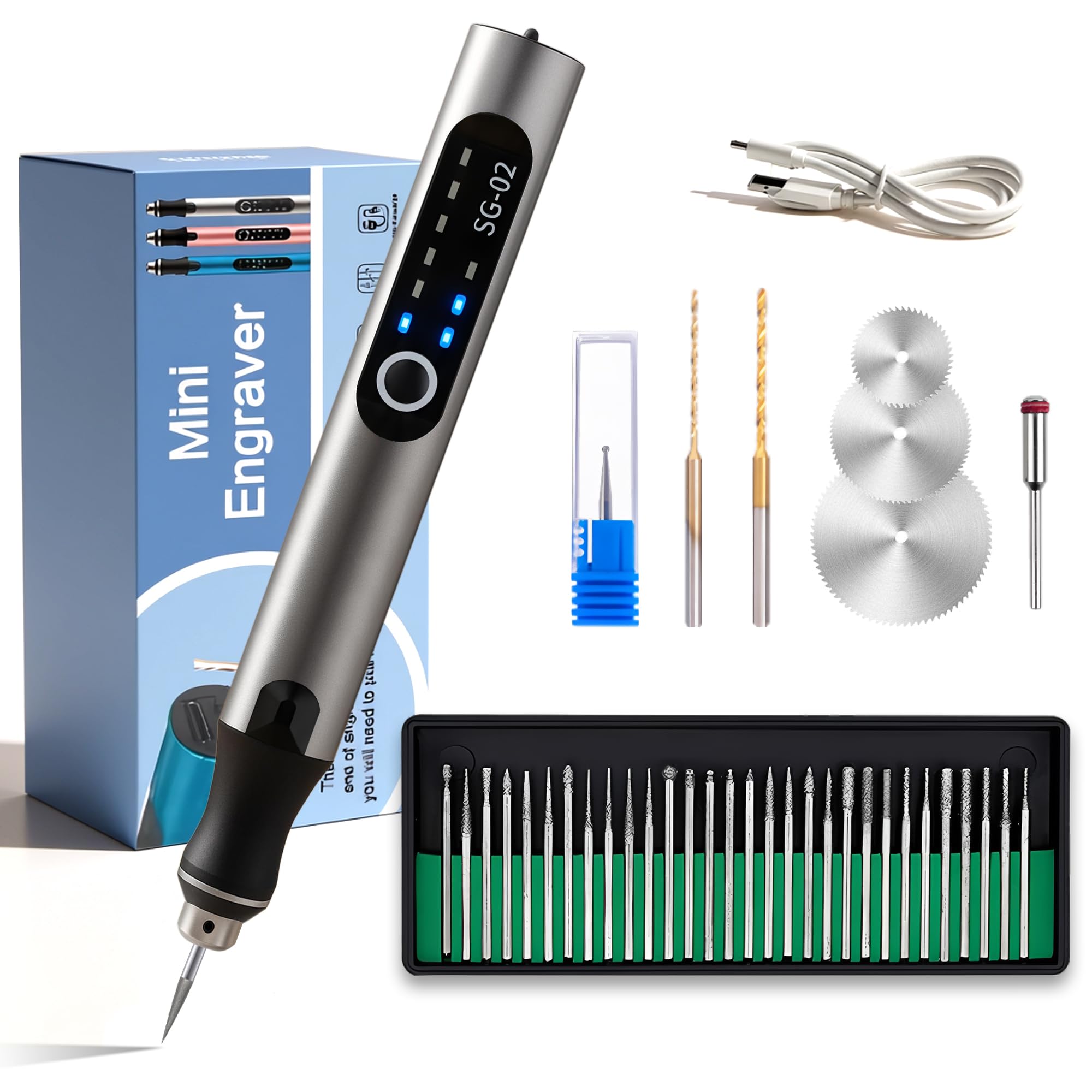
The best pen engraving tool for most craft projects is the USB Rechargable Engraving Machines Pen with 35bits. Its cordless rotary format covers jewelry, stone, metal, plastic, wood and resin, so it fits small lettering, names and personalized gifts.
Choose the Resparked Customizer if you want a rechargeable pen described for more than 50 surfaces. The AM ARROWMAX Mini is another good beginner choice because its material list names bead, metal, wood, glass and plastic.
A pen engraver gives you more direct control than a large machine for small marks. You can guide a short line, build a letter from several strokes and change your approach for metal, glass, wood or plastic.
Before choosing, review our rotary tool guide if you are unsure how pen engravers differ from larger rotary tools. For glass projects, our guide to the best glass engraver helps narrow the material choice.
Our picks at a glance
-
1
 Best for compact all-purpose craft work
USB Rechargable Engraving Machines Pen with 35bits
9.7/10 our score
See it on Amazon -
2
 Best for broad surface variety
Resparked Customizer Engraving Pen Ultimate Cordless Portable
9.6/10 our score
See it on Amazon -
3
 Best for beginners working across materials
AM ARROWMAX Mini Engraving Pen
9.5/10 our score
See it on Amazon
- 4
 Check it
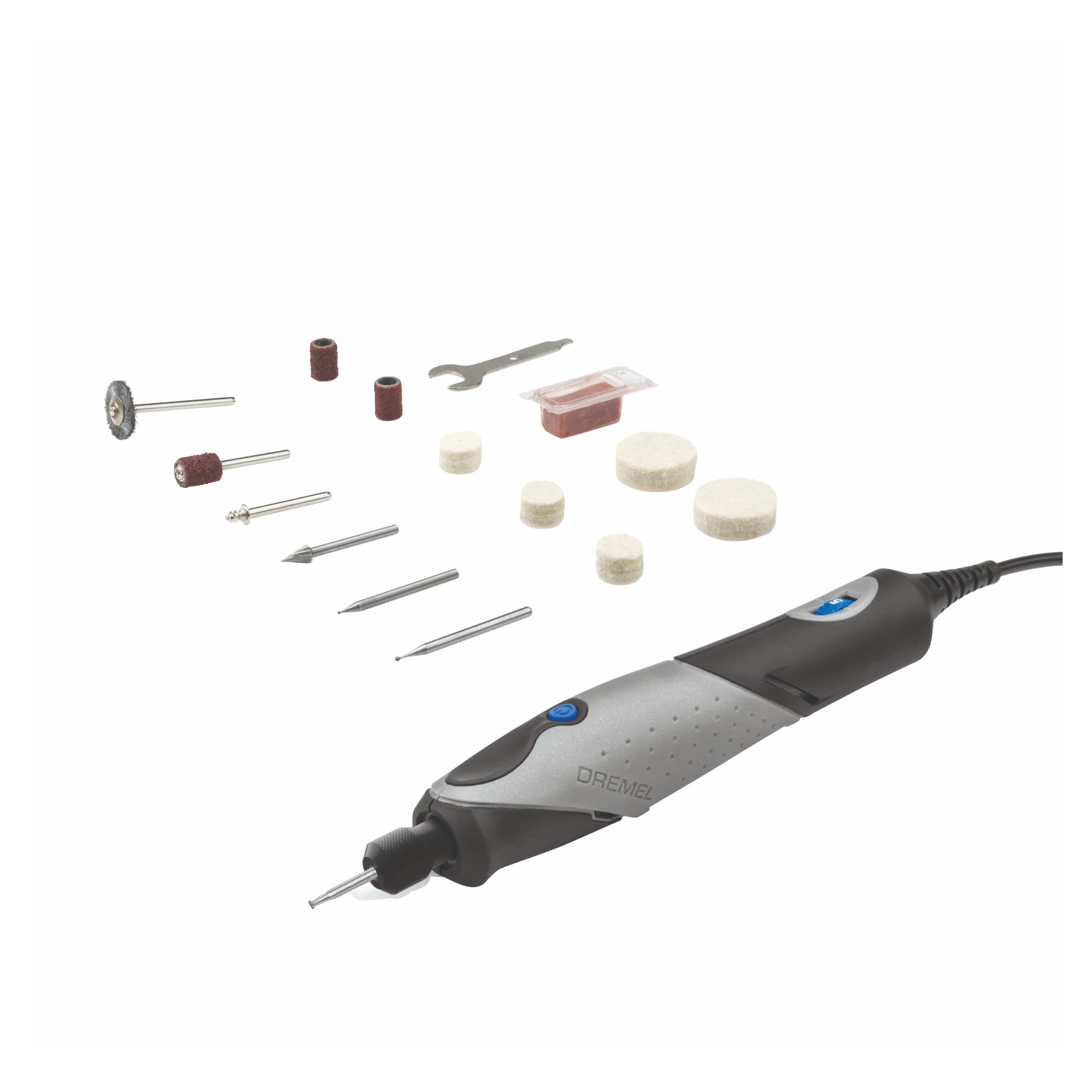
Stylo+ Rotary Tool Kit with 15 Accessories
Best for a simple accessory kit - 5
 Check it
NEIKO 10576A Handheld Electric Engraver Tool
Best for adjustable corded engraving - 6
 Check it
Uolor USB Rechargable Engraving Pen
Best for a large bit selection - 7
 Check it
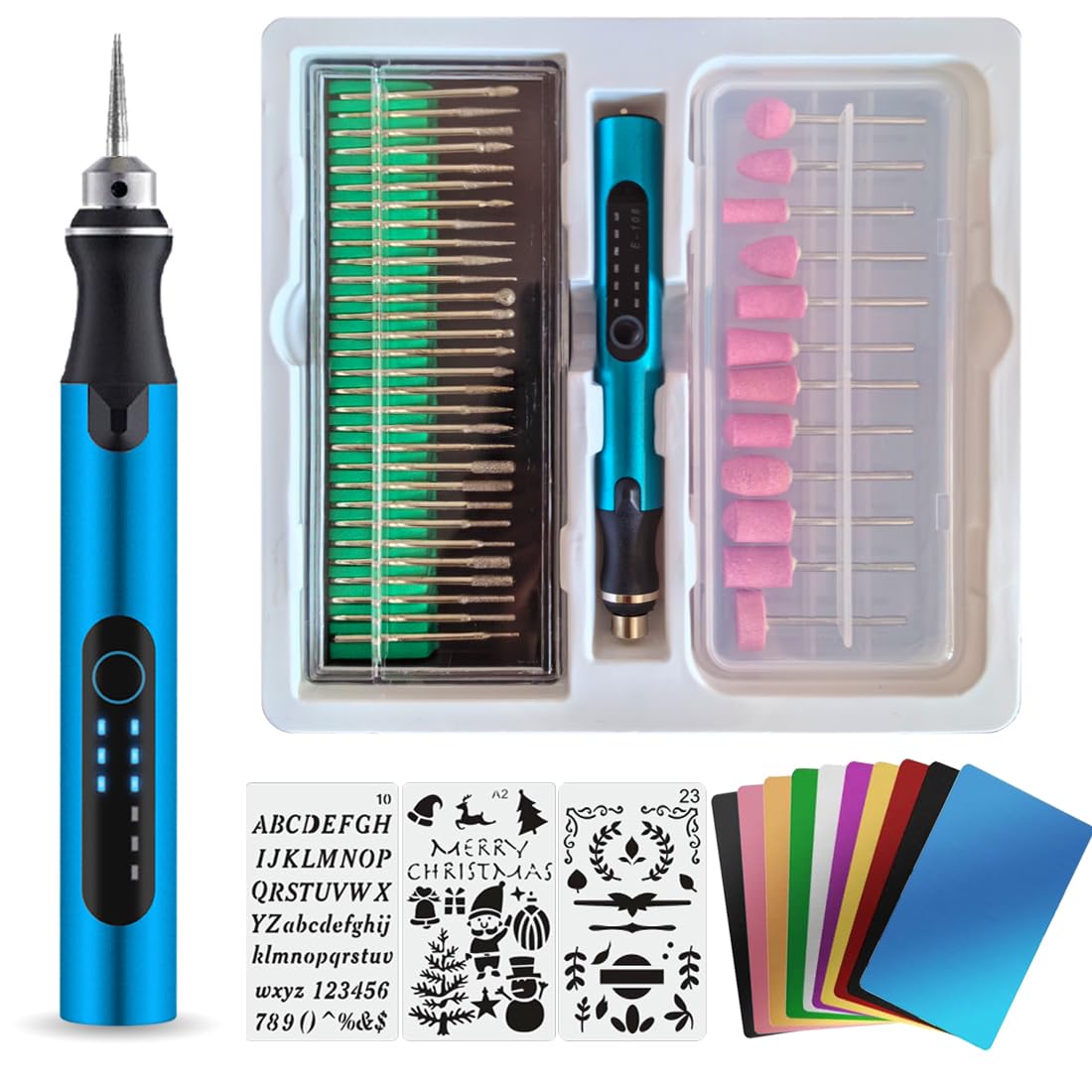
USB Engraving Pen with 47 bits
Best for engraving and blank projects - 8
 Check it
AM ARROWMAX Electric Mini Engraving Pen
Best for a compact organized setup - 9
 Check it
HARDELL Cordless Engraving Pen Precision Tool
Best for a basic precision pen
Best pen engraving tool picks for lettering and crafts
The best pen engraving tool depends on your material range, bit count and power preference. The 9 picks below are ordered by score, with the highest scores going to tools that offer a useful combination of portability, accessories and stated surface coverage.
Our score weighs stated specs, features and buyer feedback against what you are shopping for. A high score does not mean every tool suits every material or every type of lettering.
USB Rechargable Engraving Machines Pen with 35bits: Best for compact all-purpose craft work
- 35 bits
- Cordless rotary tool format
- Works with jewelry, stone, metal, plastic, wood and resin
This compact cordless pen covers several common engraving materials and gives you 35 bits to match different craft tasks. It suits buyers who want one portable tool for lettering and small personalized projects.
Pros
- 35 bits
- Cordless pen format
- Broad material range
Cons
- No stated speed range
- No stated bit material
The USB Rechargable Engraving Machines Pen with 35bits is the strongest all-purpose pick in this group. Its title names a mini electric engraver, a cordless rotary format and work with jewelry, stone, metal, plastic, wood and resin.
That material spread makes it useful for a craft table where projects change from one week to the next. Use the included 35 bits to match the shape and texture of the mark you want to make, while keeping the first project simple.
This pen suits personalization work such as names, short words and small designs. It also makes sense for buyers who want a portable tool rather than a 120V bench tool.
Its trade-off is limited stated detail about speed, bit material and charging. If you need those measurements before buying, compare it with the NEIKO, which states its voltage, speed and tungsten carbide tip.
The title uses “rechargable,” but the important buying point is the USB rechargeable cordless format. Store the bits together and label the ones you use most often so setup stays quick.
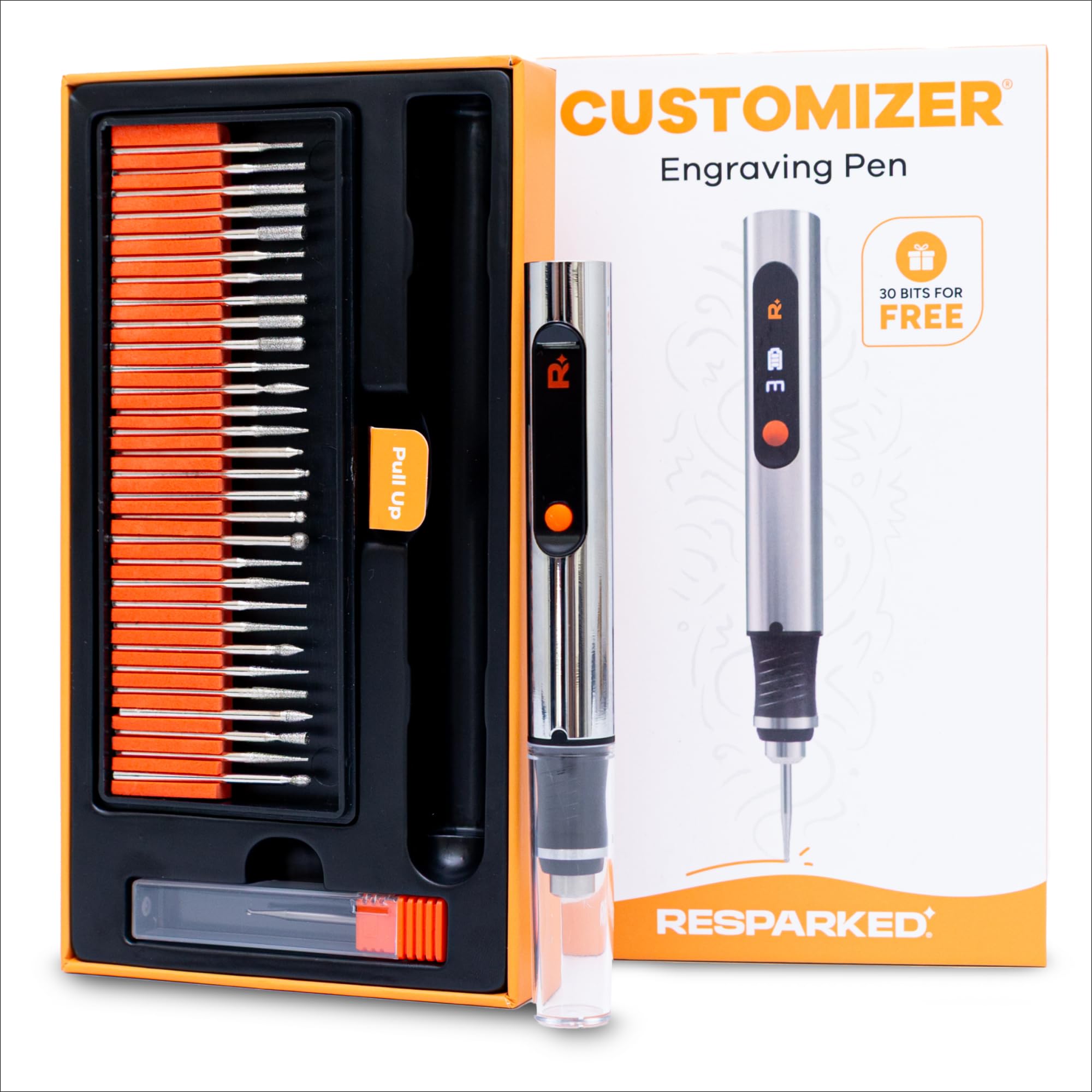
Resparked Customizer Engraving Pen Ultimate Cordless Portable: Best for broad surface variety
- Engraves 50+ surfaces
- Cordless and portable
- Rechargeable
- 30 bits
- Mastery Guide
- Beginner friendly
Resparked is a strong fit when your projects move beyond a few familiar materials. Its 50+ surface claim, 30 bits and beginner-friendly positioning give new users a broad starting point.
Pros
- 50+ surface claim
- 30 bits
- Mastery Guide included
Cons
- No stated speed range
- No stated charging time
The Resparked Customizer suits artists and DIYers who want a beginner-friendly rechargeable pen for a wide mix of surfaces. Its title describes engraving on 50+ surfaces and includes 30 bits plus a Mastery Guide.
That combination gives a new user a defined starting point. Instead of buying a separate accessory kit immediately, you can begin with the 30 bits and learn which shapes suit lettering, outlines or small filled areas.
Its cordless portable design is useful when you move between a workbench, craft room and storage area. Rechargeable power also keeps the tool format free from a permanent cord during a short personalization task.
The broad surface claim is a reason to consider it, not a promise that every surface will feel the same. Hard metal, soft wood, glass and other materials can need different pressure and slower hand movement.
Choose Resparked over the first pick when 50+ surfaces and beginner guidance matter more than having 35 bits. Choose NEIKO when you want a stated 120V supply and adjustable stroke depth.
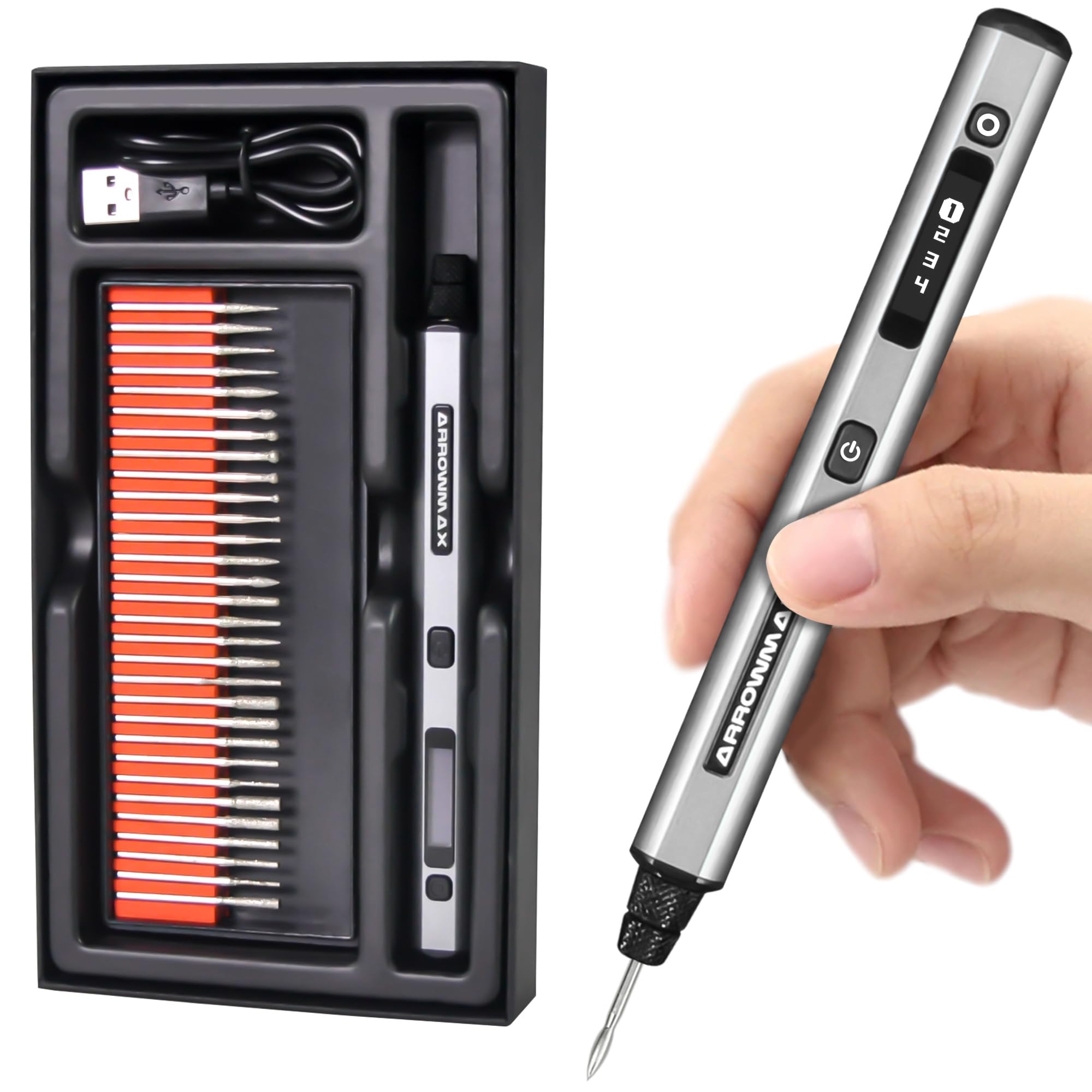
AM ARROWMAX Mini Engraving Pen: Best for beginners working across materials
- Engraves 50+ surfaces
- Cordless portable design
- Beginner friendly
- Works with bead, metal, wood, glass and plastic
AM ARROWMAX suits beginners who want a small cordless pen for common craft surfaces. Its stated material list includes bead, metal, wood, glass and plastic, making it useful for both gifts and decorative work.
Pros
- 50+ surface claim
- Beginner-friendly format
- Named glass and bead use
Cons
- No bit count stated
- No speed range stated
The AM ARROWMAX Mini Engraving Pen is aimed at artists, DIYers and beginners who want a cordless portable tool for common craft materials. Its title specifically names bead, metal, wood, glass and plastic.
That named range makes it especially useful for jewelry details, small glass decoration and simple plastic or wood labels. The 50+ surface description also suggests a broader project range than the five named materials alone.
Because the pen is described as beginner friendly, it is a reasonable starting point for learning pressure control. Begin with a short line on a spare piece of the same material, then adjust your hand speed before working on a finished item.
The main trade-off is the lack of a stated bit count, speed range or charging method in the supplied product data. Buyers who want a clearly defined accessory set may prefer the Uolor or the other AM ARROWMAX model.
Pick this tool when the material list and beginner focus match your projects. For a broader accessory package, compare the 35-bit first pick and the 42-bit Uolor.
Stylo+ Rotary Tool Kit with 15 Accessories: Best for a simple accessory kit
- 15 accessories
- Engraving pen format
- Model 2050-15
Stylo+ is a focused choice for buyers who want an engraving pen with 15 accessories rather than a large bit collection. Its compact kit format keeps the starting setup straightforward.
Pros
- 15 accessories
- Clear model number
- Focused engraving pen kit
Cons
- Smaller accessory count than several cordless picks
- Materials are not stated
The Stylo+ Rotary Tool Kit with 15 Accessories is a focused option for buyers who want an engraving pen and a smaller accessory package. Its model number is 2050-15, and the title identifies 15 accessories.
A 15-piece kit can be easier to organize than a larger collection. It suits a maker who knows the basic type of work they want to do and would rather start with a compact set than sort through dozens of bits.
The product data does not state materials, power source, speed or the exact accessory types. That makes it less suitable for buyers who need to confirm glass, metal or wood use before choosing.
Its advantage is simplicity. You can compare the number of accessories directly with the 35-bit, 42-bit and 47-bit kits, while keeping your decision centered on a small engraving pen setup.
Choose Stylo+ for a straightforward kit with a clear accessory count. If the surface range is the main concern, the Resparked and AM ARROWMAX Mini provide more direct material and surface information.
NEIKO 10576A Handheld Electric Engraver Tool: Best for adjustable corded engraving
- 120V corded power
- Tungsten carbide tip
- 5 adjustable stroke modes
- Works with metal, wood, glass and plastic
- 2 stencils
NEIKO stands apart with 120V corded power, a replaceable tungsten carbide tip and 5 stroke-depth modes. It suits labeling and repeated work at a bench where portability is less important.
Pros
- 5 adjustable stroke modes
- Replaceable tungsten carbide tip
- 2 stencils included
Cons
- Corded rather than cordless
- One stated speed of 7200 rpm
The NEIKO 10576A is the best match for buyers who want a corded tool with adjustable stroke depth. It uses 120V power, runs at 7200 rpm, and has a replaceable tungsten carbide tip.
Five adjustable modes let you choose a deeper or shallower stroke. A deeper setting can suit a lasting mark, while a shallower setting gives you more control on thin or fragile material.
NEIKO names metal, wood, glass and plastic as working surfaces. Two stencils with numbers and shapes also help with simple labels when freehand lettering is difficult.
This tool has a different feel from the cordless pens. The corded design is less convenient for moving around, but a steady 120V supply avoids planning around rechargeable power.
The lightweight handheld body and pencil-like grip suit bench work and small labels. Choose it over the cordless models when stroke adjustment, a replaceable tungsten carbide tip and stencils matter most.
Uolor USB Rechargable Engraving Pen: Best for a large bit selection
- 42 bits
- USB rechargeable
- Cordless portable format
- Works with jewelry, wood, metal, stone, plastic and glass
Uolor gives you 42 bits and a broad material list in a portable USB rechargeable format. It fits crafters who want more accessory choices than a basic pen kit offers.
Pros
- 42 bits
- USB rechargeable
- Glass and stone included in material list
Cons
- No stated speed range
- No stated bit material
The Uolor USB Rechargable Engraving Pen is the strongest choice here for buyers who want a large bit selection without leaving the pen format. It includes 42 bits and works with jewelry, wood, metal, stone, plastic and glass.
That combination covers several common craft materials. A glass project and a wood project may need different bit shapes or hand pressure, so the larger set gives you more options to sort and compare.
Its USB rechargeable cordless design makes it portable for short personalization tasks. Keep the charging cable and bits in one place so the tool is ready when you need to add a name or small mark.
The product data does not state speed, bit material or charging time. If those details control your decision, compare Uolor with NEIKO, whose title and specifications provide more information about power, tip material and stroke modes.
Choose Uolor when 42 bits and a broad named material range are more useful than a display or included blanks. It is also a sensible alternative to the 35-bit first pick when glass and stone are central to your projects.
USB Engraving Pen with 47 bits: Best for engraving and blank projects
- 47 bits
- 10 metal business card blanks
- Cordless electric format
- Works with jewelry, metal, resin and plastic stone
This kit offers the largest stated bit count here plus 10 metal business card blanks. It suits makers who want practice or personalization blanks included with their engraving setup.
Pros
- 47 bits
- 10 metal business card blanks
- USB cordless format
Cons
- No speed range stated
- Material wording does not name wood or glass
The USB Engraving Pen with 47 bits is the best fit for buyers who want the largest stated bit count and a set of practice or project blanks. It includes 10 metal business card blanks alongside the 47 bits.
Those blanks give you a defined surface for trying lettering, spacing and simple designs. They also suit makers who want to create personalized metal cards after learning how much pressure their chosen mark needs.
The cordless USB format keeps the tool portable. Its product title names jewelry, metal, resin, plastic and stone, but it does not name wood or glass, so choose another model if those materials are central to your plans.
The 47-bit count is higher than the 35-bit and 42-bit cordless options. More bits can help you compare marks, but it also means more sorting and storage.
Pick this model for metal blanks and accessory variety. Pick Uolor or the first pick if you want a broader named material list that includes wood or glass.
AM ARROWMAX Electric Mini Engraving Pen: Best for a compact organized setup
- HollowCup Motor
- 42 bits
- Aluminum case
- OLED
- Magnetic charge
- Works with bead, metal, wood, glass and plastic
This AM ARROWMAX model combines 42 bits with an aluminum case, OLED and magnetic charging. It suits a buyer who values an organized portable kit and a visible display.
Pros
- 42 bits
- Aluminum case
- OLED and magnetic charge
Cons
- No stated speed range
- No charging time stated
The AM ARROWMAX Electric Mini Engraving Pen suits buyers who want an organized portable kit with visible controls. It includes 42 bits, an aluminum case, an OLED and magnetic charging.
The OLED gives this model a clearer control feature than the pens with no stated display. The aluminum case can also keep the bits together between projects, which matters when your work surface doubles as a general craft table.
Its title names bead, metal, wood, glass and plastic. That material list is useful for jewelry details, small signs, decorative glass and plastic personalization.
The HollowCup Motor is named in the title, but no speed range or motor measurement is supplied. Treat the motor name as a model feature rather than a reason to assume a particular cutting rate.
Choose it when storage, magnetic charging and a display are more important than the highest score. The Resparked model may suit beginners who want a Mastery Guide, while Uolor offers the same stated bit count with a different feature set.
HARDELL Cordless Engraving Pen Precision Tool: Best for a basic precision pen
- Cordless engraving pen
- Precision tool format
- Gray finish
HARDELL is the most plainly specified option in this group. It fits shoppers who want a cordless precision pen and do not need a stated large bit set or broad material list.
Pros
- Cordless format
- Precision tool design
- Simple setup choice
Cons
- No bit count stated
- No materials stated
The HARDELL Cordless Engraving Pen Precision Tool is the simplest choice in the group. Its title identifies a cordless precision tool in a gray finish, but it does not state a bit count, material range or charging method.
That limited information can still suit a buyer who already knows the type of pen they want and does not need a large accessory package. A basic cordless format may be easier to compare with other tools after you decide which bits and surfaces you need.
The missing material list is the key trade-off. Do not assume it works with glass, metal, wood, plastic or stone until the exact product information confirms the surface you plan to engrave.
Choose HARDELL when the cordless precision format is the priority. Choose one of the more fully described pens if you want stated bits, named materials, blanks, a case or a display.
How the engraving pens compare
The comparison comes down to portability, accessory count, surface information and control features. The first three picks offer broad cordless use, while NEIKO is the clearest choice for corded power and adjustable stroke depth.
| Product | Best for | Bit count | Power format | Materials | Our score |
|---|---|---|---|---|---|
| USB Rechargable Engraving Machines Pen with 35bits | compact all-purpose craft work | 35 bits | USB rechargeable cordless | Jewelry, stone, metal, plastic, wood and resin | 9.7 |
| Resparked Customizer Engraving Pen Ultimate Cordless Portable | broad surface variety | Rechargeable cordless | 9.6 | ||
| AM ARROWMAX Mini Engraving Pen | beginners working across materials | Cordless portable | Bead, metal, wood, glass and plastic | 9.5 | |
| Stylo+ Rotary Tool Kit with 15 Accessories | a simple accessory kit | 9.4 | |||
| NEIKO 10576A Handheld Electric Engraver Tool | adjustable corded engraving | 9.3 | |||
| Uolor USB Rechargable Engraving Pen | a large bit selection | 42 bits | USB rechargeable cordless | Jewelry, wood, metal, stone, plastic and glass | 9.1 |
| USB Engraving Pen with 47 bits | engraving and blank projects | 47 bits | USB cordless electric | 8.8 | |
| AM ARROWMAX Electric Mini Engraving Pen | a compact organized setup | 42 bits | 8.7 | ||
| HARDELL Cordless Engraving Pen Precision Tool | a basic precision pen | Cordless | 8.1 |
The 35-bit first pick has the broadest named material list among the highest-scoring options. Resparked and AM ARROWMAX Mini stand out for their 50+ surface descriptions, while Uolor and the second AM ARROWMAX give you 42 bits.
The 47-bit USB pen has the largest stated bit count and adds 10 metal business card blanks. That makes it different from the other kits, which focus more on the pen and bits themselves.
For related bit guidance, see our guide to the best rotary tool engraving bits. If you need a larger rotary setup for detailed work, our guide to engraving with a rotary tool explains the broader workflow.
Should you choose a cordless or corded engraving pen?
Choose a cordless pen for portability, and choose the NEIKO for a corded 120V setup with adjustable stroke depth. Your work location and project length matter more than the label alone.
Cordless pens for mobile craft work
The USB Rechargable 35-bit pen, Resparked, AM ARROWMAX Mini, Uolor, USB 47-bit pen, second AM ARROWMAX and HARDELL all use cordless formats described in their titles or data.
Cordless tools fit short projects at different tables. They also reduce the need to place your work close to an outlet, but most of these picks do not state charging time or battery capacity.
Corded power for a fixed bench
NEIKO uses 120V corded electric power and has a stated speed of 7200 rpm. Its five stroke modes make it easier to choose between a deeper mark and a lighter mark.
A cord can limit movement around a large project. For repeated labeling at one bench, that trade-off may be worthwhile.
How many bits do you need in an engraving pen?
Choose the bit count by the variety of marks and surfaces you expect to make, not by the largest number alone. A compact set can be easier to organize, while a larger set gives you more shapes to compare.
15 to 35 accessories
Stylo+ has 15 accessories, and the first pick has 35 bits. These kits suit buyers who want a defined starting point without the largest possible collection.
The 35-bit tool also names jewelry, stone, metal, plastic, wood and resin use. That makes its accessory count more useful for a broad craft plan than a count without a stated material range.
42 to 47 bits
Uolor and the second AM ARROWMAX have 42 bits. The USB 47-bit pen has 47 bits plus 10 metal business card blanks.
More bits can help you test line width, curves and surface texture. Store them in labeled groups so the extra choices do not slow down setup.
Which pen engraving tool works with metal, glass and wood?
The best choice depends on the exact surface combination. NEIKO names metal, wood, glass and plastic, while several cordless models name different combinations that include stone, resin or bead.
Metal and wood
The first pick, NEIKO, Uolor and the second AM ARROWMAX name both metal and wood. The AM ARROWMAX Mini also names metal and wood, while the 47-bit pen names metal but does not name wood in its product data.
Before engraving a finished item, practice on a similar spare surface. Metal can require a slower, steadier hand than wood, and a design that looks clear on one material may need a different stroke on another.
Glass and decorative projects
AM ARROWMAX Mini, NEIKO, Uolor and the second AM ARROWMAX name glass. For a project centered on bottles or glassware, read our tutorial on engraving wine bottles with an engraving pen.
Glass needs careful positioning and controlled pressure. Mark your layout first, keep the item stable and use eye protection because small particles can be produced during engraving.
For a laser-based option, compare how to laser engrave a pen. A pen engraver and a laser machine create marks in different ways, so the better choice depends on your workspace and the detail you need.
How do you use an engraving pen safely?
Use light pressure, secure the workpiece and wear eye protection while following the tool's instructions. Start with a test mark before moving to the final item.
Prepare the workpiece
Clean and dry the surface, then draw the design with a removable marker or use a stencil where appropriate. NEIKO includes two stencils with numbers and shapes, which can help with basic labels.
Hold the item so it cannot slide into the bit. Small pieces may need a stable work surface or a way to keep your fingers clear.
Build the mark slowly
Use short strokes instead of trying to cut the full letter in one pass. Let the bit follow the outline, then add depth only when the first line is placed correctly.
For general steps, read how to use an engraving pen. If you are working on a tumbler, first decide whether a rotary attachment is needed by reading do you need a rotary for tumblers.
Protect yourself and the finish
Wear eye protection and keep loose clothing away from moving parts. Clean dust from the work area after the tool stops, and store bits where they will not be damaged.
A pen engraver is not a substitute for a laser safety setup. Follow the instructions for the exact tool and material, especially when working with glass, stone or metal.
What should you engrave with a pen tool?
Use a pen tool for short names, initials, simple shapes and small decorative marks. It is most useful when you want direct hand control rather than a large automated machine.
Jewelry and small metal items
A compact pen can suit beads, jewelry and small metal blanks. The first pick, AM ARROWMAX Mini and the second AM ARROWMAX all name bead or jewelry-related use.
For more focused jewelry tool choices, compare the best rotary tool for jewelry making and the best rotary engraver for jewelry. Bit shape, hand control and the size of the workpiece all affect the result.
Plastic, acrylic and stone
The first pick, Resparked, AM ARROWMAX Mini, NEIKO and Uolor name several hard craft surfaces. For plastic and acrylic projects, see the guide to the best rotary engraver for plastic.
Stone can need more patience than soft wood. Use a simple design, keep the workpiece stable and make several controlled passes rather than forcing a deep line at once.
Marble and larger hard surfaces
Hand work can suit a small marble design when the piece is stable and the layout is simple. Our guide to hand engraving marble covers that use case.
For metal plates or repeated labels, a larger handheld option may be more appropriate. See the best handheld engraving machines for metal plates before choosing a small pen.
More guides on this topic
- Best Metal Engraving Pens
- Best Engraving Pens for Beginners
- Best Diamond Rotary Tool Bits
Which best pen engraving tool should you buy?
The USB Rechargable Engraving Machines Pen with 35bits is the best pen engraving tool for most readers because it combines a cordless pen format, 35 bits and a broad named material range.
Pick Resparked if 50+ surfaces, 30 bits and a Mastery Guide matter most. Pick AM ARROWMAX Mini if you want a beginner-friendly pen with named bead, metal, wood, glass and plastic use.
Choose NEIKO for a fixed workbench, 120V power, a replaceable tungsten carbide tip and 5 adjustable stroke modes. Choose the USB 47-bit pen if included metal business card blanks are useful, or the second AM ARROWMAX if you want an aluminum case, OLED and magnetic charging.
For a smaller accessory kit, Stylo+ keeps the choice focused with 15 accessories. HARDELL is the basic cordless option when you already know what you need and do not require a stated bit count or material list.
The right final choice is the one whose named surfaces, power format and accessory set match your next project. Start with a spare piece, use controlled strokes and keep the tool suited to the material in front of you.
Our top 3 picks at a glance
-
1
Best for compact all-purpose craft work
USB Rechargable Engraving Machines Pen with 35bits
9.7/10 our score
See it on Amazon -
2
Best for broad surface variety
Resparked Customizer Engraving Pen Ultimate Cordless Portable
9.6/10 our score
See it on Amazon -
3
Best for beginners working across materials
AM ARROWMAX Mini Engraving Pen
9.5/10 our score
See it on Amazon