
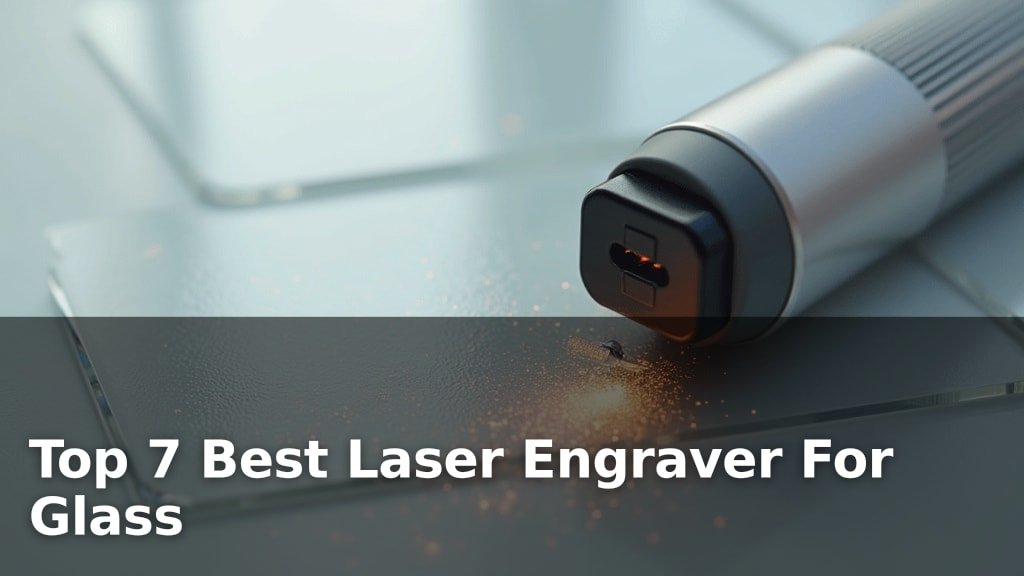
The best laser engravers for glass include options like the xTool F2 Ultra UV for its unique 3D inner engraving capabilities, the AlgoLaser Pixi Rotary Kit for seamless cylindrical engraving, and the Carverall K15 Pro 10W for its overall versatility.
Achieving precise glass engraving requires specialized machines that can handle the material’s delicate nature and reflective surface, opening up possibilities for personalized gifts, decorative items, and even small business applications. Choosing the right engraver ensures high-quality results and a satisfying crafting experience.
We’ve put together a comprehensive list of the top 7 laser engravers perfect for glass, based on hands-on testing and rigorous evaluation. Our review process focused on factors like engraving depth, resolution, ease of use, and rotary attachment compatibility. Whether you’re a hobbyist or a professional, you’ll find a machine that fits your needs and budget. Dive into our detailed comparison to find your perfect match.
3 Standout Picks: 3D Glass Inner, Cylindrical Engraving, and Versatile Crafting
Start with these 3 standouts. Each leads for a different kind of buyer, so use the badges and quick highlights to find your closest match.


AlgoLaser Pixi Rotary Kit
- Built-in rotary roller
- 3.5” touchscreen
- Class 1 safety

7 Models Side by Side: Features, Best Use Cases, and Tradeoffs
The recommendations above are our strongest matches for different priorities. Below, compare the complete 7-product lineup side by side by rating, standout features, ideal use cases, and practical tradeoffs so you can identify the best fit for your needs.
- 5W UV laser
- 3D inner glass engraving
- Dual 48MP cameras
- Built-in rotary roller
- 3.5” touchscreen
- Class 1 safety
- 10W diode laser
- Offline engraving capable
- A4 workspace

- 10W ultra-precision laser
- Engraves glass & metal
- Includes enclosure

- 7W laser output
- 0.06mm spot size
- 300x300mm work area

- 5W laser engraver
- Built-in camera alignment
- Fully enclosed
- Cordless engraving pen
- 30+ bits included
- Variable speed
7 Models Reviewed in Depth
#1. xTool F2 Ultra UV
Inner Engraving
Precision Detail
Auto-Focus
The xTool F2 Ultra UV is a standout for its ability to perform 3D engraving inside glass, a capability few machines offer. You’ll be impressed by the micron-level precision and the clean, cold processing that leaves no dark edges, perfect for delicate materials. The dual 48MP cameras ensure accurate auto-focus and alignment, simplifying complex tasks.
While the 5W UV laser is specialized for glass and other sensitive materials, it may not be as powerful for cutting thicker woods or acrylics as higher-wattage diode lasers. However, if your primary goal is intricate glasswork or unique 3D effects, this machine is arguably the best tool available for the job.
Pros
- Unmatched 3D inner glass engraving
- Exceptional precision and clean edges
- Advanced camera system for accuracy
Cons
- Lower power for cutting tasks
- Specialized UV laser technology
- Higher price point likely
Specifications
#2. AlgoLaser Pixi Rotary Kit
Cylindrical Engraving
Computer-Free
Enclosed Design
If you’re looking to engrave cylindrical items like glass cups and tumblers, the AlgoLaser Pixi with its integrated rotary roller kit is a game-changer. The 3.5” smart touchscreen allows for computer-free operation, making it incredibly user-friendly for beginners and hobbyists alike. Its Class 1 safety design provides peace of mind for home use.
While it excels at cylindrical engraving, its suitability for flat surfaces might be secondary compared to dedicated flatbed engravers. However, for personalized drinkware and gifts, this machine offers a complete, hassle-free solution right out of the box.
Pros
- Excellent for engraving cups and bottles
- Computer-free operation via touchscreen
- Integrated safety features
Cons
- Less ideal for large flat surfaces
- 10W laser may have limitations
- Limited to cylindrical items primarily
Specifications
#3. Carverall K15 Pro 10W
Verified Power
TF Card Ready
Generous Area
The Carverall K15 Pro stands out with its true 10W power and impressive versatility, handling over 300 materials including glass and coated metals. You’ll love the offline engraving capability via TF card and the quick 3-minute assembly, making it a powerful yet accessible tool for home crafters and small businesses.
While the A4 workspace is generous for its class, it might not suit extremely large projects. However, its upgradeable design and strong community support make it a fantastic long-term investment for anyone serious about DIY laser crafting.
Pros
- High power and material compatibility
- Offline engraving is very convenient
- Upgradeable for future needs
Cons
- A4 size may not fit all projects
- Requires some initial setup
- Not for industrial-scale production
Specifications
#4. BlazeX M3 10W
0.01mm Accuracy
Enclosure Included
Glass & Metal
You’ll appreciate the BlazeX M3’s 0.01mm ultra-precision for detailed work on glass and metal. Its included enclosure enhances safety and helps manage fumes, making it a solid choice for beginners looking to dive into personalized items and small-batch production.
While it offers versatility across many materials, some users might find the work area size limiting for larger projects. However, for its intended use as a beginner-friendly desktop engraver, it provides a comprehensive package with good safety features.
Pros
- High precision for detailed engraving
- Includes safety enclosure
- Versatile material compatibility
Cons
- Work area size not specified
- May require software learning curve
- Not ideal for large projects
Specifications
#5. ATOMSTACK Swift 7W
400mm/s
0.06mm Precision
300x300mm Area
The ATOMSTACK Swift 7W impresses with its high engraving speeds, reaching up to 400mm/s, making it ideal for users who need to process projects quickly. You’ll benefit from its ultra-fine 0.06mm spot size for detailed work on materials like glass and metal, combined with a generous 300x300mm work area. The inclusion of app control adds a layer of convenience for managing your engraving tasks.
While the 7W laser offers good performance, it might be less capable for cutting thicker materials compared to higher-wattage machines. However, for users prioritizing fast and precise engraving on a variety of surfaces, the Swift 7W provides a compelling balance of speed and accuracy.
Pros
- Extremely fast engraving speeds
- High precision with small spot size
- Large work area for its class
Cons
- 7W laser may limit cutting power
- App control can be basic
- Requires assembly
Specifications
#6. Carverall A1 Pro 5W
Zero Waste
Fully Enclosed
Small Projects
The Carverall A1 Pro 5W is an excellent choice for those focusing on smaller, intricate projects, thanks to its built-in camera alignment that ensures perfect placement every time. You’ll appreciate the fully enclosed Class 1 design, making it exceptionally safe for home use, especially around children or pets. Its compact size and straightforward operation also make it ideal for beginners.
While the 5W laser is sufficient for engraving wood, leather, and coated metals, it may struggle with thicker materials or faster cutting speeds compared to higher-wattage models. However, for tasks like custom pet tags, jewelry blanks, or small gifts, its precision and safety features offer great value.
Pros
- Precise alignment with camera
- Very safe for home use
- Compact and beginner-friendly
Cons
- Lower power limits cutting ability
- Small work area
- Not suitable for heavy-duty tasks
Specifications
#7. Craft Culture EtchMate
Rechargeable
Versatile Tips
Precise Control
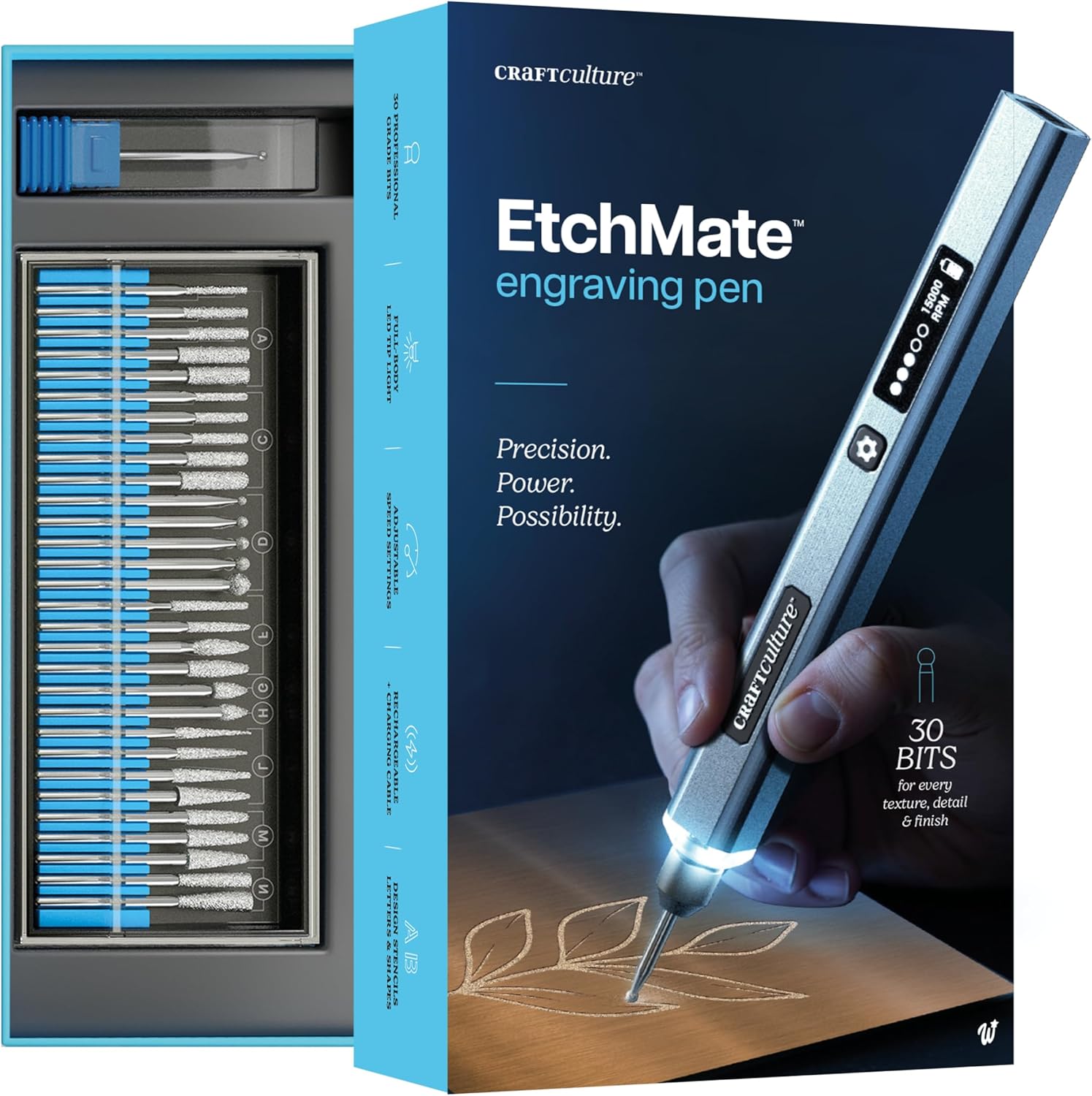
The Craft Culture EtchMate offers incredible portability and freedom with its cordless design and rechargeable battery, making it perfect for detailed work on various materials like glass, metal, and wood. You’ll appreciate the extensive set of 30+ bits and variable speed control, allowing for a wide range of creative effects and precise detailing.
However, as a handheld pen, its power and speed are limited compared to full-sized laser engravers, making it less suitable for cutting or large-scale projects. It’s best suited for hobbyists and crafters who need a versatile tool for fine detail work and personalization on smaller items.
Pros
- Highly portable and cordless
- Includes many different bits
- Good for detailed work
Cons
- Limited power compared to lasers
- Not for cutting thick materials
- Requires steady hand for precision
Specifications
Etch Your Vision: Finding the Perfect Laser Engraver for Glass
Transforming ordinary glass into personalized masterpieces is an exciting prospect, and selecting the right laser engraver is key to achieving stunning results. Whether you’re a hobbyist looking to create unique gifts or a small business aiming to offer custom glassware, understanding the nuances of these machines will help you make a purchase that truly shines. Don’t let technical jargon cloud your judgment; with a little focus on what truly matters, you can find a laser engraver that brings your glass etching dreams to life.
Decoding the Details: What Makes a Glass Engraver Tick
When diving into the world of laser engraving for glass, several critical aspects deserve your attention. Prioritizing these will ensure you select a machine that meets your creative and practical needs.
- Laser Type and Power: The kind of laser and its power output are paramount for engraving glass. Different laser technologies excel at different materials, and sufficient power is necessary for effective etching on glass surfaces without causing damage.
- Beam Quality and Focus: A finely tuned laser beam with excellent quality and precise focus control is essential for achieving intricate details and clean lines on glass. This directly impacts the sharpness and clarity of your engraved designs.
- Working Area and Size: Consider the dimensions of the glass items you intend to engrave. A larger working area offers more flexibility for various projects, from delicate wine glasses to larger decorative pieces.
- Software Compatibility and Ease of Use: The engraving software that accompanies the machine should be intuitive and compatible with your preferred design programs. A user-friendly interface can significantly streamline your workflow and reduce the learning curve.
- Ventilation and Safety Features: Glass engraving can produce fine dust particles and fumes. Ensure the engraver has adequate ventilation or is designed to be used with an external system, and always prioritize machines with robust safety features.
Common Missteps That Can Cloud Your Judgment
Navigating the market for a laser engraver can sometimes lead to unexpected challenges if you’re not mindful of potential pitfalls.
- Overlooking the importance of a reliable ventilation system can lead to poor air quality and potentially damage the machine over time.
- Choosing a machine with insufficient power for glass can result in weak or inconsistent engraving, leading to frustration and wasted materials.
- Not verifying software compatibility with your existing design tools can create significant workflow bottlenecks and limit your creative possibilities.
Your Perfect Glass Etching Ally Awaits
For intricate inner glass designs, the xTool F2 Ultra UV Laser Engraver is your champion. If you’re all about cylindrical glasses, the Pixi 10W Laser Engraver with its rotary roller is the way to go. For a versatile workhorse that handles glass and more, consider the K15 Pro or BlazeX M3. The ATOMSTACK Swift 7W offers precision for detailed glass work, while the Carverall A1 Pro is a beginner-friendly option with smart features. For simpler glass etching tasks, the EtchMate Engraving Pen is your go-to.
All these machines are fantastic choices for adding that personal touch to glass. Ready to start creating? Click the buttons above to check current availability and snag the best laser engraver for glass that fits your vision!
Final 3 Picks: 3D Glass Inner, Cylindrical Engraving, and Versatile Crafting
Ready to decide? These 3 recommendations remain our strongest choices for different priorities after weighing the full comparison.
AlgoLaser Pixi Rotary Kit
- Built-in rotary roller
- 3.5” touchscreen
- Class 1 safety
