9 Best Cutting Mats for Cricut Joy Xtra (November 2026)
The best Cricut Joy Xtra cutting mats include the Cricut StandardGrip Adhesive Cutting Mat for everyday vinyl projects, the LightGrip Cutting Mats 12in x 12in for delicate materials, and the StrongGrip Cutting Mat Pack for firm material hold.
On this page (9 sections)
- The best Cricut Joy Xtra cutting mat picks
- How we compared these Cricut Joy Xtra mats
- What size mat does Cricut Joy Xtra use?
- Which Cricut Joy Xtra mat grip should you choose?
- How do you keep a Cricut cutting mat sticky?
- Can you use Cricut Joy Xtra without a cutting mat?
- When should you buy a Cricut Joy Xtra mat variety pack?
- What else should you buy with a Joy Xtra mat?
- Verdict: which is the best Cricut Joy Xtra cutting mat?
The best Cricut Joy Xtra cutting mat for most projects is the Cricut StandardGrip Adhesive Cutting Mat, because its 12 in x 12 in size and standard grip suit many everyday materials. Choose LightGrip for delicate paper, StrongGrip for materials that need firmer hold, or a mat-free smart vinyl roll for selected heat-transfer projects.
The Joy Xtra needs a mat that matches both the machine's usable area and the material under the blade. A mat that is too strong can make delicate paper harder to remove, while a mat that is too weak can let material shift during a cut.
If you're new to this type of machine, our guide explains what a vinyl cutting machine is before you choose accessories. You can also compare a best Cricut Joy Xtra bundle if you still need the machine and basic supplies together.
Our picks at a glance
-
1
 Best for everyday vinyl projects
Cricut StandardGrip Adhesive Cutting Mat
9.7/10 our score
See it on Amazon -
2
-
3
- 4
 Check it
Cricut Cutting Mat Variety Pack
Best for mixed material projects - 5
 Best for a larger standard-mat supplyCheck it
- 6
 Check it
Cutting Board Mats Flexible Plastic Colored Mats
Best for flexible kitchen prep mats - 7
 Check it
HAWERSI Smart Iron On Vinyl Roll
Best for mat-free HTV projects - 8
 Best for separate hand-cutting workCheck it
- 9
 Check it
10 Pack 8.5x12in Cutting Mat Non-Slip Compatible
Best for a budget replacement supply
The best Cricut Joy Xtra cutting mat picks
The Cricut StandardGrip 12 in x 12 in 3-pack is the best starting point for most Joy Xtra owners, while LightGrip, StrongGrip and specialty options solve narrower problems. Match the adhesive strength to the material before you focus on pack size.
Our score weighs the stated size, grip, count, material fit and usefulness for the search intent. We did not treat a large count as a reason to rank a product above a better-matched mat.
Cricut StandardGrip Adhesive Cutting Mat: Best for everyday vinyl projects
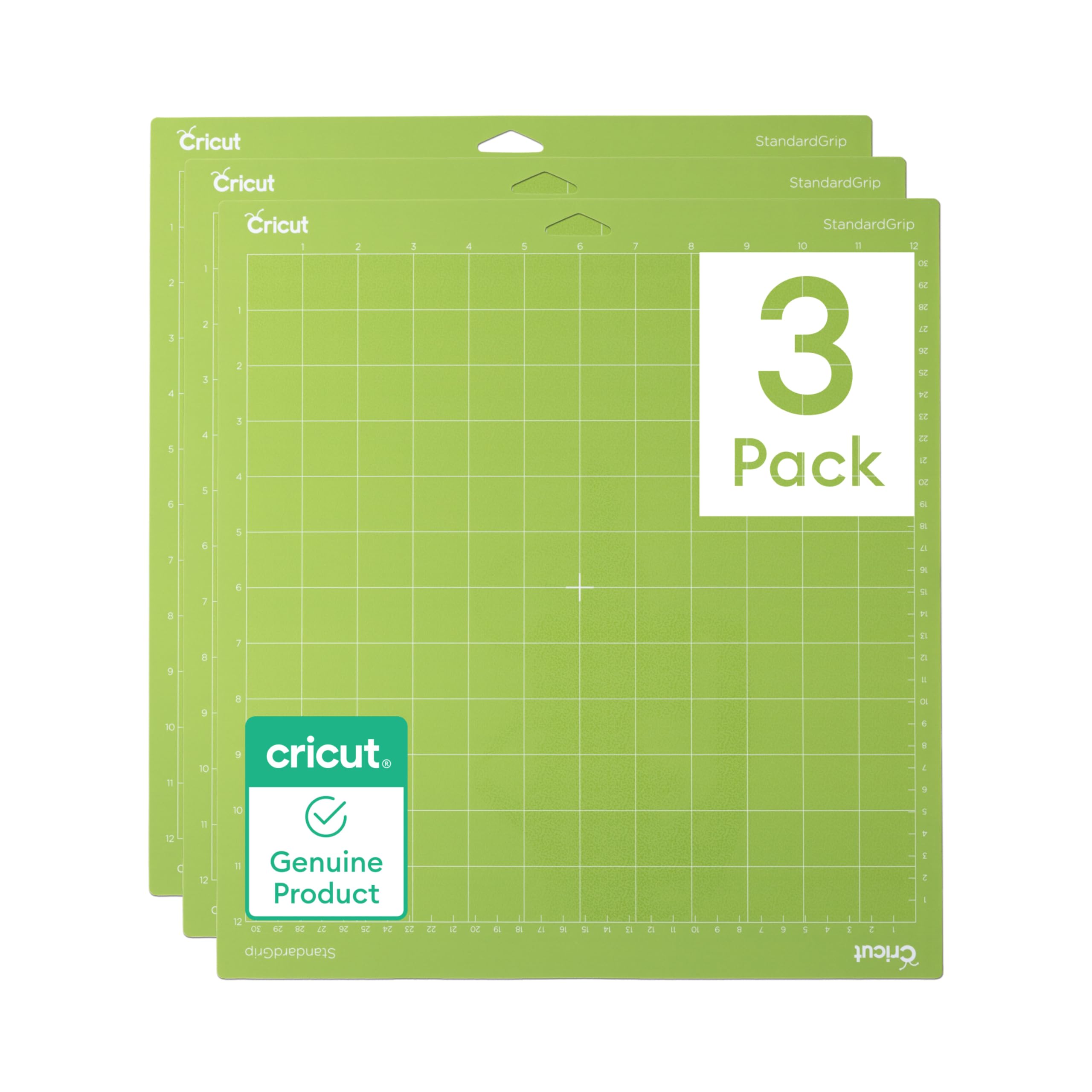
- 12 in x 12 in
- 3 mats
- StandardGrip
- Green
A 3-pack of green 12 in x 12 in StandardGrip adhesive mats is a practical starting point for common Cricut Joy Xtra materials.
Pros
- Standard grip suits many general projects
- 3 mats in the pack
- 12 in x 12 in working area
Cons
- Not the lightest grip option
- Not the strongest grip option
The Cricut StandardGrip Adhesive Cutting Mat is the strongest general choice here. Its 12 in x 12 in size gives you a familiar working area, and the 3-pack means you can keep a spare ready when one mat needs cleaning or replacement.
StandardGrip sits between LightGrip and StrongGrip in the choices here. That makes it a sensible first mat for ordinary vinyl, cardstock and other craft materials, but the exact material still matters.
Delicate paper may release more cleanly from LightGrip, while firm materials may need StrongGrip.
The green color also makes the mat easy to distinguish from other grip levels in a craft drawer. Keep the protective cover on the adhesive surface between uses, and place material flat so the blade can follow the cut without lifted edges.
Choose this pack if you want one clear starting point for Cricut Joy Xtra projects. It is less specialized than the LightGrip and StrongGrip packs, but that wider everyday role is why it leads this roundup.
LightGrip Cutting Mats 12in x 12in: Best for delicate materials
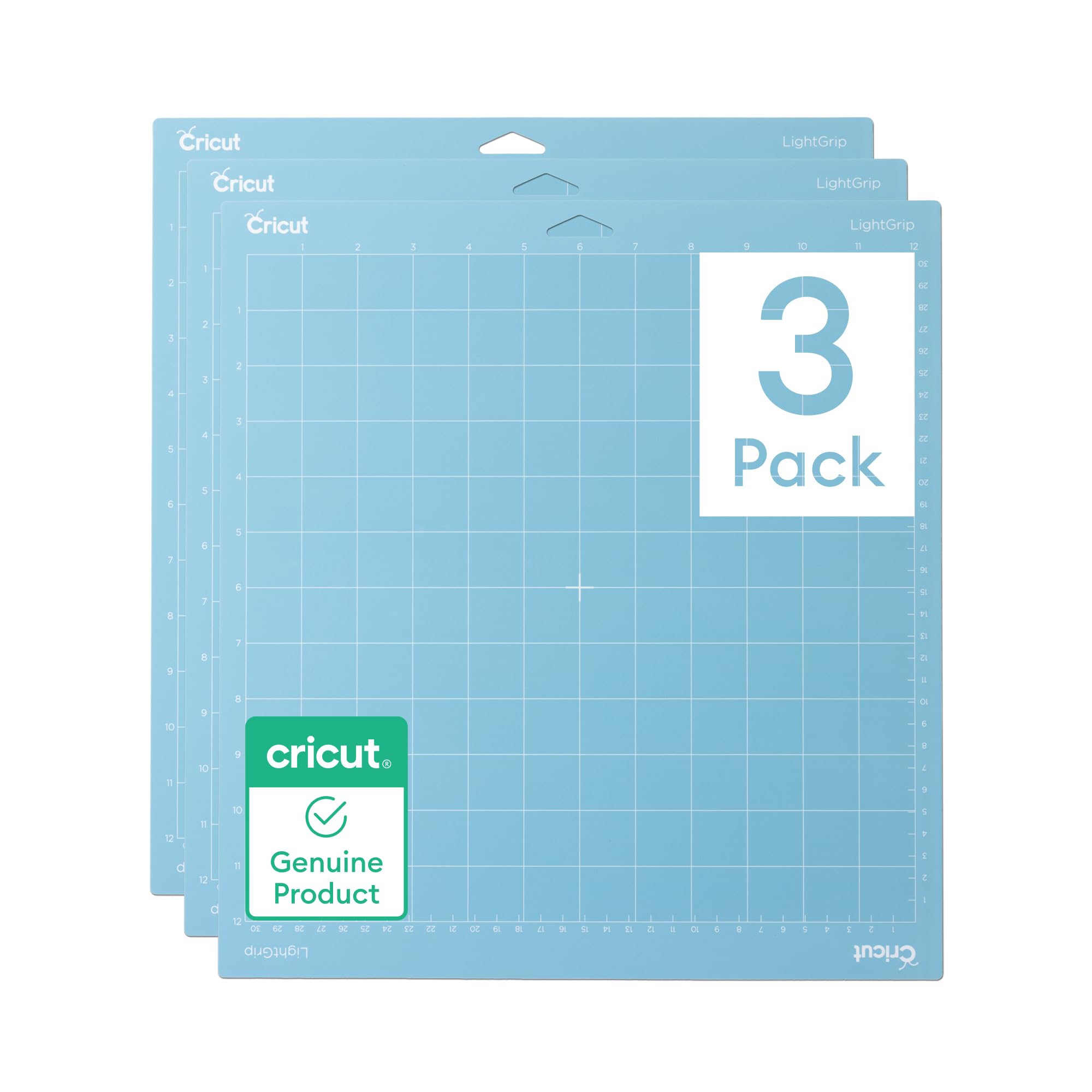
- 12 in x 12 in
- 3 mats
- LightGrip
Three 12 in x 12 in LightGrip mats suit materials that need support without the firmer hold of standard or strong grip.
Pros
- Light grip for delicate materials
- 3 mats in the pack
- 12 in x 12 in size
Cons
- May not hold firm materials as strongly
- Less suited to heavy or thick materials
The LightGrip Cutting Mats 12in x 12in pack is the better fit for delicate materials that need support without the firmer hold of standard or strong grip. It includes 3 mats, each measuring 12 in x 12 in.
LightGrip is useful when removal is the difficult part of a project. Thin paper and other delicate sheets can tear when a mat holds too firmly, so a lighter adhesive surface gives you a gentler starting point.
Use a clean, flat sheet and smooth it from the center toward the edges before loading. When the cut finishes, bend the mat away from the material instead of pulling the material straight up.
That approach can help reduce curling and tearing.
The trade-off is holding power. LightGrip is not the first choice when a firm or heavy material may shift, so keep a standard or strong-grip mat available if your projects change often.
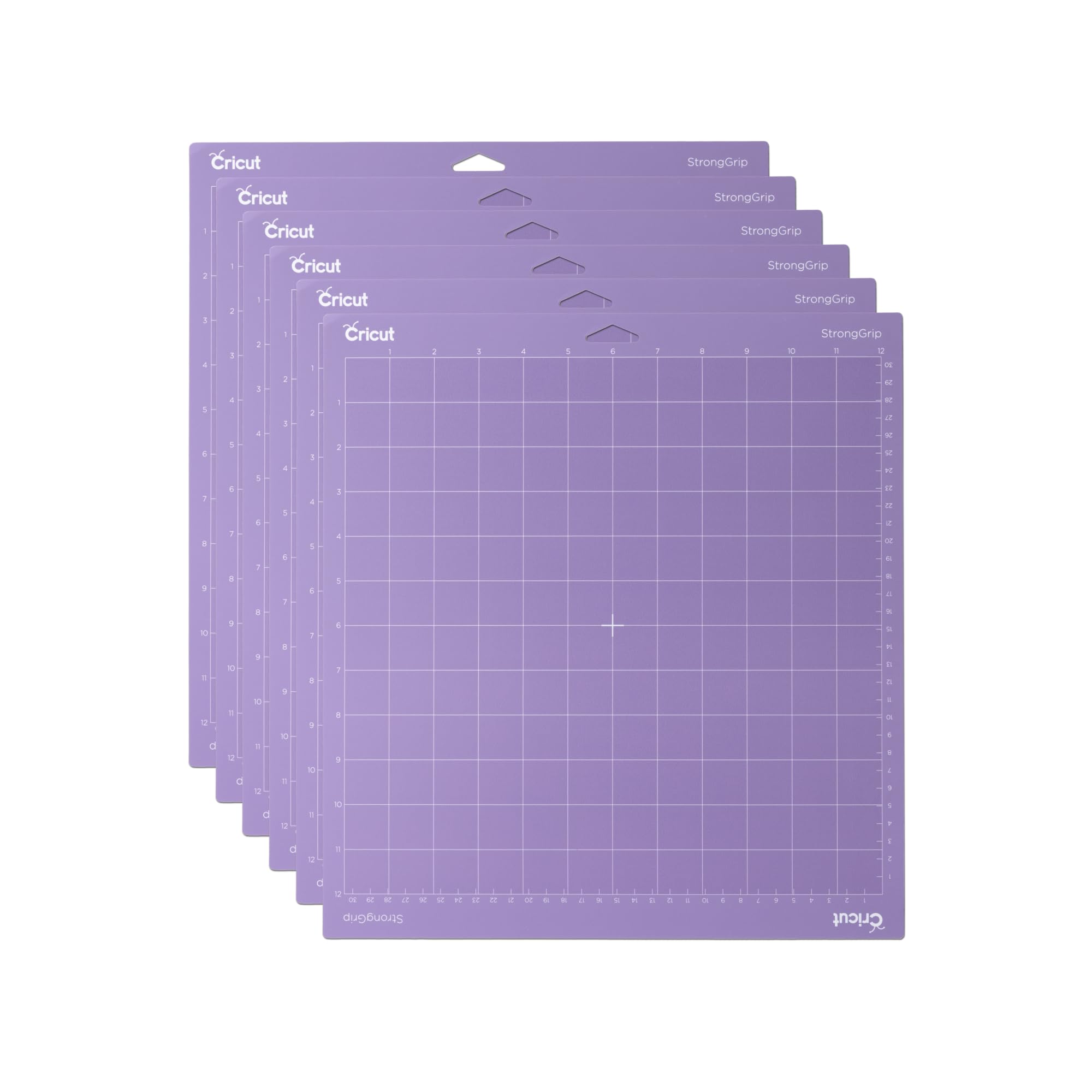
StrongGrip Cutting Mat Pack: Best for firm material hold
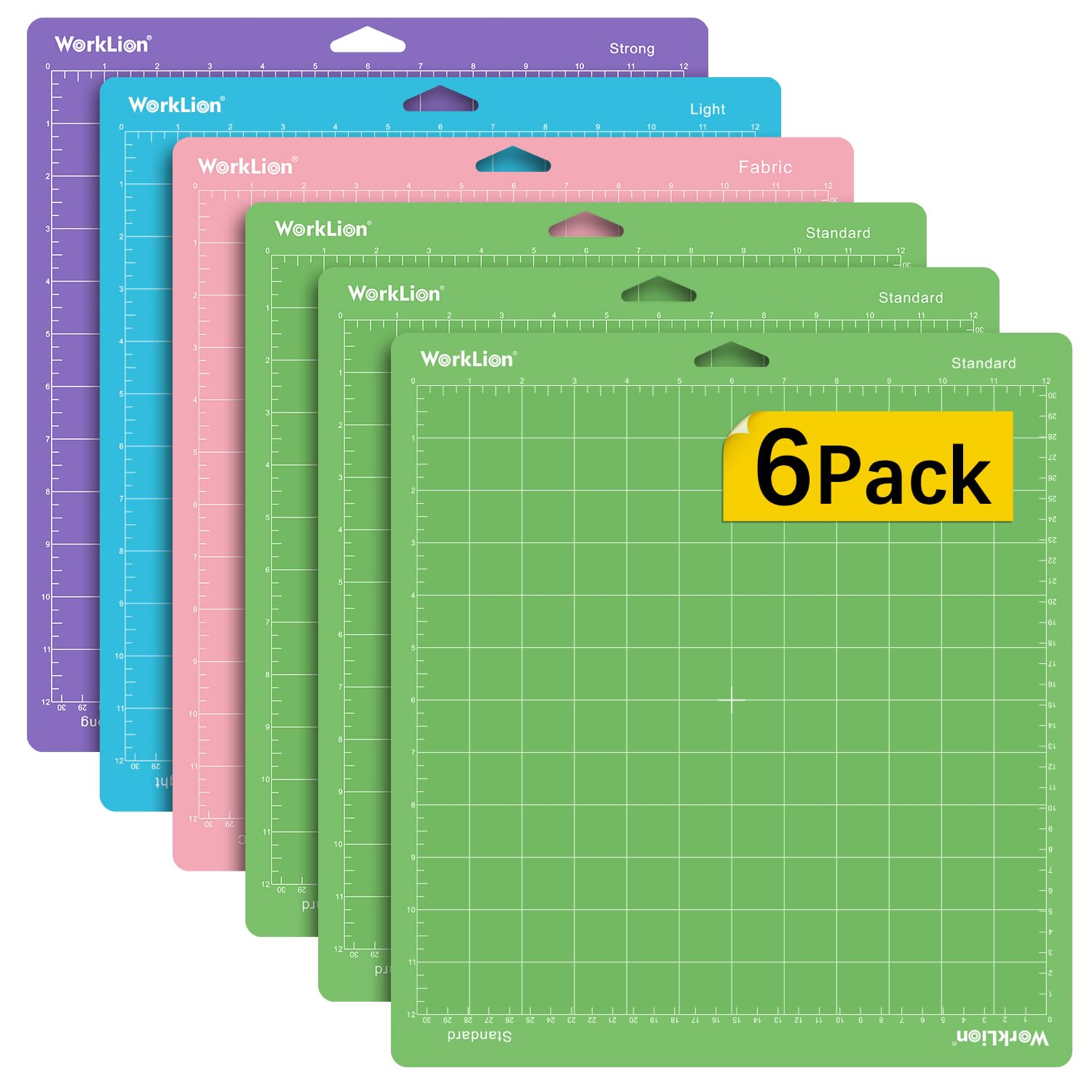
- 6 mats
- 12 in x 12 in
- StrongGrip
Six 12 in x 12 in StrongGrip mats give you a larger supply when your projects need a firmer hold than a standard mat.
Pros
- StrongGrip hold
- 6 mats in the pack
- 12 in x 12 in size
Cons
- Can be too firm for delicate materials
- More grip than some everyday projects need
The StrongGrip Cutting Mat Pack suits Joy Xtra projects where material hold matters more than easy release. It contains 6 mats in the 12 in x 12 in size, giving frequent users a larger supply of the strongest grip option in this group.
A strong-grip surface can help keep firm materials in place during cutting. That can be useful when movement would spoil small details, but the same hold can make delicate materials harder to remove without damage.
Before loading, check that the sheet is flat and free of loose debris. Press only the material area onto the mat, then use a suitable removal tool or peel the mat away from the cut sheet slowly after the machine finishes.
Choose this pack if you regularly work with materials that do not stay put on lighter mats. For simple paper crafts, it may add more grip than you need, so the StandardGrip or LightGrip packs are easier starting points.
Cricut Cutting Mat Variety Pack: Best for mixed material projects
- 4 mats
- 12 in x 24 in
- Variety pack
A 4-mat variety pack in a 12 in x 24 in format gives shoppers a broad mat option when one grip level does not fit every project.
Pros
- Multiple mat types in one pack
- 12 in x 24 in format
- Useful for changing materials
Cons
- Larger format needs careful size checking
- Grip types are not specified here
The Cricut Cutting Mat Variety Pack is the most flexible choice when your materials change from project to project. It includes 4 mats in a 12 in x 24 in format, though the specific grip types are not identified in the available product details.
A variety pack can reduce the need to buy one grip level at a time. That makes sense for a craft room that moves between delicate sheets, standard vinyl and materials that need firmer support.
The 12 in x 24 in size needs careful checking before you order. The Joy Xtra and the project design must both support the mat format you plan to use.
A larger mat can be useful for bigger layouts, but it also needs more storage space and a clear loading path.
Pick this pack when flexibility matters more than knowing one exact grip level. If you want a clearly identified grip, the LightGrip, StandardGrip or StrongGrip options are easier to match to a material.
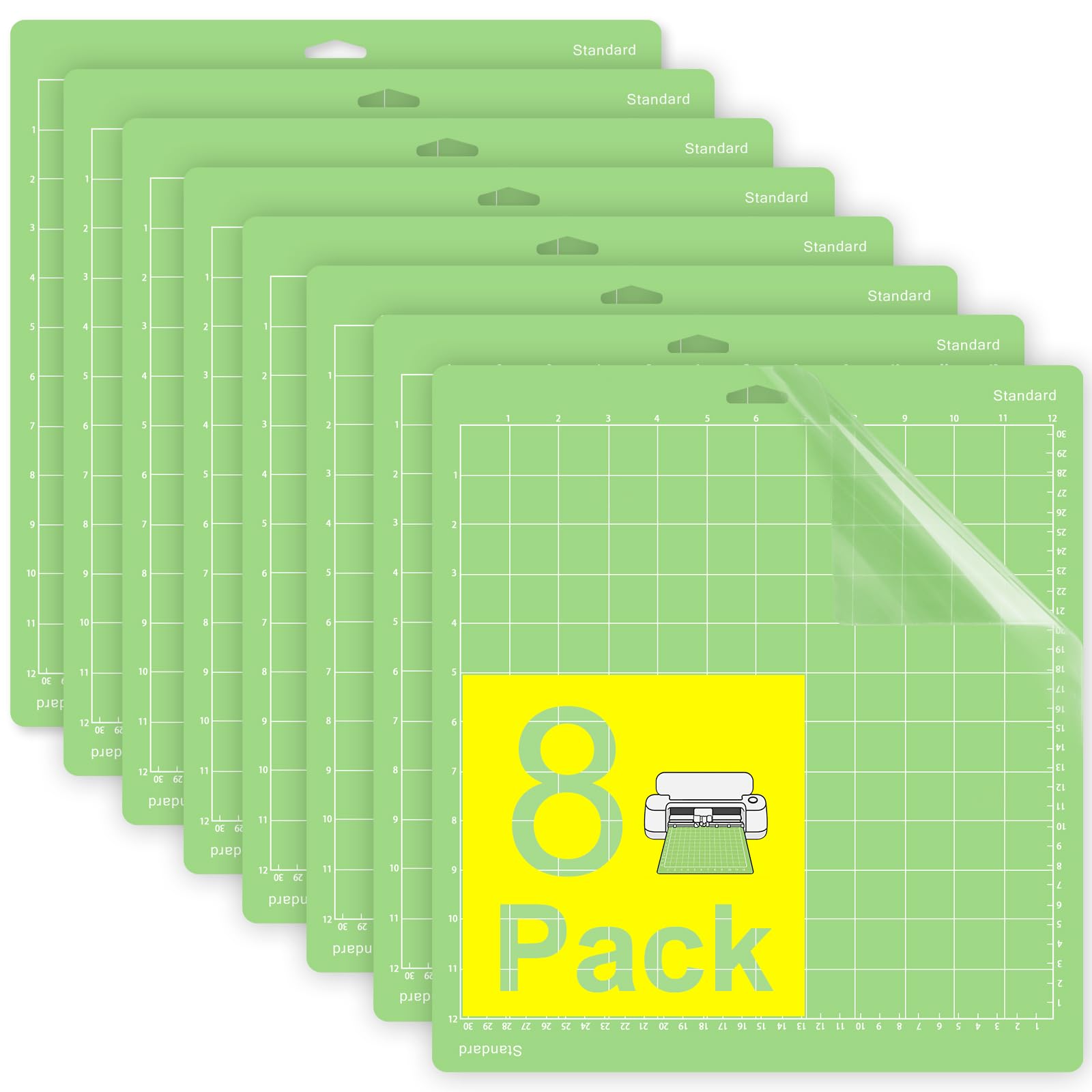
Standard Cutting Mat 12x12: Best for a larger standard-mat supply
- 8 mats
- 12 in x 12 in
- Sticky green mats
- For crafts
Eight sticky green 12 in x 12 in mats suit crafters who want several standard-size replacements ready for regular work.
Pros
- 8 mats in the pack
- 12 in x 12 in size
- Sticky green craft mats
Cons
- Grip level is not specified
- You need to confirm fit for your exact machine
The Standard Cutting Mat 12x12 pack is for crafters who want a larger supply of standard-size mats. It includes 8 sticky green mats measuring 12 in x 12 in, which can be helpful when you cut often and want replacements nearby.
The product name describes the mats as sticky green craft mats, but it does not identify a formal LightGrip, StandardGrip or StrongGrip level. Confirm the fit and adhesive feel for your Cricut Joy Xtra before relying on this pack for a material that needs a specific grip.
If you also own a Maker, see our Cricut Maker cutting mat guide for mats matched to that machine.
Eight mats can make workflow easier because you can move to a fresh surface instead of stopping to clean one immediately. Store unused mats with their protective covers, and keep dust, fibers and scraps away from the adhesive.
This is a practical quantity-focused choice, not the best pick for shoppers who need a precisely defined grip. The Cricut StandardGrip 3-pack gives clearer grip information, while this pack gives more mats for repeated craft work.
Cutting Board Mats Flexible Plastic Colored Mats: Best for flexible kitchen prep mats
- 7 pieces
- Flexible plastic
- Colored mats
- Food icons
- BPA-free
- Non-porous
- Anti-skid back
- Dishwasher safe
These 7 flexible plastic colored mats are cutting board mats with food icons, not standard adhesive Cricut mats. They belong in a kitchen-prep comparison, not as a direct Joy Xtra cutting surface.
Pros
- 7 pieces
- Flexible plastic
- Dishwasher safe
Cons
- Not described as a Cricut cutting mat
- No Joy Xtra size or grip is given
The Cutting Board Mats Flexible Plastic Colored Mats are not a direct Cricut Joy Xtra replacement. They are a set of 7 flexible plastic colored cutting board mats with food icons, a non-skid back and dishwasher-safe care.
The title also identifies them as BPA-free and non-porous. Those details make them relevant to kitchen preparation, where separate colored mats can help organize food tasks.
They do not describe an adhesive cutting surface, a Joy Xtra size or a Cricut grip level.
That distinction matters because a machine cutting mat holds material in a controlled position while the blade moves. A flexible kitchen board mat serves a different purpose and should not be selected as a substitute for the adhesive mats above.
This pick appears in the comparison because it is a cutting mat product with a very different job. Choose it only for flexible kitchen prep, not for loading into a Cricut Joy Xtra.
HAWERSI Smart Iron On Vinyl Roll: Best for mat-free HTV projects
- For Cricut Joy Xtra
- Works without a cutting mat
- 9.5 in x 3 ft
- 5 rolls
- 5 colors
- PU material
- Easy to cut and weed
- For T-shirts
Five 9.5 in x 3 ft rolls of smart heat-transfer vinyl offer a mat-free route for Cricut Joy Xtra projects such as T-shirts and bags.
Pros
- Works without a cutting mat
- 5 rolls in different colors
- 9.5 in x 3 ft size
Cons
- For heat-transfer projects rather than general mat cutting
- Rolls may need to be pressed flat before use
The HAWERSI Smart Iron On Vinyl Roll is the best alternative when your Joy Xtra project can use smart heat-transfer vinyl without a cutting mat. The pack has 5 polyurethane rolls, each 9.5 in x 3 ft, in gold, silver, white, black and red.
The 9.5 in width is matched to Cricut Joy Xtra projects in the product information. Smart HTV is intended for designs such as T-shirts, bags, pillows, mouse pads, hats and shoes, so this is a material choice rather than a replacement mat.
HAWERSI describes the vinyl as easy to cut and weed, and says it can be machine-washed after transfer. It is designed for cotton, polyester, cotton blends, lycra and other high-resistant textiles.
Those are material-use claims, so follow the heat and care directions for the project.
The rolls can curl from packaging. Press them flat before cutting, as advised in the product details.
Choose this pack when you are making heat-transfer designs and want to avoid a mat for that specific workflow.
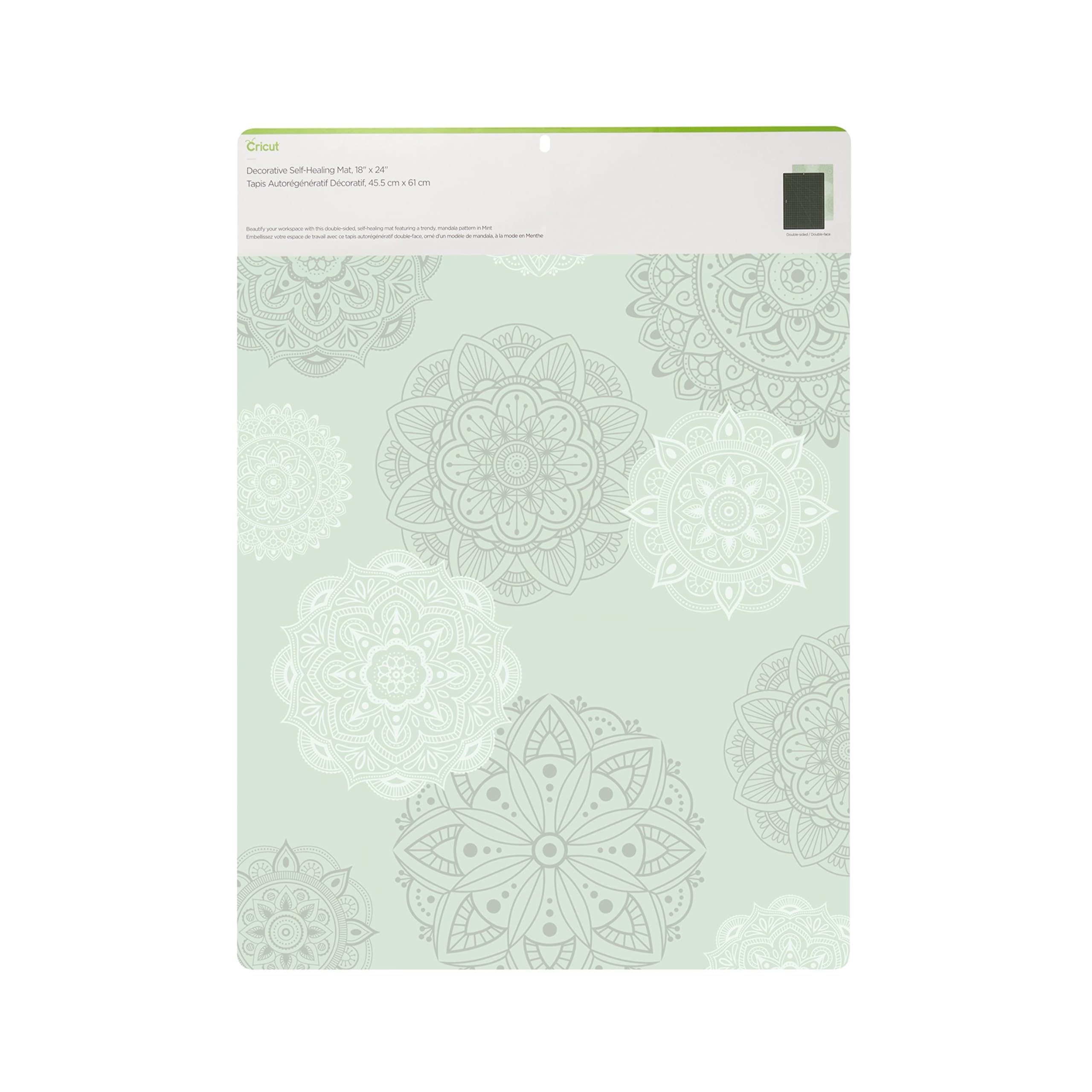
Self Healing Cutting Mat: Best for separate hand-cutting work
- Mint color
- Self-healing cutting mat
The mint self-healing cutting mat is better treated as a separate hand-cutting surface than as a replacement for an adhesive Cricut Joy Xtra mat.
Pros
- Self-healing surface
- Mint color
- Useful for separate craft cutting
Cons
- Size is not specified
- Adhesive grip is not specified
The Self Healing Cutting Mat, Mint is best for separate hand-cutting work, not as a confirmed Cricut Joy Xtra machine mat. Its stated feature is a self-healing surface, and its color is mint.
A self-healing cutting mat can protect a work surface during manual cutting with a craft knife. That makes it useful beside a Cricut machine when you trim vinyl, paper or other materials by hand after a project.
The available details do not give a size, adhesive grip or Joy Xtra compatibility. Those missing details prevent a direct comparison with the 12 in x 12 in adhesive mats.
Check the exact dimensions and intended use before treating it as part of your machine setup.
Choose this mat if your craft station also includes hand-cutting tasks. For automatic Joy Xtra cutting, use a mat with a stated machine fit and a grip level that matches the material.
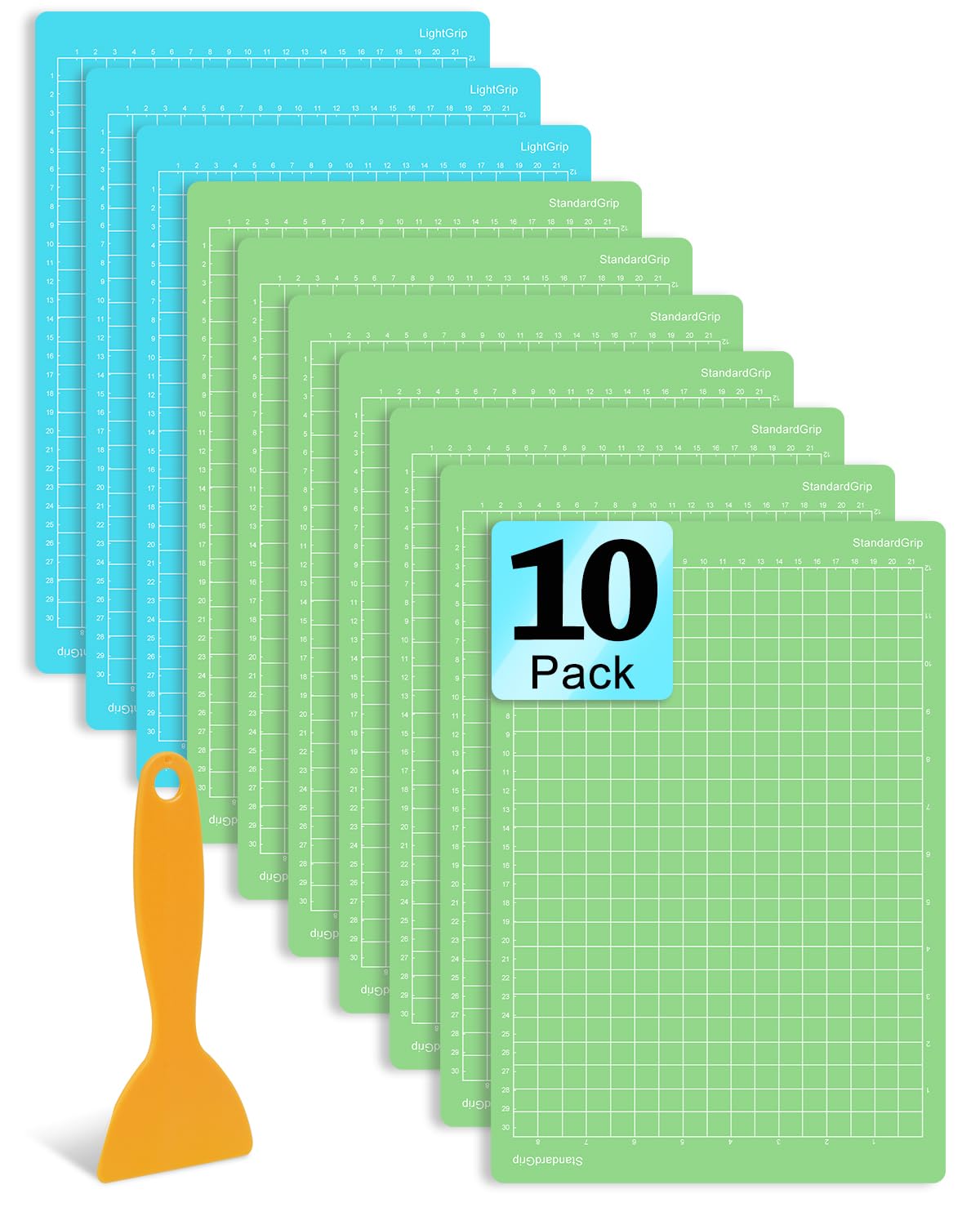
10 Pack 8.5x12in Cutting Mat Non-Slip Compatible: Best for a budget replacement supply
- 10 mats
- 8.5 in x 12 in
- Non-slip
- Compatible with Joy Xtra
Ten 8.5 in x 12 in non-slip mats compatible with Joy Xtra can suit shoppers who want a larger replacement supply in a narrower format.
Pros
- 10 mats in the pack
- Joy Xtra compatibility stated
- Non-slip surface
Cons
- Narrower than 12 in x 12 in mats
- Grip level is not specified
The 10 Pack 8.5x12in Cutting Mat Non-Slip Compatible with Joy Xtra is a quantity-focused replacement option. It includes 10 mats measuring 8.5 in x 12 in, with a non-slip surface and compatibility with Joy Xtra stated in the product name.
The narrower 8.5 in width sets it apart from the 12 in x 12 in mats. That may suit smaller layouts, but you should compare the mat dimensions with your design before cutting.
A narrower working area can limit how you arrange a wide project.
The 10-pack is useful for frequent crafters who want several replacements. The product details do not identify a LightGrip, StandardGrip or StrongGrip level, so choose it for the stated size and non-slip format rather than a specific adhesive strength.
This is the lowest-scoring Joy Xtra-compatible option here because the grip level is unclear and the width is smaller. It can still make sense when quantity and the 8.5 in format matter most.
How we compared these Cricut Joy Xtra mats
We compared each option by fit, grip information, quantity and material purpose. A 12 in x 12 in adhesive mat gets more weight for general Joy Xtra use than a product that is a kitchen board, a hand-cutting mat or a heat-transfer vinyl roll.
The first question is whether the item is actually a machine cutting mat. The Cricut StandardGrip, LightGrip and StrongGrip packs clearly describe adhesive cutting mats.
The HAWERSI roll is useful because it can work without a mat, while the kitchen mats and self-healing mat serve other jobs.
We also looked at whether the product tells you enough to choose it safely. Clear dimensions help you plan a design, and a stated grip level helps you match delicate or firm materials.
When those details are missing, the pick ranks lower even if the pack contains more pieces.
For more workflow help, see how to use Cricut Joy Xtra, including loading, material placement and removal habits. If you write or draw with the machine, our guide to the best Cricut Joy Xtra pens covers a different accessory category.
What size mat does Cricut Joy Xtra use?
The safest starting point is a mat whose stated dimensions and compatibility match the Joy Xtra and your project layout. Several picks here are 12 in x 12 in, while the replacement pack is 8.5 in x 12 in and the variety pack is 12 in x 24 in.
A 12 in x 12 in mat gives you a familiar square working area for many craft designs. The actual material placement still needs a margin around the cut, so do not design right to the edge.
The 8.5 in x 12 in option is narrower. It can suit smaller projects, but check your design width first.
The 12 in x 24 in variety pack needs even more careful checking because the longer format may affect storage and loading.
Do not choose based on the number alone. Match the mat to the machine, the design software settings and the material size you expect to cut.
Which Cricut Joy Xtra mat grip should you choose?
Choose LightGrip for delicate materials, StandardGrip for general craft work and StrongGrip when the material needs a firmer hold. If you often switch between materials, keep at least 2 grip levels available instead of forcing every project onto one mat.
LightGrip for delicate materials
LightGrip is the gentlest defined grip in this roundup. It can make thin or delicate material easier to remove, but it may not hold every firm sheet securely.
StandardGrip for everyday materials
StandardGrip is the best default when you want one mat for common projects. The Cricut 3-pack gives you 3 green 12 in x 12 in mats and a clearly named grip level.
StrongGrip for materials that shift
StrongGrip makes sense when movement is the main risk. Its 6-pack gives frequent users a supply of 12 in x 12 in mats, but the stronger hold can be excessive for delicate sheets.
How do you keep a Cricut cutting mat sticky?
Keep the protective cover on the mat when it is stored, and avoid touching the adhesive area with your fingers. Dust, fabric fibers and paper scraps can reduce the hold over time.
Place each sheet flat and smooth it from the center outward. If one corner lifts during loading, stop and reposition the material rather than starting a cut with an uneven surface.
After cutting, remove the material slowly. Bending the mat away from the material can reduce stress on thin sheets.
Use a separate hand tool only when it is suitable for your material and keeps your fingers clear.
Do not add an unapproved adhesive or household glue to the mat. It can change how the blade interacts with the material and make removal harder.
Can you use Cricut Joy Xtra without a cutting mat?
Yes, but only with a compatible smart material designed for mat-free cutting. The HAWERSI Smart Iron On Vinyl Roll is the relevant option here because its title says it works without a cutting mat and is made for Cricut Joy Xtra.
Mat-free cutting does not mean every vinyl or paper roll can be loaded directly. The material must be intended for that workflow, and the design must fit the roll width.
The HAWERSI pack is for heat-transfer projects, with 5 rolls measuring 9.5 in x 3 ft. It is useful for T-shirts, bags and similar projects, but it does not replace a general-purpose mat for cardstock or ordinary adhesive vinyl.
If your project uses a material that is not described as smart or mat-free, use the correct adhesive mat instead.
When should you buy a Cricut Joy Xtra mat variety pack?
Buy a variety pack when your projects use different materials and you are comfortable checking each mat before loading. The Cricut variety pack includes 4 mats in a 12 in x 24 in format, but the available details do not identify each grip type.
A variety pack can be convenient because it may give you more than one working option in one purchase. It is less useful if you already know that every project needs LightGrip or StandardGrip.
Check the dimensions first. The 12 in x 24 in format differs from the 12 in x 12 in packs, so confirm that it fits your Joy Xtra workflow and storage area.
For a first purchase, a clearly named StandardGrip pack is easier to understand. For an established craft station, a variety pack may help cover more project types.
What else should you buy with a Joy Xtra mat?
Start with one mat that matches your most common material, then add a second grip level only when your projects require it. A standard mat, a light-grip mat and a suitable removal tool cover more situations than several identical mats used for every material.
Pens and adapters are separate choices. If you want to add writing tools, compare the best pen adapters for Cricut Joy Xtra after you choose the mat.
Storage also matters. Keep mats flat with their covers attached, and avoid placing scraps, paper dust or fabric fibers on the adhesive surface.
Labeling mats by grip can prevent a strong-grip mat from being used on delicate paper by mistake.
You may also see lighting accessories suggested for craft stations. The best work light for laser engraving and top 7 best LED light for laser engraver guides cover laser work, not Cricut mats, so use them only if your workspace includes those tools too.
Verdict: which is the best Cricut Joy Xtra cutting mat?
The Cricut StandardGrip Adhesive Cutting Mat is the best Cricut Joy Xtra cutting mat for most everyday projects. Its 12 in x 12 in format, defined StandardGrip and 3-mat pack make it the clearest starting choice.
Pick the LightGrip 3-pack if delicate materials are your main concern. Choose the StrongGrip 6-pack when firm hold matters more than easy release, or choose the variety pack when you want multiple mat options and can confirm the 12 in x 24 in format.
For regular crafters who want more replacements, the 8-pack of sticky green 12 in x 12 in mats offers quantity, but its grip level needs confirmation. The 10-pack of 8.5 in x 12 in non-slip mats is another quantity option for Joy Xtra users who prefer a narrower format.
Choose HAWERSI Smart Iron On Vinyl when your heat-transfer project is designed for mat-free cutting. The kitchen cutting board mats and mint self-healing mat are useful in their own settings, but they are not direct substitutes for an adhesive Joy Xtra cutting mat.
Our top 3 picks at a glance
-
1
Best for everyday vinyl projects
Cricut StandardGrip Adhesive Cutting Mat
9.7/10 our score
See it on Amazon -
2
-
3