9 Best Commercial Vinyl Cutters (November 2026)
The best commercial vinyl cutters include the USCutter 34-inch Vinyl Cutter Plotter with Stand for signmaking production, the 13In Laminate Floor Cutter with Wheel for rolling between flooring jobs, and the 13" Pro SPC for thick rigid flooring.
On this page (10 sections)
- The best commercial vinyl cutters for different workloads
- How these commercial vinyl cutters compare
- What should a commercial vinyl cutter cut?
- Is a 34-inch vinyl cutter better than a 28-inch model?
- What controls matter on a commercial vinyl cutter?
- Do commercial vinyl cutters need software?
- How do you set up a commercial vinyl cutter?
- How do you maintain a vinyl cutter for steady work?
- More guides on this topic
- Which commercial vinyl cutter should you buy?
The best commercial vinyl cutter is the USCutter 34-inch Vinyl Cutter Plotter with Stand for sign shops that need a wide format, included software and ongoing phone support. Choose the VEVOR when adjustable pressure and speed matter more, or choose one of the 13-inch floor cutters for vinyl plank and rigid flooring.
Commercial cutting covers two very different jobs. Signmaking machines feed rolls and cut graphics, lettering and transfer designs.
For cut stencils, compare stencil vinyl sheets.
Flooring cutters make straight or angled cuts through plank materials, so a flooring tool is not a substitute for a plotter.
Our score weighs the stated format, controls, included equipment and fit for sustained work. We checked the product details and compared each option against the needs of a commercial vinyl cutter buyer.
If you need the basic definition first, read what is a vinyl cutting machine. For a machine that prints and cuts in one workflow, see our guide to a vinyl printer cutter combo.
Our picks at a glance
-
1
 Best for signmaking production
USCutter 34-inch Vinyl Cutter Plotter with Stand
9.7/10 our score
See it on Amazon -
2
 Best for rolling between flooring jobs
13In Laminate Floor Cutter with Wheel
9.6/10 our score
See it on Amazon -
3

- 4
 Check it
13 INCH 360° VINYL Floor Cutter
Best for varied floor materials - 5
 Check it
13” Laminate/Vinyl Floor Cutter–JUST ONE STEP Easy
Best for angled flooring cuts - 6
 Check it
USCutter 34 inch MH 871 Vinyl Cutter
Best for a starter sign shop - 7
 Check it
VEVOR Vinyl Cutter Machine 34 inches Bundle
Best for adjustable production controls - 8
 Check it
Vinyl Cutter Machine Upgraded 28" Paper Feed
Best for mid-size media - 9
 Best for compact sticker workCheck it
The best commercial vinyl cutters for different workloads
The USCutter 34-inch plotter is the strongest signmaking choice, while the flooring cutters rank highly for a different kind of commercial vinyl work. Match the machine to the material before comparing the scores.
USCutter 34-inch Vinyl Cutter Plotter with Stand: Best for signmaking production
- 34-inch cutter
- Stand
- VinylMaster Cut Software
- Free US-based technical and lifetime phone support
A wide-format cutter with a stand, software and ongoing phone support for signmaking work.
Pros
- Wide 34-inch format
- Stand included
- Software included
- Lifetime phone support
Cons
- More machine than a small craft setup needs
- Product data does not specify cutting controls
The USCutter 34-inch Vinyl Cutter Plotter with Stand suits a sign shop that needs a wide machine with a stable working setup. The 34-inch format gives you more room for long lettering, window graphics and sign layouts than the 8.5-inch and 28-inch options here.
VinylMaster Cut software is included, so the package addresses both the cutter and the design-to-cut workflow. The stand also gives the machine a dedicated support structure instead of requiring a separate work surface.
Free US-based technical support and lifetime phone support are meaningful for a business that cannot afford to lose time learning every setup issue alone. The product data does not specify cutting speed, pressure range or supported file types, so confirm those points if your work depends on precise production settings.
Choose this model when format and support are your main priorities. It is more machine than a small sticker operation needs, but it is the clearest fit here for regular signmaking production.
13In Laminate Floor Cutter with Wheel: Best for rolling between flooring jobs
- 13-inch cutting width
- Wheel
- 13MM vinyl plank cutting
A wheeled 13-inch cutter for vinyl plank work where portability matters.
Pros
- Wheel for movement
- 13-inch format
- Cuts 13 mm vinyl plank
Cons
- Designed for flooring rather than sign vinyl
- No software or stand is specified
The 13In Laminate Floor Cutter with Wheel is for flooring crews, not adhesive vinyl graphics. Its 13-inch cutting width and ability to cut 13 mm vinyl plank fit a job where installers need to size plank material at the work area.
The wheel matters when the cutter moves between rooms or job locations. That portability gives it a practical advantage over wide plotters for flooring work, even though it cannot replace their roll-feeding and software workflow.
A 13 mm capacity is useful when the flooring material is thicker than thin sign vinyl. Measure the plank thickness before cutting, and make sure the material type matches the tool's stated use.
This is one of the highest-scoring products because it matches a commercial flooring workload directly. It ranks below the top signmaking pick only because a floor cutter does not handle plotted graphics, lettering or transfer tape.
13" Pro SPC: Best for thick rigid flooring
- Cuts SPC, LVP, LVT, WPC, LSPC, VSPC, ABC, VCT, PVC and rigid core vinyl flooring
- Cuts up to 5/16 in (8 mm) thick
A 13-inch flooring cutter with a broad material list and an 8 mm maximum thickness.
Pros
- Works with many flooring types
- Cuts up to 8 mm
- 13-inch format
Cons
- Not a signmaking plotter
- No stand or software is specified
The 13" Pro SPC suits flooring professionals who work across several rigid and flexible vinyl categories. It cuts SPC, LVP, LVT, WPC, LSPC, VSPC, ABC, VCT, PVC and rigid core vinyl flooring, giving it the broadest stated material list in this group.
Its maximum thickness is 5/16 in (8 mm). That number helps you screen flooring before setup, especially when a rigid-core product is thicker than a typical plank.
The 13-inch format is wide enough for the stated flooring use while remaining more portable than a 34-inch plotter. It has no stated software, paper-feed system or signmaking support, so it is not the right choice for cutting letters from adhesive vinyl rolls.
Choose it when material range matters more than plotter controls. For a small flooring business, the clear thickness limit makes planning easier than choosing a machine with no stated maximum.
13 INCH 360° VINYL Floor Cutter: Best for varied floor materials
- 13-inch format
- 360° cutting
- Works with VCT, LVT, PVC, rubber floor and vinyl plank
A 13-inch floor cutter for buyers working across several flexible and rigid flooring materials.
Pros
- 360° cutting
- Works with 5 stated material groups
- 13-inch format
Cons
- Flooring-focused
- No thickness limit is specified
The 13 INCH 360° VINYL Floor Cutter suits a flooring worker who needs one tool for VCT, LVT, PVC, rubber floor and vinyl plank. Its 360° cutting design separates it from the straight-format cutters in this roundup.
The 13-inch size gives the tool a defined working width without the footprint of a commercial sign plotter. It is easier to classify as a flooring tool because every stated material is a floor covering.
The missing thickness limit is the main buying caution. Check the material thickness and cutting method before ordering, particularly if you work with rigid-core plank rather than flexible vinyl.
Choose this cutter when the material range and 360° approach fit your daily cuts. Choose the 13" Pro SPC instead when an 8 mm maximum thickness and a longer named material list are more useful for your workflow.
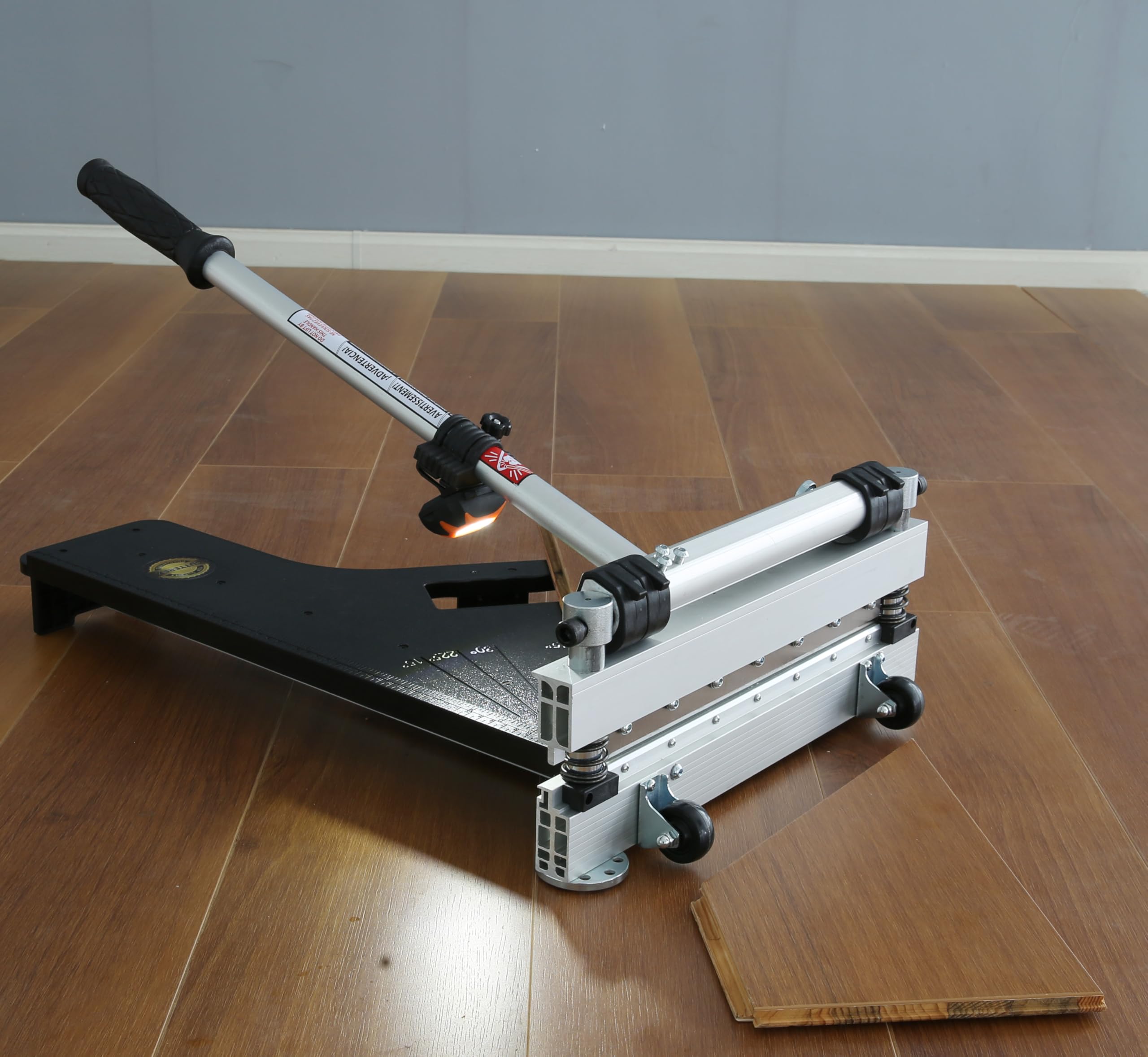
13” Laminate/Vinyl Floor Cutter–JUST ONE STEP Easy: Best for angled flooring cuts
- One-step angle and length cutting
- Cuts vinyl floor, engineered wood, LVP, LVT, VCT, SPC and WPC
- HSS blade mounted
- Wheels
A wheeled 13-inch floor cutter with one-step angle and length cutting and a mounted HSS blade.
Pros
- Wheels
- Mounted HSS blade
- Angle and length cutting
- Works with 7 stated material groups
Cons
- Flooring-focused
- No maximum thickness is specified
The 13” Laminate/Vinyl Floor Cutter suits flooring jobs that require angle and length cuts in one step. It works with vinyl floor, engineered wood, LVP, LVT, VCT, SPC and WPC.
Its mounted HSS blade gives you a stated blade type, while the wheels make the 13-inch cutter easier to move around a work area. The product is built around flooring preparation rather than computer-controlled sign design.
The one-step angle and length focus may save setup changes when a room needs repeated flooring cuts. The data does not state a maximum thickness, so check the material before relying on it for thick engineered wood or rigid products.
This is a strong choice for a mobile flooring workflow. It should not be compared directly with the USCutter or VEVOR as a sign plotter, because those machines serve roll media and digital cutting files.
USCutter 34 inch MH 871 Vinyl Cutter: Best for a starter sign shop
- 34-inch cutter with stand
- 2 adjustable pinch rollers
- Vinyl rolls, transfer tapes and magnetic blanks
- Design and Cut software
- Free video training course
A 34-inch kit with a stand, software, starter signmaking supplies and adjustable media handling.
Pros
- Stand included
- Starter supplies included
- Adjustable pinch rollers
- Free video training
Cons
- Heavier than a compact cutter
- The data does not specify adjustable cutting speed or pressure
The USCutter 34 inch MH 871 Vinyl Cutter suits a new sign shop that wants a wide cutter plus starter supplies. The kit includes a stand, Design and Cut software, vinyl rolls, transfer tapes, magnetic blanks, a knife and a squeegee.
For stencil signage, compare ORACAL stencil vinyl.
Two fully adjustable pinch rollers help you set the material path for a flexible range of materials. The dual roller media system uses ball bearings, and the kit includes a Roland-compatible blade holder for access to economical blades.
At 48 lb and 34 x 13 x 16 in, this is a substantial machine that needs a planned work area. Free video training and phone support may help a first shop build a repeatable setup.
The trade-off is that the product data does not specify adjustable speed or pressure. Choose it for the included signmaking kit and training, or choose the newer USCutter plotter above if lifetime phone support and VinylMaster Cut are the stronger priorities.
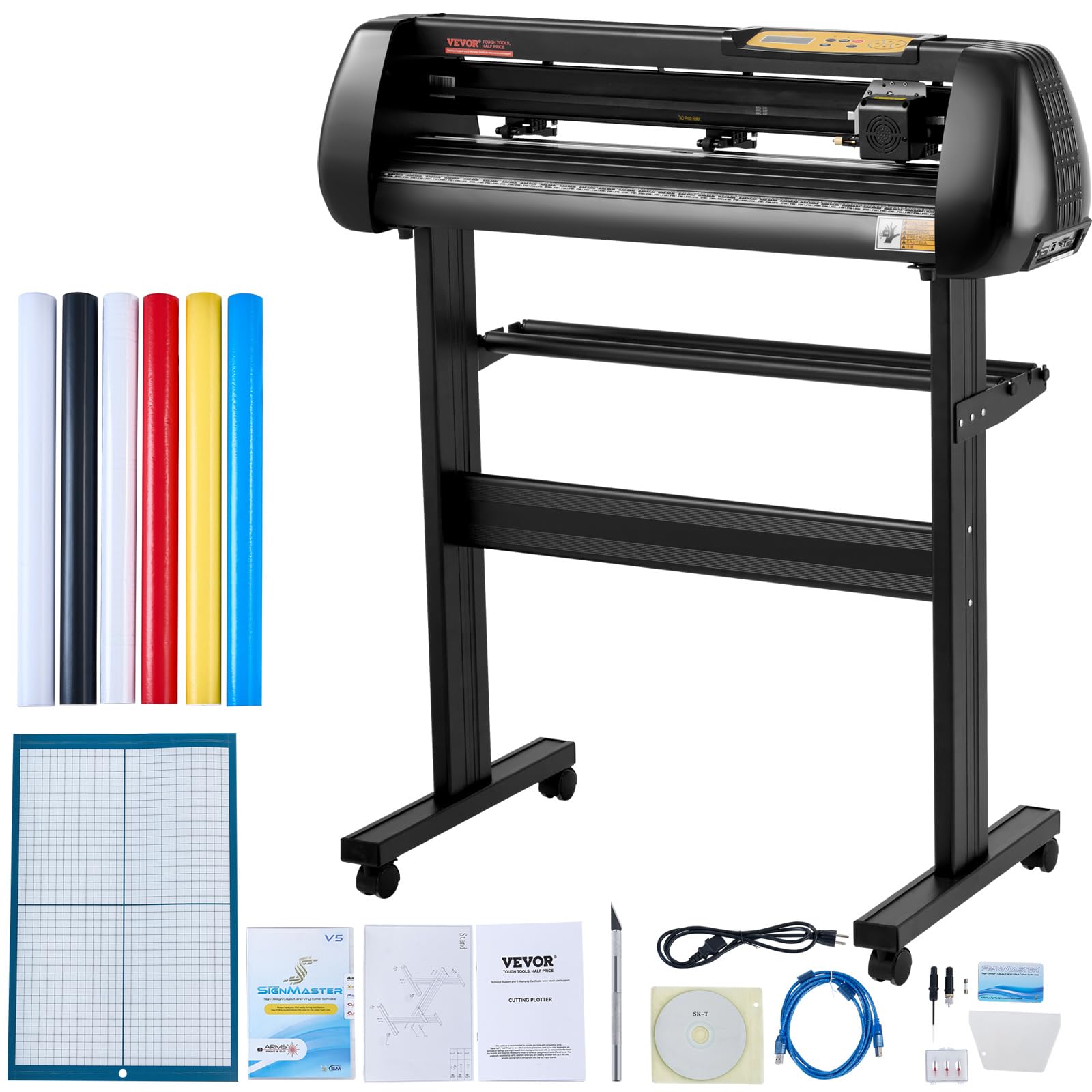
VEVOR Vinyl Cutter Machine 34 inches Bundle: Best for adjustable production controls
- 870 mm maximum paper feed
- 780 mm maximum cutting width
- 20–500 g cutting pressure
- 20–800 mm/s cutting speed
- USB and COMPIM interfaces
- SVG and PDF import
A wide-format plotter with adjustable pressure and speed, a backlit LCD and several file and connection options.
Pros
- Adjustable pressure
- Adjustable speed
- SVG and PDF import
- Wide feed
Cons
- Maximum cutting width is less than maximum feed
- Computer connection details need planning
The VEVOR Vinyl Cutter Machine 34 inches Bundle is the best fit for buyers who want to tune cutting pressure and speed. Pressure adjusts from 20 to 500 g, while speed adjusts from 20 to 800 mm per second.
Its maximum paper feed is 870 mm (34.3 in), and its maximum cutting width is 780 mm (30.7 in). That difference matters.
A 34.3-inch feed does not mean the usable cut is 34.3 inches wide.
The machine accepts USB and COMPIM connections, uses DM/PL and HP/GL languages, and can import SVG and PDF files. A backlit LCD provides local control, while the product supports installed fonts, including Dingbat and Wingding fonts.
The trade-off is setup planning. Confirm that your Windows computer, connection method and preferred file workflow match the machine.
Choose VEVOR when control range matters more than the USCutter's stated support package.
Vinyl Cutter Machine Upgraded 28" Paper Feed: Best for mid-size media
- 28-inch paper feed
- Cutting plotter bundle
A mid-size plotter bundle for work that does not need the full width of a 28-inch machine.
Pros
- 28-inch feed
- Plotter bundle format
- Smaller than the 34-inch options
Cons
- The data does not specify software
- The data does not specify cutting pressure or speed
The Vinyl Cutter Machine Upgraded 28" Paper Feed suits a shop that needs more width than a compact sticker cutter but less than a 34-inch machine. Its 28-inch paper feed sits between the narrow S41 and the wide-format options.
That middle size can reduce the need to reserve space for a full 34-inch setup. It may fit a smaller work area while still handling broader media than an 8.5-inch sticker machine.
The product data identifies it as a cutting plotter bundle but does not specify included software, cutting speed, pressure, connection type or compatible materials. Those missing details matter more in production work than the feed width alone.
Choose it only after confirming the workflow details that your shop needs. It is a reasonable size match for mid-format work, but the USCutter and VEVOR options provide more clearly stated information for commercial planning.
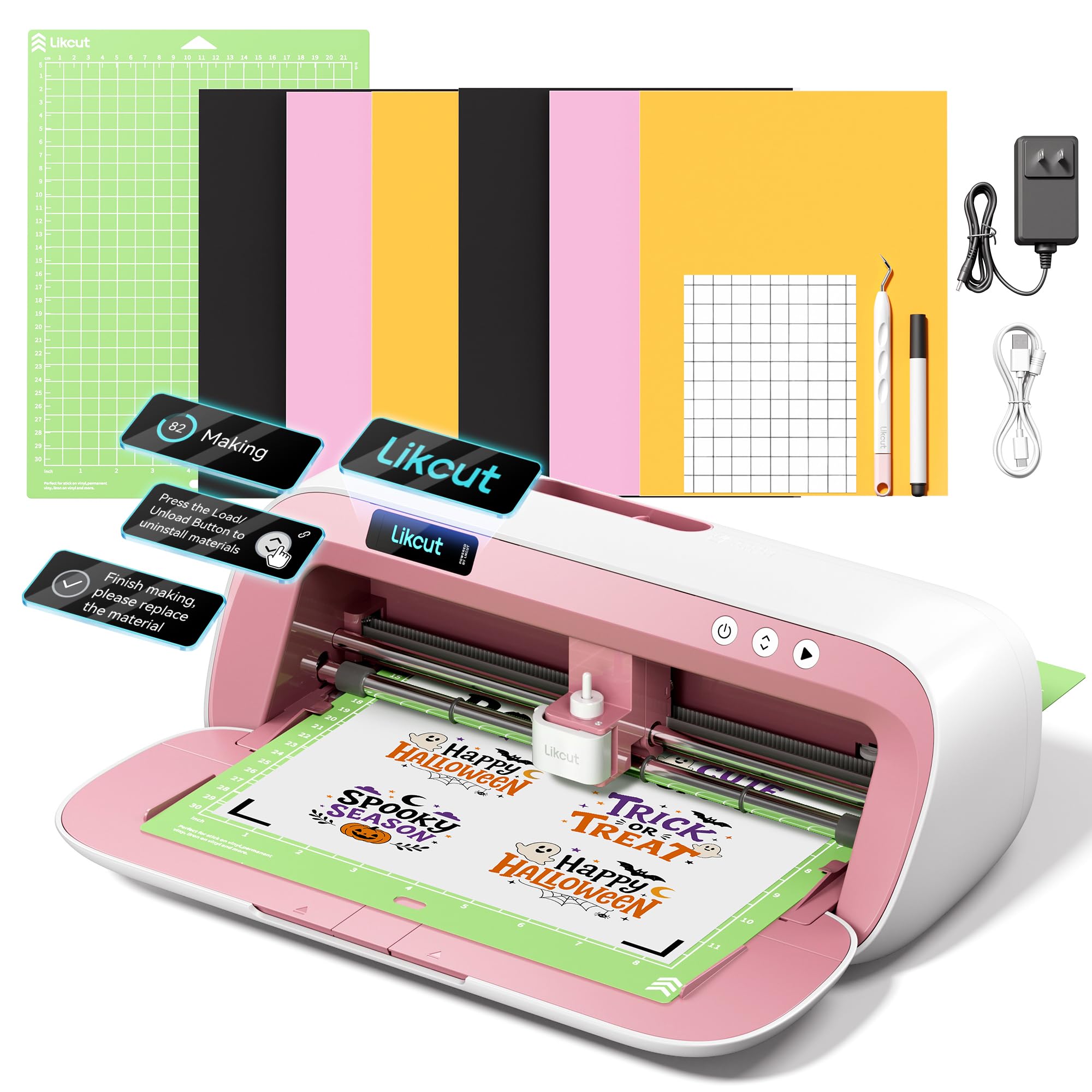
S41 Vinyl Cutter Machine: Best for compact sticker work
- 8.5-inch sticker cutter
- Print then cut
- Pink finish
A compact 8.5-inch print-then-cut machine for sticker work where a large roll width is unnecessary.
Pros
- Compact 8.5-inch format
- Print then cut
- Sticker-focused workflow
Cons
- Narrowest format here
- Not suited to wide sign panels
The S41 Vinyl Cutter Machine is best for compact sticker production and print-then-cut work. Its 8.5-inch sticker cutter is the narrowest option here, so it suits small labels and stickers rather than wide signs or floor plank.
Print then cut describes a different workflow from a basic plotter. You prepare printed sticker material, then use the cutter to follow the intended cut path.
The compact width can be easier to place on a small desk.
The pink finish is a visual detail, not a production specification. The product data does not state cutting speed, pressure, software or material range, so confirm those points before using it for paid, repeat commercial work.
Choose S41 when the work is sticker-sized and space is limited. For larger graphics, step up to the 28-inch or 34-inch cutters.
For flooring, choose a dedicated 13-inch floor cutter instead.
How these commercial vinyl cutters compare
The best commercial vinyl cutter depends first on the material and second on the working width. Wide sign plotters and 13-inch flooring cutters solve separate production problems.
| Product | Best for | Format | Included software | Support | Our score |
|---|---|---|---|---|---|
| USCutter 34-inch Vinyl Cutter Plotter with Stand | signmaking production | 34-inch | VinylMaster Cut | Free US-based technical and lifetime phone support | 9.7 |
| 13In Laminate Floor Cutter with Wheel | rolling between flooring jobs | 9.6 | |||
| 13" Pro SPC | thick rigid flooring | 9.5 | |||
| 13 INCH 360° VINYL Floor Cutter | varied floor materials | 9.3 | |||
| 13” Laminate/Vinyl Floor Cutter–JUST ONE STEP Easy | angled flooring cuts | 9.1 | |||
| USCutter 34 inch MH 871 Vinyl Cutter | a starter sign shop | 34 in | 8.9 | ||
| VEVOR Vinyl Cutter Machine 34 inches Bundle | adjustable production controls | 8.6 | |||
| Vinyl Cutter Machine Upgraded 28" Paper Feed | mid-size media | 8.5 | |||
| S41 Vinyl Cutter Machine | compact sticker work | 7.9 |
For signmaking, the USCutter and VEVOR machines are the relevant group. The USCutter 34-inch plotter includes VinylMaster Cut software, a stand and lifetime phone support.
The MH 871 adds starter supplies and free video training. VEVOR gives the clearest pressure, speed, feed and file-format details.
For flooring, the 13-inch models are the relevant group. The 13In cutter handles 13 mm vinyl plank and has a wheel.
The Pro SPC handles up to 8 mm and names a broad range of materials. The 360° model names VCT, LVT, PVC, rubber floor and vinyl plank.
The JUST ONE STEP model adds a mounted HSS blade, wheels and angle and length cutting.
The 28-inch plotter occupies the middle ground by feed width. The S41 is a separate compact print-then-cut option for stickers.
What should a commercial vinyl cutter cut?
A commercial vinyl cutter should match the material you cut most often. Choose a roll plotter for adhesive graphics, a floor cutter for plank and flooring, and a print-then-cut device for compact printed stickers.
Adhesive vinyl and sign graphics
A sign plotter needs a media path, a blade system and a digital workflow. The USCutter and VEVOR products are the strongest matches here because their names and data describe vinyl cutting machines rather than floor tools.
Vinyl plank and rigid flooring
Flooring cutters are designed around a fixed working width and material thickness. The Pro SPC gives the clearest maximum at 5/16 in (8 mm), while the 13In cutter states 13 mm vinyl plank cutting.
Stickers and printed designs
The S41 is the only product here with a stated print-then-cut workflow. Its 8.5-inch width makes it a better fit for small stickers than for commercial sign panels.
Is a 34-inch vinyl cutter better than a 28-inch model?
A 34-inch cutter is better when your graphics need more width, while a 28-inch cutter can fit a smaller workspace. The wider machine is not automatically better if your normal jobs stay below 28 inches.
The USCutter and VEVOR products both target the 34-inch class. VEVOR separates maximum feed from maximum cut width, with 870 mm feed and 780 mm cutting width.
That distinction is useful when planning panel sizes.
The 28-inch Vinyl Cutter Machine Upgraded model may suit a shop that wants a middle format. Its product data does not state the maximum cutting width separately, so confirm the usable area before choosing it for a specific sign layout.
Measure the machine footprint, media storage area and space needed to feed long material. A cutter needs working room beyond the cabinet itself.
What controls matter on a commercial vinyl cutter?
Adjustable pressure and speed matter when you use different materials or need to tune the cut. The VEVOR provides the clearest control range here, with 20–500 g pressure and 20–800 mm per second speed.
Pressure affects how firmly the blade engages the material. Speed affects how quickly the head moves through the design.
Start with conservative settings, make a small cut, and adjust one control at a time.
The USCutter MH 871 has adjustable pinch rollers for material handling, but its data does not state a pressure or speed range. The USCutter 34-inch plotter also does not state those controls in the information used for this comparison.
For flooring cutters, the key controls are different. Width, thickness capacity, blade type, wheels and cutting direction matter more than digital speed settings.
Do commercial vinyl cutters need software?
A commercial sign cutter needs software or a compatible digital workflow, while a manual floor cutter does not. VinylMaster Cut is included with the USCutter 34-inch plotter, and Design and Cut software is included with the MH 871 kit.
VEVOR supports SVG and PDF imports and works with installed fonts, including Dingbat and Wingding fonts. It also supports USB and COMPIM connections, so computer and file preparation are part of the buying decision.
The 28-inch model is described as a bundle, but its data does not specify software. Confirm what creates and sends cut files before choosing it for a production station.
If your workflow needs printing and cutting, compare a plotter with a vinyl printer cutter combo. Printing and cutting in one system changes the space, file and maintenance requirements.
How do you set up a commercial vinyl cutter?
Set up a commercial vinyl cutter by planning the work area, checking the material path, installing the software or connection, and making a small test cut before production. Keep the feed path straight and leave room for long media.
For a wide plotter, place the stand or machine where rolls can enter and exit without catching on a wall. The USCutter MH 871's dimensions are 34 x 13 x 16 in, but the material path needs more room than those cabinet measurements.
For VEVOR, plan around the computer connection and file format. Check whether your design files are SVG or PDF and whether the chosen USB or COMPIM connection works with the computer.
For a floor cutter, bring the tool close to the installation area and confirm the plank thickness first. Wheels help with movement, but they do not change the stated cutting capacity.
How do you maintain a vinyl cutter for steady work?
Steady work starts with clean material handling, a clear blade path and repeatable settings. Keep scraps away from rollers, protect blades from hard debris, and record the pressure and speed that work for each material.
Check pinch-roller alignment before a long run. If material feeds at an angle, stop and correct the path instead of allowing the design to drift across a full roll.
Replace or inspect blades when cuts stop separating cleanly. The USCutter MH 871 uses a Roland-compatible blade holder, while the other products have different or unstated blade systems.
For floor cutters, remove offcuts from the cutting area and keep the blade path clear. The JUST ONE STEP model has a mounted HSS blade, but the data does not state a replacement schedule.
For replacement planning, see our guide to best VEVOR vinyl cutter blades. If you are comparing a cutter with registration support, read how to choose a vinyl cutter with automatic registration.
More guides on this topic
- How to Use a VEVOR Vinyl Cutter
- Best Roland Vinyl Cutters: How to Choose
Which commercial vinyl cutter should you buy?
Buy the USCutter 34-inch Vinyl Cutter Plotter with Stand if you need the strongest all-around signmaking package. Its wide format, VinylMaster Cut software, stand and lifetime phone support make it the clearest production pick in this group.
Choose the VEVOR 34-inch bundle if adjustable pressure, adjustable speed, SVG and PDF import, or a backlit LCD matter most. Choose the MH 871 if starter signmaking supplies and free video training are more useful than specified digital controls.
For flooring, choose the 13In model for 13 mm vinyl plank and wheeled movement, the Pro SPC for a broad material list and an 8 mm limit, or the JUST ONE STEP model for angle and length cuts with a mounted HSS blade.
If your shop is small, compare the best vinyl cutter for small business. You can also review best VEVOR vinyl cutters or best USCutter vinyl cutters before making a brand-specific choice.
The final rule is simple: pick a sign plotter for graphics, a floor cutter for plank, and the S41 for compact print-then-cut stickers. For related laser work, keep vinyl separate from the materials discussed in Best Laser Cutter For Wood and read Can You Laser Cut Vinyl? before trying a different cutting method.
Our top 3 picks at a glance
-
1
Best for signmaking production
USCutter 34-inch Vinyl Cutter Plotter with Stand
9.7/10 our score
See it on Amazon -
2
Best for rolling between flooring jobs
13In Laminate Floor Cutter with Wheel
9.6/10 our score
See it on Amazon -
3