7 Best Cutting Mats for Cricut Maker (November 2026)
The best Cricut Maker cutting mats include the Cutting Mat 12x12 Compatible with Maker/Maker 3/Maker for everyday 12x12 projects, the WORKLION Cutting Mat 12x24 Compatible With Explore for long cuts and grip variety, and the 12x24 Cutting Mat 3-Pack for a simple long-mat set.
On this page (9 sections)
- The best cricut maker mats for different projects
- Which Cricut Maker mat size should you choose?
- What grip should you use for cardstock, vinyl and fabric?
- Are 12x24 Cricut Maker mats better for long projects?
- How do you keep Cricut cutting mats usable?
- Do you need Cricut Maker mats for wood and engraving?
- What other accessories should you check?
- How should you choose among these Cricut Maker mats?
- Verdict: which are the best Cricut Maker mats?
The best cricut maker mats for most crafters are the 12x12 variety-grip mats, because standard, light and strong adhesive options cover the materials used most often. Choose a 12x24 set for long designs, or select a mixed bundle with fabric grip when your Maker work includes fabric and heavier materials.
Cricut Maker mats do more than hold material flat. The grip level affects how well paper, vinyl, cardstock, fabric or thicker craft stock stays in place, and the size affects how much of a design you can cut in one pass.
If material feeds unevenly even with a suitable mat, see our Cricut Maker roller replacement guide.
If you're still learning what is a vinyl cutting machine, start with the machine's cutting area and the materials you expect to use. You can also review our guide to the best cricut maker accessories before building a larger supply kit.
Our picks at a glance
-
1
 Best for everyday 12x12 projects
Cutting Mat 12x12 Compatible with Maker/Maker 3/Maker
9.7/10 our score
See it on Amazon -
2
 Best for long cuts and grip variety
WORKLION Cutting Mat 12x24 Compatible With Explore
9.6/10 our score
See it on Amazon -
3

- 4
 Check it
EVISWIY 6PCS Cutting Mats Compitable with Explore
Best for mixed materials and extras - 5
 Check it
12x24 Standard grip Cutting Mat for Cricut
Best for repeated standard-grip work - 6
 Check it
10 Pack Cutting Mats -12"x12" Cutting Mats
Best for keeping replacements on hand - 7
 Check it
4PCS 12x24 Mats Compitable with Maker 3/Maker Explore
Best for four-grip long-mat coverage
The best cricut maker mats for different projects
The best choice depends on three things: your material, your design length and how many replacement mats you want available. The top 12x12 pick is the most flexible everyday option, while the long mats help with banners, long labels and larger layouts.
Our score weighs the stated size, grip choices, compatibility, pack contents and fit for the materials in this roundup.
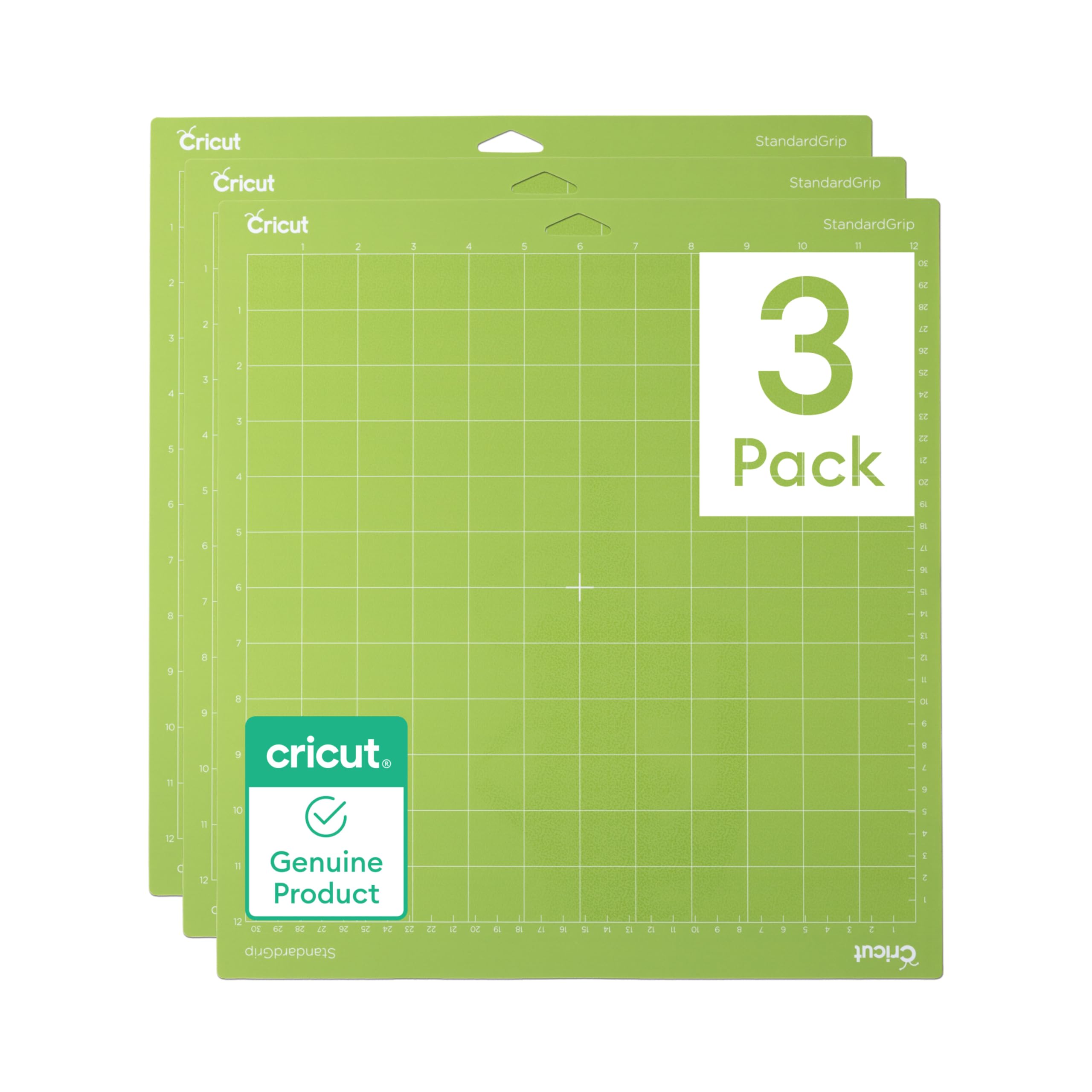
Cutting Mat 12x12 Compatible with Maker/Maker 3/Maker: Best for everyday 12x12 projects
- 12x12 size
- Standard, light and strong sticky options
- 6-pack
- Compatible with Maker, Maker 3, Maker 4, Air 2, Explore 3 and Explore 4
This 6-pack covers the three main grip levels in a compact 12x12 format. It suits everyday Maker work when you want separate mats for light, medium and heavier materials.
Pros
- Three grip levels
- 6 mats in the pack
- Works with several Maker and Explore models
Cons
- Not a long 12x24 mat
- The title does not identify the split between grip types
This 6-pack is the strongest all-purpose option for a Maker owner who works mostly in the familiar 12x12 format. It covers standard, light and strong sticky levels, so you can choose a lighter hold for delicate paper or a stronger hold for heavier stock.
The title lists compatibility with Maker, Maker 3, Maker 4, Air 2, Explore 3 and Explore 4. That broad range makes it useful if you have more than one Cricut machine in the craft room or plan to move between machines.
The main trade-off is size. A 12x12 mat is easy to store and simple to align, but long projects may need a 12x24 mat instead.
For carrying your Maker between projects, see Cricut Maker carrying bags.
The title also does not identify how the 6 mats are divided among the three grip types, so check that before ordering if you need a specific quantity of one level.
Choose it for everyday cardstock, vinyl and paper projects where grip variety matters more than long length.
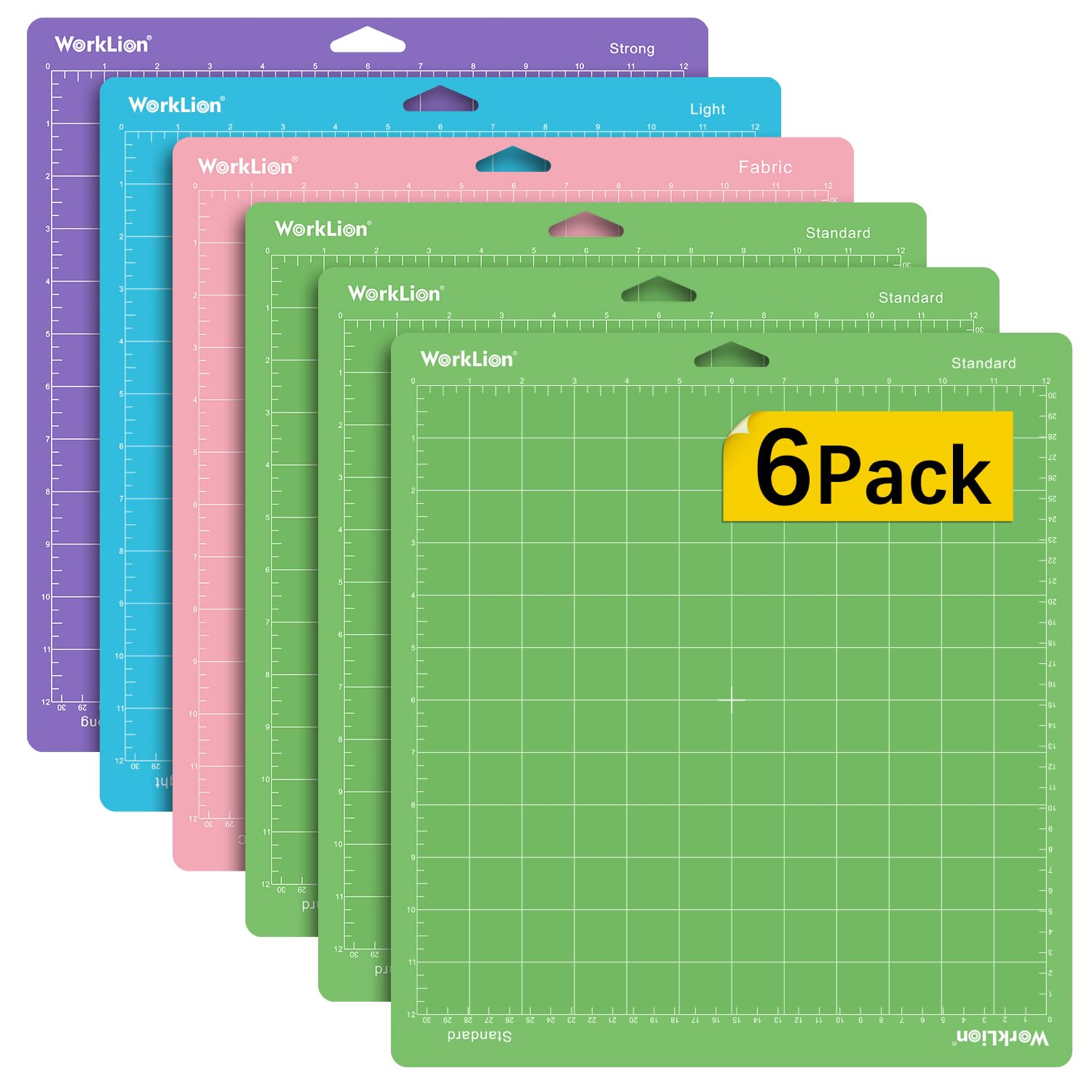
WORKLION Cutting Mat 12x24 Compatible With Explore: Best for long cuts and grip variety
- 12x24 size
- Standard, light and strong adhesive mats
- 3-piece pack
- PVC construction
- Grid area of 12x24 in
WORKLION gives you long mats in three adhesive levels for projects that exceed the usual 12x12 working area. The set suits long vinyl, paper and supported fabric jobs.
Pros
- Long 12x24 working area
- Three adhesive levels
- PVC mats with clear storage covers
Cons
- Only 3 mats
- Long mats need more storage space
WORKLION is the best fit for long cuts when you want all three main grip levels in one set. The pack contains three 12x24 PVC mats, with one standard adhesive, one light adhesive and one strong adhesive mat.
The 12x24 gridded working area gives you twice the length of a 12x12 format. That can reduce the need to split a long design, provided your machine setup and material are suited to that size.
WORKLION describes the standard mat for cardstock, printable paper, iron-on, vinyl, washi and window cling. For a heat-applied design after cutting, compare heat presses for Cricut Maker projects.
The strong mat suits thick cardstock, faux leather, poster board, chipboard and backed fabric, while the light mat is intended for office paper, light cardstock, vinyl and vellum.
The trade-off is storage. Three long mats take more room than compact 12x12 mats, and the pack gives you only half as many pieces as the top pick.
Keep the clear film cover on each mat during storage and remove scraps after cutting.
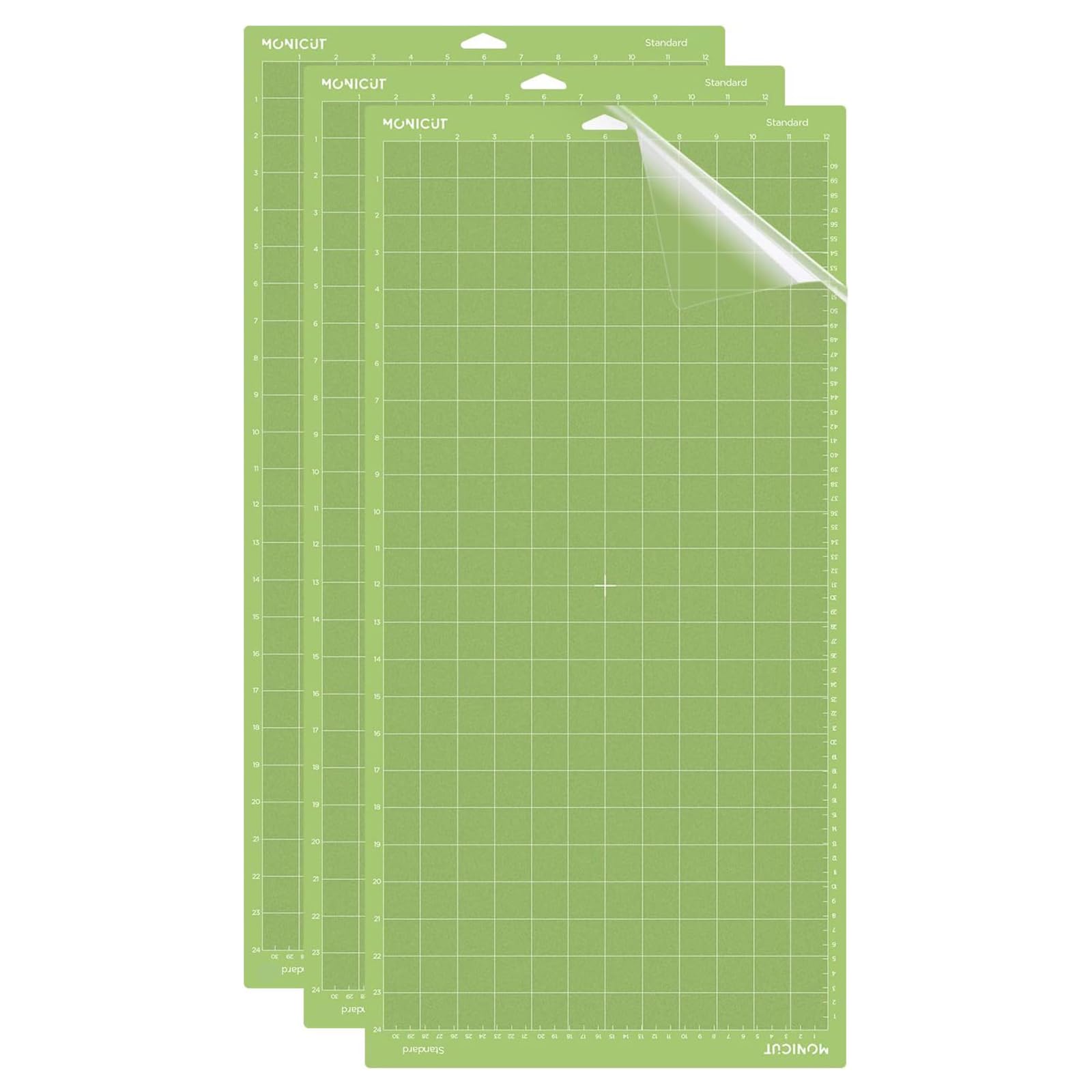
12x24 Cutting Mat 3-Pack: Best for a simple long-mat set
- 12x24 size
- Standard, light and strong adhesive options
- 3-pack
- Compatible with Maker 3, Maker 4, Maker, Explore 3, Explore 4, Air 2, Air and One
This set keeps the choice straightforward: one long size and three grip levels. It is a good match for Maker owners who regularly cut longer designs and do not need six replacement mats.
Pros
- Long format
- Three grip levels
- Broad Maker and Explore compatibility
Cons
- 3 mats rather than 6
- The title does not identify material construction
This 3-pack suits Maker owners who want a simple long-mat setup without choosing between separate product types. It includes 12x24 mats in standard, light and strong adhesive options.
The stated compatibility covers Maker 3, Maker 4, Maker, Explore 3, Explore 4, Air 2, Air and One. That makes it a practical choice for a household with several machines from the Maker or Explore families.
Compared with the WORKLION set, this product has the same basic size and grip structure, but the title does not identify the mat material or other construction details. That makes the WORKLION set easier to assess if PVC construction matters to you.
Compared with a 12x12 pack, these mats are better for long layouts but less convenient if your projects are small and your storage space is tight. Use the standard level for medium-weight materials, the light level for lighter materials and the strong level when the material needs more hold.
Pick this set when long cuts are common and three mats are enough for your workflow.
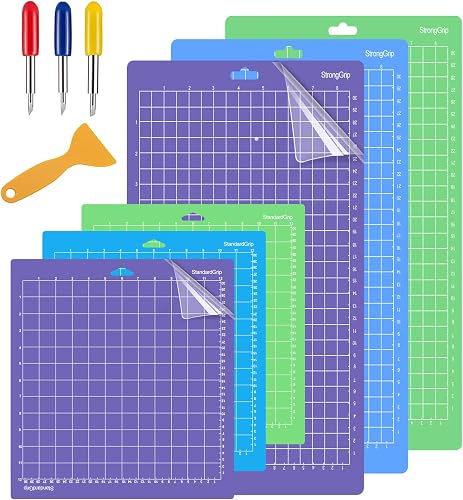
EVISWIY 6PCS Cutting Mats Compitable with Explore: Best for mixed materials and extras
- Six mats
- 12x24 and 12x12 sizes
- Standard, light, strong and fabric grips
- 3 cutting blades included
- PVC material
EVISWIY covers more material types and includes blades alongside the mats. It suits a Maker owner who cuts fabric as well as paper, vinyl, cardstock and heavier craft materials.
Pros
- Four grip types
- Two mat sizes
- 3 cutting blades included
Cons
- The bundle has mixed sizes
- Use the correct grip for each material
EVISWIY is the most versatile bundle for crafters who switch between paper, vinyl, cardstock, fabric and heavier materials. It includes six mats in 12x24 and 12x12 sizes, with standard, light, strong and fabric grips.
The bundle also includes 3 cutting blades, which gives it a wider scope than a mat-only purchase. The title and product details identify standard, light, strong and fabric grip choices, plus PVC construction and grid lines for measuring.
The grip guidance is the key reason to choose it. Standard grip suits medium-weight cardstock, textured paper, vellum and vinyl.
For drawing or writing with your Maker, see our Cricut Maker pen adapter guide.
Light grip is aimed at printer paper, light cardstock, vellum and vinyl, while strong grip is for thick or glitter cardstock, magnet, faux leather and foam. Fabric grip is intended for fabric, cotton, felt and leather.
The trade-off is that the bundle mixes sizes, so it may not match a workflow that uses only long mats or only 12x12 mats. It also requires careful material matching.
Use the clear cover after each project to limit dust and scraps.
12x24 Standard grip Cutting Mat for Cricut: Best for repeated standard-grip work
- 12x24 size
- Standard grip
- 3-piece pack
- Non-slip and flexible
- Compatible with Maker 3, Maker, Explore 3, Air 2 and One
This 3-pack focuses on one long standard-grip format. It makes sense when your projects usually use medium-weight materials and you do not need light, strong or fabric grip.
Pros
- Three long mats
- Standard grip for repeated use
- Flexible and non-slip design
Cons
- No grip variety
- Not a 12x12 format
This 3-pack is for buyers who already know they want standard grip in a 12x24 format. It is compatible with Maker 3, Maker, Explore 3, Air 2 and One, and the title describes the mats as non-slip and flexible.
The focused design can be useful for repeated medium-weight projects. You do not need to sort through different grip levels when every mat is intended for the same general type of work.
That focus is also the limitation. Unlike the top 12x12 pick, this set does not offer light or strong grip.
Unlike the EVISWIY bundle, it does not cover fabric grip or include a stated mix of mat sizes and blades.
Choose it when long designs are routine and your materials work well with standard grip. If you regularly cut delicate paper, thick cardstock or fabric, a variety pack may give you better coverage even if it contains fewer long mats.
The 12x24 size needs more room during use and storage, so measure your work area before selecting a long-mat set.
10 Pack Cutting Mats -12"x12" Cutting Mats: Best for keeping replacements on hand
- 12x12 size
- 10-pack
- Compatible with Explore Air 2, Maker 2 and Maker 3
Ten 12x12 mats give frequent crafters a large replacement supply. Choose this format when quantity matters more than having different grip levels or long cutting areas.
Pros
- Largest pack in this roundup
- Compact 12x12 format
- Made for common Maker and Explore models
Cons
- Grip type is not identified in the title
- No 12x24 mats
This 10-pack is the quantity choice for crafters who use the 12x12 format often and want many replacements ready. It is compatible with Explore Air 2, Maker 2 and Maker 3.
Ten mats can make sense for classrooms, busy craft rooms or anyone who cuts frequently enough that cleaning and rotation become part of the routine. A larger supply also means you can set aside mats for different materials instead of changing the same mat for every project.
The trade-off is missing detail around grip. The title identifies the 12x12 size and compatibility, but it does not identify standard, light, strong or fabric grip.
If your buying decision depends on adhesive level, confirm the exact configuration before ordering.
This set also does not provide a 12x24 option. It is better for compact designs, cards, labels and smaller material sheets than for long banners or extended layouts.
Pick it when replacement quantity is the main goal. Choose a variety-grip pack instead when material type matters more than having 10 mats.
4PCS 12x24 Mats Compitable with Maker 3/Maker Explore: Best for four-grip long-mat coverage
- 12x24 size
- 4 mats
- StandardGrip, LightGrip, StrongGrip and FabricGrip
- Blades included
- Compatible with Maker 3, Maker, Explore Air 2, Air and One
This long-mat set adds fabric grip to the standard, light and strong choices. It suits buyers who want broad grip coverage without choosing a six-mat mixed-size bundle.
Pros
- Four grip types
- Long 12x24 format
- Blades included
Cons
- Only 4 mats
- The title does not specify the blade count
This 4-pack gives long-format coverage across standard, light, strong and fabric grips. It is compatible with Maker 3, Maker, Explore Air 2, Air and One, and the title also identifies blades as included.
The four grip types make it useful for a mixed craft routine. Standard grip can cover general medium materials, light grip can reduce hold for lighter sheets, strong grip can help with heavier stock, and fabric grip is the choice to consider for fabric-based projects.
Compared with EVISWIY, this set keeps every mat in the 12x24 format, while EVISWIY mixes 12x12 and 12x24 sizes. That makes this product easier to choose if long cuts are your priority.
The trade-off is quantity. Four mats offer less stock than the 6-pack options, and the title does not specify how the grip types are divided or how many blades are included.
Confirm those details if the bundle will replace several separate purchases.
Choose it for broad grip coverage in a long format when four mats fit your expected rotation.
Which Cricut Maker mat size should you choose?
Choose a 12x12 mat for compact designs and easy storage, and choose a 12x24 mat when the design or material needs more length. The correct size also depends on the cutting area your Cricut model supports and the way you prepare the material.
A 12x12 mat is usually easier to handle on a small craft table. It works well for cards, labels, small signs, short vinyl designs and projects made from standard sheets.
A 12x24 mat gives you a longer working area for banners, long decals and extended layouts. It takes more room to feed, align and store, so measure the full workspace rather than only the mat itself.
If you often switch between both formats, EVISWIY is the most direct match in this roundup because its bundle includes 12x12 and 12x24 mats. If you want only long mats, compare WORKLION, the 12x24 3-Pack and the four-grip 4-pack.
What grip should you use for cardstock, vinyl and fabric?
Use light grip for lighter materials, standard grip for common medium materials, strong grip for heavier stock and fabric grip for fabric when available. The goal is enough hold to prevent movement without making removal difficult.
Light grip for paper and delicate materials
Light grip is suited to lightweight materials such as common office paper, light cardstock, vellum and some vinyl. It can make removal easier when a stronger adhesive would bend or tear the material.
Standard grip for everyday craft sheets
Standard grip is the general choice for cardstock, textured paper, vellum and vinyl. It is the most useful starting point when the material is neither especially delicate nor especially heavy.
Strong grip for thick materials
Strong grip is intended for materials such as thick or glitter cardstock, faux leather, poster board, chipboard, magnet and foam in the EVISWIY guidance. Check that the material and blade setting match your Cricut Maker before cutting.
Fabric grip for textiles
Fabric grip is the option to consider for fabric, cotton, felt and leather. If fabric is a regular part of your work, a bundle with a named fabric grip may be more useful than a larger pack with only unidentified grip levels.
For projects involving cricut maker wood, focus on the material thickness, the required blade and the mat's stated grip rather than assuming a stronger mat solves every cutting issue.
Are 12x24 Cricut Maker mats better for long projects?
12x24 mats are better for long projects, but they are not automatically better for every Maker owner. They reduce the need to split a long design, while 12x12 mats take less room and may be easier for small jobs.
Choose a long mat for designs such as long vinyl decals, banners, extended labels and layouts that would exceed the working length of a 12x12 mat. The 12x24 format also gives you a consistent setup when your material is already cut to a long sheet.
Choose 12x12 when most projects fit within a compact area. Smaller mats are easier to store flat, move between surfaces and keep organized by material.
The long-mat picks differ in grip coverage. WORKLION and the 12x24 3-Pack offer standard, light and strong choices.
The 4-pack adds fabric grip, while the standard-grip 3-pack keeps the selection narrow for repeated medium-material work.
How do you keep Cricut cutting mats usable?
Keep the clear cover on the mat when it is stored, remove scraps after each project and match the grip level to the material. These simple habits help limit dust, paper fibers and adhesive wear.
Use a scraper to remove leftover pieces without digging into the adhesive surface. The WORKLION guidance also identifies a spatula for carefully lifting cut images, which can help with small pieces that are difficult to peel by hand.
Avoid placing the adhesive surface directly on a dusty table. Keep mats flat and covered when possible, and do not leave scraps on the surface between projects.
When a mat loses hold, first check whether paper fibers or dust are covering the adhesive. Cleaning instructions vary by product, so follow the care guidance for the mat you choose.
Several products here identify hand washing as the care method.
Do not use a strong-grip mat for every material. Excess hold can make delicate paper or thin vinyl harder to remove, while a light mat may not keep thick stock in place.
Do you need Cricut Maker mats for wood and engraving?
A Cricut Maker mat helps hold material during a cut, but it does not replace the blade, material settings or safety checks needed for wood and engraving projects. Match the mat to the material and the tool required by the project.
For engraving, review the guide to the best cricut maker metal engraving blanks and confirm that the blank fits the machine's working area. Engraving blanks need secure placement and the correct tool setup, not simply the strongest adhesive available.
For wood, the cricut maker wood guide can help you compare material choices before you decide on a grip level. Wood thickness, surface condition and the required blade all affect the setup.
For fabric, the fabric-grip options in EVISWIY and the 4-pack are the most directly matched choices in this roundup. For rotary-blade work, see when should you use a Cricut Maker rotary blade so the tool and material choice work together.
What other accessories should you check?
The most useful accessory depends on the problem you are solving. A replacement mat helps with grip and material hold, while a cable or tool supports the machine's connection or cutting task.
If the machine has connection problems, compare the best USB cables for Cricut Maker before blaming the mat. A stable connection matters when a long job must finish without interruption.
For projects that involve heat, lasers or other equipment, use the correct surface for that tool. A cutting mat for a Cricut Maker is not automatically a heat-safe or fireproof work surface.
For example, Laser Cutting Mat Board for Custom Picture Framing addresses a different material and process. Likewise, the Best Fireproof Mat For Laser Engraving is intended for laser work, not ordinary Cricut Maker cutting.
How should you choose among these Cricut Maker mats?
Choose the Cutting Mat 12x12 Compatible with Maker/Maker 3/Maker 12x12 6-pack if you want the best balance of grip variety, compact size and replacement quantity. It is the easiest general choice for everyday Maker projects.
Choose WORKLION or the 12x24 3-Pack when long designs matter most. Choose the standard-grip 3-pack when you already know standard grip fits your materials and you do not need multiple adhesive levels.
Choose EVISWIY when you want mixed sizes, fabric grip and included blades in one bundle. Choose the 4-pack when you want every mat in a long format with four grip types.
The 10-pack is the quantity pick for 12x12 users, but confirm the grip configuration before ordering because the title does not identify the adhesive levels.
Verdict: which are the best Cricut Maker mats?
The best cricut maker mats overall are the Cutting Mat 12x12 Compatible with Maker/Maker 3/Maker, scored 9.7 for their six-mat quantity and standard, light and strong grip choices. They fit the broadest range of everyday projects in a compact format.
Pick WORKLION at 9.6 when you need long 12x24 cuts and three grip levels. Pick EVISWIY at 9.3 when fabric, mixed sizes and included blades matter more than keeping every mat the same length.
Before ordering, confirm your Cricut model, measure the design area you use most and choose the grip that matches the material. That decision will do more for reliable cutting than simply buying the largest pack.
Our top 3 picks at a glance
-
1
Best for everyday 12x12 projects
Cutting Mat 12x12 Compatible with Maker/Maker 3/Maker
9.7/10 our score
See it on Amazon -
2
Best for long cuts and grip variety
WORKLION Cutting Mat 12x24 Compatible With Explore
9.6/10 our score
See it on Amazon -
3