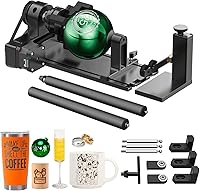
Best 50W Fiber Laser Engravers: Top 6 Picks (November 2026)
The best 50W fiber laser engravers include the xTool S1 40W Laser Cutter and Laser for large mixed-material projects, the xTool F2 5W IR & 15W Diode for portable metal marking, and the G·WEIKE GWEIKE G2 Max 50W Fiber Laser for dedicated deep metal engraving.
On this page (4 sections)
The best 50W fiber laser engraver for dedicated metal work is the G·WEIKE G2 Max 50W, with a 50W 1064nm fiber laser, deep engraving, metal cutting, 3D carving and 90+ color engraving. It sits in a different category from the larger diode machines here, even though all of them can mark, engrave or cut for craft and small shop use.
The other picks are useful because several are diode lasers or lower-power fiber machines built for different areas and materials. Small metal parts favor fiber depth and repeatable marking, while signs and panels need the wider bed and material range of a diode system.
A 50W fiber model is usually aimed at metal marking, deep engraving and repeatable small-part work. Its 150 x 150 mm area suits plaques, tags, jewelry-style pieces and detailed marks that fit inside that space.
It is not automatically best for large wood signs, acrylic cutting or general craft projects. Those jobs often need a bed for a whole panel, or a laser matched to wood and acrylic rather than metal.
Wattage alone does not settle the choice because laser type changes material handling. For a higher-output fiber comparison, see 60W fiber laser engravers.
A 40W diode may cut thick craft material better for a large project, while a 50W fiber may give deeper metal work on a much smaller part.
Speed also needs job context. High speed helps batches of small items, but it does not replace a work area large enough for the piece you make daily.
Safety class matters too, especially when comparing enclosed diode designs with Class 4 fiber machines. The right choice depends on your space, controls and ability to follow protective steps consistently.
If your main job is metal, compare this guide with our Best Fiber Laser For Metal roundup. Use it to narrow bed size, depth and color options.
If you need the process first, read What Is Fiber Laser Engraving?. Learning how fiber differs from diode cutting makes product differences easier to judge.
This guide keeps the 50W fiber question separate from the wider craft question. The G2 Max answers the first directly, while other machines serve work beyond compact metal engraving.
Our picks at a glance
-
1
 Best for large mixed-material projects
xTool S1 40W Laser Cutter and Laser
9.5/10 our score
See it on Amazon -
2

-
3
 Best for dedicated deep metal engraving
G·WEIKE GWEIKE G2 Max 50W Fiber Laser
9.2/10 our score
See it on Amazon
- 4
 Best for beginners needing a large bedCheck it
- 5
 Check it
G·WEIKE GWEIKE G2 Plus 20W Fiber Laser
Best for lower-power fiber work - 6
 Check it
LONGER Ray5 Laser Engraver and Cutter Machine
Best for large-format diode cutting
The best 50W fiber laser engravers for different workloads
The G·WEIKE G2 Max is the only true 50W fiber machine in this group, while the other products cover portable marking, lower-power fiber work and large-bed diode cutting. Pick by laser type and work area before comparing speed claims.
Our score weighs specs, features and buyer feedback against the needs of someone comparing fifty watt fiber equipment for dedicated metal engraving workloads.
xTool S1 40W Laser Cutter and Laser: Best for large mixed-material projects
- 40W laser
- 23.93 x 15.16 in bed
- 600mm/s speed
- Rotary bundle
The xTool S1 has a large bed, 40W output and rotary bundle for projects that mix wood, metal and acrylic. It is a diode laser rather than a 50W fiber machine, so it suits broader cutting and engraving work.
Pros
- Large bed
- 40W output
- Rotary bundle
- 600mm/s speed
Cons
- Not a 50W fiber laser
- Large 86.8 lb machine
The xTool S1 40W Laser Cutter and Laser is the strongest choice here for large mixed-material projects. Its 40W laser, 23.93 x 15.16 in bed and rotary bundle make it more flexible for wood, metal, acrylic and tumbler work than a small fiber marking machine.
The machine reaches speeds up to 600mm/s and has a 40W output. xTool also gives it AutoPassthrough support for projects up to 118 in, which matters when the work is longer than the bed.
The rotary bundle helps when your project uses curved items. The product information also describes 3D engraving on curved surfaces such as spoons and plates.
This is a diode laser rather than a 50W fiber laser. Choose it when a large bed and cutting range matter more than fiber-specific deep metal work.
For a direct comparison with another 50W-labeled machine, see our Best 50W Laser Engraver guide.
xTool F2 5W IR & 15W Diode: Best for portable metal marking
- 5W IR laser
- 15W diode laser
- 50MP camera
- 6000mm/s speed
The xTool F2 combines a 5W infrared laser with a 15W diode laser in a 10 lb desktop machine. Its camera and enclosed design fit small pieces, on-site work and mixed material projects.
Pros
- Portable 10 lb design
- 50MP camera
- 5W IR metal marking
- 6000mm/s speed
Cons
- Not a 50W fiber laser
- Small desktop format
The xTool F2 5W IR & 15W Diode suits portable personalization and small-batch work. It combines a 5W infrared laser for metal marking with a 15W diode laser for 3D embossing and thicker material work.
Its built-in 50MP camera supports alignment accuracy up to 0.1 mm on small pieces. That preview helps when a design must land in the right place on a card, tag or other compact item.
The machine also reaches speeds up to 6000mm/s, which fits quick jobs on compact items. Fast movement is most useful when the layout is simple and the material setting is already settled.
At 10 lb, the F2 is easier to move between a workshop, store, fair or market than the heavier machines here. That portability suits on-site work where a large fixed bed would be impractical.
It arrives fully assembled with a base plate and base material kit. Having the starting parts in the box reduces early setup time, though you should still confirm focus and placement before the first real job.
The F2 is a Class 4 laser engraver, so its enclosed design and operating instructions matter. Treat the safety steps as part of the workflow rather than an optional extra.
It is not a 50W fiber machine, but the 5W IR laser gives it a practical metal-marking role. Buyers should choose it for portability and mixed small-piece work, not as a substitute for deep 50W fiber engraving.
G·WEIKE GWEIKE G2 Max 50W Fiber Laser: Best for dedicated deep metal engraving
- 50W 1064nm fiber laser
- 150 x 150 mm work area
- Up to 15,000mm/s
- 90+ color engraving
The G2 Max is the clearest match for buyers searching for a 50W fiber laser engraver. It focuses on deep engraving, metal cutting, 3D carving and color work in a 150 x 150 mm area.
Pros
- True 50W fiber output
- Deep engraving
- 90+ color engraving
- 150 x 150 mm area
Cons
- Class 4 safety level
- Smaller work area than diode cutters
The G·WEIKE GWEIKE G2 Max 50W Fiber Laser is the best choice for dedicated metal engraving in this roundup. Its 50W 1064nm fiber laser supports deep engraving, metal cutting and 3D carving in a compact 150 x 150 mm work area.
The machine reaches engraving speeds up to 15,000mm/s and lists 0.001 mm accuracy. It also supports HD 8K engraving resolution, which suits buyers working with fine marks and detailed designs.
Color work is another key distinction. G·WEIKE lists more than 90 colors on metals such as stainless steel and titanium, along with support for plastic, leather, dark glass, colored ceramics, acrylic and stone.
The electric lift column makes focus adjustment easier than a manual process. Red light positioning helps preview the engraving area before the job begins.
This is a Class 4 machine with a 50W output. Plan the workspace around its protective cover, protective glasses and emergency stop button before using it.
KENTOKTOOL Laser Engraver: Best for beginners needing a large bed
- 5.5W output
- 400 x 400 mm work area
- 0.08mm square focus
- Class 1 output
KENTOKTOOL offers a 400 x 400 mm bed and a Class 1 output in a 14.02 lb machine. Its 5.5W output makes it a diode-style alternative for broad craft work, not a 50W fiber replacement.
Pros
- 400 x 400 mm bed
- Class 1 output
- Light 14.02 lb frame
- LightBurn support
Cons
- 5.5W output
- Not a fiber laser
The KENTOKTOOL Laser Engraver is aimed at beginners who need a large 400 x 400 mm work area. Its 5.5W output, 0.08mm square focus and 6000mm/min maximum speed suit broad craft projects rather than dedicated 50W fiber work.
The fine focus is meant to give cleaner detail on small designs within that large bed. In daily use, that means you can place several pieces across the area and engrave them in one arranged layout.
It can engrave wood, acrylic, glass, stainless steel, ceramic, stone, food, bamboo, plastic, leather and cardboard. This wide list makes it a flexible choice for mixed craft work, provided each material is tested with care first.
A roller is needed for round objects, so plan for that extra setup when working with cylindrical pieces. Adding that step changes how you center the piece and check the design before starting.
The machine supports GRBL and LightBurn and works with Windows XP, 7, 8 and 10, as well as Mac through LightBurn. Familiar software can make the learning curve easier if you already use one of those options.
Its Class 1 output and magnetic protective cover make the safety design different from the Class 4 fiber machines here. The cover can be attached and detached, so keeping it in place during operation remains part of safe use.
Choose KENTOKTOOL when bed size and beginner-friendly setup matter more than deep metal engraving. It is a diode-style alternative, not a replacement for the G2 Max's 50W fiber output.
G·WEIKE GWEIKE G2 Plus 20W Fiber Laser: Best for lower-power fiber work
- 20W 1064nm fiber laser
- 150 x 150 mm work area
- Up to 15,000mm/s
- 30+ color engraving
The G2 Plus keeps the 150 x 150 mm work area, electric lifting column and fiber workflow while using 20W output. It suits metal marking and deep engraving when 50W power is more than you need.
Pros
- 20W fiber output
- Electric lifting column
- 8K option
- 30+ color engraving
Cons
- Less output than the G2 Max
- Class 4 safety level
The G·WEIKE GWEIKE G2 Plus 20W Fiber Laser is the lower-power fiber choice in this group. Its 20W 1064nm laser keeps the 150 x 150 mm work area, electric lifting column and red light preview found in the same family.
It reaches speeds up to 15,000mm/s and offers 2K, 4K and 8K resolution options. The product also supports deep engraving on metal and more than 30 colors on stainless steel and titanium.
The G2 Plus supports Wi-Fi and USB connections, multiple input file formats and LightBurn. Its detachable design gives it more placement flexibility than a fixed industrial machine.
Choose it when you want a fiber workflow but do not need the G2 Max's 50W output. It remains a Class 4 laser, so protective glasses, the cover and the emergency stop button are part of the operating plan.
For projects that use a rotary attachment, compare the options in our guide to the best rotary fiber laser engraver.
LONGER Ray5 Laser Engraver and Cutter Machine: Best for large-format diode cutting
- 40W laser
- 385 x 385 mm work area
- 24,000mm/min speed
- 256-color palette
The LONGER Ray5 is a 40W diode cutter with a 385 x 385 mm work area. It is a strong fit for larger wood, acrylic, leather and craft projects, but it is not a 50W fiber engraver.
Pros
- Large work area
- 40W output
- Touchscreen
- USB, TF card and Wi-Fi
Cons
- Not a fiber laser
- Open-format diode workflow needs careful safety setup
The LONGER Ray5 Laser Engraver and Cutter Machine fits buyers who need a large diode work area and strong cutting output. Its 40W laser works across a 385 x 385 mm area and reaches speeds up to 24,000mm/min.
The large area is the main practical benefit for signs, panels and layouts with several pieces. You can plan a full sheet at once instead of splitting a design into smaller sections.
LONGER lists single-pass cutting for 20mm pine wood, 0.15mm stainless steel and 15mm acrylic, plus multi-pass cutting for up to 40mm wood and 50mm acrylic. Those figures make it more relevant to large craft and cutting jobs than compact fiber marking.
Multi-pass work needs more time and closer attention to alignment between passes. It is a trade-off worth weighing if your projects need thickness that a single pass cannot handle.
The Ray5 also has a 3.5 in touchscreen and supports USB, TF card, Wi-Fi and app connections. On-screen controls can help with checking progress and adjusting settings without returning to a computer for every change.
It works with LaserGRBL, LightBurn and LONGER's LaserBurn software. That range gives beginners and experienced users different routes into the same machine, depending on the software they already know.
A 256-color palette supports color engraving on stainless steel, metal, wood, leather, glass, acrylic and cotton fabric. Color work still depends on the material and settings, so a small test piece is a sensible habit.
This is still a diode machine, so choose it for its larger bed and cutting range rather than as a 50W fiber alternative. Its open-format diode workflow also needs careful safety setup around the work area.
How do 50W fiber machines compare with diode lasers?
A 50W fiber laser fits focused metal work, while a 40W diode laser often suits large wood, acrylic and craft projects better. The G2 Max has a 150 x 150 mm area, compared with 385 x 385 mm on the LONGER Ray5 and 23.93 x 15.16 in on the xTool S1.
That size difference shapes daily use. A compact fiber area favors small, detailed parts finished quickly, while a large diode bed favors panels, signs and batches across a sheet.
Fiber and diode systems also encourage different workflows. For another laser-source comparison, see fiber vs UV lasers.
Fiber machines here emphasize metal marking, deep engraving, color effects, red light positioning and compact areas. Electric lift columns and preview systems help with focus and placement on small pieces.
Diode models emphasize cutting and engraving across wider craft materials. Their larger beds make it easier to arrange several items or cut from a full sheet.
The xTool S1 and LONGER Ray5 suit signs, panels and larger pieces better than the G2 Max. Their 40W output targets a broader cutting range, even though it is not fiber.
KENTOKTOOL offers a 400 x 400 mm bed but only 5.5W output. That lower output changes what it can do, so bed size alone should not drive the decision.
The xTool F2 sits between groups with a 5W IR laser and a 15W diode laser in a portable desktop format. Its camera suits personalization, while its size rules out large panels.
Choosing by material first gives a clearer result. Metal depth and color point toward fiber, while large wood and acrylic cutting point toward diode.
If you are new to laser types, our guide explains How Does a Laser Engraver Work?. That background helps match the source to projects you plan to finish.
Which 50W fiber laser engraver is best for metal?
The G·WEIKE G2 Max is the best 50W fiber laser engraver for metal because it combines 50W 1064nm output with deep engraving, metal cutting, 3D carving and 90+ color engraving. Its 150 x 150 mm area is compact, but that size suits small parts, plaques, jewelry work and detailed marks.
The G2 Plus is the lower-power fiber alternative. It keeps the 150 x 150 mm area and lists deep metal engraving, but its output is 20W rather than 50W.
Which machine is best for large work?
The xTool S1 and LONGER Ray5 have the largest stated working areas in this roundup. The S1 has a 23.93 x 15.16 in bed, while the Ray5 has a 385 x 385 mm work area.
KENTOKTOOL also has a 400 x 400 mm area, making it a practical beginner option for broad craft pieces. These machines make more sense than a compact fiber engraver when your work regularly exceeds 150 x 150 mm.
What should you check before buying?
Start with the material and the largest piece you plan to engrave. A 50W fiber machine may be the right tool for deep metal work, but a diode cutter may be a better fit for large wood, acrylic or mixed-material projects.
Then check the safety class, enclosure, work area, software support and connection options. The G2 Max and G2 Plus are Class 4 machines, while the xTool S1 describes a Class 1 enclosed design and KENTOKTOOL describes Class 1 output.
Finally, plan the workflow around focusing and positioning. The G2 Max and G2 Plus use electric lift columns and red light preview, while the xTool F2 uses a built-in 50MP camera for small-piece alignment.
How should you use and care for a fiber laser engraver?
Use a fiber laser engraver on a stable, controlled workstation with required safety equipment in place. A firm bench makes focus checks and material placement more consistent.
Confirm focus, preview the design and use a suitable material setting before a larger batch. A short test on similar material can show whether depth, color or alignment needs adjustment.
Keep the work area clear of items not part of the job. That reduces clutter and makes problems easier to spot before they affect the piece.
For Class 4 machines, use the protective cover, protective glasses and emergency stop system described for the machine. Knowing where the stop control sits before you start is part of the workflow.
Keep ventilation and fume handling in mind for indoor use, following machine instructions for the materials you engrave. Different materials produce different fumes, so care steps should match the job.
Clean and inspect the machine according to its instructions. Regular checks of the cover, lens area, controls and connections keep the setup ready for repeat use.
Check the cover, positioning system, controls and connections before each session, especially after moving a detachable or portable machine. A quick visual check can prevent a wasted blank.
For red light preview and electric lift models, confirm positioning and focus respond as expected before the real run. If the preview does not match the design, stop and correct placement first.
Store files and settings in a way that helps you repeat a successful job. Notes on material, focus and settings make batch work calmer and reduce guesswork.
For a fuller operating sequence, follow our guide on how to use a fiber laser engraver. Use it alongside these care habits when you set your first routine.
Final choice: which 50W fiber engraver should you buy?
Choose the G·WEIKE G2 Max 50W if your priority is dedicated metal engraving, deep marks, metal cutting or 90+ color work in a 150 x 150 mm area. It is the only true 50W fiber machine in this group, so it answers the narrow search directly.
Choose the G2 Plus if you want similar fiber features at 20W. It keeps the 150 x 150 mm work area, electric lifting column and red light preview, with 30+ colors on stainless steel and titanium.
Choose the xTool S1 or LONGER Ray5 for larger diode cutting and engraving projects. Both use 40W output and much larger beds, making them better suited to wood, acrylic, signs and panels.
Pick the xTool F2 for portable small-piece marking, or KENTOKTOOL for a large beginner-friendly bed at 5.5W. The F2 favors on-site personalization, while KENTOKTOOL favors broad craft layouts.
Start with your most common material and your largest regular piece. If most work is metal and fits inside 150 x 150 mm, the fiber options deserve the closest look.
If most work is larger craft material, a diode bed will often save you from splitting designs or turning down jobs. That practical fit matters more than chasing the highest watt number.
Check safety class and enclosure before you commit to a workspace plan. Class 4 fiber machines need the stated protective equipment and a controlled area, while enclosed diode designs have their own operating steps.
Check software and connection options against the computer or phone you already use. Wi-Fi, USB and familiar design software can make daily operation smoother than a long list of unused features.
For the narrow question, the G2 Max is the best 50W fiber laser engraver here. For general craft production, laser type and work area matter more than wattage alone.
Our top 3 picks at a glance
-
1
Best for large mixed-material projects
xTool S1 40W Laser Cutter and Laser
9.5/10 our score
See it on Amazon -
2
-
3
Best for dedicated deep metal engraving
G·WEIKE GWEIKE G2 Max 50W Fiber Laser
9.2/10 our score
See it on Amazon
Frequently asked questions
What is the best 50W fiber laser engraver here?
The G·WEIKE G2 Max 50W is the best match for dedicated metal engraving in this group. Its 50W 1064nm fiber laser supports deep engraving, metal cutting, 3D carving and 90+ color engraving across a 150 x 150 mm area.
Choose a diode model instead when you need a much larger bed for wood, acrylic or other broad craft work.
Is a 40W diode laser the same as a 50W fiber laser?
No. Laser type matters as much as the watt number.
The xTool S1 and LONGER Ray5 use 40W diode output for cutting and engraving across larger craft areas, while the G2 Max uses a 50W 1064nm fiber laser for dedicated metal work.
Compare material needs before comparing wattage alone.
What can a 50W fiber laser engrave?
A 50W fiber laser can handle dedicated metal engraving and can support deep engraving, metal cutting, 3D carving and color work when the machine includes those functions. The G2 Max also lists plastic, leather, dark glass, colored ceramics, acrylic and stone among supported materials.
Always confirm the material and settings before starting a job.
Do fiber laser engravers need special safety care?
Yes. The G2 Max and G2 Plus are Class 4 machines, and the G2 Max includes an emergency stop button, protective glasses and a protective cover.
Keep the work area controlled, use the stated protective equipment and follow the machine's safety instructions.
A diode machine's enclosure or shield does not remove the need for safe operation.