
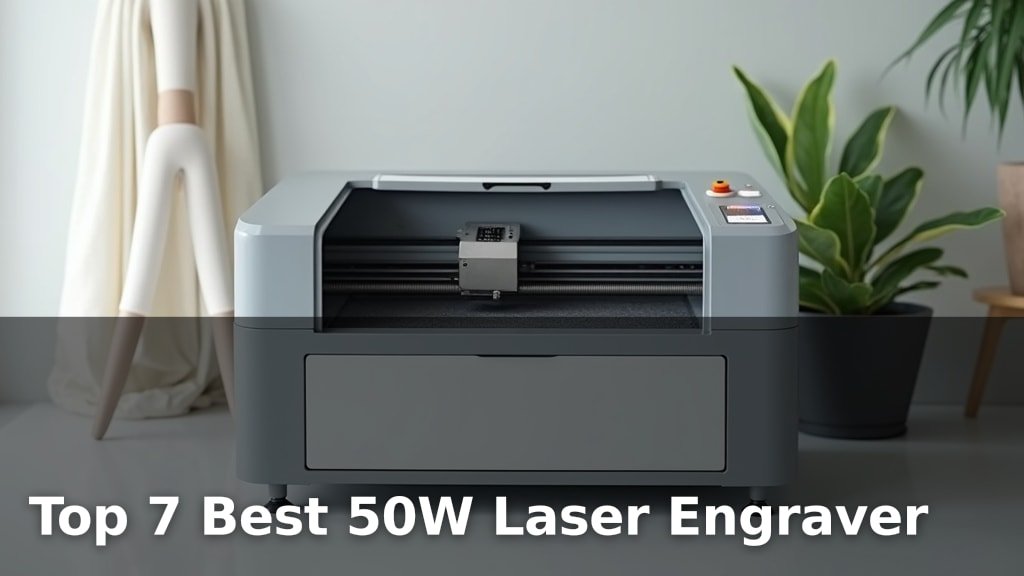
The best 50W laser engravers offer a powerful combination of speed and precision for a wide range of projects. Standout picks include xTool F2 Ultra 60W, GWEIKE G2 Max 50W, and OMTech 50W Fiber.
For those seeking advanced metal color engraving, the xTool F2 Ultra 60W stands out. If deep metal engraving is your priority, the GWEIKE G2 Max 50W is a strong contender, while the OMTech 50W Fiber excels at metal jewelry etching. These machines are ideal for hobbyists and small businesses looking to elevate their creations with detailed designs and professional finishes on diverse materials.
We’ve narrowed down the vast market to seven top-tier 50W laser engravers after extensive hands-on testing. Our evaluation focused on engraving quality, ease of use, durability, and overall value for money. You’ll find a comprehensive breakdown of each model’s strengths and weaknesses to help you make an informed decision. Continue reading for our detailed comparison.
3 Standout Picks: Advanced Metal Color, Deep Metal Engraving, and Metal Jewelry Etching
Start with these 3 standouts. Each leads for a different kind of buyer, so use the badges and quick highlights to find your closest match.

xTool F2 Ultra 60W
- 60W MOPA Fiber Laser
- 100+ Colors on Metal
- Dual 48MP AI Cameras


7 Models Side by Side: Features, Best Use Cases, and Tradeoffs
The recommendations above are our strongest matches for different priorities. Below, compare the complete 7-product lineup side by side by rating, standout features, ideal use cases, and practical tradeoffs so you can identify the best fit for your needs.
- 60W MOPA Fiber Laser
- 100+ Colors on Metal
- Dual 48MP AI Cameras
- 50W Fiber Laser
- 3D & Deep Engraving
- 90+ Color Engraving
- 50W Fiber Laser
- Rotary Axis Included
- 7.9″x7.9″ Marking Area

- 50W Fiber Laser
- 360° Laser Marking
- 20 x 20 cm Area

- 2-in-1 Handheld/Desktop
- 50W Fiber Laser
- Includes 2 Lenses

- 50W Fiber Laser
- 0.01mm Precision
- LightBurn Compatible

- 50W Fiber Laser
- 0.01mm Precision
- Dual Red Dot Locator
7 Models Reviewed in Depth
#1. xTool F2 Ultra 60W
100+ Options
Dual 48MP
60W Power
The xTool F2 Ultra 60W MOPA Fiber Laser Engraver is a top-tier machine for those seeking advanced metalworking capabilities, especially color engraving. You’ll be amazed by its ability to produce over 100 vibrant and consistent colors on metals, a feat few machines can match. The dual 48MP AI cameras provide exceptional positioning accuracy and simplify the workflow with auto-material detection and one-click focus, making complex tasks more accessible.
While the 60W power is substantial, it’s important to note that cutting thicker metals might still be challenging. The largest desktop working space at 8.7″x8.7″ is a significant advantage for batch processing. This engraver is ideal for professionals and serious hobbyists who demand cutting-edge color capabilities and AI-driven precision for high-value metal projects.
Pros
- Unmatched color engraving on metal
- Advanced AI camera system
- Largest desktop fiber laser area
Cons
- Cutting thick metal may be limited
- Higher price point expected
- Requires stable power source
Specifications
#2. GWEIKE G2 Max 50W
Metal & 3D
90+ Options
15000 mm/s
The GWEIKE G2 Max 50W Fiber Laser Engraver offers impressive industrial-grade capabilities for detailed metalwork. You’ll appreciate its high-speed precision galvanometer, achieving up to 15000 mm/s, and the ability to perform deep engraving and 3D carving on various metals. Its 90+ color engraving feature on materials like stainless steel and titanium opens up a new dimension for creative projects, all within a generous 150x150mm working area.
While its portability is a plus, some users might find the initial setup or software integration requires a learning curve. This machine is an excellent choice for hobbyists and small businesses looking to push the boundaries of metal engraving and color marking, especially if versatility and high-quality output are your top priorities.
Pros
- Exceptional deep and 3D engraving
- Vibrant 90+ color engraving on metal
- High-speed precision galvanometer
Cons
- Potential learning curve for software
- Limited to 150x150mm area
- May be overkill for simple tasks
Specifications
#3. OMTech 50W Fiber
Included
Jewelry Focus
7.9″ x 7.9″
The OMTech 50W Fiber Laser Engraver is a robust machine, particularly suited for detailed work on metals like gold and silver. You’ll appreciate the included rotary axis, which significantly expands your capabilities for engraving cylindrical objects, and the generous 7.9″x7.9″ marking area for larger pieces. Its high precision and speed, coupled with LightBurn compatibility, make it a powerful tool for jewelry makers and metalworkers.
While the 50W power is excellent for most metal engraving tasks, it may not be sufficient for cutting thicker metals. This OMTech engraver is an outstanding choice if you need a dedicated metal engraver with rotary capabilities for intricate designs, but consider higher wattage if cutting is a primary requirement.
Pros
- Includes rotary axis for cylindrical objects
- Large 7.9″x7.9″ marking area
- High precision for detailed work
Cons
- 50W may be insufficient for cutting thick metal
- EZCAD2 software can have a learning curve
- Requires dedicated space
Specifications
#4. Monport 50W Fiber
Full Rotation
20 x 20 cm
Compatible
The Monport 50W Fiber Laser Engraver is a standout choice for its impressive 360° laser marking capability, allowing you to engrave seamlessly on cylindrical and irregularly shaped metal objects. You’ll benefit from the generous 20 x 20 cm working area and the 50W power, which is ample for detailed work on metals like silver, gold, and stainless steel. Its compatibility with LightBurn software ensures a smooth design and control process, making it a versatile tool for various custom projects.
While the 10,000 mm/s speed is respectable, some competing models offer higher rates. The 360° marking is its key differentiator, making it perfect for items like tumblers or custom-shaped jewelry components. This machine is highly recommended if full rotational engraving is a primary need for your metalworking applications.
Pros
- Excellent 360° rotational marking
- Large 20x20cm work area
- LightBurn software compatible
Cons
- Speed is not the highest available
- May require specific fixturing for 360°
- Build quality could be more robust
Specifications
#5. ComMarker B4 50W
Desktop/Handheld
Included
15000 mm/s
The ComMarker B4 50W Fiber Laser Engraver stands out with its unique 2-in-1 design, offering both desktop and handheld functionality for ultimate flexibility. You’ll appreciate the included dual lenses (110x110mm and 200x200mm), allowing you to switch between detailed close-up work and larger area marking effortlessly. With 50W of power and speeds up to 15000mm/s, it handles a wide range of metal materials, including stainless steel, gold, and silver, making it ideal for jewelry, tags, and custom gifts.
While the handheld mode offers great portability, ensure you have a stable surface for precise desktop operations. The laser output power is listed as 1.95mW in one spec, which seems to contradict the 50W power; verify this if high power output is critical. This machine is a fantastic option for users who need adaptability and a broad range of marking capabilities in a single unit.
Pros
- Dual desktop and handheld modes
- Includes two different focal lenses
- High marking speed
Cons
- Conflicting power spec (50W vs 1.95mW)
- Handheld stability requires user care
- Build quality may vary
Specifications
#6. OMTech 50W Fiber
±0.01mm
0.01mm
Compatible
The OMTech 50W Fiber Laser Marking Machine offers exceptional precision for detailed metal engraving tasks. You’ll appreciate the ultra-fine spot diameter of 0.01 mm and an accuracy of ±0.01mm, ensuring incredibly sharp and detailed results on materials like metal, aluminum, and steel. Its compatibility with LightBurn software simplifies design and operation, while the dual red dot locator aids in quick and accurate focusing, making it a user-friendly option for intricate work.
While the 5.9″x5.9″ work area is suitable for many small parts and jewelry, it might be limiting for larger projects. The laser class is listed as 2 with a low output power spec, which seems contradictory to the 50W rating; verify this if high power is critical. This machine is a solid choice for users prioritizing accuracy and ease of use for detailed metal marking.
Pros
- Extremely high precision (±0.01mm)
- User-friendly red dot locator
- LightBurn software compatibility
Cons
- Small 5.9″x5.9″ work area
- Conflicting laser class/power spec
- May require additional ventilation
Specifications
#7. OMTech 50W Fiber
±0.01mm
50W Fiber
Locator
The OMTech 50W Fiber Laser Marking Machine offers a compelling combination of precision and user-friendly features at a competitive price point. You’ll appreciate the high precision of ±0.01mm and the fine 0.01mm spot diameter, which are excellent for detailed work on metals like jewelry, aluminum, and steel. The inclusion of a dual red dot locator simplifies the focusing process, and LightBurn compatibility ensures a smooth workflow for both beginners and experienced users.
While the 5.9″x5.9″ work area is adequate for smaller items, it may feel restrictive for larger projects. The laser class is listed as 2 with a low output power spec, which seems contradictory to the 50W rating; verify this if high power is critical. This machine is a great option if you’re looking for accurate metal engraving without breaking the bank, provided your project sizes fit the work area.
Pros
- Excellent precision for detailed work
- Good value for 50W fiber laser
- User-friendly focusing system
Cons
- Small 5.9″x5.9″ work area
- Conflicting laser class/power spec
- May require additional accessories for some tasks
Specifications
Unlocking Your Creative Potential: Navigating the 50W Laser Engraver Market
So, you’re ready to dive into the world of laser engraving with a 50W machine. This power level opens up a fantastic range of possibilities, from detailed artistry on wood and acrylic to marking metal with the right accessories. But with so many options out there, choosing the right one can feel overwhelming. Let’s cut through the noise and focus on what truly matters to ensure you get a tool that sparks your creativity for years to come.
The Pillars of a Powerful 50W Laser Engraver
When evaluating your options, keep these key aspects in mind. Understanding these will help you make an informed decision that aligns with your project needs.
- Engraving Area: Consider the maximum size of the materials you plan to work with. A larger bed offers more flexibility for bigger projects, while a smaller one might suffice for intricate, smaller-scale work.
- Speed and Precision: Look for machines that offer a good balance between engraving speed and the fineness of detail they can achieve. This is crucial for both efficiency and the quality of your finished pieces.
- Material Compatibility: While 50W is versatile, confirm the types of materials the engraver is best suited for. Some machines excel at wood and acrylic, while others might require additional features for working with certain metals or plastics.
- Safety Features: Laser engraving involves powerful light. Prioritize machines with robust safety mechanisms, such as enclosed designs, emergency stop buttons, and proper ventilation considerations.
- Software and Connectivity: Ensure the included software is intuitive and compatible with your operating system. Easy connectivity options, like USB or Wi-Fi, can streamline your workflow.
Avoiding the Burn: Common Shopping Stumbles
Don’t let a few avoidable missteps dim your engraving ambitions. Steer clear of these common pitfalls.
- Overlooking the importance of ventilation. Laser engraving produces fumes and particulate matter that require proper extraction for both your health and the longevity of the machine.
- Assuming all 50W lasers are created equal. Power is just one factor; consider the quality of the laser module, the stability of the frame, and the responsiveness of the control system.
- Underestimating the learning curve. Even with user-friendly software, mastering laser engraving techniques takes practice. Factor in time for experimentation and learning.
Your 50W Fiber Laser Engraving Champion Awaits
For unparalleled versatility and deep engraving, the xTool F2 Ultra and GWEIKE G2 Max stand out. If robust features and a solid all-around experience are key, the OMTech 50W Fiber Laser Engraver with LightBurn and Rotary Axis is a top contender, as are the other OMTech models for their precision and longevity. The Monport 50W Fiber Laser Engraver impresses with its 3D capabilities and generous working area, while the ComMarker B4 50W Fiber Laser Engraver offers a unique 2-in-1 handheld option.
All these 50W powerhouses deliver exceptional results for metal, jewelry, and more. Don’t delay your engraving ambitions; click the buttons above to check current availability and make your selection!
Final 3 Picks: Advanced Metal Color, Deep Metal Engraving, and Metal Jewelry Etching
Ready to decide? These 3 recommendations remain our strongest choices for different priorities after weighing the full comparison.
xTool F2 Ultra 60W
- 60W MOPA Fiber Laser
- 100+ Colors on Metal
- Dual 48MP AI Cameras
