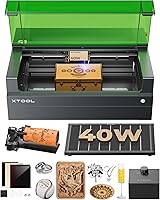
9 Best xTool 20W Laser Engravers (November 2026)
The best xTool 20W laser engravers include the xTool F2 Ultra 60W MOPA & 40W for maximum material range, the xTool F1 Ultra 20W Fiber & Diode for true 20W dual-laser work, and the xTool M2 20W Color Craft Laser Engraver for enclosed color crafts.
On this page (5 sections)
The best xTool 20W laser engraver for most mixed-material projects is the xTool F1 Ultra 20W Fiber & Diode. It combines 20W fiber power for metals with 20W diode power for wood, acrylic, leather, glass and related craft materials.
This mix matters in daily use because fiber and diode lasers do different jobs on different materials. A single machine that can switch between them suits shops that move from metal tags to wooden signs without buying a second system.
The xTool M2 is the better fit for enclosed color crafts because it combines a 20W diode laser with a CMYK inkjet printer. That pairing suits felt, fabric, paper and other soft craft materials where full color printing matters more than deep metal marks.
If you need stronger cutting or deep metal work, the xTool F2 Ultra moves beyond the 20W class with 60W MOPA fiber and 40W diode lasers. It is a step up in power, size and safety demands, so it fits a planned workstation rather than a casual spare corner.
We compared the laser type, stated work area, material range, camera or positioning tools, safety design and project fit. Our score weighs specs, features and buyer feedback against what you're shopping for.
For a wider look at the brand's machines, see our guide to the best xTool laser cutters. If you are comparing diode machines beyond xTool, our Best 20W Diode Laser Engraver guide covers the same power class from a broader field.
Our picks at a glance
-
1

-
2
 Best for true 20W dual-laser work
xTool F1 Ultra 20W Fiber & Diode
9.6/10 our score
See it on Amazon -
3
 Best for enclosed color crafts
xTool M2 20W Color Craft Laser Engraver
9.6/10 our score
See it on Amazon
- 4
 Check it
xTool S1 40W Laser Cutter and Laser
Best for large wood projects - 5
 Best for portable personalizationCheck it
- 6
 Check it
LONGER Ray5 Laser Engraver and Cutter Machine
Best for a wide open-frame bed - 7
 Check it
Woxcker Laser Engraver 20W Enclosure Laser Cutter
Best for enclosed budget-style setup - 8
 Check it
Twotrees TTS-20 Pro Laser Engraver
Best for a large DIY work area - 9
 Best for rotary-ready projectsCheck it
The best xTool 20W laser engravers by project
The xTool F1 Ultra is the strongest direct 20W xTool match because it has both fiber and diode lasers. The M2 is better for color craft workflows, while the S1 and F2 Ultra suit buyers who need more than a standard 20W machine.
Compare xTool and Glowforge if you’re weighing the brands.
xTool F2 Ultra 60W MOPA & 40W: Best for maximum material range
- 60W MOPA fiber and 40W diode lasers
- Cuts up to 2 mm metal, 20 mm acrylic and 23 mm wood
- 8.7 x 8.7 in work area
- Dual 48MP AI cameras
The dual-laser setup covers metals and non-metal materials in one machine. It is the strongest choice here for deep metal work, color engraving and thicker wood or acrylic.
Pros
- 60W MOPA fiber laser
- 40W diode laser
- Over 100 metal color options
Cons
- Class 4 laser
- Heavier 67.9 lb machine
The xTool F2 Ultra is the top pick when your project list includes both serious metal work and thicker non-metal cutting. Its 60W MOPA fiber laser handles all-metal engraving, color engraving, 3D deep engraving and metal cutting up to 2 mm, while the 40W diode laser cuts up to 20 mm acrylic and 23 mm wood.
That dual setup suits makers who want color on stainless steel or titanium, relief work on metal, and clean cuts through thicker wood or acrylic in one workflow. Pulse and frequency control on the MOPA side help tune surface results, while the diode side handles finer non-metal processing.
The machine has an 8.7 x 8.7 in fiber work area. With the auto conveyor, that area can expand to 8.7 x 19.7 in for longer or batch work.
Dual 48MP AI cameras are designed to improve positioning accuracy to 0.2 mm. The machine also supports material detection, setting suggestions and one-click focus and preview.
Those tools reduce setup time for repeat jobs and small parts where placement errors waste material. They do not remove the need for a test piece, especially when color, coating or thickness changes.
The F2 Ultra is a Class 4 laser and weighs 67.9 lb. Its power and material range make it a poor fit if you only need light engraving on small craft blanks.
xTool F1 Ultra 20W Fiber & Diode: Best for true 20W dual-laser work
- 20W fiber and 20W diode lasers
- 220 x 220 mm work area
- 10,000 mm/s speed
- 16MP camera
This is the clearest match for shoppers who want 20W fiber metal engraving and 20W diode work in one enclosed machine. The dual setup covers metal, wood and acrylic projects.
Pros
- 20W output from both lasers
- Engraves metals and non-metals
- Enclosed cover
Cons
- Auto conveyor is separate
- Class 4 laser
The xTool F1 Ultra is the best direct answer to the search for a true xTool 20W laser engraver. It has a 20W fiber laser and a 20W diode laser, so one machine covers metal engraving plus wood, acrylic, leather, glass, rubber and fabric work.
The fiber laser can cut thin stainless steel, brass and aluminum sheets within the stated limits. The diode laser can cut up to 15 mm wood and 12 mm black acrylic.
In practice, that split helps a mixed shop separate jobs by material instead of compromising on one laser type. Metal pieces go to the fiber side for marks and thin cutting, while craft blanks go to the diode side for engraving and thicker cuts.
Its 220 x 220 mm work area can expand to 220 x 500 mm with the separately available auto conveyor. A 16MP camera supports positioning, and the machine reaches speeds up to 10,000 mm/s.
Speed helps most on repeat items and batches, but it does not change the basic material limits or the need to test settings. Planning the conveyor, ventilation and safety setup before the first job keeps the workflow smooth.
The F1 Ultra is enclosed, but it remains a Class 4 laser. Choose it for a mixed-material shop, not simply because the number 20W appears in the name.
xTool M2 20W Color Craft Laser Engraver: Best for enclosed color crafts
- 20W diode laser
- CMYK inkjet printer
- Dual cameras
- Class 1 enclosed design
The M2 fits makers who want laser work and full-color printing in one craft workflow. Its dual cameras and enclosed Class 1 design suit home projects and personalized goods.
Pros
- CMYK inkjet module
- Dual-camera preview
- Class 1 enclosure
Cons
- 3W IR module is separate
- The 20W laser is diode only
The xTool M2 is the best choice for a home crafter who wants laser cutting, engraving and full-color printing in one enclosed system. Its 20W diode laser works with materials such as cardstock, felt, leather, wood, paper and fabric.
The CMYK inkjet module adds full-color printing, while dual cameras provide a real-time workspace preview. The print-to-cut workflow helps align printed designs before cutting.
That print then cut sequence suits stickers, tags, decor and personalized gifts where color and shape need to line up. It also reduces the back and forth of moving a print between separate devices.
The M2 is a Class 1 enclosed laser engraver. Its 3W IR module is sold separately, so choose this model for diode and inkjet craft work rather than assuming it includes a fiber laser.
Templates and an integrated AI image generator may help beginners start with signs, name tags, stickers, cake toppers and personalized gifts. The M2 is less suited to buyers whose main goal is deep metal engraving.
xTool S1 40W Laser Cutter and Laser: Best for large wood projects
- 40W laser
- 23.93 x 15.16 in bed
- 600 mm/s speed
- Rotary bundle
The S1 is not a 20W model, but its 40W diode and large bed make it a useful alternative for buyers whose projects need more cutting room. It cuts up to 18 mm cherry wood in one pass.
Pros
- Large work bed
- 40W output
- Rotary bundle
Cons
- 86.8 lb machine
- Not a 20W model
The xTool S1 40W is the strongest alternative here for large wood projects because its bed measures 23.93 x 15.16 in. For its working dimensions, see the xTool S1 cutting area.
It is not a 20W machine, but its 40W laser and rotary bundle make it useful when project size matters more than matching the keyword exactly.
The S1 reaches speeds up to 600 mm/s and is designed for large work such as door signs. Its stated cutting claim reaches 18 mm cherry wood in one pass.
A large bed changes how you plan jobs because you can lay out several smaller pieces or one wide sign without splitting the design. It also means the machine needs clear space around it for material handling and safe access.
Auto-focus, Pin-point Positioning and the XCS software support a simpler setup. The protective cover filters 99% of laser light, and the machine has flame sensors, an emergency stop button and lid-open stopping.
Those safety features suit a home or small shop setting, but they do not replace good ventilation, material checks and attention during a job. Pre-tested settings help you start, yet a small test still protects a large sheet from a wrong choice.
At 86.8 lb, the S1 needs a planned workstation. Read our xTool S1 40W laser engraver review before choosing it over a smaller desktop model.
xTool F2 5W IR & 15W Diode: Best for portable personalization
- 5W IR and 15W diode lasers
- 50MP camera
- 6,000 mm/s speed
- 4.6 kg weight
The F2 suits mobile personalization at markets, fairs and small workspaces. Its IR laser handles metal marking while the diode works with wood and other craft materials.
Pros
- Light 4.6 kg design
- 50MP camera
- Fully enclosed
Cons
- Not a full 20W laser
- Class 4 laser
The xTool F2 fits portable personalization because it weighs 4.6 kg and arrives fully assembled. Its 5W IR laser handles metal marking, while the 15W diode works with wood and other materials.
That light weight suits a stall, fair or pop-up where quick setup and pack down matter as much as engraving quality. Fully assembled delivery also helps when you need to start customer jobs without a long build step.
A built-in 50MP camera provides up to 0.1 mm alignment accuracy on small pieces. The machine reaches speeds up to 6,000 mm/s and supports a slide extension for longer layouts.
Small pieces benefit most from that camera precision because a small shift can ruin a card, tag or phone case. The slide extension helps with repeated layouts, but you should still plan the order of jobs before a busy event.
The F2 is fully enclosed and described as a Class 4 laser. Its base plate and base material kit are included.
This is a good pick for pop-ups, fairs and small shops that need quick personalization. It is not a full 20W machine, so choose the F1 Ultra if equal 20W fiber and diode output matters.
LONGER Ray5 Laser Engraver and Cutter Machine: Best for a wide open-frame bed
- 20W laser module
- 400 x 365 mm work area
- 24,000 mm/min speed
- 256-color palette
The Ray5 gives 20W diode power and a broad work area for signs, panels and larger craft pieces. It also supports USB, TF card, Wi-Fi and app connections.
Pros
- Large 400 x 365 mm area
- 20W module
- Multiple connection options
Cons
- Open-frame design needs careful safety setup
- Larger footprint
The LONGER Ray5 is the best standard 20W diode option here when you want a wide open-frame work area. Its 400 x 365 mm bed gives more room for panels, signs and repeated craft pieces than many compact desktop machines.
The 20W laser module reaches up to 24,000 mm/min. LONGER states single-pass cutting of 15 mm pine wood, 0.05 mm stainless steel and 8 mm acrylic, with deeper limits after multiple passes.
A wide bed helps when you want to cut a large panel, arrange several blanks, or keep a design in one piece. It also takes more table space, so measure the room and the ventilation path before you commit.
A 256-color palette and a 0.08 x 0.1 mm laser spot support detailed engraving. The Ray5 works with LaserGRBL, LightBurn and LaserBurn, with USB, TF card, Wi-Fi and app connections.
Those connection choices suit both connected desks and offline work away from a computer. Software familiarity matters here, so pick the option you already know or are willing to learn.
The machine includes a full protective enclosure and safety goggles in its stated package. Plan the enclosure, ventilation and material handling before using an open-frame-style diode machine.
Woxcker Laser Engraver 20W Enclosure Laser Cutter: Best for enclosed budget-style setup
- 20W laser module
- 300 x 300 mm work area
- 360-degree enclosure
- 0.01 mm compressed focus
The Woxcker combines a 20W module with a 300 x 300 mm area and an enclosure. Its modular assembly may appeal to beginners who want a simpler installation process.
Pros
- Fully enclosed design
- 300 x 300 mm area
- Supports LightBurn and LaserGRBL
Cons
- Brand-specific workflow details need checking
- Rotary roller is an accessory
The Woxcker 20W Enclosure Laser Cutter suits buyers who want a 300 x 300 mm work area and a fully enclosed setup. Its 20W module is intended for wood, leather, plastic, food and metal marking.
The enclosure helps shield direct laser exposure and contain fumes or dust. The machine also has tilt detection, an emergency stop button and a flame sensor system.
That enclosed design fits a shared room better than an open frame because it reduces direct light exposure and helps manage smoke during a job. It still needs ventilation, careful material selection and a clear emergency path.
Its 0.01 mm compressed fixed focus is designed for detailed engraving. Wi-Fi, USB, app and TF card connections support both connected and offline workflows, while LightBurn and LaserGRBL are supported.
A fixed focus simplifies setup for beginners because there is one less adjustment to learn. The trade-off is that you rely on the stated focus for each material thickness, so test pieces remain important.
The Woxcker uses a modular assembly design divided into 5 main components. Air assist and a rotary roller are compatible accessories, but they are not part of the standard machine setup described here.
Twotrees TTS-20 Pro Laser Engraver: Best for a large DIY work area
- 20W diode laser
- 418 x 418 mm work area
- 30,000 mm/min maximum speed
- Wi-Fi, USB and TF card
The TTS-20 Pro offers the largest stated work area among the standard 20W diode picks here. It fits DIY users and small shops making larger signs, panels and repeated craft pieces.
Pros
- 418 x 418 mm work area
- Offline TF card operation
- Automatic homing
Cons
- Optional air assist is not included
- Class 4 laser
The Twotrees TTS-20 Pro is the strongest choice here for a large 20W diode work area. Its 418 x 418 mm space suits larger signs, panels and batches of smaller items.
The machine uses a 20W blue diode laser with a stated optical output of at least 19.5W. It works with wood, leather, bamboo, acrylic, MDF, coated stainless steel and plastic.
A large area helps with one big design or many small parts laid out together. It also means you need a stable surface, room to load material, and a plan for moving finished pieces without crowding the laser path.
Wi-Fi, USB and TF card operation let you send jobs in different ways. Automatic X/Y homing returns the machine to its origin, and the stated positioning accuracy is 0.1 mm.
Homing helps repeat jobs start from the same point, which matters for batches and multi-part projects. Offline TF card use can suit a workshop where the computer stays busy with design work.
The optional touch screen, air assist kit and honeycomb panel are not included in the standard package. Choose it for workspace and offline operation, then plan safety equipment and smoke control around your installation.
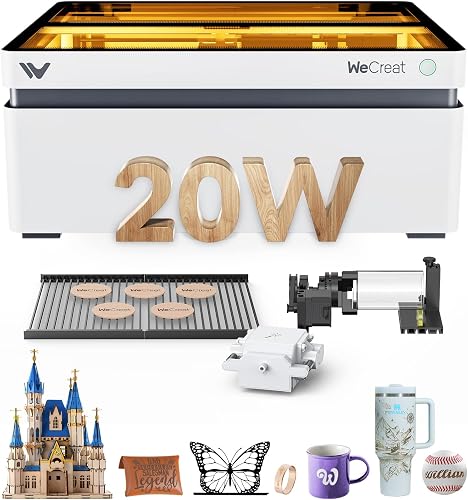
WECREAT Vision 20W: Best for rotary-ready projects
- 20W diode laser
- Rotary system
- Auto-lifting enclosure
- Air assist
The WECREAT Vision suits makers who want rotary engraving, automatic height adjustment and an enclosed workflow. Its 4-in-1 setup covers flat work and cylindrical items.
Pros
- Rotary system
- Auto-lifting design
- Built-in camera
Cons
- Heavier 66.9 lb machine
- Smaller score for strict xTool searches
The WECREAT Vision is the best fit for buyers who want rotary work, camera positioning and automatic height adjustment in one enclosed machine. Its 20W diode laser cuts up to 10 mm wood or 8 mm opaque black acrylic in one pass.
The auto-lifting design adapts to materials from 1 to 140 mm high. The 4-in-1 setup includes a rotary system, intelligent air assist and 2 laser beds.
That height range suits flat blanks, thicker blocks and cylindrical items without swapping risers by hand. Air assist can help reduce burn marks on cuts, while the two beds give you options for support and cleanup.
A built-in HD camera supports placement, while the quick view system offers settings for more than 100 materials. The machine works with WECREAT software and LightBurn.
Camera preview helps use space well and reduce waste on small or valuable blanks. Preset settings speed up setup, but material color, coating and exact thickness can still change the result.
The Vision has a Class 1 enclosure that filters 99% of laser light and stops when the lid opens. At 66.9 lb, it is better for a permanent work area than frequent transport.
How to choose between xTool fiber and diode lasers
Choose a diode laser for wood, acrylic, leather, paper, fabric and general craft cutting. Choose fiber when metal engraving, deep marks or metal color work is central to your workflow.
Diode machines fit craft rooms well because they handle common blanks and cut thicker non-metal stock. Fiber machines earn their place for stronger marks on metal, relief work, and color effects a diode cannot match.
The xTool F1 Ultra is the clearest two-laser choice at the target power because it combines 20W fiber and 20W diode output. The F2 Ultra goes much further with 60W MOPA fiber and 40W diode power.
That step up matters for depth, speed on metal and thicker non-metal cuts. It also brings a larger footprint, higher safety demands and a bigger budget, so it should follow your project list rather than lead it.
A diode laser's watt number does not describe the same job as a fiber laser's watt number. The same watt label can mean different depth, speed and surface effects depending on laser type and material.
Before buying, write down your main materials and separate flat cutting, surface engraving, deep engraving and metal marking into different needs. A short list of regular jobs will show whether you need one laser type or both.
Consider setup and care as well as power, including enclosed machines, camera systems, conveyors and rotary tools. Test settings on scrap first because color, thickness and coating change results for both types.
For a deeper look at metal use, read Can the xTool S1 Engrave Metal?. The answer depends on the metal, the laser type and the result you want.
What work area should a 20W laser engraver have?
Choose the smallest work area that fits your largest regular project, then allow room for material placement and safe access. A larger bed helps with signs and batches, but it also needs more table space.
Start with your usual blanks rather than your dream project. If most jobs are tags, coasters or small panels, a compact bed keeps setup quick and leaves room for a computer, materials and finished work.
If you regularly make door signs, large panels or wide layouts, a bigger bed saves you from splitting designs or turning material mid job. It can also let you arrange several small pieces in one run.
The compact xTool F1 Ultra has a 220 x 220 mm area. The LONGER Ray5 measures 400 x 365 mm, and the Twotrees TTS-20 Pro reaches 418 x 418 mm.
Those numbers show a clear range from desktop compact to wide open frame. The right choice depends on whether your largest weekly project needs that extra width or whether a smaller frame is easier to place and keep clean.
Consider height and accessories too, not just the flat bed size. Rotary work, risers, conveyors and material support can change the usable space and the way you load a job.
The work area is separate from cutting depth. A large bed does not automatically mean deeper cutting, so compare the stated material limits as well as the frame size.
A machine may lay out a big sheet yet still need multiple passes for thick stock. That affects job time, edge quality and how often you need to check progress.
Also check the machine footprint and ventilation path. A wide bed needs a stable surface and clear space around it for safe loading, unloading and emergency access.
Our guide to What Can a 20W Laser Cut? explains why wood, acrylic, metal and multiple-pass work need separate expectations.
How to set up and use an xTool laser engraver
Start with a stable surface, clear the laser path and follow the machine's safety instructions before connecting power. Confirm the enclosure, ventilation and emergency controls before running a design.
Place the machine where smoke can be extracted and where the lid, door or cover can close fully. Keep flammable scraps, paper towels and spare material away from the work area.
Use the software's material settings as a starting point, then make a small test on the same material. Material color, thickness, coating and position can change the result, so avoid sending a full sheet before checking the first mark.
A test piece should match the job as closely as possible. Use the same thickness, color and finish, and check both engraving depth and cut edges before you run the full design.
Set focus, secure the material flat, and confirm placement with the camera or preview tool. For small parts, even a slight shift can waste a blank, so take a moment to align before you start.
Keep the work area clean and inspect the lens, belts, rails and air path according to the machine's instructions. Remove residue after jobs and do not leave an active laser unattended.
During a job, watch the first pass closely and listen for changes in sound or smell. If the material catches flame, shifts position or produces unexpected smoke, stop and follow the safety guidance.
After the job, let parts cool before handling them, especially thin metal or freshly cut edges. Label test pieces with settings so you can repeat good results and avoid repeating poor ones.
If you are new to the workflow, use our guide on How to Use an xTool Laser Engraver for the basic sequence from design placement to a finished job.
Which xTool 20W laser engraver should you choose?
Pick the xTool F1 Ultra if you want a genuine 20W fiber and 20W diode combination. Pick the xTool M2 if enclosed Class 1 color craft work and CMYK printing matter more than metal depth.
The F1 Ultra suits a mixed shop that needs metal engraving and craft cutting in one enclosed machine. The M2 suits a home crafter who wants full color printing with laser cutting and engraving for gifts, decor and soft materials.
Choose the LONGER Ray5 or Twotrees TTS-20 Pro for a larger standard 20W diode bed. The Ray5 offers a wide 400 x 365 mm area, while the TTS-20 Pro reaches 418 x 418 mm for bigger panels and batches.
Those larger beds fit signs and repeated craft pieces, but they need more table space, ventilation and safety planning. Measure your room and your usual project size before you choose width over compact ease.
Choose the xTool F2 for portable metal marking, the WECREAT Vision for rotary work, or the xTool S1 when a 40W laser and large bed better match your materials.
The F2 fits pop-ups and small shops that value low weight and fast setup. The Vision fits cups and other round items, while the S1 fits large wood projects that need more bed room.
For the broadest capability, the xTool F2 Ultra is the clear step-up. Its 60W MOPA fiber and 40W diode lasers serve projects that exceed what a typical 20W diode engraver can handle.
That step up suits deep metal work, color engraving and thicker cutting, but it also brings Class 4 safety demands and a heavier footprint. Choose it when your project list truly needs that extra power.
Our top 3 picks at a glance
-
1
-
2
Best for true 20W dual-laser work
xTool F1 Ultra 20W Fiber & Diode
9.6/10 our score
See it on Amazon -
3
Best for enclosed color crafts
xTool M2 20W Color Craft Laser Engraver
9.6/10 our score
See it on Amazon
Frequently asked questions
What is the best xTool 20W laser engraver?
The xTool F1 Ultra is the best direct match because it combines a 20W fiber laser with a 20W diode laser. The fiber laser handles metals, while the diode laser works with wood, acrylic, leather, glass and other materials.
Choose the M2 if you want a Class 1 color-craft machine with CMYK printing.
Is a 20W xTool laser good for metal?
A 20W xTool diode laser can mark some metals, but fiber laser output is the stronger fit for broad metal engraving. The xTool F1 Ultra combines 20W fiber and 20W diode lasers, while the F2 Ultra adds a 60W MOPA fiber laser.
Metal results depend on the material and the laser type.
What can an xTool 20W diode laser cut?
The products here show different cutting limits. The xTool F1 Ultra states up to 15 mm wood and 12 mm black acrylic, while the LONGER Ray5 states up to 15 mm pine wood in one pass and more with multiple passes.
Use the material's recommended settings and test on scrap first.
Is an enclosed laser engraver safer for home use?
An enclosure can block direct laser light and help contain smoke, but you still need the machine's safety instructions, suitable ventilation and careful material selection. The xTool M2 and xTool S1 are described as Class 1 enclosed machines.
Class 4 models require more safety planning.
Should you choose a 20W diode or fiber laser?
Choose a 20W diode laser for wood, acrylic, leather and general craft work. Choose a fiber laser for metal engraving, especially when you need deeper marks or metal color work.
A dual-laser machine such as the xTool F1 Ultra combines both uses.