xTool S1 40W Laser Engraver Review: Worth It? (October 2026)
The xTool S1 40W suits demanding cutting projects that benefit from a 40W laser, enclosed work area and large bed. It may be more machine than you need for small engraving jobs or portable metal marking.
On this page (9 sections)
- The xTool S1 40W review: who should consider it?
- What do the 40W power and bed size mean for projects?
- What features help with regular workshop use?
- How does the S1 40W handle safety and fumes?
- Can the xTool S1 40W engrave metal?
- Is the RA2 Pro useful with the S1?
- What are the main trade-offs?
- xTool S1 40W vs smaller alternatives
- Should you buy the xTool S1 40W?
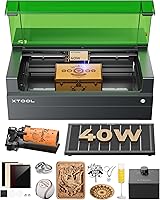
The xTool S1 40W is a strong fit for demanding cutting projects that need more laser power and a larger bed than a compact engraver offers. Its 40W output, 23.93 x 15.16 in bed and enclosed design make it a capable workshop choice, while its size and setup needs call for a dedicated space.
The key question is whether your projects use that extra capacity. For small markings, occasional craft work or portable jobs, a smaller machine may be easier to place and use.
For a compact alternative, see the xTool F1 laser engraver.
The xTool S1 40W review: who should consider it?
The S1 40W makes the most sense for a workshop that regularly cuts thicker stock or works with larger flat designs. Its stated bed and 40W output are the main reasons to choose it over a smaller engraver.
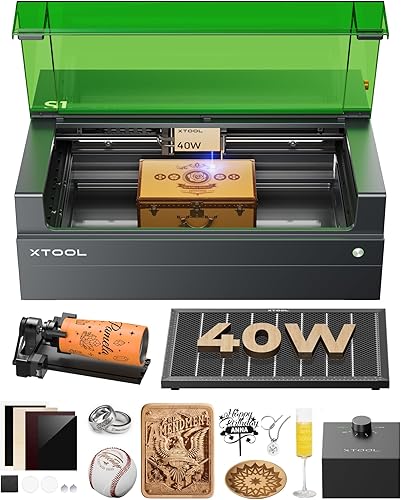
xTool S1 40W Laser Cutter and Laser: Best for demanding cuts
- 40W laser
- 23.93 x 15.16 in bed
- Up to 600 mm/s engraving speed
- Enclosed design
A higher-power enclosed option for larger projects and cutting work. Check material thickness and setup needs for each job before relying on a single-pass claim.
Pros
- 40W output
- Large stated bed area
- Enclosed design with flame sensors
- Auto-focus
Cons
- Large machine needs a dedicated workspace
- Material results depend on settings and setup
- Not the portable choice for on-site work
xTool says the 40W model can cut 18 mm cherry wood in a single pass. That is a specific claim for cherry wood, not a promise for every wood type or job, so plan on checking settings and testing your material.
The machine also lists engraving speeds up to 600 mm/s. Speed alone does not determine finished quality or total job time, since artwork, material, passes and setup affect the process.
If you're comparing the brand's wider range, our best xTool laser cutters guide can help you see where the S1 fits. For a broader power class comparison, see our Best 40W Laser Engraver overview.
What do the 40W power and bed size mean for projects?
The 40W output is most relevant when cutting is a regular part of your workflow. The 23.93 x 15.16 in bed also gives you room to lay out larger signs, panels and batches of smaller pieces.
A bigger bed can reduce the need to split some designs into separate runs. Still, check the true material dimensions and leave space for positioning, clamps or other setup needs.
xTool describes an AutoPassthrough option for projects up to 118 in long. That can help with long pieces, but you should confirm the accessory and workspace requirements for the configuration you plan to use.
For a more detailed size check, read what the xTool S1 cutting area covers. If you are deciding what materials fit this power class, our guide to what a 40W laser can cut gives the next comparison point.
What features help with regular workshop use?
The S1 combines an enclosed work area, auto-focus and xTool Creative Space software. Those features can make setup more approachable, though you still need to learn material settings and follow safe operating steps.
xTool says it has tested more than 400 materials with parameter settings and provides project tutorials. Presets can be a useful starting point, but each material and finish can behave differently, so confirm results on a small sample before producing a final item.
The enclosure is described as Class 1, with a lid-open stop feature, emergency stop and five flame sensors. These are useful safety features, but they do not replace supervision, ventilation and the manual's operating instructions.
How does the S1 40W handle safety and fumes?
The S1's enclosure helps contain laser light, smoke and noise, but cutting still needs a safe workspace and suitable fume handling. Follow xTool's directions for exhaust or filtration and keep the machine attended while it runs.
xTool says the cover filters 99% of laser light and that the unit stops if a flame is detected. Keep the emergency stop accessible, avoid leaving flammable clutter near the work area and never assume sensors make unattended operation safe.
The S1's enclosed Class 1 design is an important distinction from the xTool F2, which is a Class 4 machine. If your priority is a portable setup for metal marking, consider the xTool F2 laser engraver comparison for context on alternative machine formats.
Can the xTool S1 40W engrave metal?
The S1 can work with some metal engraving and marking tasks, but the method depends on the metal surface and the result you want. Bare metal marking may call for a different laser type or a marking compound.
Read our guide on whether the xTool S1 can engrave metal before choosing it for a metal-heavy workflow. It helps separate surface marking from deeper engraving expectations.
For detailed work on small metal pieces, the F2 combines a 5W IR laser with a 15W diode laser and a built-in camera. That makes it a different tool for a different workflow, rather than a direct substitute for the S1's larger cutting bed.
Is the RA2 Pro useful with the S1?
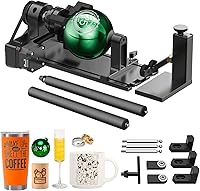
The RA2 Pro is useful when you want to engrave cylindrical or rounded objects with a compatible S1 setup. Its four modes cover roller, chuck, ring and sphere work, which expands the shapes you can position.
The accessory supports items such as tumblers, wine glasses, mugs and baseballs, according to its stated uses. Confirm the riser and clearance requirements for your S1 configuration before planning a project.
If you are new to the machine, our guide on how to use an xTool laser engraver covers the setup and workflow basics to learn before adding rotary projects.
What are the main trade-offs?
The S1 40W's strengths are tied to its size and power: it suits larger, more demanding jobs, but takes more workspace than a compact engraver. It's a poor fit if your projects are mostly small labels, occasional gifts or work away from a fixed shop.
The 40W option also doesn't guarantee a particular cut on every material. Material composition, thickness, focus, air flow and settings all affect the result, so test new stock and avoid planning around a maker claim as a universal outcome.
The S1 is corded electric and weighs 86.8 lb in the supplied product specifications. Plan where it will sit before arranging delivery, and make sure the bench or table can safely support it.
xTool S1 40W vs smaller alternatives
Choose the S1 if you want a larger enclosed machine for cutting and engraving work at a fixed workstation. Consider the F2 if portability, camera alignment and metal marking are more important than a large bed.
The F2 has a 50MP camera and two laser types, but it is a Class 4 machine. That means the operating environment and safety steps deserve careful review before you choose it for a shared room or a mobile setup.
A rotary accessory can broaden the S1's use for curved objects, but it doesn't change the machine's core trade-off: the S1 is built around a larger work area and 40W output. For a separate enclosed machine comparison, our xTool P3 laser review may help you assess another format.
Should you buy the xTool S1 40W?
Buy the xTool S1 40W if you have regular cutting work, need a larger bed and can dedicate space to an enclosed machine. Its 40W output and stated work area make it the stronger fit for demanding workshop projects.
Choose a smaller or more portable machine if you mainly engrave small pieces, need to work on site or prioritize metal marking. Add the RA2 Pro only if cylindrical objects are part of your planned work, and check the setup requirements before you commit to that workflow.
Frequently asked questions
Is the xTool S1 40W good for cutting?
The S1 40W is suited to cutting projects that benefit from its 40W output, and xTool says it can cut 18 mm cherry wood in one pass. Treat that as a material-specific claim, since results depend on the wood, focus, settings and machine condition; run suitable tests on scrap before a finished piece.
What is the xTool S1 40W bed size?
The stated bed size is 23.93 x 15.16 inches. That gives you room for larger flat pieces such as signs, but the usable work area may depend on your setup and material placement; measure your project and check the S1 cutting area guide before planning a layout.
Can the xTool S1 engrave metal?
The S1 can mark some metal surfaces with the right material preparation and settings, but a diode laser does not engrave bare metal in the same way as an IR laser. Check the material and finish first, then compare the xTool S1 metal engraving guide for practical limits.
Does the xTool S1 40W need special ventilation?
Laser cutting and engraving can create smoke and fumes, so plan for suitable exhaust or filtration and follow xTool's setup instructions. The enclosure helps contain smoke and noise, but it does not remove the need to manage fumes or keep the machine in a safe, ventilated workspace.