9 Best Heat Press Mats for Cricut (November 2026)
The best heat press mats for Cricut include the Cricut EasyPress Mat for Cricut EasyPress 2 projects, the Heat Press Mat for Cricut Easypress for compact double-sided pressing, and the WORKLION Heat Press Mat 13 x 17 for Cricut EasyPress 2 vinyl work.
On this page (12 sections)
- The best heat press mats for Cricut projects
- How these Cricut heat press mats were compared
- What size heat press mat should you use for Cricut?
- Does a Cricut EasyPress need a mat?
- Should you choose a double-sided Cricut EasyPress mat?
- Which mat fits Cricut EasyPress 2?
- How do you use a heat press mat for Cricut?
- Can you use these mats with other heat presses?
- How do you protect the table during heat pressing?
- What should you buy for Cricut EasyPress 3?
- How should you choose between 13 x 17 in and 15 x 15 in?
- Verdict: which is the best heat press mat for Cricut?
The best heat press mat for Cricut projects is the Cricut EasyPress Mat, with a 16 x 20 in surface made for EasyPress 2, HTV and iron-on work. Pick a 13 x 17 in mat for a smaller table, a 15 x 15 in option for a square layout, or a 12 x 12 in set when you also want a heat-resistant pressing sheet.
A heat press mat gives handheld pressing a defined work area and separates the project from the table beneath it. For a firmer support surface, compare heat press boards.
The right size depends on your EasyPress, design and storage space.
If you are still choosing the press itself, start with this guide to heat press machines. For a different cushioning option, compare best heat press pillows and pads.
The scores weigh stated size, compatibility, design and project fit. We checked the product titles and compared work area, EasyPress fit and included items.
Our picks at a glance
-
1

-
2
 Best for compact double-sided pressing
Heat Press Mat for Cricut Easypress
9.6/10 our score
See it on Amazon -
3
 Best for Cricut EasyPress 2 vinyl work
WORKLION Heat Press Mat 13 x 17
9.5/10 our score
See it on Amazon
- 4
 Check it
HTVRONT Heat Press Mat 15 x 15
Best for square craft layouts - 5
 Check it
HTVRONT Heat Press Mat 16 x 20
Best for a wide HTVRONT work area - 6
 Best for reversible 15 x 15 in pressingCheck it
- 7
 Check it
Easy Press Mat 16 x 20 for Cricut Easypress
Best for broad Cricut EasyPress coverage - 8
 Check it
Cricut EasyPress Mat + Heat-Resistant Pressing Sheet
Best for a mat and pressing sheet set - 9
 Check it
Heat Press Mat for Easy Press Both
Best for reversible 15 x 15 in EasyPress work
The best heat press mats for Cricut projects
The best heat press mat for Cricut depends on your design size and EasyPress model. The Cricut EasyPress Mat leads because it combines a broad 16 x 20 in surface with stated EasyPress 2 compatibility.
Cricut EasyPress Mat: Best for Cricut EasyPress 2 projects
- 16 x 20 in
- Compatible with EasyPress 2
- For HTV and iron-on projects
- Gray protective resistant mat
The 16 x 20 in size gives Cricut users a broad work area for handheld pressing. It is the most direct match for EasyPress 2 projects in this group.
Pros
- Largest stated size among the Cricut-focused picks
- EasyPress 2 compatibility
- Made for HTV and iron-on projects
Cons
- May take more storage space than 13 x 17 in mats
- Compatibility is specifically stated for EasyPress 2
The Cricut EasyPress Mat suits Cricut owners who use an EasyPress 2. Its 16 x 20 in surface gives more room than the 12 x 12 in and 13 x 17 in options for larger garments and projects.
The title names HTV and iron-on projects, matching the main handheld pressing jobs in this roundup. Its gray finish also makes it easy to identify among craft tools.
The large rectangular area gives you more flexibility when a design is wider than it is tall. It can also reduce the need to shift a garment or reposition a project during a pressing sequence, although the product data does not specify a particular construction or thickness.
The trade-off is footprint. It needs more table and storage space than smaller options.
Choose it when a large Cricut-focused work surface matters most. For wider model coverage, compare the Easy Press Mat that names EasyPress, EasyPress 2 and EasyPress 3.
Heat Press Mat for Cricut Easypress: Best for compact double-sided pressing
- 13 x 17 in
- Double-sided heating and ironing mat
- For HTV vinyl transfer and craft insulation
This 13 x 17 in double-sided mat suits smaller tables and focused HTV work. Its dimensions offer more room than a 12 x 12 in pressing sheet while keeping the footprint compact.
Pros
- Double-sided design
- Compact 13 x 17 in size
- Designed for HTV vinyl transfer
Cons
- Less surface area than 16 x 20 in mats
- Brand is not stated in the supplied product title
The Ecraft Heat Press Mat suits buyers who want a smaller work area with a double-sided design. At 13 x 17 in, it sits between the 12 x 12 in Cricut set and the 16 x 20 in mats.
It offers more length than a 15 x 15 in square while keeping the footprint below the largest picks. The title identifies Cricut Easypress use, HTV vinyl transfer and craft insulation, making it a focused vinyl choice.
For transfer designs to press on that surface, see heat press decals.
The longer-than-square shape can help when a project needs extra room in one direction but does not justify a full 16 x 20 in surface. Its double-sided description also gives the mat a clear use distinction, though the data does not explain whether the two sides differ.
The trade-off is that no specific EasyPress generation is named. For explicit EasyPress and EasyPress 2 compatibility, choose WORKLION.
For EasyPress 3 wording, consider the 16 x 20 in Easy Press Mat.
WORKLION Heat Press Mat 13 x 17: Best for Cricut EasyPress 2 vinyl work
- 13 x 17 in
- Heat-resistant materials
- Compatible with Cricut EasyPress and EasyPress 2
- For vinyl, HTV and craft insulation transfer
WORKLION keeps the same compact 13 x 17 in footprint as another leading pick while stating compatibility with both Cricut EasyPress and EasyPress 2. It fits buyers who want a clearly named Cricut use case.
Pros
- Compatibility with EasyPress and EasyPress 2
- 13 x 17 in work area
- For vinyl and HTV projects
Cons
- Smaller than the 16 x 20 in options
- No brand details beyond the WORKLION name are supplied
The WORKLION Heat Press Mat suits Cricut users who want 13 x 17 in coverage with EasyPress and EasyPress 2 compatibility stated directly. That wording makes it easy to match with a familiar handheld press.
The compact shape works for focused HTV and vinyl projects without taking up the full space of a 16 x 20 in mat. It also gives more length than a 15 x 15 in square.
The title names heat-resistant materials, craft insulation transfer and vinyl HTV ironing, but it does not guarantee thickness, material composition or a temperature limit. That means its strongest evidence is the stated size, compatibility and project focus.
Compared with Ecraft, WORKLION gives clearer model coverage, while Ecraft gives the clearer double-sided description. Compared with the larger Cricut pick, it saves space but provides less room for broad layouts.
Its main weakness is the smaller work area. Pick WORKLION when explicit EasyPress compatibility matters more than maximum surface area.
HTVRONT Heat Press Mat 15 x 15: Best for square craft layouts
- 15 x 15 in
- Double-sided pad
- For craft vinyl ironing
The square 15 x 15 in shape works well when your design and pressing tool are arranged around a centered craft area. Its double-sided format gives it a clear advantage over mats with no stated side feature.
Pros
- Square 15 x 15 in size
- Double-sided pad
- Made for craft vinyl ironing
Cons
- Not as wide as a 15 x 15 in mat
- The title does not name a specific EasyPress model
The HTVRONT 15 x 15 in mat is best for buyers who prefer a square, double-sided pad for craft vinyl ironing. Its dimensions sit between the 13 x 17 in and 16 x 20 in choices.
A square mat can suit centered designs and balanced pressing movements. It gives more room than the 12 x 12 in Cricut set without reaching the largest footprint.
The double-sided design is its main stated feature beyond size. That makes it a useful middle choice for someone who wants a reversible surface but does not need the 16 x 20 in footprint.
The trade-off is model detail: the title does not name a Cricut EasyPress version. Unlike WORKLION or Easy Press Both, it should be selected for its square size and craft vinyl focus rather than for explicit model matching.
Choose it when size and reversibility are priorities. If named Cricut compatibility matters more, compare the WORKLION, Cricut or Easy Press options.
HTVRONT Heat Press Mat 16 x 20: Best for a wide HTVRONT work area
- 16 x 20 in
- Double-sided pad
- For craft vinyl ironing
This 16 x 20 in HTVRONT mat gives you the broadest stated square-rectangle work area in the group while keeping the double-sided design. It suits larger vinyl layouts when your table has room.
Pros
- Broad 16 x 20 in size
- Double-sided pad
- For craft vinyl ironing
Cons
- Needs more storage room than 15 x 15 in mats
- The title does not name a specific Cricut model
The larger HTVRONT mat fits buyers who want 16 x 20 in coverage and a double-sided pad. Compare it with the best large heat press mats if you need broader work surfaces.
It matches the largest dimensions in this roundup and gives more room for broad craft vinyl layouts than the 15 x 15 in version.
The extra width can reduce repositioning during handheld pressing. A large rectangle also gives more flexibility for designs that extend farther across a garment or craft item.
The title is specific about craft vinyl ironing but does not name Cricut or an EasyPress generation. Compared with the Cricut 16 x 20 in mat, it has the same stated size but adds a double-sided description, while the Cricut option gives the clearer EasyPress 2 match.
Choose it when a wide work area matters most and your press already fits your routine. Choose the Cricut EasyPress Mat or WORKLION when named Cricut compatibility is more important.
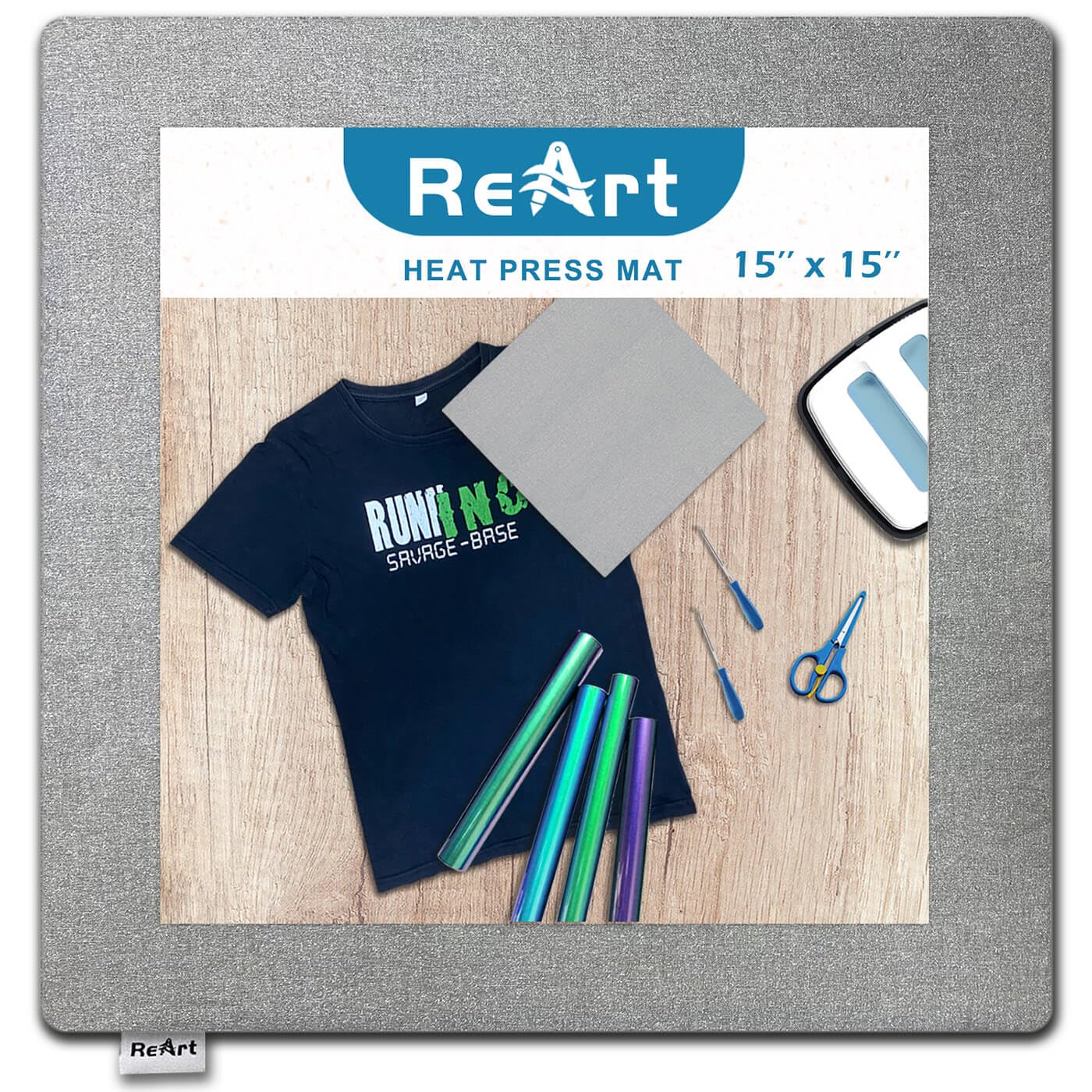
ReArt 15 x 15 Heat Press Mat: Best for reversible 15 x 15 in pressing
- 15 x 15 in
- Both sides applicable
- For heat press machines, HTV and iron-on projects
ReArt offers a square 15 x 15 in mat with both sides applicable for pressing. It is a practical middle choice between the other options.
Pros
- Both sides applicable
- 15 x 15 in footprint
- For HTV and iron-on projects
Cons
- Less area than 16 x 20 in mats
- The title does not identify a specific EasyPress version
The ReArt 15 x 15 in mat suits buyers who want a square mat with both sides applicable for HTV and iron-on projects. It provides a middle ground between 13 x 17 in and 16 x 20 in mats.
The title names heat press machines, HTV and iron-on projects. Its square footprint may also be easier to store than a 16 x 20 in mat.
Both sides being applicable is the key distinction, but no specific Cricut EasyPress model is named. That makes it more straightforward to compare by dimensions and project type than by device generation.
The 15 x 15 in size gives more stated area than the 12 x 12 in Cricut set while remaining smaller in one dimension than the 16 x 20 in options. It may suit buyers who want a balanced layout and reversible use without choosing a product with a named EasyPress match.
Choose ReArt when project type, square shape and reversible use matter most. For EasyPress 2 wording, the Cricut, WORKLION or EasyPress-focused picks are clearer.
Easy Press Mat 16 x 20 for Cricut Easypress: Best for broad Cricut EasyPress coverage
- 16 x 20 in
- For Cricut EasyPress 3, EasyPress 2 and EasyPress
- For craft vinyl ironing and insulation transfer
This mat combines a broad 16 x 20 in surface with compatibility stated for Cricut EasyPress, EasyPress 2 and EasyPress 3. It suits buyers who want one named mat for several EasyPress generations.
Pros
- Compatibility with EasyPress 3, EasyPress 2 and EasyPress
- 16 x 20 in size
- For craft vinyl ironing
Cons
- Larger footprint for small worktables
- No double-sided feature is stated in the title
The Easy Press Mat 16 x 20 in suits buyers who use Cricut EasyPress, EasyPress 2 or EasyPress 3. Its compatibility wording covers the widest stated range of EasyPress generations here.
The 16 x 20 in surface matches the broad dimensions of the leading Cricut and HTVRONT mats. It gives more room for larger HTV or craft vinyl layouts.
The title names craft vinyl ironing and insulation transfer but does not state that the mat is double-sided. That creates a direct trade-off with the HTVRONT 16 x 20 in option, which names a double-sided pad but does not name a Cricut model.
Its wide model coverage makes it easier to choose when your EasyPress generation is important or may change. The larger footprint still needs more table and storage space than the 13 x 17 in and 15 x 15 in mats.
Choose it for multi-generation model coverage, accepting the larger storage footprint.
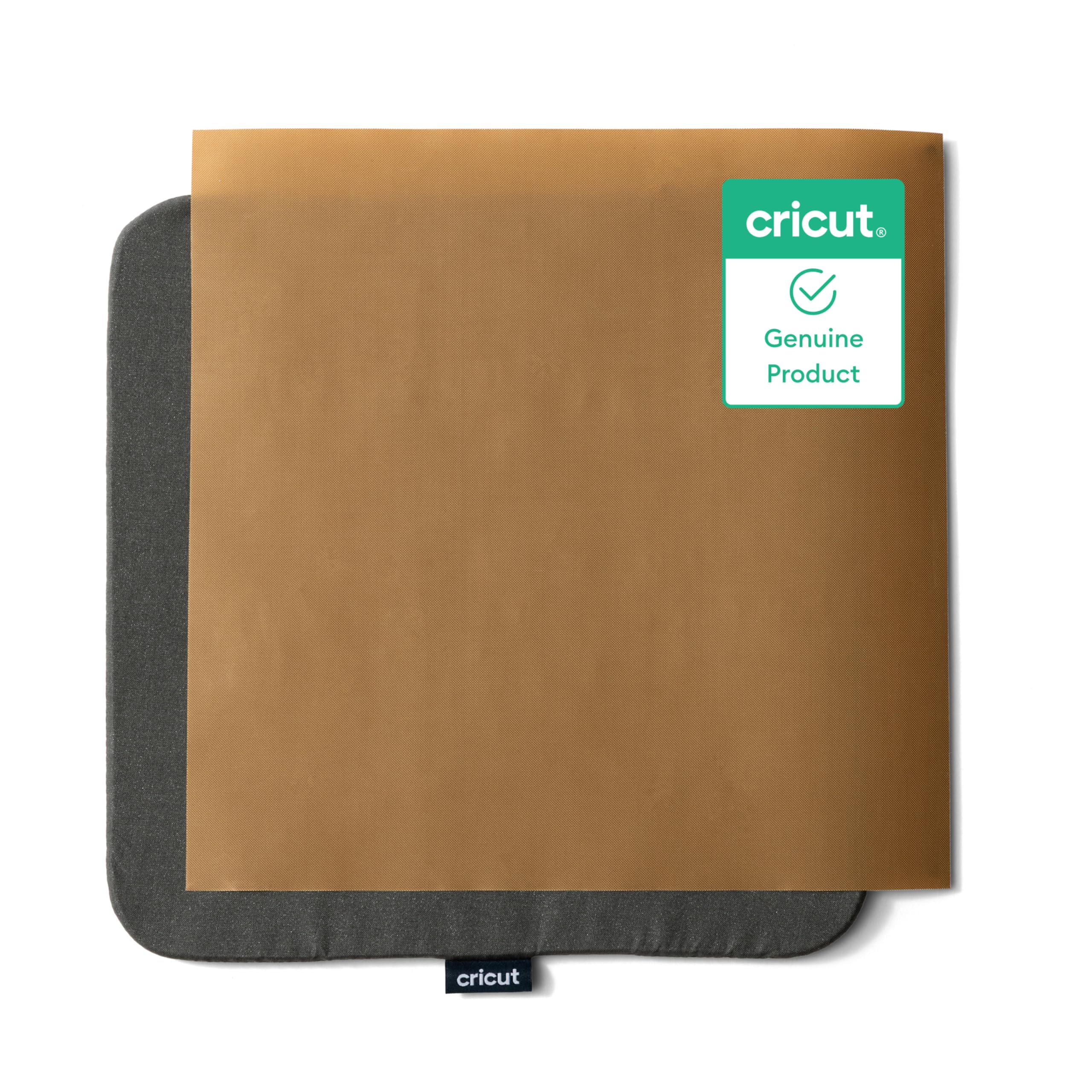
Cricut EasyPress Mat + Heat-Resistant Pressing Sheet: Best for a mat and pressing sheet set
- 12 x 12 in mat
- Heat-resistant pressing sheet included
- Cricut EasyPress design
This Cricut set combines a 12 x 12 in EasyPress mat with a heat-resistant pressing sheet. It is the clearest fit when a smaller mat and an included sheet matter more than a large work surface.
Pros
- Cricut-branded mat
- Heat-resistant pressing sheet included
- Compact 12 x 12 in size
Cons
- Smallest stated mat size here
- Less room for large layouts than 16 x 20 in mats
The Cricut set fits buyers who want a compact 12 x 12 in mat plus a heat-resistant pressing sheet. It is the smallest stated mat, making it suitable for focused projects and limited storage.
The included sheet separates it from the other products. The limitation is reduced room compared with 13 x 17 in, 15 x 15 in and 16 x 20 in mats.
The compact size can be useful when your design stays within a small centered area or when the work surface has limited room. Its Cricut branding also gives it a more direct brand match than products whose titles only describe a general heat press mat.
The pressing sheet changes the comparison because this is the only listed option with an included accessory. It therefore suits a buyer who values the set format, even though the mat itself has the least stated surface area in the group.
Choose it for compact Cricut work and the included sheet. For larger layouts, choose the 16 x 20 in Cricut EasyPress Mat.
Heat Press Mat for Easy Press Both: Best for reversible 15 x 15 in EasyPress work
- 15 x 15 in
- Both sides applicable
- For Cricut EasyPress and EasyPress 2
- For HTV craft vinyl ironing and insulation transfer
This 15 x 15 in reversible mat names Cricut EasyPress and EasyPress 2 compatibility and covers HTV craft vinyl ironing. It suits buyers who want a square, two-sided work surface.
Pros
- Both sides applicable
- EasyPress and EasyPress 2 compatibility
- 15 x 15 in size
Cons
- Smaller than 16 x 20 in mats
- Lower score reflects fewer stated details than the highest-ranked picks
The Heat Press Mat for Easy Press Both suits buyers who want a 15 x 15 in reversible mat with Cricut EasyPress and EasyPress 2 compatibility. It combines a square footprint with a clear Cricut use case.
The title also names HTV craft vinyl ironing and insulation transfer projects. Both sides being applicable gives it an advantage over products with no stated reversible design.
Its square shape places it between the narrow 13 x 17 in mats and the broad 16 x 20 in mats. Compared with the HTVRONT 15 x 15 in mat, it gives clearer EasyPress model wording, while HTVRONT also focuses on craft vinyl and double-sided use.
It does not name EasyPress 3 and provides fewer details than the top-ranked picks. The product data also does not state a material, thickness or temperature limit, so those should not be assumed from the title.
Choose it for EasyPress or EasyPress 2 work when a square, two-sided surface is more useful than maximum coverage.
How these Cricut heat press mats were compared
The comparison points are surface size, named compatibility, reversible use and stated project type. These details affect table fit, press fit and available design area.
Sizes range from 12 x 12 in to 16 x 20 in, with 13 x 17 in and 15 x 15 in options between them. Compatibility separates direct Cricut matches from broader heat press mats.
Design also matters. Several mats are double-sided or usable on both sides, while the Cricut 12 x 12 in set includes a heat-resistant pressing sheet.
What size heat press mat should you use for Cricut?
Choose 16 x 20 in for the most room, 13 x 17 in for a smaller work area, or 12 x 12 in for compact projects. Match the mat to your design and table.
Is a 12 x 12 in Cricut mat enough?
A 12 x 12 in mat can work for smaller designs and focused pressing. The Cricut EasyPress Mat + Heat-Resistant Pressing Sheet uses this size and includes the sheet.
Measure your design first. If it reaches beyond the mat, choose 13 x 17 in, 15 x 15 in or 16 x 20 in.
When is a 16 x 20 in mat better?
A 16 x 20 in mat is better for broad HTV or iron-on layouts. The Cricut, HTVRONT and Easy Press options provide that size.
The trade-off is storage and table footprint. Leave clear space around the mat while positioning the garment and press.
Does a Cricut EasyPress need a mat?
A Cricut EasyPress should be used on a suitable pressing surface rather than directly on an unprotected table. A heat press mat creates a defined area for handheld pressing.
What does a heat press mat protect?
A mat separates the heated project from the work surface beneath it. Product titles describe these mats as protective, heat-resistant, heating, ironing or insulation mats.
A mat does not replace instructions for your vinyl, garment or EasyPress. Follow the material directions for temperature and time.
Can you use a towel instead?
A towel may change pressure and support, so it is not the same as a mat designed for heat press or ironing work. For another support option, see best silicone pad for heat press.
Use stable support that fits the heated tool. Keep flammable items away and allow the press and mat to cool before storage.
Should you choose a double-sided Cricut EasyPress mat?
Choose a double-sided mat when reversible use matters. Ecraft and both HTVRONT mats are described as double-sided, while ReArt and Easy Press Both say both sides are applicable.
Double-sided mats
A double-sided design provides flexibility in placement. It does not automatically mean the mat is larger or compatible with every EasyPress model.
Compare size and compatibility too. A double-sided 13 x 17 in mat may suit a smaller table, while a double-sided 16 x 20 in mat provides more room.
Mats with included accessories
The Cricut EasyPress Mat + Heat-Resistant Pressing Sheet names both a 12 x 12 in mat and a pressing sheet. Choose it when that second item matters more than extra surface area.
Check your usual project dimensions because it is the smallest mat here.
Which mat fits Cricut EasyPress 2?
The Cricut EasyPress Mat is the clearest large-surface match for EasyPress 2. WORKLION and the 15 x 15 in Easy Press Both mat also name EasyPress 2 compatibility.
EasyPress 2 with a 16 x 20 in mat
The Cricut EasyPress Mat and Easy Press Mat 16 x 20 in both provide broad coverage. The Cricut option names EasyPress 2, while the other also names EasyPress and EasyPress 3.
Choose the Cricut mat for the direct Cricut and EasyPress 2 match. Choose the other for three named EasyPress generations.
EasyPress 2 with a 13 x 17 in mat
WORKLION and Ecraft provide smaller footprints. WORKLION names Cricut EasyPress and EasyPress 2, while Ecraft emphasizes double-sided HTV vinyl transfer use.
Choose WORKLION for compatibility wording or Ecraft for the double-sided design.
How do you use a heat press mat for Cricut?
Place the mat on a clear, stable surface, keep the project within its edges and use the EasyPress according to material instructions. Let the tool and mat cool before storage.
Set up the work area
Clear the table before placing the mat. Choose a size that keeps the garment, vinyl and press on the work surface.
A 16 x 20 in mat needs more room than a 12 x 12 in mat. Keep surrounding items away from heat.
Position the project
Place the garment or craft item flat and arrange the HTV or iron-on design according to its instructions. The mat supports the pressing area but does not determine temperature or time.
Avoid moving the project while pressing. For more detail, read how do you use heat press mat.
Cool and store the mat
Allow the mat and press to cool before putting them away. Store the mat as recommended for its construction.
Do not add care methods or heat limits not supplied for the chosen mat. Follow its included instructions if cleaning is needed.
Can you use these mats with other heat presses?
Some products are described for heat press machines generally, while others name Cricut EasyPress, EasyPress 2 or EasyPress 3. Match the stated compatibility and dimensions to your tool.
Handheld pressing tools
The Cricut EasyPress Mat, WORKLION and Easy Press Mat are the clearest handheld-tool matches. HTVRONT and ReArt focus more on size and craft vinyl or iron-on use.
For an HTVRONT comparison, see best heat press mats for HTVRONT.
Larger press setups
ReArt names heat press machines, but this roundup is mainly described around handheld Cricut and craft pressing. Check the platen and project dimensions before using a mat with another press style.
Do not assume a mat fits every press because it is called a heat press mat.
How do you protect the table during heat pressing?
Use a suitable mat on a clear, stable table and keep the heated tool within its boundaries. A 16 x 20 in surface gives more room, while smaller mats save space.
Choose the right footprint
The mat should fit the project and leave room for the press. On a narrow table, 13 x 17 in or 15 x 15 in may be easier than 16 x 20 in.
Measure the table and storage location before buying.
Keep safety separate from craft protection
A heat press mat is for the stated pressing and insulation use. It is not automatically a substitute for a fireproof laser-work surface.
For laser engraving, read best fireproof mat for laser engraving.
What should you buy for Cricut EasyPress 3?
The Easy Press Mat 16 x 20 in is the clearest match because its title names EasyPress 3, EasyPress 2 and EasyPress. Choose it for broad coverage and multi-generation compatibility.
Best EasyPress 3 match
It provides the largest stated work area among products that explicitly name EasyPress 3. Its title does not state that it is double-sided.
If reversible use matters more than EasyPress 3 wording, compare the double-sided 15 x 15 in and 16 x 20 in options.
EasyPress 3 setup help
For tool instructions, read how to use Cricut EasyPress 3. The mat and press solve different parts of setup, so check both tool and material directions.
Keep the press on the work surface and allow the mat to cool.
How should you choose between 13 x 17 in and 15 x 15 in?
Choose 13 x 17 in for a slightly longer work area and smaller footprint, or 15 x 15 in for a balanced square shape.
13 x 17 in mats
Ecraft and WORKLION use 13 x 17 in. WORKLION adds EasyPress and EasyPress 2 compatibility, while Ecraft states a double-sided heating and ironing design.
Pick WORKLION for compatibility wording or Ecraft for its double-sided description.
15 x 15 in mats
HTVRONT, ReArt and Easy Press Both use 15 x 15 in dimensions. HTVRONT names a double-sided pad, ReArt says both sides are applicable, and Easy Press Both names Cricut EasyPress and EasyPress 2.
Choose based on craft vinyl focus, reversible use or named Cricut compatibility.
Verdict: which is the best heat press mat for Cricut?
The Cricut EasyPress Mat is the best heat press mat for Cricut overall because its 16 x 20 in size and EasyPress 2 compatibility provide a broad match for HTV and iron-on projects.
Choose WORKLION for a smaller table with EasyPress and EasyPress 2 compatibility stated. Choose HTVRONT 15 x 15 in for a square, double-sided pad, or HTVRONT 16 x 20 in for a wide reversible surface.
For EasyPress 3, the Easy Press Mat 16 x 20 in is the clearest match. For compact work and an included accessory, choose the Cricut 12 x 12 in mat with heat-resistant pressing sheet.
Our top 3 picks at a glance
-
1
-
2
Best for compact double-sided pressing
Heat Press Mat for Cricut Easypress
9.6/10 our score
See it on Amazon -
3
Best for Cricut EasyPress 2 vinyl work
WORKLION Heat Press Mat 13 x 17
9.5/10 our score
See it on Amazon


