9 Best Hat Heat Presses for Patches (November 2026)
The best hat heat presses for patches include the Delclynee Hat Heat Press Machine for Caps for varied cap shapes, the Calogy Mini Heat Press for small patch areas, and the Auto Hat Press Machine for automatic pressing.
On this page (10 sections)
- Best hat heat press for patches: the top picks
- How these hat presses were compared
- Product details for the best cap patch presses
- Which hat press is best for embroidered patches?
- What is the best hat heat press for leather patches?
- Do you need a dedicated cap press for patches?
- What temperature should you use for hat patches?
- How do you choose a hat heat press for patches?
- How should you prepare a hat before pressing a patch?
- Verdict: which hat heat press should you buy?
The best hat heat press for patches is the Delclynee Hat Heat Press Machine for Caps. Its 2 interchangeable lower platens, 550-watt heating system and 32–455°F control give you more room to match the cap shape and patch material.
A mini press can be the better choice for one small embroidered patch, a craft table or occasional work. For leather patches and repeat orders, a dedicated cap press with a curved platen usually makes alignment easier and gives you more consistent coverage.
If you need broader heat-press advice, start with this heat press machine buying guide. For general cap models, see our guide to the best hat heat press.
Our picks at a glance
-
1
 Best for varied cap shapes
Delclynee Hat Heat Press Machine for Caps
9.7/10 our score
See it on Amazon -
2

-
3
- 4
 Best for precision tipsCheck it
- 5
 Check it
VEVOR 4-in-1 Heat Press Machine for Hats
Best for multiple hat styles - 6
 Check it
HTVRONT Heat Press Mini Heat Press Machine
Best for portable crafting - 7
 Best for a simple mini formatCheck it
- 8
 Check it
Calogy Super Mini Heat Press Machine
Best for high mini-press heat - 9
 Check it
VEVOR 3-in-1 Auto Hat Heat Press Machine
Best for repeat cap batches
Best hat heat press for patches: the top picks
The strongest overall choice is the Delclynee because it combines cap-specific shaping with 2 lower platens. The mini models are more portable, while the VEVOR machines suit buyers who want multiple platen sizes or automatic operation.
Our score weighs specs, features and buyer feedback against the needs of patch pressing. Product order follows the supplied scores, from highest to lowest.
How these hat presses were compared
These picks were compared by looking at platen shape, pressing-area coverage, temperature control, cap flexibility and ease of alignment. For dual-sided pressing, see our top and bottom heat press guide.
A patch press needs enough heat to activate adhesive, enough contact to cover the design, and a way to hold the cap steady.
Dedicated cap presses rank higher for repeated work because their platens are shaped for hats. Mini presses still make sense when the patch is small and you need to move the heat plate around the design.
For a second look at dedicated cap models, compare our best VEVOR hat heat press picks. If your patch material is leather, our guide to the best laser engraver for leather can help with making custom designs.
| Product | Best for | Platens | Temperature | Power | Our score |
|---|---|---|---|---|---|
| Delclynee Hat Heat Press Machine for Caps | varied cap shapes | 6.7 x 3.8 in and 6.7 x 2.5 in lower platens | 32–455°F | 550 watts | 9.7 |
| Calogy Mini Heat Press | small patch areas | 284°F, 320°F and 356°F | 9.5 | ||
| Auto Hat Press Machine | automatic pressing | 9.4 | |||
| Cricut EasyPress Mini LT | precision tips | Up to 355°F | 9.4 | ||
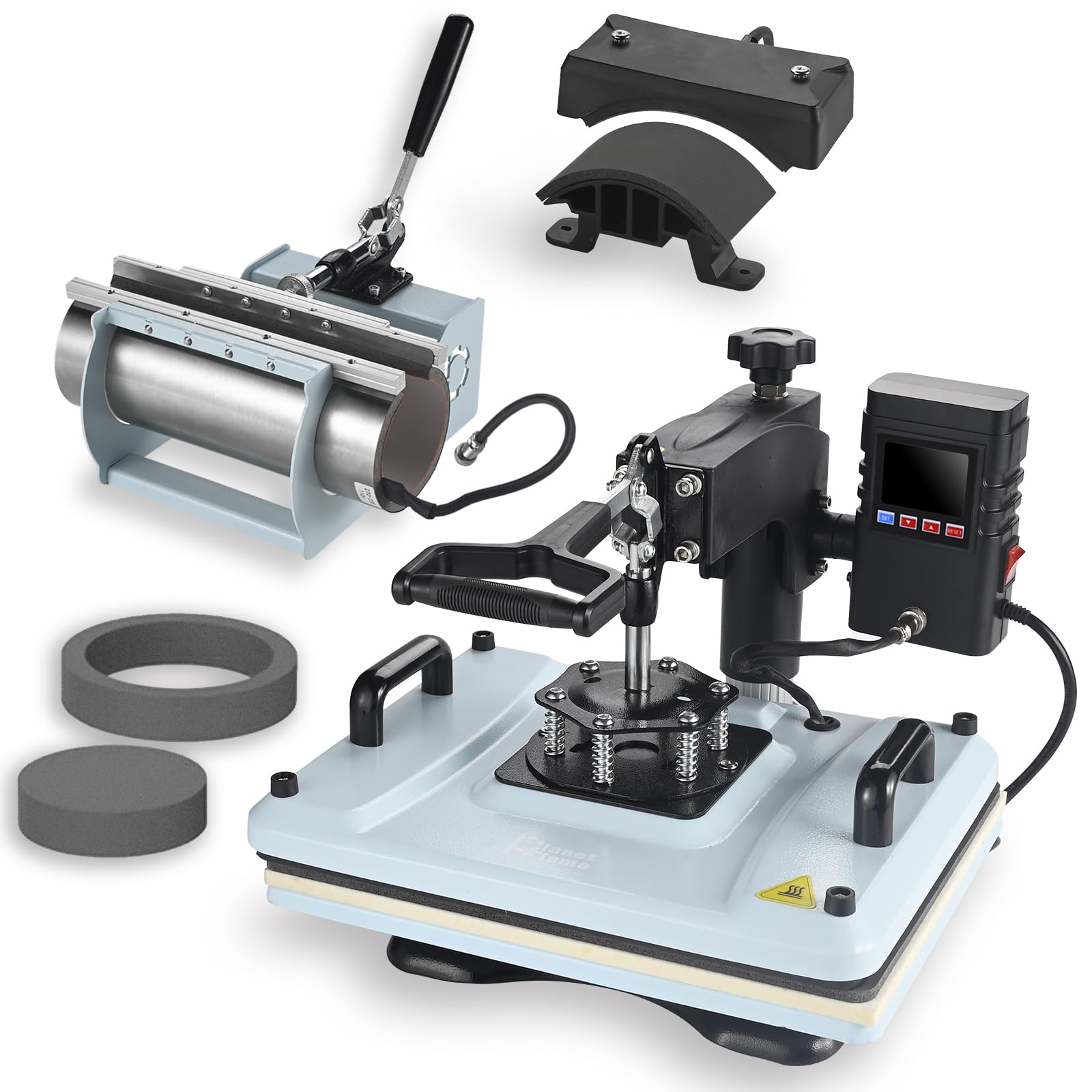
| VEVOR 4-in-1 Heat Press Machine for Hats | multiple hat styles | 104–410°F | 580 watts | 9.2 | |
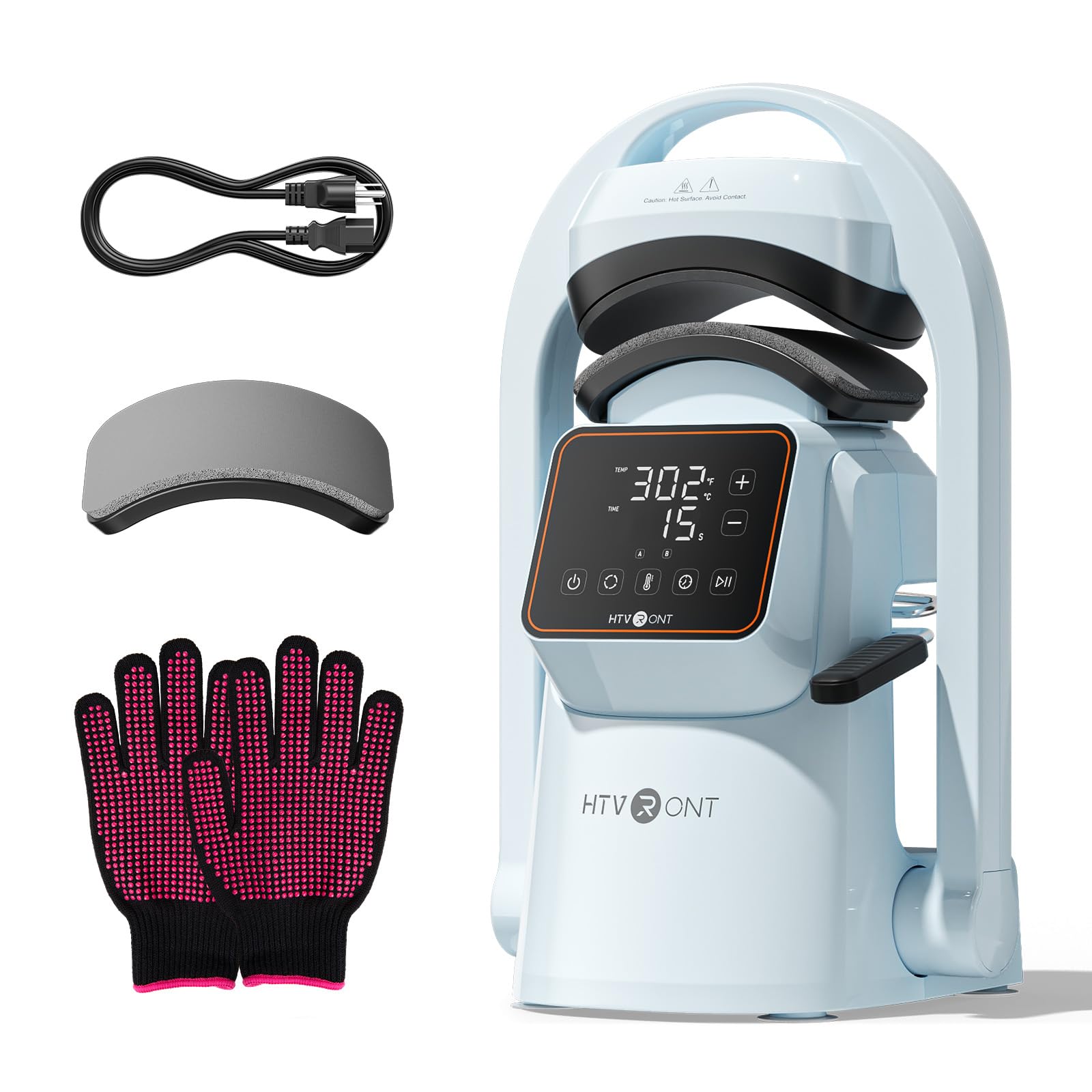
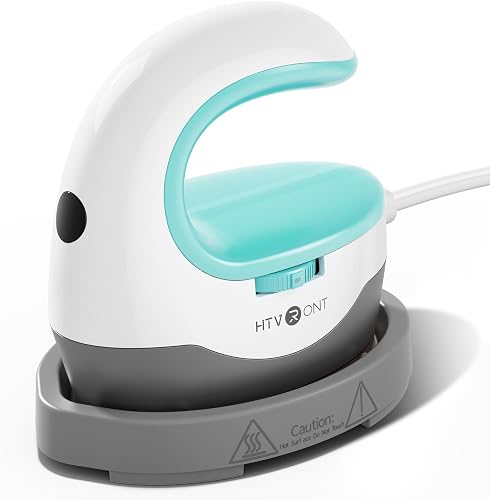
| HTVRONT Heat Press Mini Heat Press Machine | portable crafting | 284°F, 320°F and 356°F | 9.1 | ||
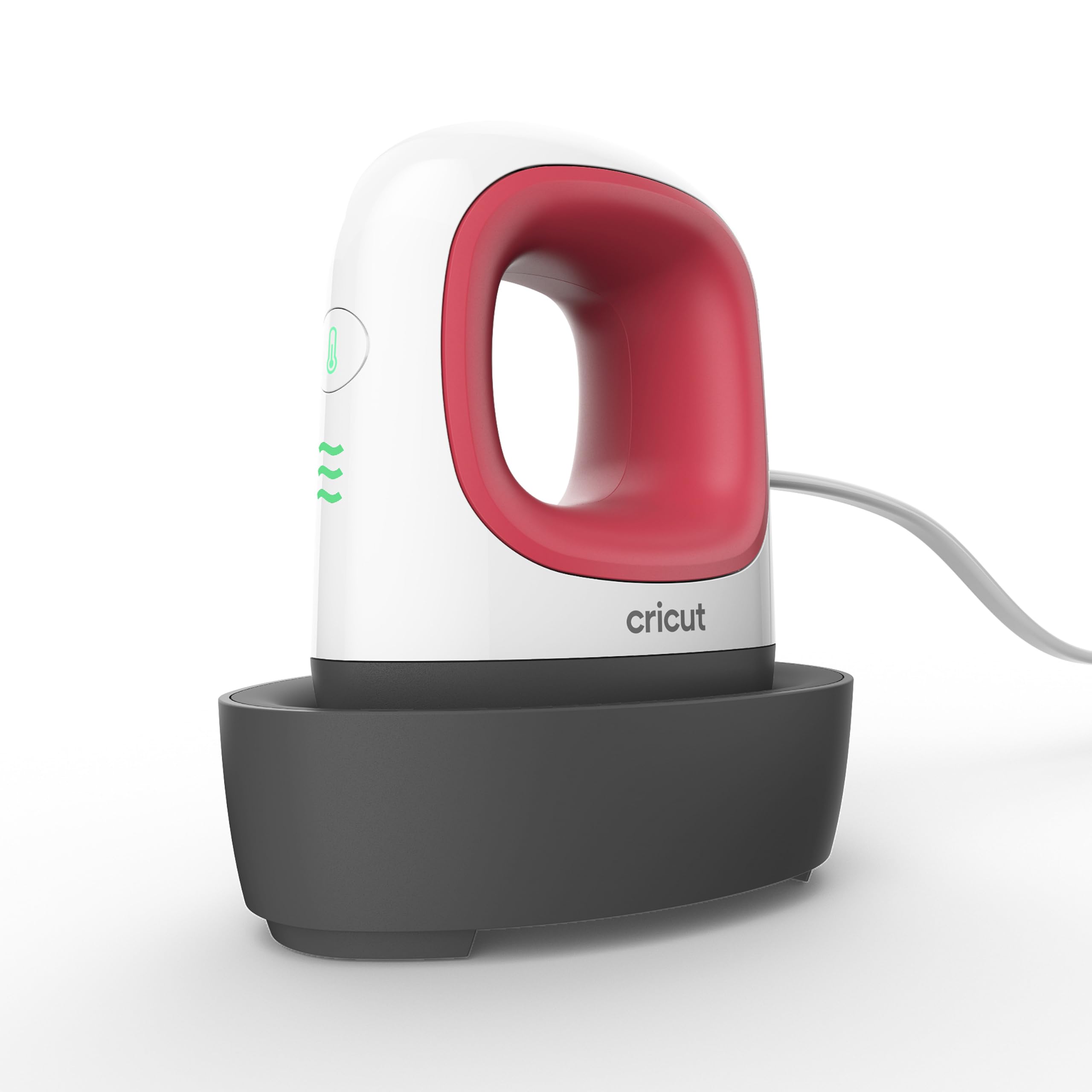
| EasyPress Mini Heat Press | a simple mini format | 8.8 | |||
| Calogy Super Mini Heat Press Machine | high mini-press heat | 284°F, 320°F, 356°F and 410°F | 8.1 | ||
| VEVOR 3-in-1 Auto Hat Heat Press Machine | repeat cap batches | 6.6 x 2.7, 6.6 x 3.8 and 6.1 x 3 in | 104–410°F | 350 watts | 8.0 |
Product details for the best cap patch presses
The right product depends on whether you want a dedicated cap platen, a portable mini press or automatic pressure. Check the patch size and cap profile before you choose.
Delclynee Hat Heat Press Machine for Caps: Best for varied cap shapes
- 2 interchangeable lower platens
- 6.7 x 3.8 in curved upper plate
- 550 watts
- 32–455°F and 0–999 seconds
Two lower platens give this cap press more flexibility for structured and low-profile hats. Its wide temperature and time controls suit patch work that needs careful adjustment.
Pros
- 2 lower platens
- Wide temperature range
- Stay-put cap stretcher
Cons
- Larger than mini presses
- Requires a pre-printing temperature check
The Delclynee Hat Heat Press Machine for Caps is the most flexible choice here for different hat shapes. Its curved 6.7 x 3.8 in upper plate works with 2 interchangeable lower platens measuring 6.7 x 3.8 in and 6.7 x 2.5 in.
That combination gives you more ways to support structured caps, low-profile caps and other headwear than a single small handheld plate. The stay-put cap stretcher also leaves both hands free while you position the patch.
Its 550-watt system has a control range from 32–455°F and 0–999 seconds. That broad range lets you adjust time and heat for different adhesives, though you should start with the patch maker's instructions and make a small test before pressing the finished cap.
The compact layout leaves clearance for rotating the hat, and the lower platen is made from silicone. Choose this model when you expect to press different cap shapes or want a dedicated setup for embroidered and leather patches.
Calogy Mini Heat Press: Best for small patch areas
- 2.87 x 4.43 in heat plate
- 3 temperature levels
- 15-minute auto shutoff
- 300 watts
The Calogy Mini is easy to place over a small patch and has three simple heat levels. Its compact design trades broad cap coverage for portability and control in tight areas.
Pros
- Compact size
- LED temperature display
- Safety base and auto shutoff
Cons
- Small heat plate
- Only 3 temperature levels
The Calogy Mini Heat Press suits small patches and buyers who need a compact tool for more than hats. Its 2.87 x 4.43 in heat plate is large enough for many small designs but still requires repositioning on larger patches.
Three settings cover 284°F, 320°F and 356°F. The LED display shows the current temperature, while the single-button control changes temperature and switches between Celsius and Fahrenheit.
The mini press reaches 284°F in about 3 minutes from an 84°F starting point, then takes about 40 seconds to reach 320°F and 50 seconds to reach 356°F. A 15-minute auto shutoff and insulated safety base add useful safeguards for a small craft table.
Compared with the Delclynee, it lacks dedicated interchangeable cap platens. Pick it for occasional patch work, tight areas and portability.
Choose a cap press instead when you want broad, even contact across a curved patch.
Auto Hat Press Machine: Best for automatic pressing
- Automatic hat press design
This is the automatic option in the group for shoppers who want that format. The available product information gives no further specifications, so confirm the platen size, temperature range and included parts before ordering.
Pros
- Automatic press format
- Designed for hats
Cons
- Key specifications are not available here
- Platen details need confirmation
The Auto Hat Press Machine is the option for shoppers who specifically want an automatic hat press format. That can be useful when your priority is pressing with an automatic cycle rather than using a handheld tool.
The available information gives the product name but does not give a platen size, temperature range, wattage, cap capacity or included accessories. Those missing details matter for patches because the platen must cover the design and reach the temperature required by the adhesive.
Compare those points with the Delclynee and the VEVOR models before ordering. If the automatic design has the right cap support and controls for your work, it may suit repeat projects.
If you cannot confirm the platen shape or temperature range, a fully specified model is easier to match to a patch material.
Cricut EasyPress Mini LT: Best for precision tips
- Ceramic-coated heat plate
- Precision tip
- Up to 355°F
- Insulated safety base
Cricut's small handheld press suits detailed patch placement around seams and curved areas. Its single setting is simple, but less adjustable than the multi-level mini presses.
Pros
- Precision tip
- Ceramic-coated plate
- Insulated safety base
Cons
- Single setting
- Smaller than dedicated cap presses
The Cricut EasyPress Mini LT is best for small, detailed designs and hard-to-reach areas. Its ceramic-coated heat plate has a precision tip that can help you work around seams, buttons and narrow sections of a cap.
It reaches up to 355°F and uses a single setting. That keeps the controls simple, but it gives you fewer adjustment choices than the Calogy and HTVRONT mini presses.
The press weighs 0.48 kg and includes an insulated safety base. Cricut gives a Heat Guide with compatible materials, blanks, time settings and pressing instructions, which can help if you are new to heat-transfer work.
The product is recommended for caps and hats, but it is not a dedicated cap press with a lower platen. Choose it for occasional small patches and precision placement.
For larger leather patches or repeated cap batches, a shaped cap press should provide a more suitable working surface.
VEVOR 4-in-1 Heat Press Machine for Hats: Best for multiple hat styles
- 4 interchangeable heating pads
- 8.5 x 4 in heating plate
- 104–410°F range
- 580 watts
Four heating pads make this VEVOR a flexible choice for different cap profiles and patch sizes. It takes more space than a handheld mini press but offers broader coverage.
Pros
- 4 interchangeable pads
- Large 8.5 x 4 in plate
- Separate temperature and time screens
Cons
- Large footprint
- No warranty is specified in the product data
The VEVOR 4-in-1 Heat Press Machine for Hats is the strongest choice for buyers who want multiple heating-pad sizes. It includes 6 x 3, 6.7 x 2.7, 6.7 x 3.8 and 8.1 x 3.5 in options.
Its 8.5 x 4 in heating plate is larger than the other dedicated VEVOR model here. The 104–410°F range and separate temperature and time displays make it useful for different transfer materials, including cotton, linen, polyester and canvas.
The aluminum plate has a Teflon coating, and the machine uses a 580-watt system. A full pressure adjustment knob lets you adapt pressure to material thickness, while automatic shutdown and a built-in fuse add safety features.
This press takes more room than a handheld mini model. Choose it when you work with several hat styles or want more platen choices.
If you prefer automatic pressure and release, the VEVOR 3-in-1 may fit your workflow better.
HTVRONT Heat Press Mini Heat Press Machine: Best for portable crafting
- 3 heat settings
- 356°F maximum
- Lightweight design
- Insulated base included
HTVRONT's mini press fits craft fairs and small patch jobs where carrying a full cap press is not practical. Its three settings are easy to use, but the small format needs careful repositioning.
Pros
- Lightweight
- 3 heat settings
- Insulated base included
Cons
- Small pressing area
- No dedicated interchangeable cap platens
The HTVRONT Heat Press Mini Heat Press Machine is a portable choice for small HTV or sublimation patch projects. It has 3 heat settings at 284°F, 320°F and 356°F, controlled with a sliding switch.
Its small size and 439.98 g weight make it easier to carry to a craft fair or use at a temporary work area. The insulated base is included, and the press is recommended for hats as well as T-shirts.
The mini format means you will need to apply heat in sections when a patch is wider than the pressing area. That can work for small embroidered patches, but alignment needs extra care because the press does not use interchangeable cap platens.
Compared with the Calogy Mini, the HTVRONT uses a simple slider instead of a one-button temperature system. Choose it for portability and straightforward heat levels.
Pick a dedicated cap press for larger patches or regular production.
EasyPress Mini Heat Press: Best for a simple mini format
- Mini heat press design
- Raspberry color
This compact EasyPress Mini is aimed at buyers who want a basic handheld format for small patch areas. The available information does not include temperature, plate size or included accessories.
Pros
- Compact mini format
- Suitable for small craft work
Cons
- Temperature details need confirmation
- Plate size details need confirmation
The EasyPress Mini Heat Press suits buyers who want a simple handheld format for small craft work. Its raspberry color and mini design make it easy to place in a small storage area.
The available information does not include its temperature range, heat-plate size, wattage, safety base or included accessories. Those details are important for patches, especially if you are choosing between embroidered adhesive patches and leather patches.
Use the same checks you would apply to any mini press: confirm that the plate covers the patch, confirm that the temperature matches the adhesive instructions, and check whether a base is included for safe storage.
This model may work for occasional small patches if its missing specifications match your project. For a more defined choice, the Cricut EasyPress Mini gives a 355°F maximum and precision tip, while the Calogy Super Mini gives 4 heat levels and a 410°F maximum.
Calogy Super Mini Heat Press Machine: Best for high mini-press heat
- 4 heat settings
- Up to 410°F
- Precision tip
- 15-minute auto shutoff
The Calogy Super Mini adds a 410°F setting and precision tip for small, detailed patches. It is more adjustable than basic mini presses, though it still covers less area than a dedicated cap machine.
Pros
- 4 heat settings
- 410°F maximum
- Base, bag and manual included
Cons
- Small pressing area
- Not a dedicated cap platen system
The Calogy Super Mini Heat Press Machine is the most adjustable mini model in this group. It offers 4 settings at 284°F, 320°F, 356°F and 410°F, so you have more heat choices than with the 3-level mini presses.
Its precision tip suits small patches, corners and detailed areas. The press measures 4.25 x 4.02 x 2.44 in, reaches 410°F in about 3 minutes, and has a 15-minute auto shutoff.
The package includes the press, a heat-resistant base, a bag and a manual. A 110V plug and 6.49 ft cord make it practical for a fixed craft table, while the compact size still supports portable work.
It does not have the shaped lower platen of the Delclynee or VEVOR machines. Choose it when patch size is small and you value temperature range.
For a large leather patch or repeated cap batches, use a dedicated cap press.
VEVOR 3-in-1 Auto Hat Heat Press Machine: Best for repeat cap batches
- 3 interchangeable lower platens
- Automatic pressure and release
- 30-minute auto shutdown
- 104–410°F
This VEVOR combines automatic pressing with three lower platens for repeat cap work. It offers less heating-pad variety than the 4-in-1 model but adds automatic pressure and release.
Pros
- Automatic pressure and release
- 3 interchangeable platens
- 30-minute auto shutdown
Cons
- Lower score than the 4-in-1 model
- Smaller upper plate than the 4-in-1 model
The VEVOR 3-in-1 Auto Hat Heat Press Machine suits repeat cap work when automatic pressure and release matter. Pressing a button closes the machine, adjusts pressure automatically and lifts the heating plate when the countdown ends.
It includes 3 lower platens measuring 6.6 x 2.7, 6.6 x 3.8 and 6.1 x 3 in. The upper plate measures 6.41 x 3.15 in, and the 104–410°F range covers common transfer temperatures.
A knob controls temperature and time, while a 30-minute auto shutdown helps limit unattended heating. The Teflon-coated aluminum plate is designed for easier cleaning when adhesive or a transfer is misplaced.
Compared with the VEVOR 4-in-1, this model has fewer lower platen choices and a smaller upper plate. Its advantage is the automatic pressing cycle.
Choose it for repeat cap batches when automatic release is more useful than maximum platen variety.
Which hat press is best for embroidered patches?
The Delclynee is the best match for embroidered patches when you want a dedicated cap press with 2 lower platen sizes. Its curved upper plate and stay-put stretcher help keep a structured or low-profile cap supported while you align the patch.
For small embroidered patches
Choose the Calogy Mini, Cricut EasyPress Mini LT or HTVRONT Mini when the design is small enough to fit the heat plate. A handheld press lets you work around seams, but you need to keep the plate flat and apply heat in sections when necessary.
For large embroidered patches
Choose the Delclynee or one of the VEVOR cap presses. Their shaped platens cover more of the patch area and reduce the need to reposition a large design.
Before pressing, center the patch on the lower platen and follow the adhesive maker's temperature and time instructions. Our guide explains how to heat press patches on hats step by step.
What is the best hat heat press for leather patches?
The Delclynee is the best hat heat press for leather patches in this group when you need adjustable heat and cap-specific support. Its 32–455°F control range gives more room to match the instructions for a particular leather patch adhesive.
For occasional leather patches
A mini press can be enough when the patch is small. The Calogy Super Mini reaches 410°F and has a precision tip, while the Cricut EasyPress Mini LT reaches 355°F and has a precision tip for narrow areas.
For repeated leather patch work
A dedicated cap press is easier to manage because the hat sits on a shaped support. The VEVOR 4-in-1 gives 4 heating-pad sizes, while the VEVOR 3-in-1 adds automatic pressure and release.
Leather patches can vary in backing and adhesive. Do not choose a temperature from the press alone.
Match the setting to the patch instructions and test on a spare cap or sample area first.
For making your own designs, see How to Make Laser Cut Leather Patches for Hats. For a broader patch comparison, read our guide to the best heat press for patches.
Do you need a dedicated cap press for patches?
You need a dedicated cap press when you regularly apply patches, use different cap profiles or want a larger shaped pressing area. A mini press is more suitable for occasional small patches and portable craft work.
Choose a dedicated cap press if
A dedicated model is the better fit when you press structured caps, low-profile caps or larger patches. Interchangeable platens also help when one curved surface does not fit every hat.
The Delclynee has 2 lower platens. The VEVOR 4-in-1 has 4 heating pads, and the VEVOR 3-in-1 has 3 lower platens with automatic pressure.
Choose a mini press if
Choose a mini model if storage space, portability or detailed placement matters most. The small plate can reach areas close to seams and lets you apply heat in controlled sections.
The trade-off is more repositioning. A mini press also gives less support for a curved hat, so keep the cap stable and avoid shifting the patch while the adhesive is hot.
What temperature should you use for hat patches?
Use the patch maker's recommended temperature and time, then make a small test before pressing the finished hat. The correct setting depends on the adhesive, patch backing and hat material.
Temperature range matters
The Delclynee covers 32–455°F, the VEVOR models cover 104–410°F, and the Calogy Super Mini reaches 410°F. The Calogy Mini and HTVRONT Mini offer 284°F, 320°F and 356°F settings, while the Cricut EasyPress Mini LT reaches up to 355°F.
A wider range gives you more adjustment options, but it does not tell you which temperature is correct for a specific patch. Use the patch instructions as the starting point.
Time and pressure matter too
A patch needs enough time and pressure for the adhesive to bond. The Delclynee offers 0–999 seconds, while the VEVOR 3-in-1 uses a digital control system with automatic release.
Keep the patch centered, use a protective layer when the patch instructions call for one, and let the cap cool before checking the bond. If an edge lifts, do not simply increase heat without checking the adhesive instructions.
How do you choose a hat heat press for patches?
Choose by patch size, cap shape, control range and how often you plan to press. The best model for one small patch may be the wrong model for a batch of leather patches.
Compare platen coverage
The upper plate should cover the patch area without forcing you to press on an unstable edge. Dedicated cap presses offer the most useful coverage for curved hats.
The VEVOR 4-in-1 has the largest stated heating plate at 8.5 x 4 in. The Delclynee has a 6.7 x 3.8 in curved upper plate, while the VEVOR 3-in-1 has a 6.41 x 3.15 in upper plate.
Check the cap support
A cap stretcher or lower platen helps keep the crown supported. The Delclynee's stay-put stretcher is useful when you need both hands to align the design.
Mini presses do not replace that support. If you use one, position the cap so the patch area is stable and the plate can sit flat.
Match the controls to your workflow
Manual temperature and time controls give you more adjustment. Automatic pressure and release can save steps during repeat work.
The VEVOR 3-in-1 is the clearest automatic choice here. The Delclynee and VEVOR 4-in-1 give broader platen flexibility, while the mini models take less space.
How should you prepare a hat before pressing a patch?
Prepare the cap by checking the patch instructions, cleaning the application area and placing the patch on a stable, supported surface. A short test helps prevent scorching, poor adhesion and crooked placement.
Remove loose dust from the cap without adding moisture that could affect the transfer. Place the hat on the correct lower platen, keep the patch centered and check that the bill can hang without blocking the press.
For leather patches, confirm that the backing is designed for heat application. For embroidered patches, check whether the patch needs a cover sheet or a specific pressing direction.
After pressing, allow the hat to cool before testing the edges. If the patch does not bond, review the temperature, pressure, time and alignment together rather than changing only one setting.
Verdict: which hat heat press should you buy?
The Delclynee Hat Heat Press Machine for Caps is the best overall choice for patches because its 2 lower platens, curved upper plate and broad temperature control suit different cap shapes and patch materials.
Choose the Calogy Super Mini or Cricut EasyPress Mini LT for small patches and detailed areas. Pick the VEVOR 4-in-1 for the widest platen choice, or the VEVOR 3-in-1 if automatic pressure and release matter more.
For sublimation designs rather than adhesive patches, see the best hat heat press for sublimation. For leather patch creation, compare the Best Laser Engraver For Leather before choosing your next tool.
Our top 3 picks at a glance
-
1
Best for varied cap shapes
Delclynee Hat Heat Press Machine for Caps
9.7/10 our score
See it on Amazon -
2
-
3