9 Best FoxAlien CNC Routers (November 2026)
The best FoxAlien CNC routers include the FoxAlien 69mm Diameter Dust Shoe for CNC for compatible dust collection, the Twotrees TTC450 Pro All-Metal CNC Router Machine for large work and upgrades, and the SainSmart Genmitsu 3020-PRO Ultra CNC Router Machine for an all-metal 3020 setup.
On this page (11 sections)
- The best FoxAlien CNC router options compared
- How we compared these FoxAlien CNC router picks
- What work area do you need?
- Is an all-metal CNC router better for beginners?
- Which FoxAlien CNC router is easiest to upgrade?
- Do CNC router bits need to match the spindle?
- How do you choose between a 3018 and 4040 CNC router?
- Can a CNC router replace a laser engraver?
- CNC router or CNC lathe: which fits your work?
- How should you set up and care for a desktop CNC router?
- Verdict: which is the best FoxAlien CNC router?
The best FoxAlien CNC router for most beginners is the FoxAlien Masuter Pro, because its 400 x 400 x 60 mm work area, all-aluminum structure and 52 mm and 65 mm spindle clamps give you a clear starting point with room to change the setup later. The FoxAlien 69 mm dust shoe is the best accessory here for a compatible spindle or router, while the Twotrees TTC450 Pro is the stronger large-work-area alternative.
FoxAlien has several ways to approach CNC routing. You can start with a compact machine, choose a larger frame for signs and panels, or build around a spindle setup that may change as your projects grow.
For metal stock on a bench-size machine, compare desktop CNC routers for metal.
If you're new to the category, begin with our guide to what is a CNC router machine. It explains the basic axes, work area, cutters and material choices before you compare brands.
Our picks at a glance
-
1
 Best for compatible dust collection
FoxAlien 69mm Diameter Dust Shoe for CNC
9.7/10 our score
See it on Amazon -
2
 Best for large work and upgrades
Twotrees TTC450 Pro All-Metal CNC Router Machine
9.5/10 our score
See it on Amazon -
3
 Best for an all-metal 3020 setup
SainSmart Genmitsu 3020-PRO Ultra CNC Router Machine
9.4/10 our score
See it on Amazon
- 4
 Check it
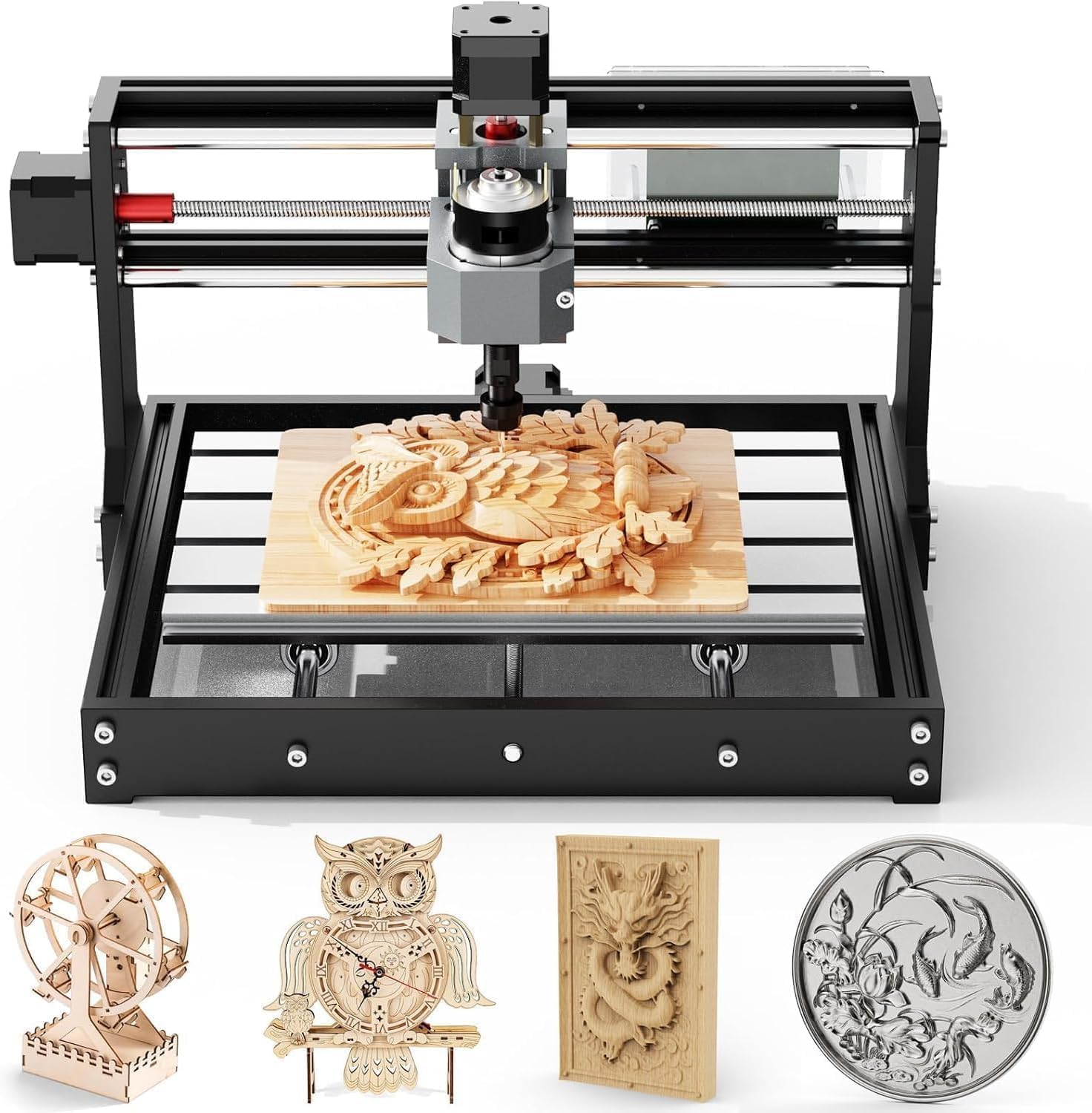
TTC3018 CNC Router Machine 3-Axis Engraving Machine
Best for basic 3-axis engraving - 5
 Check it
FoxAlien Masuter Pro 3-Axis CNC Router Machine
Best for FoxAlien beginners - 6
 Check it
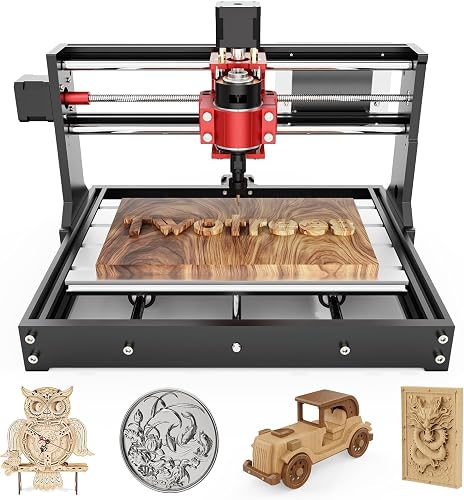
Twotrees TTC3018 Pro CNC Router Machine
Best for compact desk projects - 7
 Check it
Twotrees TTC450 Ultra CNC router machine 465x465mm
Best for a square 465 mm work area - 8
 Check it
1/4" Shank CNC Router Bit Essential Kit
Best for 1/4 in shank bit needs - 9
 Check it
FoxAlien 20/30/45/60/90deg 0.1mm Triangular CNC Router Bits
Best for lettering and V-groove work
The best FoxAlien CNC router options compared
The best FoxAlien CNC router for a beginner is the Masuter Pro, but the right pick depends on work area, spindle fit and how much expansion you want. For metal projects, compare CNC routers for metal.
The accessory picks matter too because dust collection and cutter fit affect daily setup.
We compared the stated dimensions, construction, work areas, spindle compatibility, included accessories and upgrade paths. Our score weighs those details against the needs behind this search, including beginner setup, project size and future flexibility.
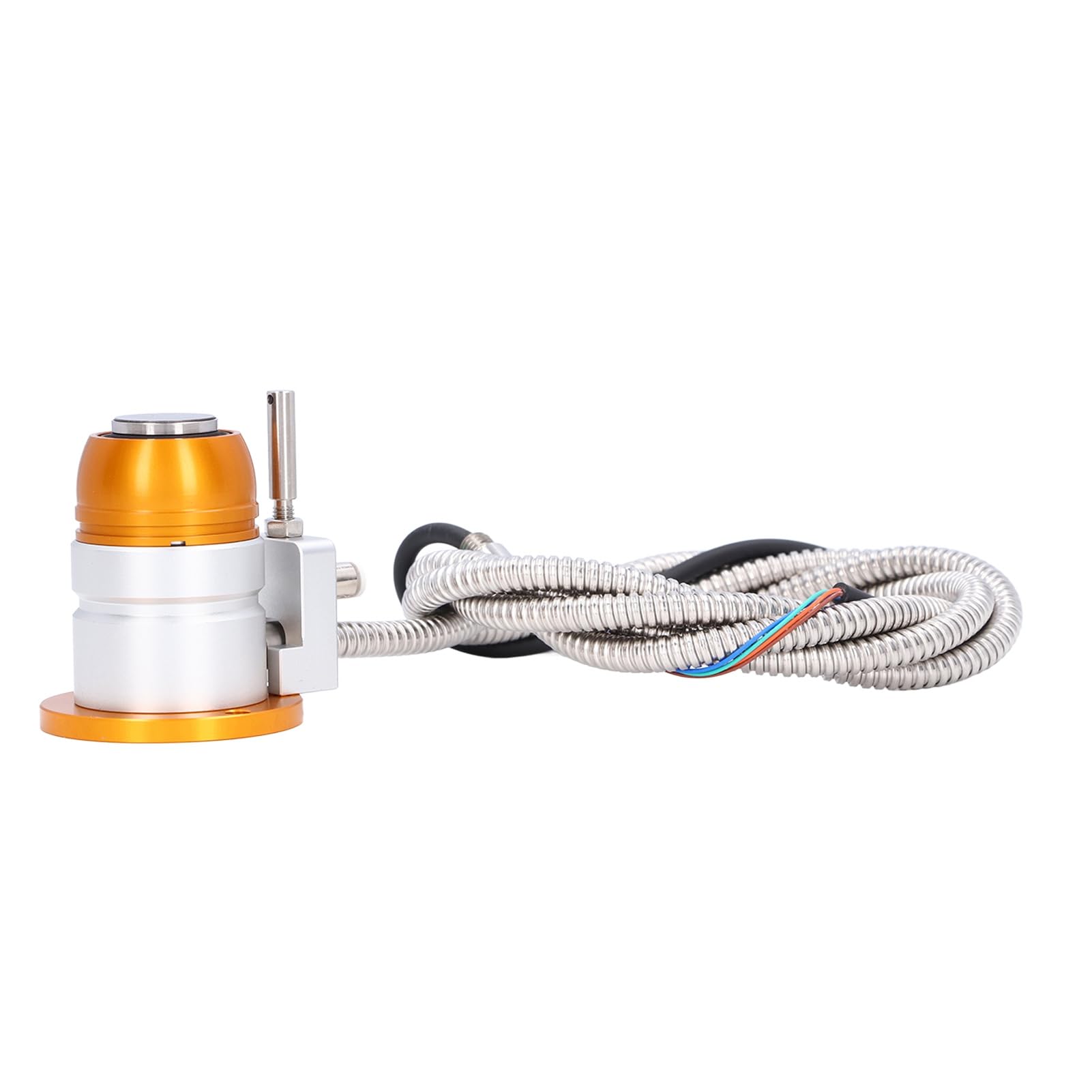
FoxAlien 69mm Diameter Dust Shoe for CNC: Best for compatible dust collection
- 69 mm diameter
- Compatible with 52 mm spindle motor
- Compatible with 65 mm router
- 38 mm hose diameter
This dust shoe suits a compatible FoxAlien CNC setup that uses a 52 mm spindle motor or 65 mm router. Its 38 mm hose diameter gives you a clear measurement to match with your dust collection hose.
Pros
- Clear 69 mm diameter
- Fits stated 52 mm spindle motor
- Fits stated 65 mm router
Cons
- Compatibility needs checking before ordering
- Does not replace a dust collector
The FoxAlien 69mm Diameter Dust Shoe for CNC Router Machine is an accessory rather than a router, but it may be the most useful FoxAlien add-on for a compatible setup. It has a 69 mm diameter, works with a 52 mm spindle motor and a 65 mm router, and uses a 38 mm hose diameter.
Those measurements tell you exactly what to check before ordering. Measure or confirm the outside fit around your spindle or router, then match your dust hose to the 38 mm hose diameter.
A dust shoe cannot solve a size mismatch, so compatibility comes before the badge.
This is the best choice here for a Masuter Pro owner who already has the compatible 52 mm or 65 mm setup and wants a defined dust-collection connection. It is not a replacement for a dust collector, hose or shop cleanup plan.
Compared with the machines in this roundup, the dust shoe has a narrow purpose. Its high score reflects how directly it can support a compatible FoxAlien CNC workflow, not machine capability.
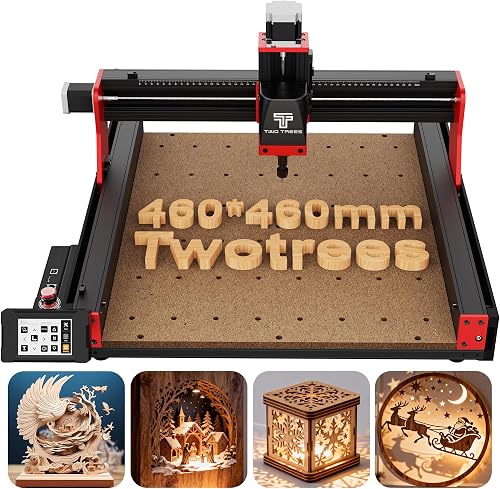
Twotrees TTC450 Pro All-Metal CNC Router Machine: Best for large work and upgrades
- 460 x 460 x 80 mm work area
- 3.5 in capacitive touch screen
- 4th-axis, laser and 500 W spindle ports
- Aluminum and stainless steel construction
The TTC450 Pro is the strongest large-format option here, with an 18.1 in square work area and ports for future expansion.
Pros
- Largest stated work area
- 4th-axis and laser expansion ports
- 3.5 in touch screen
Cons
- Heavier than the compact machines
- Requires assembly and computer setup
The Twotrees TTC450 Pro is the strongest machine here for large work and future expansion. Its 460 x 460 x 80 mm work area gives you an 18.1 in square cutting space, which suits large signs, furniture panels and batch layouts better than the 3018 machines.
The all-metal structure uses aluminum and stainless steel, with ABS also listed in the material details.
Its 3.5 in capacitive touch screen makes machine control more direct, while the 4th-axis rotation port, laser module port and 500 W spindle speed control port leave several upgrade routes open. The stated GRBL system works with ArtCam, Fusion 360, Easel and Carveco Maker, and supports Windows, macOS and Linux.
Choose the TTC450 Pro if work area matters most. Its trade-off is size, weight and setup effort compared with the 13 kg Masuter Pro or compact TTC3018 Pro.
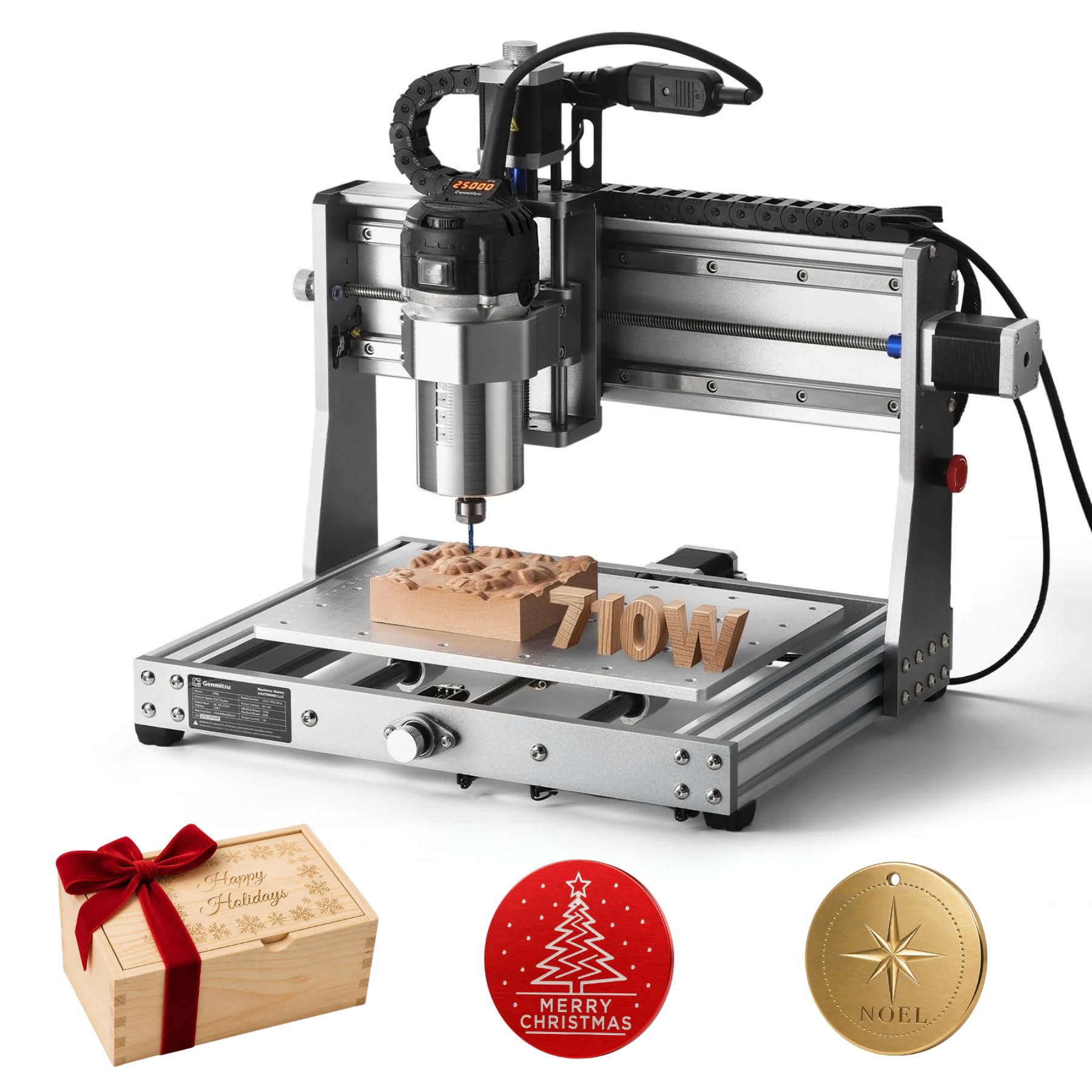
SainSmart Genmitsu 3020-PRO Ultra CNC Router Machine: Best for an all-metal 3020 setup
- All-metal engraver
- 3020-PRO format
- CNC router machine
This SainSmart model fits buyers who want an all-metal 3020-PRO CNC engraver. It is a useful middle option to compare with the larger 450-class machines and smaller 3018 designs.
Pros
- All-metal construction
- 3020-PRO format
- Clear model family
Cons
- Work area details need confirmation
- Included accessories need confirmation
The SainSmart Genmitsu 3020-PRO Ultra is the middle-format option for buyers who want an all-metal 3020-PRO CNC engraver. Its model name places it between the compact 3018-style machines and the large 450-class routers.
That format can make sense when a small 3018 work area feels restrictive but a 460 mm square machine would take too much bench space. The key buying step is to confirm the exact working dimensions and included accessories before you commit to a project size.
This pick is also useful as a comparison point for construction. An all-metal engraver gives you a clear frame preference to weigh against the Masuter Pro's all-aluminum structure and the TTC450 Pro's aluminum and stainless steel construction.
Choose the SainSmart when the 3020-PRO format and all-metal design match your space. Choose the Masuter Pro instead when you want confirmed 400 x 400 x 60 mm dimensions and FoxAlien-specific spindle clamp options.
TTC3018 CNC Router Machine 3-Axis Engraving Machine: Best for basic 3-axis engraving
- 3-axis CNC router
- Engraving machine
- Metal engraver
The TTC3018 is a straightforward 3-axis choice for buyers focused on CNC engraving. Compare its confirmed configuration with the more detailed TTC3018 Pro before deciding which 3018-style setup fits your work.
Pros
- 3-axis layout
- CNC engraving focus
- Metal engraver designation
Cons
- Work area details need confirmation
- Construction details need confirmation
The TTC3018 CNC Router Machine is a basic 3-axis engraving machine and metal engraver for buyers who want a simple machine category without starting with a large-format frame. Its 3-axis layout covers the standard X, Y and Z movement used for many flat engraving projects.
The main advantage is focus. You can compare it as a conventional engraving setup, then decide if you need the more detailed work area, positioning accuracy and accessories of the TTC3018 Pro.
Because the exact work area, construction details and included items are not confirmed here, measure your project needs against the manufacturer’s current specifications before ordering. This matters if you need to fit a particular sign blank or workpiece.
Choose the TTC3018 when the 3-axis format is the main requirement and you plan to verify the remaining details. Choose the TTC3018 Pro when its 300 x 180 x 40 mm work area, 0.1 mm positioning accuracy and included 10 cutters fit your projects.
FoxAlien Masuter Pro 3-Axis CNC Router Machine: Best for FoxAlien beginners
- 400 x 400 x 60 mm work area
- All-aluminum structure
- 52 mm and 65 mm spindle clamps
- Optional Y-axis extension
The Masuter Pro is the best FoxAlien CNC router for a beginner who wants a clear 400 x 400 mm work area and room to change the setup later. Its 13 kg weight is easier to place than the larger TTC450 Pro.
Pros
- Large beginner-friendly work area
- All-aluminum frame
- Optional Y-axis extension
Cons
- 69 mm clamp is separate
- The 60 W spindle is smaller than some upgrade paths
The FoxAlien Masuter Pro is the best FoxAlien CNC router for most beginners who want a real work area without moving straight to a large workshop machine. Its 400 x 400 x 60 mm engraving surface is large enough for many signs, panels and woodworking layouts.
The all-aluminum structure and linear-rail Z-axis give the frame a clear construction advantage over smaller machines that use lighter parts. Its listed 13 kg weight helps buyers plan placement; check the TTC450 Pro listing before comparing transport needs.
Two included spindle clamps fit 52 mm and 65 mm spindles. The machine also supports a 69 mm spindle clamp, but that clamp is separate, which is why the FoxAlien dust shoe belongs in the accessory discussion rather than the base-machine description.
An optional Y-axis extension gives you a way to consider larger work later. Choose the Masuter Pro for beginner learning, home use and small workshops.
Its trade-off is that its 60 mm work height is less generous than the TTC450 Pro's 80 mm.
Twotrees TTC3018 Pro CNC Router Machine: Best for compact desk projects
- 300 x 180 x 40 mm work area
- 0.1 mm positioning accuracy
- All-metal Z-axis
- 10 standard cutters and ER11 collet
The TTC3018 Pro fits small desks and small signs, with a 300 x 180 x 40 mm work area and an all-metal Z-axis. It gives up cutting room compared with the Masuter Pro and TTC450 Pro.
Pros
- Compact 420 x 355 x 280 mm size
- All-metal Z-axis
- Includes 10 standard cutters
Cons
- Smaller work area
- USB wired connection only
The Twotrees TTC3018 Pro is the best compact desk option in this group. Its 300 x 180 x 40 mm work area fits small signs, nameplates and other projects where the material stays within a narrow footprint.
The all-metal Z-axis uses T8 backlash-eliminating lead screws, and the stated positioning accuracy is 0.1 mm. Its 775 spindle motor runs at 7,000–9,000 RPM, giving you specific figures to consider when planning small engraving work.
The package includes 10 standard cutters, an ER11 collet sized for 0.5–7 mm, a 775 spindle motor and professional tools. Assembly can also teach the basic movement of the 40-plus precision components, which may suit STEM education and maker training.
The trade-off is the smaller work area. It uses a USB wired connection, with no built-in TF card slot, Bluetooth or Wi-Fi.
Choose it for a compact workspace, or move up to the Masuter Pro when your workpieces need more room.
Twotrees TTC450 Ultra CNC router machine 465x465mm: Best for a square 465 mm work area
- 465 x 465 mm large work area
- TTC450 Ultra model
- CNC router machine
The TTC450 Ultra is for buyers who want a square 465 x 465 mm work area. It deserves comparison with the TTC450 Pro, especially when you are choosing between the two large Twotrees formats.
Pros
- Largest stated square area
- Clear TTC450 Ultra model
- Suitable for larger layouts
Cons
- Other specifications need confirmation
- Larger work area needs more bench space
The Twotrees TTC450 Ultra is for buyers who want a very large square work area. Its stated 465 x 465 mm area is slightly larger in each direction than the TTC450 Pro's 460 x 460 mm area.
That difference may matter when a sign, panel or repeated layout is just beyond the smaller frame. It also means you need to plan more bench space than you would for a 3018 machine or the 400 x 400 mm Masuter Pro.
The TTC450 Ultra is best compared directly with the TTC450 Pro. The Pro has a stated 460 x 460 x 80 mm area, 3.5 in touch screen, all-metal construction and expansion ports.
The Ultra gives you the larger stated square area, but the details supplied here do not confirm its construction, weight, controls or upgrade ports.
Choose the Ultra when its 465 x 465 mm area solves a real layout problem. Otherwise, the TTC450 Pro offers more confirmed information for planning a complete machine setup.
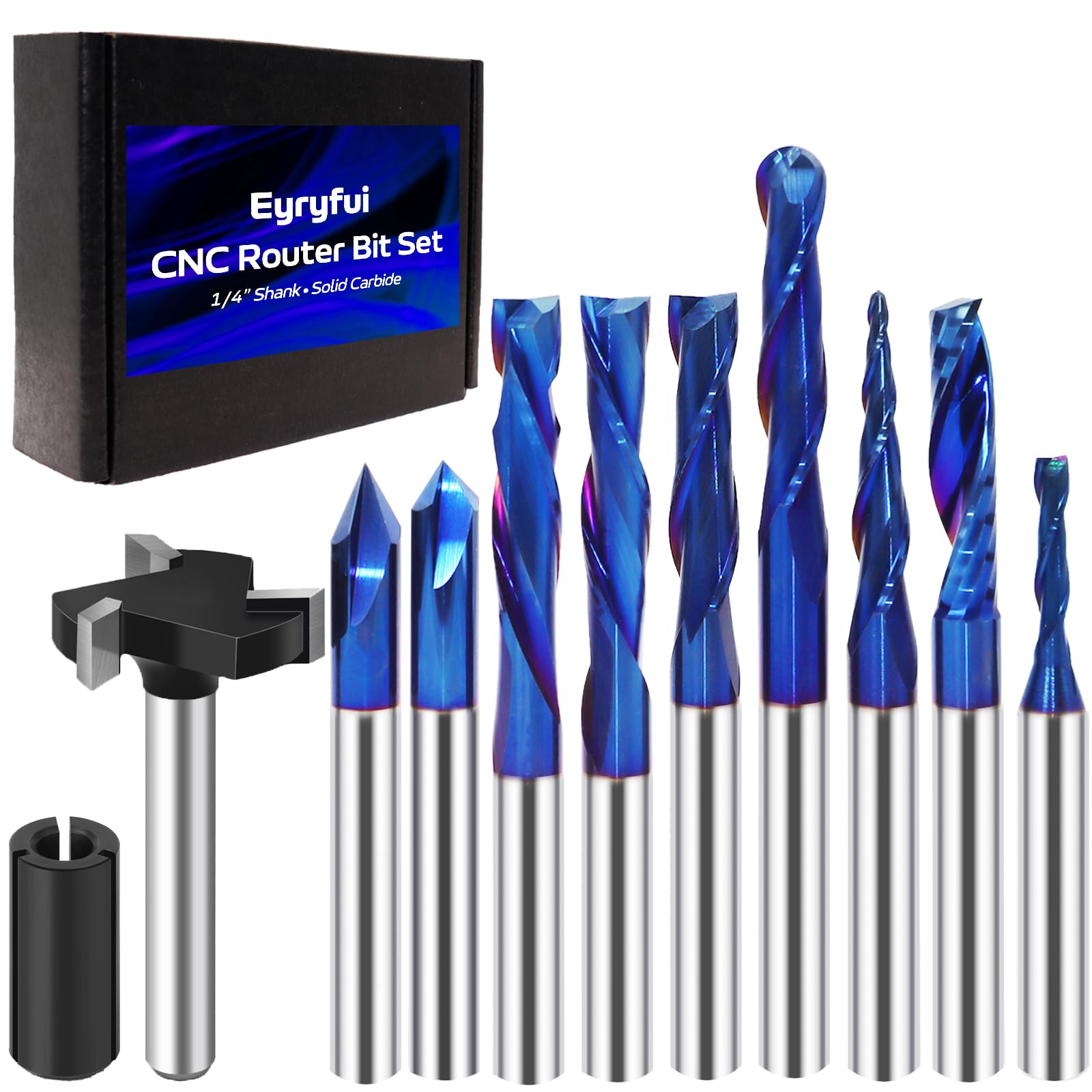
1/4" Shank CNC Router Bit Essential Kit: Best for 1/4 in shank bit needs
- 1/4 in shank
- ER11 collet included
- Essential CNC router bit kit
This kit is for a CNC setup that accepts a 1/4 in shank and uses an ER11 collet. Check your machine and collet size first because a bit kit is useful only when the fit matches.
Pros
- 1/4 in shank
- ER11 collet included
- Simple accessory choice
Cons
- Bit count and profiles need confirmation
- Shank fit must match your machine
The 1/4" Shank CNC Router Bit Essential Kit is for a machine that accepts 1/4 in shank bits and uses an ER11 collet. The included collet is the key detail because the cutter, collet and spindle need to match as one system.
Use this kit when you already know your router accepts that shank size. A 1/4 in bit is not automatically compatible with every CNC router, so check the collet size before buying or changing tools.
This is a support pick rather than a machine alternative. It can make sense for a larger setup such as the TTC450 Pro, but the available data does not identify the bit count, profiles or supported materials.
Keep those unknowns in mind when comparing it with the FoxAlien 10-piece 1/8 in triangular bit set.
Choose it when the 1/4 in shank and ER11 collet fit your machine. Choose the FoxAlien bit set when you specifically need several V-bit angles for lettering and sign work.
FoxAlien 20/30/45/60/90deg 0.1mm Triangular CNC Router Bits: Best for lettering and V-groove work
- 10 bits
- 20, 30, 45, 60 and 90 degree angles
- 0.1 mm tips
- 1/8 in shanks
This FoxAlien set gives you five V-bit angles, with 2 pieces of each angle, for lettering and sign work. The 1/8 in shank makes fit the first check before you plan a project.
Pros
- Five angle choices
- 2 pieces of each angle
- Works with stated wood, acrylic, MDF and aluminum uses
Cons
- Not a general-purpose bit set
- 1/8 in shank may not fit every router
The FoxAlien triangular bit set is the best accessory here for lettering and V-groove work. It includes 10 bits, with 2 pieces each at 20, 30, 45, 60 and 90 degrees, and each bit has a 0.1 mm tip and 1/8 in shank.
The different angles give you a way to change line width and groove shape between projects. Narrower angles can suit fine lettering, while wider angles create a broader V profile, but your material, depth and feed settings still control the final result.
FoxAlien describes the set for hardwood, plywood, acrylic, plastic fiber, resin, PCB and aluminum. The bits have a triangular shape, nano blue coating and carbide material.
Those details make the set more targeted than a general router-bit kit.
Check your collet before ordering. The 1/8 in shank must fit your machine, and this set is not the right choice if you need 1/4 in shank bits.
How we compared these FoxAlien CNC router picks
The comparison starts with the work area because it limits the size of the material you can hold flat. The Masuter Pro measures 400 x 400 x 60 mm, the TTC450 Pro measures 460 x 460 x 80 mm, and the TTC450 Ultra lists a 465 x 465 mm area.
Construction came next. The Masuter Pro uses an all-aluminum structure, the TTC450 Pro lists aluminum and stainless steel with ABS, and the SainSmart model is described as an all-metal engraver.
The TTC3018 Pro adds an all-metal Z-axis.
We also checked expansion. The Masuter Pro supports an optional Y-axis extension and multiple spindle clamp sizes.
The TTC450 Pro lists 4th-axis, laser and 500 W spindle ports, making it the clearest upgrade-focused machine in this group.
Finally, we separated machines from accessories. The FoxAlien dust shoe and the 2 bit sets can improve a compatible workflow, but they do not add work area or replace a CNC frame.
What work area do you need?
Choose a 3018-style machine for small projects, the Masuter Pro for a broader beginner workspace, and a TTC450 model for large panels or signs. The right size is the smallest frame that holds your largest planned workpiece with room for clamping.
Small work areas
The TTC3018 Pro has a 300 x 180 x 40 mm work area. That suits small signs, nameplates and compact practice projects, especially where desk space is limited.
Mid-size work areas
The Masuter Pro's 400 x 400 x 60 mm area gives you more room than a 3018 without requiring the TTC450 Pro's larger work area. It is the most balanced starting point in this roundup.
Large square work areas
The TTC450 Pro and TTC450 Ultra target larger layouts. Compare the confirmed 460 x 460 x 80 mm Pro details with the Ultra's 465 x 465 mm area, then check the available bench space and machine weight.
For more compact options, compare our guide to the best small CNC router.
Is an all-metal CNC router better for beginners?
An all-metal or aluminum frame can be a sensible beginner choice when you want a clear structure and plan to learn on the same machine for a while. It does not remove the need to square the frame, secure the workpiece and set suitable cutting conditions.
The Masuter Pro uses an all-aluminum structure and linear-rail Z-axis. The TTC3018 Pro uses an all-metal Z-axis, while the TTC450 Pro combines aluminum and stainless steel in its stated construction.
Machine weight can affect placement. The Masuter Pro listing gives a 13 kg weight; check the TTC450 Pro listing before planning where to put it.
More weight may make a permanent bench setup more practical, while the lighter machine is easier to move when your workspace changes.
If your goal is a desk-friendly machine, read our comparison of the best desktop CNC routers.
Which FoxAlien CNC router is easiest to upgrade?
The Masuter Pro is the clearest FoxAlien upgrade choice here because it supports 52 mm and 65 mm spindle clamps, a separate 69 mm spindle clamp and an optional Y-axis extension. The TTC450 Pro offers the broadest stated machine expansion through its ports.
Upgrade planning should start with the part that is likely to limit your work. A larger spindle option may change how you approach routing, while a Y-axis extension changes the length of work you can support.
The Masuter Pro's base specifications remain approachable for a beginner. It has a 400 x 400 x 60 mm work area, 60 W spindle and 13 kg weight.
That gives you a clear starting point before you decide if a different spindle or longer axis is needed.
The TTC450 Pro is better if you already know you want a 4th-axis port, laser module port or 500 W spindle speed control port. It is also the better fit for larger work from the start.
Do CNC router bits need to match the spindle?
Yes. Match the bit shank to the collet and spindle before you plan the cut.
The FoxAlien triangular set uses 1/8 in shanks, while the essential kit uses 1/4 in shanks and includes an ER11 collet.
The angle also matters. The FoxAlien set has 20, 30, 45, 60 and 90 degree V-bits with 0.1 mm tips, so it is aimed at lettering, signs and V-groove work rather than every routing task.
A 1/4 in shank kit may suit a different setup, but the information does not confirm its bit count or profiles. Check those details and your machine's collet size before ordering.
For another machine format, compare the best 3018 CNC routers and see how their smaller work areas change the tool decision.
How do you choose between a 3018 and 4040 CNC router?
Choose a 3018 when your projects are small and your bench space is limited. Choose a 4040-class machine when you need a wider square work area, such as the Masuter Pro's 400 x 400 mm surface or the TTC450 machines' roughly 460 mm square areas.
The TTC3018 Pro gives you a 300 x 180 x 40 mm work area and compact 420 x 355 x 280 mm dimensions. It is easier to place, but the workpiece must stay within a much smaller footprint.
The Masuter Pro gives you a 400 x 400 x 60 mm area and remains lighter than the TTC450 Pro. That makes it the best FoxAlien CNC router for buyers who want room to grow without starting with the largest machine here.
Read how to choose a 4040 CNC router before deciding if the larger format fits your projects, bench and material handling.
Can a CNC router replace a laser engraver?
No. A CNC router and a laser machine remove material in different ways, so choose based on the materials and marks you need.
A router uses a cutting bit, while a laser setup requires its own module and safety planning.
The TTC450 Pro lists a laser module port, which may matter if you want one machine platform with a future laser expansion. That port does not mean the base CNC router is already a laser engraver.
For business-focused marking and engraving, compare the best laser engraving machine for small business. The right choice depends on the material, cut depth, surface finish and workflow you need.
CNC router or CNC lathe: which fits your work?
A CNC router is usually the better fit for flat sheets, signs, panels and surface carving. A CNC lathe is designed around rotating workpieces, so the shape of your material should decide between them.
The machines here are CNC routers and engravers, with work areas described as rectangular or square surfaces. The Masuter Pro and TTC450 models suit flat layouts, while the TTC3018 Pro focuses on compact engraving.
If your projects are cylindrical or need turning rather than flat routing, read CNC router vs CNC lathe before you buy. A larger router does not solve a project that needs a lathe's work method.
How should you set up and care for a desktop CNC router?
Start with a stable, clear bench and leave enough room to load the full work area. Confirm the machine is square, secure the material, check the cutter and collet fit, and keep the work zone clear before starting a job.
Use the machine's stated connection and software requirements. The TTC450 Pro uses GRBL and supports Windows, macOS and Linux, while the TTC3018 Pro uses a USB wired connection and does not support Bluetooth, Wi-Fi or a built-in TF card slot.
Keep dust collection compatible with the spindle or router. The FoxAlien dust shoe uses a 38 mm hose diameter and fits a 52 mm spindle motor or 65 mm router, so confirm those dimensions rather than forcing a connection.
Bits also need care. Keep the correct shank size with the matching collet, inspect V-bits for damage, and choose an angle that matches the lettering or groove you want.
Verdict: which is the best FoxAlien CNC router?
The FoxAlien Masuter Pro is the best FoxAlien CNC router for most beginners, with a 400 x 400 x 60 mm work area, all-aluminum structure, two spindle clamp sizes and an optional Y-axis extension. It offers more project room than a 3018 without moving to the TTC450 Pro's larger work area.
Choose the FoxAlien 69 mm dust shoe if your setup uses the compatible 52 mm spindle motor or 65 mm router and a 38 mm hose. Choose the FoxAlien triangular bits for 1/8 in lettering and V-groove work.
Choose the Twotrees TTC450 Pro when you need the largest confirmed work area, a 3.5 in touch screen and expansion ports. Choose the TTC3018 Pro when a compact desk setup and 300 x 180 x 40 mm work area are enough.
If your projects need a 465 mm square surface, compare the TTC450 Ultra with the Pro before ordering. For a flat-work project that may need more room than the Masuter Pro, our guide to the best 4x4 CNC router is the next useful comparison.
Our top 3 picks at a glance
-
1
Best for compatible dust collection
FoxAlien 69mm Diameter Dust Shoe for CNC
9.7/10 our score
See it on Amazon -
2
Best for large work and upgrades
Twotrees TTC450 Pro All-Metal CNC Router Machine
9.5/10 our score
See it on Amazon -
3
Best for an all-metal 3020 setup
SainSmart Genmitsu 3020-PRO Ultra CNC Router Machine
9.4/10 our score
See it on Amazon