8 Best Cutting Mats for Brother ScanNCut (November 2026)
The best Brother ScanNCut cutting mats include the 18" x 24" Self Healing Cutting Mat for large hand-cut projects, the StandardGrip Cutting Mat Pack for regular ScanNCut craft work, and the Cricut Cutting Mat Variety Pack for mixed grip needs.
On this page (9 sections)
- The best Brother ScanNCut cutting mats by use
- How we compared these Brother ScanNCut mats
- What size mat does a Brother ScanNCut use?
- Which ScanNCut mat grip should you choose?
- How do you clean and store a ScanNCut mat?
- Can you use Cricut or Silhouette mats in a ScanNCut?
- How many Brother ScanNCut mats should you keep?
- Best accessories to use with a ScanNCut mat
- Verdict: which Brother ScanNCut mat should you buy?
The best Brother ScanNCut cutting mats for most projects are the StandardGrip Cutting Mat Pack, because six 12 in x 12 in mats give regular crafters a practical supply of the same general grip level. If you work with delicate paper, fabric or materials that need more hold, choose a mat with a different tack level after checking your machine model.
Brother ScanNCut mats are not interchangeable by size alone. The mat must fit the machine feed path, stay flat, and hold the material firmly enough for the blade to cut without lifting corners.
If you're new to this type of machine, start with our guide to what is a vinyl cutting machine. It explains how a cutter differs from a printer and why mats, blades and material settings all affect the finished cut.
Our picks at a glance
-
1
 Best for large hand-cut projects
18" x 24" Self Healing Cutting Mat
9.7/10 our score
See it on Amazon -
2
-
3

- 4
 Check it
12x12 Cutting Mat 5-Pack for Silhouette Cameo
Best for varied grip replacements - 5
 Check it
Brother DIY Cutting Machine SDX125e
Best for a complete ScanNCut setup - 6
 Check it
10 Pack Cutting Mats -12"x12" Cutting Mats
Best for a large replacement supply - 7
 Best for large sewing layoutsCheck it
- 8
 Best for grip-level varietyCheck it
The best Brother ScanNCut cutting mats by use
The best choice depends on mat size, grip level and machine compatibility. StandardGrip is the simplest starting point for regular craft materials, while light, strong and fabric options suit more specific jobs.
18" x 24" Self Healing Cutting Mat: Best for large hand-cut projects
- 18 in x 24 in
- Self-healing surface
- Gray
This large gray self-healing mat suits quilting and sewing work that needs more room than a 12 in x 12 in machine mat.
Pros
- Largest stated work area
- Self-healing surface
- Useful for quilting and sewing
Cons
- Not a ScanNCut adhesive mat
- Needs a large storage area
The 18 in x 24 in Self Healing Cutting Mat is the largest work surface in this group. Its size suits quilting and sewing layouts where you need to position larger fabric pieces or make several hand cuts without moving the material as often.
The key point is that this is a self-healing cutting mat, not an adhesive machine mat. It protects your work surface while a rotary cutter or other hand tool passes over it.
It does not replace the mat that feeds into a ScanNCut.
The gray surface gives you a broad area for measuring and cutting. At 18 in x 24 in, it is also larger than the 12 in x 12 in mats in this roundup, so it needs more room for storage and use.
Choose it alongside a ScanNCut mat if your projects include quilting or sewing preparation. It is a poor fit if you need a mat that the machine can grip and feed automatically.
The trade-off is simple: you get the largest stated surface here, but no stated adhesive grip, machine compatibility or variety of tack.
StandardGrip Cutting Mat Pack: Best for regular ScanNCut craft work
- 6 count
- 12 in x 12 in
- StandardGrip
Six 12 in x 12 in StandardGrip mats give regular crafters a useful replacement supply for everyday materials.
Pros
- Six-mat pack
- Common 12 in x 12 in format
- StandardGrip suits general craft materials
Cons
- No variety of grip levels
- Confirm ScanNCut model fit before ordering
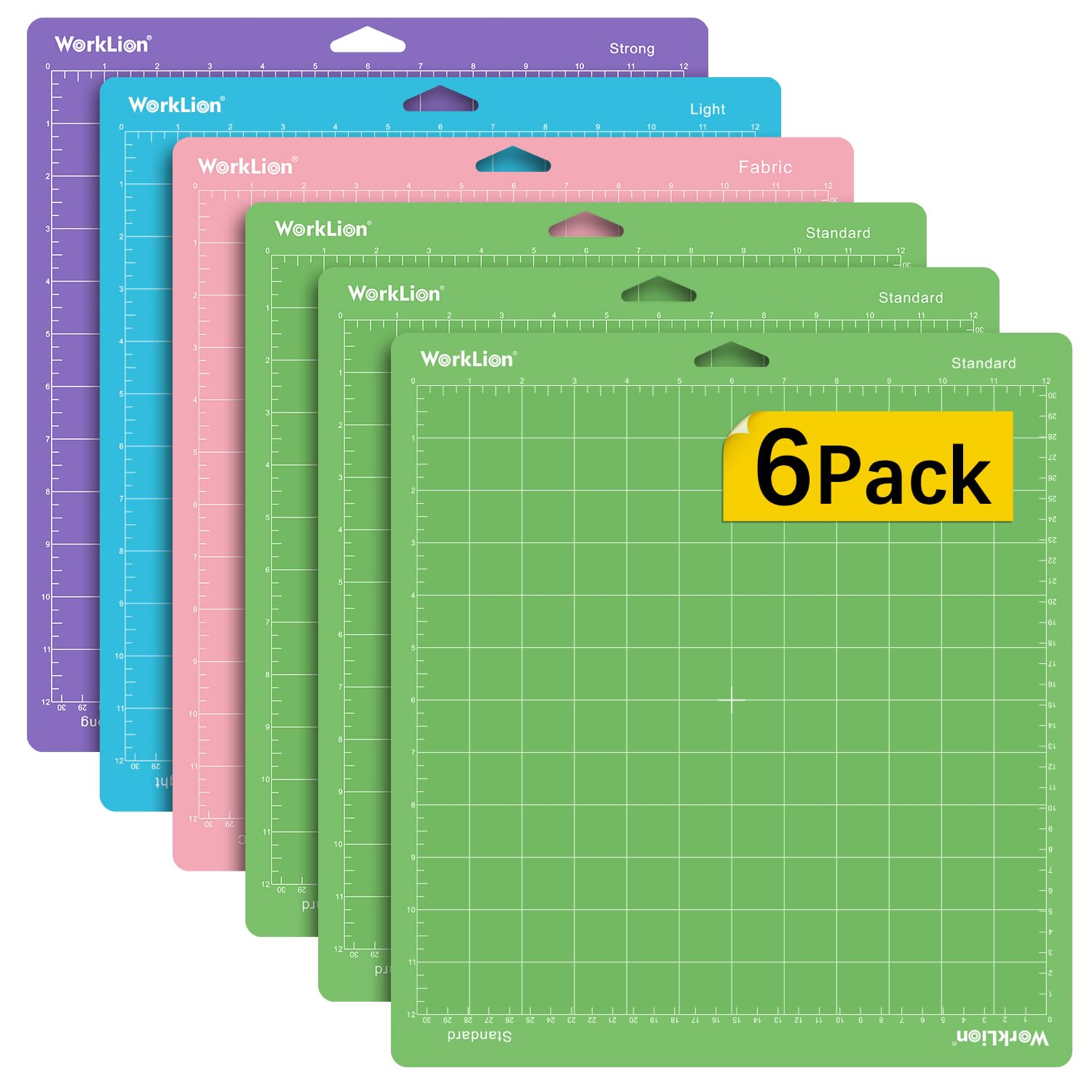
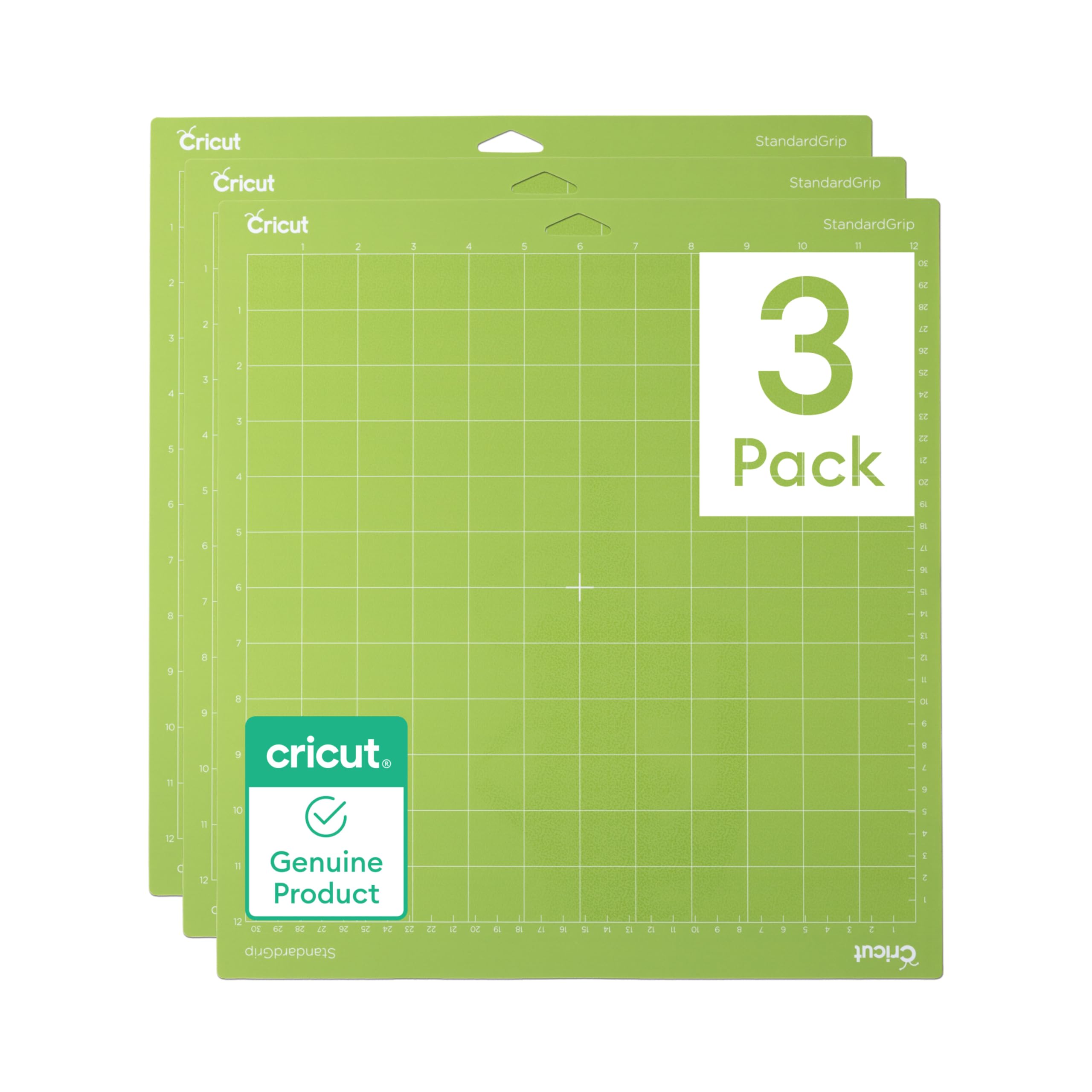
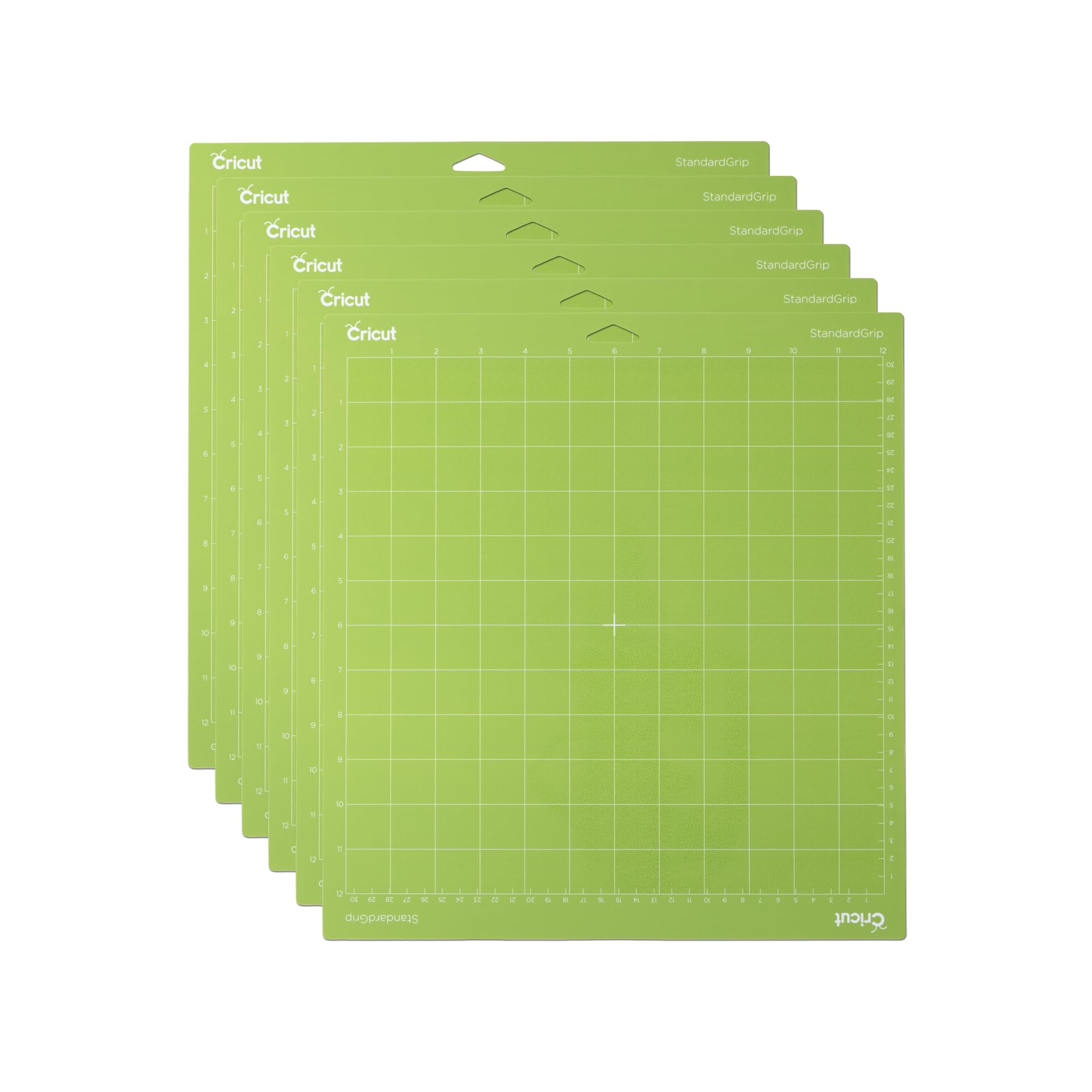
The StandardGrip Cutting Mat Pack is the strongest mat-only choice for regular ScanNCut craft work. It includes 6 mats measuring 12 in x 12 in, a common size for smaller cutting projects.
A six-count pack helps when one mat needs cleaning, drying or replacement. You can rotate through the mats instead of stopping a project every time the adhesive surface loses its hold.
StandardGrip is the middle-ground option in this group. It is more suitable for everyday materials than a light-grip mat, while a strong-grip mat may be better when heavier or less stable materials need more hold.
Check your ScanNCut model before ordering because the name and size alone do not confirm fit. The feed path, mat edge and usable cutting area must match the machine.
Choose this pack when you want several identical mats and don't need different grip levels. Pick the variety packs below when your projects move between delicate, standard, strong or fabric materials.
Cricut Cutting Mat Variety Pack: Best for mixed grip needs
- 4 count
- 12 in x 24 in
- Variety pack
This 4-count, 12 in x 24 in variety pack suits crafters who need longer mats and want different mat types in one purchase.
Pros
- Long 24 in format
- Four mats
- Variety pack for changing projects
Cons
- Long format may not fit every ScanNCut model
- Exact grip types need confirmation
The Cricut Cutting Mat Variety Pack is the best long-format option in this roundup. It includes 4 mats measuring 12 in x 24 in, giving you twice the stated length of the 12 in x 12 in options.
A 24 in mat can suit longer designs or larger layouts, but only if your ScanNCut model accepts that format. A longer mat also needs more clear space behind and in front of the machine as it feeds.
The product is described as a variety pack, so it may appeal to crafters who want more than one type of mat. The exact grip mix is not stated here, so confirm the individual mat types before relying on it for light paper, fabric or stronger materials.
This is not the safest first pick for a ScanNCut owner who only knows the machine name. Its length and stated Cricut association make model checking especially important.
For a Cricut Maker-specific guide, see best Cricut Maker cutting mats.
Choose it when you need a 12 in x 24 in format and have confirmed compatibility. For a straightforward replacement supply, the 12 in x 12 in StandardGrip pack is easier to match.
12x12 Cutting Mat 5-Pack for Silhouette Cameo: Best for varied grip replacements
- 5 count
- 12 in x 12 in
- StrongGrip, StandardGrip and LightGrip
- Gridded non-slip replacement mats
Five gridded 12 in x 12 in mats cover strong, standard and light grip needs, though the stated fit is for Silhouette Cameo machines.
Pros
- Three grip levels
- Gridded surface
- Five replacement mats
Cons
- Stated for Silhouette Cameo
- ScanNCut compatibility needs checking
The 12x12 Cutting Mat 5-Pack for Silhouette Cameo suits crafters who want several grip levels in a compact format. It includes 5 gridded 12 in x 12 in replacement mats with StrongGrip, StandardGrip and LightGrip options.
The grip variety is useful because material behavior changes from project to project. LightGrip can suit materials that may tear during removal, StandardGrip covers general work, and StrongGrip can help hold materials that need more resistance to movement.
The stated compatibility is for Silhouette Cameo 5, 4, 3, 2 and 1 machines. That makes it a comparison option rather than a confirmed Brother ScanNCut replacement.
The grid can help you place material and align designs consistently. Still, a grid does not prove that the mat edge, adhesive area or feed holes match your ScanNCut.
Choose this pack only after confirming the physical fit for your model. If the fit is confirmed, its three grip levels offer more flexibility than a single-grip pack.
If not, use a mat with clearly stated ScanNCut compatibility.
Brother DIY Cutting Machine SDX125e: Best for a complete ScanNCut setup
- Built-in scanner
- 682 built-in designs
- Cuts up to 3 mm
- Includes six mats and six blades
This is a complete ScanNCut machine bundle rather than a mat-only purchase, with six mats and six blades included.
Pros
- Built-in scanner
- Six mats included
- Automatic material sensor
Cons
- Costs more than a replacement mat pack
- Not a mat-only solution
The Brother DIY Cutting Machine SDX125e is the best choice here for someone who needs a complete ScanNCut setup rather than replacement mats alone. The bundle includes the ScanNCut SDX125e machine, three 12 in x 12 in reusable standard tack mats, three 12 in x 12 in reusable low tack mats and 6 replacement blades.
The machine has a built-in scanner, which lets you scan drawings and convert them into cut files. It also includes 682 built-in designs, 100 quilting patterns and 9 fonts, with a 5 in touchscreen LCD display.
Brother describes the auto blade and auto blade holder as using automatic material sensing. The machine can cut materials up to 3 mm thick, including paper, vinyl, fabric, balsa wood, chipboard, foam and felt.
Brother also advises a trial cut before a full project.
This is a much larger purchase than a mat pack. Choose it if you need the machine, mats and blades together.
If your ScanNCut already works, the replacement packs are more direct and less costly in scope.
For machine selection, compare this bundle with our guide to the best Brother ScanNCut machine.
10 Pack Cutting Mats -12"x12" Cutting Mats: Best for a large replacement supply
- 10 count
- 12 in x 12 in
- For Explore Air 2, Maker 2 and Maker 3
Ten 12 in x 12 in mats make sense for frequent cutting, but the stated machine fit is for Explore Air 2, Maker 2 and Maker 3.
Pros
- Largest pack count
- 12 in x 12 in format
- Useful for frequent mat changes
Cons
- Stated for other cutting machines
- Grip type needs confirmation
The 10 Pack Cutting Mats -12"x12" Cutting Mats is the best choice for a large replacement supply when the machine fit is confirmed. It includes 10 mats measuring 12 in x 12 in, which is the highest count among the mat-only packs here.
A 10-pack can suit a busy craft room where mats are used often and need to be rotated. It also gives you more room to separate mats by material type, such as paper, vinyl or fabric, though the product data does not state different grip levels.
The stated machines are Explore Air 2, Maker 2 and Maker 3. Those names do not confirm Brother ScanNCut compatibility, so check the exact model and mat design before placing an order.
The main advantage is quantity. The main risk is assuming that the same 12 in x 12 in dimensions mean every cutting machine can feed the mat safely.
Choose this pack when you have confirmed the physical match and want many replacements. Choose the StandardGrip pack when you want a more direct general-use option with a clearly stated grip type.
Self Healing Cutting Mat: Best for large sewing layouts
- 17 in x 23 in
- Double-sided
- Rotary cutting mat
- For sewing, quilting, scrapbooking and craft
This 17 in x 23 in double-sided rotary mat gives sewing and quilting projects a broad hand-cutting surface.
Pros
- Large work area
- Double-sided design
- Useful for several craft types
Cons
- Not stated as an adhesive ScanNCut mat
- Less suitable for machine loading
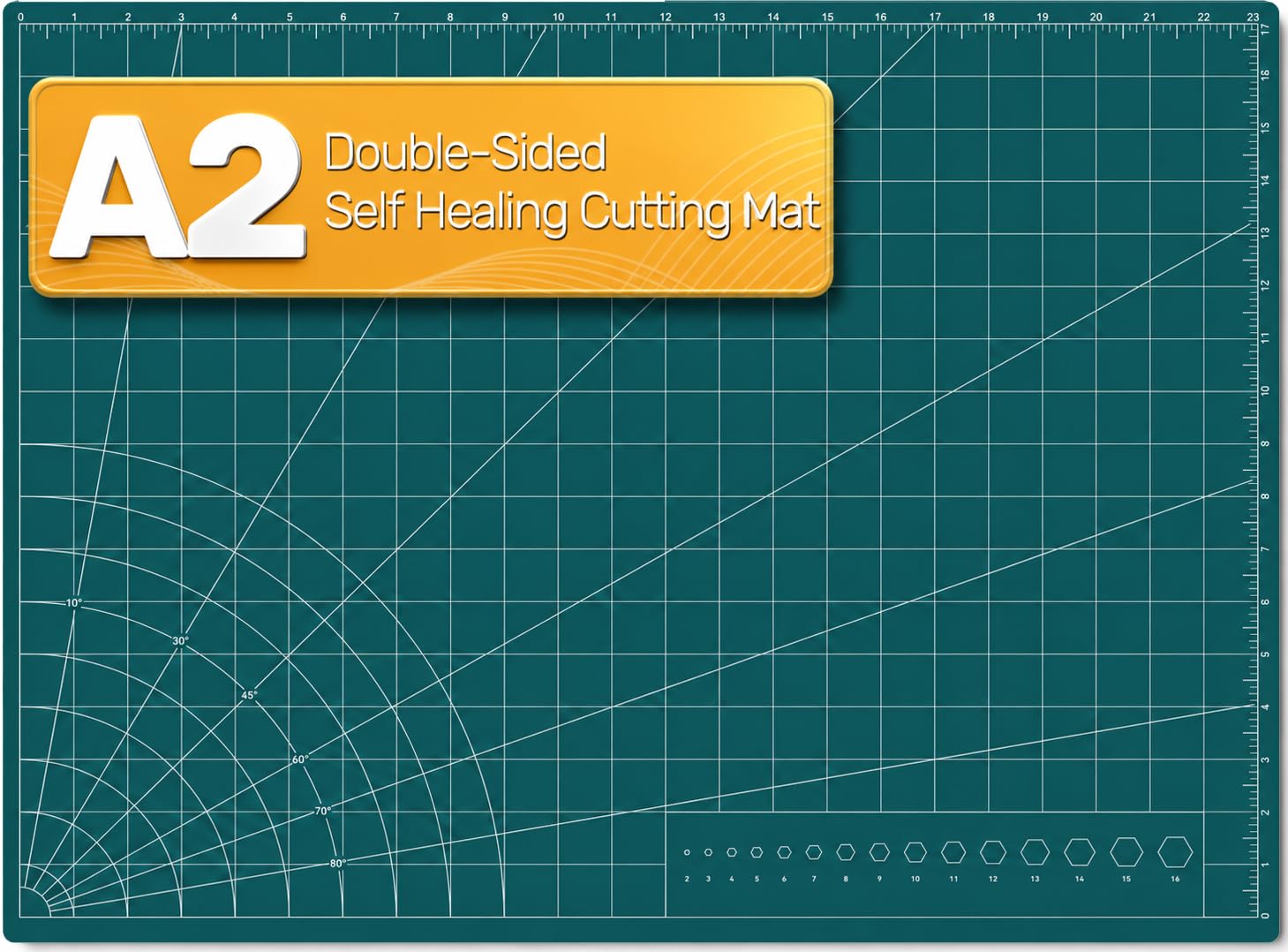
The Self Healing Cutting Mat is best for large sewing, quilting and hand-cut craft layouts. It measures 17 in x 23 in and has a double-sided rotary cutting surface.
Like the 18 in x 24 in mat above, this is a work-surface mat rather than a stated adhesive ScanNCut mat. It helps protect a table while you cut material by hand, but it is not described as a machine-feed accessory.
The double-sided design gives you two usable surfaces for rotary cutting. Its stated uses include sewing, quilting, scrapbooking and craft, so it can support preparation work before a design reaches a cutting machine.
The 17 in x 23 in format is broad enough for larger fabric pieces but takes more storage space than a 12 in x 12 in machine mat. Measure your work area before choosing a large hand-cutting board.
Choose it as a companion to your ScanNCut, not as a replacement for an adhesive mat. Its trade-off is a generous double-sided work area without stated machine compatibility.
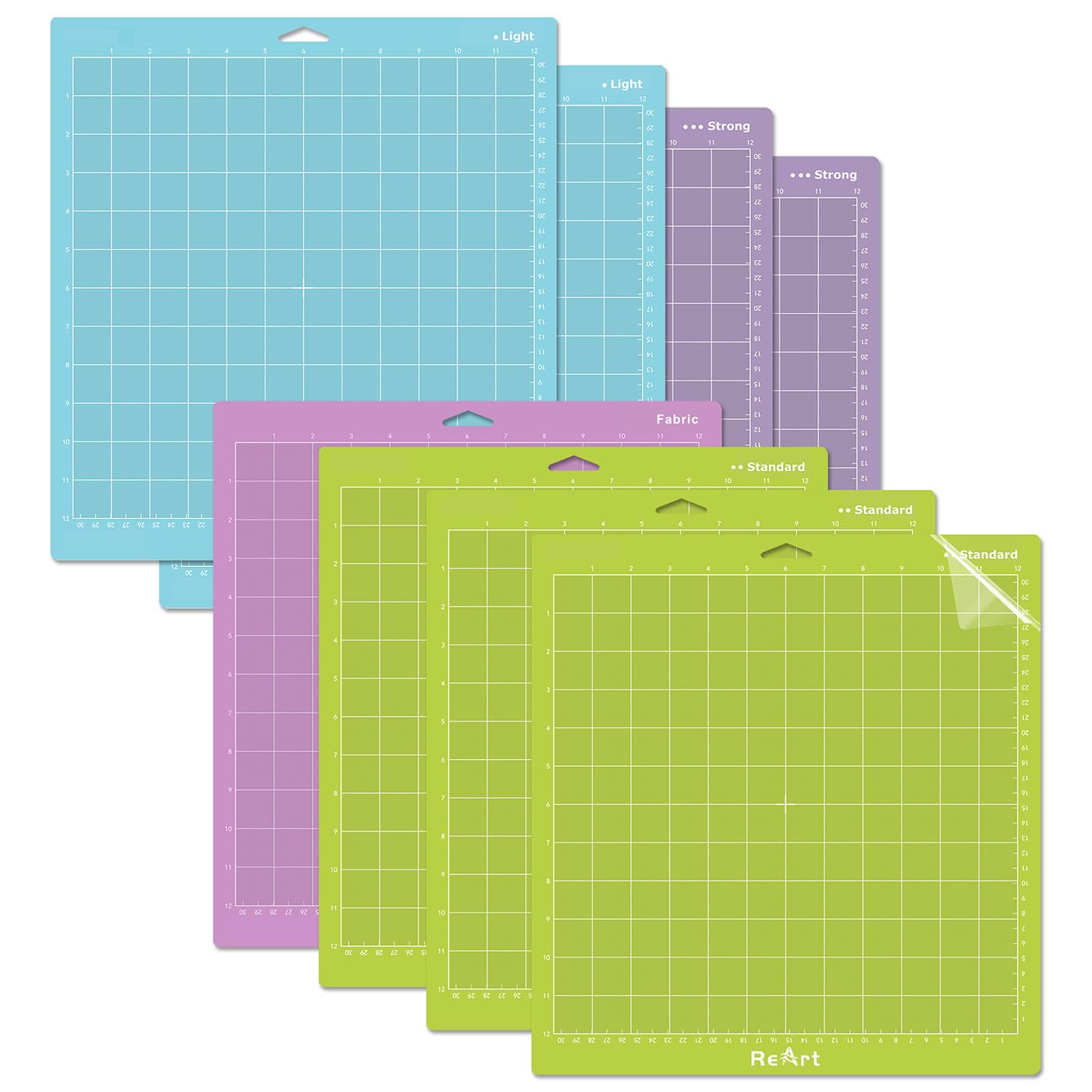
Cutting Mat 12 x 12 Inch: Best for grip-level variety
- 7 mats
- 12 in x 12 in
- 3 Standard, 2 Light, 2 Strong and 1 Fabric
Seven 12 in x 12 in mats cover standard, light, strong and fabric options for crafters who change materials often.
Pros
- Four grip categories
- Seven mats total
- Includes a fabric mat
Cons
- ScanNCut model fit needs confirmation
- Not all mats have the same grip
The Cutting Mat 12 x 12 Inch is the best pick for grip-level variety in one pack. It includes 7 mats, with 3 Standard, 2 Light, 2 Strong and 1 Fabric mat.
That mix lets you match the mat more closely to the material. Standard mats cover general work, light mats can reduce the chance of damaging delicate material during removal, strong mats provide more hold, and the fabric mat gives you a dedicated option for fabric projects.
All seven mats use the stated 12 in x 12 in size. Even so, confirm that the mat edge and adhesive layout fit your Brother machine before loading one.
This pack offers more grip categories than the StandardGrip six-pack, but fewer identical mats for repeated everyday use. It is better for a mixed craft table than for someone who wants one consistent replacement type.
Choose it if you regularly switch between paper, fabric and materials that need different levels of hold. Pick the StandardGrip pack if simplicity and repeated general use matter more.
How we compared these Brother ScanNCut mats
We compared the products by stated size, mat count, grip information, machine fit and intended use. A product with clear ScanNCut-related information received more weight for this search than a large mat designed for hand cutting.
We also looked at the practical difference between adhesive machine mats and self-healing rotary mats. The two large self-healing options are useful for sewing and quilting, but they should not be confused with mats that feed through a Brother cutting machine.
Scores reflect how well each product fits the search intent, not direct product testing. Our score weighs specs, features and buyer feedback against what you're shopping for.
The SDX125e is included because it comes with six mats and may be the right solution for someone starting from zero. It ranks below the top mat-only choices for an existing ScanNCut owner because buying a full machine bundle is a different need.
For blade planning, see our guide to best Brother ScanNCut cutting blades. A suitable mat still needs a blade that matches the material and cut depth.
What size mat does a Brother ScanNCut use?
Most of the machine-oriented options here use a 12 in x 12 in format, but size alone does not confirm compatibility. Your machine needs the correct mat edge, feed shape and usable cutting area.
The SDX125e bundle includes three 12 in x 12 in standard tack mats and three 12 in x 12 in low tack mats. That is the clearest ScanNCut-specific mat information in this group.
A 12 in x 24 in mat may offer more length, but it also needs a machine and workspace that support that format. Don't assume that a longer Cricut or Silhouette mat will work in a Brother machine.
Measure the mat you already use, including its non-adhesive edge. Compare those measurements with the replacement before ordering.
Which ScanNCut mat grip should you choose?
Choose StandardGrip for general craft materials, LightGrip for delicate materials, StrongGrip for materials that move easily, and a fabric mat when the material and machine instructions support it.
Grip that is too weak can let material shift during cutting. Grip that is too strong can make removal harder and may damage delicate material.
The StandardGrip Cutting Mat Pack is the simplest general-use choice because all 6 mats share the same stated 12 in x 12 in format and grip level. The 7-mat variety pack gives you more options, including 1 fabric mat.
Use the lightest grip that holds the material flat during the cut. Start with a small trial cut before committing the full sheet.
StandardGrip for everyday materials
StandardGrip is the middle option for routine craft work. It is a practical starting point when you cut common materials and do not need a special grip level.
Keep one mat for similar material types where possible. This makes it easier to notice when adhesive performance changes.
LightGrip for delicate materials
LightGrip is intended for materials that may be difficult to remove from a stronger adhesive surface. The 12x12 5-pack includes LightGrip mats, but its stated machine fit is Silhouette Cameo.
Confirm Brother compatibility before using that option in a ScanNCut.
StrongGrip for materials that shift
StrongGrip can be useful when material needs more hold during the cut. The same 12x12 5-pack includes StrongGrip mats, while the 7-mat variety pack includes 2 Strong mats.
Match the mat to the material and make a trial cut first.
Fabric mats for textile projects
The 7-mat variety pack includes 1 Fabric mat. The SDX125e bundle also includes low tack mats and can cut fabric among its stated material types.
For pen work and fabric projects, the Brother ScanNCut universal pen holder guide can help you plan the tool setup around the mat.
How do you clean and store a ScanNCut mat?
Keep the adhesive surface free of loose fibers, paper scraps and dust, then store the mat flat with its protective cover in place. Avoid folding the mat or leaving it exposed where debris can settle.
Use general care rather than aggressive cleaning. A mat that has lost its hold may cause material movement, but repeated attempts to restore it can change the adhesive surface.
Do not use the same mat for every material if fibers or residue transfer easily. A separate mat for fabric can help keep loose threads away from paper projects.
Store large self-healing mats flat as well. Their purpose is different from an adhesive machine mat, but warping can still make any cutting surface harder to use.
Replace a mat when it no longer holds the material flat after reasonable cleaning and careful storage. Before ordering, compare the exact mat dimensions and edge shape with your machine.
Can you use Cricut or Silhouette mats in a ScanNCut?
You should use a Cricut or Silhouette mat in a ScanNCut only after confirming the physical fit and machine guidance. The 12 in x 24 in variety pack is described for Cricut, and the 5-pack is described for Silhouette Cameo machines.
Matching dimensions do not prove that a mat will feed correctly. The edge, thickness, adhesive position and machine sensors can all matter.
A cross-brand mat may appear close enough but still sit incorrectly in the feed path. That can affect alignment and may cause a material shift.
For the lowest uncertainty, choose a mat with Brother ScanNCut compatibility stated for your exact model. If you use a cross-brand option, make a small trial cut and supervise the feed.
How many Brother ScanNCut mats should you keep?
Keep at least 2 or 3 usable mats for regular work, and consider a larger pack if you cut often or switch between materials. The right count depends on how frequently you work and whether mats need cleaning between projects.
The 6-count StandardGrip pack suits a regular crafter who wants several identical replacements. The 10-pack offers the largest supply, but its stated machine fit is for Explore Air 2, Maker 2 and Maker 3.
A mixed pack is more useful than a large identical pack when your materials vary. The 7-mat option includes Standard, Light, Strong and Fabric categories.
If you are starting with the machine itself, the SDX125e bundle includes six mats along with the cutter and blades. That is a setup choice, not a replacement-mat choice.
Best accessories to use with a ScanNCut mat
The right blade, material setting and tool setup matter as much as the adhesive surface. Always secure the material flat, choose the closest suitable grip, and make a trial cut before a full sheet.
The SDX125e bundle includes an auto blade and automatic material sensor technology. Brother says the machine can cut materials up to 3 mm thick, but a test cut remains part of the setup.
Keep a spatula or similar removal tool available when your machine setup includes one. Lift material slowly from a corner rather than pulling the whole sheet upward at once.
If you use pens, check the holder and pen fit before starting a long drawing project. The universal pen holder guide above covers that next step.
For a different type of cutting surface, our guide to Laser Cutting Mat Board for Custom Picture Framing explains why laser work uses different materials and safety checks. A laser work mat is not a substitute for a ScanNCut adhesive mat.
Likewise, a fireproof mat for laser engraving belongs to a different tool setup.
Verdict: which Brother ScanNCut mat should you buy?
The StandardGrip Cutting Mat Pack is the best Brother ScanNCut cutting mat choice for most regular craft work, provided its 12 in x 12 in format fits your machine. Six matching mats make the pack easy to understand and practical to rotate.
Choose the 7-mat variety pack if you need Standard, Light, Strong and Fabric options in one set. Choose the 12x12 5-pack only after confirming compatibility because its stated fit is for Silhouette Cameo machines.
Choose the SDX125e if you need a complete Brother ScanNCut system with six mats and six blades. Choose either self-healing mat for quilting, sewing and hand-cut layouts, not as a machine-feed replacement.
The best match comes down to the mat your model accepts, the material you cut and the grip that holds it without making removal difficult. Check those three points before ordering, then start with a small test cut.
Our top 3 picks at a glance
-
1
Best for large hand-cut projects
18" x 24" Self Healing Cutting Mat
9.7/10 our score
See it on Amazon -
2
-
3