Choosing a 60W Fiber Laser Engraver
Choose a 60W fiber laser engraver by matching the laser source to your materials and work volume. Conventional fiber models suit focused metal marking, while 60W MOPA models add pulse control, color work and deeper processing.
On this page (11 sections)
- What does a 60W fiber laser engraver do?
- Is a conventional fiber or MOPA laser better at 60W?
- What can a 60W MOPA laser engrave?
- How does pulse control change a 60W laser?
- How large should the work area be?
- Does speed matter more than power?
- Which safety class fits your workspace?
- Which product fits a mixed metal and craft workflow?
- What software and positioning features should you check?
- How should you prepare for installation and care?
- What is the final 60W fiber laser buying rule?
A 60W fiber laser engraver is best chosen by the materials, marking depth, color needs and production volume you expect. Conventional fiber systems focus on fast metal marking, while a 60W MOPA laser adds pulse and frequency control for color engraving, fine detail and deeper metal work.
Compare the laser source before comparing speed claims. Then check the working area, enclosure class, software, camera features, rotary needs and whether you also need to process wood, acrylic, leather or glass.
This guide compares conventional fiber and MOPA options within the 60W class. It also explains when a dual-laser machine or a 40W enclosed diode machine may suit your workflow better.
For an all-in-one fabrication option, see 3D printer and laser engraver combos.
What does a 60W fiber laser engraver do?
A 60W fiber laser engraver uses concentrated laser energy for work on metal surfaces. The 60W rating describes output power, but it does not tell you the full result by itself.
The same power class can produce different results because pulse width, pulse frequency, optical design, software control and material settings all affect the mark. A buyer who only compares wattage can miss the feature that matters most for the project.
A conventional fiber machine is generally aimed at metal marking and engraving. A MOPA fiber machine provides more control over the laser pulse, which can help with color effects, fine gradients and different surface finishes.
The xTool F2 Ultra combines a 60W MOPA fiber laser with a 40W diode laser. That gives it a broader material range than a fiber-only machine, including metal work through the fiber source and wood, acrylic, leather, glass, rubber and fabric through the diode source.
A 60W system can suit business orders, detailed metal work and repeated production. It may be excessive for occasional nameplates or small hobby projects.
For a low-cost hobby option, see laser engravers under 100 dollars.
Choose by the work you will repeat, not by the watt number alone.
Is a conventional fiber or MOPA laser better at 60W?
A conventional fiber laser is the simpler choice for focused metal marking, while a 60W MOPA fiber laser is better when pulse control and color work matter. Neither source is automatically better for every project.
Conventional fiber systems can make sense when your main jobs are black marking, logos, serial numbers or straightforward metal engraving. Their value comes from concentrating on the core metal workflow.
MOPA adds control over pulse width and frequency. That control can help create richer tones, finer gradients and color effects on suitable metals, but it also gives you more settings to learn and manage.
The xTool F2 Ultra is the MOPA option in this comparison. Its 60W fiber source supports color engraving, 3D deep engraving, black marking on aluminum and metal cutting up to 2 mm.
The brand also describes support for laser cleaning and thin metal welding.
When conventional fiber is the better fit
Choose conventional fiber when your materials and designs do not need pulse-width adjustment. A simpler workflow can be easier to manage when you repeat the same type of mark on metal.
You should still compare software, focus, workspace and safety features. A conventional fiber machine with a cramped work area may be less useful than a more flexible model with a larger usable zone.
Pick conventional fiber for focused metal work, and choose MOPA only when its extra control solves a real job.
What can a 60W MOPA laser engrave?
A 60W MOPA laser can handle detailed metal engraving, color effects and deeper metal processing when the machine and material settings are suitable. The xTool F2 Ultra also combines its fiber source with a 40W diode laser for non-metal materials.
For metal, the F2 Ultra is described for gold, silver, stainless steel, brass, titanium and other metals. Its fiber source supports black marking on aluminum, 3D embossing, deep engraving and color engraving.
The claimed metal cutting capacity is up to 2 mm. That does not mean every metal at every thickness will cut in the same way, so treat the material and thickness as part of the setup decision.
The diode source broadens the material list. xTool describes it for wood, acrylic, leather, glass, rubber and fabric, with cutting claims up to 20 mm acrylic and 23 mm wood.
The two sources serve different jobs. Fiber is the relevant source for metal marking and engraving, while the diode source handles many non-metal tasks.
Match the source to the material
Make a simple job list before you buy. Put metal marking, color metal work, wood cutting, acrylic cutting and other materials into separate groups.
If nearly every job is metal, a fiber-focused machine may be enough. If your work changes between metal products and larger non-metal projects, a dual-laser setup can reduce the need for a second machine.
Buy the laser source that covers your actual material list, not a material list you may never use.
How does pulse control change a 60W laser?
Pulse control gives a MOPA laser more ways to manage how energy reaches the surface. That can help with color, gradients, fine detail and different metal finishes.
The xTool F2 Ultra describes adjustable pulse width and frequency. Those controls are useful when a single fixed behavior cannot produce the surface appearance or detail you want.
Color engraving requires careful setting work because the result depends on the material, surface condition, design and laser parameters. A color file can make the starting process easier, but it does not remove the need to identify suitable settings for each job.
MOPA can also help with 3D deep engraving and layered relief work. The F2 Ultra describes a reduction in 3D embossing time compared with 20W fiber lasers, but that comparison does not predict the exact time for your design.
The benefit is control, not a guarantee of a specific finish. You still need test pieces, safe operating practice and a material-specific workflow.
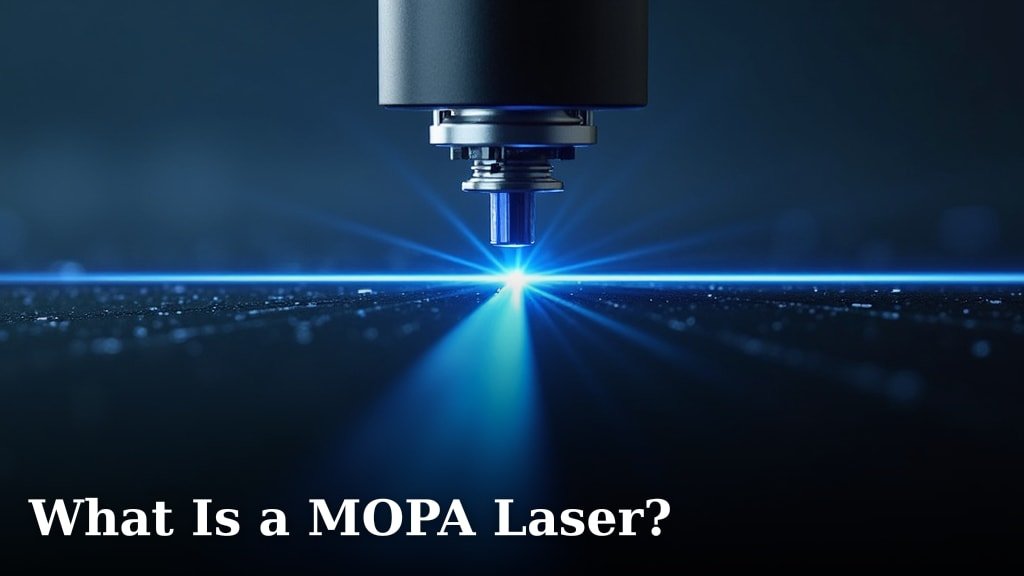
For a plain explanation of the technology, read What Is a MOPA Laser?.
Choose MOPA when pulse control supports your products, not simply because it sounds more advanced.
How large should the work area be?
Choose a work area that fits your largest regular item with room for positioning. A large power rating does not compensate for a workspace that forces you to split or reposition projects.
The xTool F2 Ultra has an 8.7 x 8.7 in desktop fiber laser work area. With the auto conveyor, the stated area can expand to 8.7 x 19.7 in for longer or batch workflows.
That size suits many small metal products, but it may not fit every sign, panel or large object in one setup. Measure your real blanks before deciding that a desktop format is enough.
The xTool S1 has a 23.93 x 15.16 in bed and supports large projects such as door signs. Its 40W laser is a diode source, not a 60W fiber source, so its larger bed serves a different material and workflow mix.
For a wider look at metal-focused options, compare this guide with Best Fiber Laser For Metal.
Measure your largest routine workpiece and select the machine that holds it without awkward repositioning.
Does speed matter more than power?
Speed matters after the machine can produce the mark you need. A faster machine is valuable for repeated orders, but speed alone does not decide quality, depth or color.
The xTool F2 Ultra describes operation at speeds up to 15,000 mm/s for its industrial-style workflow. For broader production machine choices, see industrial laser engravers.
It also describes a 0.2 mm positioning accuracy from its dual 48MP cameras.
The xTool S1 describes speeds up to 600 mm/s. Its larger bed and diode source make that speed relevant to wood, acrylic and other non-metal projects, rather than a direct substitute for a fiber machine.
Compare speed claims within the same material and task. A deep engraving pass, a color mark and a light surface mark do not place the same demand on the laser.
Production volume should influence your choice. A hobbyist may benefit more from easy positioning and flexible materials than from the highest stated speed.
Choose speed for a measured workload, and judge it alongside depth, detail and setup time.
Which safety class fits your workspace?
Safety class should match your room, training and ability to control access. The xTool F2 Ultra is described as a Class 4 laser engraver, while the xTool S1 is described as a Class 1 machine with an enclosed protective cover.
Class 4 equipment requires serious control of the operating area and beam hazards. Keep untrained people away, follow the machine's safety instructions and plan ventilation and fire precautions before installation.
The xTool S1 has an enclosed design, a protective cover that filters 99% of laser light, 5 flame sensors, an emergency stop button and a lid-open stop feature. Those features make its operating approach different from an open or Class 4 fiber workflow.
Safety features do not replace supervision or safe material selection. Do not assume that an enclosure makes every material or process safe.
Before choosing a 60W fiber laser engraver, write down who can enter the room, how smoke will be handled and how you will stop a job quickly.
Treat the safety class as a buying requirement, not an afterthought.
Which product fits a mixed metal and craft workflow?
The best match depends on whether your main need is advanced metal work or a larger enclosed craft bed. These products serve different jobs, so compare their roles rather than treating them as three versions of one machine.
For advanced 60W metal and mixed-material work
The xTool F2 Ultra combines a 60W MOPA fiber laser with a 40W diode laser for color metal work, deep engraving and non-metal cutting.
The F2 Ultra is the clearest match for a buyer specifically comparing 60W MOPA capability. Its fiber source supports color engraving, 3D embossing and metal work, while its diode source handles wood, acrylic, leather, glass, rubber and fabric.
Its desktop fiber work area is 8.7 x 8.7 in, expandable to 8.7 x 19.7 in with the auto conveyor. Dual 48MP cameras support positioning accuracy described as 0.2 mm.
The machine is listed as Class 4 and weighs 67.9 lb. Its dimensions are 16.88 x 11.57 x 20.51 in, so plan the bench and access route before ordering.
The box includes the xTool F2 Ultra Dual laser machine and a base material kit.
Choose the F2 Ultra when MOPA control and mixed-material production justify a Class 4 machine.
For a larger enclosed diode bed
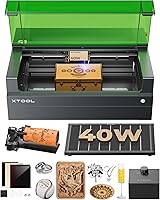
The xTool S1 40W Rotary Bundle suits large wood, acrylic and craft projects when an enclosed 40W diode machine is a better fit than a 60W fiber system.
The S1 has a 23.93 x 15.16 in bed, speeds up to 600 mm/s and a 40W diode laser. It is described for wood, metal, acrylic and tumblers, but its diode source places it in a different category from the F2 Ultra's 60W fiber source.
Its AutoPassthrough Technology supports projects up to 118 in, and its Pin-point Positioning technology supports curved-surface work such as spoons and plates.
The enclosed Class 1 design includes the protective cover, flame sensors, emergency stop and lid-open stop feature. Those details may matter more than fiber power for a home craft workspace.
For a narrower look at 30W fiber machines, see Best 30W Fiber Laser Engravers.
Choose the S1 when bed size, enclosure and diode craft work matter more than 60W fiber output.
What software and positioning features should you check?
Choose software and positioning tools that reduce setup errors for your normal work. A powerful laser still needs a repeatable way to place designs on flat and curved objects.
The F2 Ultra uses dual 48MP cameras for positioning and describes automatic material detection, settings suggestions and one-click focus and preview. Those tools can help with placement, especially when the design must align with an existing object.
The S1 uses xTool Creative Space and includes autofocus. xTool also describes more than 400 materials with parameter settings and more than 1,000 project tutorials.
Treat automated settings as starting points. Material batches, surface finishes and design density can change the result, so keep a controlled setup process and record settings that work.
If you are still comparing the broader machine category, read How to Choose a Laser Engraver: A Complete Buying Guide.
Prioritize repeatable positioning and clear software support before chasing extra features.
How should you prepare for installation and care?
Prepare the workspace before the machine arrives. Check the footprint, access route, electrical setup, ventilation plan, material storage and emergency stop access.
Keep the work surface level and strong enough for the machine. The F2 Ultra weighs 67.9 lb, and the S1 weighs 86.8 lb, so moving help may be needed during placement.
Keep the optical path and working area clean according to the manufacturer's instructions. Remove debris between jobs, inspect the machine before use and avoid placing loose materials where they can interfere with movement.
For rotary work, secure the object before starting and confirm the accessory is compatible with your laser machine.
Start with a small test area before a full production run. This is especially important for color engraving, deep engraving, unfamiliar metals and materials that react differently to heat.
For operating steps and setup basics, follow How to Use a Fiber Laser Engraver.
Set up the room, machine and material test process before accepting regular orders.
What is the final 60W fiber laser buying rule?
Choose the xTool F2 Ultra 60W MOPA & 40W when you need controlled metal work, color engraving, deeper processing and a second laser source for non-metal materials. Its 60W MOPA fiber laser is the strongest match for the specific 60W fiber search.
Choose a conventional fiber machine when your work is mainly direct metal marking and you do not need MOPA pulse control. In that case, compare the exact machine's workspace, safety class, software and material support rather than assuming every 60W model behaves the same.
Choose the xTool S1 40W Laser Cutter and Laser when you need a larger enclosed bed for wood, acrylic and craft projects. Its 40W diode source is not a substitute for 60W fiber metal work, but it can be the better fit for a mixed craft workspace.
A 60W fiber laser engraver earns its place when its power, pulse behavior, workspace and safety requirements match your repeat work. Pick the laser source first, then confirm the machine can safely handle your materials and production size.