xTool S1 1064nm Infrared Laser Module Review: Worth It? (October 2026)
The xTool S1 1064nm infrared laser module adds metal and small-item engraving to the S1, with a stated 2W output and 0.03mm spot. It works with the S1 Laser Engraver only, so confirm you own that machine before considering it.
On this page (8 sections)
- What does the xTool S1 1064nm infrared module do?
- Which materials can the S1 infrared module engrave?
- Is the infrared module worth it for xTool S1 owners?
- What should you check before adding it to the S1?
- How does it compare with a red dot laser module?
- How does it fit into a larger xTool setup?
- What are the main drawbacks?
- Should you buy the xTool S1 infrared module?
The xTool S1 1064nm infrared laser module adds infrared engraving capability to the xTool S1, especially for metal and small personalized items. It has a stated 2W output, a 0.03mm spot and compatibility with the S1 Laser Engraver only.
This review is for S1 owners weighing a metal engraving accessory against a more general-purpose upgrade. The main decision is whether you need its material range and fine spot enough to accept the machine-specific fit and Class 4 safety requirements.
What does the xTool S1 1064nm infrared module do?
The xTool S1 1064nm infrared module is an S1-only accessory for engraving metals and other materials. Its 1064nm wavelength and 2W output are aimed at detailed work, including jewelry and small objects.
xTool S1 1064nm Infrared Laser Module: Best for S1 metal engraving

- 1064nm infrared laser
- 2W output
- 0.03mm spot
- 0.01mm motion precision
An S1-only accessory for detailed engraving on metals and other compatible materials. Its stated 0.03mm spot and 0.01mm motion precision suit small designs.
Pros
- Designed for the xTool S1
- Supports engraving on a range of metals
- Fine 0.03mm laser spot
- Can engrave leather, plastic and other listed materials
Cons
- Not compatible with other engravers
- Class 4 laser product requires careful safety practices
- Material results depend on the specific workpiece and settings
xTool gives a 0.03mm laser spot and 0.01mm motion precision for this module. Those figures describe a fine engraving setup, but they don't guarantee that every material or design will produce the same result.
A laser module is the part that produces the engraving beam, while the machine controls its movement over the work. If you want a plain-language explanation of the component, read what a laser module is.
Which materials can the S1 infrared module engrave?
The module is described for metals, leather, opaque plastics, dark non-transparent acrylic, stone, glass and ceramic, with marking paper specified for glass and ceramic. Circuit boards are also included in its stated material range.
The metal list includes gold, silver, platinum, copper, aluminum, zinc, titanium, iron, stainless steel, metal oxides and alloys. That makes the accessory relevant if your current S1 setup can't handle the metal projects you want to personalize.
xTool says it can cut aluminum, copper and stainless steel up to 0.05mm thick. Treat that as a thin-sheet capability, not a general metal-cutting promise.
For jewelry, small text, logos and compact designs are a natural fit for the module's fine spot. Before committing a valuable item, confirm xTool's material guidance and use a sample that matches the material and finish.
Is the infrared module worth it for xTool S1 owners?
The module is worth considering if metal engraving is a regular part of your S1 work. Its value is less clear if you mostly cut wood or use materials already suited to your current laser.
If wood cutting is part of your workflow, see these wipes for cleaning laser-cut wood.
The dedicated infrared source expands the kinds of jobs you can take on, including personalization of rings, bracelets and necklaces. xTool states an engraving speed of 600mm/s, but the practical result will depend on the workpiece, artwork and settings.
The compatibility limit is decisive: this module is for the S1 Laser Engraver only. If you have another machine, first compare the accessories made for that model, such as these best xTool D1 laser module options.
Think through how often you expect to engrave metal and whether your workspace is ready for a Class 4 laser. If those jobs are occasional, the cost and added setup may be harder to justify than using a service or choosing a machine that already fits your projects.
What should you check before adding it to the S1?
Confirm machine compatibility and laser safety before you add the infrared module. Accessory fit is only one part of a usable setup.
Check that your engraver is an xTool S1 and review the machine and module instructions for installation and operation. The module is not described as a universal attachment for xTool machines.
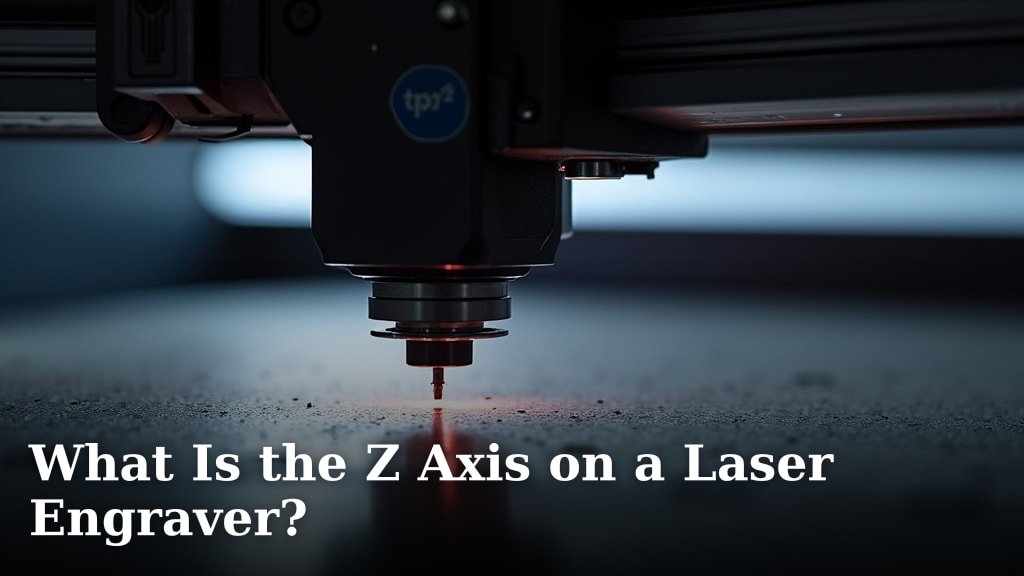
Also consider object height and focus needs. The Z axis on a laser engraver affects how the machine handles work at different heights, so account for the item shape and any fixtures before planning jewelry work.
Review the S1 accessories you already own, along with any enclosure or exhaust setup required by xTool. This guide to xTool S1 attachments can help you map the module into a broader accessory plan.
How does it compare with a red dot laser module?
The xTool infrared module engraves materials, while the Quarton red dot module is for positioning and alignment. They solve different problems and aren't alternatives for engraving metal.
Quarton's module uses a 650nm red laser rated below 2.5mW, with a compact 7mm diameter by 21mm length. It needs an external 2.6 to 6V power source and wiring, and isn't intended as a general consumer laser pointer.
For metal engraving, choose the xTool infrared module if you own the S1 and need that capability. For alignment, use a purpose-built pointer only when its mounting and power requirements fit your machine and project.
For a separate CO2 setup, see how to align a CO2 laser tube.
If metal is your main focus, compare other approaches in our guide to the best infrared laser for metal. The right choice depends on your machine, material and whether you need engraving or a positioning aid.
How does it fit into a larger xTool setup?
The infrared module makes most sense as one part of an S1 setup built around specific projects. It won't replace jigs or other attachments that help hold and position work.
If you are also planning the work surface, compare honeycomb bed alternatives.
Small objects such as rings and bracelets can need repeatable placement. Check whether your project benefits from a jig, rotary tool or another accessory before assuming the laser module alone will make production easier.
Jig advice for other xTool machines may still help you think through positioning, but those jigs are model-specific. See our guides to xTool F1 Ultra jigs and xTool F2 jigs for examples of how fixtures support repeat work on those machines.
What are the main drawbacks?
The biggest drawback is limited compatibility with the S1. Owners of other engravers need a different module, and even S1 owners should confirm their actual materials and workflow call for infrared engraving.
The 2W output and stated 0.05mm metal cutting limit also set expectations. This is a specialized engraving accessory, not a substitute for a higher-power cutter when the job involves thicker stock.
Safety is another real consideration. Class 4 equipment requires a controlled setup and attention to xTool's operating requirements, so don't treat the module as a casual add-on.
For eyewear, match protection to your laser's wavelength and specifications with this fiber laser safety glasses guide.
Should you buy the xTool S1 infrared module?
Choose the xTool S1 1064nm infrared module if you own an S1 and want to engrave metal or small detailed items. Its 1064nm source, 2W output and fine spot target that work directly.
Skip it if you need a module for a different machine, mostly cut thicker materials, or don't have a suitable Class 4 laser setup. For an S1 owner with recurring metal projects, this is a focused capability upgrade; otherwise, other accessories may serve more of your day-to-day work.
Frequently asked questions
What can the xTool S1 1064nm infrared module engrave?
The xTool S1 infrared module is intended for metals and can also engrave leather, opaque plastic, dark-colored non-transparent acrylic, stone, glass and ceramic with marking paper, and circuit boards. Material and finish can affect the result, so check xTool's current material guidance and run a suitable setup on a safe sample before making a finished item.
Does the xTool S1 infrared module work with other machines?
No. This module is compatible with the xTool S1 Laser Engraver only.
If you have a different xTool machine, check that model's accessories instead; a module made for the S1 should not be assumed to fit a D1 or another engraver.
Can the xTool S1 infrared module cut metal?
The stated capability is cutting aluminum, copper and stainless steel up to 0.05mm thick. That narrow thickness limit matters, and it doesn't mean the module can cut thicker metal stock.
For most buyers, its main role is engraving rather than general metal cutting.
Is the xTool S1 infrared module safe to use?
It is a Class 4 laser product. Follow xTool's operating and safety instructions, and use the protective equipment and safeguards required for your setup.