9 Best Laser Engraver for Metal and Glass (October 2026)
The best laser engravers for metal and glass include the xTool S1 40W Laser Cutter and Laser for large batch projects, the BlazeX M3 10W Laser Engraver Machine for glass and metal projects, and the xTool F2 5W IR & 15W Diode for metal color marking.
On this page (7 sections)
- How we chose laser engravers for metal and glass
- Compare these metal and glass laser engravers
- Which laser engravers suit glass and metal projects?
- What should you check before engraving metal or glass?
- Which laser type should you choose for metal and glass?
- How do glass, slate and photo engraving needs differ?
- Which laser engraver should you choose for metal and glass?
The best laser engraver for metal and glass depends on the surfaces you want to mark. The BlazeX M3 and Creality 10W name both materials, while the xTool F2 has a 5W infrared laser described for metal color marking.
Metal and glass are not single, uniform materials. A diode machine may work on coated metal or dark glass, while bare steel, shiny metal and clear glass can need different equipment or surface preparation.
If glass is your main material, compare these picks with our Best Laser Engraver For Glass guide. For glass designs that need a different laser approach, see how to choose a UV laser engraver for glass.
Our picks at a glance
-
1
-
2
 Best for glass and metal projects
BlazeX M3 10W Laser Engraver Machine
9.4/10 our score
See it on Amazon -
3

- 4
 Check it
LaserPecker LP2 Laser Engraver with Roller
Best for coated metal and curved items - 5
 Check it
Twotrees TTS-55 Pro Laser Engraver 5500mW Laser
Best for mixed hobby materials - 6
 Check it
Creality Laser Engraver Machine 10W Output Power
Best for a 10W open-frame option - 7
 Check it
ACMER S1 Laser Engraver Machine
Best for compact projects - 8
 Check it
Twotrees TTS-10 Pro Laser Engraver
Best for coated metal and dark glass - 9
 Check it
Carverall K15 Pro Laser Engraver 10W Laser
Best for an upgrade path to bare metal
How we chose laser engravers for metal and glass
The best laser engraver for metal and glass should match the surface, mark style and workpiece shape you plan to use. We compared the stated laser types, material guidance, work areas and included features, and gave more weight to machines with useful details for both materials.
A broad material list is not enough to confirm every finish will work. Look for clear guidance on bare or coated metal, light or dark glass, and any surface preparation you may need.
The score weighs specs, features and buyer feedback against what you're shopping for.
Compare these metal and glass laser engravers
The xTool S1 leads for a large enclosed setup, while the BlazeX M3 and Creality name both target materials. The xTool F2 is the clearest choice here for metal color marking.
| Product | Best for | Laser | Bed size | Engraving speed | Our score |
|---|---|---|---|---|---|
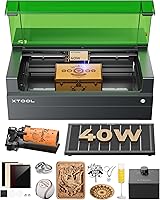
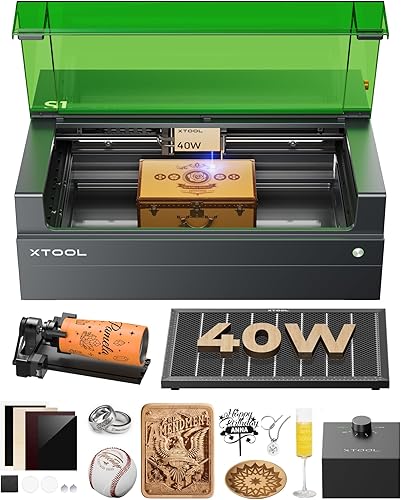
| xTool S1 40W Laser Cutter and Laser | large batch projects | 40W | 23.93 x 15.16 in | Up to 600 mm/s | 9.5 |
| BlazeX M3 10W Laser Engraver Machine | glass and metal projects | 10W | 9.4 | ||
| xTool F2 5W IR & 15W Diode | metal color marking | 9.4 | |||
| LaserPecker LP2 Laser Engraver with Roller | coated metal and curved items | 9.3 | |||
| Twotrees TTS-55 Pro Laser Engraver 5500mW Laser | mixed hobby materials | 5.5W | 9.2 | ||
| Creality Laser Engraver Machine 10W Output Power | a 10W open-frame option | 9.1 | |||
| ACMER S1 Laser Engraver Machine | compact projects | 2.5W diode | 9.0 | ||
| Twotrees TTS-10 Pro Laser Engraver | coated metal and dark glass | 10W diode | 8.9 | ||
| Carverall K15 Pro Laser Engraver 10W Laser | an upgrade path to bare metal | 8.9 |
Which laser engravers suit glass and metal projects?
The BlazeX M3 is the most direct match when one machine needs stated support for both materials. The other picks fit particular metals, surface treatments, job sizes or workflows.
xTool S1 40W Laser Cutter and Laser: Best for large batch projects
- 40W laser
- 23.93 x 15.16 in bed
- Up to 600 mm/s engraving speed
- Enclosed design
A large bed and enclosed design suit buyers handling sizable jobs. The product name includes metal, but the details do not specify which metal surfaces it can mark.
Pros
- Large stated bed size
- Enclosed design with lid-open stop
- Rotary bundle
Cons
- Metal marking surface compatibility needs confirmation
- 86.8 lb item weight
The xTool S1 pairs a 40W laser with a 23.93 x 15.16 in bed, giving you room for larger layouts or batches. Its enclosed design includes a lid-open stop and flame sensors.
The product name includes metal, but the specific details do not identify which metal surfaces the S1 can mark. Confirm whether your metal type and finish are supported before relying on it for metal work.
For glass projects, ask about the glass color, coating and preparation method. If large glass pieces matter more than metal, compare the machine's bed size with our best laser engraver for slate guide for another surface-focused buying perspective.
Choose the S1 if you want a large work area and enclosure, and can confirm material compatibility for your projects. Its stated 86.8 lb weight also makes it less suited to frequent moving.
BlazeX M3 10W Laser Engraver Machine: Best for glass and metal projects
- 10W laser
- Glass and metal listed as engraving materials
- Smart camera
- Enclosure
The material guidance covers both glass and metal, making this a direct match for mixed-material projects. Confirm the exact metal types and glass preparation required for your designs.
Pros
- Both target materials are named
- Camera previews design placement
- Enclosure included
Cons
- Exact metal and glass limits need confirmation
- Work area dimensions are not specified
The BlazeX M3 is the most direct match for mixed-material work because its material guidance names both metal and glass. It includes a smart camera for previewing placement and a protective enclosure.
The product details don't identify the exact metal alloys, finishes or glass types it can mark. Before committing to a project, check whether the machine supports the surface you have and whether it needs a coating or other preparation.
The camera can help position a design on a workpiece, and the machine is described as compatible with LightBurn and CutLabX. Its work area dimensions are not stated, so measure your largest piece and confirm it will fit.
Pick the M3 when one machine needs stated support for glass and metal, with camera guidance for layout. Confirm material limits and workspace size before planning larger jobs.
xTool F2 5W IR & 15W Diode: Best for metal color marking
- 5W infrared and 15W diode lasers
- Color marking on metal
- 50MP camera
- Up to 6,000 mm/s
The infrared laser is the clearest match here for metal marking, while the diode adds other material options. The stated details do not confirm glass engraving.
Pros
- Dedicated IR laser for metal marking
- Built-in camera for alignment
- Portable, enclosed design
Cons
- Glass capability needs confirmation
- Class 4 laser classification
The xTool F2 is the strongest match for metal color marking because it combines a 5W infrared laser with a 15W diode laser. For another xTool dual-laser comparison, see our xTool F1 Ultra review.
Its built-in 50MP camera is described for aligning small pieces.
The stated metal feature is color marking, not a blanket promise for every metal or finish. Glass capability is not confirmed in the product details, so compare another machine if glass is a core part of your workload.
At 4.6 kg, the F2 is positioned as a portable desktop machine for workshops, stores and on-site customization. For other portable options aimed at metal work, compare portable laser engravers for metal.
Its enclosed design includes a fan, while an optional purifier is described for fume control.
Choose it for metal work where color marking and camera alignment matter. If you also need glass engraving, verify that specific capability before choosing this dual-laser setup.
LaserPecker LP2 Laser Engraver with Roller: Best for coated metal and curved items
- Coated metal engraving
- Rotary roller included
- Portable handheld design
- Up to 196 in engraving length
The roller supports cylindrical work, and the material guidance names coated metal. It is not a fit for pure or shiny metal, and glass needs preparation because light or transparent surfaces reflect the laser.
Pros
- Roller included for cylindrical items
- Portable handheld design
- Clear limits for metal use
Cons
- Not for pure or shiny metal
- Light or transparent materials need black coating
The LaserPecker LP2 fits coated metal and cylindrical projects better than bare-metal work. Its included roller can rotate tumblers or other cylindrical pieces.
Its metal guidance excludes pure and shiny metal. The instructions also warn that light-colored or transparent material reflects the laser and recommend coating it black before engraving, then wiping the coating away when finished.
The portable handheld unit connects to a smartphone or PC. The roller supports cylinder mode, while slab and trolley modes extend engraving length up to 196 in, with width limited to 4 in.
Choose it for coated metal, portability and curved workpieces. It is a poor fit if your main goal is marking bare or shiny metal, and clear glass needs careful surface preparation.
Twotrees TTS-55 Pro Laser Engraver 5500mW Laser: Best for mixed hobby materials
- 5.5W laser
- Stainless steel named among materials
- 300 x 300 mm work area
- Air-assist nozzle
A 300 x 300 mm work area and stainless steel material guidance make this a possible hobby pick. Glass suitability is not specified, so verify it before planning glass work.
Pros
- Stated stainless steel support
- 300 x 300 mm work area
- LightBurn compatibility
Cons
- Glass suitability needs confirmation
- 5.5W output
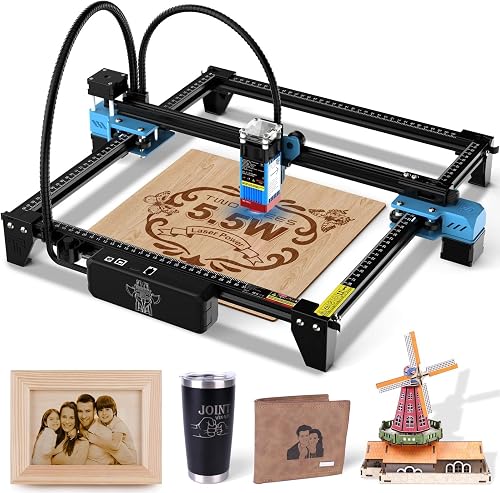
The Twotrees TTS-55 Pro is a 5.5W machine with a 300 x 300 mm work area. Its material guidance includes stainless steel, but it does not specify glass compatibility.
The metal air-assist nozzle and red laser shield are part of the stated setup. The machine also supports LightBurn and LaserGRBL, with online and TF card offline engraving options.
Before choosing it for stainless steel, check whether your finish needs coating or other preparation. For glass work, confirm compatibility instead of assuming that a broad material range includes your project surface.
Pick this model if your work is mostly on materials it explicitly supports and you want a square desktop work area. Look elsewhere if glass is required and you cannot confirm compatibility.
Creality Laser Engraver Machine 10W Output Power: Best for a 10W open-frame option
- 10W output power
- Metal and glass named among materials
- 17 x 16 in work area
- LightBurn compatibility
The broad work area and stated support for both materials make this a practical option to compare. Check which metal finishes and glass treatments work with your intended designs.
Pros
- Both target materials are named
- 17 x 16 in work area
- Compatible with LightBurn
Cons
- Specific surface limits need confirmation
- Open-frame design
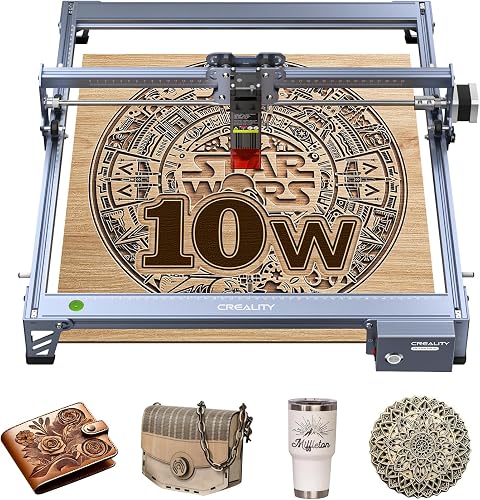
The Creality 10W names both metal and glass and provides a 17 x 16 in work area. That makes it a useful comparison for buyers who need a larger open-frame option.
It supports LightBurn and LaserGRBL and transfers files over Wi-Fi, USB or SD card. Its module's acrylic filter is described as filtering 97% of UV rays, but follow the machine's safety instructions when operating it.
The material details don't specify which metal finishes or glass types are supported. Confirm those surface limits and any needed preparation before choosing it for a production workflow.
Choose the Creality when bed size and stated support for both materials are key. Compare its open frame with an enclosed machine if you want a more contained setup.
ACMER S1 Laser Engraver Machine: Best for compact projects
- 2.5W diode laser
- 130 x 130 mm work area
- Aluminum oxide and ceramics listed
- 99% preassembled
Its compact work area and material guidance may suit small projects on compatible surfaces. The stated materials do not confirm glass or metal marking, so check those uses before buying.
Pros
- Small, portable frame
- Preassembled for setup
- LightBurn and LaserGRBL support
Cons
- Glass and metal marking not confirmed
- Small 130 x 130 mm work area
The compact ACMER S1 is a 2.5W diode engraver with a 130 x 130 mm work area. Its named materials include aluminum oxide and ceramics, but glass and metal marking are not confirmed.
It arrives 99% preassembled and supports LightBurn and LaserGRBL. The small footprint suits detailed work on compact pieces, but it limits the size of the designs you can place on the bed.
Don't assume that aluminum oxide guidance means it can mark bare aluminum. Confirm whether the surface you plan to use is supported, and choose another machine if you need confirmed glass or metal capability.
Consider it for smaller projects on materials it explicitly names. It's not a strong match for this roundup's core use unless the brand confirms your intended metal or glass surface.
Twotrees TTS-10 Pro Laser Engraver: Best for coated metal and dark glass
- 10W diode laser
- Coated or anodized metal
- Dark glass
- 300 x 300 mm work area
This machine names both dark glass and coated or anodized metal as suitable surfaces. Bare steel and uncoated metal are not recommended without marking spray or surface preparation.
Pros
- Both target material types are addressed
- 300 x 300 mm work area
- Offline TF card engraving
Cons
- Not recommended for bare steel without preparation
- Glass guidance is limited to dark glass
The Twotrees TTS-10 Pro names dark glass and coated or anodized metal among its suitable surfaces. Its 300 x 300 mm work area gives room for common small-shop items such as coasters and signs.
Bare stainless steel and uncoated metal are not recommended unless you use marking spray or surface preparation. That boundary matters if you expect the machine to mark untreated metal directly.
The machine supports LightBurn and LaserGRBL and can engrave from a TF card offline. Its 10W diode is described for wood, bamboo, acrylic, leather, dark glass and coated metal.
Choose it for projects that fit the stated surface guidance. For clear glass or bare metal, verify the preparation method or select a machine with confirmed support.
Carverall K15 Pro Laser Engraver 10W Laser: Best for an upgrade path to bare metal
- 10W diode laser
- Coated metal and glass listed
- 11.8 x 7.9 in workbed
- Optional 1W IR head for stainless steel and aluminum
The diode is described for coated metal and glass, with an optional IR head for stainless steel and aluminum. Check whether the separate head fits your budget and workflow before choosing this route.
Pros
- Both glass and coated metal are named
- Optional IR upgrade for stainless steel and aluminum
- A4-size workbed
Cons
- Bare-metal use requires an optional head
- Glass surface details need confirmation
The Carverall K15 Pro is described for glass and coated metal, with an optional 1W IR head for stainless steel and aluminum. Its 11.8 x 7.9 in workbed suits smaller pieces and craft projects.
The upgrade is separate, so factor that into your setup if bare-metal marking is part of the plan. The diode-only material guidance focuses on coated metal, glass, wood, acrylic and leather.
The machine supports CutLabX, LightBurn and LaserGRBL. Four heightening columns can raise work for taller items.
Choose it if you want a compact diode setup with a stated path to some bare-metal work. Confirm glass surface guidance and the compatibility of the optional IR head before deciding.
What should you check before engraving metal or glass?
Check the exact surface and finish before choosing a machine, because metal and glass cover materials that behave differently under a laser. Match the machine's guidance to your workpiece rather than relying on broad material labels.
For metal, distinguish coated, anodized and bare surfaces. The LP2 excludes pure and shiny metal, while the TTS-10 Pro calls out coated or anodized metal and warns about bare steel.
For glass, look for guidance about dark, clear or coated surfaces. Transparent material can reflect laser light, and the LP2 instructions recommend applying a black coating before engraving reflective light-colored or transparent materials.
Also check workpiece size, shape and workspace. A roller can help with tumblers, while a larger flat bed suits panels or batch layouts; confirm the machine can hold your piece securely.
Which laser type should you choose for metal and glass?
Choose a laser based on the mark you need and the material's surface, then confirm the brand supports that exact use. The xTool F2's infrared laser is described for color marking on metal, while several diode machines specify coated metal or dark glass.
A diode engraver can be a practical choice for coated metal or dark glass when its material guidance matches your project. Don't assume that a diode can mark bare steel or clear glass just because the product is described as multi-material.
A dual-laser machine can broaden material options, but the xTool F2's glass capability is not confirmed here. Ask xTool about glass before choosing it for a combined workload.
How do glass, slate and photo engraving needs differ?
Glass, slate and photo engraving call for different surface guidance, so choose a machine around the finish and image detail you want. For photo work, compare our Best Laser Engraver For Photo Engraving guide.
Glass projects need clear advice about color, coating and reflection. Slate is a separate material with its own surface and contrast considerations, so use a machine guide that addresses slate directly.
A machine that handles one material well may not be the best choice for another. Compare the recommended laser type, work area and preparation steps for each surface before buying.
Which laser engraver should you choose for metal and glass?
Choose the BlazeX M3 if you need stated support for both metal and glass, and verify the exact surfaces before buying. Pick the xTool F2 for its stated metal color marking, the TTS-10 Pro for coated metal and dark glass, or the Carverall K15 Pro if its optional IR upgrade fits your bare-metal plans.
For a large work area, compare the xTool S1 or Creality, then confirm their metal and glass limits. The best laser engraver for metal and glass is the one whose material guidance matches your workpieces, with enough bed space for your largest project.
Our top 3 picks at a glance
-
1
-
2
Best for glass and metal projects
BlazeX M3 10W Laser Engraver Machine
9.4/10 our score
See it on Amazon -
3
Frequently asked questions
Can one laser engraver mark both metal and glass?
Some machines are described for both, but the exact surface matters. A diode engraver may handle coated metal or dark glass, while bare steel and clear glass can need a different laser or surface preparation.
Check the maker's material guidance for the exact metal finish and glass type you plan to use.
What kind of laser is best for metal marking?
The right laser depends on the metal and the mark you want. The xTool F2 combines a 5W infrared laser described for color marking on metal with a 15W diode laser for other tasks.
For bare steel or aluminum, confirm compatibility before choosing a diode-only machine.
Can a diode laser engrave glass?
Some diode machines are described for glass, but their guidance may be limited to dark glass or surfaces treated to reduce reflection. Clear glass can reflect laser light, so follow the machine maker's material instructions and safety guidance.
Check for specific advice about the glass color, coating and preparation.
Do I need a rotary attachment for glass projects?
A rotary attachment helps hold and turn cylindrical items such as tumblers. The LaserPecker LP2 includes an electric roller, and the xTool S1 product name specifies a rotary bundle.
For flat glass panels, a rotary attachment may not be needed; match the machine setup to the shape of your workpiece.