9 Best Heat Press Transfer Paper (November 2026)
The best heat press transfer paper include the Avery Heat Transfer Paper for dark cotton fabrics, the TransOurDream Upgraded Iron on Heat Transfer Paper for light-fabric inkjet projects, and the Bryco Goods White Kraft Butcher Paper Roll for sublimation barrier paper.
On this page (8 sections)
- The best heat press paper for each project
- How we compared the best heat press paper
- Which heat press paper works with your printer?
- Should you choose light or dark heat transfer paper?
- How many sheets do you need?
- What should you use as a protective sheet?
- How do you prepare heat press paper?
- Best heat press paper verdict
The best heat press paper for most light-fabric inkjet projects is TransOurDream Upgraded Iron on Heat Transfer Paper because it has 15 sheets, works with pigment or dye ink, and includes reusable Teflon paper. Avery is the better match for dark cotton fabrics, while Cricut Sublimation Paper fits high-volume sublimation work.
Heat press paper is not one universal material. The right choice depends on your printer ink, garment color, fabric blend and transfer method.
If you are still choosing the machine itself, start with this guide to heat press machines. For the rest of your setup, our guide to heat press materials explains the role of transfer paper, protective sheets and other supplies.
Our picks at a glance
-
1

-
2
 Best for light-fabric inkjet projects
TransOurDream Upgraded Iron on Heat Transfer Paper
9.7/10 our score
See it on Amazon -
3
 Best for sublimation barrier paper
Bryco Goods White Kraft Butcher Paper Roll
9.7/10 our score
See it on Amazon
- 4
 Check it
TransOurDream Heat Transfer Paper for Dark T
Best for repeated dark-shirt projects - 5
 Check it
HTVRONT Heat Transfer Paper for Dark T
Best for a simple dark-shirt pack - 6
 Best for mixed light and dark batchesCheck it
- 7
 Check it
Cricut Heat Transfer Paper for Light T-Shirts
Best for Cricut light-shirt projects - 8
 Best for high-volume Cricut sublimationCheck it
- 9
 Check it
Printers Jack Sublimation Paper 8.3 x 11.7
Best for wide sublimation sheet size
The best heat press paper for each project
The best paper depends first on whether you are making an inkjet iron-on transfer or a sublimation transfer. The products below are ordered by score, with each pick matched to a different project need.
If you want a prepared design instead, browse heat press decals.
Avery Heat Transfer Paper: Best for dark cotton fabrics
- 8.5 x 11 in sheets
- 5 sheets
- For dark fabrics
- For inkjet printers
Avery suits dark cotton projects that need a white transfer base and simple printing. Its 5-sheet pack is smaller than most alternatives here, but the paper works with an iron or heat press.
Pros
- Designed for dark fabrics
- Works with standard irons and heat presses
- No mirror printing
Cons
- Only 5 sheets
- Inkjet printers only
Avery is the strongest match here for dark cotton and cotton/poly fabrics. Its 8.5 x 11 in sheets use a white transfer surface, which helps printed designs remain visible on black or other dark garments.
The pack contains 5 sheets, so it suits a small batch, a gift project or a design you want to refine before making more items. It works with a standard iron or a heat press, giving you flexibility if you do not own a press yet.
Avery describes the paper as compatible with inkjet printers and says its Color Shield formula is intended to help prints stay vivid for up to 20 washes. The paper can be cut with scissors, an electronic cutting machine or a die-cutting machine.
You can print right-side up without mirroring the image. That removes one common setup step, but you still need to follow the pressing directions and place the transfer correctly on the fabric.
Choose Avery over the light-fabric papers when the garment is dark. Its main trade-off is the 5-sheet count, which is much smaller than the 15- and 20-sheet packs below.
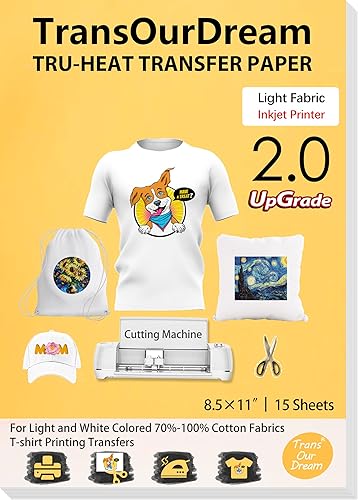
TransOurDream Upgraded Iron on Heat Transfer Paper: Best for light-fabric inkjet projects
- 15 sheets
- 3 reusable Teflon sheets
- For pigment or dye ink
- For light 70% to 100% cotton
This is a strong choice for light shirts, bags and other cotton items when you use a standard inkjet printer. The included reusable Teflon paper adds a useful barrier during pressing.
Pros
- 15 sheets
- Includes 3 reusable Teflon sheets
- Works with pigment or dye ink
Cons
- Not for sublimation ink
- Light-fabric use only
TransOurDream's upgraded paper is the best all-around match for light or white fabrics containing 70% to 100% cotton. The 15-sheet pack gives you more room for several shirts, bags, aprons or pillow covers than Avery's 5-sheet pack.
It works with pigment or dye ink in an inkjet printer. Do not use sublimation ink with this paper, because sublimation uses a different transfer process and a different paper type.
The pack includes 3 reusable Teflon sheets. Place the printed image facing upward on the fabric, cover it with the included silicon paper, then apply heat with an iron or heat press according to the instructions.
TransOurDream says this second-generation light transfer paper has a lower melting point and does not require mirror printing. It is also described as stretchable and durable, but your fabric choice, design size and pressing conditions still affect the result.
Pick it for light cotton projects where you want a useful sheet count and a protective pressing sheet included. Choose Avery or a dark-fabric paper for black shirts.
Bryco Goods White Kraft Butcher Paper Roll: Best for sublimation barrier paper
- 18 in x 150 ft roll
- Unwaxed and uncoated
- White paper
- For sublimation use
Bryco Goods is a roll of barrier paper rather than printable transfer sheets. Its long 18 in by 150 ft format suits repeated sublimation work, pressing protection and craft projects.
Pros
- Large 150 ft roll
- Unwaxed and uncoated
- Suitable as sublimation barrier paper
Cons
- Not printable transfer paper
- Must be cut to size
Bryco Goods is different from the printable sheets in this roundup. It is an 18 in x 150 ft white kraft butcher paper roll that can serve as barrier paper for sublimation, rather than paper you print with an inkjet printer.
The roll is unwaxed, uncoated and unbleached. That makes it useful as a protective layer during pressing, especially when you need to cover a larger work area or cut several custom-sized pieces.
Its length gives repeated-use buyers far more material than a small pack of sheets. You can cut the paper to fit a shirt, tote, mug project or other pressing setup, but the roll needs storage space and careful cutting.
Bryco Goods describes it as suitable for sublimation and says it can be used at temperatures up to 400°F for most users. Treat that as a setup reference, not a universal setting for every press, ink and blank.
Choose compatible blanks for heat press projects to match the transfer process.
Choose this roll when you already have printable sublimation paper and need barrier paper for protection. Do not choose it as your only transfer paper, because it is not the printed design sheet.
TransOurDream Heat Transfer Paper for Dark T: Best for repeated dark-shirt projects
- 20 sheets
- 8.5 x 11 in sheets
- For dark 70% to 100% cotton
- Includes reusable Teflon paper
This dark-fabric transfer paper gives you 20 sheets for larger batches of shirts, hoodies, totes or similar items. It uses pigment or dye ink in an inkjet printer and includes Teflon paper.
Pros
- 20 sheets
- For dark cotton fabrics
- Includes 2 A3 reusable Teflon sheets
Cons
- Inkjet printers only
- Not intended for light-fabric projects
TransOurDream's dark transfer paper is a strong choice for larger batches of dark cotton garments. The pack contains 20 sheets measuring 8.5 x 11 in, so it gives you four times Avery's sheet count.
It is intended for black and dark 70% to 100% cotton fabrics. The listed uses include T-shirts, hoodies, totes, canvas bags, aprons, masks, pillow cases, tablecloths, flags and banners.
The paper works with pigment or dye ink in an inkjet printer. It includes 2 A3 reusable Teflon sheets, which can act as a protective layer during the heat transfer step.
TransOurDream describes the transfer as stretchable and non-breakable up to twice its original size. That is a brand claim, so keep the design, fabric and press settings within the product instructions rather than treating the statement as a guarantee for every project.
Choose this over Avery when you need more dark-fabric sheets. Choose a light transfer paper when your garment is white or light colored, because dark-fabric paper follows a different placement and coverage approach.
HTVRONT Heat Transfer Paper for Dark T: Best for a simple dark-shirt pack
- 20 sheets
- 8.5 x 11 in sheets
- For dark T-shirts
HTVRONT gives dark-shirt projects a full 20-sheet pack in the common letter-size format. Choose it when the dark-shirt use and sheet count fit your project, while confirming printer and fabric directions before printing.
Pros
- 20 sheets
- Letter-size format
- Designed for dark T-shirts
Cons
- Product details are limited
- Printer and fabric directions need checking
HTVRONT's dark T-shirt paper gives you 20 sheets in the familiar 8.5 x 11 in format. That size works well for designs created on a home computer and printed through a standard letter-size workflow.
It is aimed at dark T-shirts, so it belongs in the same project group as Avery and TransOurDream's dark transfer paper. Pick this type when your artwork must remain visible on a black, navy or other dark shirt.
The main advantage is straightforward: a 20-sheet pack supports more attempts and more garments than a small 5-sheet pack. That matters when you are preparing matching shirts for an event or repeating one design across a batch.
For team number designs, see heat press numbers for jerseys.
The trade-off is that the available product details do not identify the printer ink type, fabric blend range or included protective sheet. Confirm those directions before you print, especially if your printer uses a special ink or your garment is not a standard cotton shirt.
Choose HTVRONT when the 20-sheet dark-shirt format matches your needs and you can confirm the setup instructions. Choose TransOurDream when you want more published guidance about ink and fabric compatibility.
HTVRONT Heat Transfer Paper: Best for mixed light and dark batches
- 20 mixed sheets
- Dark and light transfer paper
- 8.5 x 11 in sheets
HTVRONT's mixed pack can reduce waste when your project list includes both light and dark garments. The trade-off is that you must sort the sheets and match each design to the correct transfer type.
Pros
- 20 sheets
- Includes dark and light options
- Useful for varied project batches
Cons
- Exact split between light and dark sheets is not stated
- Printer directions need checking
HTVRONT's mixed pack is the most flexible choice when your project list includes both light and dark garments. It contains 20 sheets in the 8.5 x 11 in format, with dark and light transfer paper in the same pack.
That mix can reduce waste if you make a white shirt one day and a dark shirt the next. It also requires more care during setup, because light and dark transfer sheets are not interchangeable.
Before printing, sort the sheets by type and match each one to the garment color. Keep the package directions nearby so you use the correct image orientation and pressing method for the sheet you selected.
The exact split between light and dark sheets is not stated in the product details here. That makes it harder to plan a fixed number of each transfer type, especially if your project uses many dark shirts.
Choose this pack for varied home crafting rather than a single-color production run. If every garment is dark, a dedicated 20-sheet dark pack is simpler.
If every garment is light, TransOurDream or Cricut's light-shirt paper gives a clearer match.
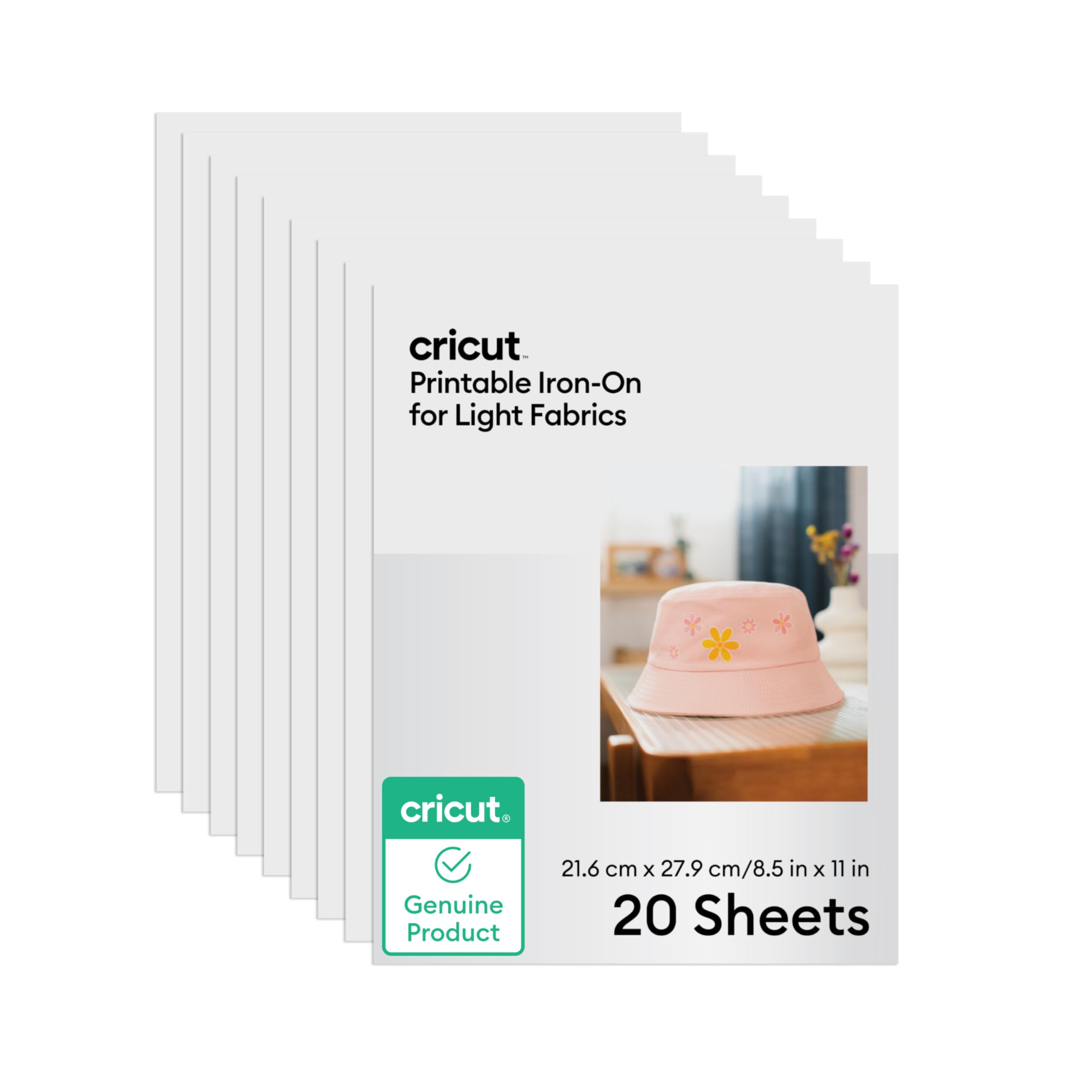
Cricut Heat Transfer Paper for Light T-Shirts: Best for Cricut light-shirt projects
- 20 sheets
- 8.5 x 11 in sheets
- For light T-shirts
Cricut's 20-sheet light-shirt pack fits buyers who already plan designs around Cricut projects. It is focused on light T-shirts, so dark garments need a different transfer type.
Pros
- 20 sheets
- Letter-size format
- Designed for light T-shirts
Cons
- Light-shirt use only
- Printer directions need checking
Cricut's light-shirt transfer paper is a focused pick for 20 light T-shirt projects. Each sheet measures 8.5 x 11 in, giving you a standard format for printing designs before cutting and pressing.
The product is designed for light T-shirts, so it is not the right starting point for black or dark garments. Dark shirts need a transfer paper made for dark fabric, such as Avery or one of the dark HTVRONT and TransOurDream options.
The 20-sheet count gives you room for a small run, repeated designs or a few practice pieces. It also makes the pack easier to compare with TransOurDream's 20-sheet dark paper, but the two products serve opposite fabric-color needs.
Choose this paper when your project is built around light T-shirts and you already use Cricut tools in your workflow. For more general light-fabric use across bags, aprons and cotton items, TransOurDream's published 70% to 100% cotton range gives you more guidance.
This is a simpler choice than a mixed pack when you know every garment will be light. Confirm your printer and pressing directions before committing a full sheet to a final garment.
Cricut Sublimation Paper: Best for high-volume Cricut sublimation
- 100 sheets
- 8.5 x 11 in sheets
- 120gsm paper
- For sublimation printers
Cricut Sublimation Paper gives you 100 letter-size sheets for repeated sublimation work. Its 120gsm weight is designed to hold and release ink while staying flexible for curved blanks.
Pros
- 100 sheets
- 120gsm paper
- For full-color sublimation projects
Cons
- Sublimation paper, not regular inkjet transfer paper
- Needs a sublimation printer
Cricut Sublimation Paper is the strongest high-volume option here for full-color sublimation projects. The pack contains 100 letter-size sheets measuring 8.5 x 11 in, so it is built for repeated work rather than a few iron-on gifts.
Each sheet is 120gsm. Cricut describes that thickness as a balance between holding and releasing ink and staying flexible enough to pass through a sublimation printer and work on a curved blank.
Print on the white side. Cricut also describes the finished transfers as peel-proof, flake-proof and wash-proof, but the result still depends on the sublimation printer, ink, heat press, blank and process settings.
This paper belongs with sublimation equipment, not ordinary inkjet iron-on projects. Sublimation is also different from dark-fabric transfer work because the substrate and color requirements determine whether the design can show properly.
Choose Cricut when you want 100 letter-size sheets and a paper weight clearly stated at 120gsm. For longer sheets, Printers Jack measures 8.3 x 11.7 in and may fit a different layout better.
Printers Jack Sublimation Paper 8.3 x 11.7: Best for wide sublimation sheet size
- 100 sheets
- 8.3 x 11.7 in sheets
- For sublimation ink
- For light polyester and coated items
Printers Jack suits sublimation users who want 100 sheets that are longer than standard letter paper. It requires sublimation ink, a heat press and suitable light polyester or coated blanks.
Pros
- 100 sheets
- Longer 11.7 in sheet
- Works with several sublimation printer brands
Cons
- Not for regular ink
- Not for dark fabric
Printers Jack is the best fit for 100-sheet sublimation batches that need a longer page. Its paper measures 8.3 x 11.7 in, which gives you more length than the standard 8.5 x 11 in format.
It requires sublimation ink and a heat press. The paper is intended for light-colored 100% polyester fabric, polyester content of at least 70%, and polyester-coated hard items such as mugs and plates.
The pack works with Epson, Ricoh and Sawgrass inkjet printers. For HP and Canon printers, Printers Jack says to confirm that the printer has a piezoelectric printhead.
This paper is not for regular ink, dark fabric or an iron. Those limits are central to the buying decision, because a correct sheet size cannot compensate for the wrong ink, printer, substrate or heating method.
Choose Printers Jack when the 8.3 x 11.7 in sheet size helps your design and your blanks meet the light polyester or coated-item requirements. Choose Cricut for standard letter sheets and a stated 120gsm weight.
How we compared the best heat press paper
We compared these products by printer technology, fabric or blank compatibility, sheet format, sheet count and setup clarity. Those factors matter more than a paper's name because transfer paper is made for a specific process.
For regular iron-on projects, the key split is light versus dark fabric. TransOurDream's upgraded paper is for light fabrics with 70% to 100% cotton, while Avery and the dark-fabric TransOurDream paper are designed for dark garments.
For sublimation, the key split is sublimation ink and substrate. Cricut Sublimation Paper and Printers Jack require a sublimation workflow, while Bryco Goods is barrier paper for protecting the work area rather than a printed transfer sheet.
We also considered how much paper each pack provides. A 5-sheet pack can be enough for gifts or a small test run, while 20- and 100-sheet packs suit batches and repeated crafting.
Our score weighs specs, stated features and buyer feedback against what you need from heat press paper. We did not treat a high score as proof that one paper works with every printer, fabric or press.
Which heat press paper works with your printer?
Your printer's ink type should decide the paper before you choose a color or sheet count. Inkjet transfer paper and sublimation paper are different supplies.
Inkjet printers
Avery, TransOurDream's light paper, TransOurDream's dark paper and the HTVRONT transfer papers belong to the inkjet transfer group described by their available details. TransOurDream's light and dark papers specify pigment or dye ink and warn against sublimation ink.
Check whether your printer uses standard dye or pigment ink before printing. If you use sublimation ink, choose sublimation paper and a compatible sublimation setup instead.
Sublimation printers
Cricut Sublimation Paper and Printers Jack Sublimation Paper are made for sublimation ink. Printers Jack specifically warns that regular ink will not work.
Sublimation also needs a heat press, not an iron. Read our guide to the best heat press for DTF transfers if your project uses DTF transfers instead, because DTF is a separate transfer method.
Printers with uncertain compatibility
HTVRONT's dark and mixed papers, plus Cricut's light-shirt paper, have limited printer details in this comparison. Confirm the printer, ink and fabric directions before buying several packs.
If the directions do not match your equipment, choose a paper with clearly stated ink requirements. That small check can prevent a full sheet pack from being used in the wrong process.
Should you choose light or dark heat transfer paper?
Choose paper by the garment color first: light transfer paper is for light garments, and dark transfer paper is for dark garments. The paper's surface and placement instructions are designed around that difference.
Light garments
TransOurDream's upgraded paper is for light or white fabrics with 70% to 100% cotton. Cricut's paper is focused on light T-shirts, with 20 sheets in the pack.
Light transfer projects often need careful image placement and may use a different print orientation than dark transfers. Read the instructions before printing so text and logos appear in the intended direction.
Dark garments
Avery is designed for dark-colored cotton and cotton/poly fabrics. TransOurDream's dark paper is for black and dark 70% to 100% cotton fabrics, while the HTVRONT dark paper is aimed at dark T-shirts.
Dark-fabric paper can make the design more visible against the garment. Choose the product with the fabric range and sheet count that match your job rather than assuming one dark paper works on every textile.
Mixed garment batches
HTVRONT's mixed dark and light pack can help when you make both types of garment. Sort the sheets before printing, because the wrong paper can create a poor match between the image and the fabric color.
For a regular business batch, dedicated light or dark packs are easier to organize. For varied home projects, the mixed pack may reduce unused sheets.
How many sheets do you need?
Choose a 5-sheet pack for a small project, 15 to 20 sheets for a batch, and 100 sheets for regular sublimation work. Your design size and number of garments matter more than the number printed on the front of the pack.
Small custom projects
Avery's 5 sheets suit a few gifts, branded items or a design you are still refining. The smaller pack can also reduce leftover paper when you only need one or two final garments.
The trade-off is less room for mistakes. Print a small test design when possible and keep the final garment for the confirmed setup.
Repeated shirts and gifts
TransOurDream's light paper has 15 sheets, while its dark paper and the HTVRONT dark, mixed and Cricut light-shirt options have 20-sheet formats. These packs suit matching shirts, family events, small product batches and repeated gifts.
Count the garments and allow extra sheets for layout changes. A 20-sheet pack does not mean 20 finished items if each design uses multiple sheets or if you need practice pieces.
Sublimation production
Cricut and Printers Jack each contain 100 sheets. Choose Cricut for standard 8.5 x 11 in sheets and a stated 120gsm weight, or choose Printers Jack when the 8.3 x 11.7 in format helps your design.
Bryco Goods adds a different kind of quantity with an 18 in x 150 ft roll. It is useful as barrier paper, but it does not replace printable sublimation sheets.
What should you use as a protective sheet?
Use a protective sheet that matches your pressing process, such as the reusable Teflon paper included with some TransOurDream packs or a separate barrier paper roll for sublimation work.
Included Teflon paper
TransOurDream's light pack includes 3 reusable Teflon sheets. Its dark pack includes 2 A3 reusable Teflon sheets.
These sheets can cover the printed transfer during pressing. Follow the paper's instructions for placement, heat and removal, because the correct process depends on the transfer type.
Kraft barrier paper
Bryco Goods is a large white kraft roll that can be cut to size. It is unwaxed and uncoated and is described for sublimation barrier use.
The roll is helpful when you press often or need custom-sized coverage. Store the remaining roll so it stays clean, dry and easy to cut for the next project.
Other press supplies
A best heat press tape guide can help with supplies that hold a sublimation design in place. If your project uses text or pre-made decorations, compare best heat press letters and best heat press transfers ready to press before buying printable paper.
How do you prepare heat press paper?
Start by matching the paper to the printer, fabric and design, then print and press according to that paper's instructions. Do not begin with heat settings copied from a different transfer type.
Check the material
Confirm the garment color and fiber range. TransOurDream's light paper is for light fabrics with 70% to 100% cotton, while Printers Jack requires light polyester or polyester-coated items for sublimation.
For a hard sublimation blank, confirm that the surface is coated. For a garment, check that the color and fabric blend fit the paper's intended use.
Print on the correct side
Cricut Sublimation Paper says to print on the white side. Printers Jack also directs users to print on the white side.
Other transfer papers may have different print-side or image-orientation directions. Follow the instructions for the exact paper, especially when the design includes words or numbers.
Cut and place the design
Avery can be cut with scissors, an electronic cutting machine or a die-cutting machine. TransOurDream's papers are also described for cutting with scissors or a cutting machine.
Trim close to the design when the transfer type requires it. Place the image according to the paper's directions, then cover it with the included Teflon paper or suitable barrier sheet.
Press and care for the finished item
Use a heat press or iron only when the paper supports that method. Printers Jack specifically requires a heat press and says not to use an iron for its sublimation paper.
Allow the transfer to cool or peel as directed. Wash and care for the finished item according to the paper instructions so the transfer is not exposed to unnecessary heat or rough handling.
Best heat press paper verdict
The best heat press paper overall is TransOurDream Upgraded Iron on Heat Transfer Paper for light cotton projects because it combines 15 sheets, pigment or dye ink support and reusable Teflon paper.
Pick Avery when you need dark cotton or cotton/poly fabric and only need 5 sheets. Choose TransOurDream's dark paper for a larger dark-shirt batch, or HTVRONT's mixed pack when your project includes both light and dark garments.
For sublimation, choose Cricut Sublimation Paper for 100 standard letter sheets and 120gsm paper. Choose Printers Jack when the longer 8.3 x 11.7 in sheet fits your layout, and add Bryco Goods barrier paper when you need a large protective roll.
For more paper-based crafting options, compare the Best Laser Cutter For Paper and Best Laser Engraver For Paper Crafts guides. The right choice is the one that matches your printer technology, garment fabric and intended transfer method before you press the first design.
Our top 3 picks at a glance
-
1
-
2
Best for light-fabric inkjet projects
TransOurDream Upgraded Iron on Heat Transfer Paper
9.7/10 our score
See it on Amazon -
3
Best for sublimation barrier paper
Bryco Goods White Kraft Butcher Paper Roll
9.7/10 our score
See it on Amazon


