What Cardboard Is Good for Laser Cutting?
Thin, flat chipboard or kraft board is usually the best cardboard for laser cutting because its even layers are easier to cut cleanly than a thick corrugated sheet. Choose by the cut detail, strength and finished look your project needs, then check that the board is safe and suitable for your laser.
On this page (7 sections)
- What cardboard is good for laser cutting?
- Is corrugated cardboard good for laser cutting?
- How do you choose cardboard thickness?
- What cardboard features should you check before cutting?
- How can you get cleaner cardboard cuts?
- Which masking supplies can help with cardboard projects?
- What cardboard should you choose for your project?
Thin, flat chipboard or kraft board is usually the best cardboard for laser cutting because its even layers are easier to cut cleanly than a thick corrugated sheet. For another sheet material, see thick faux leather sheets for laser cutting.
Choose by the cut detail, strength and finished look your project needs, then check that the board is safe and suitable for your laser.
For small models, tags and paper-like details, start with a thin, uniform sheet. Corrugated cardboard can work for larger prototypes and structures, but its fluted center can make the edge and cut less consistent.
This guide compares common cardboard constructions and explains what to check before you cut. For a step-by-step process, see How to Laser Cut Cardboard?.
What cardboard is good for laser cutting?
Flat, uncoated chipboard and kraft board are good starting materials for many laser-cut projects. Their surfaces and thicknesses are more uniform than corrugated board, which helps when a design has small features or close-fitting parts.
“Cardboard” can mean several different materials. It may refer to dense paperboard, layered kraft board, or corrugated board with a wavy inner layer.
Those constructions behave differently under a laser, so the best choice depends on the project.
| Cardboard type | Construction | Useful for | Main trade-off |
|---|---|---|---|
| Chipboard | Dense, flat paperboard | Small models, tags, inserts and prototypes | Thick sheets may need careful setup |
| Kraft board | Flat paper-based board | Packaging mockups, signs and layered projects | Surface color and thickness vary by sheet |
| Corrugated cardboard | Flat liners around a fluted middle | Large prototypes, packaging and structural forms | Flutes can produce uneven edges and cut results |
| Paperboard | Thin, smooth, flat sheet | Fine details and lightweight parts | Less rigid than thicker board |
Treat this table as a material guide, not a promise of a particular cut. Board thickness, moisture, coatings, adhesive layers and machine setup all affect the result.
Which cardboard is good for laser cutting small details?
Thin, flat board is usually the better choice for fine details. A consistent sheet gives the laser a more even path through the material, while corrugation can leave gaps or variations beneath the cut line.
Try chipboard or kraft board for small lettering, tabs and model parts. Check a small sample first, especially if the project depends on tight slots or repeated pieces fitting together.
For paper-based projects that need a lighter material, compare the options in Best Kraft Paper For Laser Cutting. Paper and board are not interchangeable, but the comparison can help you choose a suitable sheet weight and finish.
Is corrugated cardboard good for laser cutting?
Corrugated cardboard can suit large mockups and prototypes, especially when its fluted core adds useful thickness or stiffness. It is less predictable for fine cuts because the laser passes through alternating liners, air gaps and fluted material.
The cut edge may look rougher than an edge on flat board. The flute direction and sheet condition also matter, so test the exact stock you plan to use before making the full design.
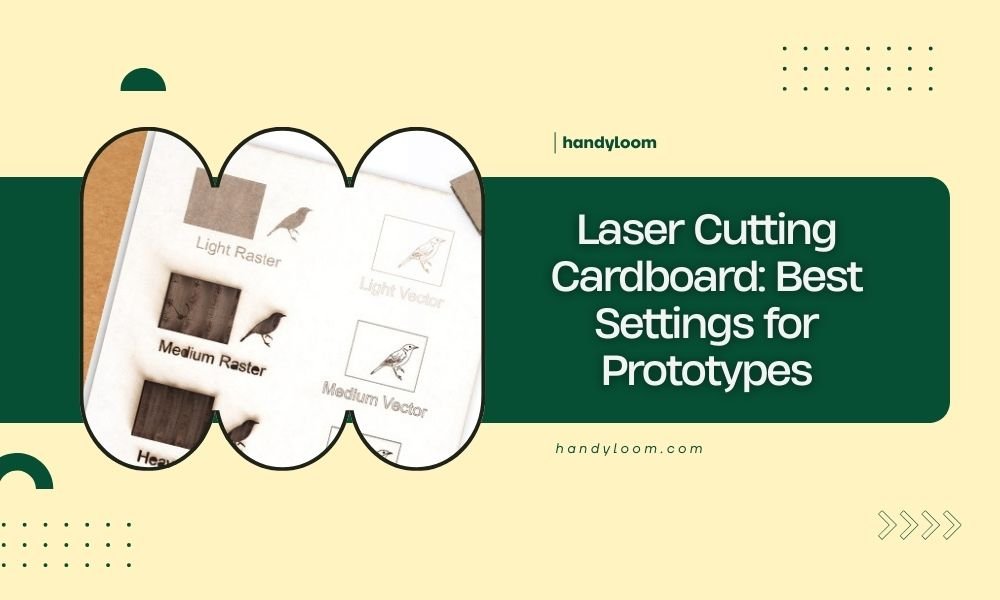
Corrugated board can be useful when appearance is secondary to quick form testing. Read Laser Cutting Cardboard: Best Settings for Prototypes for more on working with this construction.
If a design needs clean small parts, a smooth surface or close-fitting joints, flat board is often easier to manage. Use corrugated cardboard when the project's size and structure make its uneven core an acceptable trade-off.
How do you choose cardboard thickness?
Choose the thinnest board that can do the job, then confirm it can hold its shape after cutting. Thicker stock may create a sturdier part, but it can also take longer to cut and leave darker or rougher edges.
Consider these questions before settling on a sheet:
- Will the piece carry weight or mainly serve as a visual mockup?
- Does the design have narrow tabs, small holes or close-fitting joints?
- Will several layers be glued together?
- Does the finished edge need to look neat?
- Can your machine cut the material at a safe setting?
Thickness alone does not tell you how strong a finished part will be. Grain direction, board layers, cut geometry and how parts connect also affect strength.
For a useful fit check, cut a small sample that includes the tightest slot and smallest detail in your design. Adjust the drawing or settings only after you have seen how that exact board behaves.
What cardboard features should you check before cutting?
Check the board for coatings, glue, moisture and a flat surface before using it. A clean, dry, uncoated sheet is easier to evaluate than material with unknown finishes or mixed layers.
Avoid assuming that a package insert or printed sheet is plain paperboard. Some materials may include coatings, inks, adhesives or plastic layers that change how they respond to heat.
Compare those checks with the laser-safe magnetic sheet guide.
If you cannot identify the material, do not put it under the laser.
A flat sheet also helps keep the focus distance consistent. Warped or bowed cardboard can move closer to the laser head and produce uneven results.
Keep the material secured without covering the cutting area with tape. If you need to hold a sheet flat, compare artist tape vs masking tape and check that the tape itself is suitable for your setup.
How can you get cleaner cardboard cuts?
Use a small test cut, keep the sheet flat and choose a design suited to the material. These steps help you spot rough edges, incomplete cuts and fit problems before using a full sheet.
Start with a simple square or slot that matches the project's smallest feature. Inspect the cut edge and test whether connected parts fit as intended.
If the sheet has loose fibers or uneven edges, reduce unnecessary detail in the design. Small letters and narrow bridges may not hold up well in a soft or layered material.
Keep ventilation and fire precautions in place while cutting. Cardboard can char or ignite, so never leave the machine running unattended and follow its operating guidance.
For more help with the setup and cutting sequence, follow How to Laser Cut Cardboard?.
Which masking supplies can help with cardboard projects?
Masking supplies can help you cover nearby surfaces or secure a work area, but they do not make unsuitable cardboard safe to cut. Use them only for a purpose that fits the material and your machine's instructions.
These supplies serve different masking and protection tasks. Compare masking tape and painter’s tape before choosing tape for a laser-cutting setup.
Keep tape and plastic film out of the laser's cutting path unless the machine maker confirms the material is suitable for laser use.
What cardboard should you choose for your project?
Choose flat chipboard or kraft board for detailed parts, and corrugated cardboard for larger prototypes where its fluted structure is useful. Start with a sample of the exact sheet, especially when fit or edge appearance matters.
If your project depends on neat, repeatable cuts, favor a uniform sheet and keep the design simple enough for its thickness. For a larger mockup, corrugated board may be a practical choice if you accept the rougher edge and test its behavior first.
Match the material to the result you need: flat board for detail, corrugated board for volume and structure. If you are comparing machine options for this material, see Best Laser Cutter For Cardboard and Best Laser Engraver For Cardboard.
For cardboard shapes that need a cutting machine without a laser, cricut maker vs explore explains how those two Cricut machines differ.