

For beginners, a diode laser is generally better than a CO2 laser for most home crafting. You’ll find diode lasers are simpler to operate and more affordable. They are a great starting point for hobby laser engraving and cutting.
While CO2 lasers offer more power and versatility, they come with a higher price tag. They also have a steeper learning curve and require more maintenance. Think about your budget and what you want to create.
- Diode lasers are easier to use for beginners.
- They are also much more affordable.
- CO2 lasers are powerful but complex.
- CO2 lasers cost more and need more care.
Ready to pick your first laser? Let’s dive into the details and help you decide which laser is right for you.
Choosing Your First Laser: Diode vs. CO2 for Newcomers
For most beginners, a diode laser is the more sensible choice. It’s generally easier to get started and much more forgiving.
You’re looking to create, not troubleshoot. Let’s break down why one might be a better fit for your crafting journey.
Understanding Diode Lasers: Your Entry Point to Laser Crafting
Diode lasers are the new kid on the block compared to CO2, but they’ve quickly become a favorite for home users. They are smaller, simpler, and more affordable.
Imagine setting up a new printer; that’s closer to the experience you’ll have with a diode laser. It’s designed for accessibility.
How Diode Lasers Work
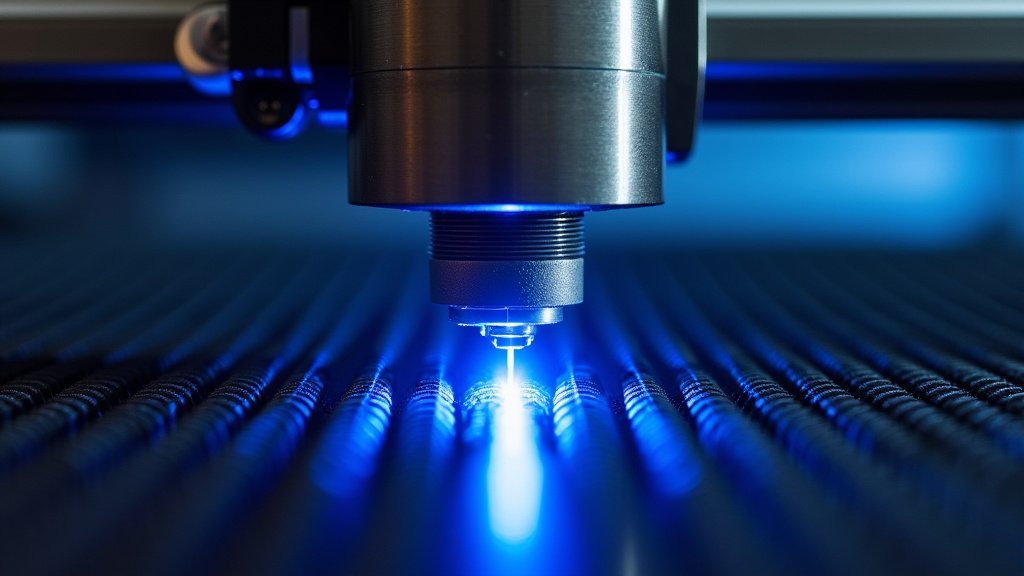
At its heart, a diode laser uses light-emitting diodes (LEDs) to create the laser beam. Think of it like a very powerful, focused LED flashlight.
This beam focuses on your material, burning or cutting it. The color of the laser light is usually blue or violet.
What Diode Lasers Do Well
Diode lasers are excellent for engraving. They can create detailed images and text on a wide range of materials. Wood, leather, anodized aluminum, and even some dark acrylics are great candidates.
When it comes to cutting, they are best with thinner materials. Cardboard, thin wood, and some dark acrylics can be cut effectively. For thicker items, you might need multiple passes.
We found that many hobbyists enjoy making custom coasters, personalized gifts, and small decorative items with their diode lasers.
Limitations of Diode Lasers
The main limitation is power. Diode lasers usually have lower wattage compared to CO2 lasers. This means slower cutting speeds and less ability to cut thick materials (Popular Mechanics).
They also struggle with clear or light-colored materials. Since the laser beam is absorbed by dark colors, clear acrylic or white materials often reflect the light instead of absorbing it. This makes them difficult to engrave or cut.
Another point: they aren’t great for metal. While some can mark anodized or coated metals, they generally can’t engrave or cut bare metal directly.
Understanding CO2 Lasers: Power and Precision
CO2 lasers are the workhorses of the laser world. They are more powerful and versatile but also more complex. Think of them as the professional-grade tool.
These machines are what many small businesses use for larger-scale production or more demanding projects.
How CO2 Lasers Work
Instead of LEDs, CO2 lasers use a gas mixture (carbon dioxide being the main component) excited by electricity inside a sealed glass tube. This creates the laser beam.
Mirrors then direct this powerful beam to your material. The laser light itself is invisible infrared, which is why safety glasses for CO2 lasers look different from those for diode lasers.
What CO2 Lasers Do Well
CO2 lasers are known for their speed and cutting ability. They can cut through thick wood, acrylic, and many other materials quickly and cleanly. We found that they excel at production work.
They are fantastic for engraving on a very wide range of materials, including glass, stone, and most plastics. Unlike diode lasers, CO2 lasers can easily engrave and cut clear acrylic.
Many artists and small businesses choose CO2 lasers for their ability to handle diverse materials and larger project sizes. They are a staple in the signage industry (Journal of Applied Physics).
Limitations of CO2 Lasers
The biggest limitation for beginners is often the cost. CO2 lasers are significantly more expensive to buy than diode lasers. They also have a larger footprint, needing more space.
They require more maintenance. You’ll need to keep the laser tube cool (often with a water chiller), align mirrors periodically, and ensure proper ventilation. This adds to the complexity.
Like diode lasers, CO2 lasers generally cannot cut bare metal. They can engrave certain coated metals, but cutting requires much higher power industrial lasers.
Comparing the Two: Diode vs. CO2 Laser
Let’s put them side-by-side. Your choice depends on your goals, budget, and comfort level with technology.
Think about what kinds of projects you dream of creating. This helps guide your decision.
Ease of Use and Learning Curve
Diode lasers win here for beginners. They are typically plug-and-play. Software is often simpler, and there are fewer components to manage.
CO2 lasers have a steeper learning curve. You’ll need to learn about mirror alignment, focal lengths, and chiller maintenance. It’s not insurmountable, but it takes more effort.
Cost and Budget Considerations
This is where diode lasers shine for hobbyists. You can get a good quality diode laser for a few hundred dollars.
CO2 lasers start in the thousands of dollars for even entry-level models. Factor in accessories like chillers and exhaust systems, and the cost adds up quickly.
Maintenance and Longevity
Diode lasers are relatively low maintenance. The main diode module has a long lifespan. You might need to clean the lens occasionally.
CO2 lasers require regular maintenance. The laser tube has a limited lifespan (often 1,000-10,000 hours of use) and needs replacement. The water chiller needs cleaning, and optics need care.
Safety Requirements
Both types of lasers require strict safety protocols. You’re working with a powerful beam of light.
For diode lasers, you’ll need specialized safety glasses that block the specific wavelength of your laser. Proper ventilation is also key to remove fumes.
CO2 lasers also need safety glasses (different type!) and even more robust ventilation. The fumes from cutting materials with CO2 lasers can be more intense due to their power. Enclosed machines are common (National Safety Council).
Decision Time: Which Laser is Right for You?
Now that you know the basics, let’s help you narrow it down. We want you to feel confident in your choice.
Consider your personal crafting style and future aspirations.
Choose a Diode Laser if:
- You are brand new to laser engraving and cutting.
- Your budget is limited (under $1,000).
- You primarily want to engrave on wood, leather, or dark acrylic.
- You plan to cut thin materials like paper, cardboard, or thin wood.
- You value simplicity and ease of use over raw power.
- You have limited space for your machine.
Choose a CO2 Laser if:
- You have a higher budget (several thousand dollars).
- You need to cut thicker materials quickly and often.
- You want to engrave and cut a wider variety of materials, including clear acrylic and glass.
- You are comfortable with a steeper learning curve and more maintenance.
- You plan to use the laser for production or commercial purposes.
- You have a dedicated workspace with good ventilation.
Quick Comparison Table
| Feature | Diode Laser | CO2 Laser |
|---|---|---|
| Cost (Entry-Level) | $200 – $800 | $2,000 – $5,000+ |
| Ease of Use | Very High (Beginner-Friendly) | Moderate (Steeper Learning Curve) |
| Primary Strength | Engraving, Thin Cuts | Cutting, Engraving, Speed |
| Materials Best For | Wood, Leather, Dark Acrylic | Wood, Acrylic, Glass, Fabrics, Stone |
| Cutting Thickness | Thin (Paper, 3-5mm Wood) | Thick (6mm+ Wood, 10mm+ Acrylic) |
| Maintenance | Low | Moderate to High (Tube replacement, mirror alignment) |
| Footprint | Small, Desktop | Medium to Large, Standalone |
Your Next Steps: Making an Informed Choice
We encourage you to think about your current needs and also where you see your crafting going in the future. Don’t feel rushed.
Many laser enthusiasts started with a diode laser and then upgraded to a CO2 machine later as their skills and needs grew. This is a common path.
Here’s a quick checklist to help you decide:
- What types of materials do you primarily want to work with?
- How thick are the materials you plan to cut?
- What is your realistic budget for the machine and accessories?
- How much space do you have available in your crafting area?
- Are you comfortable with more technical maintenance tasks?
- Do you see this as a casual hobby or potentially a small business?
Answering these questions will guide you toward the laser that will bring you the most joy and success in your projects.
Conclusion
Choosing your first laser engraver doesn’t have to be overwhelming. For most beginners, a diode laser offers the perfect entry point. It’s affordable, easy to learn, and great for many creative projects. We want you to feel confident starting your laser crafting journey.
If your ambitions grow, a CO2 laser might be your next step, but there’s no rush. Focus on what you want to create right now. Take your time, consider your budget, and pick the machine that truly excites you to start making!
Frequently Asked Questions
Can a diode laser cut through wood?
Yes, a diode laser can cut through wood, especially thinner pieces like 3mm or 5mm plywood. For thicker wood, it will require multiple passes and the cutting speed will be slower. You’ll get better results with lighter, softer woods.
Are CO2 lasers safe for home use?
CO2 lasers can be safe for home use if you follow strict safety guidelines. This includes proper ventilation to remove fumes, using the correct safety glasses, and ensuring the machine is enclosed. They require more attention to safety protocols due to their power.
What materials should I avoid using with a diode laser?
You should generally avoid using clear or white materials, as diode lasers struggle to engrave or cut them effectively. Bare metals are also typically off-limits for engraving or cutting. Materials like PVC should never be used, as they release toxic fumes when laser cut.
Do I need a water chiller for a CO2 laser?
Yes, a water chiller is almost always necessary for a CO2 laser. The laser tube generates a lot of heat, and the chiller keeps it at an optimal operating temperature. This is crucial for the longevity and performance of your CO2 laser tube.
Can I upgrade a diode laser to be more powerful?
While you can sometimes replace the diode module with a more powerful one, there are limitations. The frame, power supply, and other components might not be designed for significantly higher power. It’s often better to consider a new, more powerful machine if your needs outgrow your current diode laser.
