9 Best Cordless Mini Rotary Tools (November 2026)
The best cordless mini rotary tools include the USB Rechargable Engraving Machines Pen with 35bits for detailed engraving, the F2 PRO Cordless Rotary Tool Kit for 3D printer sanding, and the 4300-5/40 Rotary Tool Kit w/LED Light for attachments and accessories.
On this page (11 sections)
- The best cordless mini rotary tools for detailed work
- How these cordless mini rotary tools were compared
- What should you look for in a cordless mini rotary tool?
- Is a cordless rotary tool good for engraving?
- Which cordless mini rotary tool is best for 3D printer sanding?
- Does charging type matter on a cordless rotary tool?
- How do you use a cordless mini rotary tool safely?
- Can a cordless mini rotary tool replace a larger rotary tool?
- What should you buy for a simple craft setup?
- Verdict: which is the best cordless mini rotary tool?
- The right choice depends on your material, task and need for speed control. Start with those decisions, then choose the kit whose stated features fit the work you plan to do.
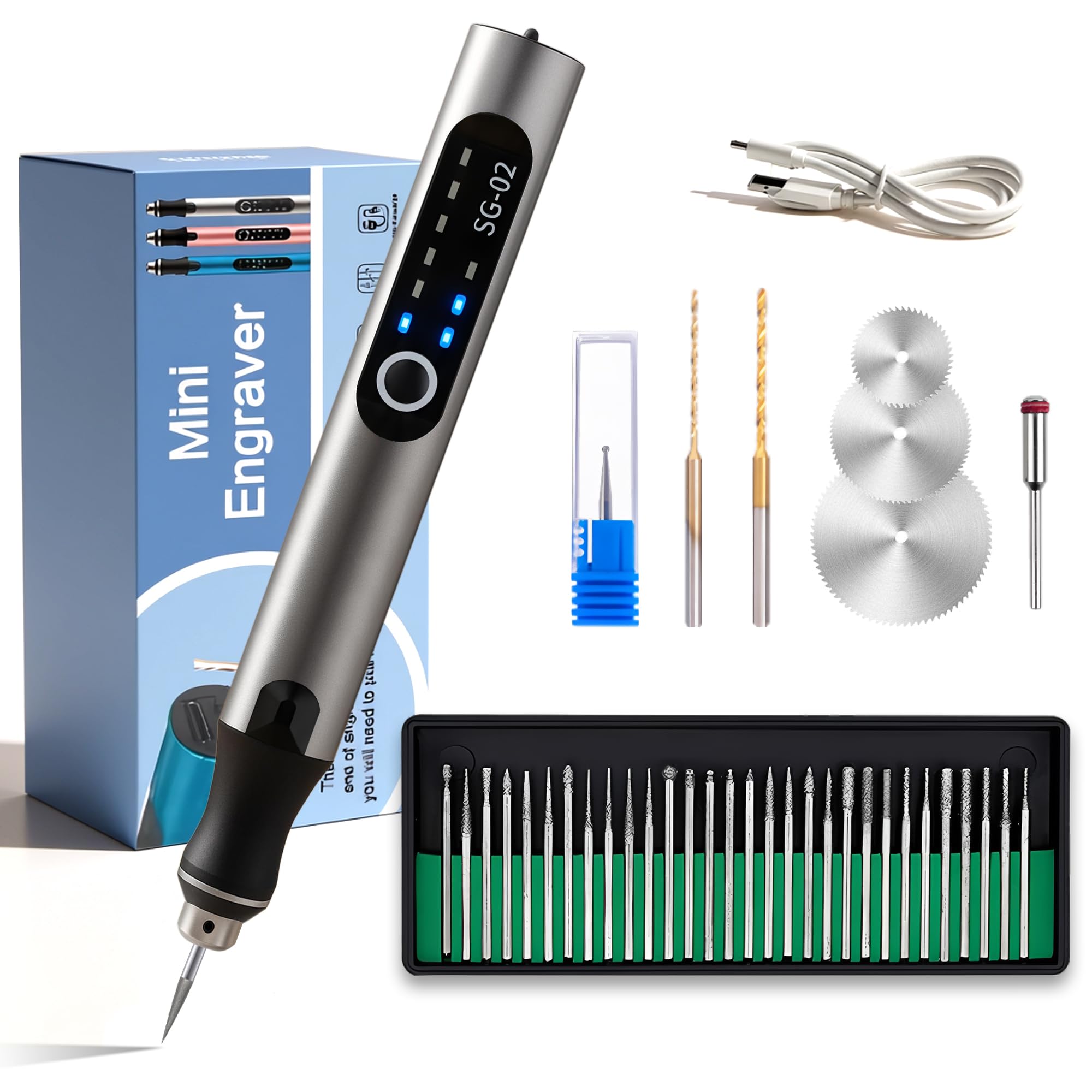
The best cordless mini rotary tool for most detailed craft work is the USB Rechargable Engraving Machines Pen with 35bits. It combines USB charging, a cordless pen format and 35 bits for jewelry, stone, metal, plastic, wood and resin models.
Choose the F2 PRO for 3D printer sanding and 5 speeds. The 4300 suits buyers who want 5 attachments, 40 accessories and an LED light in one kit.
A mini rotary tool is useful when the work needs controlled finishing rather than a large tool. For more reach, compare rotary tool flex shaft attachments.
Engraving, sanding, polishing and small craft jobs benefit from a tool that is easy to guide around a narrow edge or detailed surface.
For a wider explanation of collets, bits, speeds and common tasks, read this rotary tool guide. For a broader comparison beyond mini models, see the best cordless rotary tool roundup.
Our picks at a glance
-
1
 Best for detailed engraving
USB Rechargable Engraving Machines Pen with 35bits
9.7/10 our score
See it on Amazon -
2
-
3
 Best for attachments and accessories
4300-5/40 Rotary Tool Kit w/LED Light
9.5/10 our score
See it on Amazon
- 4
 Check it
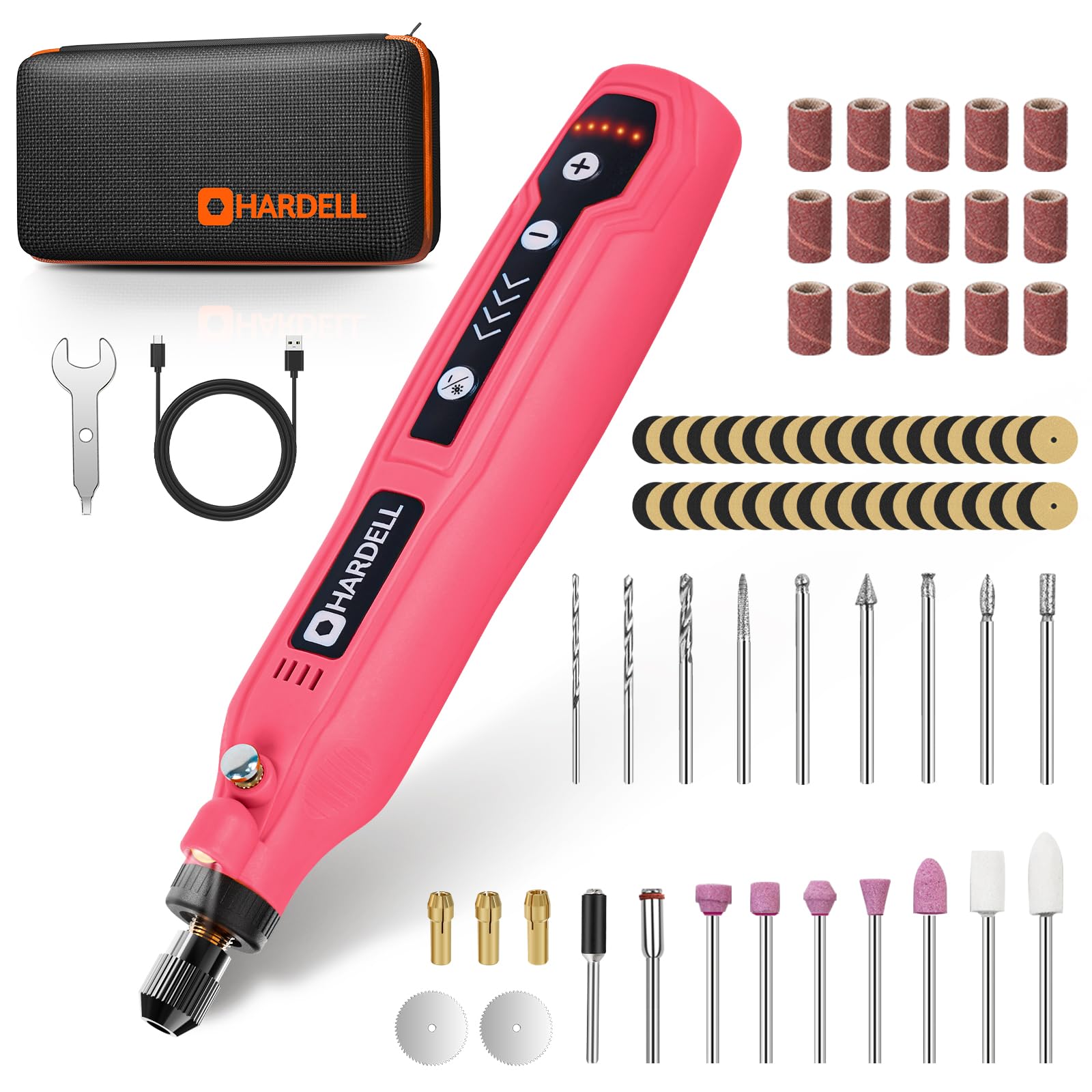
HARDELL Mini Cordless Rotary Tool for DIY
Best for compact DIY finishing - 5
 Check it
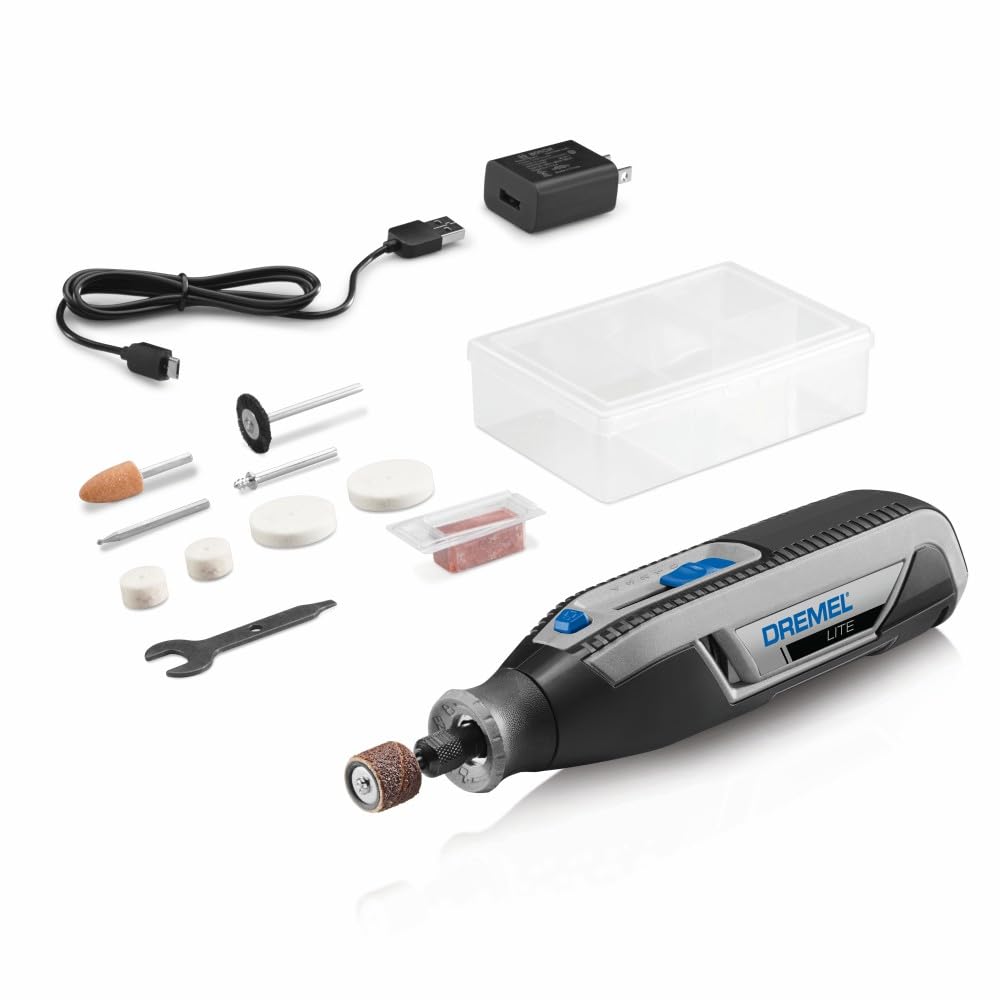
Lite 7760-N/10 4V Cordless Rotary Tool Kit
Best for variable-speed control - 6
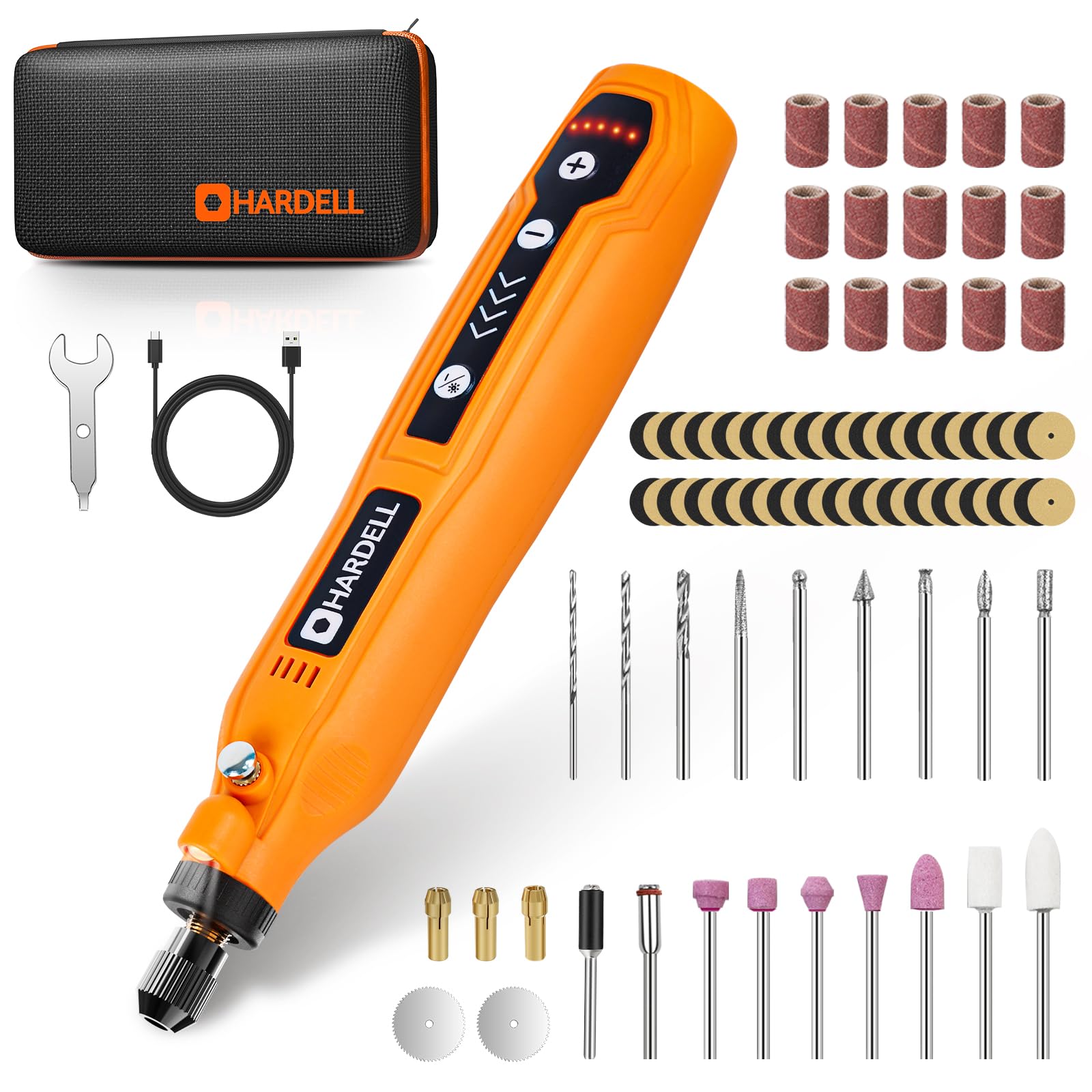 Best for a large accessory kitCheck it
- 7
 Best for Type-C chargingCheck it
- 8
 Check it
Cordless Mini Rotary Tool Set -5 Speed
Best for LED-assisted speed range - 9
 Check it
GOXAWEE Mini Cordless Rotary Tool Kit
Best for the largest accessory count
The best cordless mini rotary tools for detailed work
The best cordless mini rotary tools here split into engraving pens, multi-speed sanding tools and larger accessory kits. Match the tool to your main task before counting the included pieces.
USB Rechargable Engraving Machines Pen with 35bits: Best for detailed engraving
- USB rechargeable
- 35 bits
- Cordless rotary tool pen
- For jewelry, stone, metal, plastic, wood and resin models
A pen-style cordless tool with 35 bits for engraving and etching across jewelry, stone, metal, plastic, wood and resin models.
Pros
- USB rechargeable
- 35 bits
- Broad material range
Cons
- No speed range stated
- No bit-by-bit breakdown stated
This USB rechargeable engraving pen is the strongest choice for detailed work across several craft materials. Its title names 35 bits and lists jewelry, stone, metal, plastic, wood and resin models, so it suits makers who move between small projects.
Before sourcing extra bits, check rotary tool collets for fit.
The pen format helps you guide the tool close to an edge or mark. That matters for engraving, where control can be more useful than a large accessory count.
Its cordless design also keeps a power cable out of the work area.
The trade-off is limited published control information. The title does not state a speed count, RPM range or battery capacity, so you cannot compare its control range with the 5-speed tools below.
Choose it for engraving and etching across the named materials. For sanding 3D prints, compare the F2 PRO or the 69-piece Mini Cordless Rotary Tool.
For compatible abrasives, see rotary tool sanding accessories.
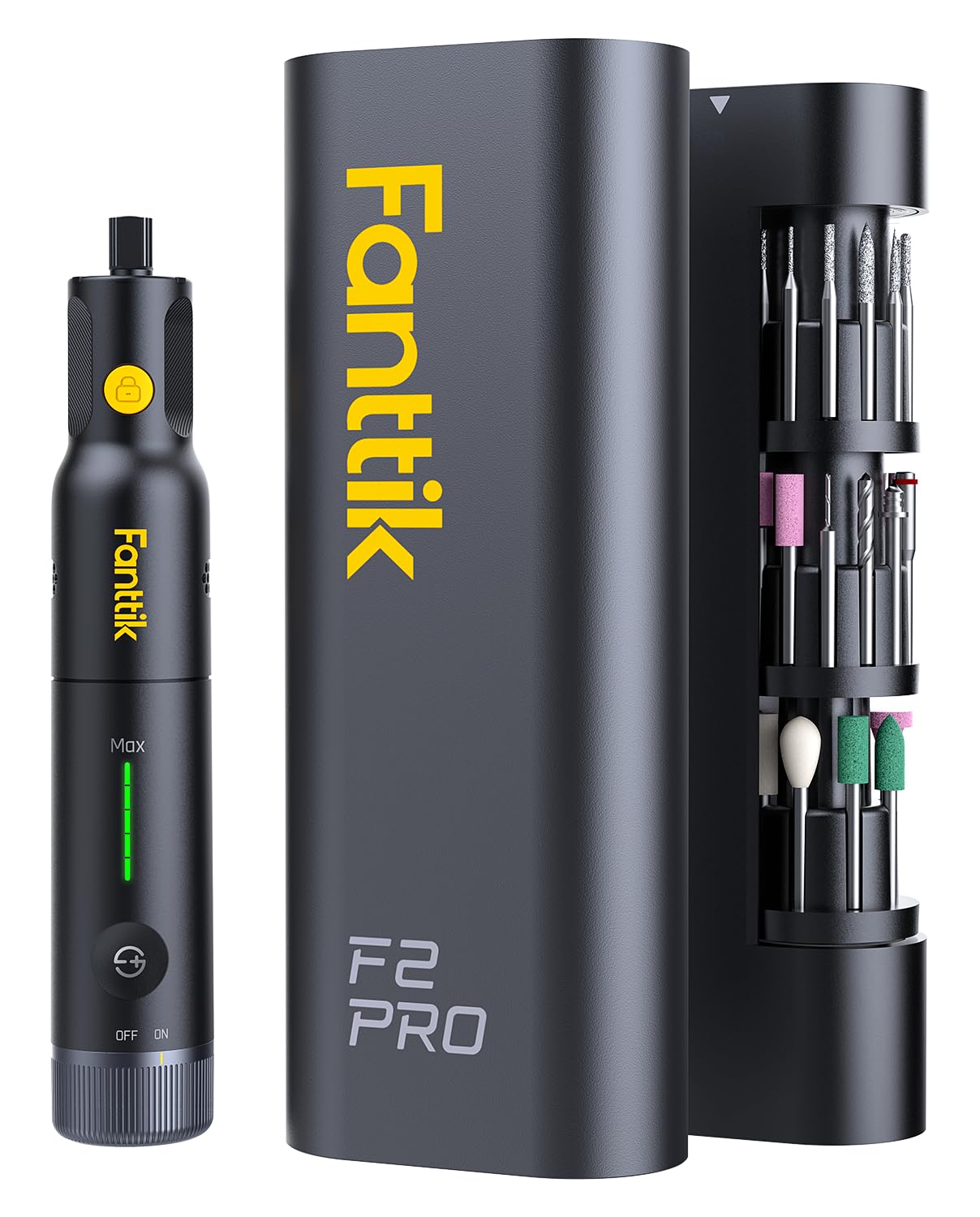
F2 PRO Cordless Rotary Tool Kit: Best for 3D printer sanding
- Cordless rotary tool
- 5 speeds
- For 3D printer sanding
A five-speed cordless tool aimed at sanding 3D printer parts, giving you more speed choices than a single-setting pen.
Pros
- 5 speeds
- Cordless
- Focused 3D printer sanding use
Cons
- Accessory count not stated
- Other uses are not specified
The F2 PRO is the clearest match for sanding 3D printer parts when you want a cordless tool with a stated speed choice. Its 5 speeds let you select among five settings instead of working at one unnamed speed.
That control can help as the surface changes. Start with a light touch and use the setting that gives you control.
The title does not state the accessory count, so plan around the sanding work rather than expecting a broad kit.
Compared with the USB engraving pen, the F2 PRO gives more speed information but does not name the same material range or 35 bits. Compared with the 69-piece Mini Cordless Rotary Tool, it has the same stated speed count but less accessory information.
Pick it when 3D printer sanding is the main reason you need a cordless rotary tool. Choose the 4300, 69-piece model or a larger kit if you need a stated accessory count.
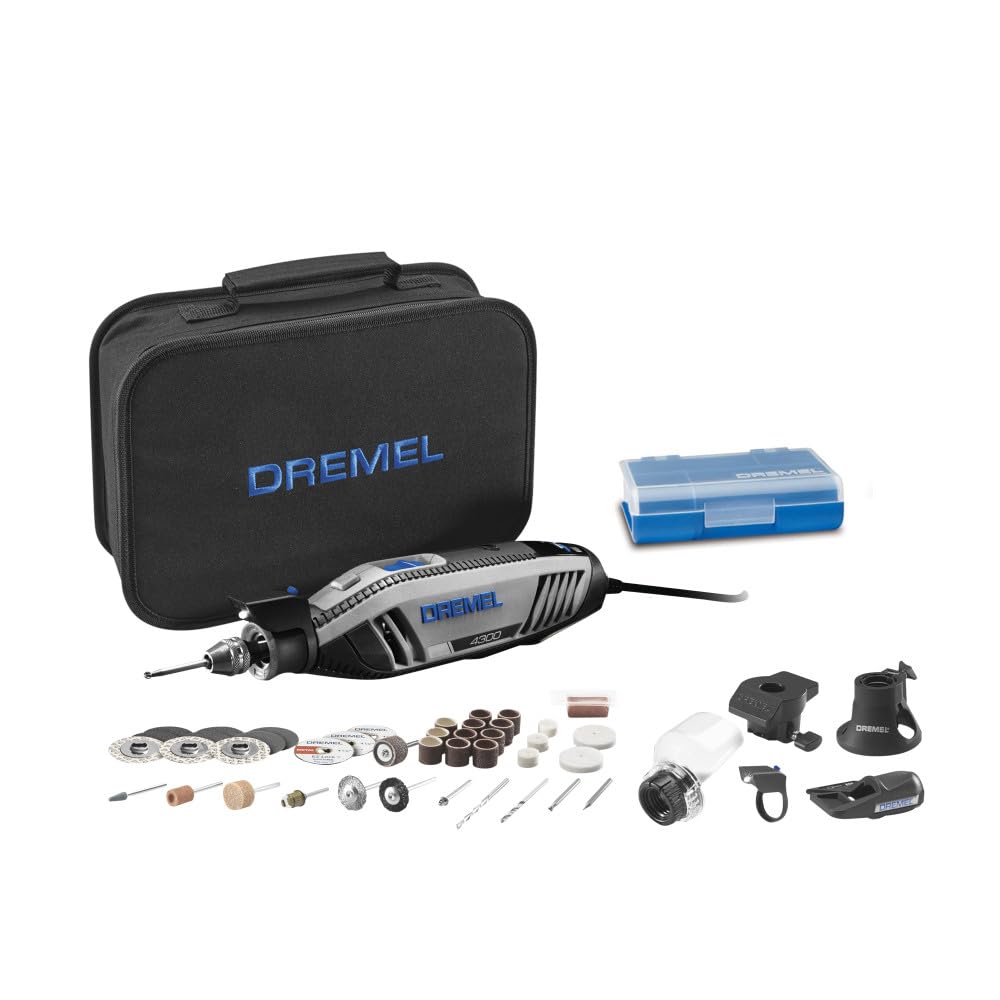
4300-5/40 Rotary Tool Kit w/LED Light: Best for attachments and accessories
- LED light
- 5 attachments
- 40 accessories
This kit combines 5 attachments, 40 accessories and an LED light for buyers who want a broader setup than a basic engraving pen.
Pros
- 5 attachments
- 40 accessories
- LED light
Cons
- Cordless operation is not stated
- Speed range is not stated
The 4300-5/40 fits buyers who want attachments and accessories in one setup. Its title specifies 5 attachments, 40 accessories and an LED light, giving you more kit information than several compact models here.
The attachments and accessories suit a workbench where tasks change. The LED light may help you see a small work area when the tool blocks room light.
The title does not state cordless operation, speed or voltage.
This model differs from the USB engraving pen in emphasis. The pen names cordless use and 35 bits for engraving across several materials, while the 4300 emphasizes attachments, accessories and light.
Choose the 4300 when kit contents matter more than a published speed range. If cordless operation is essential, compare the HARDELL, Lite 7760-N/10 and 3.7V models.
HARDELL Mini Cordless Rotary Tool for DIY: Best for compact DIY finishing
- Mini cordless rotary tool
- For DIY craft, sanding, engraving and polishing
A compact HARDELL tool for DIY craft, sanding, engraving and polishing when you want one small tool for several light finishing tasks.
Pros
- Cordless mini format
- Multiple stated uses
- Useful for craft finishing
Cons
- Speed count is not stated
- Accessory count is not stated
The HARDELL Mini Cordless Rotary Tool suits DIY users who want one compact tool for craft, sanding, engraving and polishing. Its title names all four uses, making it a flexible choice for light finishing work.
The compact cordless format is the main reason to choose it. You can move between the named tasks without bringing out a larger tool.
The title does not state the number of speeds, RPM range or accessories.
That missing control information is the trade-off against the F2 PRO and Lite 7760-N/10. Those models name 5 speeds or variable speed, while HARDELL gives clearer information about the types of work it targets.
Choose HARDELL for craft sanding, engraving and polishing in a mini cordless format. For 3D prints, the F2 PRO and 69-piece Mini Cordless Rotary Tool are more directly matched.
Lite 7760-N/10 4V Cordless Rotary Tool Kit: Best for variable-speed control
- 4V cordless rotary tool
- Variable speed
- Kit format
A 4V cordless kit with variable speed for users who want to adjust the tool instead of working at one fixed setting.
Pros
- 4V power rating
- Variable speed
- Cordless format
Cons
- Accessory count is not stated
- Specific speed range is not stated
The Lite 7760-N/10 is the best choice here if variable speed matters more than a large accessory count. It is a 4V cordless rotary tool kit with variable speed, giving you both a stated power rating and adjustable control.
Variable speed lets you change the tool's pace as your work changes. That can help when you need a controlled start or a different setting for a finishing pass.
The title does not publish the exact speed range or accessory count.
Compared with the F2 PRO, this tool names variable speed and 4V rather than 5 separate speeds. Compared with the 3.7V kits, it gives a higher stated voltage but does not name Type-C charging, an LED light or accessories.
Pick the Lite when you want variable-speed control and a 4V rating. If you need a specific RPM range, the Cordless Mini Rotary Tool Set -5 Speed is the only pick here with 5000–18000 RPM stated.
Mini Cordless Rotary Tool: Best for a large accessory kit
- 5 speeds
- 69-piece kit
- For 3D printer sanding
A five-speed mini cordless kit with 69 pieces for buyers who want many accessories for 3D printer sanding.
Pros
- 5 speeds
- 69-piece kit
- Mini cordless format
Cons
- Accessory types are not stated
- Other uses are not specified
The Mini Cordless Rotary Tool is aimed at 3D printer sanding and gives you 5 speeds with a 69-piece kit. It suits makers who want more accessories than the F2 PRO while keeping the same five-speed format.
The 69-piece count gives it an advantage over tools that do not name their accessory total. It also gives you more kit breadth than the 35-bit engraving pen, although the title does not identify the pieces or how the set is divided.
Use the speed settings to work at a controlled pace on 3D printer surfaces. The title does not name other materials or tasks, so choose it for sanding rather than assuming it covers every engraving or cutting job.
This model sits between the F2 PRO and 110-piece GOXAWEE in accessory count. Choose the F2 PRO for focused sanding, or GOXAWEE if the largest stated count matters more than a speed range.
Cordless Rotary Tool: Best for Type-C charging
- 5 variable speeds
- 70 accessories
- 3.7V
- Type-C charging
- For engraving, sanding, polishing, carving, cutting and DIY crafts
A 3.7V Type-C charging tool with 5 variable speeds and 70 accessories for a wide mix of engraving, sanding, polishing, carving, cutting and craft work.
Pros
- Type-C charging
- 5 variable speeds
- 70 accessories
Cons
- Accessory types are not stated
- Battery capacity is not stated
This cordless rotary tool suits buyers who want a named charging connection and several craft uses. It has 5 variable speeds, 70 accessories, 3.7V power and Type-C charging.
The title also names engraving, sanding, polishing, carving, cutting and DIY crafts. That makes it useful for makers who move between surface finishing and small craft tasks.
The 70 accessories exceed the 35-bit pen and 69-piece sanding kit.
The trade-off is that the accessory types are not identified. You know the count, voltage, charging style and named uses, but not which pieces suit each task.
Battery capacity is also not stated.
Choose it if Type-C charging is important and you want 5 variable speeds with broad uses. For a stated RPM range and LED light, compare the 64-piece Cordless Mini Rotary Tool Set -5 Speed.
Cordless Mini Rotary Tool Set -5 Speed: Best for LED-assisted speed range
- 5 speeds
- 5000–18000 RPM
- 3.7V rechargeable engraving pen
- LED light
- 64 accessories
A 3.7V rechargeable engraving pen with 5 speeds, a 5000–18000 RPM range, LED light and 64 accessories.
Pros
- Published RPM range
- LED light
- 64 accessories
Cons
- Accessory types are not stated
- Charging connection is not stated
The Cordless Mini Rotary Tool Set -5 Speed fits buyers who want a published RPM range. It combines 5 speeds, 5000–18000 RPM, 3.7V rechargeable power, an LED light and 64 accessories.
The RPM range gives you a clearer idea of the control span than a speed count alone. Lower settings can support controlled engraving or finishing, while higher settings may suit other tasks within the tool's purpose.
Use a light touch.
The 64-piece kit is smaller than the 70-piece and 110-piece options, but its title provides more operating detail. The LED light may help you see the work area, while the charging connection is not stated.
Pick it when speed range matters more than maximum accessory count. Choose the 70-accessory model for Type-C charging, or GOXAWEE for 110 pieces and 3D print use.
GOXAWEE Mini Cordless Rotary Tool Kit: Best for the largest accessory count
- 110 pieces
- Mini cordless rotary tool kit
- For DIY crafts and 3D prints
A 110-piece mini cordless kit for DIY crafts and 3D prints when accessory variety matters more than a stated speed range.
Pros
- 110 pieces
- DIY craft use
- 3D print use
Cons
- Speed count is not stated
- Accessory types are not stated
The GOXAWEE Mini Cordless Rotary Tool Kit is the choice for buyers who want the largest stated accessory count. Its 110 pieces are aimed at DIY crafts and 3D prints, giving it more accessories than every other pick here.
That count can help with varied craft projects, but quantity alone does not tell you which pieces fit a particular job. The title does not state the accessory types, speed count, RPM range, voltage or charging connection.
Compared with the 69-piece Mini Cordless Rotary Tool, GOXAWEE offers 41 more pieces but does not name 5 speeds. Compared with the 70-accessory tool, it offers more pieces but does not name Type-C charging, 3.7V power or as many uses.
Choose GOXAWEE when DIY crafts and 3D prints are your focus and accessory variety is the main factor. If you need a published control range, choose the 64-piece model with 5000–18000 RPM.
How these cordless mini rotary tools were compared
We compared the stated power format, speed control, RPM information, accessory count, charging details and named uses. The score weighs those details against engraving, sanding, polishing and small craft needs.
A high score does not mean every tool suits every project. The USB engraving pen ranks first because it combines cordless USB charging, 35 bits and a broad material list.
The F2 PRO also scores 9.7 because its five speeds directly match 3D printer sanding.
The 4300 follows with a clear kit format. Its 5 attachments, 40 accessories and LED light are useful, although cordless operation and speed are not stated.
The remaining tools separate by control and kit size. HARDELL gives a compact format and four named uses.
Lite provides a 4V variable-speed kit. The later picks emphasize 69, 70, 64 and 110-piece kits with different levels of speed and charging information.
We did not treat accessory count as proof of better performance. More pieces help only when they match the work and you can identify the right piece.
| Product | Best for | Power | Accessories | Uses | Our score |
|---|---|---|---|---|---|
| USB Rechargable Engraving Machines Pen with 35bits | detailed engraving | USB rechargeable | 35 bits | Engraving and etching | 9.7 |
| F2 PRO Cordless Rotary Tool Kit | 3D printer sanding | Cordless | 9.7 | ||
| 4300-5/40 Rotary Tool Kit w/LED Light | attachments and accessories | 40 | 9.5 | ||
| HARDELL Mini Cordless Rotary Tool for DIY | compact DIY finishing | Craft, sanding, engraving and polishing | 9.4 | ||
| Lite 7760-N/10 4V Cordless Rotary Tool Kit | variable-speed control | 4V | 9.3 | ||
| Mini Cordless Rotary Tool | a large accessory kit | 69 pieces | 9.2 | ||
| Cordless Rotary Tool | Type-C charging | 3.7V | 70 | 9.1 | |
| Cordless Mini Rotary Tool Set -5 Speed | LED-assisted speed range | 3.7V rechargeable | 64 | 9.0 | |
| GOXAWEE Mini Cordless Rotary Tool Kit | the largest accessory count | 110 pieces | DIY crafts and 3D prints | 8.9 |
What should you look for in a cordless mini rotary tool?
The best cordless mini rotary tool should match your main task, control needs and preferred kit size. Start with the work, then compare speed, charging and accessories.
Choose the tool by your main task
For engraving across jewelry, stone, metal, plastic, wood and resin models, the USB Rechargable Engraving Machines Pen gives the clearest match. For 3D printer sanding, choose the F2 PRO, 69-piece Mini Cordless Rotary Tool or GOXAWEE.
For polishing and DIY craft finishing, HARDELL names the broadest set of light finishing uses. The 3.7V, 70-accessory tool also names polishing, carving, cutting, sanding, engraving and DIY crafts.
Check whether speed is stated
A speed count tells you how many settings are available, but not always the RPM range. The F2 PRO and 69-piece kit have 5 speeds.
The Lite has variable speed. The 64-piece kit adds 5000–18000 RPM.
Use speed information as a control guide, not a promise that one tool performs every task better. Match the setting to the material, accessory and amount of material to remove.
Compare the accessory count carefully
The GOXAWEE has the largest stated count at 110 pieces. The 70-accessory model follows, then the 69-piece kit, 64-piece kit, 4300 with 40 accessories and engraving pen with 35 bits.
Count matters only when the pieces fit your projects. If you mainly engrave, 35 bits may be enough.
If you switch between 3D printer sanding and craft tasks, a larger kit may give you more options.
Is a cordless rotary tool good for engraving?
A cordless rotary tool can suit engraving when it gives you controlled handling and appropriate accessories. The USB engraving pen is the clearest match because it names engraving and etching and includes 35 bits.
For jewelry and small detailed marks
Choose the USB Rechargable Engraving Machines Pen for jewelry, stone, metal, plastic, wood and resin models. Its pen format supports close guidance around small details.
For general DIY engraving
Choose HARDELL if your work also includes craft sanding and polishing. Choose the 3.7V, 70-accessory model if you want 5 variable speeds and Type-C charging alongside engraving.
Keep the tool moving at a controlled pace and avoid pressing hard. The right accessory and speed depend on the surface, so start with a small area.
For a smaller kit format, see the best mini rotary tool guide. For Dremel-branded cordless options, read the best cordless Dremel rotary tool roundup.
Which cordless mini rotary tool is best for 3D printer sanding?
The F2 PRO is the most direct pick because its title specifically names 3D printer sanding and includes 5 speeds. The 69-piece Mini Cordless Rotary Tool is a close alternative when you want more named accessories.
Choose the F2 PRO for focused sanding
The F2 PRO offers cordless operation, 5 speeds and 3D printer sanding. It fits users who do not need a large stated accessory set.
Choose the 69-piece kit for more accessories
The Mini Cordless Rotary Tool adds a 69-piece kit while keeping 5 speeds and a mini cordless format. Choose it when accessories matter more than a published voltage or charging connection.
Choose GOXAWEE for the largest kit
GOXAWEE provides 110 pieces for DIY crafts and 3D prints. It is the widest accessory choice here, but its title does not state a speed count or RPM range.
Remove small amounts of material at a time. Measure the part before sanding and check the surface often.
Does charging type matter on a cordless rotary tool?
Charging type matters when you already use a particular cable or want a simple way to recharge. The 70-accessory model names Type-C charging, while the engraving pen names USB rechargeable operation.
Type-C charging
The Cordless Rotary Tool is the clearest pick if Type-C charging matters. It also provides 3.7V power, 5 variable speeds and 70 accessories.
USB rechargeable operation
The USB Rechargable Engraving Machines Pen suits buyers who want USB charging in a pen-style engraving tool. Its title does not state battery capacity or charge time.
Rechargeable, connection not stated
The 64-piece model is a 3.7V rechargeable engraving pen, but its charging connection is not stated. Pick it for the 5000–18000 RPM range, LED light and 64 accessories.
Charge the tool according to its instructions and keep the charging area dry. Do not choose based on a connection alone if the tool does not match your task.
How do you use a cordless mini rotary tool safely?
Use a cordless mini rotary tool with the correct bit, a controlled grip and light pressure. Secure the work, keep the bit away from loose clothing and protect your eyes from dust or small particles.
Prepare the work area
Set the project on a stable surface and make sure the material cannot move unexpectedly. A small workpiece is easier to control when held securely.
Start with a gentle setting
Begin at a lower or more controlled speed when the tool provides that option. The 5-speed and variable-speed models give more control than tools whose speed range is not stated.
Match the bit to the task
Use an accessory that suits engraving, sanding, polishing, carving or cutting. A larger accessory count does not remove the need to identify the right piece.
Check your progress often
Stop after a short pass and inspect the surface. This matters for 3D prints, where removing too much material can change the fit or shape.
Read how to use a cordless rotary tool for a fuller setup guide. For tumbler projects, see Do You Need a Rotary for Tumblers? before choosing a tool for that job.
Can a cordless mini rotary tool replace a larger rotary tool?
A cordless mini rotary tool can handle many light engraving, sanding, polishing and craft tasks, but it is not automatically right for every rotary job. The tools here are described around compact work, 3D printer sanding and DIY crafts.
Choose a mini model when you need close control, cordless movement or a small tool for detailed work. Choose a larger setup when your project needs attachments or accessories that the mini kit does not name.
The 4300 is a useful middle option for buyers who want 5 attachments, 40 accessories and an LED light. Its title does not state cordless operation, so compare that point carefully.
A mini tool also cannot replace a rotary for every tumbler setup. If your project involves laser engraving, read Can You Laser Engrave without a Rotary? to decide whether a rotary is needed.
What should you buy for a simple craft setup?
Choose the USB engraving pen for a focused engraving setup, HARDELL for compact DIY finishing, or the 3.7V 70-accessory model for a broader craft list. Each emphasizes a different balance of materials, uses, charging and accessories.
The USB pen is the simplest match for detailed engraving because it names 35 bits and several materials. HARDELL is better when your work includes craft sanding, engraving and polishing.
The 70-accessory model suits buyers who want more kit pieces, 5 variable speeds and Type-C charging. The 64-piece model fits those who want an LED light and a stated 5000–18000 RPM range.
For a kit built around a known attachment count, compare the best WEN rotary tool kit roundup.
Verdict: which is the best cordless mini rotary tool?
The best cordless mini rotary tool for detailed engraving is the USB Rechargable Engraving Machines Pen with 35bits, thanks to its USB rechargeable pen format, 35 bits and named use with jewelry, stone, metal, plastic, wood and resin models.
Pick the F2 PRO for 3D printer sanding and 5 speeds. Pick the 4300 if 5 attachments, 40 accessories and an LED light matter most.
Choose HARDELL for compact DIY craft, sanding, engraving and polishing. Choose the Lite 7760-N/10 for a 4V variable-speed kit.
For charging and kit size, choose the Cordless Rotary Tool for Type-C charging and 70 accessories, or GOXAWEE for 110 pieces. If a published RPM range matters most, choose the 64-piece rechargeable model with 5000–18000 RPM.
The right choice depends on your material, task and need for speed control. Start with those decisions, then choose the kit whose stated features fit the work you plan to do.
Our top 3 picks at a glance
-
1
Best for detailed engraving
USB Rechargable Engraving Machines Pen with 35bits
9.7/10 our score
See it on Amazon -
2
-
3
Best for attachments and accessories
4300-5/40 Rotary Tool Kit w/LED Light
9.5/10 our score
See it on Amazon
Frequently asked questions
What is the best cordless mini rotary tool for crafts?
The USB Rechargable Engraving Machines Pen with 35bits is the strongest match for detailed craft engraving because it is a USB rechargeable cordless pen with 35 bits and works with jewelry, stone, metal, plastic, wood and resin models. Choose a different kit if you need a stated speed range or more accessories.
Is HARDELL a good cordless rotary tool?
The HARDELL Mini Cordless Rotary Tool for DIY suits light DIY craft, sanding, engraving and polishing work in a compact cordless format. Its title does not state a speed count or accessory count, so choose it for its stated uses rather than for a specific control range or kit size.
How many speeds should a mini rotary tool have?
A mini rotary tool with several speeds gives you more control over different tasks, but the right count depends on the material and the work. This group includes 5-speed tools, a variable-speed 4V kit and a tool with a stated 5000–18000 RPM range.
Use lower settings for controlled finishing.
Are cordless rotary tools good for 3D printer sanding?
Yes, several cordless mini rotary tools here are specifically described for 3D printer sanding. The F2 PRO has 5 speeds, the Mini Cordless Rotary Tool has 5 speeds and 69 pieces, and the GOXAWEE kit has 110 pieces for DIY crafts and 3D prints.