
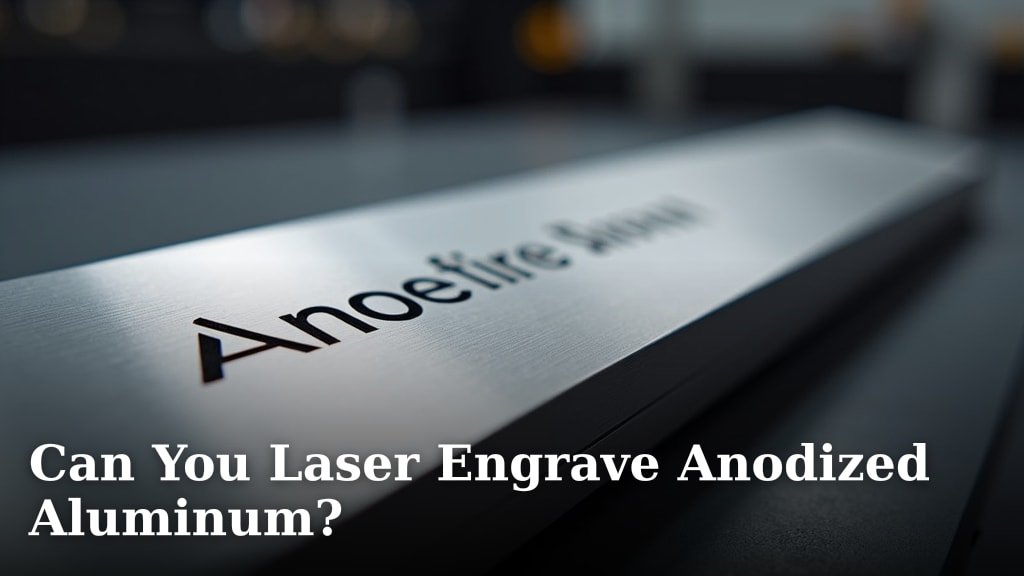
Yes, you absolutely can laser engrave anodized aluminum! In fact, it’s a fantastic material for laser engraving because the process creates a **crisp, permanent mark** by removing the colored anodized layer to reveal the bare aluminum underneath. This means you get great contrast and durability for your engraved designs on anodized aluminum.
When you laser engrave anodized aluminum, you’re essentially vaporizing the colored oxide layer. This leaves a clean, often lighter-colored mark that stands out beautifully against the background. Many people choose this process for its ability to produce detailed and **long-lasting engravings** on various items.
- Laser engraving anodized aluminum is definitely possible.
- The laser removes the colored layer, leaving a clear mark.
- This process results in durable and high-contrast engravings.
- It’s a popular choice for many creative projects.
Let’s dive into how you can achieve great results when laser engraving your anodized aluminum projects.
Laser Engraving Anodized Aluminum: What You Need to Know
Yes, you absolutely can laser engrave anodized aluminum! It’s a fantastic material for laser engraving because the process creates a crisp, permanent mark. This happens by removing the colored anodized layer to reveal the bare aluminum underneath. You get great contrast and durability for your engraved designs.
When you laser engrave anodized aluminum, you’re essentially vaporizing the colored oxide layer. This leaves a clean, often lighter-colored mark that stands out beautifully against the background. Many people choose this process for its ability to produce detailed and long-lasting engravings on various items.
Let’s dive into how you can achieve great results when laser engraving your anodized aluminum projects.
Understanding the Anodizing Process
Before you start engraving, it’s helpful to understand what anodizing actually is. Anodizing is an electrochemical process. It converts the metal surface into a decorative, durable, corrosion-resistant, anodic oxide finish. Think of it like adding a tough, colored skin to the aluminum.
This layer is a form of aluminum oxide. It’s much harder and more porous than the base aluminum. The color you see is created by adding dyes or pigments during the process. Different colors are achieved through different dye baths. This means the color is part of the surface, not just a coating.
How Anodizing Affects Laser Engraving
The beauty of anodized aluminum for laser engraving lies in this colored layer. Your laser beam has the power to precisely remove this colored layer. It essentially “etches” away the dye and the oxide. What you’re left with is the natural, silvery-white color of the raw aluminum underneath.
This contrast is what makes the engraving pop. It’s like drawing with a fine-point pencil on a colored piece of paper. The mark is permanent because you’re not just marking the surface; you’re altering it. This makes it resistant to fading or rubbing off over time.
Types of Anodized Finishes and Their Engraving Results
Not all anodized finishes behave exactly the same under a laser. The thickness of the anodized layer and the type of dye used can play a role. Thicker anodized layers generally allow for deeper engraving. This can result in a more pronounced mark.
We found that lighter colors often provide the best contrast. For example, blue, red, or green anodized aluminum typically engraves very well. Darker colors, like black or deep purple, can sometimes be a bit trickier. The laser might need more power or a slower speed. This is because there’s more pigment to remove.
Choosing the Right Laser for Anodized Aluminum
The type of laser you use is important for getting clean results. Most common laser types can engrave anodized aluminum successfully. However, some are better suited than others. Your laser’s power and wavelength will influence the outcome.
Fiber Lasers vs. CO2 Lasers
Fiber lasers are often considered the gold standard for marking metals. They operate at a shorter wavelength. This allows them to interact very effectively with metal surfaces. For anodized aluminum, a fiber laser can produce exceptionally crisp and detailed marks.
CO2 lasers can also engrave anodized aluminum. However, they work differently. CO2 lasers typically work by heating the surface. This causes the anodized layer to ablate (vaporize). You might find that CO2 lasers produce a slightly less precise mark than fiber lasers on this material. But with proper settings, you can still get excellent results.
Key Laser Settings to Consider
Getting the perfect engraving involves dialing in your laser settings. These include power, speed, and frequency (or DPI). There’s no single “magic” setting. It depends on your specific laser, the color of the anodized aluminum, and the desired outcome.
We recommend starting with lower power settings and a moderate speed. You can always increase the power or decrease the speed if the mark isn’t deep or clear enough. Too much power, especially too fast, can sometimes scorch the edges of the mark. This is what we want to avoid for a clean finish.
Power Settings
Think of power as the intensity of the laser beam. For anodized aluminum, you’re aiming to remove the colored layer without damaging the aluminum itself. Start conservatively. A good starting point might be around 20-40% power.
Higher power can create a deeper engraving, but it also increases the risk of overheating. Overheating can lead to a burnt or rough appearance. Always test on a scrap piece first.
Speed Settings
Speed controls how quickly the laser head moves across the material. A slower speed allows the laser more time to interact with the anodized layer. This can result in a darker and deeper mark. A common starting speed might be between 100-300 mm/s.
If your engraving looks too faint, try slowing down the speed. If it seems to be burning or getting too hot, you might need to speed up. It’s a balance.
Frequency (DPI)
Frequency, often measured in dots per inch (DPI), determines how many laser pulses occur per unit of distance. A higher frequency can create a more solid and detailed mark. For anodized aluminum, a frequency between 300-600 DPI is often effective.
A higher frequency can help create a smoother, more complete removal of the anodized layer. Experimenting here can refine the look of your engraving.
Preparing Your Anodized Aluminum for Engraving
Proper preparation ensures the best results. It’s not complicated, but a few steps can make a big difference. You want a clean surface for a clean engraving.
Cleaning the Surface
First, make sure the aluminum piece is clean. Dust, oils, or fingerprints can interfere with the laser. Use a mild cleaner, like isopropyl alcohol, and a soft, lint-free cloth. Gently wipe down the area you intend to engrave.
Allow the alcohol to fully evaporate before lasering. This ensures a clean slate for the laser to work on. A clean surface means a crisp engraving.
Securing Your Material
It’s essential to keep your anodized aluminum stable during the engraving process. If the material shifts, your engraving will be ruined. Use clamps or fixtures designed for your laser engraver. Magnets can also be useful for holding down pieces.
For curved surfaces, you might need specialized jigs. Ensuring the material is perfectly flat and secure is a critical step for accuracy.
Focusing the Laser
Laser engraving requires precise focusing. The laser beam needs to be at its narrowest point when it hits the material. This ensures the highest energy density. Your laser engraver likely has a focusing tool or a specific procedure.
Always check your laser’s manual for the correct focusing method. An improperly focused beam will result in a wider, weaker engraving. It might look fuzzy or faint.

Best Practices for High-Quality Engravings
Now that you know the basics, let’s talk about refining your technique. A few best practices can elevate your anodized aluminum projects from good to great.
Test Engraving is Key
We cannot stress this enough: always test your settings! Get a scrap piece of the same anodized aluminum you’re using for your project. Use this scrap to dial in your power, speed, and frequency.
Make a grid of different settings or engrave a small test pattern. This saves you from ruining your actual project. It’s a small step that prevents big headaches.
Layering and Dithering Techniques
For images and more complex designs, consider how you’re translating them for the laser. Many design software programs offer dithering options. Dithering converts images into patterns of dots. This can create shades and gradients.
For anodized aluminum, a simple black and white image often works best. Avoid overly complex grayscale images unless your laser software handles them well. Sometimes, engraving in layers or passes can give you more control over depth and detail.
Controlling Heat and Air Assist
Air assist is a stream of air directed at the point of engraving. It helps keep the lens clean. It also cools the material, preventing excessive heat buildup. This can reduce charring and improve the crispness of the mark.
For anodized aluminum, you generally want a moderate to strong air assist. It helps clear away debris from the anodized layer. This ensures a cleaner engraving.
Common Challenges and How to Overcome Them
Even with the best intentions, you might run into a few hiccups. Don’t worry, most issues with laser engraving anodized aluminum are fixable.
Faint or Incomplete Engravings
If your engraving looks too light or parts are missing, it’s usually a setting issue. You’ll likely need to increase your laser power. Alternatively, you can decrease your engraving speed.
Another possibility is insufficient focus. Double-check that your laser is properly focused on the material’s surface. Ensure your air assist isn’t too strong, as it can sometimes blow away the material before the laser can fully mark it.
Scorching or Burnt Marks
This happens when the laser is too powerful or the speed is too slow. The heat is causing the aluminum itself to heat up excessively. Try increasing your laser speed. You might also need to slightly decrease the power.
Ensuring good air assist can help mitigate scorching. Sometimes, a different frequency setting can also make a difference.
Inconsistent Results Across Different Colors
As we discussed, different colors can engrave differently. Black anodized aluminum might require more power than blue. You might need to create separate setting profiles for each color you work with.
This is why testing on scrap material is so important. Keep a log of the settings that work best for each color. This will save you a lot of guesswork in the future.
A Quick Checklist for Success
To make sure you’re on the right track, here’s a quick rundown of what to keep in mind:
- Material: Use genuine anodized aluminum.
- Laser: Ensure your laser is suitable for metals.
- Settings: Test power, speed, and frequency on scrap.
- Focus: Always achieve precise laser focus.
- Cleaning: Start with a clean, dust-free surface.
- Securing: Make sure your material is firmly in place.
Conclusion
You’ve learned that laser engraving anodized aluminum is not only possible but a fantastic choice for durable, high-contrast results. The process is straightforward: your laser removes the colored anodized layer to reveal the bare metal beneath, creating a permanent mark. Remember to always prepare your surface, secure your material, and most importantly, test your settings on scrap pieces first. With the right laser and careful adjustments, you’re well on your way to creating stunning engraved projects. Now, go grab some anodized aluminum and start creating!
Frequently Asked Questions
Can I engrave any color of anodized aluminum?
You can engrave most colors of anodized aluminum, but some may be easier than others. Lighter colors like blue, red, and green typically provide excellent contrast and engrave cleanly. Darker colors, such as black, might require more power or a slower speed due to the pigments used.
What type of laser is best for anodized aluminum?
Fiber lasers are generally considered ideal for metals like anodized aluminum due to their wavelength, producing very crisp marks. However, CO2 lasers can also achieve great results with proper settings. The key is understanding how your specific laser interacts with the material.
How do I get a deep engraving on anodized aluminum?
To achieve a deeper engraving, you’ll likely need to increase your laser’s power or decrease the engraving speed. Ensure your laser is properly focused, and consider testing different settings on scrap material to find the perfect balance without scorching.
Will the engraving fade over time?
No, laser-engraved anodized aluminum creates a permanent mark. The process removes the colored layer, exposing the underlying aluminum. This means the engraving won’t fade, chip, or rub off like surface-applied paints or coatings.
What happens if I use too much power when engraving anodized aluminum?
Using too much power can cause the anodized aluminum to overheat. This often results in a scorched or burnt appearance around the engraved area, compromising the clean look you’re aiming for. It’s always best to start with lower power settings and gradually increase them as needed.
