
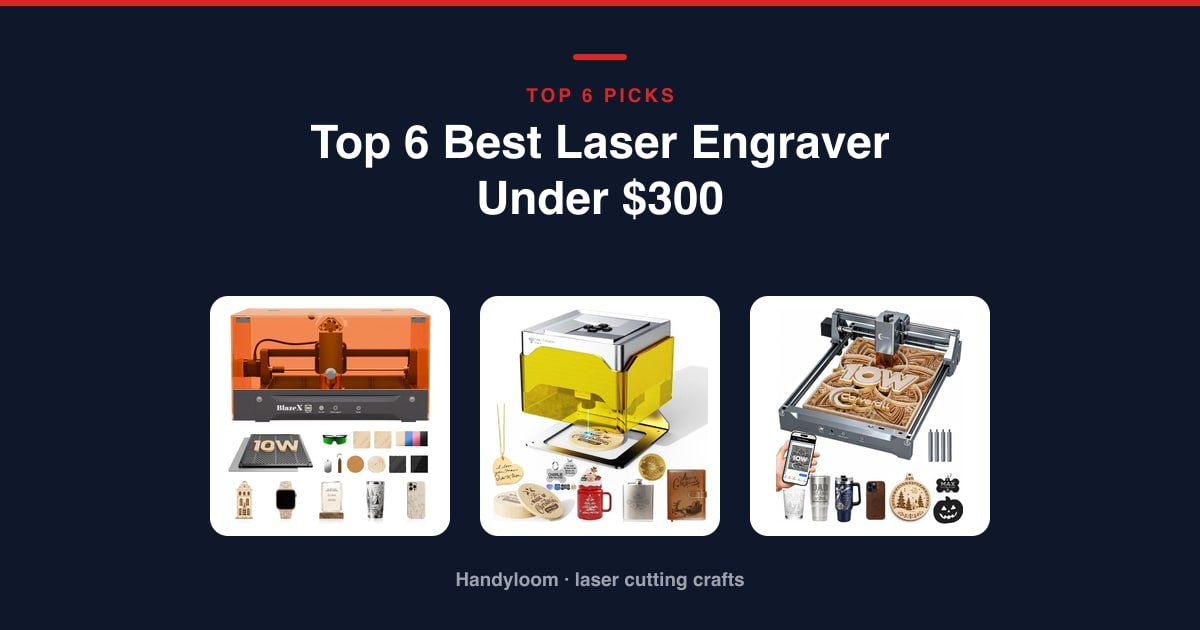
The best laser engraver under $300 is the Twotrees TS1 Mini, the only machine here that ships fully enclosed with safety goggles included, in a footprint (157 x 157 x 167mm, about 1kg) that fits a classroom desk, kitchen table or countertop workshop.
Want the lowest price and a full-size work area instead? The Twotrees TTS-55 Pro gets you there, as long as you’re ready to add your own enclosure and eye protection.
As an Amazon Associate, I earn from qualifying purchases.
This guide is also the only one here that tells you, before you buy, who should skip a sub-$300 diode laser: anyone who needs to mark bare metal, cut clear acrylic or glass, or needs consistent, repeatable production output.
Everything below comes from current Amazon product data, not hands-on lab work: specs, safety details and each machine’s owner track record. We haven’t lasered any of these machines, so nothing here is our test results.
Quick Answer: The Best Laser Engraver Under $300
The Twotrees TS1 Mini is our overall pick, the only machine here fully enclosed with goggles included. Here’s the full lineup in rank order.
- Twotrees TS1 Mini (Best Overall): fully enclosed with goggles included, for families and classrooms.
- BlazeX M3 10W: the only fully bundled starter kit, for complete beginners.
- K15 Pro: 4K-precision batch engraving for tumblers and jewelry blanks.
- Ortur Laser Master 2 S2: the most field-proven machine here, for open-frame-comfortable DIY makers.
- Twotrees TTS-55 Pro: the lowest entry price and a full-size work area, for makers adding their own enclosure.
- Creality 10W: the largest stated work area, for bigger wood and acrylic pieces.
Thinking about metal marking, clear acrylic or production-scale work instead? Jump to Who Should NOT Buy below before you spend anything.
Comparison Table
Here’s the lineup at a glance: photo, machine, who it’s built for, and our /10 score. Power, work area and safety class live in each machine’s own card below, not duplicated here.
| Photo | Machine | Best for | Score | Buy |
|---|---|---|---|---|
 |
Twotrees TS1 Mini | Overall for Families and Classrooms | 7.6/10 | Check price |
 |
BlazeX M3 10W | Bundled Starter Kit for Beginners | 9/10 | Check price |
 |
K15 Pro | Small-Business Batch Engraving | 7.6/10 | Check price |
 |
Ortur Laser Master 2 S2 | Field-Proven Pick for DIY Makers | 6.9/10 | Check price |
 |
Twotrees TTS-55 Pro | Low-Cost Pick for a Full-Size Work Area | 6.7/10 | Check price |
 |
Creality 10W | The Largest Work Area | 6.4/10 | Check price |
Scroll sideways to see every column.
Twotrees TS1 Mini: Best Overall for Families and Classrooms
This is the only machine here that ships fully enclosed with goggles in the box. Built for a kitchen table, classroom desk or shared family space, the acrylic cover contains light and debris, and Twotrees includes goggles rather than leaving you to buy your own.
Setup runs through the MKSLaser Bluetooth app, or drive it with LightBurn over USB; it stores easily between projects.
Flaws but not dealbreakers. It’s the smallest work area here, fitting objects only up to 30mm tall, and it’s the lowest-power module here, so thicker cuts take longer.
Need a bigger bed and don’t mind adding your own enclosure? The Twotrees TTS-55 Pro further down gives a 300 x 300mm work area.
Safety: It ships with a fully enclosed acrylic cover and included goggles, yet it’s rated Class 4. We’re surfacing that contradiction, not resolving it.
- Compact, fully enclosed footprint (157 x 157 x 167mm, ~1kg) with goggles included
- Plug-and-play Bluetooth app setup through MKSLaser
- Marketed for classrooms and family workshops
- Also connects over USB to LightBurn if you’d rather skip the app
- Smallest work area here at 80 x 80mm, fitting objects only up to 30mm tall
- Lowest power here at 3000mW, so thicker cuts take longer
- Rated Class 4 despite shipping fully enclosed with goggles included
- Laser Power
- 3000mW (3W)
- Work Area
- 80 x 80mm
- Footprint
- 157 x 157 x 167mm, ~1kg
- Connectivity
- Bluetooth app, USB to LightBurn
Best for: families, classrooms and small-gift makers who want a compact, fully enclosed machine with goggles included and don’t need a large work area.
BlazeX M3 10W: Best Bundled Starter Kit for Beginners
If you want everything in one box on your first laser, this is the pick. It’s the only machine here that arrives as a complete starter kit, built for someone who’s never run a laser before: an enclosure, honeycomb bed, tool kit and 13 engraving materials to practice with.
It’s Class 1 rated, with an exhaust fan and auto-stop if it tilts or the lid opens, and runs LightBurn, LaserGRBL or CutLabX across Windows, macOS, iOS and Android.
Flaws but not dealbreakers. It sits at the highest price here, right at the $300 ceiling, with the shortest owner track record and lowest average rating of the six, and no stated work-area figure to compare against the others.
Want a cheaper way in without the bundled materials? The Twotrees TS1 Mini costs less and still gives you an enclosure.
Safety: It’s Class 1 rated, with a protective enclosure and auto-stop if it tilts or the lid opens.
- Only fully bundled starter kit here: enclosure, honeycomb bed, tool kit and 13 engraving materials
- Class 1 rating with tilt and lid-open auto-stop built in
- Compatible with LightBurn, LaserGRBL and CutLabX across Windows, macOS, iOS and Android
- 0.01mm precision for a beginner-priced machine
- Highest price here, right at the $300 ceiling
- Shortest owner track record and lowest average rating here
- No stated work-area figure, so bed size isn’t comparable to the rest here
- Laser Power
- 10W, Class 1
- Precision
- 0.01mm
- Kit Includes
- Enclosure, honeycomb bed, tool kit, 13 materials
- Software
- LightBurn, LaserGRBL, CutLabX
Best for: complete beginners who want a Class 1, fully bundled all-in-one starter kit even at the top of the $300 budget.
K15 Pro: Best for Small-Business Batch Engraving
If you’re batch-engraving tumblers or jewelry blanks to sell, this is the detail-focused pick. It’s aimed at small-business crafters who need sharp, repeatable results more than a big work area.
The 10W module (10.36 to 10.58W of verified output) runs 4K-clear with one-touch smart focus, so you’re not re-focusing between every piece.
A dual-fan module cuts heat buildup by 50% during long batch jobs, rated for 12mm plywood and 8mm acrylic.
Flaws but not dealbreakers. There’s no enclosure or included goggles, so budget for both separately. Its work area is also smaller than three of the other picks here (the TTS-55 Pro, the Ortur and the Creality 10W), with fewer reviews than four of the other five machines here.
Need a bigger bed for larger panels? The Ortur or the Creality 10W give more room to work with.
Safety: It’s Class 1 rated, but no enclosure or goggles are included, unusual for a Class 1 label here.
- 4K clarity at 0.01mm precision with one-touch smart focus
- Dual-fan module built to cut heat buildup by 50% during batch jobs
- Rated to cut 12mm plywood and 8mm acrylic
- Runs at up to 15,000mm/min for repeat batches of small pieces
- No enclosure or goggles included
- Near-A4 work area is smaller than three of the other picks here
- Fewer reviews than four of the other five picks here
- Laser Power
- 10W, Class 1
- Work Area
- Near A4
- Precision
- 0.01mm, 4K clarity
- Speed
- 15,000mm/min
Best for: small-business crafters batch-engraving tumblers and jewelry blanks who want 4K-precision detail at a mid-budget price.
Ortur Laser Master 2 S2: Best Field-Proven Pick for DIY Makers
This is by far the most reviewed machine here. It’s the pick for a DIY maker comfortable running an open-frame laser and setting up their own ventilation.
The module cuts up to 30mm acrylic and 20mm wood, with a tight 0.05 x 0.1mm spot size.
Protective goggles are included, and a 98% UV-filtering cover sits over the dual-fan-cooled module, with a G-sensor auto-stop, USB-disconnect stop and idle auto-off as built-in safeguards.
Flaws but not dealbreakers. It’s an open-frame Class 4 design, so the cover isn’t a full room enclosure. Its bed is close to, but not quite, the largest stated area here, that’s the Creality 10W. One packaging quirk: ignore the included ground wire, meant for the 2.1W/5W module version.
Want a full room enclosure instead of an open frame? The Twotrees TS1 Mini and the BlazeX M3 are the two enclosed options here.
Safety: This is an open-frame Class 4 laser. Only a protective cover sits over the module, not a full room enclosure; the G-sensor, USB-disconnect and idle auto-off are mitigations, not a substitute for enclosure or extraction.
- By far the most reviewed machine here
- 10,000mW module cuts 30mm acrylic and 20mm wood
- Protective goggles included in the box
- 98% UV-filtering cover and a dual-fan cooled module
- Open-frame Class 4 design, only a protective cover, not a full room enclosure
- Its bed is close to, but smaller than, the largest stated area here
- Packaging includes a ground wire meant for the 2.1W/5W module version, ignore it
- Laser Power
- 10,000mW (10W), Class 4
- Work Area
- 390 x 410mm
- Spot Size
- 0.05 x 0.1mm
- Software
- LaserGRBL, LightBurn
Best for: buyers who want the most field-proven machine here with included eye protection, comfortable running an open-frame Class 4 laser with their own enclosure and ventilation.
Twotrees TTS-55 Pro: Best Low-Cost Pick for a Full-Size Work Area
This is the lowest price here, and it still gives you a full-size bed. It’s the pick for makers who want to stretch their budget toward work area instead of an enclosure.
The laser runs with 0.08 x 0.46mm spot precision, and includes an air-assist nozzle and a red laser shield in the box.
It connects over Wi-Fi, USB, or offline from a TF card, and carries the highest average rating of any machine here.
Flaws but not dealbreakers. It’s an open-frame Class II laser with no enclosure or goggles included, so budget for both, and it’s lower power than four of the other five picks here, so thicker cuts take longer.
Want an enclosure built in instead of adding your own? The Twotrees TS1 Mini or the BlazeX M3 ship with one.
Safety: It’s an open-frame Class II laser with no enclosure or goggles included.
- Lowest price here
- Highest average rating here
- 5500mW with an included air-assist nozzle and red laser shield
- 300 x 300mm work area with 0.08mm spot precision
- Open-frame Class II design with no enclosure included
- No goggles included
- Lower power than four of the other five picks here, so thicker cuts take longer
- Laser Power
- 5500mW (5.5W), Class II
- Work Area
- 300 x 300mm
- Speed
- Up to 30,000mm/min
- Connectivity
- Wi-Fi, TF card, USB
Best for: makers who want the lowest entry price and a full-size work area, prepared to add their own enclosure and eye protection.
Creality 10W: Best for the Largest Work Area
If you’re working on bigger wood or acrylic pieces, this is the pick with room to spare. Its 17 x 16in (431 x 406mm) bed is the largest stated work area of the machines here that list one.
The module carries an acrylic cover that filters 97% of UV rays.
Creality backs it with a year of free parts replacement, useful for a machine you’ll likely run for a while.
Flaws but not dealbreakers. There’s no full enclosure beyond that UV-filtering cover over the module. The spec sheet carries two power figures side by side, a 10W output rating and a 72,000mW machine power rating, so don’t compare the second number directly against the other machines’ output-watt figures here.
Don’t need the extra bed size and want a smaller footprint instead? The K15 Pro covers small-batch work in a tighter space.
Safety: It’s Class IIIa. The acrylic cover filters 97% of UV rays over the module, but there’s no full enclosure beyond that cover.
- Largest stated work area of the machines here that list one
- 97% UV-filtering acrylic cover over the module
- 1-year free parts replacement
- 0.06mm precision keeps accuracy within 0.004in
- No full enclosure beyond the UV-filtering cover over the module
- Mid-pack rating and review count, not the standout on either measure here
- Two power figures on the spec sheet, 10W output and 72,000mW machine power; don’t compare the second directly against the other machines here
- Laser Power
- 10W output, Class IIIa
- Work Area
- 17 x 16in (431 x 406mm)
- Precision
- 0.06mm, accuracy within 0.004in
- Speed
- Up to 10,000mm/min
Best for: buyers who want the largest stated work area here for bigger wood and acrylic pieces.
Buying Guide: Power, Work Area, Materials and Budget
Laser Power: Advertised Watts vs. Real Cutting Power
The watt number on the box isn’t always what hits the material. Creality Falcon’s own manufacturer blog on optical power explains the rating often means electrical power into the laser source, while optical power, the beam energy that reaches the material, “can be less than the electrical power due to system losses.” No brand here publishes both numbers on the same basis, so don’t rank two sub-$300 machines by wattage alone; weigh real cut-depth and engrave-speed results instead. These picks span a manufacturer-stated 3000mW to 10,000mW, with the TTS-55 Pro at 5500mW in between, all brand-reported, not independently verified.
Work Area and Footprint: How Much Room You Actually Get
Work area swings hard across this lineup: the TS1 Mini’s 80 x 80mm bed fits objects only up to 30mm tall, the TTS-55 Pro gives 300 x 300mm, the K15 Pro is Near-A4 sized, the Ortur runs 390 x 410mm, and the Creality 10W tops out at 431 x 406mm, the largest stated area here. The BlazeX M3’s specs don’t include a work-area figure, so don’t assume one.
Materials and Budget: What These Machines Handle, and What Else You’ll Need to Buy
All six machines handle wood and leather at a hobbyist level. Every “metal” or “acrylic” claim here (the Ortur’s marking language, the K15 Pro’s coated-metal callout, the BlazeX and Creality’s generic mentions) means coated or anodized metal only; none is verified to mark bare metal, for the reason below.
The $300 ceiling doesn’t cover safety glasses, ventilation or a fireproof workspace for every model. Only the TS1 Mini includes goggles; the TS1 Mini and BlazeX M3 include an enclosure. Budget separately for whatever the rest of these picks don’t ship with. See our guides to coated and anodized aluminum and laser ventilation setup.
Safety Class Numbers: What They Actually Mean for This Price Band
Per lasersafetyfacts.com’s general Class 4 hazard figures, a 1-watt Class 4 laser carries an eye-hazard distance of roughly 740 feet, a 5-watt Class 4 laser roughly 1,640 feet, and viewing the diffuse reflection of a 1000-milliwatt blue laser dot for more than a minute is an eye hazard within about 1.5 feet. That’s general education, not a measurement of any machine here, but one rule follows: nobody without rated glasses should be in the room while an open-frame Class 4 unit runs.
This lineup’s own classes are a mixed bag and self-reported: TS1 Mini Class 4 despite its enclosed, goggles-included design; BlazeX M3 and K15 Pro Class 1; Ortur Class 4; TTS-55 Pro Class II; Creality 10W Class IIIa. We’re not reconciling that spread; match glasses to your machine’s wavelength and power. Our laser safety equipment checklist helps pick the right pair.
Who Should NOT Buy a Laser Engraver Under $300
A sub-$300 diode laser is the wrong purchase for three kinds of buyers. Here’s who they are, and what to look at instead.
You Need to Mark Bare, Uncoated Metal
Blue diode wavelengths, the 400-500nm light every machine here uses, typically need a marking spray to create a mark on metal, per Laserax’s manufacturer blog. Uncoated aluminum, steel, brass and copper won’t mark without a thermochromic or laser-marking spray applied first. Only fiber lasers, at roughly 1064nm, react well with metal directly, per the same source.
None of the six machines here mark bare metal. Their specs describe “metal” generically or “coated metal” specifically (the K15 Pro’s wording), so treat every metal claim here as coated or anodized only. A fiber laser is the category for raw metal marking. Our guide to laser engraving metal with the right coating covers the workaround.
You Want to Cut Clear Acrylic or Glass
Clear acrylic and glass engrave poorly because the blue light passes straight through them, unless painted first or you’re running a CO2 machine. Several specs here mention generic acrylic compatibility, but that’s not verified as clear-acrylic performance; painted or colored acrylic is a different story than clear stock. A CO2 machine is the right category. Our piece on cutting clear acrylic with a laser goes deeper.
You Need Consistent, Repeatable Production-Scale Cutting
These are open-frame or lightly-enclosed hobbyist units, not production tools. Only the TS1 Mini and BlazeX M3 have any enclosure; the K15 Pro, Ortur, TTS-55 Pro and Creality 10W don’t. For real-volume output, look at a higher-power semi-industrial machine or a dedicated fiber or CO2 production laser; none of the six here is marketed for that scale.
Final Verdict
The Twotrees TS1 Mini is the best laser engraver under $300 if you want one machine that’s fully enclosed with goggles included, right out of the box, worth the smaller work area for families, classrooms and small-gift makers.
Want the lowest price and the biggest work area for the money? Get the Twotrees TTS-55 Pro: the lowest-priced pick here, with a full 300 x 300mm bed, as long as you’re ready to add your own enclosure and eye protection.
Need the largest work area outright? The Creality 10W’s 431 x 406mm bed beats every other stated area here. Batch-engraving tumblers or jewelry blanks for a small business? The K15 Pro’s 4K precision and dual-fan cooling are built for that.
Whichever you pick, read the Who Should NOT Buy section above first if bare metal, clear acrylic or production volume is the job. See our complete laser engraver buying guide for the full framework.
FAQ
What’s the best laser engraver under $300 overall?
The Twotrees TS1 Mini, the only machine here that’s fully enclosed with goggles included. Want a lower price and a bigger bed? Look at the TTS-55 Pro or the Creality 10W.
Can a laser engraver under $300 cut or mark bare metal?
No. These diode lasers only mark coated or anodized metal, after you add a marking spray. To mark bare stainless, aluminum or brass, a fiber laser is the right category.
What does the laser safety class (Class 1, 2, 4) on these machines mean?
Each manufacturer’s self-reported hazard classification, tied to enclosure and beam containment, not cutting power. General Class 4 hazard-distance figures are useful background, not a measurement of any specific model here.
Do I need ventilation for a sub-$300 diode laser engraver?
For most of these, yes. Only two of the six, the TS1 Mini and the BlazeX M3, include any enclosure. See our ventilation guide above.
Does a higher advertised wattage mean a stronger machine?
Not reliably. The wattage figure is often electrical input power, not verified optical output. Compare real cut-depth and engrave-speed results instead.
Which pick has the largest work area under $300?
The Creality 10W, at 17 x 16in (431 x 406mm), the largest stated area here.
