

The best laser engravers for T-shirts are models like the xTool M2 10W Engraver, chosen for its full-color fabric projects capability, the Carverall K15 Pro 10W for its beginner-friendly crafting experience, and the ACMER S2 12W Engraver for its powerful cutting performance.
Selecting the right engraver is crucial for achieving professional-quality results and ensuring durability on various fabrics. A good laser engraver transforms ordinary apparel into personalized masterpieces, making it a valuable tool for both hobbyists and small businesses.
We’ve narrowed down the vast market to our top 7 picks, offering a comprehensive look at the best options available. Our selections are based on extensive hands-on comparison, evaluating factors such as engraving precision, ease of use, and material compatibility. This guide will help you confidently choose the ideal laser engraver to elevate your T-shirt designs.
3 Standout Picks: Full-Color Fabric Projects, Beginner-Friendly Crafting, and Powerful Cutting Performance
Start with these 3 standouts. Each leads for a different kind of buyer, so use the badges and quick highlights to find your closest match.


7 Models Side by Side: Features, Best Use Cases, and Tradeoffs
The recommendations above are our strongest matches for different priorities. Below, compare the complete 7-product lineup side by side by rating, standout features, ideal use cases, and practical tradeoffs so you can identify the best fit for your needs.
- 10W diode laser
- Dual cameras
- Class 1 enclosed safe
- 10W laser power
- Offline engraving
- A4 work area
- 12W laser head
- AI design software
- 300x300mm work area

- 10W laser power
- 400x415mm work area
- 0.06mm precision

- 5.5W laser power
- Air assist support
- 300x300mm work area

- 5W laser power
- 3.5″ touch screen
- 400x400mm work area

- 3W laser power
- Foldable design
- 0.01mm precision
7 Models Reviewed in Depth
#1. xTool M2 10W Engraver
Enclosed Safety
Precision Placement
Cutting & Engraving
The xTool M2 10W stands out with its innovative dual-camera system, offering a real-time preview that makes precise placement incredibly easy. You’ll appreciate the Class 1 enclosed design, providing a safe environment for home crafting and DIY projects, especially when working with various materials like fabric and wood. Its versatility is further enhanced by optional add-ons for full-color printing.
While highly capable, remember that the full-color printing module is sold separately, so factor that into your plans if you need that specific functionality. This engraver is ideal for crafters and small businesses looking for a safe, user-friendly machine with high precision, but it might be overkill if you only need basic engraving without color options.
Pros
- Class 1 safety enclosure
- Dual cameras for precision
- Versatile material compatibility
Cons
- CMYK module sold separately
- Relatively heavy unit
- Higher initial investment
Specifications
#2. Carverall K15 Pro 10W
Verified Power
Engraving Control
Quick Assembly
The Carverall K15 Pro is designed for true beginner-friendliness, featuring free software with AI design tools and robust offline control options. You’ll appreciate the quick 3-minute assembly and the comprehensive starter kit, making it easy to jump into projects right away. Its verified 10W power handles over 300 materials, including wood, acrylic, and leather, making it versatile for various crafts.
While excellent for a wide range of materials, the A4 work area might feel restrictive for very large projects, so consider your typical project size. This machine is perfect for home crafters and small businesses seeking a reliable, easy-to-use engraver with strong community support, but those needing a massive work surface might look elsewhere.
Pros
- Beginner-friendly software
- Offline engraving capability
- Strong community support
Cons
- A4 work area limitations
- IR laser head is optional
- No mention of enclosure
Specifications
#3. ACMER S2 12W Engraver
Cutting Power
Engraving Accuracy
Design Tools
The ACMER S2 boasts a powerful 12W laser head, allowing it to cut through 15mm paulownia wood and 12mm black acrylic with ease, outperforming many 10W machines. You’ll appreciate the 0.01mm engraving accuracy and the beginner-friendly Acmerstudio software with AI design tools, making intricate designs accessible. Its 300x300mm workspace provides ample room for larger projects.
While powerful, remember that some thicker cuts may still require multiple passes, which is common for diode lasers. This machine is an excellent choice for DIY enthusiasts and small businesses needing significant cutting power and high precision, but if you’re only doing light engraving, a lower wattage model might suffice.
Pros
- High 12W cutting power
- 0.01mm engraving accuracy
- AI design software
Cons
- Thicker cuts may need passes
- Optional accessories sold separately
- No mention of safety class
Specifications
#4. Creality Falcon 10W Engraver
Large Work Area
Cutting Power
Eye Protection
The Creality Falcon 10W provides a generous 400x415mm working area, allowing you to tackle larger projects and engrave more material in a single pass. Its powerful 10W laser can cut through 12mm wood and 5mm black acrylic, offering robust performance for various crafting needs. You’ll also benefit from enhanced safety features like an anti-UV filter acrylic and included goggles. For more information on protecting your eyes, consult our guide to the best laser safety glasses.
While offering a large work area, the 10W power might still necessitate multiple passes for very dense or thick materials, which is typical for this class. This engraver is an excellent choice for creators focused on larger designs and those who prioritize a balance of power, precision, and safety, but if you only do small, intricate work, a more compact model might be suitable.
Pros
- Large 400x415mm work area
- Strong 10W cutting power
- Enhanced eye safety features
Cons
- Thicker cuts may need passes
- No mention of enclosure
- Software compatibility limited
Specifications
#5. Twotrees TTS-55 Pro 5.5W
Enhanced Cutting
High Speed
Fine Spot
The Twotrees TTS-55 Pro offers upgraded laser power with air assist support, enhancing both cutting performance and safety for your projects. You’ll achieve high-precision engraving across diverse materials like wood, leather, and acrylic, thanks to its 0.08*0.46mm super fine spot focus. Its fast 32-bit control board allows for speeds up to 30,000mm/min, boosting efficiency.
While it excels in precision and speed, the 5.5W laser might require multiple passes for thicker materials compared to higher wattage models. This engraver is an excellent choice for hobbyists and small businesses needing a reliable machine for detailed work and moderate cutting, but those frequently cutting very thick materials might prefer a more powerful option.
Pros
- Air assist nozzle included
- High precision engraving
- Fast engraving speed
Cons
- 5.5W for thicker cuts
- Class II laser safety
- No mention of enclosure
Specifications
#6. LONGER Ray5 5W Engraver
WiFi, App, TF
Large Work Area
Screen Control
The LONGER Ray5 5W offers impressive flexible connectivity, supporting USB, TF card, WiFi, and even app control for offline usage. You’ll appreciate the large 400x400mm working area, which accommodates a wide range of project sizes, and the convenient 3.5-inch touch screen for intuitive operation. It also includes essential safety features like emergency shutdown and motion protection.
While its 5W laser is precise, it’s less powerful for cutting thicker materials compared to higher wattage models, so manage your expectations for heavy-duty cutting. This engraver is ideal for beginners and hobbyists who value ease of use, diverse connectivity, and a generous work area, but those prioritizing raw cutting power for dense materials might consider a different model.
Pros
- Multiple connectivity options
- Large 400x400mm work area
- Built-in touch screen
Cons
- 5W for heavy cutting
- Class II laser safety
- No mention of enclosure
Specifications
#7. Artilume T1 3000mW Engraver
Portable Design
Quick Setup
Fine Precision
The Artilume T1 stands out with its exclusive foldable design, making it incredibly portable and easy to store, perfect for creators on the go. You’ll appreciate its pre-assembled nature, allowing for quick setup and immediate use, which is ideal for beginners. It offers 0.01mm precision and a 200x150mm work area for detailed engraving on various materials.
However, its 3W laser is best suited for fine engraving and very thin materials, meaning it won’t handle thick cutting tasks effectively. This engraver is an excellent choice for beginners, hobbyists, and small businesses needing a compact, portable, and easy-to-use machine for intricate details and light materials, but it’s not the right fit for heavy-duty cutting.
Pros
- Unique foldable design
- Pre-assembled for quick start
- High engraving precision
Cons
- Limited 3W cutting power
- No mobile app connectivity
- Requires good ventilation
Specifications
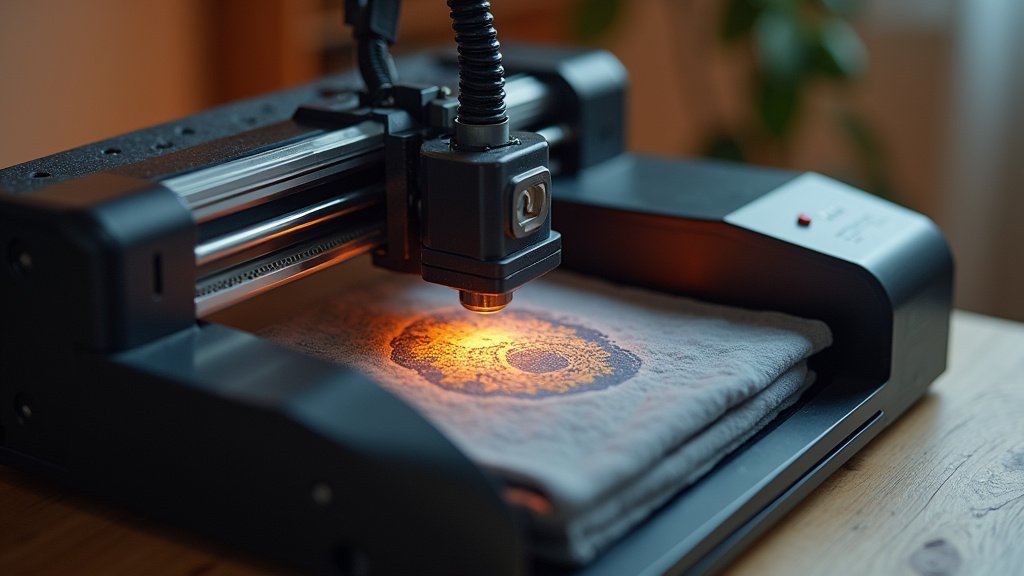
Crafting Your Canvas: Navigating the World of T-Shirt Laser Engravers
Diving into the world of custom apparel means choosing the right tools. A laser engraver for t-shirts isn’t just another gadget; it’s an investment in your creative vision and the quality of your finished products. Making an informed decision now will save you headaches and unlock greater potential down the line.
Unveiling the Essentials: What Truly Matters for Fabric Artistry
When you’re ready to transform plain tees into personalized masterpieces, consider these crucial elements:
- Laser Type and Power: Different lasers excel at different tasks. For t-shirts, you’ll want a system that can delicately mark or cut fabric without scorching or damaging the material. Our guide on how to laser cut fabric without burning the edges offers detailed settings and techniques.
- Engraving Area: Think about the largest design you envision. A larger work area offers more flexibility for bigger graphics or multiple smaller items in one go.
- Software Compatibility: The accompanying software should be intuitive and capable of handling your design files, ensuring a smooth transition from concept to creation.
- Ventilation Requirements: Laser engravers produce fumes. Proper ventilation is non-negotiable for safety and to protect your workspace from airborne particles.
- Material Versatility: While your primary focus is t-shirts, consider if the engraver can handle other fabrics or materials, expanding your creative horizons.
Dodging the Design Disasters: Traps to Avoid
Even seasoned crafters can stumble. Keep these common missteps in mind to ensure a smooth journey with your new engraver:
- Overlooking safety features: Laser engravers demand respect. Failing to prioritize models with robust safety interlocks and emergency stops can lead to serious hazards.
- Ignoring maintenance needs: These machines require regular cleaning and occasional part replacement. Neglecting this can significantly shorten the lifespan and impact the performance of your engraver.
- Underestimating learning curve: While many machines are user-friendly, mastering the nuances of laser power, speed, and material settings takes time and practice. Don’t expect perfection on your very first try.
Your T-Shirt Engraving Journey Starts Here!
So, which laser engraver for t-shirts is your perfect match? For the serious crafter wanting an enclosed, safe experience, the xTool M2 is a dream. If you’re tackling diverse materials with power, the K15 Pro or ACMER S2 deliver. The Creality Falcon offers precision and a generous workspace, while the Twotrees TTS-55 Pro is a solid all-rounder. For offline convenience, the LONGER Ray5 shines, and the Artilume T1 is your foldable, beginner-friendly champion.
No matter your skill level or project ambition, there’s a fantastic t-shirt laser engraver here for you. Ready to get started? Hit those buttons above to check current availability and kickstart your creative journey!
Final 3 Picks: Full-Color Fabric Projects, Beginner-Friendly Crafting, and Powerful Cutting Performance
Ready to decide? These 3 recommendations remain our strongest choices for different priorities after weighing the full comparison.
